

One server handling all your traffic is a ticking clock. Eventually it breaks, and when it does, your entire application goes dark. So, what is a load balancer? It’s the layer between your users and your backend servers that distributes incoming network traffic across multiple machines, keeping everything running even when individual servers fail.
This article breaks down how load balancers work, the algorithms they use to route requests, the differences between hardware, software, and cloud-native options like AWS ALB and NGINX, and how to configure things like SSL termination and failover. Whether you’re setting up your first server pool or rethinking your production environment, this is the practical foundation you need.
What Is a Load Balancer
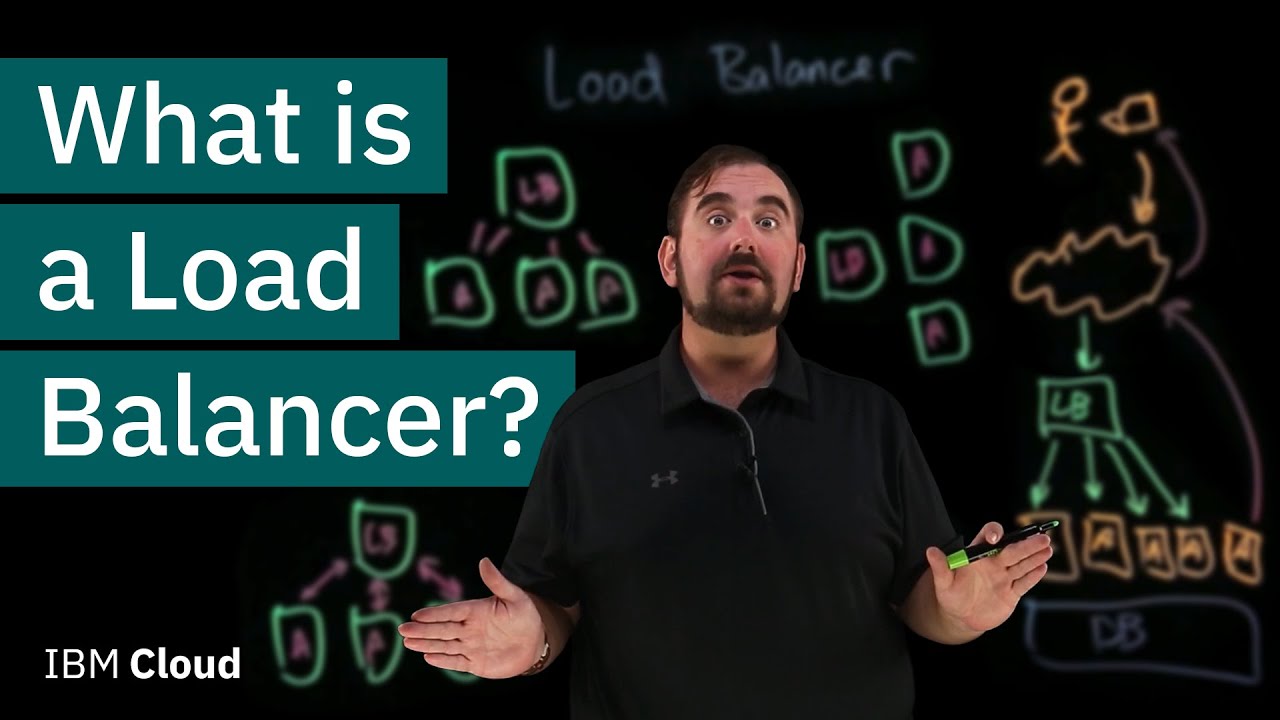
A load balancer is a device or software that distributes incoming network traffic across multiple servers. It sits between client requests and your backend server pool, making sure no single machine gets overwhelmed with too many connections at once.
Think of it as traffic routing for your infrastructure. When a user hits your website, the load balancer decides which server should handle that request based on predefined rules and real-time server health data.
The load balancer market hit $6.2 billion in 2024 and is projected to reach $7.09 billion in 2025, according to Research and Markets. That kind of growth (13.4% year over year) tells you how many organizations are actively investing in traffic distribution.
Without a load balancer, every request goes to a single server. That server either handles the load or it doesn’t. And when it doesn’t, your entire application goes down.
Load balancers solve this by spreading requests across a group of upstream servers. They monitor which servers are healthy, which are overloaded, and which are offline. Then they route traffic accordingly, all in real time.
The concept applies to web apps, APIs, databases, and basically any service that accepts network connections. If your application has users, it probably needs some form of traffic distribution.
Where Load Balancers Sit in Your Architecture
A load balancer typically lives at the edge of your network, right in front of your application servers. Clients never talk to backend servers directly.
Here’s the basic flow:
- User sends an HTTP request to your domain
- DNS resolves to the load balancer’s virtual IP address
- Load balancer picks a healthy server from the pool
- Server processes the request and sends the response back through the load balancer
This pattern is standard across everything from small startups to companies like Amazon and Netflix that handle millions of concurrent connections. The reverse proxy function is often built into the same component, which is why you’ll see NGINX described as both a web server and a load balancer.
Why Load Balancing Matters

A single server is a single point of failure. Full stop.
If that one machine crashes, loses network connectivity, or just runs out of memory during a traffic spike, your entire application becomes unreachable. Every user gets an error page. Every transaction fails.
EMA Research found that unplanned IT downtime now costs an average of $14,056 per minute, rising to $23,750 for large enterprises. And that figure jumped 60% for organizations with fewer than 10,000 employees between 2022 and 2024.
Load balancing directly addresses this by removing single points of failure from your architecture.
Uptime and Availability
Most modern SLAs promise 99.99% uptime, which translates to roughly 52 minutes of allowed downtime per year. You can’t hit that target with one server.
Load balancers make high availability possible by routing traffic only to healthy servers. If one goes down, the others pick up the slack automatically. No manual intervention needed.
ITIC’s 2024 survey found that over 90% of mid-sized and large firms estimate hourly downtime costs exceed $300,000. For e-commerce specifically, Amazon has reported losses estimated at $34 million from a single hour-long outage.
Performance Under Load
Response time degrades fast when a server approaches capacity. A machine handling 90% of its maximum load will serve requests noticeably slower than one at 50%.
Load balancers keep individual servers within comfortable operating ranges by distributing requests evenly (or weighted, depending on your algorithm). The result is consistent throughput and lower latency for end users, even during traffic spikes.
Mordor Intelligence reports that Layer 7 solutions held 49.8% of the load balancer market share in 2024, largely because application-aware traffic management gives teams finer control over how requests get distributed.
Scalability
Need more capacity? Add another server to the pool. The load balancer starts routing traffic to it immediately.
This is horizontal scaling in practice. Instead of buying a bigger, more expensive server (vertical scaling), you add more machines at the same tier. Load balancers make this approach work because they abstract the server pool from the client.
The connection between software scalability and load balancing is direct. You can’t scale horizontally without something distributing traffic across those new servers.
How a Load Balancer Works

The mechanics are straightforward once you break them down. A client makes a request, the load balancer intercepts it, picks a server, forwards the request, and returns the response.
But there’s a lot happening under the hood that separates a basic setup from a production-grade one.
Request Handling and Forwarding
Connection flow: The load balancer accepts incoming TCP connections on its virtual IP address. It then establishes a separate connection to the selected backend server. The client has no idea which server actually processed the request.
Two main approaches exist for handling this:
- Proxy mode: The load balancer terminates the client connection and opens a new one to the backend. Most common for HTTP traffic.
- DSR (Direct Server Return): The backend server responds directly to the client, bypassing the load balancer on the return path. Better for high-throughput scenarios.
NGINX, for example, defaults to proxy mode and handles over 10.9 million company deployments globally as of 2025, according to CommandLinux research.
Health Checks
A load balancer is only as good as its awareness of server health. If it routes traffic to a dead server, you’ve gained nothing.
Health checks run continuously at configurable intervals. They can be as simple as a TCP ping or as specific as an HTTP GET request to a particular endpoint that validates the application is actually working, not just that the port is open.
Active health checks probe servers on a schedule (every 5 seconds, every 30 seconds, whatever you configure). Passive health checks monitor live traffic for error responses and slow replies.
HAProxy, which holds 41.15% market share in the proxy server category, is known for particularly granular health check configurations that go well beyond basic TCP pings.
Layer 4 vs. Layer 7 Load Balancing
This is where things get interesting, and where most teams need to make an actual decision.
| Feature | Layer 4 (Transport) | Layer 7 (Application) |
|---|---|---|
| Routes based on | IP address, TCP/UDP port | HTTP headers, URLs, cookies, content type |
| Speed | Faster, less processing overhead | Slightly slower, more inspection |
| Intelligence | Limited, no content awareness | Full content awareness |
| Best for | Raw TCP traffic, databases, email | Web applications, APIs, microservices |
Layer 4 load balancing operates at the transport layer of the OSI model. It sees IP addresses and port numbers but nothing about the actual content of the request. It’s fast because there’s almost no processing overhead.
Layer 7 works at the application layer. It can read HTTP headers, inspect URLs, examine cookies, and make routing decisions based on the actual content of the request. If you need to route API calls to one server group and static assets to another, Layer 7 is what you need.
Most back-end development teams end up using Layer 7 because modern web applications need content-aware routing. The overhead is minimal on current hardware, and the flexibility is worth it.
Load Balancing Algorithms

The algorithm determines which server gets the next request. Pick the wrong one for your workload and you’ll end up with uneven server utilization, slow responses, or both.
There’s no universal best choice. It depends on your traffic patterns, server specs, and application behavior.
Round Robin
Requests go to each server in order, one after the other. Server A, Server B, Server C, then back to A.
Simple. Works well when all servers have identical specs and requests take roughly the same amount of time to process. Falls apart when servers have different capacities or when some requests are significantly heavier than others.
Weighted Round Robin adds a multiplier. A server with weight 3 gets three requests for every one that a server with weight 1 receives. Useful when your server pool has mixed hardware.
Least Connections
Smarter than Round Robin for most real workloads. The load balancer tracks how many active connections each server is handling and sends the next request to whichever server has the fewest.
This naturally accounts for requests that take varying amounts of time. A server processing a heavy database query keeps its connection count high, so new requests go elsewhere.
Weighted Least Connections combines this with server capacity weights. It’s probably the most common algorithm in production environments where request processing times vary.
Other Algorithms
IP Hash: Routes requests from the same client IP to the same server every time. Useful for basic session persistence without cookies. Breaks when clients share IPs (corporate NATs, mobile carriers).
Least Response Time: Factors in both active connections and server response latency. Sends traffic to whichever server is responding fastest. HAProxy’s performance benchmarks show it handles roughly 35% more requests per CPU percentage than NGINX, making response-time-based routing particularly effective on that platform.
Random with Two Choices: Picks two random servers, then sends the request to whichever one has fewer connections. Surprisingly effective at scale. Research out of Microsoft shows it nearly matches Least Connections performance with lower overhead.
Types of Load Balancers

Load balancers come in three broad categories: hardware appliances, software solutions, and cloud-native services. The market has shifted dramatically toward software and cloud in the last five years.
Software and virtual appliances captured 60.3% of the load balancer market in 2024, according to Mordor Intelligence. Hardware still has its place, but it’s shrinking.
Hardware Load Balancers
F5 BIG-IP and Citrix ADC (formerly NetScaler) are the names you’ll hear most. These are dedicated physical devices built specifically for traffic distribution.
They’re fast. Purpose-built ASICs can handle enormous throughput with very low latency. Trading floors and telecom core networks still use them because microseconds matter in those environments.
But they’re expensive. A single F5 appliance can cost tens of thousands of dollars, and you need at least two for redundancy. Maintenance contracts add more. And scaling means buying more hardware.
For most teams, the cost-to-flexibility ratio just doesn’t make sense anymore.
Software Load Balancers
NGINX, HAProxy, and Envoy Proxy dominate this category.
- NGINX: Powers 33% of identifiable web servers globally. Over 10 million companies deploy it. Works as a web server, reverse proxy, and load balancer. Small businesses (under 50 employees) make up 68% of its customer base.
- HAProxy: Purpose-built for load balancing. Earned Leader status in 26 G2 Fall 2025 categories with a perfect satisfaction score of 100. Handles 50,000+ requests per second on a 4-core system. Used by enterprise organizations (52% of its user base).
- Envoy: Built for service mesh environments. Lyft created it, and it’s now a CNCF graduated project. Tightly integrated with Kubernetes and Istio.
Software load balancers run on commodity hardware or virtual machines. You install them, configure them, and scale them alongside your application. The software development process for most web applications now includes choosing and configuring one of these tools as a default step.
Cloud-Native Load Balancers
AWS Elastic Load Balancer, Google Cloud Load Balancing, and Azure Load Balancer are fully managed services. No servers to maintain, no software to update.
Flexera’s 2024 State of the Cloud report shows 89% of organizations use multi-cloud strategies. That means most companies are dealing with load balancing across multiple cloud providers simultaneously.
| Load Balancer Type | Examples | Best For | Drawback |
|---|---|---|---|
| Hardware appliance | F5 BIG-IP, Citrix ADC | Ultra-low latency (trading, telecom) | High cost, limited flexibility |
| Software | NGINX, HAProxy, Envoy | Full control, custom configurations | You manage the infrastructure |
| Cloud-native | AWS ALB/NLB, GCP LB, Azure LB | Managed scaling, quick deployment | Vendor lock-in risk |
The Load Balancer-as-a-Service segment is growing fastest at 15.5% CAGR, according to Mordor Intelligence. Pay-as-you-go pricing, bundled security features (WAF, DDoS protection), and zero infrastructure management make it appealing for teams that want to focus on their application, not the plumbing underneath it.
Hardware vs. Software Load Balancers
Look, hardware load balancers aren’t dead. But for roughly 90% of use cases, software wins.
Cost: A software load balancer like HAProxy is free. NGINX open source is free. Even commercial licenses (NGINX Plus, HAProxy Enterprise) cost a fraction of what F5 hardware runs.
Flexibility: Software scales horizontally. Spin up another instance in minutes. Hardware requires procurement, racking, cabling, and configuration that can take weeks.
Integration: Software load balancers slot into CI/CD pipelines and infrastructure as code workflows. You can version-control your NGINX configs alongside your application codebase. Took me a while to fully appreciate how much easier that makes life during deployments.
Grand View Research projects the market will hit $16.14 billion by 2030, growing at a 15.9% CAGR. The software segment specifically is expected to lead that growth at a 16.8% CAGR.
Load Balancers in Cloud Architecture

Cloud infrastructure fundamentally changed how load balancing works. Instead of buying and configuring a physical appliance, you provision a managed load balancer through an API call and it’s ready in seconds.
About 94% of enterprises use cloud services in some form, according to G2’s 2025 cloud computing statistics. And nearly all of them need load balancing to distribute traffic across their cloud-hosted applications.
Auto-Scaling and Load Balancers
Auto-scaling groups pair directly with load balancers in every major cloud provider. AWS Auto Scaling Groups register new instances with the Application Load Balancer automatically. Google Cloud does the same with Managed Instance Groups.
The load balancer detects new servers through health checks and starts routing traffic to them within seconds. When demand drops, servers get removed and the load balancer stops sending requests their way.
This is app scaling at its most practical. Your infrastructure grows and shrinks with actual demand. No manual work, no over-provisioning.
Internal vs. External Load Balancers
External (public-facing): Sits at the edge of your VPC with a public IP. Handles traffic from the internet. This is what most people picture when they think of a load balancer.
Internal (private): Lives inside your VPC with no public IP. Routes traffic between internal services. If your application tier needs to talk to your database tier through a load balancer, that’s an internal LB.
Most production architectures use both. External for user-facing traffic, internal for service-to-service communication within a microservices architecture.
Container Orchestration and Ingress
Kubernetes introduced its own layer of load balancing through Services and Ingress controllers. A Kubernetes Service of type LoadBalancer provisions a cloud load balancer automatically.
Ingress controllers (NGINX Ingress, Traefik, Envoy-based options) handle Layer 7 routing inside the cluster. They map hostnames and URL paths to specific Kubernetes services.
Mordor Intelligence data shows Kubernetes ingress is projected to grow at a 14.8% CAGR through 2030. Containerization is now the default deployment model for many teams, and load balancing within container environments is a big part of that.
CDN and Edge Load Balancing
Cloudflare, Akamai, and AWS CloudFront operate load balancers at the edge, closer to end users. Instead of routing all traffic to a central data center, edge load balancers direct requests to the nearest point of presence.
This reduces latency dramatically for globally distributed users. A visitor in Tokyo hits a Tokyo edge node rather than crossing the Pacific to reach a server in Virginia.
Global server load balancing (GSLB) works at the DNS level, directing users to the optimal data center based on geography, server health, and current load. It’s a different animal from local load balancing but uses many of the same principles.
Load Balancer vs. Reverse Proxy vs. API Gateway

These three components get confused constantly. And honestly, the confusion makes sense because there’s real overlap. NGINX alone can function as all three depending on how you configure it.
But they serve different primary purposes. Understanding where they overlap and where they don’t saves you from either over-engineering or leaving gaps in your architecture.
What a Reverse Proxy Does
A reverse proxy sits in front of your servers and forwards client requests to them. It hides your backend infrastructure from the outside world.
Key functions:
- SSL/TLS termination (handles encryption so backend servers don’t have to)
- Caching static content
- Compression
- Request/response modification
NGINX started as a web server and reverse proxy before load balancing became one of its primary use cases. The line between “reverse proxy” and “load balancer” is blurry because most reverse proxies include basic load balancing, and most load balancers act as reverse proxies.
What an API Gateway Does
An API gateway handles concerns specific to API traffic: authentication, rate limiting, request transformation, API versioning, and analytics.
Tools like Kong, AWS API Gateway, and Traefik operate at this layer. They route requests to different backend services based on API paths, apply security policies, and collect usage metrics.
An API gateway can include load balancing. But a load balancer doesn’t typically include API management features like throttling or token-based authentication.
When They Overlap
| Component | Primary Job | Includes Load Balancing? | Includes API Management? |
|---|---|---|---|
| Load Balancer | Distribute traffic across servers | Yes | No |
| Reverse Proxy | Shield backend, terminate SSL | Basic | No |
| API Gateway | Manage API traffic, auth, rate limits | Often | Yes |
In practice, most teams running cloud-based applications end up using at least two of these, and sometimes all three at different layers.
A typical setup: Cloudflare or AWS ALB as the external load balancer, NGINX as a reverse proxy handling SSL termination and caching, and Kong or AWS API Gateway managing API integration concerns for your RESTful API endpoints.
Your mileage may vary, but that architecture covers traffic distribution, performance optimization, and API security without any component doing too much.
High Availability and Failover with Load Balancers

A load balancer that goes down takes everything behind it offline. Every backend server, every application, every user session. Gone.
So the load balancer itself cannot be a single point of failure. You need redundancy at this layer too, and there are well-established patterns for achieving it.
Active-Passive Failover
One load balancer handles all traffic. A second one sits idle, watching.
The passive node monitors the active node’s heartbeat. If the active node stops responding (hardware failure, software crash, network issue), the passive node takes over within seconds. Clients connect to the same virtual IP address the entire time.
Keepalived running VRRP (Virtual Router Redundancy Protocol) is the standard tool for this on Linux. Optimized deployments can achieve sub-second failover, according to CubePath documentation on enterprise Keepalived implementations.
Active-Active Failover
Both load balancers handle traffic simultaneously. Each one owns a separate virtual IP address but serves as backup for the other’s IP.
Advantage: You get double the capacity during normal operations, and you still maintain full redundancy if one node fails.
Tradeoff: The surviving node temporarily handles all traffic from both IPs, so it needs enough headroom to absorb the extra load. HAProxy Enterprise supports this through its VRRP module, where each node runs as MASTER for one virtual IP and BACKUP for the other.
Floating IP and VRRP
VRRP is the protocol that makes automatic IP failover work. The primary load balancer holds a floating virtual IP address and sends heartbeat advertisements (typically every 1 second) to backup nodes.
If heartbeats stop arriving, the highest-priority backup promotes itself to master and takes ownership of the virtual IP. Network switches get updated through gratuitous ARP packets, and traffic resumes.
Typical failover time: 3 to 10 seconds with default settings. Fine-tuned configurations with aggressive advertisement intervals can bring this under 1 second.
DNS-Based Failover
A different approach entirely. Instead of floating IPs, DNS-based failover uses health-checked DNS records to route traffic away from failed load balancers.
Cloudflare and AWS Route 53 both offer this. The DNS resolver monitors your load balancer endpoints and removes unhealthy ones from the rotation automatically.
The catch: DNS propagation adds latency. Even with low TTLs, some clients cache DNS records longer than expected. VRRP failover is faster and more predictable for local redundancy, but DNS-based failover works better for geographic or multi-data-center redundancy.
Netflix runs active-active across multiple AWS regions, using DNS-based routing through Route 53 to shift traffic away from an entire region if needed.
How to Choose a Load Balancer

The right choice depends on your traffic patterns, your deployment model, and honestly, your team’s experience. A load balancer you can configure and troubleshoot confidently beats a “better” one that nobody on your team understands.
Traffic Volume and Growth
If you’re serving a few hundred requests per second, almost anything works. NGINX, HAProxy, a cloud-native ALB. Pick what’s easiest to set up.
At tens of thousands of requests per second, you need something designed for it. HAProxy handles 50,000+ RPS on a 4-core system for HTTP/1.1 traffic, according to CommandLinux benchmarks. NGINX is comparable at around 40,000 RPS under similar conditions.
Cloud-native load balancers auto-scale to whatever traffic you throw at them. You pay more, but you never think about capacity. The high availability piece is also handled for you.
Protocol Requirements
| Protocol | Layer 4 LB | Layer 7 LB | Cloud-Native |
|---|---|---|---|
| HTTP/HTTPS | Basic routing | Full content-aware routing | Full support |
| WebSocket | Pass-through | Connection upgrade support | Varies by provider |
| gRPC | Pass-through | Header-based routing | AWS ALB, GCP LB |
| TCP/UDP | Full support | Limited | NLB, TCP proxy |
If your application uses only HTTP and HTTPS, any Layer 7 load balancer works. Webhook endpoints, REST APIs, and standard web traffic all route cleanly through NGINX or an ALB.
For GraphQL APIs, WebSocket connections, or gRPC services, check your specific load balancer’s support. Not all of them handle these protocols equally well.
Deployment Model
On-premise or bare metal: HAProxy or NGINX, configured and managed by your team. Full control. Full responsibility.
Cloud-only: Cloud-native load balancers (AWS ALB/NLB, GCP Load Balancing) are the path of least resistance. They integrate with auto-scaling, health checks, and IAM out of the box.
Hybrid: Software load balancers on both sides, or cloud-native at the edge with NGINX or Envoy internally. The Flexera 2024 report shows 89% of organizations use multi-cloud, and most of them need load balancing that works consistently across environments.
Cost Considerations
Open-source HAProxy and NGINX cost nothing to license. You pay for the servers they run on and the people who configure them.
Cloud-native load balancers charge per hour plus per GB of processed data. AWS ALB costs roughly $0.0225 per hour plus $0.008 per LCU-hour (Load Balancer Capacity Unit). At high traffic volumes, this adds up fast.
Mordor Intelligence data shows the overall market reached $7.09 billion in 2025. A significant chunk of that goes to cloud provider load balancing fees. Build your development plan with these recurring costs factored in from the start.
Common Load Balancer Configurations
Theory matters, but configuration is where load balancing actually happens. These are the patterns that most teams deploy in production.
SSL Termination
SSL/TLS termination is the process of decrypting HTTPS traffic at the load balancer so backend servers receive plain HTTP. This offloads CPU-intensive cryptographic work from your application servers.
A single RSA-2048 handshake can consume 10ms of CPU time, according to OneUptime’s SSL configuration guide. Multiply that by thousands of concurrent connections and your application servers spend more time on encryption than on actual business logic.
Huntress research notes that roughly 90% of web traffic is now encrypted with SSL/TLS, making termination a practical necessity for any high-traffic setup.
Three patterns exist:
- Edge termination: Decrypt at the load balancer, send HTTP internally. Simplest. Works when your internal network is trusted (private VPC).
- Re-encryption: Decrypt at the load balancer, then re-encrypt to backends. Required for compliance in zero-trust environments.
- Passthrough: The load balancer never decrypts. Encrypted packets go straight to backends based on SNI. Maximum security but no content-based routing.
Managing certificates at one load balancer is simpler than managing them across dozens of backend servers. Let’s Encrypt automation makes this even easier, with certificate renewal handled in a single place.
Sticky Sessions
Session persistence (sticky sessions) routes all requests from the same user to the same backend server for the duration of their session.
Do you actually need them? Probably not, if you’ve built your application right.
When sticky sessions make sense:
- Legacy applications that store session state in server memory
- WebSocket connections that must maintain a persistent connection to one server
When they don’t: If your application stores sessions in Redis, a database, or any external store, you don’t need sticky sessions. Requests can go to any server because session data lives outside the server.
AWS Application Load Balancer implements stickiness through cookies (AWSALB). HAProxy uses cookie insertion or source IP hashing. Both approaches tie a client to a specific backend for a configurable duration.
The problem with sticky sessions is that they create uneven load distribution. If one server gets “stuck” with all the heavy users, it overloads while others sit idle. The better long-term fix is always to externalize your session state through scalable architecture patterns rather than relying on persistence.
Connection Draining
When you need to remove a server from the pool (maintenance, deployment, scaling down), connection draining lets existing requests finish before the server is fully removed.
Without draining: Active connections drop immediately. Users see errors. File uploads fail. Database transactions break mid-operation.
With draining: The load balancer stops sending new requests to the server but keeps existing connections alive until they complete or a timeout expires.
| Setting | Recommended Value | Notes |
|---|---|---|
| Drain timeout | 30–300 seconds | Depends on average request duration |
| Health check interval | 5–10 seconds | Faster detection, more overhead |
| Deregistration delay | 30–60 seconds | Must exceed LB propagation delay |
Connection draining is what makes blue-green deployments and canary deployments possible without downtime. AWS calls the draining timeout “deregistration delay.” GCP calls it “connection draining timeout.” Both default to 300 seconds.
The DevOps workflow depends on this. Every time your build pipeline pushes new code and rotates servers in the pool, connection draining makes sure nobody’s request gets dropped. Your continuous deployment process should configure this automatically.
Basic NGINX Load Balancing Setup
A minimal NGINX load balancer configuration is short. Deceptively short, actually, for how much it does.
The upstream block defines your server pool. The proxypass directive forwards requests to it. NGINX defaults to round robin if you don’t specify an algorithm.
Key directives to configure:
- upstream: Lists backend servers with optional weights and maxfails settings
- proxypass: Routes matched requests to the upstream group
- proxyset_header: Preserves client IP and host headers through the proxy
For production, you’d add SSL termination, health check intervals, connection timeouts, and logging. But that basic three-directive setup is enough to get traffic distributing across multiple backends in under 5 minutes.
HAProxy configs look different but accomplish the same thing. The frontend block accepts connections, the backend block defines server pools, and the balance directive sets the algorithm. HAProxy’s built-in stats page (accessible at a configurable URL) gives you real-time visibility into connection counts, response times, and server health, something NGINX only offers in its paid Plus version.
Either way, keep your load balancer configuration in source control. Version it, review it, and deploy it through your deployment pipeline like any other piece of your software system.
FAQ on What Is A Load Balancer
What does a load balancer actually do?
A load balancer distributes incoming network traffic across multiple backend servers. It monitors server health, routes requests to available machines, and prevents any single server from getting overwhelmed. The result is better response times and higher uptime for your application.
What is the difference between Layer 4 and Layer 7 load balancing?
Layer 4 routes traffic based on IP addresses and TCP/UDP ports without inspecting content. Layer 7 reads HTTP headers, URLs, and cookies to make smarter routing decisions. Most web applications use Layer 7 because it supports content-aware traffic distribution.
Do I need a load balancer for a small application?
If you’re running a single server with low traffic, probably not. But the moment you add a second server for redundancy or need zero-downtime deployments, a load balancer becomes necessary. Even small progressive web apps benefit from one as they grow.
What is the best load balancing algorithm?
There’s no universal best. Round Robin works for identical servers with uniform requests. Least Connections handles variable request durations better. Weighted variants account for mixed hardware specs. Your workload pattern determines the right choice.
Is NGINX or HAProxy better for load balancing?
HAProxy is purpose-built for load balancing and performs better under extreme traffic. NGINX is more versatile, doubling as a web server and reverse proxy. Small teams often pick NGINX for simplicity. Enterprise setups lean toward HAProxy for granular control.
What happens when a load balancer itself fails?
Without redundancy, everything behind it goes down. Production setups use active-passive or active-active pairs with VRRP and tools like Keepalived. Cloud providers like AWS build reliability into their managed load balancers across multiple availability zones automatically.
What is SSL termination on a load balancer?
SSL termination decrypts HTTPS traffic at the load balancer so backend servers receive plain HTTP. This offloads CPU-intensive encryption work from your application servers and centralizes certificate management in one place instead of across every server in the pool.
How is a load balancer different from a reverse proxy?
A reverse proxy sits in front of servers and forwards requests. A load balancer does that too, but its primary job is distributing traffic across multiple servers. NGINX functions as both. The distinction is more about intent than technology.
Can load balancers improve security?
Yes. They hide backend server IPs from clients, absorb DDoS traffic across distributed infrastructure, and enable centralized SSL/TLS management. Some load balancers integrate WAF (Web Application Firewall) rules to filter malicious requests before they reach your back-end servers.
How do load balancers work with Kubernetes?
Kubernetes uses Services and Ingress controllers for internal load balancing. A Service of type LoadBalancer provisions a cloud load balancer automatically. Ingress controllers like NGINX Ingress or Traefik handle Layer 7 routing, mapping hostnames and URL paths to specific cluster services.
Conclusion
Understanding what is a load balancer comes down to one thing: keeping your applications available when traffic spikes, servers fail, or deployments roll out. It’s not optional infrastructure anymore. It’s baseline.
Whether you choose HAProxy for raw throughput, NGINX for versatility, or a managed cloud service like AWS Elastic Load Balancer, the core job stays the same. Distribute requests, check server health, and remove failed nodes from the pool.
The specifics matter though. Picking the right load balancing algorithm, configuring connection draining for zero-downtime releases, and setting up VRRP failover so the load balancer itself doesn’t become a single point of failure. These details separate a setup that works from one that works under pressure.
Get the scalability foundation right now and your architecture grows with you instead of against you.

- The Role of a Unified Platform in Coordinating Whole-Patient Care - September 9, 2026
- How to Create a Repository in GitHub From Scratch - September 8, 2026
- Cross-Browser Testing Techniques for Web Developers - September 8, 2026


