
Every API that handles real traffic will eventually face a moment where too many requests hit the server at once. Understanding what is API throttling matters because it’s the mechanism that keeps that moment from turning into an outage.
API throttling controls how many requests a client can make within a set time window. Without it, a single misbehaving integration or a sudden traffic spike can take down your entire service, and everyone connected to it.
This article covers how throttling works at the system level, the algorithms behind it (token bucket, leaky bucket), how it differs from rate limiting, and how platforms like AWS API Gateway, Stripe, and Shopify enforce it in production. You’ll also learn how to handle throttled responses as a developer and when your own API needs throttle limits added.
What is API Throttling

API throttling is the process of limiting how many requests a client can make to an API within a set time window. When that limit gets hit, the server either slows down, queues, or rejects the extra requests instead of letting them pile up and crash things.
The standard response is an HTTP 429 status code (“Too Many Requests”). You’ve probably seen it if you’ve ever hammered an endpoint during testing. It’s the server telling you to back off for a bit.
Cloudflare’s 2024 report found that 57% of all internet traffic is now API-based. That kind of volume makes throttling less of a nice-to-have and more of a baseline requirement for any service that expects to stay online.
Throttling sits between the client request and server processing. Think of it as a checkpoint in the request lifecycle. The request hits the API gateway or reverse proxy first, gets evaluated against the throttle policy, and only then proceeds to the actual backend logic (or doesn’t, if the limit has been reached).
One thing that trips people up: throttling is not the same as your API being slow. A throttled API is deliberately controlling flow. A slow API just has performance problems. Big difference.
Why throttling exists in every serious API
Salt Security’s 2024 report revealed that 95% of organizations experienced security issues in their production APIs. Uncontrolled traffic is part of that problem.
Without throttling, a single misbehaving client can consume all available server resources. That affects everyone else trying to use the same service. Stripe, GitHub, Twilio, Shopify, they all enforce throttle limits for exactly this reason.
It also matters financially. Cloud-hosted APIs bill per request or per compute cycle. AWS Lambda, for example, charges based on invocations. A runaway script that fires thousands of requests per second can generate a surprise bill fast. Throttling caps that exposure before it becomes a budget problem.
How API Throttling Works

Every throttling system tracks two things: how many requests a client has made and how much time has passed since the counter started.
When a request comes in, the server checks the current count against the configured limit. If the count is under the limit, the request goes through. If it’s over, the server returns a 429 response (or queues it, depending on the setup).
Uptrends’ 2025 State of API Reliability report found that average weekly API downtime rose from 34 minutes in Q1 2024 to 55 minutes in Q1 2025, a 60% increase. A good chunk of that comes from services that couldn’t handle unexpected traffic spikes, exactly what throttling is built to prevent.
Request counting and time windows
The simplest approach is fixed-window counting. Set a window (say, one minute), count every request from a given API key during that window, and reset the counter when the window expires.
It works, but there’s a well-known edge case. If someone sends 100 requests at second 59 and another 100 at second 61, they’ve technically sent 200 requests in two seconds while staying under a 100-per-minute limit in both windows. Sliding window counters fix this by looking at the last N seconds instead of fixed clock boundaries.
Most back-end systems use Redis or an in-memory store to track these counters. The counter lookup needs to be fast since it runs on every single request.
What happens when a limit is hit
Rejected: The server returns HTTP 429 with a Retry-After header telling the client when to try again.
Queued: The request gets placed in a queue and processed once capacity opens up. The client waits longer but eventually gets a response.
Degraded: Some systems return partial data or lower-priority responses instead of rejecting outright. This is common with tiered API plans.
The response headers usually include X-RateLimit-Limit (total allowed), X-RateLimit-Remaining (requests left), and X-RateLimit-Reset (when the window resets). Not every API follows this convention, but it’s become a standard practice.
Where throttling gets enforced
Throttling rarely lives inside the application code itself. It gets handled at the infrastructure layer.
AWS API Gateway, Kong, Apigee, Nginx, and Cloudflare all support throttling rules at the gateway level. This keeps the codebase cleaner and centralizes traffic management in one place. When your API runs behind a reverse proxy or load balancer, that’s typically where the throttle logic sits.
Token Bucket vs. Leaky Bucket

These are the two algorithms you’ll run into over and over when reading about API throttling. Both control request flow, but they handle burst traffic differently.
| Feature | Token Bucket | Leaky Bucket |
|---|---|---|
| Burst handling | Allows bursts up to stored tokens | Processes at a constant rate |
| Output pattern | Variable, depends on token availability | Steady and predictable |
| Flexibility | High, adjustable capacity and refill rate | Low, fixed output rate |
| Best for | APIs with occasional traffic spikes | Systems needing consistent throughput |
| Used by | AWS API Gateway, Stripe | Nginx limit_req module |
How the token bucket works
Tokens get added to a “bucket” at a fixed rate. Each incoming request removes one token. If tokens are available, the request goes through immediately. If the bucket is empty, the request gets rejected or delayed.
The bucket has a maximum capacity. When traffic is low, tokens accumulate up to that max. So when a burst hits, the system can handle it as long as enough tokens have built up. AWS API Gateway uses the token bucket algorithm for all its throttling, as noted in their official documentation.
This makes token bucket a good fit for APIs where traffic is unpredictable. Cloud-based applications with variable user loads tend to prefer this approach.
How the leaky bucket works
Requests enter the bucket at whatever rate they arrive, but they “leak” out (get processed) at a constant, fixed rate. If requests come in faster than the leak rate, the bucket fills up. Once full, excess requests are dropped.
The output is always smooth and predictable. No bursts make it through. Nginx’s limitreq module, one of the most widely deployed rate limiters on the web, uses this model.
It’s great for protecting backend systems that can’t handle spikes at all, like legacy databases or services with strict processing limits. But it’s not ideal for user-facing APIs where occasional bursts are normal and expected.
Which one should you pick
Took me a while to figure this out early on, but the answer is almost always “it depends on your traffic shape.”
If your API serves mobile clients that send batched requests after coming back online from a dead zone, token bucket handles that gracefully. If you’re protecting a payment processing pipeline where consistent throughput matters more than burst capacity, leaky bucket is the safer bet.
Some teams use both. Token bucket at the gateway level for per-user limits, leaky bucket deeper in the stack for protecting specific services. That layered approach gives you flexibility without sacrificing backend stability.
API Throttling vs. Rate Limiting

These two terms get used interchangeably all the time. Even some technical documentation treats them as the same thing. They’re related but not identical.
Rate limiting sets a hard cap on requests. Hit the limit, and your request gets rejected outright with a 429 error. Done. No queue, no waiting, no mercy.
Throttling controls the flow. It might slow down your requests, queue them for later processing, or reduce your priority level. The goal is to keep the service running for everyone, not just to block you.
Akamai’s 2024 API Security Impact Study found that 84% of security professionals experienced an API security incident in the past year, up from 78% in 2023. Both rate limiting and throttling help reduce that attack surface, but they address different parts of the problem.
How they overlap in practice
Most production APIs use both simultaneously. Here’s how that typically looks:
Rate limit: 1,000 requests per hour per API key. Exceed it and you’re blocked until the window resets.
Throttle: 10 requests per second. Go over that and your requests get queued or slowed, but you’re not blocked entirely.
Stripe’s API is a good real-world example. They enforce 100 requests per second in live mode. If you exceed it, requests get delayed rather than immediately rejected. But there’s also a hard cap. Go way beyond, and you’ll hit an actual block.
The GitHub API works similarly. Authenticated users get 5,000 requests per hour (rate limit), but the API also throttles concurrent requests to prevent any single user from monopolizing server resources.
Choosing between them
Use rate limiting when you need strict boundaries, like preventing DDoS patterns or enforcing paid tier quotas. Check Point research showed that API attacks impacted 1 in 4.6 organizations weekly in early 2024, a 20% jump from the year before. Rate limiting is your first line of defense there.
Use throttling when you want to keep the service available during traffic surges. Flash sales, product launches, viral moments. These are situations where blocking legitimate users hurts more than slowing them down temporarily.
Most scalable systems combine both. That’s the standard approach from teams building anything that expects real traffic.
Why APIs Use Throttling

The short answer: APIs break without it.
Oxford Economics found in 2024 that downtime costs Global 2000 enterprises roughly $400 billion per year, averaging $200 million per company. A huge portion of modern infrastructure relies on API connections. When those connections get overwhelmed, everything downstream fails.
Protecting backend infrastructure
A single endpoint handling 10,000 requests per second doesn’t just slow down. It starts dropping database connections, running out of memory, and cascading failures across dependent services.
Throttling prevents this by putting a ceiling on how much traffic actually reaches the backend. The production environment stays stable even when traffic is unpredictable.
Shopify enforces 100 API calls per minute for standard apps. That’s not arbitrary. It’s calculated to keep their infrastructure performing at 99.99% SLA compliance across thousands of third-party integrations.
Fair resource distribution
Without throttling, the loudest client wins. One integration making 50x more requests than anyone else starves the rest.
Per-user and per-key throttling solves this. Everyone gets a fair slice of the available capacity. Zoom’s API illustrates the tiered approach well: free users get 1 million requests per month, enterprise users get 10 million.
Cost control and abuse prevention
Treblle’s 2024 API report analyzed over a billion API calls and found that 52% of APIs required no authentication. Unauthenticated endpoints are especially vulnerable to abuse, whether from bots, scrapers, or outright malicious actors.
Throttling catches the obvious abusers (thousands of requests per second from a single IP) and limits the damage before it spirals. On the cost side, serverless platforms like AWS Lambda charge per invocation. Without throttle limits, a single bad actor can rack up compute costs that would shock any software architect reviewing the monthly bill.
Maintaining response times
Users expect fast responses. Postman’s 2024 State of API report noted that AI-related API traffic grew by 73% in one year. More traffic means more load, which means slower responses for everyone unless you’re actively managing throughput.
Throttling keeps latency predictable. Even under heavy load, users within their allowed limits still get responsive service. That’s the whole point, really. Not to block people, but to make sure the experience stays consistent.
Common API Throttling Strategies

Not all throttling works the same way. The strategy you pick depends on your traffic patterns, your infrastructure, and honestly, how much complexity you’re willing to manage.
Fixed window throttling
Set a limit (say, 1,000 requests per hour). Count requests from the start of each hour. Reset the counter when the clock hits the next hour.
It’s the simplest approach to build and easy to explain to API consumers. The Twitter (X) API historically used fixed windows for most of its public endpoints.
The downside is the boundary problem mentioned earlier. You can get burst spikes right at window edges. For APIs where that matters, sliding window is a better option.
Sliding window throttling
How it differs: Instead of resetting at fixed clock intervals, a sliding window looks at the last N seconds (or minutes) from the current moment. So if your limit is 100 requests per minute and you check at 1:30:45, the system counts all requests from 1:29:45 to 1:30:45.
This eliminates the window-boundary burst problem. It’s slightly more expensive computationally since you need to track individual request timestamps, but Redis sorted sets handle this efficiently enough for most use cases.
According to Zuplo’s 2025 research, dynamic rate limiting approaches (which often use sliding windows) can reduce server load by up to 40% during peak times while keeping the service available.
Tiered throttling
Different users get different limits based on their plan or access level. This is probably the most common strategy in commercial APIs.
| Tier | Requests/Minute | Requests/Day | Concurrent Connections |
|---|---|---|---|
| Free | 10 | 1,000 | 2 |
| Developer | 60 | 10,000 | 5 |
| Business | 300 | 100,000 | 20 |
| Enterprise | Custom | Custom | Custom |
Google Maps API, Twilio, and practically every SaaS API you’ve integrated with uses some version of this model. It ties throttle limits directly to app pricing models and creates a clear upgrade path for heavy users.
Concurrency-based throttling
Instead of counting total requests over time, this approach limits how many requests can be in-flight simultaneously. You might be allowed 100 requests per minute total but only 5 at the same time.
This is especially useful for APIs where individual requests are expensive. File upload endpoints, search queries hitting large databases, anything that ties up server threads for extended periods.
Microsoft Graph API uses concurrency limits alongside per-minute quotas. Their documentation shows different services within the same API having entirely different concurrency caps based on the computational cost of each operation.
Per-user vs. global throttling
Per-user throttling applies limits tied to individual API keys or OAuth tokens. Each consumer gets their own allocation. One user hitting their limit doesn’t affect anyone else.
Global throttling protects the service as a whole. Even if individual users are all within their limits, the system has a total capacity ceiling. If aggregate traffic exceeds that ceiling, everyone gets slowed down proportionally.
Most reliable systems run both layers. The Google Maps API enforces per-key quotas and also has global service-level limits. The rate limiting layer handles individual abuse, while global throttling prevents infrastructure-level overload.
API Throttling in REST vs. GraphQL

Throttling a REST API is straightforward. Each endpoint has a predictable cost, so you set a limit per endpoint or per method and move on.
GraphQL breaks that model completely. A single query can request one field or ten thousand nested objects. Counting requests doesn’t tell you anything about actual server load.
Gartner research indicates that 85% of organizations use REST APIs, while only 19% have adopted GraphQL. But GraphQL adoption is accelerating fast, and throttling it requires a fundamentally different approach.
How REST APIs handle throttling
Endpoint-based limits are the standard. Each route (like /users or /orders) gets its own request cap per time window. Since every RESTful API call maps to a specific resource, the cost is predictable.
A GET request to /products costs roughly the same every time. That predictability makes fixed-window and sliding-window throttling work well. HTTP caching also reduces the number of requests that even reach the server.
RapidAPI’s developer survey shows REST still powers 83% of all web services. The throttling tooling is mature, well-documented, and supported by every major API gateway.
How GraphQL APIs handle throttling
Request counting is nearly useless for GraphQL. Two queries can hit the same endpoint but differ wildly in what they ask for.
The solution most teams land on is query complexity scoring. Each field in the schema gets assigned a point value, and the total cost of a query gets calculated before execution. If the score exceeds the allowed budget, the server rejects it before doing any work.
Shopify’s GraphQL API gives clients 50 cost points per second up to a maximum of 1,000 points. GitHub’s GraphQL API assigns 5,000 points per hour for authenticated users, with complexity calculated per query.
Comparing the two approaches
| Aspect | REST Throttling | GraphQL Throttling |
|---|---|---|
| Limit basis | Requests per time window | Query complexity points |
| Predictability | High, fixed cost per endpoint | Variable, depends on query shape |
| Burst handling | Token bucket or sliding window | Complexity budget with refill rate |
| Tooling maturity | Extensive, built into most gateways | Growing, but requires custom setup |
Hygraph’s 2024 report found that 61% of surveyed organizations now use GraphQL in production. As that number grows, expect complexity-based throttling to become as standardized as request-count limits are for REST today.
Plenty of teams run both. A microservices architecture might expose REST endpoints for simple CRUD operations and a GraphQL layer for complex data aggregation. Each layer gets its own throttling strategy.
Tools and Platforms That Implement API Throttling

You don’t build throttling from scratch unless you really want to. Most teams rely on existing infrastructure that handles it at the gateway or proxy level.
The API gateway observability market alone generated $1.46 billion in 2024, according to Market.us. That number reflects how much organizations are investing in the infrastructure that sits between clients and backend services.
API gateway solutions
AWS API Gateway: Uses the token bucket algorithm. Supports account-level, stage-level, and method-level throttling. Default is 10,000 requests per second with a 5,000 request burst limit per region.
Kong Gateway: Open-source with a rate-limiting plugin that supports local, cluster, and Redis-backed counters. Works with both REST and GraphQL.
Apigee (Google Cloud): Offers spike arrest policies alongside standard quotas. Good for teams already in the Google Cloud ecosystem.
Proxy and CDN-level throttling
Nginx’s limit_req module is probably the most deployed throttle mechanism on the internet. It uses the leaky bucket algorithm and can be configured per-location, per-IP, or per any variable you can access in the request.
Cloudflare’s rate limiting runs at the edge, meaning requests get evaluated before they even reach your origin server. For APIs serving global traffic, that reduces latency and protects high availability infrastructure at the same time.
Akamai’s API throttling works on a 5-second moving average, which smooths out brief spikes while still catching sustained abuse.
How providers document their limits
The best API providers make their throttle limits explicit. Look at how these companies handle it:
- Stripe: 100 requests per second in live mode, clearly documented with response headers
- GitHub: 5,000 requests per hour (REST), complexity-scored points (GraphQL)
- Twilio: Rate limits vary by endpoint, published in their developer documentation
- Google Maps: Per-key quotas with dashboard visibility
Treblle’s 2024 analysis of over a billion API calls found that 55% of APIs lacked SSL/TLS encryption. If your API doesn’t even have basic transport security, throttling alone won’t save you. Throttle configuration works best as part of a broader API versioning and security strategy.
Signs Your API Needs Throttling
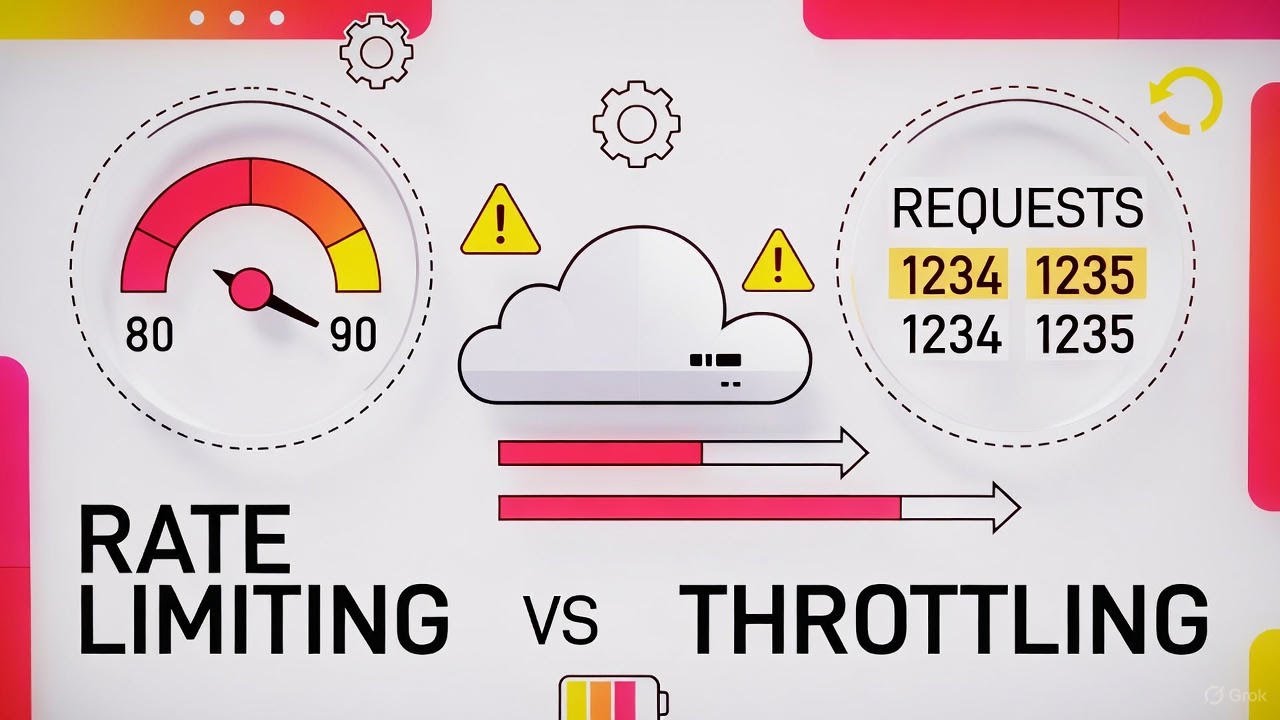
If you’re running an API without any throttle limits, you’re running on borrowed time. But there are specific signals that tell you it’s urgent rather than just a good idea.
Latency spikes during traffic surges
Your average response time is 120ms, but during peak hours it jumps to 3 seconds. That pattern means your server is processing more requests than it can handle smoothly.
Uptrends’ 2025 data showed average API uptime fell from 99.66% to 99.46% between Q1 2024 and Q1 2025. That seemingly tiny drop means 10 extra minutes of downtime per week. Throttling prevents those gradual degradations from becoming full outages.
One client dominates your resources
Check your request logs. If a single API key or IP is responsible for 40% or more of your traffic, you have a noisy neighbor problem.
Without per-user throttling, that one integration starves everyone else. This is where token-based authentication combined with per-key limits becomes necessary rather than optional.
Your cloud costs are unpredictable
EMA Research found that unplanned IT downtime now costs an average of $14,056 per minute, with large enterprises hitting $23,750 per minute. Runaway API traffic contributes directly to both downtime and inflated compute bills.
If your monthly AWS or Google Cloud bill swings by 30% or more without corresponding business growth, uncontrolled API traffic is likely part of the problem. Throttling caps the worst-case compute scenario.
You’re seeing bot or scraper traffic
Salt Security’s 2024 report found that API counts increased by 167% in the past year, and APIs are now five times larger than they were at the start of 2023. More endpoints means a bigger attack surface.
Automated scrapers and credential-stuffing bots target API endpoints specifically because they’re designed for programmatic access. If your error logs show thousands of failed authentication attempts from the same sources, throttling (combined with proper API integration security) is overdue.
Monitoring and Adjusting API Throttle Limits
Setting throttle limits once and forgetting about them is a common mistake. Traffic patterns change. New integrations get added. Seasonal spikes happen. Your limits need to adjust with reality.
What to track
Request volume: Total requests per second, minute, and hour, broken down by API key and endpoint.
429 error rate: How often clients are hitting the limit. If your 429 rate is above 5%, your limits might be too aggressive. If it’s near zero, they might be too loose.
Latency percentiles: Track p50, p95, and p99 response times. Rising p99 latency is usually the first sign that your backend is under stress, even if average response times look fine.
Error rates by endpoint: Some endpoints are more expensive than others. A file upload route needs different limits than a simple status check.
Tools for observability
The observability market hit $4.1 billion in 2024 and is projected to reach $18.1 billion by 2034, according to Market.us. That growth maps directly to how much organizations depend on monitoring distributed API systems.
| Tool | Best For | Key Feature |
|---|---|---|
| Datadog | Full-stack monitoring | 500+ integrations, real-time dashboards |
| Prometheus + Grafana | Open-source metrics | Custom alerting, flexible queries |
| New Relic | APM and error tracking | AI-driven anomaly detection |
| Cloudflare Analytics | Edge-level visibility | Pre-origin traffic analysis |
Datadog acquired Seekret in 2022 specifically to add API observability across the full lifecycle. That tells you where the market is heading: monitoring isn’t just about uptime anymore, it’s about understanding API behavior in detail.
Adjusting limits based on real data
Start conservative. It’s easier to raise limits than to deal with the fallout from limits that are too high.
Review your throttle metrics weekly for the first month, then monthly after that. Look for patterns. Maybe your API gets hammered every Monday morning when batch jobs run. Or maybe traffic doubles during a specific marketing campaign. Adjust window sizes and burst allowances accordingly.
Always communicate changes to API consumers through changelogs and release cycle documentation. Nothing frustrates developers more than hitting a new limit they didn’t know about.
When to use dynamic throttling
Static limits work for most APIs. But if your traffic is genuinely unpredictable, dynamic throttling adjusts limits based on real-time server health.
Zuplo’s 2025 analysis showed dynamic approaches cut server load by up to 40% during peak times. The system monitors CPU usage, memory, error rates, and response times, then tightens or loosens limits automatically.
It’s more complex to set up and maintain. You need a solid continuous integration and deployment pipeline to test and roll out threshold changes safely. But for APIs with highly variable traffic, the investment pays off in both stability and user experience.
FAQ on What Is API Throttling
What does API throttling mean?
API throttling limits the number of requests a client can send to a server within a specific time period. When the limit is reached, the server returns an HTTP 429 status code or queues the request for later processing.
What is the difference between API throttling and rate limiting?
Rate limiting blocks requests entirely once a cap is hit. Throttling slows or queues excess requests instead of rejecting them outright. Most production APIs, like Stripe and GitHub, use both together for layered traffic control.
Why is API throttling necessary?
Without throttling, a single client can consume all server resources and cause downtime for everyone. It protects backend infrastructure, keeps response times consistent, controls cloud computing costs, and prevents abuse from bots or scrapers.
What algorithms are used for API throttling?
The two most common are the token bucket and leaky bucket algorithms. Token bucket allows burst traffic up to stored capacity. Leaky bucket processes requests at a constant rate. AWS API Gateway uses token bucket by default.
How do I handle a throttled API response?
Read the Retry-After header in the 429 response. Implement exponential backoff with jitter in your retry logic. Cache responses locally to reduce repeat calls. Most SDKs, including the AWS SDK and Axios, handle this automatically.
Does API throttling affect application performance?
It can introduce delays when limits are reached. But that tradeoff keeps the service stable for all users. Properly configured throttle limits actually improve overall performance by preventing server overload during traffic spikes.
How does throttling work in GraphQL APIs?
GraphQL uses query complexity scoring instead of simple request counts. Each field gets a point value, and the total cost determines if a query proceeds. Shopify gives clients 50 cost points per second with a 1,000-point maximum.
What tools can I use to implement API throttling?
AWS API Gateway, Kong, Apigee, and Nginx all support throttling out of the box. Cloudflare handles it at the edge before requests reach your origin server. Redis is commonly used for distributed counter storage.
What HTTP headers indicate API throttle limits?
Look for X-RateLimit-Limit (total allowed requests), X-RateLimit-Remaining (requests left), and X-RateLimit-Reset (when the window resets). Not all APIs use these exact headers, but the pattern has become a widely adopted convention.
Can API throttling prevent DDoS attacks?
Throttling helps reduce the impact of DDoS attempts by capping request volume per client. But it’s not a complete DDoS solution on its own. Combine it with IP-based blocking, web application firewalls, and edge-level protection from providers like Cloudflare or Akamai.
Conclusion
Understanding what is API throttling comes down to one thing: keeping your service stable when traffic gets unpredictable. Whether you’re using a token bucket algorithm on AWS API Gateway or complexity scoring on a GraphQL endpoint, the goal stays the same.
Throttling protects your backend infrastructure, distributes resources fairly across consumers, and prevents runaway cloud costs. It’s not optional for any API that handles production traffic.
The tools are mature. Nginx, Cloudflare, Kong, and Apigee all handle implementation at the gateway level. Pair that with observability from Datadog or Prometheus, and you have full visibility into how your limits perform under real load.
Start with conservative limits. Track your 429 error rates and latency percentiles weekly. Adjust based on actual usage patterns, not guesswork.
The APIs that stay reliable at scale aren’t the ones with the most servers. They’re the ones with smart throttle policies that match their traffic reality.

- How to Use Claude Code in VS Code - August 20, 2026
- From Offshore Development Team to U.S. Office: What Tech Companies Need to Plan Before Expanding Stateside - August 20, 2026
- What Are the Best Kajabi Alternatives for Growing Your Online Business? - August 19, 2026


