

Most codebases outlive the people who wrote them. When those people leave without leaving context behind, the remaining team pays for it in lost hours, repeated mistakes, and code nobody dares to touch.
That’s the problem software documentation solves.
This article breaks down what software documentation actually is, the different types development teams produce, who writes it, how the process works, and what separates useful docs from the kind that nobody reads. It also covers documentation standards, common pitfalls, and how teams in Agile and DevOps environments keep their docs from going stale.
Whether you’re building internal technical references or end-user guides, this is the full picture.
What is Software Documentation

Software documentation is the collection of written text, diagrams, and instructions that describe how a software system works, how to use it, and how it was built.
It covers everything from inline code comments and API reference guides to user manuals and system architecture diagrams.
Documentation exists at every stage of the software development process. Requirements get documented before a single line of code is written. Technical writers and developers produce reference material during development. End-user guides ship alongside the finished product.
The format varies. A readme file in a GitHub repository looks nothing like a 200-page compliance document for a regulated industry. Both count as software documentation.
At its core, documentation answers three questions: what does this software do, how does it work, and how do you use it. Every type of documentation maps back to one of those questions.
Why Does Software Documentation Matter for Development Teams
Undocumented code is a liability. When a developer leaves the team and takes all the context with them, the remaining engineers spend hours (sometimes days) tracing logic through the codebase just to understand what a function does.
That is where knowledge transfer breaks down.
A 2023 study by Stripe estimated that developers spend roughly 42% of their time dealing with technical debt and maintenance. Poor documentation is a direct contributor to both.
New hires feel the impact first. Without solid onboarding documentation, developer ramp-up can take 3 to 6 months instead of weeks. That is real money lost on salary for someone who is not yet productive.
Documentation also reduces the back-and-forth between teams. When a QA engineer can read a clear spec instead of pinging the developer on Slack every 20 minutes, the whole workflow speeds up.
And look, I’ve seen teams skip documentation to “move faster.” It works for about three months. Then everything slows to a crawl because nobody remembers why a specific architectural decision was made.
Cross-functional collaboration depends on shared understanding. Documentation provides that shared understanding in a form that persists beyond any single conversation or team member.
What Are the Types of Software Documentation
Software documentation splits into several categories based on audience, purpose, and where it fits in the app lifecycle. Some types target developers. Others target end users. A few exist purely for compliance and auditing purposes.
Here are the main types that most software development teams produce.
What is Technical Documentation
Technical documentation describes the internal workings of a software system for developers and engineers. It includes system design specs, code architecture overviews, database schemas, and design documents that explain how components interact.
This is the documentation that a new backend developer reads on day one to understand the system they will be working in.
What is User Documentation
User documentation is written for the people who actually use the software. Think help files, getting-started guides, and knowledge base articles.
The language is non-technical. No code snippets, no architecture talk. Just clear instructions on how to accomplish tasks within the application.
What is Process Documentation
Process documentation captures how a team builds, tests, and ships software. It records workflows, approval chains, code review processes, and release procedures.
Teams following specific software development methodologies like Scrum or Kanban rely heavily on process docs to keep everyone aligned.
What is API Documentation
API documentation describes how external developers or services interact with your software through its endpoints. It lists available methods, request and response formats, authentication requirements, and error codes.
Tools like Swagger (OpenAPI) and Postman generate API docs directly from code annotations. Good API docs include working code examples, not just parameter lists.
If your product offers API integration, the quality of your API documentation directly affects adoption rates.
What is Architecture Documentation
Architecture documentation maps the high-level structure of a software system. It shows how services connect, where data flows, and what infrastructure supports the application.
A software architect typically owns these documents. They include diagrams showing microservices architecture layouts, network topology, and deployment configurations.
What is Requirements Documentation
Requirements documentation defines what the software is supposed to do before development begins. A software requirement specification (SRS) is the most common format.
It captures both functional and non-functional requirements, covering what the system does and how well it does it (performance, security, scalability).
This is the document that requirements engineering produces and the rest of the team builds against.
Who Creates Software Documentation
There is no single “documentation person” on most teams. Different software development roles contribute different pieces.
Technical writers handle the bulk of structured documentation: user guides, API references, knowledge base articles. They translate developer knowledge into readable content. Larger companies like Google and Microsoft employ hundreds of them.
Developers write inline code comments, readme files, and architecture decision records. In many startups, developers are the only people writing documentation at all.
Product managers typically own requirements documents and feature specs. They define what gets built and document the reasoning behind product decisions.
Software testers produce test plans, test case documentation, and bug reports. A well-written software test plan is documentation that the entire team references during the software testing lifecycle.
The best documentation cultures make writing docs a shared responsibility, not something dumped on one person after the feature ships.
How is Software Documentation Created
The creation process depends on the team, the tools, and how the organization treats documentation within the software development lifecycle.
Most teams today follow a docs-as-code approach. Documentation lives in the same repository as the source code, uses version control through Git, and goes through the same review process as code changes. This keeps docs in sync with what is actually shipped.
What Tools Are Used for Writing Software Documentation
The tooling landscape is wide. Here are the common categories:
- Docs-as-code tools like MkDocs, Sphinx, Docusaurus, and Jekyll generate documentation sites from Markdown or reStructuredText files stored in Git repositories
- Wiki platforms like Confluence and Notion work well for internal process documentation and collaborative editing
- API documentation tools like Swagger, Postman, Stoplight, and Redocly auto-generate reference docs from API specifications
- Code documentation generators like Javadoc, JSDoc, and Doxygen pull documentation directly from source code annotations
- Enterprise authoring tools like MadCap Flare and Paligo handle large-scale documentation with DITA support and single-source publishing
The choice depends on team size, audience, and how tightly documentation needs to integrate with continuous integration and build pipelines.
A web development IDE like VS Code also supports documentation writing through Markdown preview and linting extensions.
What Steps Does the Documentation Process Follow
A typical documentation workflow looks like this:
- Identify the audience and the type of documentation needed
- Gather information from developers, product specs, and existing codebases
- Draft the content using the appropriate tool and format
- Submit for technical review (usually the developer who built the feature)
- Edit for clarity and accuracy based on feedback
- Publish and integrate into the documentation site or knowledge base
- Set ownership and a review schedule for ongoing maintenance
Teams using source control management for their docs can track every change, revert mistakes, and use branching strategies tied to semantic versioning of the product itself.
The whole process works better when documentation is treated as part of acceptance criteria for any feature. No docs, no merge.
What Makes Good Software Documentation

Good documentation is accurate, scannable, and maintained. That’s it. Everything else is secondary.
Accuracy comes first because outdated documentation is worse than no documentation. Developers trust it, build on it, and then waste hours debugging when the docs don’t match reality.
Clarity means short sentences, consistent terminology, and zero ambiguity. If a reader has to re-read a paragraph three times, the writing failed.
Structure matters more than most people think. Headings, code snippets, tables, and anchor links let readers jump to exactly what they need. Nobody reads documentation cover to cover. They search, scan, and leave.
Here’s what separates good docs from bad ones:
- Working code examples that a developer can copy and run immediately
- Consistent formatting across every page and section
- Clear versioning so readers know which software release the docs apply to
- Search functionality that actually returns relevant results
- A visible “last updated” date on every page
Documentation that follows IEEE 830 or similar standards tends to score higher on completeness. But standards alone don’t make docs readable. Plain language writing does.
What is the Difference Between Internal and External Software Documentation
Internal documentation is written for the people building the software. Architecture decision records, runbooks, deployment procedures, internal wikis. It assumes technical knowledge and uses domain-specific language freely.
External documentation targets end users, third-party developers, or clients. It requires simpler language, more visual aids, and careful attention to onboarding flows.
The split affects tooling choices too. Internal docs often live in Confluence or Notion behind company logins. External docs get published on public-facing sites built with Docusaurus, ReadMe, or GitBook with custom branding and search.
API reference guides are an interesting case. They are external documentation, but the audience is technical. So the language stays precise while the structure stays accessible.
One mistake I see often: teams writing internal docs as if the reader has full context. New hires don’t. Contractors don’t. Document for the person who just joined, not the person who’s been here three years.
What Are Common Software Documentation Standards and Frameworks
Several industry standards define how software documentation should be structured, written, and maintained.
IEEE 1063 covers user documentation specifically. It outlines requirements for content organization, navigation aids, and information completeness in end-user guides.
ISO/IEC 26514 provides broader guidance on documentation throughout the software lifecycle, including planning, design, development, and review phases.
DITA (Darwin Information Typing Architecture) is an XML-based standard for structured authoring and single-source publishing. Enterprise teams with large documentation sets use it to manage content reuse across products.
The ISO 25010 software quality model includes documentation-related quality characteristics under usability and maintainability.
Organizations operating under CMMI or ITIL frameworks have specific documentation requirements baked into their process maturity levels. Regulated industries like healthcare, finance, and aviation treat documentation as a compliance requirement, not a nice-to-have.
What Problems Does Poor Software Documentation Cause
The costs are real and measurable.
A 2022 survey by GitHub found that 93% of developers consider incomplete or outdated documentation a major productivity blocker. Almost half said they encounter documentation problems daily.
Developer onboarding takes significantly longer without good docs. Companies report 25-50% longer ramp-up times when documentation is missing or scattered across random Slack threads and Google Docs.
Knowledge silos form fast. When only one person understands a critical system because nothing is written down, that’s a single point of failure for the entire organization. People leave. They get sick. They switch teams.
Bug rates increase because developers misunderstand existing behavior and introduce regressions. Proper documentation reduces the need for constant defect tracking by preventing misunderstandings before code is written.
Poor documentation also affects the software quality assurance process. Testers working from vague specs write incomplete test cases, which means bugs slip through to production.
How Does Software Documentation Affect Code Maintainability
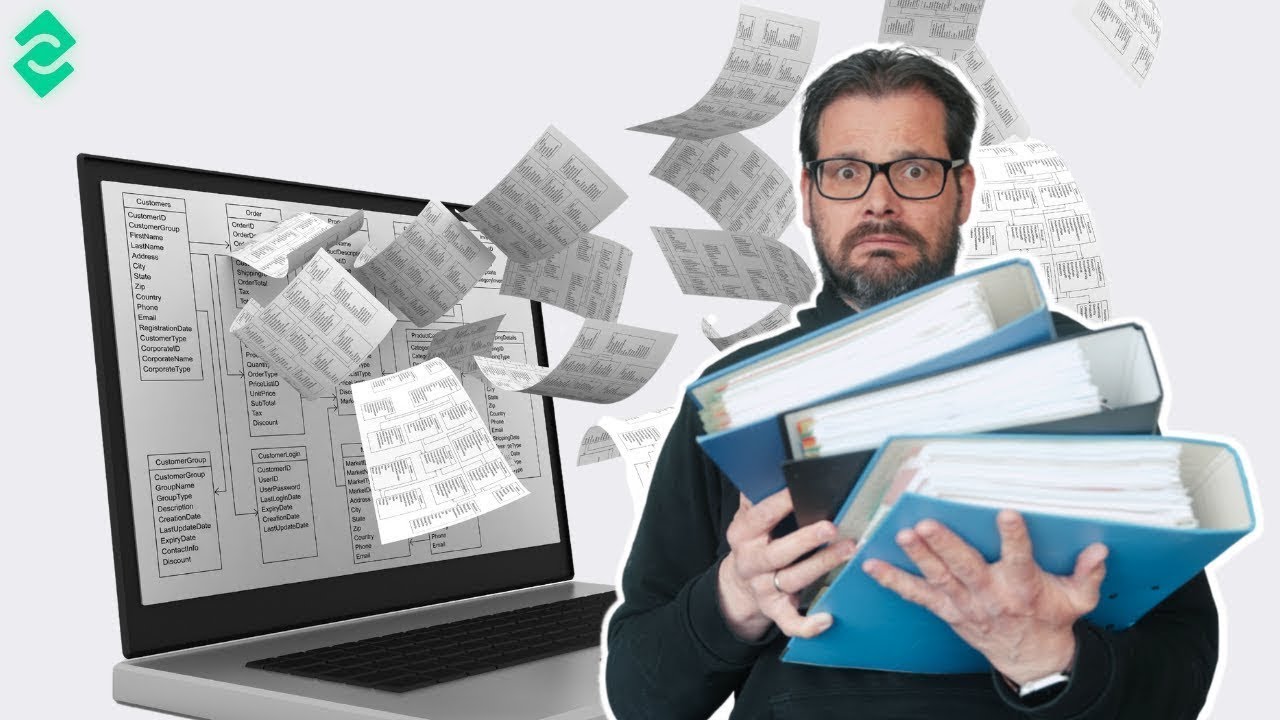
Undocumented code accumulates technical debt faster than documented code. That is not an opinion. It is a pattern that shows up in every codebase older than two years.
When developers cannot quickly understand what a module does, they work around it instead of modifying it. Workarounds stack up. The codebase gets bloated. Performance degrades. Eventually someone suggests a full rewrite, which is the most expensive outcome possible.
Inline code comments, architecture decision records, and up-to-date readme files reduce the cognitive load for anyone touching the code later. Code refactoring becomes significantly less risky when documentation explains the original intent behind a design choice.
Documentation also supports software reliability long-term. Teams that document their systems catch inconsistencies earlier during code reviews and regression testing cycles.
Took me a while to fully accept this, but writing documentation while building a feature is faster than writing it after. Context is fresh. Details are sharp. You don’t have to reverse-engineer your own work.
What is the Role of Software Documentation in Agile and DevOps
Agile teams have a complicated relationship with documentation. The Agile Manifesto values “working software over comprehensive documentation,” which many teams misinterpret as “don’t write docs at all.”
That is a mistake.
Agile documentation is supposed to be lean and useful, not absent. Living documents that evolve with each sprint. User stories with clear acceptance criteria. Updated API references after every release.
In DevOps environments, documentation integrates directly into the delivery pipeline. Runbooks for incident response, infrastructure-as-code comments, and continuous deployment procedures are all forms of documentation that dev and ops teams depend on daily.
The docs-as-code movement fits naturally into both Agile and DevOps workflows. Docs live in Git, get reviewed in pull requests, and deploy automatically alongside code changes through the deployment pipeline.
Teams practicing behavior-driven development produce documentation as a byproduct of writing test specifications. The Gherkin syntax (Given/When/Then) doubles as both test logic and feature documentation.
Feature-driven development and extreme programming also generate lightweight documentation through their emphasis on short iterations and clear feature ownership.
How Do Teams Keep Software Documentation Up to Date
This is the hard part. Writing documentation is tricky enough. Keeping it current is where most teams fail.
The number one reason docs go stale: no clear ownership. If nobody is responsible for updating a specific page, it rots. Assign owners to every documentation section, the same way you assign owners to code modules.
Here’s what actually works in practice:
- Make documentation updates part of the definition of done for every feature or bug fix
- Run quarterly documentation audits to flag outdated content
- Use automated checks in CI pipelines to detect broken links and outdated references
- Track documentation coverage the way you track code coverage, with metrics and dashboards
- Archive deprecated content instead of deleting it, so historical context survives
Change management processes should include documentation as a required step. When a change request modifies system behavior, the corresponding docs need to reflect that change before the ticket closes.
Configuration management tools help too. When infrastructure or environment settings change, automated documentation generators can pull the latest configs and update reference pages without manual intervention.
Some teams integrate doc freshness checks into their software release cycle. Before any major release, a documentation review happens alongside the software validation and verification steps.
The software audit process in regulated environments forces documentation updates by default. If your docs don’t match your deployed software, you fail the audit. Strong incentive to keep things current.
FAQ on What Is Software Documentation
What is the main purpose of software documentation?
Software documentation records how a system works, how to use it, and how it was built. It supports knowledge transfer between team members, reduces onboarding time, and preserves context that would otherwise disappear when developers leave the project.
What are the main types of software documentation?
The main types are technical documentation, user documentation, process documentation, API documentation, architecture documentation, and requirements documentation. Each type serves a different audience and fits into a different stage of the software development lifecycle.
Who is responsible for writing software documentation?
Technical writers, developers, product managers, and build engineers all contribute. Developers handle code comments and readme files. Technical writers produce user guides and API references. The best teams share documentation responsibility across roles.
What tools are commonly used for software documentation?
Popular tools include Confluence, Notion, MkDocs, Sphinx, Docusaurus, and GitBook for general docs. Swagger and Postman handle API documentation. Code-level tools like Javadoc and Doxygen generate references directly from source control repositories.
What is the difference between technical documentation and user documentation?
Technical documentation targets developers and engineers with system internals, code architecture, and database schemas. User documentation targets end users with step-by-step instructions, help files, and getting-started guides written in non-technical language.
How does software documentation help with code maintainability?
Documented code is easier to modify, refactor, and debug. Developers understand the original intent behind design choices without guessing. This directly reduces technical debt and prevents the risky workarounds that accumulate in undocumented codebases.
What happens when software documentation is missing or outdated?
Teams face longer onboarding cycles, increased bug rates, and knowledge silos where only one person understands critical systems. Outdated docs actively mislead developers, causing wasted effort and post-deployment maintenance issues that could have been prevented.
How do Agile teams handle software documentation?
Agile teams write lean, living documentation that evolves with each sprint. Docs stay lightweight but current. User stories, acceptance criteria, and updated API references replace heavy upfront specs. The docs-as-code approach fits naturally into Agile workflows.
What documentation standards exist for software projects?
IEEE 1063 covers user documentation structure. ISO/IEC 26514 addresses documentation across the full lifecycle. DITA provides XML-based structured authoring. Organizations under compliance frameworks like CMMI and ITIL follow additional documentation requirements.
How do teams keep software documentation up to date?
Assign clear ownership per documentation section. Include doc updates in the definition of done for every feature. Run quarterly audits, automate broken-link detection in CI pipelines, and tie documentation reviews to the release cycle.
Conclusion
Software documentation is not a side task. It is a core part of how functional teams build, maintain, and scale software products over time.
Every type of documentation, from API reference guides to process docs and architecture diagrams, serves a specific role in reducing friction across the lean software development cycle.
Skip it and you pay later. Longer onboarding, more bugs, higher maintenance costs, and knowledge that walks out the door with every departing team member.
The tooling exists. The standards exist. What most teams lack is the discipline to treat documentation as a development best practice rather than an afterthought.
Start with clear ownership, write docs alongside code, and review them every release cycle. That alone puts you ahead of most teams.

- How Software Teams Write SOPs for Releases and Deployments - October 22, 2026
- Notepad++ Android Options: Apps That Come Close - October 21, 2026
- Data Management Services: A Practical Guide for Growing Companies - October 21, 2026


