

A bug that reaches production costs 30 times more to fix than one caught during requirements review. That single stat explains why understanding what is software testing lifecycle matters for every QA team, developer, and project manager involved in building software.
The Software Testing Life Cycle (STLC) is the structured process that takes testing from guesswork to a repeatable, measurable activity. It defines six phases, each with clear inputs, outputs, and quality gates.
This article breaks down every STLC phase, covers entry and exit criteria, explains how testing types fit into the lifecycle, and shows how the process adapts to Agile and DevOps workflows. You will also find common challenges teams face and practical ways to improve the process.
What is Software Testing Life Cycle
Software Testing Life Cycle is a structured sequence of phases that QA teams follow to verify whether a software system meets its quality standards before release.
It sits inside the broader software development process but focuses only on testing activities, from analyzing requirements through final test closure.
STLC breaks testing into six distinct phases: requirement analysis, test planning, test case development, test environment setup, test execution, and test closure.
Each phase produces specific deliverables. Each phase has rules for when it can start and when it can end. Skip a phase, and the whole process breaks down.
The point of having a defined lifecycle for testing is pretty simple. Without one, QA teams end up running tests without clear direction, missing defects that should have been caught early, and burning time on rework that could have been avoided.
STLC gives testing the same level of structure that the software development lifecycle gives to building software. It turns a chaotic activity into a repeatable, trackable process.
How Does the Software Testing Life Cycle Work
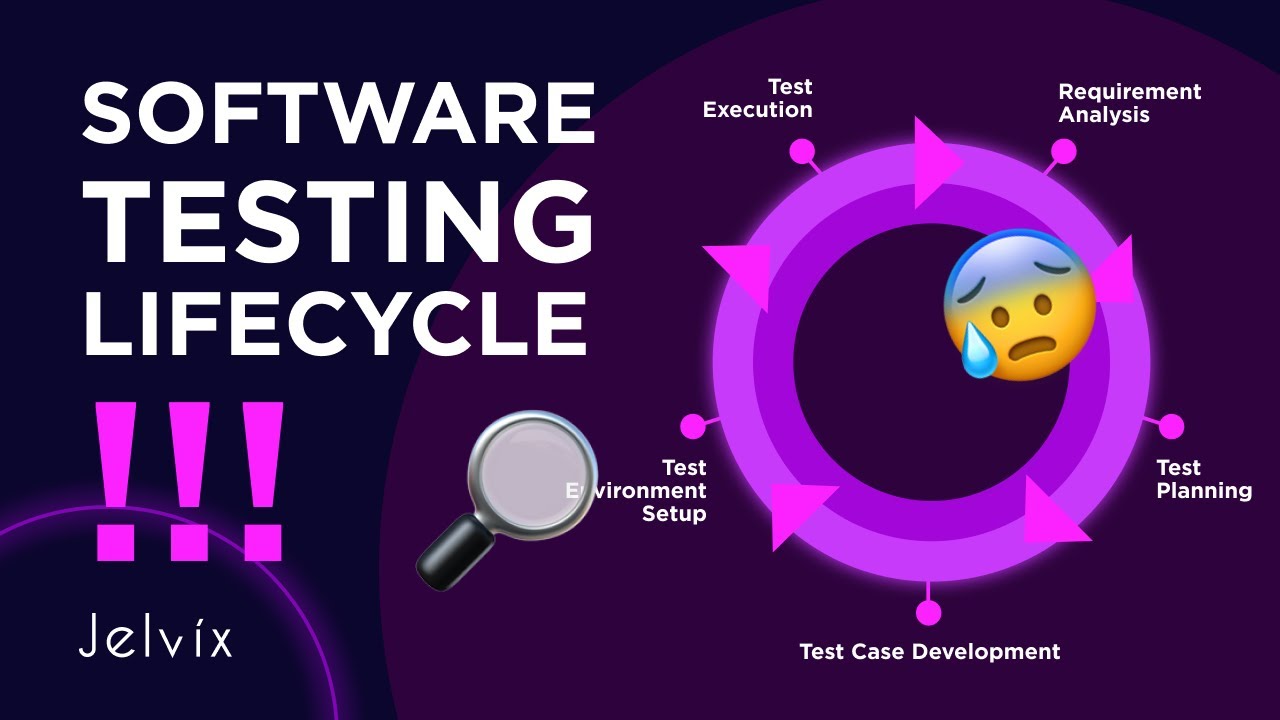
STLC works through a sequential flow where each phase feeds into the next. The mechanism that holds it all together is entry and exit criteria.
Entry criteria define what must be in place before a phase can begin. Exit criteria define what must be completed before the team moves forward.
So the test planning phase cannot start until requirement analysis delivers a signed-off requirements document and a testability report. Test execution cannot begin until the test environment passes smoke testing.
This gatekeeping system prevents teams from jumping ahead. Took me a while to appreciate how much time this saves compared to just winging it.
At a high level, here is how the flow works:
- QA reviews the software requirement specification to figure out what is testable
- Test leads build a test plan with strategy, tools, timelines, and resource allocation
- Testers write detailed test cases with expected results and test data
- The team sets up the hardware, software, and network environment for testing
- Test cases get executed, defects get logged and tracked
- A final closure report documents everything: pass rates, defect counts, lessons learned
Every phase generates documentation. The Requirement Traceability Matrix (RTM) maps requirements to test cases across the entire lifecycle, making sure nothing slips through.
The software quality assurance process depends on this structure to deliver consistent results across releases.
What Are the Phases of the Software Testing Life Cycle
STLC consists of six phases that run in order. Some teams merge or split certain phases depending on their methodology, but the core structure stays the same.
The six phases are:
- Requirement Analysis
- Test Planning
- Test Case Development
- Test Environment Setup
- Test Execution
- Test Closure
Each one has a specific purpose, specific inputs, and specific outputs. Here is what actually happens in each.
What Happens During Requirement Analysis
The QA team reviews the business requirements document (BRS) and requirements engineering outputs to determine what can be tested and what cannot.
They meet with stakeholders, business analysts, and developers to clarify ambiguities. The goal is to identify every testable requirement and flag anything that is incomplete or contradictory.
This phase produces two things: a list of testable requirements and an automation feasibility report that evaluates which tests can be automated later.
If the requirements are vague (and they often are), this is where problems get caught before they become expensive. The difference between functional and non-functional requirements matters here because both types need test coverage.
How Does Test Planning Fit Into the STLC
Test planning is where the test lead or test manager builds the blueprint for the entire testing effort. The software test plan document is the main deliverable.
It covers test strategy, scope, schedule, risk assessment, resource allocation, and tool selection. Budget estimation happens here too.
The test plan answers questions like: What testing types are needed? Who does what? What tools will the team use? What are the risks, and what is the backup plan?
One thing that gets overlooked constantly is effort estimation. Teams underestimate how long test case creation and execution take, especially for complex applications with lots of integration points.
Test planning is not a one-time activity either. The plan gets updated as the project evolves and new information comes in.
What is Test Case Development in STLC
Testers take the testable requirements from the first phase and write detailed test cases for each one. Every test case includes preconditions, test steps, test data, and expected results.
Both positive and negative test scenarios get covered. A positive test checks if the feature works as intended. A negative test checks if the system handles bad input or unexpected conditions correctly.
Peers and leads review the test cases for completeness. The Requirement Traceability Matrix gets updated to link each requirement to its corresponding test cases.
If the team uses automation, this is also when test scripts get written. Tools like Selenium, TestNG, or JUnit come into play depending on the tech stack being tested.
Test data preparation is the part that trips people up the most. Real test data with proper boundary values takes more time than anyone plans for.
How is the Test Environment Set Up
The test environment is the hardware, software, network, and database configuration where testing happens. It should mirror the production environment as closely as possible.
This phase can run in parallel with test case development, which saves time on the overall schedule.
Activities include installing operating systems, configuring servers, setting up databases, preparing browser and device combinations, and creating user access credentials.
Once the environment is ready, the team runs smoke tests to verify it works. If the build deploys and basic functions respond, the environment gets approved for full testing.
Environment parity between testing and production is something that causes real headaches when it is missing. A test that passes in staging but fails in production usually points to an environment mismatch.
What Happens During Test Execution
This is where the actual testing happens. Testers run test cases (manual or automated) and compare actual results against expected results.
When a test case fails, the tester logs a defect in a defect tracking tool like Jira, Bugzilla, or Azure DevOps. Each defect report includes steps to reproduce, severity, priority, screenshots, and environment details.
Developers fix the defects. Testers retest the fixes. Then regression testing runs to make sure the fixes did not break anything else.
This cycle (test, find defect, fix, retest, regression test) repeats until exit criteria are met. It is the most time-consuming phase, and it is where things get chaotic fast if the test plan was weak.
Test execution produces two key deliverables: the test execution report and the defect report with full metrics on pass/fail ratios and defect density.
What is Test Closure and Why Does It Matter
Test closure is the final phase where the QA team wraps up all testing activities and documents everything that happened. The main output is the test summary report.
That report includes total test cases executed, pass/fail counts, defect statistics by severity and priority, and a comparison of planned vs. actual timelines.
The team also conducts a retrospective. What went well? What caused delays? What should change next time? These lessons feed directly into future test planning cycles.
All test artifacts get archived: test cases, defect logs, automation scripts, environment configurations. The test environment gets cleaned up or decommissioned.
Skipping this phase is common, and it always costs teams later. Without proper software documentation at closure, the next release cycle starts from scratch instead of building on what was already learned.
What is the Difference Between STLC and SDLC

SDLC covers the entire software development process, from gathering requirements to deployment and maintenance. STLC covers only the testing portion.
STLC is a subset of SDLC. Testing is one phase within the development lifecycle, but the testing lifecycle itself has its own internal phases, deliverables, and governance.
Here is the practical difference:
- SDLC answers: How do we build this software?
- STLC answers: How do we verify this software works correctly?
SDLC involves business analysts, developers, software architects, project managers, and testers. STLC involves primarily the QA team, QA engineers, test leads, and test managers.
Both lifecycles use entry and exit criteria. Both produce documentation at each stage. The scope is what separates them. Understanding the difference between software development and software engineering helps clarify where testing fits in the bigger picture.
What Are Entry and Exit Criteria in STLC
Entry criteria are the conditions that must be met before a testing phase can start. They prevent teams from beginning work without the right inputs.
Exit criteria are the conditions that confirm a phase is complete and the team can move to the next one.
Without these gates, phases bleed into each other. Testers start writing test cases before requirements are finalized. Test execution begins on an environment that has not been validated.
Concrete examples:
- Entry criteria for requirement analysis: signed-off BRS document, access to stakeholders
- Exit criteria for requirement analysis: approved list of testable requirements, automation feasibility report
- Entry criteria for test execution: approved test cases, validated test environment, test data ready
- Exit criteria for test execution: all planned test cases executed, defects logged, execution report delivered
Teams that follow software development best practices treat these criteria as non-negotiable checkpoints, not suggestions.
What Types of Testing Are Used During the STLC
Testing during the STLC happens at multiple levels. The four primary levels are unit testing, integration testing, system testing, and acceptance testing.
Unit testing checks individual components in isolation. Integration testing checks how components work together. System testing validates the complete application against requirements. Acceptance testing confirms the software meets business needs before release.
These levels map to different points in the STLC. Unit and integration tests often run during test case development and early execution. System and acceptance tests run during the main execution phase.
The types of software testing used also split into two broad categories: functional and non-functional.
What is Functional Testing in the STLC
Functional testing verifies that features work according to the acceptance criteria defined in the requirements. It checks what the system does.
Common functional testing types used during STLC execution:
- Smoke testing confirms the build is stable enough for detailed testing
- Sanity testing checks specific functionality after a minor change or bug fix
- Regression testing verifies that new changes did not break existing features
- User acceptance testing (UAT) lets end users validate the system before go-live
Software validation through functional tests directly ties back to the testable requirements identified during the first STLC phase.
What is Non-Functional Testing in the STLC
Non-functional testing checks how the system performs, not what it does. It targets quality characteristics like speed, stability, security, and usability.
Key non-functional testing types:
- Performance testing measures response times and throughput under expected load
- Load testing pushes the system to its capacity limits
- Security testing identifies vulnerabilities, authentication flaws, and data exposure risks
- Usability testing evaluates how easy the application is to use
These tests tie back to non-functional requirements gathered during the requirement analysis phase. Software reliability and software scalability are two quality characteristics that non-functional tests measure directly.
Ignoring non-functional testing is a mistake that catches up with teams in production. An application that works correctly but crashes under load is still a failed product.
What Role Does Automation Play in the Software Testing Life Cycle
Automation fits into the STLC primarily during test case development and test execution. Repetitive tests, regression suites, and data-heavy test scenarios benefit the most from automation.
The decision about what to automate happens during the requirement analysis phase (automation feasibility report) and gets finalized in the test plan.
Common automation tools used across STLC phases:
- Selenium for web application UI testing
- JUnit and TestNG for Java-based unit and integration tests
- Cypress for front-end testing with fast feedback
- Appium for mobile application testing on Android and iOS
Not everything should be automated. Exploratory testing, usability testing, and one-off test scenarios still need manual execution. The trick is picking the right tests to automate, usually the ones that run frequently, take a long time manually, or are prone to human error.
Teams practicing test-driven development write automated tests before the code itself, which shifts testing even earlier in the lifecycle.
Automation also plays a role in the build pipeline, where automated test suites run every time new code is committed.
How Does STLC Work in Agile and DevOps Environments
Traditional STLC follows a linear path. Agile and DevOps compress and parallelize those phases into shorter cycles.
In Agile, testing happens within each sprint. Requirement analysis, test case writing, execution, and defect resolution all happen in a two-to-four-week window. There is no separate long test planning phase. The test plan is lighter and gets updated every sprint.
In DevOps, continuous integration and continuous deployment pipelines automate large parts of the STLC. Unit tests, integration tests, and regression suites run automatically with every code commit.
Shift-left testing is the practice of moving testing activities earlier in development. Instead of waiting for a complete build, testers review requirements, write test cases, and prepare automation scripts while developers are still writing code.
The difference between Agile and DevOps matters here. Agile changes how teams plan and iterate. DevOps changes how code moves from development to production. Both reshape the STLC, but in different ways.
The STLC phases still exist in these environments. They just overlap more, run faster, and rely more heavily on automation and collaboration between dev and ops teams.
What Are Common Challenges in the Software Testing Life Cycle
Unclear or incomplete requirements are the number one problem. If requirement analysis does not catch gaps early, those gaps show up as missed test cases and late-stage defects.
Other challenges that consistently cause issues:
- Insufficient test environments where configurations do not match production, causing false positives and false negatives
- Time pressure that forces teams to cut test coverage or skip regression testing entirely
- Scope creep in test cases where the number of tests grows without corresponding schedule adjustments
- Flaky automated tests that pass and fail inconsistently, eroding trust in the test suite
- Poor defect tracking where bugs get logged without enough detail for developers to reproduce them
The root cause of most STLC failures is weak communication between QA teams, developers, and business stakeholders. Testing cannot work in isolation.
Proper change management helps reduce disruption when requirements shift mid-cycle, which happens more often than anyone likes to admit.
How to Improve the Software Testing Life Cycle Process
Start with better requirement reviews. Get QA involved during requirements engineering, not after it is done. Early involvement catches testability issues before they become expensive problems.
Practical improvements that actually make a difference:
- Invest in test automation for regression suites and repetitive scenarios
- Use a proper test management tool to track test cases, execution, and defect metrics
- Run retrospectives after every test closure phase and act on the findings
- Track defect metrics over time: defect density, defect leakage, mean time to resolution
- Maintain the software configuration management discipline to keep test environments stable
Adopt behavior-driven development practices where business stakeholders, developers, and testers collaborate on test scenarios using plain language specifications. It closes the gap between what was requested and what gets tested.
Look at ISO 25010 for a structured way to define and measure software quality characteristics. It gives teams a shared vocabulary for what “quality” actually means across reliability, security, performance, and maintainability.
The best STLC improvement is consistency. Follow the process every release. Document results every time. Refine based on data, not gut feeling.
FAQ on What Is Software Testing Lifecycle
What is the software testing life cycle?
STLC is a sequence of six phases that QA teams follow to plan, develop, execute, and close testing activities. It provides structure and traceability to the testing process within software development projects.
What are the six phases of STLC?
The six phases are requirement analysis, test planning, test case development, test environment setup, test execution, and test closure. Each phase has defined entry and exit criteria that control progression.
How is STLC different from SDLC?
SDLC covers the full development process from requirements to deployment. STLC focuses only on testing. STLC is a subset of SDLC, with its own phases, deliverables, and roles dedicated to quality verification.
Why is requirement analysis the first phase of STLC?
Because testing starts with understanding what to test. QA reviews the requirements document to identify testable items, flag ambiguities, and assess automation feasibility before any test cases are written.
What is a Requirement Traceability Matrix in STLC?
An RTM is a document that maps each requirement to its corresponding test cases. It makes sure every requirement has test coverage and nothing gets missed during execution. QA teams update it throughout the lifecycle.
Can STLC phases overlap?
Yes. Test environment setup commonly runs parallel to test case development. In Agile teams, multiple phases overlap within a single sprint. The phases still exist, but they compress and run concurrently.
What tools are used during the STLC?
Selenium, JUnit, TestNG, and Cypress handle test automation. Jira, Bugzilla, and Azure DevOps manage defect tracking. TestRail and Zephyr handle test case management. Tool selection happens during the test planning phase.
How does STLC work in Agile projects?
Agile compresses STLC phases into sprint-sized cycles. Requirement analysis, test case writing, and execution happen within two-to-four-week sprints. Test plans stay lightweight and get updated each iteration instead of being written once.
What happens if you skip the test closure phase?
Teams lose documented lessons, defect trend data, and archived test artifacts. The next release cycle starts without historical context. Skipping closure leads to repeated mistakes and slower ramp-up on future testing efforts.
What is the role of automation in the STLC?
Automation handles repetitive and regression tests during test execution. The decision about what to automate starts in requirement analysis and gets finalized in the test plan. It speeds up feedback cycles, especially inside continuous integration pipelines.
Conclusion
The software testing lifecycle is the backbone of any serious quality assurance effort. Without it, testing becomes reactive, unstructured, and expensive.
Each of the six phases serves a specific function. Requirement analysis prevents wasted effort. Test planning sets direction. Test case development creates the blueprint. Environment setup gives testers a reliable workspace. Execution catches defects. Closure captures what the team learned.
Whether your team follows waterfall, Agile sprints, or a full CI/CD pipeline, the STLC phases still apply. They just adapt in scale and speed.
Get the entry and exit criteria right, invest in software verification at every stage, and treat test closure as a real phase instead of an afterthought. The teams that follow this process consistently ship fewer defects and spend less time on rework.

- Notepad++ Android Options: Apps That Come Close - October 21, 2026
- Data Management Services: A Practical Guide for Growing Companies - October 21, 2026
- MongoDB Cheat Sheet - October 20, 2026


