

Every developer has lived through a painful merge. Two weeks of isolated work, a mountain of conflicts, and a Friday afternoon spent untangling code that worked perfectly on its own. That’s the problem continuous integration was built to solve.
So what is continuous integration, and why do 87% of organizations now use it in their development workflows? It’s a practice where developers merge code into a shared repository multiple times a day, with each change validated by an automated build and test process.
This guide breaks down how CI works, the tools teams actually use (Jenkins, GitHub Actions, GitLab CI), the mistakes that undermine it, and how it connects to the broader DevOps pipeline. Whether you’re setting up your first pipeline or fixing a broken one, you’ll walk away with a clear, practical understanding.
What Is Continuous Integration
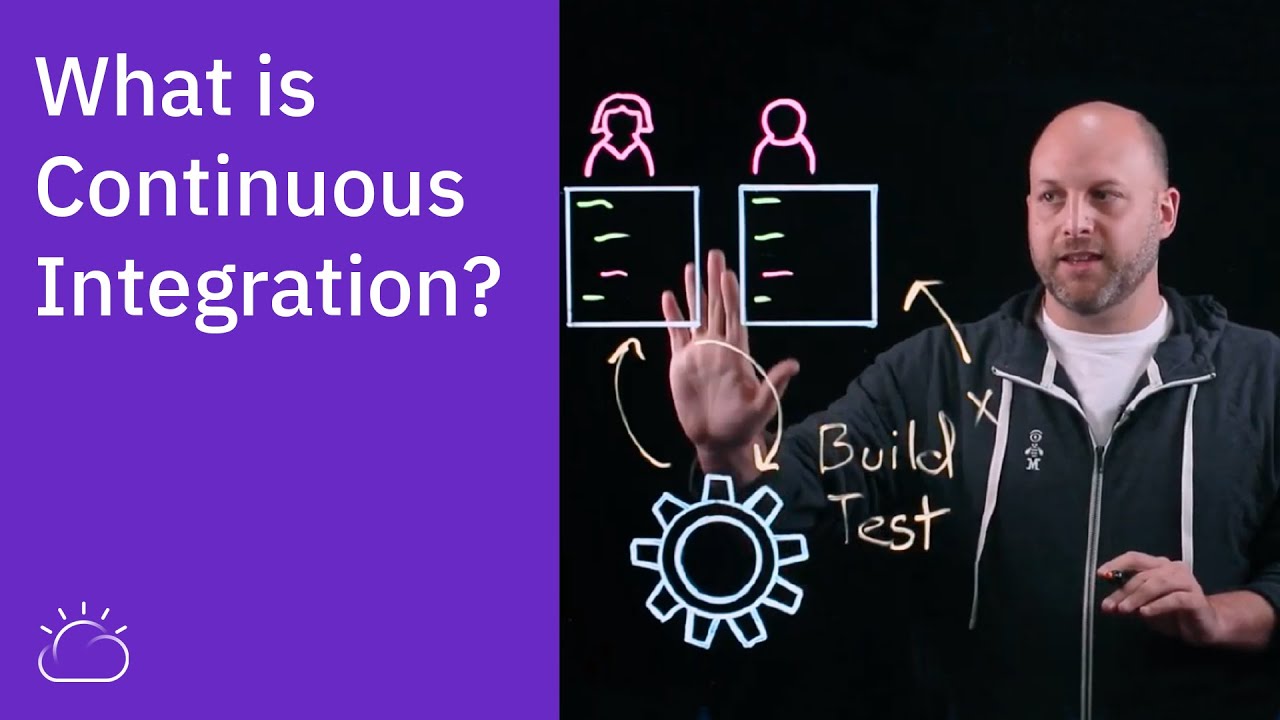
Continuous integration is a software development practice where developers frequently merge their code changes into a shared repository. Each merge triggers an automated build and test sequence that checks whether the new code breaks anything.
That’s the short version. But the full picture matters more.
Kent Beck introduced the concept in the late 1990s as part of Extreme Programming. The idea was straightforward: if integrating code is painful, do it more often. Smaller changes, caught earlier, cause fewer problems. Took the industry a while to take that seriously.
Here’s a distinction most people miss. CI is a practice, not a tool. You can install Jenkins or GitHub Actions and still not be doing continuous integration. If developers work on isolated branches for weeks before merging, that’s not CI. It doesn’t matter what’s running on your build server.
The minimum threshold is this: every developer on the team commits to a shared mainline at least once a day, and every commit runs through an automated build and test process. Anything less is just automated builds with extra steps.
According to the Linux Foundation’s 2024 State of Open Source report, 87% of organizations now use some form of continuous integration in their workflows, up 23% from 2022 levels.
How Continuous Integration Works

The mechanics are actually simple. A developer writes code locally, commits it to a version control system like Git, and pushes it to the shared repository. That’s where automation takes over.
A CI server (Jenkins, GitLab CI, CircleCI, whatever your team uses) detects the new commit. It pulls the latest code, runs the build, and fires off the automated test suite. Unit tests, integration tests, maybe linting checks. The whole thing should finish in minutes.
Pass or fail, the result goes back to the developer. Green means the change is clean. Red means something broke, and the developer who pushed that commit owns the fix.
The shared repository acts as the single source of truth for the codebase. Everyone pulls from it, everyone pushes to it. No “it works on my machine” arguments.
| Step | What Happens | Who’s Responsible |
|---|---|---|
| Commit | Developer pushes code to shared branch | Developer |
| Build trigger | CI server detects changes and starts pipeline | Automated |
| Build + test | Code compiles, tests execute | Automated |
| Feedback | Pass/fail notification sent to the team | Automated |
| Fix (if needed) | Broken build gets fixed before any new work | Developer |
The CI Feedback Loop
Speed is the whole point. A CI pipeline that takes 45 minutes to run is barely better than no pipeline at all. Developers context-switch, start new tasks, forget what they changed. By the time the failure notification shows up, the code isn’t fresh anymore.
Most teams target under 10 minutes for their primary build pipeline. Some keep it under five.
When a build breaks, the team stops and fixes it. That’s not a suggestion. It’s the rule that makes CI work. If broken builds sit for hours or days, the feedback loop falls apart and you’re back to catching bugs in production. Research from IBM Systems Sciences Institute consistently shows that bugs caught in production can cost up to 100x more to fix than those caught during development.
Why Continuous Integration Matters

Let’s talk about what happens without CI.
Developers work on separate branches for days or weeks. Each branch drifts further from the mainline. When it’s finally time to merge, conflicts pile up. Code that worked in isolation breaks when combined with everyone else’s changes. Teams call this “integration hell,” and it earned that name honestly.
CI prevents this by keeping changes small and frequent. Every merge is a small risk. Every test run catches problems while the developer still remembers what they wrote.
Concrete benefits:
- Smaller code changes mean smaller, easier-to-find bugs
- Automated test execution catches regressions before they reach users
- Developers get confidence that their changes work with the rest of the system
- Release cycles get shorter because the code is always in a buildable state
The 2024 CD Foundation State of CI/CD Report found that 83% of developers are now involved in DevOps activities. And teams using both managed and self-hosted CI/CD tools showed the best deployment performance across all DORA metrics.
Businesses lost $3.1 trillion in 2024 due to poor software quality, according to CISQ estimates. A working CI pipeline doesn’t eliminate all defects. But it catches them at the cheapest possible moment in the app lifecycle.
Continuous Integration vs. Continuous Delivery vs. Continuous Deployment

People use “CI/CD” like it’s one thing. It’s not. Three separate practices live under that umbrella, and blurring them creates real confusion.
Where CI Ends
Continuous integration stops at “tested and merged.” Your code passes the automated build, passes the test suite, and lands in the main branch. That’s it. CI says nothing about releasing to production.
What Continuous Delivery Adds
Continuous delivery picks up where CI leaves off. The code is always in a deployable state, meaning you could release it to the production environment at any time. But you choose when. A human makes the final call to push the button.
This works well for teams that want control over release timing, like coordinating with marketing launches or regulatory windows.
What Continuous Deployment Means
Continuous deployment removes the human gatekeeper entirely. Every change that passes the full automated pipeline goes straight to production. No manual approval step.
Not every team can handle this. You need rock-solid test coverage, strong monitoring, and confidence in your deployment pipeline.
| Practice | Code Tested? | Always Deployable? | Auto-Released? |
|---|---|---|---|
| Continuous Integration | Yes | Not guaranteed | No |
| Continuous Delivery | Yes | Yes | Manual trigger |
| Continuous Deployment | Yes | Yes | Yes |
CI is the foundation. You can’t do delivery or deployment without it. But calling your setup “CI/CD” when you only do CI is like saying you run marathons because you own running shoes.
Core Practices of Continuous Integration

Tools don’t make CI work. Habits do. You can have the best pipeline in the world, and it won’t matter if the team doesn’t follow the actual discipline behind it.
Commit to the Mainline Daily
At least once a day, every developer merges into the shared branch. This is the practice that prevents branch drift. Long-lived feature branches are the enemy of CI, because they delay the moment when integration problems surface.
Teams practicing agile development sometimes call this “trunk-based development.” Same idea.
Every Commit Triggers an Automated Build
No exceptions. Every push to the repository kicks off the build pipeline. The CI server compiles the code, runs the unit tests, and reports results back.
If your team has commits sitting in the repo untested, you’re not doing CI. You’re doing version control with a fancy dashboard.
Keep the Build Fast
A 10-minute build is the upper limit most teams accept. Under 5 minutes is better.
Slow builds kill the feedback loop. When the 2024 DORA State of DevOps report looked at performance clusters, the high-performing group had shrunk from 31% to just 22% of respondents. One contributing factor: teams failing to keep pipelines tight and feedback fast.
Fix Broken Builds Immediately
Broken build = stop what you’re doing. The person who broke it fixes it before writing new code. No adding to the pile. This is the rule that separates teams doing CI from teams pretending to.
Maintain Comprehensive Test Coverage
Your CI pipeline can only catch what your tests check for. If code coverage is low or the test suite is unreliable, the green checkmark is misleading. And misleading green builds are worse than obviously broken ones, because they create false confidence.
Practices like test-driven development help here, since tests get written before the code does.
Tools Used for Continuous Integration

The CI tools market was valued at roughly $1.35 billion in 2024 and is growing fast, with projections reaching over $6 billion by 2033 (Straits Research). That growth tracks with the shift toward automated software development processes across almost every industry.
But picking a tool isn’t the hard part. Understanding which one fits your team is.
Jenkins
Still the biggest name. Mordor Intelligence data from 2025 puts Jenkins at roughly 47% market share in CI/CD, though that number keeps dropping. It’s open-source, self-hosted, and has over 1,800 plugins.
The tradeoff? You maintain everything yourself. Upgrades, security patches, plugin conflicts. Took me longer than I’d like to admit to troubleshoot a plugin incompatibility on a Jenkins instance once. Big enterprises stick with it because migrating away is expensive and risky.
GitHub Actions
The fastest-growing option right now. A JetBrains 2025 survey found 62% of developers use GitHub Actions for personal projects, and 41% use it in organizations. It’s built directly into GitHub, so if your code already lives there, setup is minimal.
GitHub’s Octoverse 2024 report showed developers used 10.54 billion GitHub Actions minutes that year, up almost 30% from 2023. Small teams love it. Enterprise adoption is growing but slower.
GitLab CI/CD
GitLab takes a different approach: everything in one platform. Source control, CI/CD, security scanning, deployment. The pipeline is defined in a YAML file inside the repo (pipeline as code).
For teams that want one tool to handle the full software release cycle from commit to production, GitLab is hard to beat.
Other Options Worth Knowing
CircleCI: Cloud-based, developer-friendly SaaS approach. Holds about 5.85% of the market.
Azure Pipelines: Microsoft’s offering. Tight integration with Azure and Visual Studio. Popular in .NET shops.
AWS CodeBuild / Google Cloud Build: Cloud-native options for teams already deep in their respective ecosystems. No servers to manage.
TeamCity (JetBrains): Stronger on the enterprise side. About 7% organizational adoption per the JetBrains survey.
Self-Hosted vs. Cloud-Based CI
This is a real decision, not a preference. It depends on your team size, compliance requirements, and budget.
| Factor | Self-Hosted | Cloud-Based |
|---|---|---|
| Setup effort | High (you own the servers) | Low (managed for you) |
| Maintenance | Ongoing patching, scaling | Handled by provider |
| Cost model | Fixed infrastructure cost | Pay-per-use, scales with demand |
| Data control | Full control on-premises | Depends on provider’s policies |
| Best for | Regulated industries, large orgs | Startups, distributed teams |
The JetBrains 2025 CI/CD survey found that 32% of organizations use two different CI tools, and 9% use three or more. Many teams run Jenkins for legacy builds while migrating newer projects to GitHub Actions or GitLab CI. It’s messy, but that’s the reality of most configuration management in real companies.
If you’re starting fresh with a smaller team, cloud-based is almost always the right call. If you’re a build engineer at a bank with strict compliance requirements, self-hosted gives you the control you need.
Common Mistakes Teams Make with Continuous Integration
Most CI failures aren’t technical. They’re behavioral. The tools work fine. The team doesn’t follow the discipline.
Thoughtworks published a breakdown of the most common CI anti-patterns, and every single one traces back to how people use the system, not the system itself.
Long-Lived Feature Branches
This is the biggest one. A developer creates a branch, works on it for two weeks, then tries to merge. By then, the mainline has moved on. Merge conflicts stack up. Integration problems multiply.
LinkedIn ran into this exact problem before their “Project Inversion” initiative. They moved from feature branches to trunk-based development to scale from 100 to over 1,000 developers.
Martin Fowler puts it bluntly: if your branches last longer than a day, you’re not doing continuous integration. You’re doing continuous isolation.
Ignoring Failing Tests
Atlassian’s engineering team reported that flaky tests caused 21% of master build failures in the Jira frontend repo alone. That translated to an estimated 150,000 wasted developer hours per year.
When builds fail constantly for false reasons, teams start ignoring the red signal. And once they stop trusting the pipeline, real bugs slip through unnoticed. A Google study found that 16% of test failures in their internal systems were flaky rather than actual defects.
Slow Pipelines Nobody Optimizes
A 30-minute build is a broken build. It just doesn’t look like one.
Developers context-switch while waiting. They start new tasks, lose focus, forget what they changed. The feedback loop that makes CI work depends on speed. If your pipeline takes longer than 10 minutes, your team is probably batching commits to avoid the wait, which defeats the entire purpose.
Treating CI as a Checkbox
Installing Jenkins or enabling GitHub Actions doesn’t mean a team practices CI. Without the habits (daily commits, fast builds, immediate fixes), it’s just automated builds running in the background while developers work however they want.
The 2024 DORA report found that the low-performing cluster grew from 17% to 25% of respondents, despite widespread tool adoption. Tools without discipline produce mediocre results.
How to Set Up Continuous Integration for a New Project

Starting from scratch is actually easier than retrofitting CI into an existing project. You get to set the habits early before the technical debt piles up.
Start with Version Control and a Branching Strategy
Git is the default for most teams. Pick a branching model before writing the first line of pipeline config.
- Trunk-based development works best for CI (short-lived branches, frequent merges)
- If your team insists on feature branches, keep them under a day or two
- Set up branch protection rules so nothing merges without passing the pipeline
Your source control setup is the foundation. Get this wrong and CI becomes a formality.
Write Tests Before Configuring the Pipeline
No tests, no CI. There’s nothing for the pipeline to validate. Even a small set of unit tests covering core logic gives you something meaningful to run on every commit.
The software testing lifecycle should start before you wire up the automation, not after.
Choose a Tool and Define the Pipeline
YAML is the standard format for defining CI pipelines. Most tools (GitHub Actions, GitLab CI, Azure Pipelines) use it. The pipeline lives inside your repository as a config file, which means it’s version-controlled right alongside your code.
If you use a build automation tool like Gradle or Maven, your CI config should call it directly. Keep the pipeline definition lean.
A Basic CI Pipeline Configuration
A minimal pipeline has four steps, regardless of which tool you use:
| Step | What It Does | Why It Matters |
|---|---|---|
| Trigger | Runs on push or pull request | Every change gets validated |
| Install | Pull dependencies | Consistent build environment |
| Lint + Test | Static analysis, then run test suite | Catches style issues and bugs |
| Report | Pass/fail notification to the team | Fast feedback closes the loop |
That’s it for a new project. Don’t over-engineer the pipeline on day one. You can add containerization, parallel builds, build artifacts, and deployment stages later as the project grows.
Configure notifications through Slack, email, or whatever your team actually checks. A pipeline that reports to a channel nobody reads is the same as no pipeline at all.
Continuous Integration and Automated Testing
CI without testing is basically just automated compilation. It tells you the code builds. It doesn’t tell you the code works.
Why Tests Are the Backbone of CI
The whole value proposition of continuous integration depends on the quality of your test suite. A green build only means something if the tests actually cover the critical paths of your application.
Research from Undo found that software engineers spend an average of 13 hours finding and fixing a single failure in their backlog. Strong automated tests in the CI pipeline catch those failures before they ever reach the backlog.
Types of Tests in a CI Pipeline
Unit tests: Fast, isolated, run on every commit. They test individual functions or methods. Most teams aim for these to complete in under two minutes.
Integration tests: Verify that components work together. They’re slower but catch issues that unit tests miss, like broken API connections or database queries.
End-to-end tests: Simulate real user behavior. They’re the slowest and most fragile, so teams typically run them less frequently or in a separate pipeline stage.
The testing pyramid concept applies directly here. Lots of unit tests at the base, fewer integration tests in the middle, and a small number of end-to-end tests at the top. This keeps the pipeline fast while still covering the regression testing basics.
Flaky Tests and What They Do to CI
A flaky test passes sometimes and fails sometimes with no code changes. It’s the single biggest trust killer in any CI pipeline.
The Bitrise Mobile Insights 2025 report found that teams experiencing test flakiness grew from 10% in 2022 to 26% in 2025. The problem is getting worse, not better.
Google’s own engineering data shows flaky tests cost over 2% of total coding time across their teams. For 50 developers, that’s an entire person-year lost annually to investigating tests that weren’t actually broken.
Code Coverage as a Metric
Useful, but misleading in isolation. High coverage doesn’t mean good tests. You can have 90% coverage and still miss every edge case that matters.
Track it as a trend, not a target. If coverage is dropping, your team is shipping code without tests. If it’s stable, you’re at least keeping pace. The quality assurance process needs more signals than a single percentage.
How Continuous Integration Fits into DevOps

CI is one piece of the DevOps puzzle. A critical piece, but not the whole picture.
The CD Foundation’s 2024 report confirmed that 83% of developers now participate in DevOps activities. CI is usually where that participation starts.
CI as a Foundation for the DevOps Pipeline
Without CI, continuous delivery and continuous deployment don’t work. You can’t reliably release what you haven’t reliably tested.
CI sits between source control and deployment. It’s the gate that validates code before it moves further down the pipeline. Teams practicing agile methodologies rely on this gate to keep their sprint cadence honest.
Connection to Infrastructure and Monitoring
CI touches more than just code.
- Infrastructure as code (Terraform, Ansible) can be validated through CI pipelines
- Container images built in CI feed into orchestration platforms like Kubernetes
- Monitoring and observability tools pick up where CI leaves off, catching issues in production
The DORA 2024 report emphasized that teams with high-quality internal documentation were more than twice as likely to meet reliability targets. CI pipelines can validate documentation alongside code.
CI as a Cultural Practice
The 2024 DORA findings highlighted something that’s easy to overlook: psychological safety predicts software delivery performance. Teams where members feel safe to push code, break things, and fix them quickly outperform teams that hoard changes out of fear.
CI supports that culture. Frequent small commits mean low risk per change. Fast feedback means mistakes are cheap. Shared code ownership, supported by the collaboration between dev and ops teams, means nobody is a bottleneck.
That’s why CI is more than a technical practice. It’s a way of working that changes how teams think about building software together.
FAQ on What Is Continuous Integration
What is the main purpose of continuous integration?
The main purpose is catching bugs early by merging code into a shared repository frequently. Each merge triggers an automated build and test sequence, giving developers fast feedback before problems compound.
How does continuous integration differ from continuous delivery?
CI ends at tested and merged code. Continuous delivery extends this by keeping the code always deployable to production. CI validates the change. Delivery makes sure it’s ready to ship on demand.
What tools are commonly used for continuous integration?
The most popular options include Jenkins, GitHub Actions, GitLab CI/CD, CircleCI, and Azure Pipelines. Jenkins holds the largest market share, while GitHub Actions is the fastest-growing choice among developers.
Is continuous integration only for large teams?
No. Even solo developers benefit from automated builds and tests on every commit. CI catches mistakes regardless of team size. Smaller teams actually adopt it faster since there’s less process overhead to manage.
What is needed to set up a basic CI pipeline?
You need a version control system like Git, a CI server or cloud service, automated tests, and a YAML configuration file. Most teams can get a working pipeline running within a few hours.
How often should developers commit code in a CI workflow?
At least once per day. More frequent commits mean smaller changes, fewer merge conflicts, and faster feedback. The whole point of CI is that integration happens continuously, not in large batches.
Can CI work without automated testing?
Technically, yes. Practically, no. Without automated tests, CI only confirms the code compiles. It won’t catch regressions or broken logic. A pipeline without tests gives false confidence, which is worse than no pipeline.
What happens when a CI build fails?
The developer who pushed the failing commit is responsible for fixing it immediately. The team stops merging new code until the build is green again. Fixing broken builds always takes priority over new work.
How does continuous integration improve software quality?
CI runs automated tests on every code change, catching defects when they’re cheapest to fix. Smaller, frequent merges reduce integration risk. The result is fewer production bugs and a more reliable codebase.
Does CI replace manual testing entirely?
No. CI automates repeatable checks like unit tests, linting, and regression suites. Manual testing still matters for exploratory testing, usability reviews, and edge cases that automated scripts don’t cover.
Conclusion
Continuous integration is not a tool you install. It’s a discipline your team commits to, built on frequent merges, automated testing, and fast feedback loops that catch problems before they get expensive.
The practice works because it keeps code changes small. Small changes mean fewer merge conflicts, faster code reviews, and less time debugging integration failures.
Whether you’re running Jenkins on a self-hosted server or using GitHub Actions in the cloud, the tools matter less than the habits. Daily commits. Green builds. Immediate fixes when something breaks.
Teams that treat CI as a cultural practice, not just a pipeline configuration, consistently ship more reliable software with shorter release cycles. The roles across the team all benefit when integration stops being a dreaded event and starts being routine.
Start small. Write tests. Automate the build. Fix what breaks. The rest follows.

- MongoDB Cheat Sheet - October 20, 2026
- Adding AI Video Generation to a Software Product: Architecture, Cost Guardrails and QA - October 20, 2026
- Show Hidden Characters, Spaces, and Line Endings in Notepad++ - October 19, 2026


