

Manually provisioning servers is slow, error-prone, and practically impossible to scale. That’s the problem infrastructure as code solves. IaC lets teams define cloud resources, networks, and databases through machine-readable configuration files instead of clicking through dashboards.
Tools like Terraform, Ansible, and AWS CloudFormation have turned infrastructure automation into a standard DevOps practice. But understanding what infrastructure as code actually is, how it works, and which approach fits your team still trips people up.
This guide breaks down IaC from the ground up. You’ll learn the core concepts, compare declarative and imperative approaches, explore the major provisioning tools, and pick up practical best practices for managing infrastructure through version-controlled code.
What Is Infrastructure as Code
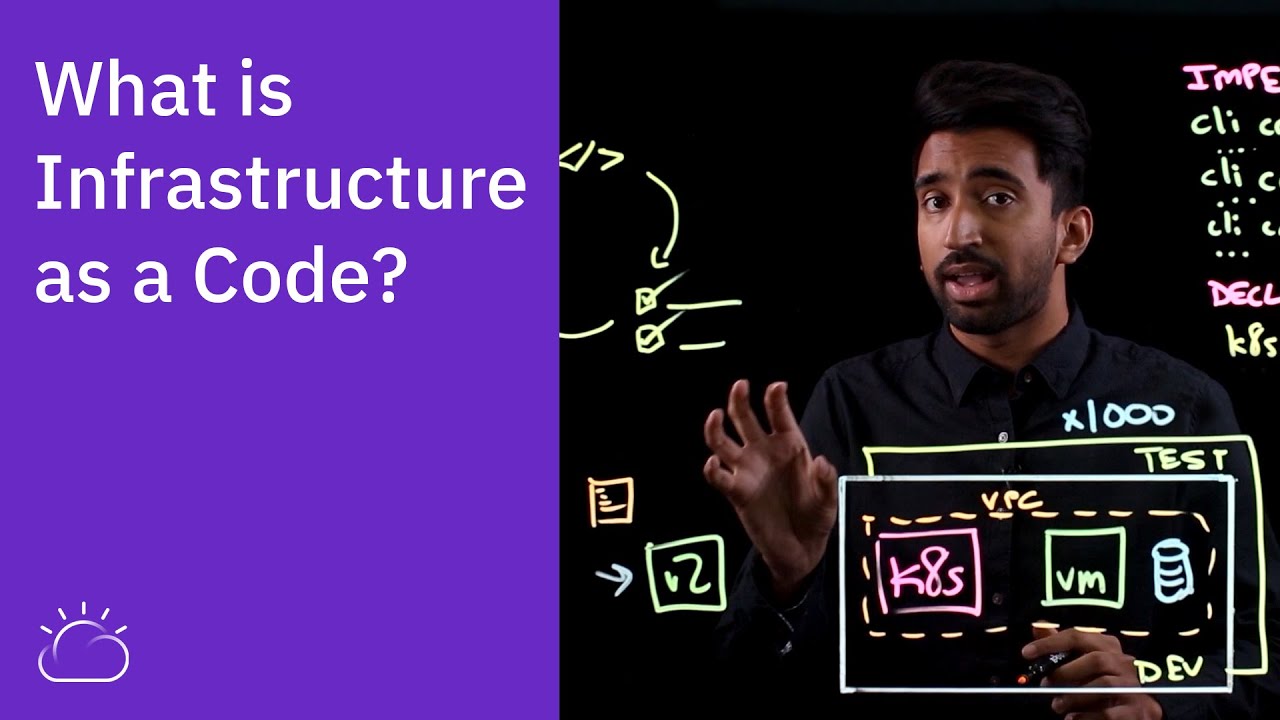
Infrastructure as code (IaC) is a method of managing and provisioning computing infrastructure through machine-readable configuration files instead of manual processes. Servers, networks, databases, load balancers, and other IT resources get defined in code that can be versioned, tested, and reused.
Think of it like a recipe. Instead of logging into a cloud console and clicking through menus to spin up a server, you write a file that describes exactly what you want. Run that file, and the tool builds everything for you. Change the file, run it again, and your infrastructure updates to match.
The software configuration management problem is something teams have struggled with for years. Servers would get set up by hand, each one slightly different from the last. Tracking what changed and when was close to impossible. IaC fixes that by turning infrastructure into something you store in a Git repository, just like application code.
Grand View Research valued the global IaC market at $847 million in 2023, projecting it to hit $3.76 billion by 2030 at a 24.4% CAGR. That growth tracks directly with cloud adoption and the push toward automated provisioning across industries.
How Infrastructure as Code Differs from Manual Provisioning
Manual provisioning means someone logs into a dashboard, clicks buttons, types values, and hopes they remembered every step. It works when you have three servers. It falls apart at thirty.
Manual approach: slow, error-prone, hard to replicate, no audit trail.
IaC approach: fast, consistent, repeatable, version-controlled through source control management systems like Git.
ITIC’s 2024 survey found that over 90% of mid-size and large enterprises now face hourly downtime costs exceeding $300,000. Configuration mistakes during manual setup are one of the most common triggers. IaC reduces that risk by making infrastructure deployments predictable and repeatable every single time.
The difference isn’t just speed. It’s accountability. Every change to an IaC file shows up in the commit history. You can see who changed what, when, and why. That kind of transparency doesn’t exist when someone manually tweaks a firewall rule at 2 AM.
How Infrastructure as Code Works

The workflow is straightforward. You write a configuration file describing your desired infrastructure state. You run a command. The IaC tool reads your file, compares it to what currently exists, and makes whatever changes are needed to bring reality in line with your definition.
That’s it. Well, mostly.
The real power comes from the plan/apply cycle that tools like Terraform use. Before anything changes, the tool shows you a preview of exactly what it will create, modify, or destroy. You review it. If it looks right, you approve. If not, you adjust and try again.
This is where the connection to the broader software development process gets clear. IaC files go through pull requests. Teammates review changes before they reach production. Automated checks run against the code. It mirrors the same code review process that application developers already follow.
Declarative vs. Imperative Approaches
Two ways to write infrastructure code. Each one thinks about the problem differently.
| Approach | You Describe | Example Tools | Best For |
|---|---|---|---|
| Declarative | The end state you want | Terraform, CloudFormation, Bicep | Most teams, simpler mental model |
| Imperative | The steps to get there | Pulumi (general-purpose languages), some Ansible playbooks | Complex logic, conditional flows |
Declarative is the dominant approach. Grand View Research confirmed that the declarative segment held the largest market share in 2023. You tell the tool “I want two servers with 8GB RAM behind a load balancer” and the tool figures out how to make that happen.
Imperative gives you more control. You write step-by-step instructions. Pulumi lets you do this in Python, TypeScript, Go, or C#, which appeals to developers who prefer general-purpose languages over domain-specific ones.
Most teams I’ve seen pick declarative and stick with it. The learning curve is gentler, and the code is easier to read six months later when someone else has to maintain it.
State Files and Drift Detection
IaC tools keep a state file, a record of what infrastructure currently exists and how it maps to your configuration. Terraform stores this in a file called terraform.tfstate.
When someone manually changes a resource outside of the IaC workflow (and people always do), the actual infrastructure drifts away from the defined state. This is configuration drift, and it’s a bigger problem than most teams realize.
DataStackHub reported that 55% of cloud breaches in 2025 trace back to configuration drift or oversight. The fix? Run your IaC tool regularly. It detects the drift and either alerts you or corrects it automatically, depending on your setup.
State management gets tricky with teams. Two people running Terraform at the same time against the same state file creates conflicts. That’s why remote state backends with locking (like S3 plus DynamoDB on AWS) exist.
Types of Infrastructure as Code Tools

Not all IaC tools do the same thing. Some create resources from scratch. Others configure what’s already running. A few try to do both. Picking the right tool depends on what problem you’re actually solving.
Terraform holds roughly 32.8% of the IaC market share, according to Firefly’s analysis. But it’s far from the only option, and some teams run two or three tools together. Here’s how they break down.
Provisioning Tools
These tools create and destroy infrastructure resources. Servers, databases, networks, DNS records, storage buckets. If it lives in a cloud provider, a provisioning tool can manage it.
Terraform (now under IBM after the $6.4 billion HashiCorp acquisition in 2024) remains the default choice for multi-cloud setups. It uses HCL, its own configuration language. Over 25,000 customers use it to manage cloud resources across AWS, Azure, and Google Cloud.
AWS CloudFormation handles provisioning natively within the AWS ecosystem. No extra tooling needed if you’re all-in on Amazon. AWS CDK sits on top of CloudFormation and lets you write infrastructure definitions in TypeScript, Python, or Java.
Pulumi takes a different path entirely. It lets you write IaC in real programming languages like Python, Go, and TypeScript. In September 2024, Pulumi launched new security products (Pulumi ESC and Pulumi Insights) to compete more directly with Terraform’s enterprise features.
Configuration Management Tools
Provisioning creates a server. Configuration management makes that server useful.
These tools install packages, manage files, start services, and keep running systems in their desired state. The distinction matters because you often need both.
- Ansible (Red Hat/IBM) uses YAML playbooks and connects over SSH. No agent required on target machines. Probably the easiest entry point for teams new to automation.
- Chef uses Ruby-based “recipes” and requires an agent on each managed node. Popular in enterprises with complex compliance requirements.
- Puppet uses its own declarative language and excels at enforcing consistent state across large server fleets.
- SaltStack offers both agent-based and agentless modes with a focus on speed at scale.
According to Brokee, Ansible’s parent company Red Hat saw revenues grow 11% year-over-year in 2024, with IBM crediting much of that to its automation platform.
Cloud-Native IaC Services
Each major cloud provider ships its own IaC tooling. These work best when you’re committed to a single platform.
| Cloud Provider | Native IaC Tool | Language/Format |
|---|---|---|
| AWS | CloudFormation / CDK | JSON, YAML, TypeScript, Python |
| Azure | ARM Templates / Bicep | JSON, Bicep DSL |
| Google Cloud | Deployment Manager | YAML, Jinja2, Python |
The tradeoff is clear. Cloud-native tools offer deeper integration and faster support for new services. Third-party tools like Terraform offer portability across providers. Teams running multi-cloud strategies almost always end up with Terraform (or now OpenTofu, the open-source fork) for exactly that reason.
Crossplane deserves a mention too. It manages cloud resources as Kubernetes custom resources, which fits nicely for teams already invested in container orchestration.
Declarative vs. Imperative Infrastructure as Code

This distinction came up earlier, but it’s worth going deeper. The choice between declarative and imperative affects how your team thinks about infrastructure, how they debug problems, and how readable the code stays over time.
Declarative means “what.” You describe the end result. “I want a VPC with two subnets and a NAT gateway.” The tool works out the order of operations, handles dependencies, and creates everything.
Imperative means “how.” You describe each step. “First create the VPC. Then create subnet A. Then create subnet B. Then attach the NAT gateway to subnet A.” You control the sequence.
When Declarative Makes Sense
For most infrastructure work, declarative is the better fit. Terraform, CloudFormation, and Bicep all take this approach, and it’s not by accident.
The code reads like a description of what you want to exist. Someone new to the codebase can open a Terraform file and understand the infrastructure without tracing execution paths. That readability alone is worth the tradeoff in flexibility.
Idempotency is built in. Run the same declarative config twice, nothing changes the second time. The tool checks what already exists and only modifies what’s different. That’s a huge deal for software reliability.
When Imperative Makes Sense
Sometimes you need conditionals, loops, or complex logic that declarative languages handle awkwardly. Pulumi shines here because you’re writing in Python or TypeScript, not a domain-specific language with limited control flow.
Took me a while to appreciate this, actually. Pulumi’s approach felt wrong at first. Why would you manage infrastructure with the same language you build apps in? But for teams where developers own their own infrastructure (and that’s becoming more common), it removes an entire learning curve.
The imperative segment is projected to witness the fastest CAGR through 2030, according to Grand View Research. More teams are experimenting with it as DevOps practices push infrastructure ownership closer to development teams.
Benefits of Infrastructure as Code

IaC adoption keeps climbing because the benefits are concrete and measurable. This isn’t a “nice to have” technology. For any team managing more than a handful of cloud resources, it directly impacts speed, cost, and reliability.
Repeatability and Consistency
Write it once, deploy it everywhere. The same configuration file creates identical environments for development, staging, and production.
That consistency eliminates the “works on my machine” problem at the infrastructure level. When your production environment matches staging exactly, bugs caught in testing stay caught. Environment parity stops being aspirational and becomes automatic.
Intellect Markets research found that more than 70% of enterprises using DevOps also implement IaC specifically to automate their infrastructure lifecycles. That overlap tells you something about how tightly these practices connect.
Speed of Provisioning
Manual server setup takes hours. Sometimes days, if tickets are involved.
IaC takes minutes. Write the config, run the command, grab a coffee. When you get back, your infrastructure exists. Need ten copies of the same environment for load testing? Change a number in the config and run it again.
Techstrong Research’s 2024 DevOps study found that 80% of respondents use DevOps regularly, with IaC as a core practice driving faster deployment cycles. Teams using automation report up to 50% faster deployment cycles compared to manual approaches.
Audit Trails and Version Control
Every infrastructure change lives in Git. Who made it, when, and why (assuming people write decent commit messages, which… your mileage may vary).
For regulated industries, this is not optional. Banks, healthcare providers, and government agencies need to demonstrate exactly what changed and who approved it. IaC gives you that for free through the same source control workflows developers already use.
Cost Visibility and Disaster Recovery
Cost visibility: When every resource is defined in a file, you can see exactly what you’re paying for. No mystery servers running in a forgotten AWS region. Tools like Infracost can estimate monthly costs from Terraform files before you deploy anything.
Disaster recovery: If an entire region goes down, you redeploy your infrastructure from the same config files in a different region. The recovery plan is the code itself. No runbooks to follow, no steps to remember under pressure.
According to ITIC’s 2024 research, 90% of organizations now require a minimum of 99.99% uptime. IaC makes that target realistic by turning infrastructure recovery into a repeatable, automated process rather than a manual scramble.
Common Challenges with Infrastructure as Code

IaC solves real problems. But it creates a few of its own. Pretending otherwise doesn’t help anyone making the decision to adopt it.
State File Conflicts
Two engineers run terraform apply at the same time. Both modify the state file. One overwrites the other’s changes. Things break.
This happens more often than you’d think, especially on teams that haven’t set up remote state with locking. The fix is straightforward (use a remote backend like S3 with DynamoDB locking, or Terraform Cloud), but plenty of teams learn this the hard way first.
Learning Curve for Non-Developers
Operations engineers who’ve spent years managing infrastructure through GUIs don’t always take naturally to writing HCL or YAML files. The Intellect Markets report flagged this directly: the steep learning curve associated with IaC tools like Terraform and Pulumi is one of the market’s primary restraints.
Smaller organizations feel this the hardest. They may not have dedicated DevOps staff, and upskilling existing team members takes time and budget.
Secret Management
Hardcoded passwords in Terraform files pushed to Git. It still happens.
IaC config files often need access to database credentials, API keys, and certificates. Managing those secrets without exposing them requires additional tooling like HashiCorp Vault, AWS Secrets Manager, or external secret operators for Kubernetes.
DataStackHub reported that 68% of IT leaders identify misconfiguration (which includes exposed secrets) as their top cloud security risk. Getting secret management right isn’t a nice extra. It’s a requirement.
Module Sprawl and Testing
Module sprawl happens when teams create reusable IaC modules without coordination. You end up with five slightly different versions of a “VPC module” scattered across repositories. Nobody knows which one is current.
Testing infrastructure code before it hits production remains tricky. Tools like Terratest, Checkov, and tflint help, but the feedback loop is slower than unit testing application code. You’re often waiting for real cloud resources to spin up just to verify your config is correct. That’s expensive and slow.
Some teams use policy-as-code tools (Open Policy Agent, Sentinel) to catch misconfigurations before apply. But setting those policies up is yet another layer of work that teams underestimate.
Infrastructure as Code in CI/CD Pipelines
IaC becomes much more useful when it runs inside an automated pipeline rather than from someone’s laptop. The goal is simple: treat infrastructure changes exactly like application code changes. Push a commit, trigger a pipeline, review the plan, apply the update.
The CD Foundation’s State of CI/CD report found that 83% of developers now participate in DevOps-related activities. Infrastructure automation through build pipelines is a big part of that shift.
Running IaC as a Pipeline Step
Most teams plug Terraform or CloudFormation directly into their CI/CD tool. GitHub Actions, GitLab CI, and Jenkins all support this.
Typical flow:
- Developer pushes an IaC change to a feature branch
- Pipeline runs
terraform planand posts the output as a pull request comment - Team reviews the plan alongside the code diff
- After approval, merge triggers
terraform apply
This mirrors the same continuous integration workflow developers already use for application code. No separate process, no context switching.
Policy-as-Code and Approval Gates
Automated pipelines need guardrails. That’s where policy-as-code tools come in.
Open Policy Agent (OPA): evaluates Terraform plans against custom rules before apply runs. Free, open-source, and widely adopted in Kubernetes environments.
HashiCorp Sentinel: a paid policy framework built into Terraform Cloud and Terraform Enterprise. Tight integration, but vendor-locked.
DataStackHub research shows that automated policy scanning can prevent up to 75% of misconfigurations before deployment. That’s a significant reduction in production incidents for teams willing to invest the setup time.
GitOps as an Operational Model
GitOps takes the CI/CD concept further. Git becomes the single source of truth for both application and infrastructure state.
A controller (ArgoCD, Flux) runs inside your cluster, watches a Git repository, and continuously reconciles the actual environment with whatever’s declared in those files. If someone manually changes a resource, the controller reverts it.
Both ArgoCD and Flux have graduated as CNCF projects, which signals maturity. Teams running Kubernetes-heavy workloads are increasingly adopting this pull-based model for continuous deployment of infrastructure changes.
Infrastructure as Code and Cloud Platforms

Every major cloud provider has its own IaC tooling. And every major cloud provider also supports Terraform. The question isn’t which tools exist. It’s which ones make sense for how your team actually works.
Flexera’s 2024 State of the Cloud Report found that 89% of enterprises now have a multi-cloud strategy. That stat alone explains why cloud-agnostic IaC tools gained so much ground over the past few years.
AWS Infrastructure as Code Options
CloudFormation is the native option. It uses JSON or YAML templates and has zero-day support for new AWS services. If your entire stack lives in AWS and you never plan to leave, it works fine.
AWS CDK sits on top of CloudFormation. It lets you define resources in TypeScript, Python, Java, or C#. Developers who dislike YAML tend to prefer this approach.
Flexera data shows 49% of respondents run significant workloads on AWS, making it the most-used cloud platform by a wide margin. That install base keeps CloudFormation relevant even as Terraform dominates multi-cloud conversations.
Azure Infrastructure as Code Options
ARM Templates: Azure’s original IaC format. Verbose JSON files that are painful to write by hand.
Bicep: Microsoft’s answer to ARM Template fatigue. A cleaner, domain-specific language that compiles down to ARM JSON. Much easier to read and maintain.
Azure holds 45% adoption for significant workloads according to Flexera, sitting close behind AWS. With IBM’s acquisition of HashiCorp now complete, the Terraform-plus-Azure combination gains even more enterprise backing through Red Hat and Ansible integration.
Google Cloud Infrastructure as Code Options
Google Cloud Deployment Manager handles native provisioning using YAML and Jinja2 templates. Honestly, it gets less attention than the AWS and Azure equivalents.
Most Google Cloud teams use Terraform instead. Google actively maintains the Google Cloud Terraform provider, and 21% of organizations run significant workloads on GCP according to Flexera’s report.
Multi-Cloud Strategy and Tool Selection
| Strategy | Recommended Tool | Why |
|---|---|---|
| Single cloud (AWS only) | CloudFormation or CDK | Native integration, fastest new service support |
| Single cloud (Azure only) | Bicep | Clean syntax, ARM-compatible |
| Multi-cloud | Terraform or OpenTofu | Provider-agnostic, single language across clouds |
| Kubernetes-first | Crossplane or Pulumi | Cloud resources as K8s custom resources |
Walmart adopted a multi-cloud strategy using Google Cloud for AI-driven inventory management and Azure for enterprise workloads, running cloud-agnostic infrastructure automation across both.
Best Practices for Writing Infrastructure as Code

Knowing how to use IaC tools is one thing. Knowing how to organize, secure, and maintain IaC across a growing team is something else entirely. These practices come from real production experience, not theory.
Structuring IaC Repositories
HashiCorp’s State of Cloud Strategy Survey found that reusable Terraform modules reduce configuration time by up to 40%. But that only works when modules are organized properly.
Keep modules small and focused. A “networking” module handles VPCs and subnets. A “compute” module handles instances. Don’t build one massive module that does everything.
Separate environment configs using directory structures or workspaces rather than duplicating files. Pin provider and module versions with semantic versioning to prevent unexpected breaking changes.
Managing Secrets in Infrastructure Code
Never commit credentials to a Git repository. It sounds obvious. People still do it.
Use dedicated tools for secret management:
- HashiCorp Vault for cross-platform secret storage
- AWS Secrets Manager for AWS-only environments
- Azure Key Vault for Azure workloads
Reference secrets dynamically in your IaC configs instead of hardcoding values. Terraform’s data sources can pull secrets at apply time without ever writing them to state files or configuration documentation.
Validation, Linting, and Testing
Run automated checks before any infrastructure change reaches production. At minimum:
terraform validate catches syntax errors. tflint flags deprecated patterns and provider-specific issues. Checkov scans for security misconfigurations against preset policies.
For teams following software development best practices, add linting checks as pre-commit hooks so problems get caught before code even reaches the pull request stage.
Infrastructure as Code vs. Configuration Management
This confusion comes up constantly. People use “infrastructure as code” and “configuration management” like they mean the same thing. They don’t. The overlap is real, but the jobs are different.
What Each One Actually Does
| Aspect | Infrastructure as Code | Configuration Management |
|---|---|---|
| Primary job | Create and destroy cloud resources | Configure and maintain running systems |
| Typical tools | Terraform, CloudFormation, Pulumi | Ansible, Chef, Puppet |
| Example task | Spin up an EC2 instance | Install Nginx on that instance |
| State tracking | Maintains a state file | Varies (some agentless, some agent-based) |
| When it runs | Before the system exists | After the system exists |
IaC provisions the server. Configuration management installs the software, sets up users, and keeps the system in its desired state. The distinction maps directly to the difference between provisioning resources and configuring them once they’re running.
Terraform vs. Ansible as the Clearest Example
Terraform creates your AWS VPC, subnets, security groups, and EC2 instances. Ansible then connects to those instances and installs packages, copies config files, and starts services.
IBM now owns both tools through its HashiCorp and Red Hat acquisitions. The official messaging positions Terraform for provisioning and Ansible for configuration management as complementary, not competing products.
Plenty of teams use both together. Terraform creates the infrastructure. Ansible configures it. The collaboration between dev and ops teams gets smoother when each tool has a clear role.
Where the Line Gets Blurry
Ansible can provision cloud resources too. Terraform can run provisioners that execute scripts on new instances. Pulumi handles both provisioning and some configuration through general-purpose programming languages.
The line blurs most in containerized environments. When your “configuration” is baked into a Docker image and your infrastructure is a Kubernetes cluster, the traditional split between provisioning and configuration management starts to break down.
For most teams, though, keeping the separation clear prevents confusion. Use the right tool for the right job. Your future self will thank you when something breaks at 3 AM and you need to figure out where to look.
FAQ on What Is Infrastructure As Code
What is infrastructure as code in simple terms?
Infrastructure as code is the practice of managing servers, networks, and cloud resources through machine-readable configuration files instead of manual setup. You write code that describes your infrastructure, run it, and the tool builds everything automatically.
What are the main benefits of infrastructure as code?
IaC delivers repeatability, speed, and consistency across environments. It reduces human error during provisioning, creates audit trails through version control, and makes disaster recovery faster. Teams can replicate entire environments in minutes instead of days.
What is the difference between declarative and imperative IaC?
Declarative IaC describes the desired end state (Terraform, CloudFormation). Imperative IaC describes the step-by-step instructions to get there (Pulumi with Python or TypeScript). Most teams prefer declarative because it’s simpler to read and maintain.
What are the most popular infrastructure as code tools?
Terraform leads with roughly 33% market share. AWS CloudFormation, Pulumi, Ansible, and Azure Bicep are also widely used. The right choice depends on whether you need multi-cloud support or work within a single cloud provider.
Is Terraform the same as infrastructure as code?
No. Terraform is one IaC tool among many. Infrastructure as code is the broader practice of defining infrastructure through code files. CloudFormation, Pulumi, Bicep, and Crossplane all implement IaC using different approaches and languages.
How does infrastructure as code relate to DevOps?
IaC is a core DevOps practice. It bridges development and operations by letting teams manage infrastructure through the same Git workflows used for application code. Pull requests, code reviews, and CI/CD pipelines all apply directly.
What is a Terraform state file?
A state file tracks the current status of your provisioned resources. Terraform uses it to compare your configuration against what actually exists in the cloud. Remote backends with locking prevent conflicts when multiple engineers run commands simultaneously.
Can infrastructure as code work with multiple cloud providers?
Yes. Tools like Terraform and Pulumi are cloud-agnostic and support AWS, Azure, and Google Cloud from a single codebase. Native tools like CloudFormation or Bicep only work within their respective platforms.
What is configuration drift and how does IaC prevent it?
Configuration drift happens when actual infrastructure deviates from its defined state, usually through manual changes. IaC tools detect this drift automatically and can correct it by reapplying the declared configuration to restore consistency.
Is infrastructure as code hard to learn?
The basics are approachable, especially with declarative tools like Terraform. The learning curve steepens around state management, module design, and CI/CD integration. Teams without coding backgrounds may need dedicated time to build fluency with HCL or YAML syntax.
Conclusion
Understanding what is infrastructure as code matters because manual provisioning simply doesn’t scale anymore. With cloud resource management growing more complex across AWS, Azure, and Google Cloud, codified infrastructure is how modern teams stay consistent and fast.
The tooling has matured significantly. Terraform handles multi-cloud provisioning. Ansible covers configuration management. Pulumi brings general-purpose programming languages into the mix. Picking the right combination depends on your stack and team structure.
What stays constant is the principle. Define your infrastructure in version-controlled files, automate deployments through CI/CD pipelines, and detect configuration drift before it causes downtime.
Start small. Codify one environment. Build from there. The teams that treat infrastructure like software ship faster and break less.

- Rust Cheat Sheet - September 1, 2026
- Top Companies Providing Legacy System Modernization Services - September 1, 2026
- Why Web Development Agencies Partner With a Link Building Agency - August 31, 2026


