

Over 90% of organizations now run containerized applications in some capacity. If you’re still asking what is containerization, you’re not late, but you need to catch up fast.
Containerization is the method of packaging software with all its dependencies into isolated, portable units that run consistently across any environment. It changed how teams build, test, and deploy applications. Docker made it accessible. Kubernetes made it scalable.
This guide covers how containers actually work, how they compare to virtual machines, what Docker and Kubernetes do, and where the real limitations show up. You’ll also get current adoption data, real company examples, and practical context for container registries, orchestration, and cloud-native architecture.
What is Containerization

Containerization is a method of packaging software so it runs the same way regardless of where you deploy it. The application code, its dependencies, libraries, and configuration files all get bundled into a single, self-contained unit called a container.
That container shares the host operating system’s kernel. It doesn’t need its own full OS the way a virtual machine does.
This is the part that trips people up at first. Containers isolate processes from each other on the same host machine using Linux kernel features like namespaces and cgroups, but they’re not running separate operating systems. They’re just walled-off sections of the same one.
The Nutanix 2025 Enterprise Cloud Index found that 90% of organizations now have at least some containerized applications. And Gartner estimates over 95% of new digital workloads will run on cloud-native platforms (most of them containerized) by 2025, up from 30% in 2021.
That growth makes sense when you look at what containers actually solve. Traditional software development runs into a familiar problem: code works on one machine but breaks on another because the environment is different. Containers remove that variable entirely.
The global application container market hit $5.85 billion in 2024 and is projected to reach $31.5 billion by 2030, according to Grand View Research. A 33.5% compound annual growth rate.
Netflix was one of the earlier large-scale adopters. The company moved to containerized microservices to handle its massive streaming workload, gaining the ability to deploy thousands of times per day without service interruptions.
How Containers Work

Understanding the mechanics here matters more than most people think. The difference between “I use Docker” and “I understand what Docker is doing” shows up fast when something breaks in production.
Container Images and Layers
A container image is a read-only template. It defines everything that goes inside a container: the application code, runtime, system tools, libraries.
Images are built in layers. Each instruction in a Dockerfile creates a new layer stacked on top of the previous one.
Base layer: typically a minimal Linux distribution like Alpine or Ubuntu.
Dependency layers: package installations, library additions, configuration files.
Application layer: your actual code and entry point.
Layers are cached and reused. If you change your application code but not your dependencies, Docker only rebuilds the top layer. This makes the container build process fast, sometimes just seconds for incremental changes.
Container Runtimes
The container runtime is the software that actually executes containers on a host. Docker Engine is what most developers interact with, but underneath it sits a lower-level runtime.
containerd handles the container lifecycle (pulling images, managing storage, executing containers). Its adoption jumped from 23% to 53% year-over-year, according to CNCF data, which shows serious runtime consolidation happening across the industry.
CRI-O is the lightweight alternative built specifically for Kubernetes. It implements the Container Runtime Interface without the extra tooling Docker carries.
Linux namespaces give each container its own view of the system (process IDs, network interfaces, mount points). Cgroups limit how much CPU, memory, and I/O each container can consume. Together, they create process isolation without the overhead of running a separate OS kernel.
Took me a while to grasp why this distinction matters. But once you’ve debugged a memory leak that turned out to be a missing cgroup limit, you don’t forget it.
Containers vs. Virtual Machines
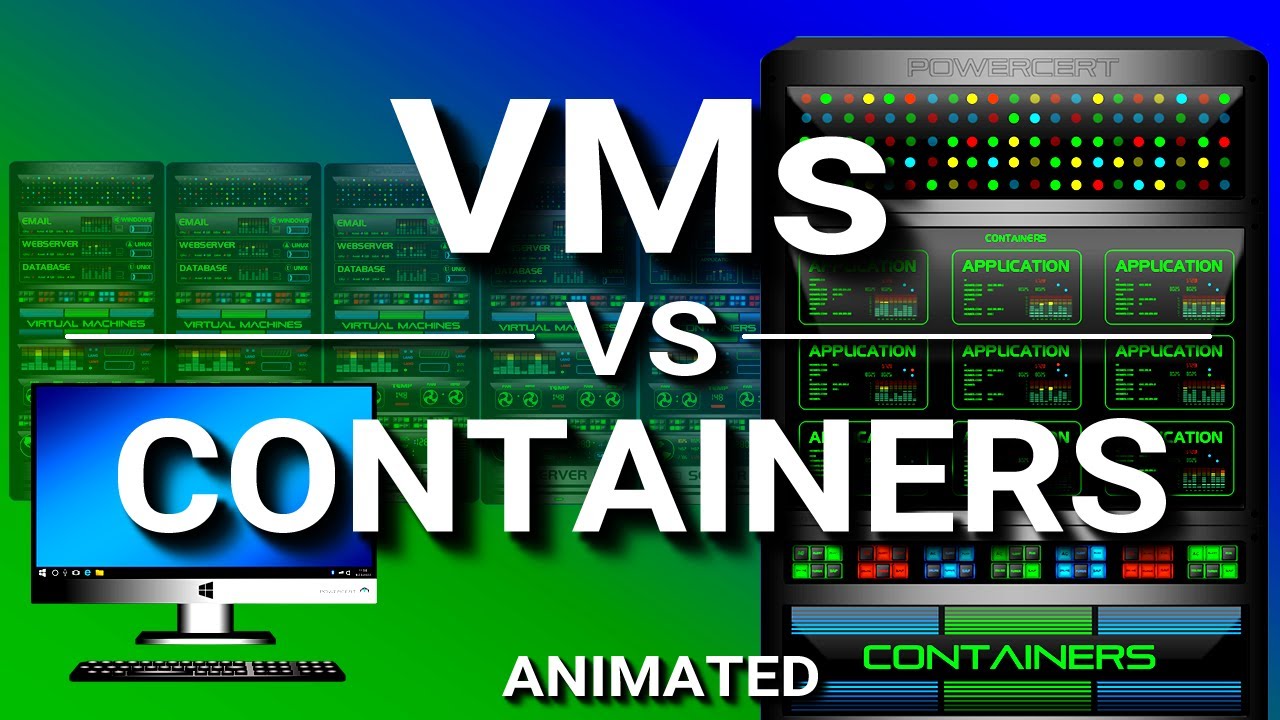
This is the comparison everyone runs into first. And honestly, it’s the one that makes containerization click for most people.
Virtual machines virtualize hardware. Each VM runs a full guest operating system on top of a hypervisor. Containers virtualize the operating system itself and share the host’s kernel.
| Feature | Containers | Virtual Machines |
|---|---|---|
| Startup time | Seconds or milliseconds | Minutes |
| Size | Megabytes (typically 10–200 MB) | Gigabytes (often 1–20 GB) |
| OS requirement | Shares host kernel | Full guest OS per VM |
| Isolation level | Process-level (namespaces, cgroups) | Hardware-level (hypervisor) |
| Density per host | Dozens to hundreds | Typically 5–20 |
Containers start in seconds because there’s no OS to boot. VMs can take minutes. That difference compounds quickly when you’re running hundreds of instances across a cluster.
Resource overhead is the other big one. A VM needs its own chunk of RAM just to run its guest OS before your application even starts. Containers share the host kernel, so almost all allocated resources go directly to the application.
According to Statista, 96% of organizations now use containers across their environments (including both development and production). VMs haven’t disappeared, though. They’re still the better choice when you need strong isolation between workloads or when you’re running different operating systems on the same hardware.
Plenty of teams run containers inside VMs, actually. Your Kubernetes nodes on AWS or Azure are typically VM instances running a container runtime. The two technologies aren’t competitors so much as different layers of the same stack.
Capital One famously ran both when migrating to the cloud. VMs handled the isolation and security boundaries their regulators required, while containers managed the application workloads inside those boundaries.
Docker and Its Role in Containerization

Docker didn’t invent containers. Linux containers (LXC) existed before Docker showed up in 2013. But Docker made containerization accessible to regular developers, not just systems engineers.
Before Docker, building a container meant wrestling with low-level Linux kernel features. Docker wrapped all of that complexity into a simple CLI and a standardized image format. Write a Dockerfile, run docker build, and you’ve got a portable container image.
Docker holds roughly 87.67% market share in containerization, with over 108,000 companies using the platform globally. The Stack Overflow Developer Survey 2023 found more than 53% of developers use Docker in their workflows.
The Dockerfile and Image Building
A Dockerfile is basically a recipe. Each line is an instruction: start from this base image, install these packages, copy this code, expose this port, run this command.
The codebase gets baked into the image alongside everything it needs to run. No more “but it works on my machine” conversations. The image IS the machine, at least in terms of the production environment your code expects.
This reproducibility is what changed app deployment for a lot of teams. The same image runs in development, staging, and production. That kind of environment parity used to require serious effort to maintain.
Docker Hub and the Open Container Initiative
Docker Hub is the largest public container registry, pulling roughly 10 million container images per day. Developers push images there, other developers pull them. Nginx, Redis, and Postgres are among the most downloaded.
But Docker is no longer the only game. The Open Container Initiative (OCI) now governs the standard container image format and runtime specification. Tools like Podman, Buildah, and CRI-O all work with OCI-compliant images without needing Docker installed at all.
Spotify was an early Docker adopter, using containers to standardize how development teams built and shipped their services. It helped them reduce deployment friction across hundreds of microservices.
Container Orchestration with Kubernetes
Running a few containers on a single machine is simple. Running hundreds or thousands across multiple servers is a completely different problem. That’s where orchestration comes in.
Kubernetes (K8s) automates deployment, scaling, and management of containerized applications. Google originally built it based on their internal system called Borg, then donated it to the Cloud Native Computing Foundation (CNCF) in 2015.
The CNCF 2024 Annual Survey shows 80% of organizations now run Kubernetes in production, up from 66% in 2023. Kubernetes holds a 92% share of the container orchestration market, according to Edge Delta.
Core Kubernetes Components
Pods: the smallest deployable unit. A pod wraps one or more containers that share storage, network, and a specification for how to run.
Nodes: the machines (physical or virtual) that run your pods. A cluster is a set of nodes managed by a control plane.
Services: abstract a set of pods behind a stable network endpoint. Even as pods come and go, the service keeps a consistent address.
Deployments: declare the desired state for your pods (how many replicas, which image version). Kubernetes handles rolling updates and rollback automatically.
SlashData reports that 5.6 million developers globally now work with Kubernetes. Over 50% of Fortune 100 companies have adopted it.
When You Actually Need Orchestration
Not every project needs Kubernetes. This is something the community doesn’t say loudly enough.
If you’re running a handful of containers for a small web app, Docker Compose handles it fine. Kubernetes adds complexity (networking, RBAC, service discovery, persistent storage configuration) that only pays off at a certain scale.
You need orchestration when your application has multiple services that need to scale independently, when you need self-healing (automatic restart of failed containers), when you’re doing blue-green deployment or canary deployment strategies, or when you’re operating across multiple cloud providers.
Alternatives exist. Docker Swarm is simpler but less capable. HashiCorp Nomad handles mixed workloads (containers and VMs together). But Kubernetes dominates for good reason: the ecosystem around it (Helm charts, Istio, Prometheus, Grafana) is massive.
Airbnb moved to Kubernetes to manage their growing service count, and it allowed their platform engineering team to give developers self-service deployment without drowning in manual operations.
Common Use Cases for Containerization

Containers show up everywhere now, but some patterns are more common than others. Here’s where they deliver the most value.
Microservices Architecture
Each microservice runs in its own container with its own dependencies. Teams can build, test, and deploy services independently without stepping on each other.
This is probably the most widespread use case. Companies like Uber, Amazon, and Netflix all decomposed their monolithic applications into containerized microservices to move faster and scale specific components under heavy load.
The software development process changes significantly here. Instead of one big release, teams push small, frequent updates to individual services through their own build pipeline.
CI/CD Pipelines
The Continuous Delivery Foundation reported that 83% of developers participated in DevOps-related activities during Q1 2024, up from 77% in 2022.
Containers make continuous integration and continuous deployment far more reliable. Every build runs in an identical container environment. Tests execute against the same dependencies your production code will use. No more “it passed in CI but failed in staging.”
Target, the retailer, deploys hundreds of updates weekly through their containerized Unimatrix platform while running automated scanning and policy gates on every build.
Development Environments
New developer joins the team. Instead of spending a day installing dependencies and matching versions, they run docker compose up and have the full stack running locally.
This alone saves organizations significant onboarding time. The development environment mirrors production exactly, which means fewer surprises during deployment.
Legacy Application Isolation
Old applications that need specific runtime versions or OS configurations can run inside containers alongside modern services. The container gives them the environment they expect without polluting the host.
Banks and financial institutions use this approach a lot. The BFSI sector held the largest share of the application container market in 2024 at roughly 23% of revenue, according to Grand View Research, largely because of containerized legacy modernization efforts.
Machine Learning Model Deployment
ML models have notoriously messy dependency chains (specific Python versions, CUDA libraries, framework versions). Containers solve this by packaging the model with its exact inference stack.
The Spectro Cloud 2025 report found that 54% of organizations now run AI/ML workloads on Kubernetes, and over 90% expect those workloads to increase within the next 12 months. The ability to run training on GPU-equipped containers and then deploy inference containers across a cluster makes the whole ML lifecycle more manageable.
Benefits of Containerization

Containers fix problems that have annoyed development teams for years. The benefits are concrete and measurable, not theoretical.
Portability Across Environments
A container runs the same way on a developer’s laptop, a staging server, and a production cluster on AWS, GCP, or Azure. The image IS the environment.
This software portability eliminates the classic “works on my machine” problem. It also makes multi-cloud strategies practical, because the same container image deploys to any cloud provider without modification.
Ocado, the UK-based online grocery company, migrated to containerized Kubernetes workloads specifically for this reason. Portability let their engineering team deploy across environments without rewriting deployment configurations for each target.
Faster Startup and Lower Resource Use
Containers start in seconds or milliseconds. No OS to boot. No hypervisor overhead.
A typical container image is 10 to 200 MB. A VM image with its full guest OS can easily hit 1 to 20 GB. That difference means you can run dozens or hundreds of containers on a single host where you might fit 5 to 20 VMs.
Gartner estimates that container infrastructure software revenue nearly doubled from $465.8 million in 2020 to $944 million in 2024, driven largely by organizations switching from VMs to containers for cost and performance gains.
Reproducible Environments and Developer Speed
Every build runs against the same dependencies. Every test environment matches production. Every software release cycle becomes more predictable because the container removes environment variables from the equation.
Key outcome: teams ship more frequently with fewer deployment failures. The Continuous Delivery Foundation reported 83% of developers now participate in DevOps activities, and containers are a primary reason that percentage keeps climbing.
Horizontal Scaling
Need more capacity? Spin up additional container replicas. Need less? Scale them down. Orchestration tools like Kubernetes handle this automatically based on CPU, memory, or custom metrics.
This software scalability is what makes containers the foundation of cloud-based applications. You pay for what you use, and the infrastructure adjusts to demand in real time. Horizontal vs vertical scaling becomes a practical choice rather than an architectural constraint.
Limitations and Challenges
Containers aren’t a silver bullet. Every team I’ve talked to that adopted containers at scale hit at least one of these walls.
Security Concerns
Red Hat’s 2024 State of Kubernetes Security report found that 67% of organizations delayed or slowed container deployment because of security concerns.
The shared kernel is the root issue. If an attacker exploits a kernel vulnerability inside a container, they could potentially reach the host system and every other container on it. VMs don’t have this problem because each one runs its own kernel.
And the business impact is real. According to the same Red Hat report, 46% of organizations experienced revenue or customer loss from container security incidents, while 30% faced fines or legal action.
Kaspersky’s 2024 study found that 85% of geo-distributed companies using containers experienced cybersecurity incidents in the prior 12 months. Configuration errors (34%), runtime security flaws (32%), and late malware detection (32%) were the top causes.
Persistent Storage Complexity
Containers are stateless by design. When a container stops, its filesystem goes with it.
Running databases or any stateful application in containers requires external volume mounts, storage drivers, and careful configuration management. Kubernetes added StatefulSets and Persistent Volume Claims to address this, but it’s still trickier than running a database on a traditional server.
The Spectro Cloud 2025 report found that 98% of respondents now run data-intensive workloads on cloud-native platforms, which shows the problem is getting solved, but it remains a common pain point for teams new to containers.
Networking and Monitoring Complexity
Networking: containers create their own virtual networks. Multi-host networking, service discovery, and load balancing across clusters add layers of complexity that didn’t exist with traditional deployments.
Monitoring: containers are short-lived. Traditional monitoring tools that track long-running server processes don’t work well when containers spin up and down every few minutes. Teams need purpose-built observability tools like Prometheus and Grafana.
Skills gap: Red Hat’s data shows 75% of organizations cite skills shortage as their primary obstacle to container deployment. The learning curve for Kubernetes alone is significant.
The Learning Curve
Docker is approachable. Kubernetes is not.
Going from “I can run a container” to “I can operate a production Kubernetes cluster” takes months of focused learning. Networking, RBAC, Helm charts, Ingress controllers, service meshes. Each layer adds concepts that didn’t exist in traditional back-end development.
The Nutanix 2025 Enterprise Cloud Index found that 81% of organizations say their infrastructure needs improvement to properly support cloud-native applications, even though 90% already have containerized workloads running.
Container Registries and Image Management

Container images need somewhere to live. That’s what registries are for: storing, versioning, distributing, and securing the images your teams build and deploy.
The container registry market reached $1.25 billion in 2024 and is projected to hit $4.44 billion by 2032 at a 17.2% CAGR, according to Credence Research.
| Registry | Type | Best For |
|---|---|---|
| Docker Hub | Public/Private | Open-source projects, small teams |
| Amazon ECR | Private (cloud) | AWS-native workloads |
| Google Artifact Registry | Private (cloud) | GCP and GKE deployments |
| GitHub Container Registry | Public/Private | Teams using GitHub Actions CI/CD |
| Harbor | Self-hosted (open source) | On-premises, air-gapped environments |
Public vs. Private Registries
Public registries like Docker Hub make images available to anyone. Great for open-source distribution. Docker Hub handles roughly 10 million image pulls per day and hosts the most popular base images (Nginx, Redis, Postgres).
Private registries restrict access to authorized users. Amazon ECR, Google Artifact Registry, and Azure Container Registry are the cloud-native options, each tightly integrated with their respective platforms. Harbor is the go-to self-hosted alternative, backed by the CNCF as a graduated project.
Cloud deployment held about 67% of the registry market in 2024, according to Credence Research, driven by tighter CI/CD integration and automated security scanning.
Image Tagging, Versioning, and Security
Every image gets tagged. Tags like v1.2.3 or latest identify specific versions. Semantic versioning is the standard practice: major.minor.patch.
Keeping images small matters for both performance and security. Fewer packages mean fewer potential vulnerabilities. Alpine-based images can be under 5 MB, compared to hundreds of megabytes for full Ubuntu-based images.
In 2024, researchers found over 3 million malicious or typosquatted repositories on Docker Hub, according to Checkmarx. Vulnerability scanning before deployment isn’t optional anymore. Tools like Trivy, Docker Scout, and Clair automate this as part of deployment pipelines.
The OCI (Open Container Initiative) image specification standardizes the format. Any OCI-compliant registry can store and distribute images built by any OCI-compliant tool, regardless of whether Docker was involved in the build.
Containerization in Cloud-Native Architecture

Containers are the building blocks of cloud-native development. The Cloud Native Computing Foundation (CNCF) defines cloud-native as using containers, service meshes, microservices, immutable infrastructure, and declarative APIs together.
CNCF’s 2024 survey shows 93% of organizations now use, pilot, or evaluate Kubernetes for orchestrating these cloud-native workloads.
Containers as the Foundation
Every other cloud-native technology depends on containers being there first. Service meshes like Istio and Linkerd inject sidecar containers alongside your application containers to handle networking, observability, and security between services.
API gateways sit at the edge of the cluster, routing external traffic to the right containerized services. Observability stacks (Prometheus for metrics, Grafana for dashboards, Jaeger for tracing) all run as containers themselves inside the same cluster.
The infrastructure as code approach ties it together. Tools like Terraform and Pulumi define your container infrastructure declaratively, so entire clusters can be reproduced from a configuration file.
Serverless Containers
Not every team wants to manage Kubernetes clusters. Serverless container platforms remove that operational burden.
| Platform | Provider | Key Benefit |
|---|---|---|
| AWS Fargate | Amazon | No cluster management, pay per task |
| Google Cloud Run | Scale to zero, HTTP-triggered | |
| Azure Container Instances | Microsoft | Fast startup, per-second billing |
You bring the container image. The platform handles provisioning, scaling, and networking. This sits somewhere between full Kubernetes and traditional serverless functions (like AWS Lambda), giving teams container flexibility without infrastructure management.
The app scaling happens automatically. If traffic spikes, more container instances launch. If traffic drops, they scale down to zero. You only pay for the compute time your containers actually use.
Multi-Cloud and Hybrid Strategies
Containers make multi-cloud strategies feasible because the same image runs on any provider. Build once, deploy to AWS, GCP, Azure, or your own data center.
Grand View Research data shows hybrid cloud is the fastest-growing deployment segment in the container market through 2032. Organizations want the flexibility to run sensitive workloads on private infrastructure while using public cloud for everything else.
The software reliability benefits are real. If one cloud provider has an outage, workloads can shift to another because containers don’t depend on provider-specific infrastructure. Kubernetes federation and tools like source control management for infrastructure configs make this possible at the operational level.
Companies like Spotify and Shopify run hybrid container setups, balancing cost, compliance, and performance across multiple environments. For most software development teams, containers have become the default way to build, ship, and run applications, no matter where they end up running.
FAQ on What Is Containerization
What is containerization in simple terms?
Containerization packages an application and its dependencies into a single, portable unit called a container. That container runs the same way on any machine, whether it’s a laptop, a cloud server, or an on-premises data center.
How is containerization different from virtualization?
Containers share the host operating system’s kernel. Virtual machines run a full guest OS on top of a hypervisor. Containers start in seconds, use fewer resources, and are lighter. VMs offer stronger isolation but come with more overhead.
What is Docker and how does it relate to containers?
Docker is the platform that made containerization accessible to developers. It provides tools for building container images, running containers, and distributing them through registries like Docker Hub. Docker holds roughly 87% market share in containerization.
What is Kubernetes used for?
Kubernetes automates the deployment, scaling, and management of containerized applications across clusters of machines. It handles load balancing, rolling updates, and self-healing. Most organizations use it once they operate more than a handful of containers.
Is containerization the same as cloud computing?
No. Containerization is a software packaging method. Cloud computing provides on-demand infrastructure. They work well together because containers run consistently across any cloud provider, but containers can also run on local machines and bare metal servers.
What are the main benefits of using containers?
Portability across environments, faster startup times, lower resource consumption compared to VMs, reproducible builds, and simpler horizontal scaling. Containers also reduce deployment failures by keeping development and production environments identical.
Are containers secure?
Containers provide process isolation, but they share the host kernel. A kernel vulnerability can affect all containers on that host. Security depends on image scanning, runtime monitoring, and proper access controls. Red Hat found 67% of organizations delayed deployments over security concerns.
What programming languages work with containers?
All of them. Containers are language-agnostic. Python, Java, Go, Node.js, Ruby, .NET, whatever your stack uses. The container bundles the application with its specific runtime and libraries, so the language doesn’t matter.
Do small teams need containerization?
Docker Compose can simplify local development and deployment even for small projects. You don’t need Kubernetes to benefit from containers. If your team struggles with environment inconsistencies or manual deployments, containers solve those problems at any scale.
How do I get started with containerization?
Install Docker Desktop. Write a Dockerfile for your application. Build an image, run it locally. Once that works, explore Docker Compose for multi-container setups. Kubernetes comes later, only when your workload demands orchestration.
Conclusion
Understanding what is containerization comes down to one thing: it’s a faster, more reliable way to ship software. Container runtimes, image layers, namespace isolation, and orchestration platforms like Kubernetes aren’t abstract concepts anymore. They’re the standard toolkit for modern application deployment.
The numbers back it up. With 80% of organizations running Kubernetes in production and the container market growing at a 33.5% CAGR, this isn’t a trend. It’s infrastructure.
Security, persistent storage, and the skills gap remain real challenges. But teams that invest in proper container image management, vulnerability scanning, and cloud-native practices consistently ship faster with fewer failures.
Whether you’re running microservices on AWS Fargate or spinning up local environments with Docker Compose, containers give you portability and consistency that traditional deployments can’t match. Start small. Learn the tooling. Scale when the workload demands it.

- How to Use Claude Code in VS Code - August 20, 2026
- From Offshore Development Team to U.S. Office: What Tech Companies Need to Plan Before Expanding Stateside - August 20, 2026
- What Are the Best Kajabi Alternatives for Growing Your Online Business? - August 19, 2026


