A single bad deployment can cost your team hours of downtime, lost revenue, and a very stressful night. So what is blue-green deployment, and why do companies like Netflix rely on it to push thousands of updates daily without users ever noticing?
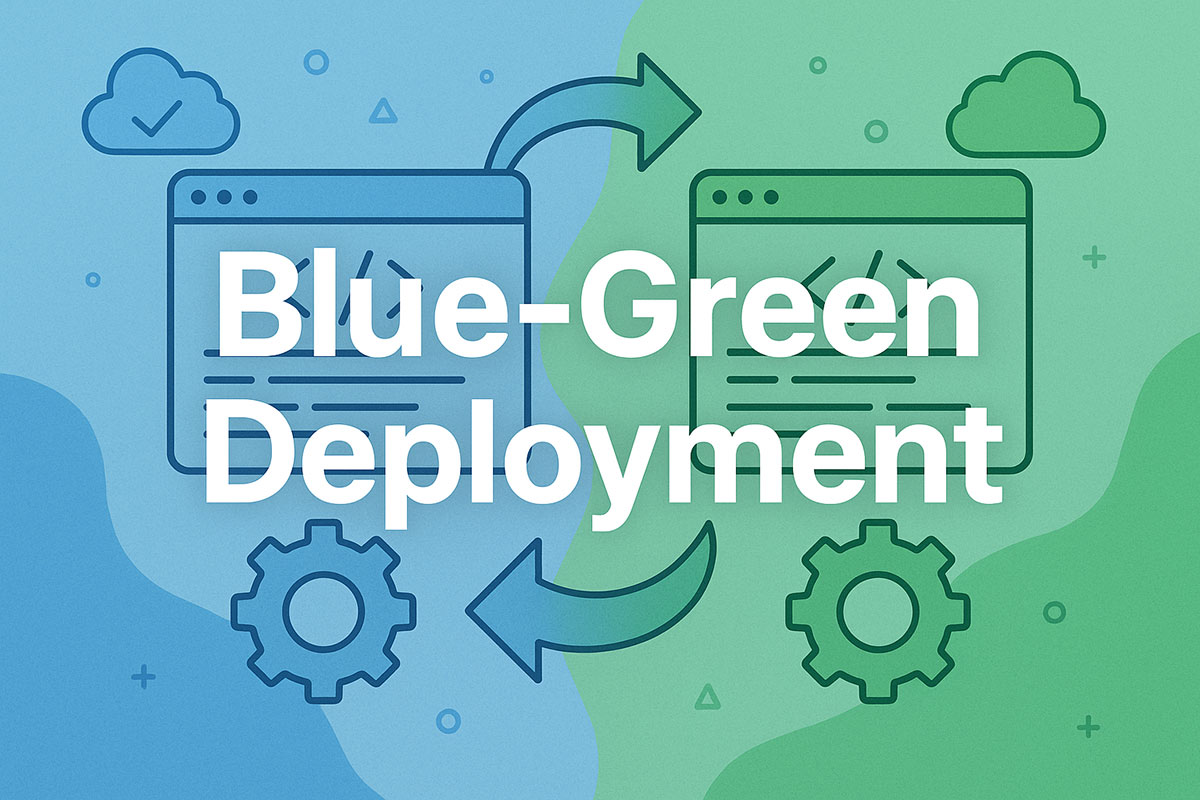
Blue-green deployment is a release strategy that runs two identical production environments in parallel. One serves live traffic while the other stages and tests the new version. When the update is ready, traffic switches instantly, with zero downtime and an immediate rollback path if anything goes wrong.
This guide covers how the process works, when to use it, how it compares to canary and rolling deployments, and how to implement it on platforms like AWS and Kubernetes.
What Is Blue-Green Deployment
Blue-green deployment is a release strategy that runs two identical production environments side by side. One handles live traffic. The other sits idle, ready for the next update.
The idea is dead simple. You keep your current version running (call it “blue”) while deploying and testing the new version in a separate environment (“green”). Once you’re confident the green environment works, you switch all user traffic over to it.
If something breaks? You flip traffic back to blue. Instant rollback.
Jez Humble and David Farley named and popularized the technique in their 2010 book Continuous Delivery. Dan North and Jez Humble had been using the approach since around 2005 while working with Oracle WebLogic Server for a client, and they chose color names specifically to avoid implying one environment was “primary.”
ITIC’s 2024 survey found that over 90% of midsize and large enterprises estimate a single hour of downtime costs more than $300,000. That number alone explains why teams care so much about zero-downtime releases.
Netflix uses the same concept under a different name. They call it “red/black deployment” inside Spinnaker, their open-source delivery platform. The Spinnaker docs explicitly treat red/black and blue-green as interchangeable terms.
How Blue-Green Differs from Traditional Deployments
Traditional deployments update the live server directly. You take the application offline, push the new code, hope nothing breaks, and bring it back up.
Blue-green eliminates that gap entirely.
| Aspect | Traditional Deployment | Blue-Green Deployment |
|---|---|---|
| Downtime | Expected during update | Zero or near-zero |
| Rollback speed | Manual, often slow | Instant traffic switch |
| Risk level | High (single environment) | Low (parallel environments) |
| Infrastructure cost | Lower | Higher (duplicate environments) |
EMA Research’s 2024 data shows unplanned downtime now averages $14,056 per minute across all organization sizes. For large enterprises, that jumps to $23,750 per minute.
With those numbers, the cost of maintaining two environments starts looking pretty reasonable.
Why It Matters for Modern Software Teams
The CD Foundation’s 2024 State of CI/CD Report found that 83% of developers are now involved in DevOps-related activities like performance monitoring, security testing, or CI/CD.
Teams deploy more frequently than ever. Smaller changes, faster cycles. Blue-green deployment fits this pattern because it removes the scariest part of shipping code: the moment you go live.
According to the 2025 DORA Survey, high-performing teams aim for a change failure rate between 0% and 2%. Blue-green deployments directly support that target by giving teams a safety net they can use on every single release.
It’s not just about avoiding downtime anymore. The Cockroach Labs State of Resilience 2025 survey of 1,000 senior tech executives found that 55% of organizations experience disruptions at least once a week. Having a reliable rollback path is no longer optional.
How Blue-Green Deployment Works

The process has a few moving parts, but none of them are complicated on their own. The trick is getting them to work together smoothly inside your deployment pipeline.
The Two-Environment Setup
Blue environment: This is your current live system. Real users hit it. Real transactions flow through it. Don’t touch it.
Green environment: An identical copy where you deploy and test the new version. No live traffic reaches it until you decide it’s ready.
Both environments need matching server configurations, dependencies, and database access. Environment parity between these two is non-negotiable. Any drift between them, and you’re testing something different from what users will actually experience.
Teams typically manage this using infrastructure as code tools like Terraform or CloudFormation. IBM’s documentation specifically recommends IaC for blue-green setups because it guarantees repeatable, precise replication of the live system.
The Traffic Switch
This is where the actual deployment “happens” from the user’s perspective.
A load balancer or DNS change redirects all incoming requests from blue to green. Users don’t see a loading screen. They don’t get error pages. The switchover is transparent.
Load balancer approach: Faster, more reliable. Change the routing rules, and traffic moves immediately. This is what most teams prefer.
DNS switching: Works, but cache propagation can cause delays. IBM’s engineering docs note that DNS updates create “significant delays as caches refresh the IP address.” Most production setups skip this method for anything time-sensitive.
Validation and Rollback
After switching traffic to green, you monitor. Hard.
Health checks, error rates, response times, transaction logs. If metrics look normal, you keep green as the new production environment. The old blue environment becomes your staging area for the next release.
If something goes wrong, you switch traffic back to blue. The old version is still running, untouched. No need to rebuild anything.
According to the DORA 2023 report, top-performing teams recover from deployment failures in less than one hour. Blue-green makes that kind of recovery speed realistic because the rollback is just a configuration change, not a full redeploy.
Blue-Green Deployment vs. Other Deployment Strategies

Blue-green isn’t the only way to ship code safely. But the trade-offs between strategies matter, and picking the wrong one for your situation can be expensive.
Blue-Green vs. Canary Deployment
Canary deployment takes a fundamentally different approach to risk. Instead of switching all traffic at once, it sends a small percentage of users to the new version first.
If 5% of traffic hits the new code and error rates stay flat, you gradually increase it. 10%, 25%, 50%, then full rollout.
When to pick canary: You want real user data before committing. You’re running a service where even brief full-traffic issues are unacceptable. You need something closer to A/B testing.
When to pick blue-green: You want clean, complete cutover. Your testing in the idle environment gives you enough confidence. You need instant rollback without worrying about mixed-version traffic.
Netflix actually combines both. Their Spinnaker platform runs red/black (blue-green) pushes and then layers canary analysis on top using Kayenta, their open-source analysis tool.
Blue-Green vs. Rolling Deployment
Rolling deployments update servers one at a time (or in small batches) within the same environment. No duplicate infrastructure needed.
| Factor | Blue-Green | Rolling |
|---|---|---|
| Infrastructure cost | Double | Same |
| Rollback complexity | One switch | Must re-deploy old version |
| Mixed versions during deploy | No | Yes (temporarily) |
| Deploy speed | Fast (one switch) | Gradual |
The mixed-version problem with rolling deployments is tricky. For a period during rollout, some servers run the old code while others run the new code. If your RESTful API contracts changed between versions, you might hit compatibility issues that are hard to debug.
Blue-green avoids this entirely. All traffic goes to one version or the other. Never both.
Blue-Green vs. Feature Flags
Feature flags operate at a completely different level. They control which features are visible to users within the same deployed codebase.
LaunchDarkly’s documentation makes the distinction clearly: feature flags decouple deployment from release. You can deploy code that includes a new feature but keep it hidden behind a flag until you’re ready.
These aren’t competing strategies. Plenty of teams use blue-green deployments for the infrastructure swap and feature flags for gradual feature rollout within the new environment. They work well together.
Benefits of Blue-Green Deployment

The advantages go beyond “less downtime,” though that’s the headliner.
Zero-Downtime Releases
This is the big one. Users never see an outage during deployment because traffic switches instantly between environments.
For context, BigPanda’s 2024 research found large enterprises pay an average of $23,750 per minute during unplanned outages. Even planned maintenance windows carry a cost. Zero-downtime deployments eliminate both.
E-commerce platforms and web apps with global user bases benefit the most. There’s no “deploy at 3 AM” dance. You ship when the code is ready.
Instant Rollback Capability
Speed matters here. The old environment is still running. Rolling back means redirecting traffic, not rebuilding anything.
The Cockroach Labs 2025 survey found that 70% of large enterprises take 60 minutes or more to resolve outages. Nearly half reported downtime lasting over two hours. With blue-green, rollback happens in seconds.
That’s a different reality for your incident response team.
Safe Testing in Production-Like Conditions
The green environment isn’t a staging server with half the resources and none of the real data. It’s an identical clone of production.
You can run integration testing, performance benchmarks, and validation checks against an environment that behaves exactly like the live system. The Uptime Institute’s 2024 data shows that configuration and change management failures caused 64% of IT system-related outages. Testing in a true production mirror catches these issues before users do.
Built-In Disaster Recovery
Martin Fowler pointed this out years ago. Blue-green gives you a hot-standby for free.
Your previous production environment sits there, fully operational, ready to absorb traffic if the new version fails. You’re basically testing your disaster recovery procedure every time you deploy. Most teams don’t test DR nearly often enough, but with blue-green, it’s built into the workflow.
Challenges and Drawbacks

No deployment strategy is without trade-offs. Blue-green has some real costs you need to plan for.
Double Infrastructure Costs
Running two identical production environments means paying for two sets of servers, networking, storage, and compute resources.
For smaller teams, this can be a deal-breaker. Cloud providers charge by usage, so the idle environment still costs money even when it’s not handling traffic. Some teams reduce this by spinning up the green environment only during deployment windows and tearing it down afterward, but that adds complexity to the build pipeline.
Containerization with Kubernetes helps. You can scale the idle environment to minimal resources and scale up only when needed.
Database Migration Complexity
This is the part where blue-green gets genuinely hard.
Both environments typically share a database. When the new version requires schema changes, you have a problem: the old version needs to keep working with the updated schema in case you need to roll back.
The standard workaround: separate schema migrations from application deployments. First, deploy backward-compatible schema changes. Verify everything works. Then deploy the new application code. Martin Fowler describes this as “database refactoring” and it’s been the recommended approach since the technique was first documented.
It works, but it adds steps to every release that touches the database. For teams with complex data models, this is a real source of friction.
Session and State Management
If your application stores session data locally on the server, switching traffic from blue to green means users lose their sessions.
The fix is to store sessions externally (Redis, a shared database, or token-based approaches). Token-based authentication sidesteps the problem entirely because session state lives in the token, not on the server.
This isn’t unique to blue-green. Any deployment strategy that moves traffic across servers has this issue. But blue-green makes it obvious and forces you to deal with it up front.
API Compatibility Between Versions
If your new release introduces breaking API version changes, clients connecting to the green environment may send requests formatted for the old version.
Proper API gateway configuration and versioned endpoints reduce this risk. But it requires planning ahead, especially for microservices architectures where multiple services communicate through internal APIs.
When to Use Blue-Green Deployment
Blue-green isn’t the right call for every project. But when the conditions line up, it’s hard to beat.
High-Availability Applications
If your users expect the application to be available 24/7, this strategy fits naturally. Banking platforms, healthcare systems, and large e-commerce sites can’t afford maintenance windows.
ITIC’s 2024 data shows that 44% of companies now target 99.999% uptime, which allows for just 5.26 minutes of downtime per year. That kind of target is only realistic with zero-downtime deployment approaches like blue-green.
Frequent Release Cycles
Teams practicing continuous deployment benefit most. If you’re shipping multiple times per day (Netflix reportedly makes over 4,000 deployments daily), you need a strategy that makes each release safe and fast.
A GitLab survey found that 60% of organizations using CI/CD practices release code twice as fast as they did before. Blue-green deployment slots right into that continuous integration workflow.
Regulated Industries
Compliance matters. Healthcare, finance, and government applications need auditable deployment processes. Blue-green provides a clear paper trail: here’s the old version, here’s the new version, here’s when we switched.
Octopus Deploy’s documentation specifically highlights that maintaining a robust deployment strategy is needed for smoothing compliance audits. The reversibility built into blue-green makes it easier to demonstrate control over your software release cycle.
When Blue-Green Might Not Be the Best Fit
Small projects with low traffic and tight budgets. The infrastructure cost doesn’t justify itself when downtime impact is minimal.
Applications with heavy database-write operations where schema changes happen frequently. The backward-compatibility requirement for every migration becomes burdensome.
Teams without configuration management maturity. If you can’t reliably keep two environments in sync, blue-green will create more problems than it solves. Get your source control management and automation basics in place first.
How to Implement Blue-Green Deployment

Getting blue-green deployment running requires tooling decisions, environment setup, and a clear process for the traffic switch. The specifics depend on your platform, but the general steps stay the same.
Step-by-Step Implementation Process
Provision two identical environments. Use build automation tools and infrastructure as code to make both environments reproducible from the same templates.
Deploy the current application version to the blue environment. Route all production traffic there through your load balancer or reverse proxy.
When a new release is ready, deploy it to the green environment. Run your full testing lifecycle, including smoke tests, health checks, and performance benchmarks.
Switch traffic from blue to green. Monitor closely. If anything fails, switch back.
Once green is stable, blue becomes your staging area for the next release. Repeat.
Blue-Green Deployment on AWS
AWS CodeDeploy handles blue-green deployments natively for EC2, ECS Fargate, and Lambda workloads. It automates the traffic shift between environments and supports automatic rollback if health checks fail.
| AWS Service | Role in Blue-Green |
|---|---|
| CodeDeploy | Orchestrates deployment and traffic switching |
| Elastic Load Balancer | Routes traffic between blue and green target groups |
| Auto Scaling Groups | Manages instance scaling per environment |
| Route 53 | DNS-based switching (slower alternative) |
One common issue: CodeDeploy creates new Auto Scaling groups during each deployment, which can conflict with Terraform’s state management. Teams using Terraform alongside CodeDeploy typically add lifecycle { ignore_changes } blocks to avoid state drift.
Red Hat reports that more than 90% of Fortune 500 companies use their products for infrastructure, and many of these run blue-green through AWS and OpenShift pipelines.
Blue-Green Deployment on Kubernetes
CNCF’s 2024 survey shows Kubernetes production deployment reached 80%, up from 66% in 2023. The platform holds a 92% share of the container orchestration market.
Kubernetes doesn’t offer blue-green as a built-in strategy. But implementing it is straightforward with native resources.
Manual approach: Run two separate Deployments (blue and green) with different labels. Update the Service selector to point at the new Deployment’s pods when you’re ready to switch.
Argo Rollouts: A Kubernetes controller that adds blue-green as a first-class deployment strategy. It manages ReplicaSets automatically and supports automated promotion with analysis.
Istio + VirtualService: Use Istio’s traffic management to route requests between blue and green deployments with weight-based rules. Gives you the option to do gradual shifts too.
Blue-Green with CI/CD Pipelines
The CD Foundation’s 2024 report found CI/CD usage is directly linked to better performance across all DORA metrics. Teams using both managed and self-hosted tools showed the best results.
Most teams wire blue-green into their build pipeline using tools like Jenkins, GitHub Actions, or GitLab CI. The pipeline builds the build artifact, pushes it to a container registry, deploys to the green environment, runs automated tests, and triggers the traffic switch.
Netflix wires their entire flow through Spinnaker, which handles red/black pushes across multiple AWS regions. They deploy to one region at a time to limit blast radius.
Blue-Green Deployment Best Practices

Getting the strategy right is half the battle. The other half is operational discipline.
Automate Everything
Manual deployments don’t scale, and they introduce human error. The Uptime Institute’s 2024 data shows configuration and change management failures caused 64% of IT system-related outages.
Automate environment provisioning, testing, traffic switching, and rollback. Your software development process should treat deployment as code, not a checklist someone runs through at midnight.
Keep Environments Identical
Drift kills blue-green. If the green environment has different configurations, library versions, or resource allocations than blue, your testing means nothing.
- Use infrastructure as code for every resource
- Store environment configs in source control
- Run automated checks that compare blue and green before every switch
Handle Database Changes Carefully
Schema migrations are the most common source of blue-green failures. The backward-compatibility requirement adds overhead to every database change.
Recommended pattern: Deploy schema changes separately from application code. Use expand-and-contract migrations. First, expand the schema to support both old and new app versions. Then deploy the new app. Finally, contract the schema to remove old compatibility once the old version is retired.
Teams practicing code refactoring alongside database refactoring tend to have smoother blue-green releases because their changes stay small and reversible.
Monitor Aggressively After Switching
Don’t just check that the app responds. Watch error rates, latency percentiles (p99 matters more than average), database query times, and downstream service health.
The Cockroach Labs 2025 survey found that only one in three executives say their organization has an organized approach to responding to downtime. Having clear monitoring dashboards and alert thresholds defined before the switch makes the difference between catching issues in seconds versus hours.
Use Semantic Versioning
Tag every deployment with a clear version number. Semantic versioning makes it obvious whether a release contains breaking changes, new features, or patches.
This matters for blue-green because it helps your team quickly assess rollback risk. A patch version bump (1.2.3 to 1.2.4) is low-risk. A major version bump (1.x to 2.0) signals potential compatibility issues with APIs and databases.
Tools and Platforms for Blue-Green Deployment
The tooling landscape for blue-green has matured significantly. Your choice depends on where your infrastructure runs and how much automation you need.
Cloud Provider Tools
AWS CodeDeploy: Native blue-green support for EC2, ECS, and Lambda. Handles traffic shifting, health monitoring, and automatic rollback. Integrates with CloudFormation and Terraform for infrastructure management.
Google Cloud Deployment Manager: Supports blue-green through declarative resource definitions. Traffic shifts from old to new after validation.
Azure DevOps: Offers deployment slots for Azure App Service and AKS-based blue-green with Azure Traffic Manager. Microsoft’s documentation includes a full architecture reference for blue-green AKS deployments with five defined stages.
Kubernetes-Specific Tools
| Tool | Approach | Best For |
|---|---|---|
| Argo Rollouts | Custom Rollout resource with blue-green strategy | Teams already using Argo CD |
| Flagger (Flux CD) | Canary resource with blue-green mode | Service mesh users (Istio, Linkerd) |
| Spinnaker | Full pipeline with red/black strategy | Multi-cloud, large-scale deployments |
| Native K8s Services | Manual selector switching between Deployments | Simple setups, learning |
Kubernetes holds 92% market share in container orchestration (CNCF), so most blue-green tooling centers on the Kubernetes ecosystem.
CI/CD Platform Integration
Jenkins: Flexible but requires more manual configuration. Pipeline scripts handle the deployment steps and traffic switch logic.
GitHub Actions: Works well with AWS CodeDeploy and Kubernetes. Workflow files define build, test, deploy, and switch stages. Took me a while to get the Terraform state management right with CodeDeploy, but once it’s wired up, it runs smoothly.
GitLab CI: Built-in environment management. Supports review apps and deployment slots that map naturally to blue-green patterns.
According to a GitLab survey, organizations using CI/CD release code 2x faster. Blue-green fits naturally into any of these platforms as a deployment stage.
Real-World Examples of Blue-Green Deployment

Theory is useful. Seeing how actual companies run blue-green at scale is better.
Netflix (Red/Black Deployment)
Netflix calls their approach “red/black” but it’s the same concept. They use Spinnaker to deploy thousands of updates daily across multiple AWS regions with zero downtime.
Their process: deploy to one region first, run canary analysis using Kayenta (their open-source analysis tool), then roll out globally if metrics pass. The Netflix Tech Blog documents how they limit blast radius by staggering deployments and choosing off-peak windows.
A bug in their deployment pinning logic once left roughly 10,000 extra instances running across AWS because server groups couldn’t scale down properly. Even at Netflix’s scale, blue-green has operational tricky spots.
Amazon Web Services
AWS doesn’t just provide the tools. They use blue-green internally. CodeDeploy was built from Amazon’s own deployment needs, and their ECS Fargate service has first-class support for blue-green with dual target groups on Application Load Balancers.
The approach uses two target groups attached to the same ALB on different ports (typically 80 for live, 8080 for testing). CodeDeploy switches the listener rules during deployment.
Large Enterprise Adoption
Blue-green isn’t limited to tech giants. The 2025 DORA Survey confirms that high-performing teams across industries achieve change failure rates of 0% to 2%, and deployment strategies like blue-green contribute directly to those numbers.
Regulated industries find blue-green especially attractive. Healthcare systems that need high availability and financial platforms with strict compliance requirements use the strategy because it provides clear audit trails and controlled rollback procedures.
Frequently Asked Questions About Blue-Green Deployment
What is the difference between blue-green and red-black deployment?
They’re the same thing. Netflix popularized “red/black” as their term for the strategy, and Spinnaker’s documentation explicitly states that red/black is an alias for blue-green. Kubernetes and Istio documentation also treat them as interchangeable.
Does blue-green deployment require Kubernetes?
No. Blue-green works on bare metal servers, virtual machines, cloud instances, and containers. Kubernetes makes it easier to manage, but the technique predates containers entirely. Jez Humble and Dan North were doing it with Oracle WebLogic around 2005.
How much extra does blue-green cost?
You’re running two production environments, so roughly double the infrastructure cost during the deployment window. Cloud teams reduce this by only spinning up the idle environment when needed. Some keep the green environment at minimal scale and auto-scale it up before switching traffic.
Can I use blue-green with microservices?
Yes, but each service needs its own blue-green setup. For microservices that communicate through internal APIs, you need to manage API versioning carefully so new service versions stay compatible with other services still running older versions.
What happens to in-flight requests during the switch?
Load balancers handle this through connection draining. Existing requests to the blue environment are allowed to complete before the connections close. New requests go to green. There’s a brief overlap where both environments handle traffic, but users don’t notice.
How does blue-green relate to continuous deployment?
Blue-green is one way to implement continuous deployment safely. It gives teams the confidence to ship frequently because every release has an instant rollback path. The relationship between agile and DevOps practices makes blue-green a natural fit for teams doing rapid iteration.
Combined with feature flags, thorough testing practices, and proper documentation, blue-green deployment becomes a repeatable, low-risk part of the app lifecycle rather than a stressful event.
FAQ on What Is Blue-Green Deployment
What is the main purpose of blue-green deployment?
It eliminates downtime during software releases. By running two identical production environments, teams switch live traffic to the updated version instantly. If something breaks, traffic routes back to the previous version in seconds.
How does blue-green deployment differ from canary deployment?
Blue-green switches all traffic at once between two full environments. Canary releases send a small percentage of users to the new version first, then gradually increases. Blue-green is simpler. Canary gives more granular risk control.
Is blue-green deployment expensive to run?
It requires double the infrastructure during deployment windows. Cloud teams reduce costs by spinning up the idle environment only when needed and scaling it down afterward. The cost often pays for itself through avoided downtime.
What tools support blue-green deployment?
AWS CodeDeploy, Kubernetes with Argo Rollouts, Spinnaker, and Istio all support it natively. Jenkins, GitHub Actions, and GitLab CI can orchestrate blue-green through pipeline configurations. Most major cloud providers offer built-in support.
Does blue-green work without Kubernetes?
Yes. The technique predates containers entirely. It works on bare metal servers, virtual machines, and cloud instances. Kubernetes makes it easier to manage, but a load balancer and two server groups are all you really need.
How do you handle database changes in blue-green deployment?
Deploy schema changes separately from application code. Use backward-compatible migrations so both environments can read and write to the same database. This adds steps but prevents rollback failures caused by incompatible schemas.
What is the difference between blue-green and red-black deployment?
Nothing meaningful. Netflix calls the same strategy “red/black” in their Spinnaker platform. The Spinnaker, Kubernetes, and Istio docs all treat blue-green and red-black as interchangeable terms.
Can blue-green deployment be used with microservices?
Yes, but each service needs its own blue-green setup. API versioning becomes critical when multiple services communicate internally. New service versions must stay compatible with other services still running older code.
What happens to active user sessions during the switch?
If sessions are stored locally on the server, users lose them. The fix is external session storage (like Redis) or token-based authentication. Load balancers handle connection draining so in-flight requests complete before switching.
How fast is rollback in a blue-green deployment?
Almost instant. The previous version is still running and untouched. Rollback means redirecting traffic back to the old environment, which takes seconds through a load balancer config change. No rebuilds or redeploys needed.
Conclusion
Understanding what is blue-green deployment gives your team a practical path to zero-downtime releases and fast rollback when things go sideways. It’s not the newest deployment pattern out there, but it remains one of the most reliable.
The strategy fits naturally into modern CI/CD pipelines, whether you’re running containers on Kubernetes, managing EC2 instances through AWS CodeDeploy, or orchestrating releases with Spinnaker.
Double infrastructure costs and database migration complexity are real trade-offs. But for teams shipping frequently to high-availability systems, those costs look small next to the price of unplanned outages.
Start simple. Get two environments running, automate the traffic switch, and build your deployment automation from there. Your on-call engineers will thank you.

- Google Play Billing Library: Integration Guide - August 22, 2026
- How to Use Claude Code in VS Code - August 20, 2026
- From Offshore Development Team to U.S. Office: What Tech Companies Need to Plan Before Expanding Stateside - August 20, 2026