
Every major tech company ships incomplete code to production on purpose. Google, Netflix, GitHub, Meta. They all do it. The trick is making sure users never see unfinished work, and that’s exactly what feature flagging solves.
So what is feature flagging? It’s a technique that lets development teams enable or disable functionality in a live application without deploying new code. A conditional check in the software development process controls which code path runs, based on a configuration value stored outside the app.
This article covers how feature flags work at the code level, the different types of flags and when to use each, how they fit into continuous deployment workflows, the tools available, and the real risks teams face when flags aren’t managed properly.
What Is Feature Flagging

Feature flagging is a software development technique that lets teams turn functionality on or off inside a live application without pushing new code to production. The flag itself is a conditional check, usually an if/else block, that determines which code path runs based on a configuration value stored outside the application.
That configuration value can live in a database, a config file, or a dedicated feature flag platform like LaunchDarkly, Unleash, or Flagsmith. The point is the same either way: separate the act of deploying code from the act of releasing a feature to users.
Flickr’s engineering team was among the first to publicly describe this pattern back in 2009. They called them “flippers” and used them to ship incomplete code safely while the site stayed live. Facebook followed with a similar approach shortly after, using what they called “gatekeepers” to control who saw what.
The idea caught on fast. These days, feature flags sit at the center of how companies like Google, Netflix, and GitHub ship software. PostHog reported merging 4,344 pull requests to their main app in 2023, and feature flags were a core part of making that work without breaking things.
Here’s the basic distinction that trips people up. Feature flags are not the same as environment-based configuration. Configuration management deals with static settings scoped to an environment (dev, staging, production). Feature flags are dynamic. They target specific users, percentages, or segments at runtime.
They’re also not the same as Git branches. A branch controls what code exists in a build. A flag controls what code runs after it’s already built and deployed. That’s a big difference when you’re shipping to millions of users.
How Feature Flags Work

At the code level, a feature flag is just a decision point. The application hits a conditional check, looks up the flag’s current value, and picks a code path. Simple concept. The complexity is in where the value comes from and how fast you can change it.
Most teams store flag values in an external system. That could be a RESTful API call to a platform like Split or ConfigCat, a local cache synced from a remote server, or even a YAML file for small-scale setups. SDKs from providers like LaunchDarkly and DevCycle handle the plumbing in common languages and frameworks, so developers don’t have to build the evaluation logic from scratch.
The flag check itself happens per request, per user session, or per application instance, depending on the setup. And it needs to be fast. Nobody wants a 200ms delay on every page load because the app is waiting for a flag value.
Flag Evaluation at Runtime
Local evaluation caches flag rules on the client side. The SDK downloads the full ruleset on startup and evaluates flags in-memory. Fast, but there’s a delay before new rules propagate.
Remote evaluation makes a server call for every flag check. Always current, but adds network latency and a dependency on the flag service staying available.
Most production systems use local evaluation with periodic syncing. Statsig, for example, processes over 1 trillion events daily while keeping sub-millisecond evaluation latency. That’s only possible with aggressive local caching.
Targeting rules add another layer. A flag might serve “true” to 10% of users in Canada, “false” to everyone else, and “true” to all internal employees regardless of location. The SDK evaluates these rules against user attributes (location, subscription tier, account age, whatever the team has defined) and returns the right value.
Fallback defaults matter here too. If the flag service is unreachable, the SDK needs a sane default. Most teams set this to the “off” state, meaning new features stay hidden if the system can’t reach the flag configuration. Took me a while to appreciate how much that one decision matters for software reliability.
Types of Feature Flags
Not all flags are the same, and treating them like they are is how you end up with a codebase full of zombie toggles nobody understands. The type of flag determines its lifecycle, who owns it, and when it should be removed.
| Flag Type | Lifespan | Owner | Primary Use |
|---|---|---|---|
| Release | Days to weeks | Engineering | Gate incomplete features in production |
| Experiment | Weeks to months | Product/Data | A/B testing, multivariate tests |
| Ops | Permanent | SRE/Platform | Kill switches, circuit breakers |
| Permission | Permanent | Product | Entitlements, tiered access |
Release Flags
Short-lived. You wrap unfinished code in a release flag so you can merge to trunk without exposing anything to users. Once the feature is stable and fully rolled out, the flag should be removed. FlagShark research suggests 73% of feature flags are never removed from codebases, and release flags are the worst offenders.
Experiment Flags
Tied directly to analytics. An experiment flag splits traffic between variations and measures the outcome against specific metrics, like conversion rate or revenue per user. 77% of organizations run A/B tests on their websites, according to SiteSpect data.
These flags require statistical rigor. You need enough traffic, a clear hypothesis, and a defined stopping point. Once the experiment reaches significance, you pick the winner and remove the flag. GrowthBook and Optimizely both build statistical analysis directly into their flag evaluation logic for this reason.
Ops Flags
Kill switches. When your payment processor starts timing out at 2 AM, an ops flag lets you disable the checkout flow instantly without a deployment. These are meant to stay in the code permanently, but they should be simple boolean toggles, not complex targeting rules.
Netflix runs ops flags across their entire microservices architecture to handle graceful degradation during outages. If a downstream service fails, flags disable non-critical features so the core experience stays up.
Permission Flags
Control access based on entitlements. A SaaS product might use permission flags to gate premium features behind subscription tiers. These are permanent flags, updated when a user’s plan changes, not when an engineer flips a switch. Common in products with tiered pricing models.
Feature Flagging in Continuous Delivery and Trunk-Based Development

Feature flags exist because of a specific problem: long-lived feature branches are painful. They diverge from the main branch, accumulate merge conflicts, and force teams into stressful “integration phases” where everything breaks at once.
Trunk-based development solves that by having everyone commit to a single branch, frequently. But then you have a different problem. How do you merge incomplete work without breaking production?
Flags. That’s how.
DORA’s research (spanning over 39,000 professionals globally) consistently shows that trunk-based development is a required practice for continuous integration. And flags are what make trunk-based development possible at scale.
The 2024 DORA State of DevOps Report found that only 19% of teams reached elite performance levels, defined as deploying on demand with lead times under a day and a 5% failure rate. The biggest differentiator between low and elite performers? Deployment frequency. Top teams deploy on demand using small batches, and feature flags are what keep incomplete code from reaching users between those deploys.
Google runs trunk-based development with 35,000 developers working in a single monorepo. Facebook (now Meta) does the same. PostHog documented their approach in detail, describing feature flags as one of two core tools alongside test-driven development for keeping their trunk healthy.
The key concept here is decoupling deployment from release. Code ships to the production environment behind a flag. The deploy itself is boring, just another merge. The release, the moment users actually see the feature, happens later, on a schedule the product team controls. That separation changes everything about how teams think about risk in their software release cycle.
Common Use Cases for Feature Flags

The theory is nice. But the reason teams actually adopt feature flags comes down to specific, practical scenarios where nothing else works as well.
Gradual Rollouts and Canary Releases
Ship a feature to 1% of users. Watch the error rates. Bump to 5%, then 25%, then 100%. If something goes wrong at 5%, you flip the flag and only 5% of users were affected. Compare that to a full rollback in deployment, which hits everyone and takes longer.
This pattern is different from canary deployment, which operates at the infrastructure level by routing traffic to different server instances. Feature flags work at the application level, meaning you can target specific user segments, not just random traffic percentages.
A/B Testing and Experimentation
SiteSpect reported that 77% of companies engage in experimentation on their websites. Feature flags are how most of those experiments actually run in production.
An experiment flag splits users into control and variant groups, serves different experiences, and tracks the outcome. The flag evaluation happens server-side, so there’s no client-side flicker. Platforms like Split and GrowthBook connect flag data directly to analytics, so product teams see results without wiring up custom tracking.
Kill Switches for Incident Response
Something breaks at 3 AM. An ops flag lets the on-call engineer disable the broken feature immediately. No code change, no build, no deployment, no waiting. The 2024 DORA report found that elite teams recover from failed deployments in under an hour. Feature flags are a big part of why.
Beta Programs and Early Access
Want to give 500 beta users access to a new dashboard while keeping it hidden from everyone else? A permission-based flag targeting a user segment handles that without any special build or environment setup. The beta users access the same production environment as everyone else. They just see more.
Infrastructure Migrations
This one is underrated. Teams use flags to dark-launch infrastructure changes, like switching from one database to another. Both the old and new systems run simultaneously. The flag controls which one serves actual traffic. If the new database has issues, flip the flag back. No downtime, no drama.
Uber used this pattern extensively when migrating backend services across their platform. It’s the same logic that powers feature releases, just applied to plumbing instead of UI.
Feature Flagging Tools and Platforms

The tooling landscape has gotten crowded. Your choice depends on team size, budget, whether you need experimentation built in, and how much you care about vendor lock-in.
| Platform | Type | Best For | Experimentation |
|---|---|---|---|
| LaunchDarkly | SaaS | Enterprise governance, detailed targeting | Limited (external needed) |
| Statsig | SaaS | High-scale apps, unlimited free flags | Built-in, advanced |
| Split | SaaS | Connecting flags to business outcomes | Built-in |
| Unleash | Open-source / SaaS | Self-hosted, role-based access control | Basic |
| Flagsmith | Open-source / SaaS | Flexible deployment, remote config | Basic A/B via segments |
| GrowthBook | Open-source | Experiment-driven teams, warehouse-native | Advanced statistical engine |
Managed Platforms
LaunchDarkly is the most established player. Strong governance features, detailed user targeting, and SDKs for practically everything. But it charges based on flag evaluations, which gets expensive fast for high-traffic web apps and mobile applications.
Statsig takes a different approach. Unlimited free feature flags at any scale, with pricing based on analytics events instead of flag checks. OpenAI, Notion, and Microsoft all use it. Brex reportedly cut data scientist time by 50% after consolidating multiple tools into Statsig’s platform.
Split focuses on connecting flag data to business metrics. If your team needs to prove whether a feature actually moved revenue, Split makes that argument easier to build.
Open-Source Options
Unleash is the most popular self-hosted option. On-premises deployment keeps flag data inside your security perimeter, which matters for teams with strict software compliance requirements. The tradeoff is you own the infrastructure, scaling, and maintenance.
Flagsmith offers both cloud and self-hosted options with a clean interface and SDKs that are easy to work with. GrowthBook connects directly to your data warehouse for experiment analysis, which is unusual and genuinely useful if you already have a solid data infrastructure.
Flipt is another open-source option worth knowing about, especially for teams that want Git-driven flag management.
The OpenFeature Standard
OpenFeature is a CNCF incubating project that provides a vendor-neutral API for feature flag evaluation. It’s the closest thing to a universal standard the industry has.
The idea is simple. Code against the OpenFeature API, and swap providers without changing application code. LaunchDarkly, Flagsmith, and GrowthBook all support OpenFeature providers. If avoiding vendor lock-in matters to your team, this is worth looking into before you pick a platform. It sits neatly within the broader software configuration management space, but focused specifically on flag evaluation.
Risks and Downsides of Feature Flags

Feature flags solve real problems. But they create new ones if you’re not careful. And honestly, most teams aren’t careful enough.
The feature flag analytics market hit $710 million in 2024 and is projected to reach $3.2 billion by 2033, according to DesignRevision. That growth reflects adoption, sure. It also reflects how much complexity flags introduce once teams start using them at scale.
Stale Flags and Technical Debt
This is the number one complaint. FlagShark research shows 73% of feature flags are never removed from codebases. The average enterprise application contains 200 to 500 stale flags sitting in production code, doing nothing except confusing everyone.
Uber learned this the hard way. Their engineers managed over 6,000 flags across multiple apps, and the time spent cleaning up obsolete flags was blocking work on new features. Stale flags were causing app bloat and adding unnecessary operations that hurt performance for end users.
That’s why they built Piranha, an open-source tool that scans code, detects stale flag logic, and generates pull requests to remove it. Over three years, Piranha deleted around 5,000 stale flags and removed a quarter of a million lines of dead code from Uber’s mobile apps.
Testing Complexity
Every boolean flag doubles your potential code paths. LaunchDarkly’s documentation spells it out: 10 boolean flags create 1,024 possible combinations.
Martin Fowler calls this a “combinatoric explosion” that understandably makes testers skeptical of flags. But the practical advice is to not test every combination. Most flags don’t interact with each other. Focus on the current production state, the upcoming production state, and fallback defaults.
Security Considerations
Misconfigured flags can expose unreleased features. If a flag accidentally targets all users instead of internal testers, unfinished functionality hits production. ConfigCat’s security analysis highlights that human error in flag configuration is a real source of data exposure risk.
Access controls matter. Centralized flag management with role-based permissions, two-factor authentication, and audit trails is the minimum for any team running flags in production. Without those controls, anyone with access to the flag dashboard can change application behavior without going through the normal code review process.
Managing Flag Debt
Flag expiration policies: Set a removal date when you create the flag. Treat it like a deadline, not a suggestion.
Ownership assignment: Every flag needs a named owner. When that person leaves the team, ownership transfers explicitly.
Automated detection: Tools like Uber’s Piranha and Unleash’s built-in staleness tracking identify flags that haven’t been evaluated or modified within a set timeframe. Unleash automatically marks flags as “potentially stale” once they pass their expected lifetime.
Onwelo’s research on flag governance recommends tracking four metrics: flags older than 90 days, percentage of flags with defined owners, stale flags at 0% or 100% rollout, and median time-to-removal after full rollout.
Feature Flags and Testing Strategies
Flags change how you think about testing. The software testing lifecycle gets more nuanced because you’re not testing a single application state anymore. You’re testing multiple states controlled by external configuration.
| Testing Scenario | Flag State | What You’re Validating |
|---|---|---|
| Current production | All flags as-is | Nothing broke since last deploy |
| Upcoming release | New flag(s) on | New feature works correctly |
| Fallback/default | Flag service unreachable | App stays functional without flags |
| Rollback | New flag(s) off | Old behavior still works |
Testing Both Code Paths
The most common mistake? Only testing the “flag on” path.
Teams build a feature, test it with the flag enabled, ship it, and forget that the “flag off” path still exists in the codebase. If something triggers a rollback months later, that untested path runs in production. Bugs you never caught suddenly affect every user.
Both unit tests and integration tests should cover the on and off states for any flag that controls meaningful behavior.
Flag-Aware Test Environments
Staging parity matters. Your staging environment should support flag overrides so QA teams can test specific flag combinations without needing a developer to change configuration manually.
Most feature flag platforms (LaunchDarkly, Unleash, DevCycle) provide flag override mechanisms for non-production environments. This lets testers simulate upcoming releases, verify rollback behavior, and test edge cases without touching production data.
Pairwise Testing Over Exhaustive Testing
Full combinatorial testing with 10 flags means 1,024 test cases. Pairwise testing, where every pair of flag values is tested at least once, brings that down to roughly 15 test cases while catching most interaction bugs.
OneUpTime’s analysis of flag testing strategies shows this approach is standard practice in organizations running dozens of active flags. The idea is pragmatic: most bugs come from two-way interactions, not from specific three-or-four-flag combinations.
Feature Flagging vs. Related Techniques

Feature flags get confused with other deployment and release strategies. The distinctions matter because picking the wrong tool for the job creates unnecessary complexity.
| Technique | Operates At | Controls | Granularity |
|---|---|---|---|
| Feature flags | Application runtime | Which code paths execute | Per-user, per-segment |
| Feature branches | Build time (Git) | Which code exists in a build | All-or-nothing |
| Canary deploys | Infrastructure | Which server instances get traffic | Percentage of traffic |
| Config management | Environment | Static settings per environment | Per-environment |
Feature Flags vs. Feature Branches
Feature branches isolate code changes in source control until a feature is complete. The branch gets merged back to main when the work is done.
Feature flags let you merge incomplete code to main immediately. The code is deployed but hidden behind a flag. DORA’s research consistently shows trunk-based development with flags outperforms long-lived feature branches for both deployment frequency and stability. Atlassian’s documentation describes trunk-based development as a required practice for CI/CD.
Feature Flags vs. Canary Deployments
Different layer, different purpose. A canary deployment routes a percentage of traffic to new server instances running updated code. It validates infrastructure and application behavior at the server level.
A feature flag routes individual users to different code paths within the same server instance. You can target users by attributes (subscription tier, geography, account age) rather than just random traffic percentages. Many teams use both together: canary deploy the new code, then gradually enable the flag.
Feature Flags vs. Configuration Management
Configuration management handles static settings scoped to an environment. Things like database connection strings, API keys, or timeout values. These typically change during deployment, not at runtime.
Feature flags are dynamic. They change at runtime without a deploy, target specific users or segments, and are evaluated per-request. Christian Kastner at CMU makes the point that both create conditional code paths and both cause combinatorial complexity in testing. The implementation strategy matters more than the label.
When They Work Together
These aren’t competing choices. A typical progressive delivery setup combines trunk-based development (branching model), a deployment pipeline with canary stages (infrastructure), feature flags (application-level gating), and build pipeline automation to tie it together.
The 2024 DORA report found that elite teams (only 19% of respondents) use all of these in combination. The flags handle who sees what. The infrastructure handles where the code runs.
Best Practices for Feature Flag Management
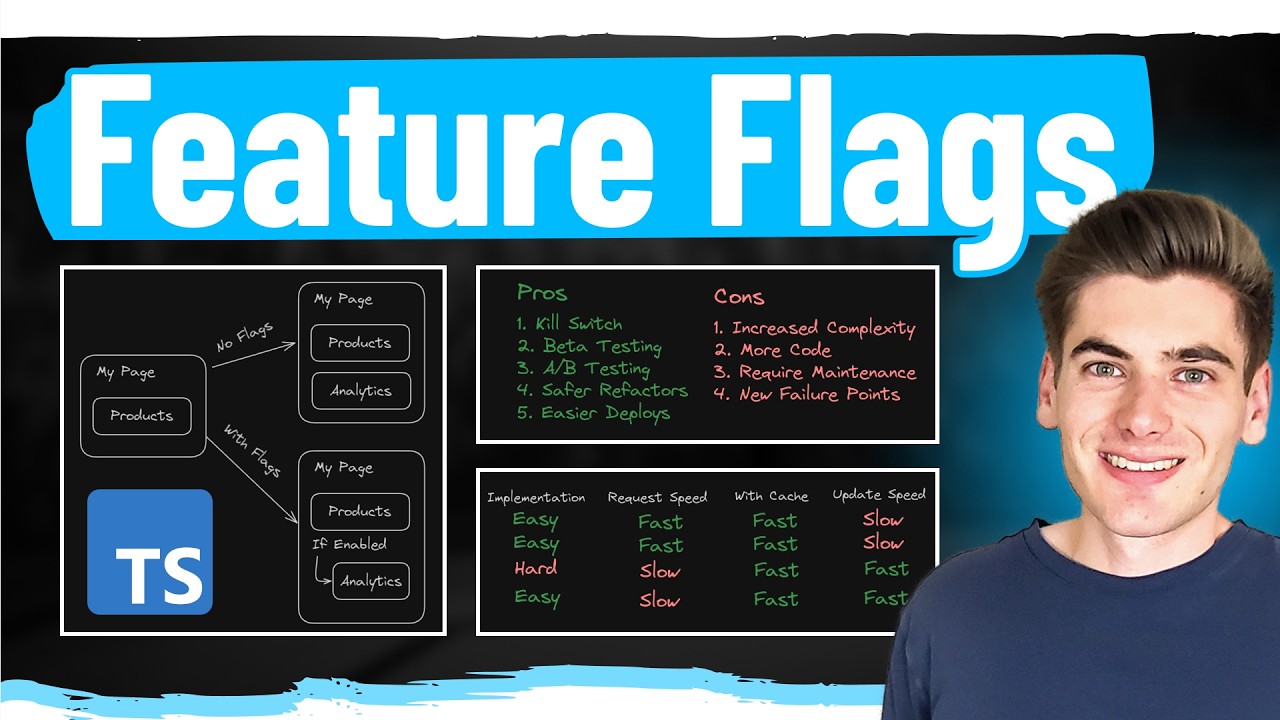
DesignRevision’s 2026 analysis reports that over 74% of DevOps teams now use feature flags in production. The gap between teams that manage flags well and teams that accumulate flag debt is mostly about discipline, not tooling.
Naming Conventions and Flag Metadata
Name flags like you’d name variables: clear, consistent, and searchable.
- Include a prefix for the flag type (release, exp, ops, perm)
- Add the ticket or task ID (releasePROJ-1234new_checkout)
- Timestamp or sprint number for short-lived flags
Tags and descriptions should answer two questions: what does this flag do, and when should it be removed? DevCycle’s best practices documentation specifically recommends using descriptions to note the flag’s purpose and its variables’ roles.
Ownership and Expiration
Every flag gets an owner and a removal date at creation time. Not “someday.” A real date on a real calendar.
When that date arrives, one of two things happens: the flag gets removed, or the owner explicitly extends it with a documented reason. This forcing function is what separates teams that stay on top of flag debt from teams drowning in zombie toggles. Uber’s Piranha research found that developers acted on 88% of generated cleanup diffs when the system automatically surfaced stale flags.
Limit Active Flags
DesignRevision’s best practices research suggests healthy software systems maintain fewer than 20 to 30 active flags per service. More than that, and the testing complexity, cognitive overhead, and risk of unintended interactions start outweighing the benefits.
Treat every new flag as temporary by default. If it needs to be permanent (like a kill switch or entitlement flag), mark it explicitly as permanent so it doesn’t show up in staleness reports.
Centralize Management with Audit Trails
Who changed what, when, and why. That’s what an audit trail answers.
Centralized flag management through a platform (rather than scattered config files) gives teams a single source of truth. Flagsmith, LaunchDarkly, and Unleash all provide audit logging as a core feature. This matters for software audit compliance and for incident response, because when something breaks at 3 AM, you need to know which flag changed five minutes ago.
Connect Flags to Monitoring
A flag change should show up on your monitoring dashboard. If you enable a feature for 10% of users and error rates spike, you need to see that correlation immediately.
Split’s platform does this natively by connecting flag state changes to performance metrics. Datadog, which integrates with most flag providers, lets you overlay flag changes on your existing observability dashboards. The goal is simple: every flag flip produces a visible signal in your monitoring stack, so you can connect cause and effect without guessing.
FAQ on What Is Feature Flagging
What is feature flagging in simple terms?
Feature flagging is a technique where developers wrap functionality in conditional logic that can be turned on or off without redeploying code. It separates deployment from release, giving teams control over what users see in production.
What is the difference between a feature flag and a feature toggle?
They’re the same thing. “Feature flag” and “feature toggle” are interchangeable terms. Martin Fowler uses “toggle” in his writing. Most platforms like LaunchDarkly and Flagsmith use “flag.” No functional difference exists between them.
Why do companies use feature flags?
Companies use flags for gradual rollouts, A/B testing, kill switches during incidents, and gating premium features behind subscription tiers. They reduce risk during releases and let product teams control feature visibility independently from engineering deployments.
Are feature flags only for large companies?
No. Small teams benefit too. Open-source tools like Unleash, Flagsmith, and GrowthBook are free to self-host. Even a simple boolean value in a config file counts as a feature flag. Scale doesn’t determine usefulness.
Do feature flags cause technical debt?
They can. FlagShark research shows 73% of flags are never removed from codebases. Stale flags clutter code and complicate testing. The fix is setting expiration dates, assigning owners, and building cleanup into your regular workflow.
How do feature flags work with continuous delivery?
Flags make continuous integration practical by letting teams merge incomplete work to the main branch safely. Code ships to production hidden behind a flag. The release happens later, when the product team decides.
What are the main types of feature flags?
Four main types: release flags (gate unfinished features), experiment flags (run A/B tests), ops flags (kill switches for incidents), and permission flags (control access by user tier or role). Each has a different lifespan.
What tools are used for feature flag management?
Popular platforms include LaunchDarkly, Split, Statsig, ConfigCat, and DevCycle for managed services. Unleash, Flagsmith, Flipt, and GrowthBook offer open-source options. The OpenFeature specification provides a vendor-neutral API standard.
Can feature flags affect application performance?
Yes, if implemented poorly. Evaluating 20 flags per request with remote calls adds latency. Most teams use local SDK caching with periodic syncing to keep evaluation times under a millisecond. Proper architecture prevents noticeable slowdowns.
How do you test code that uses feature flags?
Test both the flag-on and flag-off code paths. Focus on the current production state, the upcoming release state, and fallback defaults. Pairwise testing covers most interaction bugs without testing every possible flag combination.
Conclusion
Understanding what is feature flagging comes down to one idea: controlling what users experience without redeploying your application. That single capability changes how teams approach release management, incident response, and product experimentation.
The technique works best when paired with trunk-based development and a solid build automation setup. Flags give you runtime control. Your pipeline gives you deployment confidence. Together, they let you ship faster with less risk.
But flags are not free. Stale toggles pile up. Testing gets harder. Security gaps appear when access controls are loose. The teams that succeed with feature flags treat every toggle as inventory, with an owner, an expiration date, and a cleanup plan.
Pick a platform that fits your scale, whether that’s an open-source tool like Unleash or a managed service like LaunchDarkly. Start with release flags. Build the discipline around change management early. The tooling is the easy part. The habit of cleaning up after yourself is what separates teams that benefit from flags and teams that drown in flag debt.

- What Is the Google Play Integrity API? - August 30, 2026
- C++ Cheat Sheet - August 28, 2026
- How to Connect to a GitHub Repository From VS Code - August 26, 2026


