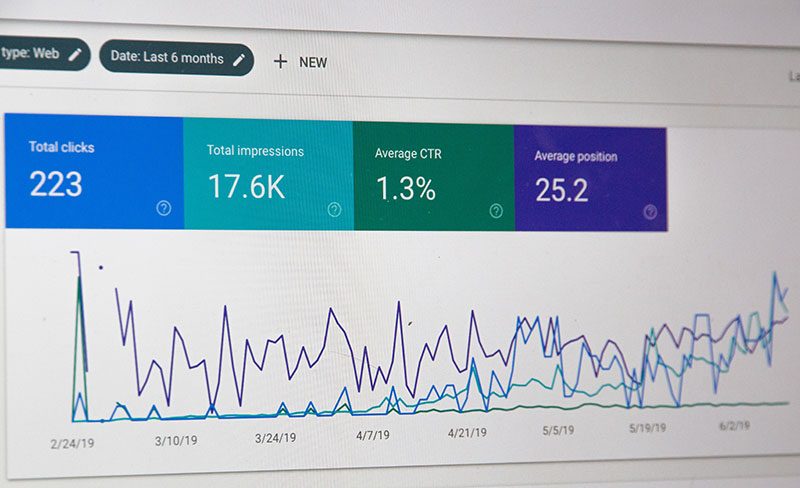
A content team ships fifty articles over six months and traffic barely moves. Everyone assumes the writing is weak. Half the time it’s not. The site underneath the content can’t be crawled properly, can’t be indexed properly, or Google can’t tell what half the pages actually are. New content gets published on top of a foundation that was already broken.
Running a technical audit before anyone writes a single brief costs way less than a content retainer, and it tells you upfront whether the whole effort is even worth funding. Here’s the order that actually works, roughly the same sequence you’d run on a client site or your own.
Start with what’s actually indexed
Before touching anything else, pull up how many pages Google has indexed and compare that against how many pages you think exist. Big gap either direction, that’s a signal.
Fewer indexed pages than expected? Usually a crawl or quality problem. Way more indexed pages than expected? Duplicate URLs are probably multiplying somewhere (filters, session IDs in the URL, pagination, tag archives, the usual suspects).
Search Console’s Page Indexing report is the fastest way in. Don’t just glance at the top number, read the actual exclusion reasons. “Crawled, currently not indexed” and “Discovered, currently not indexed” are two completely different problems with two completely different fixes.
Check that one page equals one URL
Duplicate URLs quietly split the ranking value of everything you publish, and this one trips up devs constantly because it’s invisible until you go looking.
The usual offenders: trailing slash vs no trailing slash, uppercase vs lowercase paths, http resolving alongside https, www resolving alongside non-www, and UTM or tracking parameters tacked onto the end by ad platforms and email tools.
Take five or six important pages and throw every variation at them you can think of, curl works fine for this. Each variant should either 301 to one canonical version, or return a clean self-referencing canonical tag. If two variants both come back 200 with their own canonical, you’ve found real work (and probably an old CDN rule or a missing redirect rule somewhere).
Map internal links to your priority pages
Crawlers follow links. So do people, obviously. If your highest-value page only gets linked from the footer, you’re telling Google, and everyone else, that it doesn’t matter much.
Count internal links pointing at each commercial page, then compare that number against how much revenue actually depends on that page. The gap is usually bigger than anyone expects, and it’s one of the cheapest wins on this whole list. No new content required, just move some links around in the nav or add contextual links from related pages.
Confirm your content is in the HTML
If the site renders through JavaScript, view-source the page (not the rendered DOM, the actual raw response) and check that headings, body copy and links are sitting there in plain HTML.
Content that only shows up after client-side rendering isn’t guaranteed to get picked up. This matters more now than it used to, since search engines and AI answer systems are often working through pages fast and don’t always wait around for hydration to finish. There’s a solid breakdown of how technical SEO in the AI era has shifted priorities here, especially around making content machine-readable and not just human-readable. Worth a read if you’re on a React or Vue stack without SSR.
A quick way to check
Run a curl request against the URL and grep for your main heading text. If it’s not there, your content is being injected client-side and search engines may render it late, or not fully.
Fix redirect chains and broken internal links
Every redirect hop adds latency, and each one dilutes some of the signal passing through it. Chains build up over years of migrations, replatforms, and rebrands, and nobody notices because the pages still technically resolve.
Crawl the site (Screaming Frog, Sitebulb, whatever you’ve got) and list every internal link returning a 3xx or 4xx. Then go fix the links themselves. Don’t just trust the redirect to hold forever. Redirect maps get lost, servers get migrated, and three years later someone deletes the rule during a cleanup.
Decide what content can wait
The audit hands you a list, and not everything on it is equally urgent.
Fix these first:
- Pages that can’t get indexed
- Templates spitting out duplicate content
- Navigation that hides your commercial pages
These can run alongside a content programme:
- Image compression
- Minor schema gaps
- Smaller crawl efficiency tweaks
Where most teams want a second opinion is on that sequencing call, and it’s a fair thing to bring in an experienced SEO agency, like SIXGUN before committing a year of content budget to it. Getting the order right is often worth more than the individual fixes themselves.
Re-audit on a schedule
Technical health decays, there’s no getting around it. Plugins update, devs ship new features, marketing adds another tracking parameter, someone accidentally noindexes a template during a deploy (it happens more than you’d think).
Run the same checklist every quarter against the same list of pages. Catching a regression while it’s still small is a lot cheaper than catching it six months later, after a whole content programme has been published on top of it.

- How Software Teams Write SOPs for Releases and Deployments - October 22, 2026
- Notepad++ Android Options: Apps That Come Close - October 21, 2026
- Data Management Services: A Practical Guide for Growing Companies - October 21, 2026