A repository name is more than a label. It shows up in every clone URL, every webhook, every CI/CD config your team touches.
Knowing how to rename a repository in GitHub correctly means more than clicking a button. The repository name change triggers a redirect, but it also silently breaks GitHub Actions, GitHub Pages URLs, and third-party integrations that don’t follow redirects.
This guide covers the full process: the web interface, the GitHub API, the GitHub CLI, and every update you need to make afterward, from local clone remote URLs to deployment pipelines.
What Does Renaming a Repository in GitHub Do?

Renaming a repository in GitHub changes the repository URL immediately and creates an automatic redirect from the old URL to the new one. The redirect covers web traffic, API calls, and git operations including git clone, git fetch, and git push.
But the redirect is not permanent protection. According to GitHub’s official documentation, if another user or organization creates a repository at the old name, the redirect breaks immediately, with no warning sent to the original owner.
GitHub now hosts over 630 million total repositories, with 230+ new repositories created every minute (GitHub Octoverse 2025). With that volume of new repos being created constantly, a reclaimed name is a real risk, not a theoretical one.
| What Changes | What Stays the Same | What Needs Manual Update |
|---|---|---|
| Repository name / URL (if renamed) | Commit history, branches, tags | Local clone origin remote URL (git remote set-url) |
| Clone URL | Issues, pull requests, releases | CI/CD pipeline configs referencing repo/branch names |
| GitHub Pages URL (if custom domain or repo changes) | Repo content and history | DNS settings / custom domain configuration (if used) |
| API endpoint path (if repo/org/name changes) | Team permissions (role assignments) | Webhooks and external integrations that hardcode repo paths |
| Branch names (if renamed) | Repository data and permissions model | CI/CD workflows, branch protection rules, scripts referencing branch names |
One thing that does not get redirected: GitHub Actions workflows that reference the repository by name. Those fail immediately with a “repository not found” error after a rename.
GitHub Pages URLs also break on rename. The github.io domain is not covered by the automatic redirect, so any published site will return a 404 until you either rename it back, set up a custom domain, or manually redirect the old path (GitHub Blog, 2019).
Who Can Rename a Repository in GitHub?

Repository owners can rename at any time from the Settings tab. For organization repositories, you need admin-level access to that specific repository, not just general org membership.
There are 3 permission levels that allow a rename:
- Repository owner (personal account): Full access, no approval needed
- Organization admin: Can rename any repo in the org
- Repo-level admin collaborator: Can rename the specific repo they have admin access to
API-based renaming requires a personal access token with the repo scope for classic tokens, or the “Administration: read and write” permission for fine-grained tokens (GitHub Docs, 2024).
GitHub Apps and bots cannot rename repositories through the standard UI. They must use the REST API with the appropriate installation token permissions.
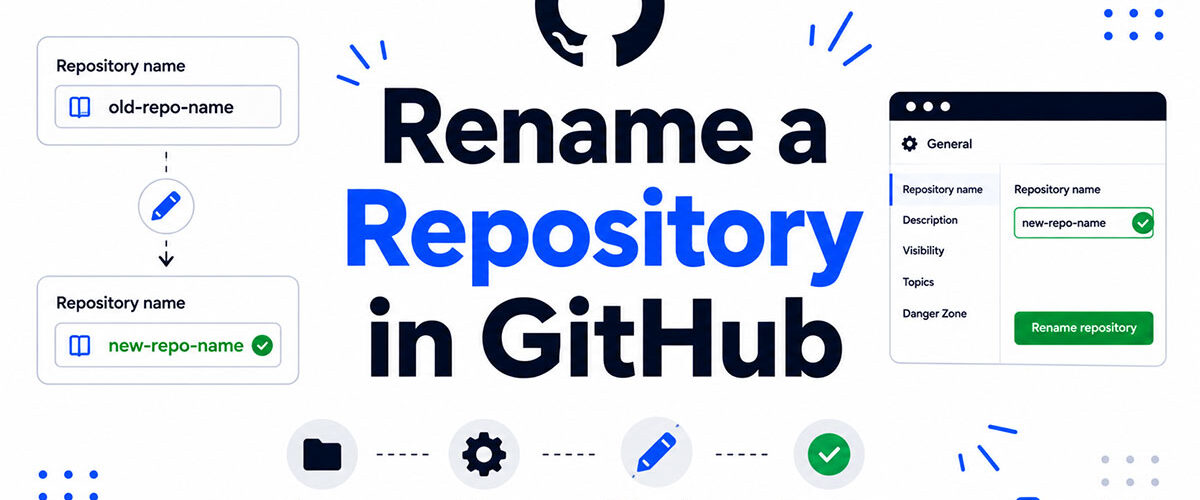
How Do You Rename a Repository in GitHub Using the Web Interface?

The web interface is the fastest method. The entire process takes under 60 seconds.
Step-by-step process:
- Open the repository on GitHub.com
- Click the Settings tab (top navigation bar)
- Under the “General” section, find the “Repository name” field
- Clear the current name and type the new one
- Click “Rename”
- Confirm in the dialog that appears
GitHub validates the new name in real time. Names must use only letters, numbers, hyphens, underscores, and periods. No spaces. The system checks availability before you can confirm.
After confirming, the page redirects to the new repository URL immediately. The old URL starts redirecting right away, so any open tabs or bookmarks pointing to the old name will follow through.
What Happens to the Repository Settings After Renaming?
All repository settings carry over unchanged. Branch protection rules, collaborator access, visibility (public or private), and webhook configurations all remain intact.
The rename does not reset the default branch, delete any tags, or affect the repository’s existing codebase. Every commit, every file, every release asset stays in place.
How Do You Rename a Repository Using the GitHub API?
The GitHub REST API handles repository renaming through a single PATCH request. This method works well inside automation scripts, deployment pipelines, or any workflow where you’re managing repositories programmatically.
Endpoint: PATCH /repos/{owner}/{repo}

Required fields in the request body:
name: The new repository name (string)
The response returns the full updated repository object, including the new htmlurl, cloneurl, and sshurl. You can use those values directly in follow-up automation steps.
A minimal curl example:
curl -X PATCH -H "Authorization: Bearer YOURTOKEN" -H "Content-Type: application/json" -d '{"name":"new-repo-name"}' https://api.github.com/repos/owner/old-repo-name
How to Rename a Repository Using GitHub CLI
GitHub CLI wraps the same API call into a single terminal command. This is faster than writing a full curl request when working locally.
Command:
gh api -X PATCH repos/{owner}/{repo} -f name="new-name"
The CLI must be authenticated first. Run gh auth login if you haven’t already. The output confirms the updated name and returns the new clone URL.
You can also check the full GitHub CLI usage guide for more context on how to authenticate and configure the tool before running API commands.
How Do You Update a Local Clone After Renaming a GitHub Repository?
Local clones do not update automatically. GitHub redirects requests from the old repository URL to the new one, so pushes and pulls keep working for a while. That redirect is a courtesy, not a guarantee: it breaks the moment someone creates a new repository under the old name. Every developer on the team should update their own remote URL.
Two commands handle this:
# Check the current remote URL
git remote -v

# Update to the new URL (HTTPS)
git remote set-url origin https://github.com/owner/new-repo-name.git

# Update to the new URL (SSH)
git remote set-url origin git@github.com:owner/new-repo-name.git
Run git remote -v again after updating to confirm the change applied.
Does the Existing Branch History Break After a Remote URL Update?
No. Updating the remote URL only changes where git pushes and pulls from. It does not affect local branches, commit history, stash entries, or any tracked files.
The source control history is stored locally in the .git folder. The remote URL is just a pointer. Changing it is equivalent to updating a bookmark, and nothing in the local git config gets reset.
When the NejRemeslnici team renamed their GitHub organization, they updated all remote URLs across their systems using exactly this approach, and reported zero loss of local branch data or commit history (DEV Community, 2020).
What Breaks When You Rename a GitHub Repository?
The redirect handles most traffic, but several specific integrations break silently and need manual fixes.
| What Breaks | Why It Breaks | Fix |
|---|---|---|
GitHub Pages URL (github.io) | GitHub Pages does not guarantee automatic redirects for custom site URLs or repo path changes, especially if repo name/owner changes affect the URL structure | Use a custom domain + configure CNAME, or update the Pages repo source settings |
| GitHub Actions referencing repo name | Workflow files are static YAML; repo/org names inside uses: or API calls are not rewritten | Update .github/workflows/*.yml manually |
| Webhooks | External systems store the old repo URL; GitHub may redirect, but clients often treat redirects as errors or ignore them | Update webhook endpoints in the third-party service |
| Vercel / Netlify deployments | CI integrations are tied to repo identity; renames often require re-auth or re-linking | Reconnect repo in deployment dashboard |
| npm / PyPI package metadata | repository field in package.json or setup files is static text, not dynamically updated | Update metadata and republish package if needed |
GitHub’s own documentation confirms that GitHub Actions workflows that call actions hosted in the renamed repository will fail with “repository not found” (GitHub Docs). The redirect does not apply to action references.
Third-party CI tools like CircleCI and SemaphoreCI typically store the repository URL in project settings, not in the workflow file itself. Those need updating through the platform’s admin interface, not just the code.
Do Forked Repositories Break After a Rename?
Forks are not automatically redirected. A fork maintains its own remote tracking reference to the upstream repository, and that reference uses the old URL path.
Fork owners need to update their upstream remote manually using git remote set-url upstream with the new repository URL. Until they do, git fetch upstream will either follow the redirect (while it lasts) or fail silently.
How Long Does the GitHub Redirect Last After a Rename?
GitHub keeps redirects for renamed repositories indefinitely, with one hard exception: if any user creates a new repository at the old name, the redirect breaks immediately in favor of the new repo (GitHub Community Discussions).
This is not a theoretical edge case. With over 230 new repositories created on GitHub every minute (GitHub Octoverse 2025), common or short repository names get taken quickly.
3 situations that break the redirect permanently:
- Another user creates a repo with the exact old name under the same account or org
- The original account is deleted or renamed
- GitHub Support manually removes the redirect at request
The redirect also applies to release assets attached to the repository. GitHub’s CDN continues serving those files through the old URL path for as long as the redirect is active, confirmed through community testing (GitHub Community, 2023).
Bottom line: treat the redirect as a convenience buffer, not a permanent solution. Update all references to the new URL as soon as the rename is done.
How Do You Rename a Repository in a GitHub Organization?
Renaming a repository inside a GitHub organization follows the same Settings path as a personal repo, but permission requirements are stricter.
2 roles can perform the rename:
- Organization owners (full access to all repos in the org)
- Members with admin-level access on that specific repository
Being an org member is not enough on its own. A member with Write or Triage access cannot rename the repository, even if they contribute to it daily (GitHub Docs, 2024).
The rename event is recorded in the organization’s audit log with the actor username, timestamp, old name, and new name. This matters for compliance tracking, especially in organizations using GitHub Enterprise Cloud where audit log streaming to Splunk or Datadog is common.
What Happens to Team Permissions After an Org Repo Rename?
Team permissions carry over automatically. If a team had Write access to the repository before the rename, that access stays in place under the new name with no manual reassignment needed.
What does not change:
- Team membership and access levels
- Branch protection rules tied to team reviews
- Repository visibility (private, public, or internal)
GitHub introduced custom organization roles in 2024, allowing admins to grant repo-level permissions without full org admin access (GitHub Changelog, 2024). This means you can now give a specific person rename ability without promoting them to org owner.
Does Renaming an Org Repo Affect Forked Repositories?
Forks are separate repositories. They hold their own reference to the upstream, and that reference uses the original clone URL path.
Fork owners who run git fetch upstream after the rename will follow the redirect as long as the redirect stays active. Once the redirect breaks (another repo claims the old name), those fetch operations fail silently with a “repository not found” error.
The NejRemeslnici team documented this exact scenario after their org rename: all forks and local clones required manual remote URL updates, and CI connections to SemaphoreCI needed to be re-pointed through the CLI (DEV Community, 2020).
How Do You Rename a GitHub Repository Without Breaking CI/CD Pipelines?

A repo rename without preparation can break a deployment pipeline silently. The build keeps running, but status reports stop posting back to GitHub pull requests.
The core issue: many CI/CD tools store the repository URL at the project level, not inside the workflow file. Changing the repo name does not update those stored references automatically.
| Tool | What Actually Breaks | Why It Breaks | Where to Fix It |
|---|---|---|---|
| GitHub Actions | Workflows referencing old repo name in uses: or API calls | Workflow YAML is static and not rewritten on rename | .github/workflows/* in the repository |
| Vercel | Deployment linkage to GitHub repo | Integration is bound to repository identity/URL at connection time | Vercel project settings → Git integration → reconnect repo |
| CircleCI / SemaphoreCI | Project configuration tied to repo URL or slug | CI platforms store repo identifiers explicitly and may not resolve redirects | CI dashboard or project settings / re-auth GitHub app |
| Webhooks | Delivery failures or missed events in some integrations | Some services do not follow HTTP redirects for webhook endpoints | Update webhook URL in each third-party system |
Vercel’s documentation confirms that the GitHub integration uses a webhook-based connection tied to the repository path. After a rename, the project must be re-linked in the Vercel dashboard to restore automatic deployments (Vercel Docs, 2024).
What Should You Update Before Renaming?
Do this before the rename, not after. Fixing things reactively under a broken pipeline is slower.
Pre-rename checklist:
- Identify all workflow files referencing the repo name as a string
- Note which environment variables store the clone URL or repo path
- List all third-party integrations connected to the repository
- Tell your team the rename is coming, with the new name and timing
For repos using continuous deployment, the safest approach is to rename during a low-traffic window and immediately test a deployment after. One manual push right after the rename confirms whether the pipeline is still firing correctly.
How Do You Update GitHub Actions After a Rename?
GitHub Actions workflows that reference actions hosted in the renamed repository need updating by hand. There is no automatic fix.
Old reference (breaks after rename):
uses: old-org/old-repo-name/.github/actions/my-action@main
Updated reference:
uses: old-org/new-repo-name/.github/actions/my-action@main
GitHub Docs confirms this explicitly: workflows calling actions in the renamed repo fail with “repository not found” and are not covered by the redirect. Update every workflow file that uses uses: with the old repository path, commit the changes, and verify the action runs on the next trigger.
Can You Revert a GitHub Repository Rename?

Yes. Renaming a repository back to its original name is fully supported, as long as the name is still available.
The process is identical to the original rename: Settings, General, update the name field, confirm. No special recovery mode or GitHub Support ticket needed, assuming no one claimed the old name after you changed it.
What If the Old Name Is Already Taken?
This is where things get tricky. Once another user or organization creates a repository at the old name, you cannot reclaim it through self-service.
3 outcomes when the old name is gone:
- The redirect from your old URL now points to someone else’s repo
- GitHub Support cannot forcibly transfer a name away from another user
- Your only option is to pick a different name for the revert
With 230+ new repositories created every minute on GitHub (Octoverse 2025), common or short names get claimed quickly. If the original name matters, move fast.
Is There an Undo Button for a Repository Rename?
No. GitHub has no built-in undo function for rename operations.
The rename applies immediately with no grace period or confirmation delay beyond the one-time dialog. The audit log records the action (actor, timestamp, old name, new name), but reviewing the log does not reverse the change.
If you want to revert other types of changes in GitHub, like commits or merges, those have dedicated git commands. Repository renames do not. The only path back is a second rename using the original name, done manually through Settings or the API.
FAQ on How To Rename A Repository In Github
Does renaming a GitHub repository break existing clone URLs?
Not immediately. GitHub creates an automatic redirect from the old repository URL to the new one. But the redirect breaks permanently if another user creates a repo at the old name. Update all local clone remote URLs as soon as the rename is done.
Who has permission to rename a repository in GitHub?
Repository owners on personal accounts can rename at any time. Inside a GitHub organization, you need admin-level access to that specific repository. General org membership with Write or Triage access is not enough.
Does renaming a repository affect commit history?
No. The full commit history, branches, tags, and releases stay intact. The rename only changes the repository URL and name. Nothing inside the git log is touched.
How do you update a local clone after renaming a GitHub repository?
Run git remote set-url origin with the new repository URL. Use the HTTPS or SSH format depending on how your clone was set up. Verify the change with git remote -v before your next push or pull.
Does GitHub Pages break after a repository rename?
Yes. GitHub Pages URLs on the github.io domain are not covered by the automatic redirect. The old Pages URL returns a 404 immediately after the rename. Set up a custom domain before renaming to avoid this.
Can you rename a repository using the GitHub API?
Yes. Send a PATCH request to /repos/{owner}/{repo} with the new name in the request body. Authentication requires a token with the repo scope for classic tokens, or Administration read and write for fine-grained tokens.
Do GitHub Actions workflows break after a repository rename?
Yes, if they reference actions hosted in the renamed repository. GitHub Actions calls are not covered by the redirect and fail with “repository not found.” Update every uses: reference in your workflow YAML files manually.
Can you rename a repository back to its original name?
Yes, as long as the original name is still available. Use the same Settings path to rename it back. If another user claimed the old name after your rename, recovery is not possible through self-service or GitHub Support.
How do you rename a repository using GitHub CLI?
Run gh api -X PATCH repos/{owner}/{repo} -f name=”new-name” from your terminal. The GitHub CLI must be authenticated first. The output returns the updated repository name and new clone URL.
How long does the GitHub redirect last after a repository rename?
Indefinitely, with one exception. The redirect breaks the moment another user creates a repository at the old name. There is no expiry timer, but with 230+ new repositories created every minute on GitHub, common names get taken fast.
Conclusion
This conclusion is for an article presenting the full scope of what a repository name change actually touches, from the git remote set-url update on every local clone to the webhook configurations and deployment integrations that need re-linking.
The rename itself takes seconds. The cleanup takes longer if you skip the preparation.
Update your continuous integration configs, re-link your deployment platforms, and notify every contributor before they run into a broken upstream reference.
The GitHub redirect buys you time. It is not a permanent fix.
Treat the rename as a small migration, not a cosmetic change, and the entire process stays clean and controlled.

- Show Hidden Characters, Spaces, and Line Endings in Notepad++ - October 19, 2026
- Military and Defense UI/UX Design Services Firms to Know in 2026 - October 19, 2026
- How to Manage Your Google Play Subscriptions - October 17, 2026