Every API call costs server resources. Without controls, a single misbehaving client can crash an entire service in minutes. So what is API rate limiting, and why does every production API depend on it?
API rate limiting controls how many requests a client can make within a set time window. It is a core part of any API integration strategy that handles external traffic. When a client exceeds the limit, the server returns an HTTP 429 Too Many Requests response and blocks further calls until the window resets.
This article breaks down how rate limiting works, the algorithms behind it, how major platforms like Stripe and OpenAI enforce limits across pricing tiers, and what you need to do on both the consumer and provider side to handle it correctly.
What is API Rate Limiting

API rate limiting is a mechanism that controls how many requests a client can send to an API within a specific time window. If the client exceeds that threshold, the server rejects the extra requests, typically with an HTTP 429 Too Many Requests status code.
Think of it as a traffic light for your API endpoints. A server sets a rule (say, 100 requests per minute per API key), tracks incoming calls, and blocks anything beyond that cap until the window resets.
The concept itself is simple. But the way it gets applied across real systems, especially those built on microservices architecture, is where things get tricky.
Rate limits are usually communicated through HTTP response headers. Three headers show up constantly across most APIs:
- X-RateLimit-Limit: the total number of requests allowed in the current window
- X-RateLimit-Remaining: how many requests you have left before hitting the cap
- X-RateLimit-Reset: a timestamp indicating when the window resets
When a request gets blocked, the server returns a Retry-After header that tells the client how long to wait. Most developers have run into this at some point, probably while pulling data from the GitHub API or testing something against Stripe’s endpoints on a free tier.
Rate limiting is not the same as throttling, though the terms get swapped around a lot. API throttling slows down the processing speed of requests instead of outright rejecting them. Rate limiting says “no.” Throttling says “wait.”
Imperva’s 2024 State of API Security report found that 71% of all internet traffic consisted of API calls. A typical enterprise site saw an average of 1.5 billion API calls in that same period. With that kind of volume, rate limiting is not optional. It is a baseline requirement for any API exposed to external traffic.
Why APIs Enforce Rate Limits

APIs enforce rate limits because without them, a single bad actor (or a poorly written script) can bring down an entire service.
Server Protection and Resource Allocation
Every API request costs server resources. CPU cycles, memory, database queries, bandwidth. When request volume spikes beyond what the infrastructure can handle, response times degrade for everyone.
Rate limiting puts a ceiling on how much any single consumer can demand from your system at once. This directly ties into software scalability and how services stay responsive under pressure.
Zayo’s 2024 DDoS Insights Report found that attack frequency jumped 81.7% year over year, climbing from 90,000 attacks in 2023 to nearly 165,000 in 2024. Rate limiting alone won’t stop a full-scale DDoS attack, but it is the first layer of defense against automated abuse.
Fair Usage Across API Consumers
Without per-user or per-key limits, one heavy consumer can starve everyone else.
This happens more than people realize. A single integration partner hammering your search endpoint at 10x the normal rate can cause latency spikes for thousands of other users who are well within normal usage patterns.
Per-user rate limiting fixes this by giving each consumer a fair share of the available capacity. It is especially relevant for multi-tenant systems where multiple customers share the same back-end infrastructure.
Security and Abuse Prevention
| Threat Type | How Rate Limiting Helps |
|---|---|
| Brute-force login attempts | Caps authentication requests per IP or account |
| Web scraping and data harvesting | Limits bulk data extraction per API key |
| Credential stuffing | Restricts repeated login calls from a single source |
| DDoS at the application layer | Drops excess traffic before it reaches backend services |
The 2024 State of API Security report by DataDome found that 42% of API breaches in financial services resulted from fraud, abuse, and bot-driven misuse. Only 15% of organizations felt confident in detecting API-based fraud.
Salt Security’s 2024 data showed 95% of respondents had experienced security problems in production APIs, with 23% having experienced an actual breach. API count had gone up 167% in the prior year.
Cost Control for Infrastructure
Cloud-hosted APIs cost money per request processed. Compute time, database reads, egress bandwidth. None of it is free.
Rate limits prevent runaway costs from misconfigured clients or integration bugs that loop endlessly. I have seen cases where a single retry loop without backoff logic generated thousands of dollars in unexpected cloud charges overnight. A hard request cap would have killed that before the bill got ugly.
How API Rate Limiting Works

The mechanics behind rate limiting involve three things: identifying the requester, counting their requests against a defined threshold, and deciding what to do when that threshold is crossed.
Request Counting and Time Windows
At its core, the server maintains a counter tied to an identifier (an API key, IP address, or user account). Each incoming request increments the counter. When the counter exceeds the configured limit within the active time window, the server rejects the request.
Windows can be as short as one second or as long as 24 hours. OpenAI, for example, measures rate limits in five ways: requests per minute (RPM), requests per day (RPD), tokens per minute (TPM), tokens per day (TPD), and images per minute (IPM).
Where Rate Limiting Logic Lives
API gateway level: Services like AWS API Gateway, Kong, or Apigee handle rate limiting before requests even reach your application code. This is the most common pattern for production systems.
Middleware layer: Frameworks like Express.js, Django REST Framework, and FastAPI offer rate limiting middleware that runs inside the application itself. Useful for smaller deployments or custom rules.
Application layer: Some teams build rate limiting directly into their codebase for maximum control. This works but adds complexity to what an API gateway already handles well.
Redis is the go-to data store for distributed rate limit counters. It handles atomic increments and key expiration natively, which is exactly what you need when tracking request counts across multiple server instances.
Rate Limiting by IP, API Key, and User Account
Different identifiers serve different purposes. The same API might apply all three simultaneously.
- IP-based: Catches unauthenticated abuse, scraping, and brute-force attacks. GitHub uses IP-based limits for unauthenticated requests (60 per hour).
- API key-based: Ties usage to a specific application or integration. Stripe enforces per-key limits that scale with your account tier.
- User account-based: Tracks consumption at the individual user level, useful when multiple users share the same API key in team setups.
Traceable AI’s 2025 State of API Security Report found that 57% of organizations had suffered API-related breaches in the past two years. Many of those breaches exploited weak or missing access controls, something proper per-key and per-user limiting directly addresses.
Common Rate Limiting Algorithms

Picking the right algorithm matters more than most teams realize. Each one handles burst traffic, window boundaries, and memory usage differently. And what works for a payment processing API will not work for a real-time chat service.
Fixed Window Counter
The simplest approach. Time gets divided into fixed blocks (say, 60-second windows), and each block has a counter.
Request comes in, counter goes up. Counter hits the limit, requests get rejected until the next window starts.
The boundary problem: A client can send 100 requests at second 59 of one window and 100 more at second 1 of the next. That is 200 requests in two seconds, even with a 100-per-minute limit. For APIs that need consistent throughput, this is a real issue.
Sliding Window
Two variants exist here, and they solve different problems.
Sliding window log keeps a timestamp for every request. When a new request arrives, the system counts how many timestamps fall within the last N seconds. Precise, but the memory cost scales linearly with request volume. Not great for high-traffic APIs.
Sliding window counter blends the fixed window approach with weighted averaging. It checks the current window’s count plus a fraction of the previous window’s count based on how far into the current window you are. Less memory than the log approach, more accurate than fixed windows.
Most production rate limiters built on Redis use some version of the sliding window counter. It is the best trade-off between accuracy and resource usage for typical RESTful API traffic.
Token Bucket Algorithm
A bucket holds tokens up to a maximum capacity. Tokens get added at a fixed rate. Each request consumes one token. If the bucket is empty, the request is denied.
What makes this useful: tokens accumulate during quiet periods, so short bursts of traffic get handled gracefully. If your bucket holds 200 tokens and refills at 100 per minute, a client can briefly spike to 200 requests and still stay within policy.
Carrier Integrations’ 2025 benchmarks found that token bucket implementations performed best during burst traffic but struggled with “bucket emptying” when multiple upstream services throttled simultaneously. Good for most use cases. Not bulletproof under cascading failures.
Leaky Bucket Algorithm
Requests enter a queue (the bucket). They leak out at a constant rate for processing. If the queue is full, new requests overflow and get rejected.
The key difference from token bucket: leaky bucket enforces a strict, constant output rate. No bursts allowed. Traffic gets smoothed regardless of how it arrives.
| Algorithm | Burst Handling | Memory Usage | Best For |
|---|---|---|---|
| Fixed Window | Poor (boundary spikes) | Low | Simple internal APIs |
| Sliding Window Counter | Good | Moderate | General-purpose rate limiting |
| Token Bucket | Excellent (allows bursts) | Low | APIs with variable traffic |
| Leaky Bucket | None (constant rate) | Moderate | Payment or financial APIs |
There is no single best algorithm. Your mileage may vary depending on traffic patterns, infrastructure, and whether you care more about fairness or flexibility.
Rate Limit Tiers and Pricing Models

Most developers encounter rate limiting through API pricing pages. Free tiers get low limits. Paid tiers get more. Enterprise plans get custom agreements.
Free Tier vs. Paid Tier Rate Limits
OpenAI structures its API access across five usage tiers. A Tier 1 account might get 30,000 tokens per minute on certain models. A Tier 5 account can reach 150 million TPM on the same model. The jump is massive, and it is entirely tied to how much you spend.
GitHub gives unauthenticated users 60 requests per hour. Authenticated users get 5,000. GitHub Apps with proper token-based authentication can reach even higher ceilings.
Stripe, Twilio, and Google Maps all follow similar patterns. More money, more requests. The pricing tiers are not just about revenue. They are how providers allocate shared infrastructure capacity across different customer segments.
Per-Endpoint vs. Global Rate Limits
Global limits set a single cap across all endpoints. You get 1,000 requests per minute total, regardless of which endpoints you hit.
Per-endpoint limits assign different caps to different routes. A search endpoint might allow 100 requests per minute while a write endpoint caps at 20. This makes sense because different operations carry different server costs.
Most mature APIs combine both. A global ceiling prevents total overuse, while per-endpoint limits protect expensive operations individually. If you are building APIs as part of a broader software development process, planning these limits early saves rework later.
Burst Allowances and Soft vs. Hard Limits
Some providers separate sustained rate limits from burst allowances.
A soft limit triggers a warning or temporary slowdown. The API might return a 200 status but include a header indicating you are approaching your cap. Cloudflare uses this approach for certain services.
A hard limit is a wall. You hit 429, and that is it until the window resets.
Burst allowances let clients temporarily exceed their sustained rate. Pipedrive, for instance, uses burst rate limits on a rolling 2-second window at the individual user level, separate from daily token budgets. This prevents sudden spikes from depleting an entire day’s allocation in minutes.
How to Handle Rate Limiting as an API Consumer
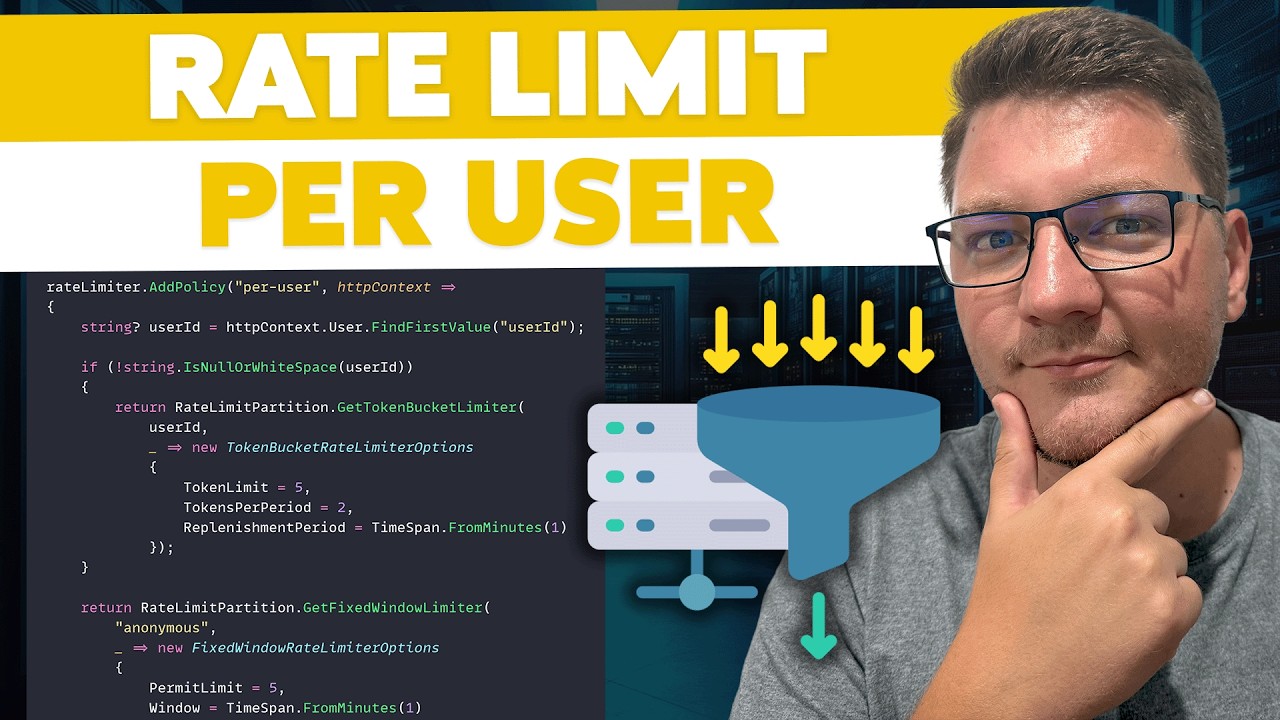
Getting rate limited is inevitable. Every developer who has worked with third-party APIs has seen a 429 response at some point. The difference between a well-built integration and a fragile one is how the code reacts when it happens.
Reading and Respecting Rate Limit Headers
Before anything else, read the headers. Every response from a rate-limited API tells you exactly where you stand.
Check X-RateLimit-Remaining before each batch of calls. If you are down to single digits, slow down proactively instead of waiting for a 429. This sounds obvious, but a huge number of integrations skip this entirely and just blast requests until they get blocked.
The technical documentation for any major API covers its rate limit headers. Read it before you write a single line of integration code.
Retry Logic and Backoff Strategies
Exponential backoff is the standard approach. After a 429 response, wait 1 second. If it fails again, wait 2 seconds. Then 4, then 8. Add randomized jitter to each delay so multiple clients are not retrying at the exact same moment.
Why jitter matters: without it, you get what is called a thundering herd. Hundreds of clients all retry at the same time, create a traffic spike, and immediately get rate limited again. The cycle repeats indefinitely.
Practical tools that handle this already:
- Python: the
tenacitylibrary handles retry with configurable backoff - Node.js:
axios-retrywraps Axios with automatic retry logic - Go:
hashicorp/go-retryablehttpadds retries to the standard HTTP client
Caching and Request Batching
The cheapest API request is the one you never make.
If you are calling the same endpoint with the same parameters repeatedly, cache the response locally. Even a 60-second cache can cut your request count by 90% for read-heavy workloads.
Batching works on the write side. Instead of sending 100 individual POST requests, combine them into a single batch request if the API supports it. OpenAI’s Batch API, for example, offers lower pricing specifically for non-time-sensitive bulk requests.
Monitoring usage against limits should happen in your build pipeline too. Set up alerts when your integration consistently uses more than 80% of its allocated rate limit. That gives you time to optimize before you hit walls in production.
How to Implement Rate Limiting on Your API

Building rate limiting into your own API is a different problem than dealing with someone else’s limits. You are the one setting the rules, picking the algorithm, and deciding what happens when a client crosses the line.
Using API Gateways for Rate Limiting
The fastest path to production-ready rate limiting. Gateways handle enforcement before requests ever touch your application code.
AWS API Gateway provides account-level throttling at a default of 10,000 requests per second with burst capacity of 5,000 requests. You can layer usage plans with per-key quotas on top of that.
Kong offers multiple rate limiting plugins (basic local counters, advanced Redis-backed distributed counters) with identification by consumer, credential, IP, or custom header. A 2024 CNCF benchmark showed Kong achieving 30% higher throughput than baseline alternatives in Kubernetes environments.
Apigee (Google Cloud) handles rate limiting through Spike Arrest and Quota policies, separating short-burst protection from long-term usage caps.
Middleware-Based Rate Limiting
Express.js: the express-rate-limit package adds rate limiting in about five lines of configuration code.
Django REST Framework: ships with built-in throttling classes (AnonRateThrottle, UserRateThrottle) that work right out of the box.
FastAPI: integrates with slowapi, a rate limiting library that wraps the limits library for ASGI applications.
Middleware rate limiting is fine for small to mid-size deployments. But once you run multiple server instances, you need a shared counter store. Otherwise each instance tracks its own count, and clients can exceed the real limit by spreading requests across servers.
Redis for Distributed Rate Limit Counters
Redis solves the distributed counting problem. Its atomic increment operations and built-in key expiration make it the standard backing store for rate limiters running across multiple nodes.
The pattern is straightforward: each request increments a Redis key scoped to the client identifier. The key expires after the time window closes. If the count exceeds the threshold, reject the request.
Salt Security’s 2024 report found only 7.5% of organizations had implemented dedicated API testing and threat modeling programs, despite 95% experiencing security issues. Proper rate limiting with a shared store like Redis is one of those basic protections that too many teams skip.
Clear software documentation of your rate limit policies, response headers, and error formats matters as much as the implementation itself. If your API consumers do not know the rules, they cannot follow them.
Rate Limiting vs. Throttling vs. Quotas
These three terms get used interchangeably. They should not be. Each one does something different, and most production APIs use all three together.
| Mechanism | What It Does | Time Scale | Response When Exceeded |
|---|---|---|---|
| Rate Limiting | Caps requests per time window | Seconds to minutes | HTTP 429 (rejected) |
| Throttling | Slows down request processing | Real-time | Delayed response (queued) |
| Quotas | Caps total usage over longer periods | Hours to months | HTTP 429 or 403 (blocked) |
How Rate Limiting Differs from Throttling

Rate limiting is binary. You are either within the limit or you are not. When you cross it, the server returns a 429 and your request never gets processed.
Throttling is gentler. Instead of rejecting the request, the server slows it down. Your call still goes through, but at reduced speed. Nginx does this with the limit_req directive using a burst parameter, which queues excess requests instead of dropping them.
The Radware 2023 Application Security report found that DDoS-related downtime costs organizations an average of $6,130 per minute. Throttling can help absorb traffic spikes before they become full outages.
Where Quotas Fit In
Quotas operate on a longer time horizon. A daily quota of 10,000 requests, a monthly quota of 1 million. They are about total consumption, not speed.
Google Cloud APIs use this model extensively. You might have a per-second rate limit of 100 requests AND a daily quota of 50,000 requests. Hit either one, and you are done until the window resets.
AWS API Gateway combines both through usage plans, where throttle settings (requests per second) work alongside quota settings (total requests per day or month). This layered approach protects against both burst abuse and slow, sustained overconsumption.
Why Production APIs Combine All Three
A rate limit alone does not prevent a client from slowly draining 100% of your daily capacity over 24 hours. A quota alone does not stop a client from sending 10,000 requests in one second.
You need both, plus throttling as a middle layer to smooth things out during legitimate traffic spikes. Approaching this like non-functional requirements in your system design helps ensure these controls get planned early, not bolted on later.
Rate Limiting in REST, GraphQL, and WebSocket APIs
Rate limiting is not a one-size-fits-all problem. The mechanics change depending on the API architecture, and what works for a REST API will not work for GraphQL without modification.
REST APIs: Per-Endpoint and Per-Method Limits
REST makes rate limiting relatively predictable. Each endpoint has a known cost profile because the request structure is fixed.
A GET request to /users is cheap. A POST request to /reports/generate is expensive. You can assign different rate limits to different routes and HTTP methods without much guesswork.
Most REST rate limiters count requests per time window and track them through headers like X-RateLimit-Limit and X-RateLimit-Remaining. GitHub, Stripe, and the Twitter/X API all follow this pattern with minor variations.
GraphQL APIs: Query Complexity Scoring

GraphQL breaks the simple request-counting model. A single GraphQL query can range from trivially cheap to absurdly expensive depending on the nesting depth and number of objects requested.
Shopify’s GraphQL API solves this with calculated query costs. Clients receive 50 points per second up to a maximum of 1,000 points. Each query gets a complexity score based on static analysis before execution. A query that fetches one product costs a few points. A query that fetches 250 products with their variants, images, and inventory costs significantly more.
GitHub’s GraphQL API uses a similar points-based system: 5,000 points per hour for authenticated users. The complexity of each query determines how many points it consumes.
This approach maps server load to rate limits more accurately than request counting. But it is harder to implement because you need to analyze query structure before execution.
WebSocket APIs: Message Frequency Limits
WebSockets maintain persistent connections, so rate limiting shifts from “requests per time window” to “messages per time window per connection.”
- Message frequency caps (e.g., 30 messages per second)
- Connection-level limits on total data throughput
- Per-channel subscription limits
The tricky part: WebSocket rate limiting typically lives in application-layer code because most API gateways are designed around HTTP request/response patterns. Tools like Nginx can proxy WebSocket connections but do not offer the same rate limiting granularity as they do for REST.
| API Type | Rate Limiting Approach | Complexity |
|---|---|---|
| REST | Request counting per endpoint/method | Low |
| GraphQL | Query complexity scoring (points-based) | High |
| WebSocket | Message frequency per connection | Medium |
Monitoring and Troubleshooting Rate Limit Errors
Hitting rate limits in production is not a question of “if” but “when.” The teams that handle it well are the ones that see it coming before users start complaining.
Identifying 429 Errors in Logs and Dashboards
Every HTTP 429 response should be logged with context: the client identifier, the endpoint hit, the timestamp, and the current rate limit state.
Set up alerts for sudden spikes in 429 response rates. A jump from 0.1% to 5% in error rate probably means a client’s integration broke, not that someone is attacking you. But you need visibility to tell the difference.
Tools like Datadog, Prometheus with Grafana, and the ELK stack (Elasticsearch, Logstash, Kibana) all handle this well. Postman also allows teams to simulate rate limit scenarios by running Collection Runner with high iteration counts.
Common Mistakes That Trigger Rate Limits
Polling loops without delays: Checking for updates every 100 milliseconds when the data changes once per minute. Use webhooks instead when available.
Missing response caching: Fetching the same unchanged data on every page load. Even a 30-second cache eliminates most redundant calls.
Retry storms: A 429 triggers an immediate retry, which triggers another 429, which triggers another retry. Without exponential backoff and jitter, this spiral eats through your remaining quota in seconds.
Authentication loops: A misconfigured OAuth flow that retries on 401 errors and snowballs into hundreds of failed requests within moments.
How to Request Rate Limit Increases
Most API providers have a process for this. You typically need to explain your use case, show current usage patterns, and specify what limits you need raised.
OpenAI graduates accounts through usage tiers automatically as spending increases. AWS API Gateway accepts quota increase requests through the AWS support console. Cloudflare’s global rate limit for their own API is 1,200 requests per five minutes per user, with enterprise plans offering custom ceilings.
Before requesting an increase, audit your existing usage. I have seen teams ask for 10x their rate limit when the real fix was caching responses that did not change. Always optimize first, then scale.
Designing Alerts Around Rate Limit Thresholds
Do not wait for 429s to start alerting. Set warning thresholds at 80% of your allocated limit so your team has time to respond before the wall hits.
Track these in your monitoring dashboards alongside other API health metrics:
- Percentage of rate limit consumed per time window
- 429 error rate as a percentage of total requests
- Retry attempt volume (a spike here signals a problem even if 429 rates look normal)
Integrating rate limit monitoring into your continuous integration and deployment pipeline catches issues during staging before they reach production. If your test suite routinely triggers 429s, that is a signal your integration needs optimization, not more retries.
FAQ on What Is API Rate Limiting
What does API rate limiting mean?
API rate limiting is a control mechanism that restricts how many requests a client can send to an API within a specific time window. When the limit is exceeded, the server returns an HTTP 429 Too Many Requests response and blocks further calls.
Why do APIs enforce rate limits?
APIs enforce rate limits to protect server resources, prevent abuse, and guarantee fair usage across all consumers. Without them, a single client could overload the entire system. Rate limits also help control infrastructure costs on cloud-hosted services.
What is an HTTP 429 status code?
HTTP 429 is the standard response code for “Too Many Requests.” It tells the client they have exceeded the allowed request rate. The response often includes a Retry-After header indicating how long to wait before trying again.
What is the difference between rate limiting and throttling?
Rate limiting rejects requests outright once the cap is hit. Throttling slows down request processing instead of blocking it entirely. Most production APIs use both together to handle traffic spikes while still protecting backend services.
What are the most common rate limiting algorithms?
The four main algorithms are fixed window counter, sliding window counter, token bucket, and leaky bucket. Each handles burst traffic and memory usage differently. Token bucket is the most popular choice for APIs with variable traffic patterns.
How do I know my API rate limit?
Check the response headers. Most APIs return X-RateLimit-Limit, X-RateLimit-Remaining, and X-RateLimit-Reset with every response. The API’s documentation also lists rate limit tiers, usually broken down by authentication level or pricing plan.
What is the best way to handle a 429 error?
Implement exponential backoff with jitter. Wait 1 second after the first 429, then 2, then 4, adding a random delay each time. This prevents retry storms where many clients hammer the server simultaneously after a limit resets.
Do rate limits differ between REST and GraphQL APIs?
Yes. REST APIs typically count requests per endpoint. GraphQL APIs use query complexity scoring because a single query can request vastly different amounts of data. GitHub’s GraphQL API assigns point values based on query depth and object count.
Can I request a higher rate limit from an API provider?
Most providers allow it. OpenAI automatically raises limits as your spending increases across usage tiers. AWS API Gateway accepts increase requests through support. Always optimize your existing usage with caching and batching before asking for more.
Where should rate limiting logic live in my application?
Ideally at the API gateway level using services like Kong, AWS API Gateway, or Apigee. This blocks excess traffic before it reaches your application code. For finer control, add middleware-level limiting using Redis as a shared counter store.
Conclusion
Understanding what is API rate limiting comes down to one thing: protecting your systems while keeping them accessible. Whether you are building a cloud-based app or consuming third-party endpoints, rate limits define the boundaries of reliable service.
The right algorithm matters. Token bucket handles burst traffic well. Sliding window counters offer better accuracy for steady workloads. Pick based on your actual traffic patterns, not theory.
On the consumer side, respect the headers. Cache aggressively. Implement exponential backoff before you hit production. These are not optional extras.
On the provider side, enforce limits at the gateway layer, use Redis for distributed counting, and document your policies clearly. Monitor for 429 spikes and set alerts at 80% capacity so your team reacts before users notice.
Rate limiting is not a feature you add once and forget. As your app scales, revisit your thresholds, test under load, and adjust. The goal is always the same: keep the API fast, fair, and available for everyone who depends on it.

- Rust Cheat Sheet - September 1, 2026
- Top Companies Providing Legacy System Modernization Services - September 1, 2026
- Why Web Development Agencies Partner With a Link Building Agency - August 31, 2026