What Are Webhooks and How Do They Work?

Summarize this article with:

Your application just received a payment, but how does your system know instantly without constantly checking? What are webhooks solves this exact problem by delivering real-time notifications the moment events happen.

Modern software development relies on instant communication between systems. Webhooks act like messengers that carry event data from one application to another automatically.

This guide explains webhook fundamentals, from basic concepts to practical implementation. You’ll learn how HTTP POST requests deliver event notifications, when webhooks make sense over traditional API polling, and how to set up secure webhook endpoints.

We’ll cover technical mechanics, security best practices, and real-world use cases across e-commerce, development workflows, and automation triggers. You’ll also discover popular webhook providers like GitHub, Stripe, and Shopify, plus troubleshooting tips for common delivery issues.

What Are Webhooks?

Webhooks are automated messages sent from one system to another when specific events occur. Unlike APIs, which require clients to request data, webhooks push data in real time to a predefined URL. They’re commonly used for notifications, integrations, and triggering workflows across different applications seamlessly.

Technical Mechanics of Webhooks

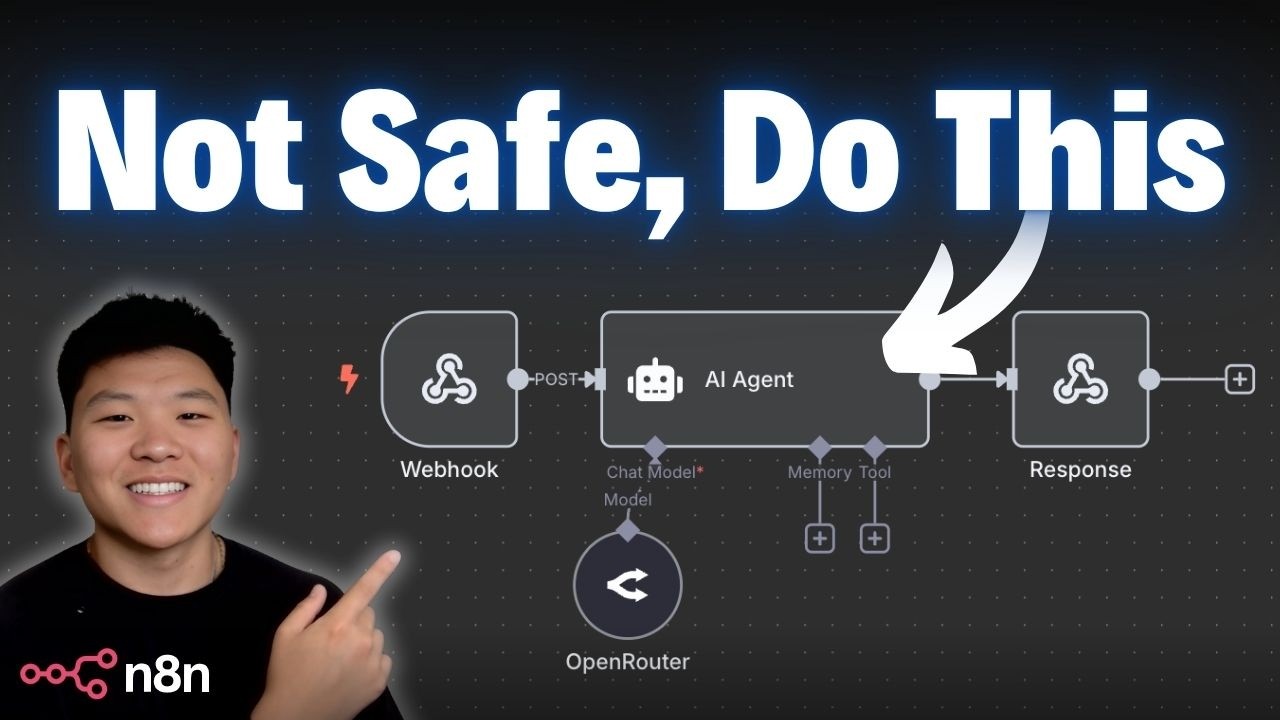
maxresdefault What Are Webhooks and How Do They Work?

How Webhook Delivery Works

When an event happens in your system, the webhook mechanism springs into action immediately. The source application identifies the trigger and prepares to send data.

The system creates an HTTP POST request containing the event information. This request gets sent to your predefined callback URL without any prompting from your end.

Event Triggers in Source Systems

Most webhook providers like GitHub and Stripe monitor specific actions constantly. They watch for code commits, payment completions, or user registrations.

Once detected, these events generate a JSON payload with relevant details. The timing is crucial – webhooks fire within milliseconds of the actual event.

HTTP POST Request Creation

The webhook service constructs a standard HTTP request. Headers include authentication details and content type specifications.

Your payload delivery contains structured data about what happened. Most services use JSON format for consistency and easy parsing.

Webhook Anatomy

Headers and Authentication Methods

Authentication headers protect your webhook endpoints from unauthorized requests. HMAC signature verification is the most common approach.

Services like PayPal include a signature hash in the request headers. You calculate the same hash on your end to verify authenticity.

Token-based authentication offers another security layer. Some platforms send bearer tokens or API integration keys alongside the payload.

JSON Payload Structure

Well-structured webhooks include timestamps, event types, and relevant data objects. The webhook data follows predictable patterns for easier processing.

{
  "event": "payment.completed",
  "timestamp": "2025-08-27T10:30:00Z",
  "data": {
    "amount": 99.99,
    "customer_id": "cust_123"
  }
}

Event metadata helps you understand context quickly. Unique identifiers let you track and deduplicate messages.

Response Handling

Your webhook listener must respond with appropriate HTTP status codes. 200 OK tells the sender everything processed correctly.

Anything outside the 2xx range triggers retry mechanisms. Most services try delivering failed webhooks multiple times with exponential backoff.

Webhook timeout settings vary by provider, typically ranging from 5-30 seconds. Keep your processing logic fast to avoid timeouts.

Setting Up Webhooks

Creating Webhook Endpoints

Your back-end development setup needs to handle incoming HTTP requests properly. Choose a reliable web framework for your preferred language.

Node.js with Express or Python with Flask work well for webhook receivers. These frameworks handle HTTP parsing automatically.

Server Requirements and Setup

Your webhook endpoint needs constant uptime and fast response times. Cloud-based app hosting provides the reliability you need.

SSL certificates are mandatory – webhook providers only send to HTTPS endpoints. Most hosting platforms include free certificates.

Scale your infrastructure to handle traffic spikes. Payment processors can send hundreds of webhooks during busy periods.

URL Endpoint Configuration

Pick descriptive URLs that indicate their purpose clearly. /webhooks/stripe/payments beats /webhook1 for maintenance later.

Your production environment should use different endpoints than development. This prevents test data from mixing with real transactions.

Webhook URL paths should be unique and hard to guess. Add random strings or use POST-only routes for extra security.

Registering Webhooks with Services

Most platforms provide dashboard interfaces for webhook management. Shopify, Discord, and Twilio offer intuitive setup screens.

You’ll specify which events trigger notifications. Start with essential events and add more as needed.

Event Subscription Selection

Payment webhooks typically cover successful transactions, failures, and refunds. Stripe lets you pick from dozens of event types.

E-commerce platforms track order creation, fulfillment, and cancellation events. WooCommerce and similar systems offer granular control.

Don’t subscribe to everything initially. Too many webhooks can overwhelm your processing capacity.

Authentication and Security Setup

Generate webhook secrets during the registration process. These keys validate incoming requests and prevent spoofing.

Store your webhook secrets securely in environment variables. Never hardcode them in your codebase.

Rotate secrets periodically following your security policies. Most providers support overlapping secrets during transitions.

Development Environment Setup

Local webhook testing requires external access to your development machine. ngrok creates secure tunnels for this purpose.

Install ngrok and expose your local server: ngrok http 3000. This generates a public URL pointing to your localhost.

Testing Frameworks and Mock Services

Postman includes webhook testing features for development workflows. Create mock webhooks to test your handling logic.

Build test cases covering success scenarios and edge cases. Simulate network failures and malformed payloads.

Webhook testing tools like RequestBin help debug payload structures. They capture and display incoming requests for inspection.

Common Webhook Use Cases

E-commerce Applications

Online stores rely heavily on webhook automation for smooth operations. Salesforce and HubSpot integrate seamlessly with e-commerce platforms.

Payment Processing Notifications

PayPal sends webhooks when customers complete purchases. Your system can immediately update order status and trigger fulfillment.

Subscription billing requires webhook handling for recurring payments. Failed payment webhooks let you retry or pause services.

Refund processing happens automatically through webhook notifications. This keeps your inventory and accounting systems synchronized.

Order Status Updates

Shipping webhooks notify customers when orders leave the warehouse. Mailchimp can trigger follow-up email sequences automatically.

Tracking number updates flow through webhooks to customer service systems. This reduces support ticket volume significantly.

Delivery confirmation webhooks can trigger review request campaigns. Timing these messages properly improves response rates.

Inventory Management Alerts

Low stock webhooks prevent overselling popular items. Your custom app development team can build automated reordering systems.

Supplier webhooks notify about stock arrivals and backorders. This information flows to customer service teams immediately.

Content Management Systems

WordPress and similar platforms use webhooks extensively for workflow automation. Publishing triggers can notify team members instantly.

Publishing Workflow Triggers

Editorial approval webhooks start the publishing process automatically. Writers receive notifications when content goes live.

SEO tools can scan new content through publishing webhooks. This automates technical audits and optimization suggestions.

Social media sharing happens automatically when webhooks trigger posting workflows. Slack notifications keep teams informed about new content.

Comment and User Activity Notifications

User registration webhooks can trigger welcome email sequences. SendGrid processes these notifications reliably.

Comment moderation workflows start through webhook triggers. Inappropriate content gets flagged for review immediately.

User activity webhooks help track engagement patterns. Analytics systems receive real-time data for better insights.

Communication and Collaboration Tools

Microsoft Teams and similar platforms rely on webhooks for integration capabilities. Custom notifications enhance team productivity.

Chat Message Notifications

Message webhooks can trigger external workflows and automations. Customer service tickets generate from chat mentions automatically.

Bot integrations use webhooks to process commands and respond appropriately. Discord bots handle thousands of webhook events daily.

File sharing notifications keep teams informed about document changes. Version control systems trigger through webhook mechanisms.

Team Activity Tracking

Project management webhooks update status dashboards in real-time. Zapier connects these workflows across multiple platforms.

Time tracking webhooks feed payroll and billing systems automatically. This reduces manual data entry significantly.

Development and DevOps

AWS and other cloud platforms provide webhook integration for deployment automation. DevOps teams rely on these triggers heavily.

Code Repository Changes

Git webhooks trigger build automation tools when developers push code. Docker containers get built and deployed automatically.

Pull request webhooks start code review processes and testing workflows. Quality gates prevent bad code from reaching production.

Branch protection webhooks enforce development policies. Only approved changes merge into main branches.

Build and Deployment Notifications

Continuous integration webhooks notify teams about build status changes. Failed builds trigger immediate alerts to developers.

Deployment pipeline webhooks coordinate multi-stage releases. Staging environments update before production deployments.

Heroku and similar platforms send deployment webhooks to monitoring systems. This enables automatic health checks and rollback triggers.

Monitoring and Alert Systems

Application error webhooks feed incident management systems. PagerDuty gets notified immediately when critical issues occur.

Performance threshold webhooks trigger scaling operations automatically. Load balancers adjust capacity based on real-time metrics.

Security webhooks detect suspicious activity and lock accounts automatically. This prevents unauthorized access attempts from succeeding.

Security and Best Practices

Authentication Methods

HMAC signature verification remains the gold standard for webhook security. Most providers include cryptographic signatures in request headers.

Your webhook endpoint calculates the same signature using the shared secret. Mismatched signatures indicate tampering or spoofing attempts.

HMAC Signature Verification

The sending service creates a hash using your secret key and the request payload. This hash appears in headers like X-Hub-Signature-256.

Compare the received signature with your calculated version using constant-time comparison. This prevents timing attacks against your verification logic.

Stripe uses HMAC-SHA256 for all webhook signatures. The verification process takes just a few lines of code in most languages.

API Key Authentication

Some platforms send API keys alongside webhook payloads for additional verification. Store these keys securely in environment variables.

Shopify includes API keys in custom headers for webhook authentication. Validate these keys before processing any payload data.

Rotate API keys regularly as part of your security maintenance routine. Most platforms support overlapping keys during transition periods.

OAuth Token Validation

Enterprise webhook providers often use OAuth tokens for authentication. Microsoft Teams and Salesforce follow this pattern extensively.

Validate token signatures using the provider’s public keys. These keys change periodically, so implement automatic key rotation.

Token expiration adds another security layer. Expired tokens should trigger immediate rejection and logging.

IP Address Whitelisting

Restrict webhook endpoints to known IP ranges from your providers. GitHub publishes their webhook IP addresses in their API.

PayPal provides static IP ranges for their webhook servers. Configure your firewall to block requests from unauthorized sources.

Dynamic IP ranges require regular updates to your whitelist. Some providers offer webhook IP APIs for automated management.

Data Protection

HTTPS Requirements

Never accept webhooks over unencrypted HTTP connections. All reputable providers refuse to send webhooks to insecure endpoints.

SSL certificate validation prevents man-in-the-middle attacks. Use certificates from trusted authorities like Let’s Encrypt or commercial providers.

TLS 1.2 minimum is standard across the industry. Some newer platforms require TLS 1.3 for enhanced security.

Sensitive Data Handling

Webhook payloads often contain personally identifiable information. Implement data protection measures from the moment requests arrive.

Log webhook events without including sensitive payload details. Store minimal information needed for troubleshooting and audit purposes.

PCI compliance applies to payment webhook handling. Never log credit card numbers or sensitive financial data.

Payload Encryption Considerations

Some providers support encrypted webhook payloads for highly sensitive data. AWS offers envelope encryption for webhook content.

Client-side decryption keeps sensitive data protected during transmission. Your application handles decryption using private keys.

Key management becomes critical with encrypted webhooks. Use hardware security modules or managed key services for production systems.

Error Handling and Reliability

Graceful Failure Management

Design your webhook handlers to fail gracefully without breaking your entire application. Isolate webhook processing from critical business logic.

Return appropriate HTTP status codes even when internal processing fails. 2xx codes acknowledge receipt while 5xx codes trigger retries.

Log all webhook failures with enough detail for debugging. Include timestamps, event IDs, and error messages.

Retry Logic Implementation

Most webhook providers implement exponential backoff for failed deliveries. Discord retries up to 5 times with increasing delays.

Your endpoint should be idempotent to handle duplicate deliveries safely. Use unique event IDs to detect and ignore repeated messages.

Dead letter queues collect webhooks that fail repeatedly. Process these manually or with specialized retry logic.

Monitoring Webhook Health

Set up alerts for webhook endpoint failures and unusual traffic patterns. DataDog and similar tools provide webhook-specific monitoring.

Track webhook processing times to identify performance bottlenecks. Slow handlers can trigger timeout failures from providers.

Monitor webhook signature failures as potential security indicators. Multiple failures might indicate attack attempts.

Performance Optimization

Efficient Payload Processing

Process webhook payloads asynchronously whenever possible. Queue incoming webhooks for background processing to maintain fast response times.

Redis or RabbitMQ work well for webhook queuing systems. This approach prevents timeout issues during high-traffic periods.

Parse JSON payloads efficiently using streaming parsers for large messages. Some webhook payloads can exceed several megabytes.

Asynchronous Handling

Return HTTP 200 responses immediately after validating webhook authenticity. Defer actual business logic processing to background workers.

Celery for Python or Sidekiq for Ruby provide robust background job processing. These systems handle webhook processing reliably.

Scale background workers based on webhook volume. Payment processors can send thousands of webhooks during busy periods.

Rate Limiting Considerations

Implement rate limiting on your webhook endpoints to prevent abuse. Express-rate-limit for Node.js provides flexible rate limiting options.

Some legitimate providers send webhook bursts during system maintenance. Design rate limits to accommodate these patterns.

API rate limiting principles apply to webhook endpoints. Use sliding window algorithms for fair resource allocation.

Popular Webhook Providers and Platforms

ProviderPrimary Use CaseKey FeaturesStarting Price
ZapierNo-code automation platform connecting 8,000+ apps for business workflow automationMulti-step workflows, webhook triggers, AI-powered builder, premium app integrationsFree (100 tasks/month), Paid from $19.99/month
IFTTTConsumer-focused automation for smart home devices and productivity appsSimple applets, webhook integration, filter code, multiple action sequencesFree (3 applets), Pro from $2.99/month
PipedreamDeveloper-first platform for building workflows with code-level control and API integrationsNode.js/Python support, 2,800+ app integrations, AI workflow builder, custom code executionFree (100 credits/month), Paid from $19/month
HookdeckWebhook infrastructure for reliable event ingestion with monitoring and retry capabilitiesAutomatic retries, rate limiting, event filtering, transformation, queue managementFree (10K events/month), Paid from $15/month
SvixEnterprise-ready webhooks-as-a-service for sending webhooks with built-in securityAutomatic retries, signature verification, customer portal, SOC 2 compliance, open-source optionFree tier available, Paid from $10/month
HookRelayWebhook delivery service with Stripe-quality reliability and developer-friendly featuresSmart retries with backoff, delivery logging, payload inspection, background job processingFree (100 deliveries/day), Paid from $30/month
Webhooks.ioSaaS webhook management platform for scalable delivery infrastructureWebhook relay, proxy management, debugging tools, delivery reliability featuresCustom pricing (contact sales)
Trigger.devOpen-source platform for long-running background jobs and event-driven workflowsNo timeouts, TypeScript support, elastic scaling, webhook triggers, real-time monitoringFree tier available, Custom pricing
n8nSelf-hosted or cloud workflow automation with visual builder and code flexibility500+ integrations, JavaScript/Python support, webhook nodes, AI workflow capabilities, open-sourceFree (self-hosted), Cloud from $20/month
WorkatoEnterprise integration platform for complex automation workflows and system integrations1,000+ app connectors, recipe automation, AI-powered workflows, enterprise governance, RBACCustom pricing (typically $60K-$180K annually)

Selection Guide:

  • General automation: Zapier, IFTTT
  • Developer workflows: Pipedream, Trigger.dev, n8n
  • Webhook infrastructure: Hookdeck, Svix, HookRelay
  • Enterprise integration: Workato

Major Service Providers

GitHub Webhook Capabilities

GitHub sends webhooks for repository events, pull requests, and issue changes. Developers use these for continuous integration workflows.

Push event webhooks trigger automated builds and deployments. Your build pipeline starts within seconds of code commits.

Repository webhooks support fine-grained event filtering. Subscribe only to relevant events to reduce noise.

Stripe Payment Notifications

Stripe provides comprehensive webhook coverage for payment events. Successful payments, failures, and disputes all generate webhook notifications.

Subscription webhooks handle recurring billing scenarios automatically. Your billing system stays synchronized with Stripe’s records.

Invoice webhooks trigger accounting system updates immediately. This eliminates manual data entry for financial records.

Slack Integration Webhooks

Slack webhooks enable custom bot functionality and workflow automation. Message events can trigger external system updates.

Channel webhooks notify external systems about team activity. Project management tools integrate through these mechanisms.

File sharing webhooks can trigger backup or compliance workflows. Document management systems stay synchronized automatically.

Shopify E-commerce Hooks

Shopify webhooks cover the entire e-commerce lifecycle from orders to inventory. Product updates trigger catalog synchronization immediately.

Customer webhooks feed CRM systems with real-time data. HubSpot and similar platforms integrate seamlessly.

Fulfillment webhooks update shipping and tracking systems. Customers receive accurate delivery information automatically.

Webhook Management Tools

Webhook Testing Platforms

RequestBin captures and displays incoming webhooks for development testing. Create temporary endpoints for debugging webhook payloads.

Postman includes webhook testing features in their API development platform. Mock webhooks and test your handlers before going live.

ngrok provides secure tunneling for local webhook development. Expose your localhost to external webhook providers safely.

Forwarding and Proxy Services

Webhook forwarding services route events to multiple destinations simultaneously. This pattern supports microservice architectures effectively.

Hookdeck provides webhook routing, queuing, and retry capabilities. Handle webhook reliability without building custom infrastructure.

Proxy services can transform webhook payloads before delivery. Format conversion and data enrichment happen automatically.

Monitoring and Analytics Tools

Datadog webhook monitoring tracks delivery rates and processing times. Set alerts for webhook endpoint failures.

New Relic provides webhook-specific dashboards and alerting. Monitor webhook performance alongside your application metrics.

Custom analytics help optimize webhook processing efficiency. Track event types, processing times, and failure rates.

Integration Platforms

Zapier Automation Connections

Zapier connects thousands of applications through webhook-based automation. Non-technical users can create complex workflows easily.

Trigger webhooks from one app to update records in another. CRM updates can automatically sync with accounting systems.

Zapier handles webhook reliability and error handling automatically. Failed actions retry with exponential backoff.

IFTTT Trigger Setups

IFTTT provides consumer-focused webhook automation for smart home and productivity apps. Simple if-this-then-that logic handles common scenarios.

Social media webhooks can trigger cross-platform posting. Share content across multiple networks automatically.

IoT device webhooks integrate with smart home automation systems. IFTTT bridges different device ecosystems effectively.

Microsoft Power Automate

Microsoft Power Automate handles enterprise webhook automation within Office 365 environments. SharePoint updates can trigger email notifications automatically.

Microsoft Teams webhooks integrate with Power Automate workflows. Channel messages can create tasks in project management systems.

Enterprise security features include webhook encryption and audit logging. Compliance requirements get handled automatically.

Alternatives to Webhooks

Polling-Based Approaches

Regular API Polling

API polling involves checking for updates at regular intervals instead of waiting for push notifications. Your application requests data from external services repeatedly.

This approach works well for less time-sensitive scenarios. Batch processing systems often prefer polling for predictable resource usage.

REST APIs handle polling requests efficiently with proper caching mechanisms. Design your polling intervals based on data freshness requirements.

Long Polling Techniques

Long polling keeps connections open until new data becomes available. The server holds requests and responds when events occur.

This method reduces server load compared to frequent short polls. WebSocket upgrades often start with long polling as a fallback mechanism.

Connection timeouts require careful handling in long polling implementations. Most browsers limit concurrent connections, affecting scalability.

When Polling Makes More Sense

Polling works better when you need data at specific intervals rather than immediately. Batch processing workflows benefit from scheduled data collection.

Systems with unreliable network connections handle polling failures more gracefully. Retry logic is simpler than webhook delivery guarantees.

Legacy systems often lack webhook capabilities but provide API endpoints. Polling bridges integration gaps effectively.

Resource Usage Comparisons

Webhooks consume fewer resources for infrequent events compared to constant polling. Real-time data scenarios favor webhook efficiency.

Polling creates predictable server load patterns that are easier to manage. Auto-scaling works more effectively with consistent resource usage.

Network bandwidth usage differs significantly between approaches. Webhooks send data only when needed while polling checks repeatedly.

Real-Time Messaging

WebSocket Connections

WebSocket connections provide bidirectional communication channels for real-time updates. Unlike webhooks, they maintain persistent connections.

Web apps use WebSockets for chat functionality and live data feeds. Connection management requires more complex server architecture.

Socket.io simplifies WebSocket implementation across different browsers. Fallback mechanisms handle older browsers automatically.

Server-Sent Events

Server-sent events push data from servers to browsers using standard HTTP connections. This approach works through firewalls more reliably than WebSockets.

Progressive web apps leverage SSE for notification systems. Browser support is excellent across modern platforms.

Event streams remain open for continuous data delivery. Reconnection logic handles network interruptions automatically.

Message Queue Systems

Message queues decouple data producers from consumers through intermediary storage. RabbitMQ and Apache Kafka provide robust messaging infrastructure.

Queue-based systems handle traffic spikes better than direct webhook delivery. Messages persist until successful processing occurs.

Microservices architecture relies heavily on message queues for service communication. This pattern scales better than direct HTTP calls.

Push Notification Services

Push notifications deliver messages to mobile devices and browsers even when applications aren’t active. Firebase Cloud Messaging handles delivery across platforms.

Native mobile applications use push notifications instead of webhooks for user engagement. Battery life improves with efficient push mechanisms.

Apple Push Notification Service and Google Cloud Messaging provide platform-specific delivery. Cross-platform solutions abstract these differences.

Hybrid Approaches

Combining Webhooks with Polling

Hybrid systems use webhooks for critical events and polling for status checks. This approach provides redundancy and reliability.

Webhook failures can trigger polling-based recovery mechanisms. Your system stays synchronized even during delivery problems.

Event sourcing patterns often combine immediate webhooks with periodic reconciliation polling. Data consistency improves with dual approaches.

Fallback Mechanisms

Design fallback systems that activate when primary webhook delivery fails. Circuit breaker patterns prevent cascade failures.

Health checks monitor webhook endpoint availability and switch to polling automatically. This ensures continuous data flow.

Fallback polling intervals should be shorter than normal to catch up on missed events. Gradual backoff prevents system overload.

Event Sourcing Patterns

Event sourcing stores all changes as a sequence of events rather than current state. Systems can replay events to rebuild state.

Webhooks deliver events immediately while event stores provide authoritative records. Database triggers can generate both simultaneously.

Apache Kafka excels at event sourcing with webhook integration capabilities. Stream processing handles real-time analytics effectively.

CQRS Implementation Strategies

Command Query Responsibility Segregation separates read and write operations for better scaling. Webhooks update read models asynchronously.

Write side generates events that webhooks deliver to read side processors. This pattern handles complex business logic effectively.

Event stores feed both webhook delivery and query model updates. Software architecture benefits from clear separation of concerns.

Technology-Specific Alternatives

GraphQL Subscriptions

GraphQL subscriptions provide real-time data updates through persistent connections. Clients subscribe to specific data changes directly.

API versioning becomes simpler with GraphQL’s schema evolution capabilities. Webhook payload changes require careful handling.

Apollo Server implements GraphQL subscriptions over WebSockets automatically. Client libraries handle reconnection and error recovery.

Database Change Streams

MongoDB change streams and PostgreSQL logical replication provide database-level event notifications. These operate below application layers.

Database triggers can replace application-level webhook generation. SQL Server Service Broker provides reliable message delivery.

Change stream processing requires careful handling of database connection failures. Connection pooling helps manage resource usage.

File System Watchers

File system events trigger when files change, creating webhook-like behavior for file-based workflows. inotify on Linux provides efficient file monitoring.

Node.js fs.watch() monitors directory changes for development workflows. Build automation tools use this pattern extensively.

File watchers work well for CI/CD systems monitoring repository changes. Local development benefits from automatic rebuilds.

Message Brokers

Apache Kafka handles high-throughput event streaming with webhook-like delivery guarantees. Partition-based scaling supports massive event volumes.

Redis Pub/Sub provides simple message broadcasting for real-time features. Redis Streams add persistence and consumer groups.

NATS offers lightweight messaging with clustering capabilities. Service mesh architectures integrate NATS for inter-service communication.

Integration Platform Alternatives

Enterprise Service Bus

Enterprise Service Bus architectures route messages between multiple systems without direct coupling. Apache Camel provides integration patterns and transformations.

ESB systems handle complex routing rules and message transformation. MuleSoft and similar platforms manage enterprise integrations centrally.

Service orchestration coordinates multiple webhook-like interactions through centralized control. This approach suits complex business processes.

Workflow Orchestration

Apache Airflow orchestrates complex data workflows with dependencies and scheduling. Tasks can poll APIs or wait for file arrivals.

Temporal provides reliable workflow execution with automatic retries and compensation. State management handles long-running processes effectively.

Step Functions on AWS coordinate serverless workflows with built-in error handling. Visual workflow design simplifies complex orchestrations.

iPaaS Solutions

Integration Platform as a Service solutions abstract webhook complexity behind visual interfaces. Zapier and Microsoft Power Automate serve different market segments.

Boomi and Informatica handle enterprise-grade integrations with governance and monitoring. Data transformation happens automatically.

Custom integration platforms built on cloud infrastructure provide flexibility with reduced maintenance overhead. Containerization simplifies deployment and scaling.

FAQ on Webhooks

What exactly is a webhook?

A webhook is an HTTP POST request sent automatically when specific events occur in applications. It delivers real-time data to predefined endpoints without polling.

Services like Stripe and GitHub use webhooks for instant notifications. Your system receives event-driven updates immediately after actions happen.

How do webhooks differ from APIs?

APIs require you to request data actively through polling. Webhooks push data to your system automatically when events trigger.

Traditional REST API calls happen on your schedule. Webhook delivery occurs instantly when events occur, reducing server load and latency.

Are webhooks secure?

HMAC signature verification ensures webhook authenticity and prevents tampering. Most providers include cryptographic signatures in request headers.

SSL/TLS encryption protects data transmission. Proper authentication and IP whitelisting add security layers for production webhook endpoints.

What happens if my webhook endpoint is down?

Most webhook providers implement retry mechanisms with exponential backoff. Failed deliveries get attempted multiple times over hours or days.

Stripe retries failed webhooks up to 72 hours. Dead letter queues can capture repeatedly failed webhooks for manual processing.

How do I test webhooks during development?

ngrok creates secure tunnels from external services to your local development server. This enables webhook testing on localhost.

Postman and RequestBin provide webhook testing environments. These tools capture and display incoming webhook payloads for debugging purposes.

Can one event trigger multiple webhooks?

Most platforms allow multiple webhook endpoints for the same event type. Shopify can send order webhooks to inventory and accounting systems simultaneously.

Configure different endpoints for different purposes. Event filtering helps reduce unnecessary webhook traffic to specific services.

What data format do webhooks use?

JSON is the standard format for webhook payloads. Most services include event metadata, timestamps, and relevant data objects.

HTTP headers contain authentication signatures and content type information. Webhook payload structure varies by provider but follows consistent patterns.

How do I handle webhook failures gracefully?

Implement idempotent processing using unique event IDs to prevent duplicate handling. Return appropriate HTTP status codes for acknowledgment.

Asynchronous processing prevents timeout issues during complex operations. Queue webhook events for background processing when business logic takes time.

Which services commonly provide webhooks?

PayPal, Discord, Slack, and Mailchimp offer comprehensive webhook systems. E-commerce platforms and communication tools rely heavily on webhooks.

Mobile application development platforms often integrate webhook notifications. Cloud services provide webhooks for infrastructure events and deployments.

When should I use webhooks vs polling?

Use webhooks for real-time notifications and infrequent events. Polling works better for batch processing and systems requiring data at regular intervals.

Network reliability affects webhook delivery. Polling provides more control over timing but consumes more resources for frequent updates.

Conclusion

Understanding what are webhooks opens doors to building more responsive and efficient applications. These powerful tools eliminate the need for constant polling while delivering instant event notifications.

Webhook integration transforms how systems communicate in modern web development. From Twilio messaging alerts to WooCommerce order updates, webhooks power countless automation workflows.

Security remains paramount when implementing webhook endpoints. HMAC authentication and proper error handling protect your systems while ensuring reliable data delivery.

Whether you’re building hybrid apps or enterprise integrations, webhooks provide the real-time connectivity modern applications demand. JSON payloads carry rich event data that triggers immediate business logic execution.

Start small with trusted providers like AWS or SendGrid. Test thoroughly using webhook debugging tools before deploying to production environments.

Master webhook fundamentals to unlock powerful service integration capabilities that enhance user experiences and streamline business operations across your entire technology stack.

50218a090dd169a5399b03ee399b27df17d94bb940d98ae3f8daff6c978743c5?s=250&d=mm&r=g What Are Webhooks and How Do They Work?
Related Posts