What Is Iterative Software Development?

Summarize this article with:
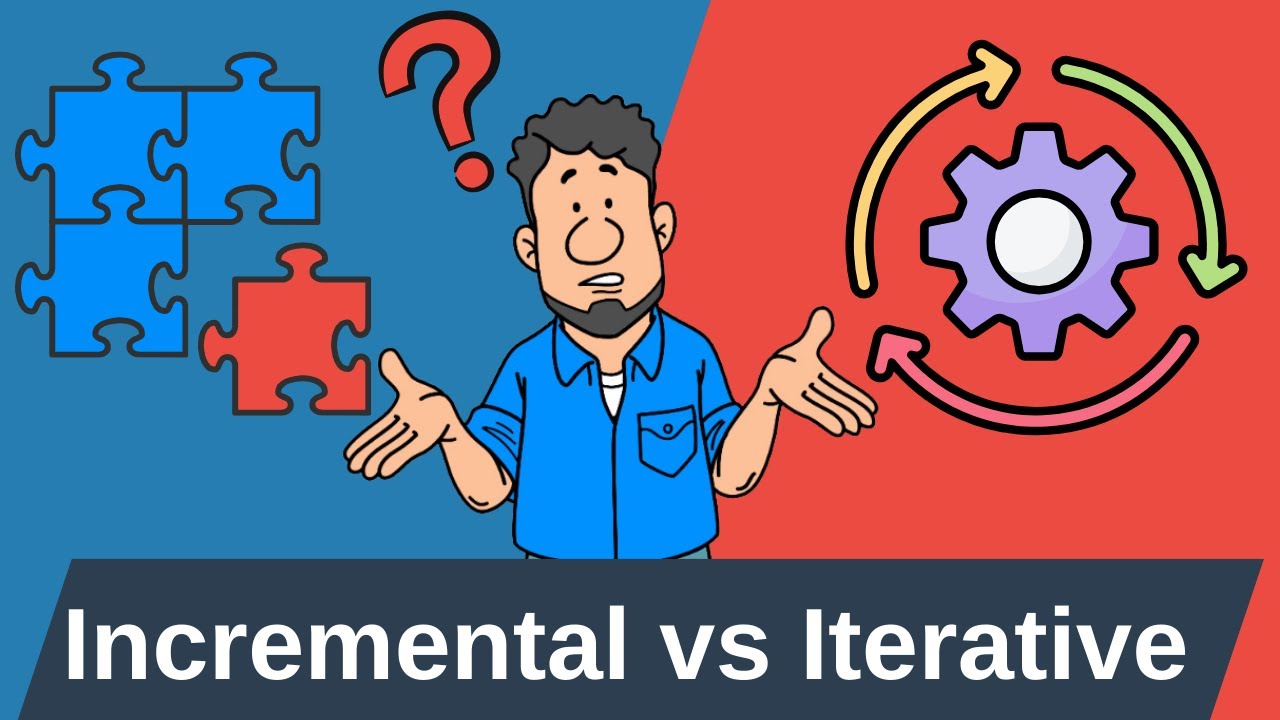
Building software used to be like constructing a house—you planned everything upfront, then hoped your blueprint was perfect. What is iterative software development changes this approach entirely by breaking projects into small, manageable cycles that adapt to real feedback.
Unlike traditional waterfall methods, iterative development methodology delivers working software every few weeks. Teams build, test, and refine features continuously rather than waiting months for a complete system.
This adaptive project methodology has become the backbone of successful tech companies and startup ventures. From mobile apps to enterprise systems, iterative approaches reduce risk while improving software quality.
You’ll discover how development cycles work in practice, explore popular frameworks like Scrum methodology and Kanban workflow, and learn when iterative methods fit your project needs. We’ll cover essential tools, real-world applications, and common pitfalls that derail iterative projects.
What Is Iterative Software Development?
Iterative software development is a process where software is built and improved through repeated cycles, or iterations. Each cycle involves planning, designing, coding, and testing a small part of the system. This approach allows for continuous feedback, faster problem detection, and more flexible responses to changing requirements.

The Iterative Development Process
Iterative development breaks down complex projects into manageable chunks. Each iteration represents a complete mini-cycle of planning, building, and testing.
The cyclical programming approach creates a rhythm teams can follow. You plan what to build, code it, test it, then review the results before starting the next cycle.
Planning Each Iteration
Sprint planning forms the foundation of every successful iteration. Teams gather to define clear, achievable goals for the upcoming development cycle.
During iteration planning sessions, the Product Owner presents user stories from the product backlog. The development team evaluates each story’s complexity and estimates the effort required.
Time-boxed iterations typically last one to four weeks. Shorter cycles provide faster feedback loops, while longer iterations allow for more substantial feature development.
Feature selection requires careful consideration of business value and technical dependencies. Teams prioritize work that delivers the most user value first.
Resource Allocation Strategies
Cross-functional teams work best in iterative environments. Each team should include developers, testers, and domain experts.
Sprint Backlog creation involves breaking down selected user stories into specific tasks. This detailed breakdown helps distribute workload effectively across team members.
Capacity planning considers team velocity from previous iterations. Historical data helps predict realistic commitments for upcoming sprints.
Development Phase Activities
The development phase transforms planned features into working code. Teams follow established coding standards and collaborate through regular check-ins.
Daily Standup meetings keep everyone aligned on progress and obstacles. These brief sessions identify blockers before they impact the iteration timeline.
Peer programming and code review process ensure code quality throughout development. Regular reviews catch issues early and spread knowledge across the team.
Maintaining Quality Standards
Technical debt management becomes crucial during rapid iteration cycles. Teams must balance new feature development with code refactoring efforts.
Version control practices support collaborative development. Teams use branching strategies that allow parallel work without conflicts.
Integration testing happens continuously rather than at the end. This approach identifies compatibility issues before they become expensive problems.
Testing and Quality Assurance
Testing within each iteration prevents defects from accumulating. QA engineers work alongside developers to validate functionality as it’s built.
Automated testing frameworks support rapid iteration cycles. Unit tests, integration tests, and regression testing run with every code change.
Bug tracking systems capture and prioritize defects found during testing. Teams address critical issues within the current iteration when possible.
Quality Checkpoints
Definition of Done criteria ensure consistent quality across all deliverables. These standards include code review completion, test coverage requirements, and documentation updates.
Performance testing validates that new features don’t degrade system responsiveness. Load testing and stress testing identify bottlenecks early.
Acceptance Criteria validation confirms that implemented features meet stakeholder expectations. Acceptance criteria provide clear success metrics for each user story.
Review and Feedback Collection
Sprint reviews demonstrate completed work to stakeholders. These sessions gather feedback while features are still fresh in developers’ minds.
Stakeholder demonstrations showcase working software rather than documentation. Live demos reveal usability issues that written requirements might miss.
Retrospective meetings help teams improve their process. Regular reflection identifies what’s working well and what needs adjustment.
Continuous Improvement Cycle
Feedback incorporation happens between iterations. Teams analyze stakeholder input and adjust the product backlog accordingly.
User validation occurs through prototypes and early releases. Real user feedback guides future development priorities.
Velocity tracking helps teams understand their capacity and improve estimation accuracy. Historical velocity data supports better sprint planning.
Key Benefits of Iterative Development
Iterative methodologies solve many problems that plague traditional software development approaches. The adaptive project methodology reduces risk while improving software quality.
Teams deliver working software regularly instead of waiting months for a complete system. This approach provides tangible value throughout the development process.
Risk Reduction and Early Problem Detection
Early error detection saves significant time and money. Problems discovered in later stages cost exponentially more to fix.
Technical risks surface quickly through working prototypes. Teams can evaluate architectural decisions with real code rather than theoretical designs.
Market validation happens throughout development rather than at the end. Regular releases test assumptions about user needs and preferences.
Mitigation Strategies
Risk-controlled building prevents major disasters. Each iteration validates key assumptions before investing in dependent features.
Performance metrics tracking identifies trends before they become critical issues. Teams monitor system health continuously rather than reactively.
Change impact assessment becomes easier with smaller, incremental modifications. Teams understand the effects of each change within its iteration context.
Improved Stakeholder Communication
Regular progress visibility keeps everyone informed and engaged. Stakeholders see working software every few weeks instead of waiting months.
Sprint reviews create natural communication touchpoints. These regular meetings ensure alignment between development teams and business stakeholders.
Expectation management improves when progress is visible. Stakeholders understand what’s possible within given timeframes and resource constraints.
Communication Benefits
Clearer feedback loops reduce miscommunication incidents. Stakeholders can provide input on working features rather than abstract specifications.
Cross-functional collaboration increases when teams work closely together. Developers, designers, and business analysts share knowledge continuously.
User-centric design process keeps customer needs at the forefront. Regular user feedback prevents teams from building features nobody wants.
Flexibility and Adaptability
Responding to changing requirements becomes natural in iterative environments. Teams expect and plan for requirement evolution rather than fighting it.
Scope adjustment capability allows teams to respond to new information. Priority changes don’t derail entire projects when work is organized in short cycles.
Technology stack modifications happen gradually rather than through major overhauls. Teams can evaluate new tools and technologies incrementally.
Adaptive Advantages
Market condition adjustments happen quickly. Teams can pivot based on competitive changes or new business opportunities.
Requirements evolution follows natural learning patterns. Teams understand problems better as they build solutions, leading to better final products.
Customer feedback integration becomes seamless. Rapid app development cycles allow quick responses to user suggestions.
Quality Improvements Through Repetition
Learning-based methodology improves with each iteration. Teams get better at estimating, planning, and executing work over time.
Process refinement happens continuously rather than through major reorganizations. Small adjustments accumulate into significant improvements.
Team skill development occurs naturally through repeated practice. Developers improve their techniques through consistent application and peer feedback.
Quality Enhancement
Systematic code evolution maintains architectural integrity while adding new features. Teams refactor and improve existing code with each iteration.
Continuous integration practices prevent integration problems from accumulating. Regular code merging identifies conflicts immediately.
Measurable progress tracking provides objective data about team performance. Velocity, defect rates, and customer satisfaction metrics guide improvement efforts.
Quality gates ensure consistent standards across all iterations. Teams don’t compromise quality for speed when proper checkpoints are in place.
Common Iterative Methodologies
Modern software development methodologies offer different approaches to iterative development. Each framework brings unique strengths and focuses.
Teams choose methodologies based on project requirements, team size, and organizational culture. The right approach depends on specific context rather than universal best practices.
Agile Development Frameworks

Agile methodology revolutionized how teams approach software development. The framework emphasizes individuals over processes, working software over documentation, and customer collaboration over contract negotiation.
Agile principles guide iterative development through adaptive planning and evolutionary development. Teams embrace change rather than following rigid plans.
Scrum Framework Implementation

Scrum methodology provides structure through defined roles, events, and artifacts. The framework creates predictable rhythms while maintaining flexibility.
The Scrum Master facilitates team processes and removes impediments. This role focuses on helping the team follow Scrum practices effectively.
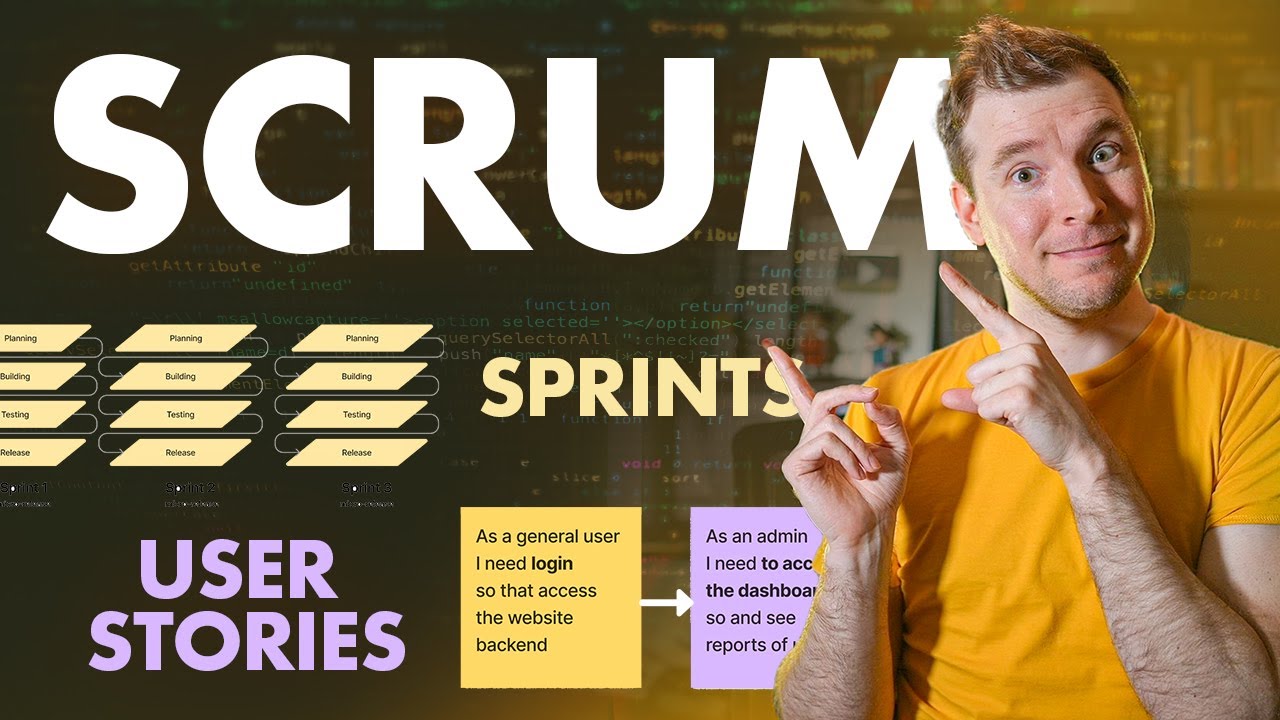
Sprint planning meetings define work for upcoming iterations. Teams collaborate to select user stories and estimate effort required.
Key Scrum components include:
- Product backlog management
- Sprint execution cycles
- Daily standup coordination
- Sprint reviews and demonstrations
- Retrospective meetings for improvement
Kanban Workflow Management

Kanban boards visualize work progression through different stages. Cards move from “To Do” through “In Progress” to “Done” columns.
Work-in-progress limits prevent team overload. Limiting concurrent tasks improves focus and reduces context switching.
Continuous flow replaces time-boxed iterations. Teams pull new work when capacity becomes available rather than waiting for sprint boundaries.
Extreme Programming Practices

Extreme programming emphasizes technical excellence through disciplined practices. XP focuses heavily on code quality and customer satisfaction.
Pair programming involves two developers working together on the same code. This practice improves code quality and spreads knowledge across the team.
Test-driven development requires writing tests before implementation code. Tests guide design decisions and ensure comprehensive coverage.
Spiral Model Implementation
The spiral model combines iterative development with systematic risk analysis. Each cycle includes planning, risk analysis, engineering, and evaluation phases.
Risk-driven development cycles address the highest-risk elements first. Teams prototype uncertain components before investing in full implementation.
Prototyping and evaluation phases validate assumptions early. Stakeholders review working prototypes and provide feedback before major development investments.
Large-Scale Project Applications
Enterprise projects benefit from spiral model’s structured approach. The methodology handles complex requirements and multiple stakeholder groups effectively.
Risk assessment activities identify potential problems before they impact delivery. Teams develop mitigation strategies during planning phases.
Quality gates between spiral cycles ensure standards are met. Projects don’t advance to the next cycle until current phase objectives are complete.
Rapid Application Development Approach
RAD methodology accelerates development through intensive user involvement and prototype iteration. The approach prioritizes speed and user satisfaction over extensive documentation.
Fast prototyping techniques allow quick validation of user interface designs. Teams build throwaway prototypes to test concepts before final implementation.
User involvement strategies include regular feedback sessions and iterative design reviews. Customer input shapes development direction throughout the project.
Tool-Assisted Development
Modern development tools support rapid iteration cycles. Low-code platforms and visual development environments speed up prototype creation.
Automated code generation reduces manual coding effort. Tools generate boilerplate code from visual models and specifications.
Component reuse accelerates development by building on existing functionality. Teams leverage libraries and frameworks rather than creating everything from scratch.
Planning and Managing Iterations
Effective iteration management balances predictability with flexibility. Teams need structure to coordinate work while maintaining ability to adapt to change.
Measurable progress tracking provides visibility into team performance and project health. Metrics guide decision-making and improvement efforts.
Iteration Length and Timing
Time-boxed iterations create predictable rhythms for development teams. Consistent cycle lengths help teams establish sustainable working patterns.
Most teams choose iteration lengths between one and four weeks. Shorter cycles provide faster feedback but require more overhead for planning and reviews.
Optimal Duration Factors
Team experience affects optimal iteration length. New teams benefit from shorter cycles that provide more frequent feedback and learning opportunities.
Project complexity influences timing decisions. Simple projects can use longer iterations, while complex systems need shorter cycles for risk management.
Customer availability impacts review scheduling. Iterations should align with stakeholder calendars to ensure effective feedback sessions.
Balancing Speed and Quality
Velocity tracking helps teams understand their sustainable pace. Historical data guides realistic commitments for future iterations.
Quality standards don’t change based on iteration length. Teams maintain consistent definition of done criteria regardless of cycle duration.
Technical debt management requires dedicated time in each iteration. Teams allocate capacity for refactoring and code quality improvements.
Feature Prioritization Strategies
Business value assessment drives feature selection for each iteration. Teams evaluate potential features based on customer impact and strategic importance.
User story mapping techniques help visualize feature relationships and dependencies. Teams understand how individual stories contribute to larger user workflows.
Value-Driven Prioritization
Story points provide relative sizing for development effort. Teams estimate complexity rather than absolute time requirements.
Customer feedback influences priority adjustments between iterations. Teams respond to user input by reordering the product backlog.
Epic planning breaks large features into manageable user stories. Teams deliver value incrementally rather than waiting for complete epic implementation.
Technical Dependency Management
Architecture decisions affect feature implementation order. Teams consider technical dependencies when selecting stories for iterations.
API integration requirements may dictate development sequencing. Backend services must be available before frontend features can be completed.
Database schema changes need careful coordination. Teams plan data migrations and backward compatibility during iteration planning.
Resource Allocation and Team Management
Cross-functional teams include all skills needed for feature completion. Teams avoid handoffs and coordination delays by having diverse expertise.
Workload distribution ensures no team member becomes a bottleneck. Software development roles are balanced across iterations.
Team Organization Principles
Collaborative development model encourages knowledge sharing and collective ownership. Multiple team members understand each component of the system.
Skill development happens through pairing and mentoring. Experienced developers help newer team members grow their capabilities.
Team capacity planning considers individual availability and skill levels. Teams account for vacation time, training, and other commitments when planning iterations.
Knowledge Management
Technical documentation updates happen within each iteration. Teams maintain current documentation as part of their definition of done.
Code reviews spread architectural knowledge across team members. Regular review sessions help maintain consistent coding standards.
Design document creation captures important architectural decisions. Teams document rationale for future reference and onboarding.
Progress Tracking and Metrics
Burndown charts visualize remaining work throughout iterations. Teams can identify potential delivery risks early and take corrective action.
Performance metrics track code quality, test coverage, and defect rates. These indicators help teams maintain high standards while developing quickly.
Key Performance Indicators
Velocity measurements help predict future iteration capacity. Teams track completed story points per iteration to improve estimation accuracy.
Quality metrics include defect density, test coverage, and customer satisfaction scores. These measurements guide process improvement efforts.
Cycle time tracking measures how long features take from start to completion. Teams use this data to identify process bottlenecks and improvement opportunities.
Continuous Improvement
Process refinement happens through regular retrospectives and data analysis. Teams adjust their practices based on empirical evidence rather than assumptions.
Stakeholder satisfaction surveys provide feedback on delivery quality and timing. Teams use this input to improve their collaboration and communication practices.
Iteration reviews evaluate both product and process outcomes. Teams celebrate successes and identify areas for improvement in future cycles.
Tools and Technologies for Iterative Development
Modern iterative development relies on specialized tools that support rapid cycles and team collaboration. The right toolchain can make or break an iterative project’s success.
Teams need integrated solutions that handle planning, development, testing, and deployment seamlessly. Tool selection impacts team productivity and project outcomes significantly.
Project Management Software
Issue tracking systems form the backbone of iterative project management. These platforms organize user stories, track progress, and manage team workload distribution.
Popular solutions include Jira, Azure DevOps, and Linear for comprehensive project oversight. Teams customize workflows to match their specific iterative processes.
Sprint planning tools help teams estimate effort and allocate resources effectively. Digital planning poker and story point estimation features streamline iteration planning sessions.
Collaboration Platforms
Team communication happens through integrated messaging and file sharing platforms. Slack, Microsoft Teams, and Discord keep distributed teams connected throughout iterations.
Real-time collaboration features enable simultaneous editing and instant feedback. Teams review documents, designs, and code changes without delays.
Notification systems keep everyone informed about important updates. Automated alerts notify team members when tasks are completed or blockers arise.
Progress Visualization
Kanban boards provide visual workflow management across development stages. Teams track work progression from backlog through completion with drag-and-drop interfaces.
Burndown charts display remaining work throughout iterations. Visual progress tracking helps teams identify potential delivery risks early.
Custom dashboards aggregate metrics from multiple tools. Project managers get comprehensive views of team performance and project health.
Version Control and Code Management
Git workflows support parallel development and safe code integration. Teams use branching strategies that enable simultaneous work on multiple features.
Source control management becomes critical when multiple developers modify the same codebase simultaneously. Proper branching prevents conflicts and enables rollbacks when needed.
Branch Management Strategies
Feature branches isolate development work until completion. Developers create separate branches for each user story or bug fix.
Code integration happens through pull requests and merge reviews. Teams validate changes before incorporating them into main development branches.
Release branches stabilize code for deployment while allowing continued development. Teams can fix bugs in release candidates without blocking new feature work.
Automated Workflows
Build automation tools compile code and run tests with every change. Build pipeline systems catch integration problems immediately.
Continuous integration triggers testing suites automatically. Teams get instant feedback about code quality and functionality.
App deployment automation reduces manual errors and speeds release cycles. Scripts handle environment configuration and application updates consistently.
Testing and Quality Assurance Tools
| Tool | Primary Testing Domain | Implementation Complexity | Core Capability Attributes |
|---|---|---|---|
Selenium | Web Browser Automation Cross-browser functional testing framework | High Complexity Requires programming knowledge | Multi-language support, WebDriver protocol, cross-platform execution, element locator strategies, parallel test execution |
JUnit | Java Unit Testing Method-level testing framework | Low Complexity Annotation-based simplicity | Assertion methods, test lifecycle management, parameterized testing, test suites organization, IDE integration |
TestNG | Java Testing Framework Advanced test configuration & execution | Medium Complexity XML configuration required | Test dependencies, parallel execution, data providers, flexible test configuration, detailed reporting |
Cypress | Modern E2E Testing JavaScript-based web application testing | Low Complexity Developer-friendly setup | Real-time browser preview, automatic waiting, time travel debugging, network traffic control, screenshot capture |
Postman | API Testing Platform REST/GraphQL API validation & monitoring | Low Complexity GUI-based interface | Request building, collection organization, environment variables, automated testing, API documentation generation |
Appium | Mobile Application Testing Cross-platform mobile automation | High Complexity Device configuration intensive | Native/hybrid app support, iOS/Android compatibility, WebDriver protocol, real device testing, cloud integration |
JMeter | Performance Load Testing Application performance & stress testing | Medium Complexity GUI & scripting options | Load simulation, protocol support, distributed testing, performance metrics, result visualization |
Cucumber | BDD Testing Framework Behavior-driven development automation | Medium Complexity Gherkin language learning curve | Gherkin syntax, step definitions, scenario outlines, feature collaboration, living documentation |
Playwright | Modern Web Automation Multi-browser E2E testing platform | Medium Complexity Modern API learning required | Cross-browser automation, auto-wait mechanisms, network interception, mobile testing, parallel execution |
Robot Framework | Keyword-Driven Testing Generic automation framework | Low Complexity Natural language syntax | Keyword-driven approach, library extensibility, tabular test data, comprehensive reporting, acceptance testing |
Automated testing frameworks enable rapid quality validation throughout iterations. Unit tests, integration tests, and end-to-end tests run without manual intervention.
Test coverage tools measure how much code is validated by automated tests. Teams maintain coverage targets to ensure adequate quality assurance.
Bug tracking systems integrate with development tools for seamless defect management. Issues discovered during testing get prioritized and assigned within the same workflow.
Continuous Testing Integration
Test execution happens with every code commit. Developers get immediate feedback about functionality and quality impacts.
Performance monitoring tools track system behavior under load. Teams identify bottlenecks before they affect user experience.
Security scanning tools analyze code for vulnerabilities automatically. Static analysis catches potential security issues during development rather than after deployment.
Quality Metrics Collection
Code quality measurements include complexity analysis, duplication detection, and maintainability scoring. Teams use these metrics to guide refactoring efforts.
Test result dashboards show pass rates, execution times, and failure trends. Quality teams track improvements over time and identify problematic areas.
Defect tracking provides insights into bug introduction patterns. Teams analyze when and where issues occur to improve prevention strategies.
Communication and Documentation Tools
Video conferencing platforms support distributed team collaboration. Daily standups, sprint reviews, and retrospectives happen virtually when teams work remotely.
Screen sharing capabilities enable real-time problem solving. Developers can demonstrate issues and collaborate on solutions immediately.
Knowledge Management
Documentation wikis maintain project knowledge and architectural decisions. Teams update information continuously rather than creating outdated documents.
API documentation tools generate current interface specifications from code annotations. Developers always have access to accurate integration information.
Design document repositories store architectural decisions and rationale. Teams reference past decisions when making future choices.
Team Communication
Instant messaging keeps teams connected throughout development cycles. Quick questions get answered without formal meeting overhead.
Asynchronous communication tools support global teams across time zones. Team members contribute to discussions when convenient rather than requiring simultaneous availability.
Status update automation reduces manual reporting overhead. Tools aggregate progress information and share updates automatically.
Real-World Applications and Use Cases
Iterative development succeeds across diverse project types and industries. Different application domains benefit from specific adaptations of iterative principles.
Market validation happens naturally through iterative releases. Teams test assumptions and adjust direction based on real user feedback.
Web Application Development
Frontend development benefits from rapid iteration cycles that incorporate user feedback quickly. Teams can adjust interfaces and user experiences based on actual usage patterns.
Modern front-end development frameworks support component-based architecture that aligns perfectly with iterative approaches. Developers build and test individual components before integrating them into larger features.
User Interface Evolution
UI/UX design iteration allows continuous refinement of user experiences. Designers create prototypes, gather feedback, and refine interfaces throughout development.
Responsive design testing happens across multiple devices and screen sizes. Teams validate functionality on different platforms during each iteration.
User feedback integration drives interface improvements. Teams collect usage analytics and user surveys to guide design decisions.
Backend Development Cycles
Back-end development iterations focus on API stability and performance optimization. Teams build robust server-side functionality through incremental improvements.
Database schema evolution requires careful planning across iterations. Teams manage data migrations and maintain backward compatibility during updates.
Performance optimization happens continuously rather than as a final phase. Teams monitor system performance and make improvements throughout development.
Mobile Application Development
Mobile application development iterations align with app store review cycles and user feedback patterns. Teams plan releases around platform-specific requirements and approval timelines.
Platform-specific considerations affect iteration planning. iOS development and Android development have different release processes and user expectations.
Platform-Specific Iterations
Native app development requires separate iteration tracks for different platforms. Teams coordinate feature parity while respecting platform conventions.
Cross-platform app development streamlines iteration management by sharing code across platforms. Teams develop features once and deploy to multiple operating systems.
App store optimization influences iteration planning and release timing. Teams consider review processes and marketing opportunities when scheduling releases.
User Feedback Integration
App store reviews provide direct user feedback about functionality and usability. Teams prioritize improvements based on user ratings and comments.
Beta testing programs enable early feedback on upcoming features. Teams validate changes with selected users before public releases.
Analytics integration tracks user behavior and feature adoption. Teams use usage data to guide future development priorities.
Enterprise Software Projects
Large-scale enterprise development benefits from iterative risk management and stakeholder communication. Complex system integration requires careful coordination across multiple teams and departments.
Legacy system compatibility affects iteration planning and technical decisions. Teams balance modernization goals with existing system constraints.
Multi-Team Coordination
Scaled agile frameworks coordinate multiple teams working on different system components. Teams maintain alignment while working independently on separate features.
API integration between teams requires careful interface design and versioning. Teams coordinate changes to avoid breaking dependencies.
Configuration management becomes complex with multiple teams and environments. Teams use automated tools to maintain consistency across development, testing, and production systems.
Stakeholder Management
Executive reporting requirements influence iteration planning and metrics collection. Teams provide regular updates on progress and key performance indicators.
Change management processes help organizations adapt to new software capabilities. Teams work with business stakeholders to ensure smooth transitions.
Compliance requirements affect development practices and documentation standards. Teams incorporate regulatory needs into their definition of done criteria.
Startup and Product Development
MVP development uses iterative principles to validate business concepts quickly. Startups build minimal functionality to test market assumptions before major investments.
Successful startups often pivot based on iteration feedback. Teams remain flexible and adapt their products based on user response and market conditions.
Market Validation Cycles
Customer development interviews provide qualitative feedback about product direction. Teams validate assumptions through direct user interaction.
A/B testing enables quantitative comparison of different approaches. Teams test variations and measure user behavior to guide decisions.
Competitive analysis influences feature prioritization and positioning. Teams monitor market changes and adjust their product strategy accordingly.
Scaling Strategies
Feature flags enable gradual feature rollouts and quick rollbacks. Teams can test new functionality with limited user groups before full deployment.
Progressive web apps bridge web and mobile experiences through iterative enhancement. Teams add native-like features progressively as user needs become clear.
Cloud-based app architecture supports rapid scaling and feature deployment. Teams can adjust resources and functionality based on user demand patterns.
Best Practices and Success Factors
Successful iterative development requires disciplined practices and committed teams. The software development best practices that work in traditional environments need adaptation for iterative contexts.
Team commitment to iterative principles determines project success more than tool selection or methodology choice.
Team Organization and Roles
Cross-functional teams eliminate handoffs and reduce coordination overhead. Each team should include developers, testers, designers, and domain experts working together daily.
The Product Owner serves as the single point of contact for business requirements and priority decisions. This role prevents conflicting directions and ensures consistent vision throughout iterations.
Scrum Master responsibilities include facilitating team processes and removing impediments. This person focuses on team effectiveness rather than technical implementation details.
Role Clarity and Accountability
Development team members share collective responsibility for iteration deliverables. Individual specialization exists within overall team accountability.
Software architect involvement ensures technical consistency across iterations. Architecture decisions get made early and communicated clearly to all team members.
Quality assurance integrates throughout development rather than happening at the end. Testers work alongside developers to prevent defects rather than just finding them.
Team Size and Structure
Small teams (5-9 people) communicate more effectively than large groups. Bigger projects use multiple small teams rather than single large teams.
Team stability improves performance over time. Frequent membership changes disrupt established working relationships and slow progress.
Remote team coordination requires additional communication practices. Distributed teams need more structured interaction and documentation than co-located groups.
Communication and Collaboration
Daily standup meetings keep everyone aligned on progress and obstacles. These brief sessions focus on coordination rather than detailed problem-solving.
Sprint reviews demonstrate working software to stakeholders. Live demonstrations reveal usability issues that written specifications miss.
Retrospective practices drive continuous improvement through regular reflection. Teams identify specific actions to improve their effectiveness.
Information Sharing
Transparent communication builds trust between team members and stakeholders. Teams share both successes and problems openly.
Decision documentation captures the rationale behind important choices. Future team members understand why specific approaches were selected.
Knowledge transfer happens continuously through pairing and code reviews. Teams avoid single points of failure by spreading expertise.
Stakeholder Engagement
Regular stakeholder involvement prevents late-stage surprises. Business representatives participate in planning and review sessions actively.
User feedback collection happens throughout development rather than just at the end. Teams validate assumptions with real users frequently.
Customer demonstrations occur every iteration regardless of feature completeness. Partial functionality provides valuable feedback opportunities.
Technical Practices
Code quality standards apply consistently across all iterations. Teams don’t compromise quality for speed when proper practices are established.
Automated testing provides confidence for frequent changes. Test coverage requirements ensure adequate validation of new functionality.
Refactoring schedules prevent technical debt accumulation. Teams allocate time for code improvement in every iteration.
Development Standards
Coding conventions ensure consistency across team members and iterations. Standardized approaches reduce cognitive overhead and improve maintainability.
Code review processes catch issues before they reach production. Peer reviews also spread knowledge and improve team skills.
Version control practices support concurrent development. Teams use branching strategies appropriate for their release cadence.
Quality Assurance Integration
Continuous testing validates functionality with every code change. Automated test suites run quickly and provide immediate feedback.
Performance monitoring tracks system behavior throughout development. Teams identify bottlenecks early rather than discovering them during stress testing.
Defect tracking integrates with development workflows. Issues get prioritized and resolved within iteration boundaries.
Measurement and Improvement
Velocity tracking helps teams understand their sustainable pace. Historical data guides realistic commitments for future iterations.
Burndown charts visualize progress and identify potential delivery risks. Teams adjust scope or resources when charts indicate problems.
Quality metrics include defect rates, test coverage, and customer satisfaction. These measurements guide process improvement decisions.
Performance Indicators
Story points provide relative sizing for development effort. Teams improve estimation accuracy through historical comparison.
Cycle time measurements track how long features take from start to completion. Teams use this data to identify process bottlenecks.
Customer satisfaction scores validate that technical delivery translates to business value. User feedback guides future prioritization decisions.
Continuous Learning
Process adaptation happens based on empirical evidence rather than assumptions. Teams experiment with improvements and measure results.
Training and skill development occur continuously rather than through separate programs. Teams learn new techniques through daily practice.
Best practice sharing spreads successful approaches across teams and projects. Organizations build institutional knowledge through systematic documentation.
When to Use Iterative Development
Iterative development works best in specific contexts and project conditions. Understanding when to apply iterative approaches prevents unsuccessful implementations.
Project characteristics matter more than team preferences when selecting development methodologies.
Project Characteristics That Favor Iteration
Uncertain requirements make iterative development almost mandatory. Projects with evolving needs benefit from adaptive approaches that embrace change.
Complex problem domains require learning through building. Teams understand requirements better as they create working solutions.
User feedback dependency drives iterative success. Projects that need customer validation should deliver working software frequently.
Requirement Volatility
Changing business conditions affect project requirements throughout development. Iterative approaches handle scope changes better than fixed-plan methodologies.
New technology adoption creates uncertainty about implementation approaches. Teams learn optimal techniques through experimentation and iteration.
Market validation needs require early and frequent releases. Startups and new products especially benefit from rapid feedback cycles.
Technical Complexity
Integration challenges surface through working prototypes rather than theoretical analysis. Complex systems need incremental integration to manage risk.
Performance requirements often become clear only through testing with real data. Iterative development allows optimization based on actual usage patterns.
Scalability concerns get validated through gradual system growth. Teams identify bottlenecks and architect solutions based on empirical evidence.
Team and Organizational Readiness
Team experience with iterative practices affects success probability. Organizations need training and coaching when transitioning from traditional approaches.
Stakeholder availability for regular feedback sessions is required. Business representatives must participate actively throughout development.
Cultural acceptance of change and experimentation supports iterative success. Risk-averse organizations struggle with iterative uncertainty.
Organizational Support
Management commitment to iterative principles prevents reversion to traditional practices under pressure. Leadership must support adaptive planning approaches.
Resource flexibility allows teams to adjust scope and priorities between iterations. Fixed resource constraints limit iterative benefits.
Customer collaboration willingness affects feedback quality and project direction. Engaged customers provide better guidance than passive stakeholders.
Team Capabilities
Self-organizing teams perform better in iterative environments. Teams need autonomy to make daily decisions without constant management oversight.
Cross-functional skills reduce dependencies and coordination overhead. Teams should include all capabilities needed for feature completion.
Communication skills become more important in iterative settings. Teams coordinate constantly rather than working in isolation.
Technical Environment Considerations
Technology maturity affects iterative risk levels. Cutting-edge technologies require more experimentation and learning cycles.
System architecture must support incremental development and frequent integration. Monolithic designs resist iterative approaches.
Deployment capabilities need automation for frequent releases. Manual deployment processes become bottlenecks in iterative environments.
Infrastructure Requirements
Development environment consistency prevents integration problems. Teams need reliable toolchains that support rapid development cycles.
Testing infrastructure must handle frequent validation cycles. Automated testing becomes essential rather than optional.
Monitoring capabilities provide feedback about system behavior in production. Teams need visibility into real usage patterns and performance metrics.
Integration Complexity
External system dependencies can limit iteration flexibility. Teams need strategies for handling interfaces that change infrequently.
Data migration requirements affect iteration planning and scope. Complex data transformations may require longer iteration cycles.
Security and compliance considerations influence iteration practices. Regulated industries need additional validation steps that may extend cycle times.
Project Scale and Duration
Short-term projects (under six months) benefit significantly from iterative approaches. Quick feedback cycles provide more value in shorter timeframes.
Large-scale systems require iterative approaches to manage complexity and risk. Monolithic development becomes impractical beyond certain sizes.
Maintenance projects use iterative principles for continuous improvement. Regular enhancement cycles keep systems current and useful.
Resource Considerations
Budget flexibility supports iterative scope adjustments. Fixed-price contracts resist the changes that make iterative development valuable.
Timeline constraints may limit iteration benefits. Extremely tight deadlines prevent proper planning and review cycles.
Skill availability affects team composition and iteration capability. Specialized skills may create bottlenecks that limit iterative effectiveness.
FAQ on Iterative Software Development
How does iterative development differ from waterfall?
Waterfall follows sequential phases: requirements, design, coding, testing, deployment. Iterative development repeats all phases in short cycles. Teams adapt to changing requirements instead of following rigid plans. User feedback shapes each iteration rather than waiting until project completion.
What are the main benefits of iterative development?
Risk reduction through early problem detection. Stakeholder communication improves with regular demonstrations. Flexibility allows teams to respond to market changes. Quality improvements happen through continuous testing and code reviews. Teams deliver value incrementally rather than waiting months.
Which methodologies use iterative approaches?
Agile methodology, Scrum framework, Kanban workflow, and Extreme Programming all use iterative principles. Spiral model combines iteration with risk analysis. Rapid Application Development focuses on quick prototyping cycles. Each framework adapts iterative concepts to specific project needs.
How long should iterations be?
Most teams use time-boxed iterations lasting 1-4 weeks. Sprint planning determines optimal length based on project complexity and team experience. Shorter cycles provide faster feedback but require more planning overhead. Longer iterations allow deeper feature development but delay user validation.
What roles are needed in iterative teams?
Cross-functional teams include developers, testers, and designers. Product Owner manages requirements and priorities. Scrum Master facilitates processes and removes obstacles. QA engineers ensure quality throughout development. Teams work collaboratively rather than in isolated departments.
What tools support iterative development?
Project management platforms like Jira track user stories and sprint backlogs. Version control systems manage code changes. Automated testing frameworks validate functionality continuously. Kanban boards visualize workflow. Burndown charts show progress against iteration goals.
When should you avoid iterative development?
Fixed-scope projects with stable requirements may not benefit. Highly regulated environments requiring extensive documentation upfront. Teams lacking stakeholder availability for regular feedback. Organizations resistant to change or requiring predictable timelines. Technical constraints preventing frequent integration.
How do you measure iterative success?
Velocity tracking measures completed story points per iteration. Burndown charts show remaining work. Customer satisfaction scores validate delivered value. Defect rates indicate quality trends. Team retrospectives capture process improvements and lessons learned.
What are common iterative development mistakes?
Scope creep during active sprints. Technical debt accumulation from rushed delivery. Inadequate automated testing leading to quality issues. Poor stakeholder communication causing misaligned expectations. Process abandonment under pressure reverting to traditional approaches.
Conclusion
Understanding what is iterative software development gives teams a powerful framework for building better software faster. This cyclical programming approach transforms how organizations deliver value by embracing change rather than resisting it.
Progressive coding techniques and continuous improvement cycles create sustainable development practices. Teams using collaborative development models consistently outperform those stuck in traditional approaches. The evidence is clear across industries and project sizes.
Measurable progress tracking and systematic code evolution provide transparency that stakeholders demand. Learning-based methodology helps teams adapt to market changes while maintaining quality standards through automated testing and regular retrospective meetings.
Success depends on team commitment and process discipline. Organizations that invest in proper sprint planning, velocity tracking, and stakeholder engagement see dramatic improvements in delivery speed and software quality.
The question isn’t whether to adopt iterative practices, but how quickly you can implement them effectively.
- Top Mobile App Development Tools to Try - January 12, 2026
- How Product Teams Build Credit Education Into Apps - January 12, 2026
- How to Delete a Project in PyCharm Easily - January 11, 2026