

Every time a mobile app loads a user profile with their recent orders and notifications, something has to fetch that data. With REST, that might mean three separate API calls. With GraphQL, it is one.
So what is a GraphQL API, and why have companies like GitHub, Shopify, and Netflix made it a core part of their infrastructure?
This article breaks down how GraphQL works as a query language and server runtime, how it compares to REST, and what the schema and type system actually do. You will also learn about resolvers, the N+1 performance problem, security practices, and when GraphQL is (and is not) the right fit for your project.
What Is a GraphQL API

A GraphQL API is a query language and server-side runtime that lets clients request exactly the data they need from an API endpoint. Nothing more, nothing less.
Facebook built it internally in 2012 to fix problems with their mobile app’s data fetching. The REST endpoints they were using returned too much data for mobile screens, and sometimes not enough. So the engineering team created a new approach where the client, not the server, decides the shape of the response.
GraphQL was open-sourced in 2015 and transferred to the GraphQL Foundation (under the Linux Foundation) in 2018. Since then, adoption has accelerated fast. Gartner predicted that by 2025, over 50% of enterprises would run GraphQL in production, up from less than 10% in 2021.
The core idea is simple. You define a strongly typed schema on the server. That schema acts as a contract between the client and the back-end development layer. Then the client writes a query specifying the fields it wants, sends it to a single endpoint (usually /graphql), and gets back JSON shaped exactly like the query.
Compare this to a typical RESTful API, where you might hit /users/123, then /users/123/orders, then /users/123/profile, three round trips just to populate one screen.
GraphQL collapses that into one request. One round trip. One response payload containing only the fields the client asked for.
That is the reason companies like GitHub, Shopify, and Netflix run it in production. About 70% of organizations now include GraphQL somewhere in their technology stack, according to industry data from 2024.
How GraphQL Differs from REST
Most developers learn REST first. So the fastest way to understand GraphQL is to see where the two split.
REST maps each resource to a URL. You get a user at /users/1, their posts at /users/1/posts, their comments at /posts/5/comments. Each URL returns a fixed structure. GraphQL uses one endpoint for everything, and the query body controls what comes back.
| Aspect | REST | GraphQL |
|---|---|---|
| Endpoints | Multiple (one per resource) | Single (/graphql) |
| Data shape | Server decides | Client decides |
| Versioning | URL-based (/v1/, /v2/) | Schema evolution, no versioning |
| Over-fetching | Common | Eliminated by design |
| HTTP caching | Built-in (GET + CDN) | Requires custom solutions |
That table covers the structural differences. But the practical gap shows up in two specific problems.
Over-fetching and Under-fetching
Over-fetching happens when a REST endpoint returns more data than the client needs. Your mobile app only wants a user’s name and avatar, but the /users endpoint dumps back email, phone number, signup date, payment history, and 30 other fields.
Wasted bandwidth. Wasted parsing time on the device.
Under-fetching is the opposite. The endpoint does not return enough, so you make additional calls. Need a user plus their recent orders plus a shipping address? That could be three requests, each with its own latency.
A study by Seabra, Nazario, and Pinto found that apps migrating from REST to GraphQL saw 66% better performance, largely because they eliminated these redundant network calls. Facebook’s internal reporting showed 67% less bandwidth usage for typical mobile queries after the switch.
GraphQL fixes both problems in one shot. You write a query that grabs everything you need in a single request, and nothing you don’t.
When REST Still Makes More Sense
REST is not going anywhere. It still powers 83% of public web services based on recent developer surveys.
Simple CRUD applications with predictable data needs rarely benefit from GraphQL’s flexibility. If you are building a basic web app where each screen maps cleanly to one resource, REST is less overhead to implement and maintain.
Caching is the other big factor. REST responses at specific URLs work naturally with HTTP caching, CDNs, and reverse proxies. GraphQL sends POST requests to one URL with variable query bodies, so standard HTTP caching does not apply. You end up needing tools like Apollo Client or custom cache layers.
File uploads and binary data handling are also simpler with REST. GraphQL can do it, but it is clunky compared to a straightforward multipart POST.
For a deeper look at where each fits in a project, see this comparison of REST API or GraphQL.
The GraphQL Schema and Type System

The schema is the thing that makes GraphQL predictable. Everything your API can do is defined there before a single query runs.
You write the schema using the Schema Definition Language (SDL). It looks like this:
“ type User { id: ID! name: String! email: String orders: [Order!]! }
type Order { id: ID! total: Float! items: [Item!]! } `
That exclamation mark (!) means the field is non-null. The brackets mean it returns a list. Every field has a specific type, and the server enforces it.
Built-in and Custom Types
GraphQL ships with five scalar types: String, Int, Float, Boolean, and ID. Beyond those, you define object types (like User above), enums, interfaces, unions, and input types.
Interfaces let multiple types share common fields. If you have a Character interface with a name field, both Human and Droid types can implement it. Union types are similar but without shared fields, useful when a search might return completely different object types.
Stack Overflow’s 2024 data indicates that 70% of developers reported fewer bugs when working with strongly typed API schemas, largely because type safety catches mismatches at query time rather than at runtime.
The Schema as Contract and Self-Documentation
Here is the part that took me a while to appreciate. The schema is not just a definition file. It is a live, queryable contract.
GraphQL supports introspection. That means a client can ask the API itself what types exist, what fields those types have, and what arguments each field accepts. Tools like GraphiQL and Apollo Studio use this to generate interactive documentation automatically.
No more outdated Swagger files that nobody remembers to update. The technical documentation is the API. If you change the schema, the documentation changes with it.
GitHub found that introspection-based exploration tools improved developer productivity during debugging sessions. When onboarding new team members, having the schema available as a self-describing reference point significantly cuts ramp-up time.
Queries, Mutations, and Subscriptions
GraphQL has three operation types. Each serves a different purpose, but they all go through the same endpoint and follow the same type system.
Queries for Reading Data

Queries fetch data. They are the most common operation and the one that grabs people’s attention first.
` query { user(id: "123") { name email orders(last: 5) { id total } } } `
That single query returns a user’s name, email, and their five most recent orders. With a REST setup, this might take two or three separate HTTP calls.
Nested field selection is where the real power sits. You follow relationships as deep as you need. User has orders, orders have items, items have reviews. One query, one response.
Variables make queries reusable. Instead of hardcoding “123”, you pass $userId as a variable, and your client code stays clean.
Mutations for Writing Data
Mutations handle creates, updates, and deletes. The syntax is almost identical to queries, but you prefix it with mutation.
` mutation { createOrder(input: { userId: "123" items: [{productId: "A1", quantity: 2}] }) { id total status } } `
Notice you can request fields on the response. After creating an order, the server returns the new order’s ID, total, and status in the same round trip. No need for a follow-up GET request to confirm what was created.
This is one of those things that speeds up the software development process once teams get used to it. Frontend developers can iterate on screens without waiting for the backend to build new endpoints for each view.
Subscriptions for Real-Time Data
Subscriptions let clients receive data when something changes on the server. They typically run over WebSockets instead of HTTP.
` subscription { orderStatusChanged(orderId: "456") { status updatedAt } } `
The client holds a connection open and gets pushed updates whenever the order status changes. Chat apps, live dashboards, collaborative editing tools, they all lean on this.
A 2024 survey found that over 60% of developers building with GraphQL prioritize real-time interactions for their user experiences. Applications using real-time features reported a 30% increase in user engagement.
How a GraphQL Server Resolves Data

Sending a query is only half the story. On the server side, something has to actually fetch the data for each field in that query. That something is a resolver.
Resolver Functions and the Execution Engine
A resolver is a function attached to a specific field in the schema. When a client sends a query, the GraphQL execution engine walks the query tree and calls the resolver for each requested field.
Say the client queries user(id: “123”) { name, orders { total } }. The engine first calls the resolver for user, which might pull from a PostgreSQL database. Then, for each orders field on that user, it calls the orders resolver, which might hit a different service entirely.
Resolvers are data-source agnostic. One resolver can talk to a SQL database. Another can call a REST API. A third can read from a Redis cache or a gRPC microservice. The client never knows or cares where the data actually lives.
This flexibility is why companies like Netflix run over 600 production services behind their GraphQL layer. The query language sits in front, and resolvers connect to whatever backend systems exist.
Server Implementations and Frameworks
The reference implementation is graphql-js for Node.js, built by the original team at Facebook. But the ecosystem now spans nearly every language used in software development.
Apollo Server is the most widely adopted GraphQL server in the JavaScript ecosystem. It handles schema definition, resolver mapping, and comes with built-in support for things like caching and error handling.
GraphQL Yoga from The Guild is a lighter alternative, and it has been gaining traction for teams that want less abstraction.
Hasura and PostGraphile take a different path. They auto-generate a GraphQL API directly from your database schema. You point them at a PostgreSQL database and get a working API in minutes, no resolvers to write by hand.
Netflix built the DGS Framework for Java with Spring Boot, which they use internally for their production GraphQL services. And in Python, Graphene is the most common library.
Choosing a framework depends on your team’s language, your tech stack for web app decisions, and how much control you want over the resolver layer versus auto-generation.
Common Tools and Libraries for GraphQL
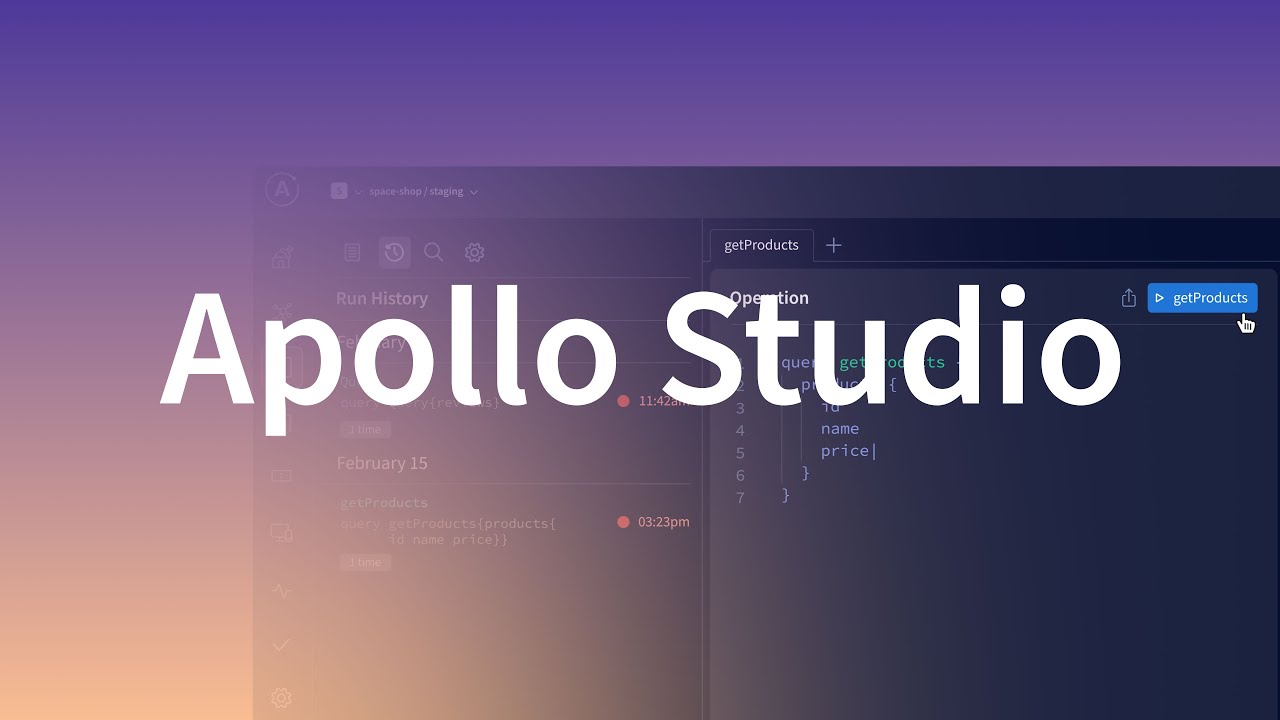
The tooling ecosystem around GraphQL is one of its biggest strengths. It has matured considerably since 2015, and Apollo’s survey data shows nearly 90% of organizations using GraphQL say it meets or exceeds their expectations.
Client Libraries
Apollo Client: The dominant choice for JavaScript and TypeScript projects. Handles caching, state management, and integrates tightly with React, Vue, and Angular. Most teams doing front-end development with GraphQL start here.
Relay: Facebook’s own GraphQL client, purpose-built for React. It is more opinionated than Apollo, enforces stricter patterns like node IDs and cursor-based pagination. Faster at scale if you follow its rules, but steeper learning curve.
urql: A lightweight alternative to Apollo Client. Smaller bundle size, simpler API. Good for smaller projects where Apollo’s full feature set is overkill.
Development and Testing Tools
Writing and debugging GraphQL queries would be painful without proper tooling. These are the ones that matter.
- GraphiQL – The original in-browser IDE for writing queries. Uses introspection to show you available fields, types, and documentation in real time
- Apollo Studio – A cloud-based platform for monitoring, schema management, and query tracing in production
- GraphQL Code Generator – Generates TypeScript types, hooks, and SDK code directly from your schema. If you are working with React with TypeScript, this is close to mandatory
GraphQL in Different Programming Languages
GraphQL is not a JavaScript-only technology. The specification is language-agnostic, and implementations exist for most popular languages used across the software development process.
| Language | Library | Notes |
|---|---|---|
| JavaScript/Node.js | graphql-js, Apollo Server | Reference implementation, largest ecosystem |
| Python | Graphene, Strawberry | Graphene is mature, Strawberry uses type hints |
| Java | graphql-java, Netflix DGS | DGS built for Spring Boot at scale |
| Go | gqlgen | Code-first, generates Go structs from schema |
| Ruby | graphql-ruby | Used by Shopify and GitHub |
Shopify’s Storefront API runs on graphql-ruby. GitHub’s v4 API runs on it too. These are not hobby projects. They handle millions of requests per day from external developers.
The point is, your tech stack for web development does not need to be JavaScript for GraphQL to work. Pick the language your team already knows. There is probably a solid GraphQL library for it.
Performance Considerations and the N+1 Problem

GraphQL gives clients the freedom to request nested data in a single query. That flexibility has a cost if you are not careful on the server side.
The most common performance trap is called the N+1 problem.
What the N+1 Problem Looks Like
Say you query a list of 20 blog posts, each with its author’s name. The server runs one query to fetch 20 posts. Then it runs a separate query per post to get each author. That is 1 + 20 = 21 database queries for what should be two.
With REST, the cost per endpoint is predictable. One trip, one response. With GraphQL, neither the client nor the server can predict how expensive a request will be until it executes, according to Shopify’s engineering team.
At Shopify, where thousands of merchants hit the Storefront API daily, the N+1 problem was serious enough to build a custom solution around it.
Solving It with DataLoader and Batching
Facebook’s original fix was DataLoader, a utility that batches multiple resolver calls within the same request into a single database query.
Without DataLoader, 20 posts with authors means 21 queries. With it, that drops to 2. One for posts, one for all the authors in a single batch.
Benchmarks from freeCodeCamp showed the DataLoader strategy is roughly 6.4 times faster than the naive N+1 approach in a GraphQL API.
WunderGraph took this further. Their breadth-first loading algorithm improved performance by up to 5x compared to the standard DataLoader pattern, especially with deeply nested queries and large lists.
Other Performance Controls
Query depth limiting: Set a maximum nesting level to stop clients from requesting 10 levels deep.
Query cost analysis: Assign a computational cost to each field and reject queries that exceed a budget. Shopify uses a “calculated query cost” limit for its public API.
Persisted queries: Store pre-approved queries on the server with a unique ID. The client sends the ID instead of the full query text, reducing payload size and preventing arbitrary query abuse.
The GraphQL specification itself recommends field pagination, depth limiting, and API rate limiting as standard demand control mechanisms.
Authentication, Authorization, and Security
GraphQL’s single endpoint model changes how you think about access control. You cannot just lock down individual URLs the way you would with REST.
Authentication at the Transport Layer
Authentication in GraphQL almost always happens before the query runs. The client sends credentials (usually a JWT or OAuth token) in the HTTP header. Middleware validates the token and attaches user information to the request context.
Apollo’s security guide recommends token-based authentication with JWTs as the default approach. The token gets verified once, and resolver functions receive the authenticated user through the context object.
This is the same pattern you would use in any API integration, just applied to a single endpoint instead of many.
Authorization in the Resolver Layer
Authentication asks “who are you?” Authorization asks “what are you allowed to do?”
The official GraphQL documentation recommends keeping authorization logic in the business logic layer, not in the resolvers themselves. Resolvers call into your domain code, and that code checks permissions.
| Approach | Where It Lives | Best For |
|---|---|---|
| Resolver-level checks | Inside each resolver function | Prototypes, simple APIs |
| Directive-based (@auth) | Schema definition | Declarative role-based access |
| Business logic layer | Separate service/module | Production systems at scale |
The business logic approach avoids duplicating permission checks across resolvers. If you check “user owns this post” in the resolver for the body field and again for the comments field, things get out of sync fast.
GraphQL-Specific Security Threats
A 2024 HackerOne report showed how an exposed introspection query let a researcher map an entire API schema, create a user account, and escalate to admin privileges. All because introspection was left enabled in production.
About 43.2% of developers have now disabled query introspection in production environments, according to the GraphQL Report 2024.
Other GraphQL-specific attack vectors to handle:
- Deeply nested queries that overload the server (denial of service)
- Batching attacks where multiple mutations run in one request
- Schema leakage through overly detailed error messages
The official GraphQL security guidance recommends trusted documents (pre-approved query allowlists), depth and breadth limiting, and input validation as layered defenses. Standard mobile app security best practices around encryption and transport security still apply too.
When to Use a GraphQL API

GraphQL is not the right choice for every project. Knowing when it fits, and when it does not, saves weeks of rework.
Strong Fit
Mobile apps needing minimal payloads. Facebook built GraphQL specifically for this. Mobile devices on slow networks benefit from requesting only the fields they need. Airbnb reported reducing network data volume by 40% after migrating to GraphQL for their mobile applications.
Frontend teams wanting independence. When the schema is defined, frontend developers can query any combination of fields without waiting for new endpoints. Apollo’s 2024 survey found 63% of development teams shipped features faster after adopting GraphQL.
Aggregating multiple backend services. If your app pulls data from a user service, an orders service, and a notification service, a GraphQL layer can unify them behind one query. Netflix runs this pattern across over 600 production services using their DGS framework and a microservices architecture.
Weak Fit
Simple CRUD applications with one or two consumers do not need GraphQL’s flexibility. The added schema management and tooling overhead is not worth it for a basic internal tool.
Heavy file handling is another mismatch. Binary uploads through GraphQL require workarounds. A plain REST POST is simpler and better supported.
Teams without schema governance experience can also struggle. GraphQL schemas grow fast, and without clear ownership, they become messy. The 2024 GraphQL Report listed “evolving schemas” as one of the top challenges developers face.
The Hybrid Approach
Most large companies do not pick one or the other. They use both.
Shopify runs GraphQL for complex product queries and their storefront, but keeps REST for payment processing. GitHub offers a GraphQL API (v4) alongside their REST API (v3). The pattern is common: GraphQL for client-facing flexibility, REST for high-frequency internal operations.
This hybrid model reflects a mature software development plan where each API style is matched to the problem it solves best.
Getting Started with a GraphQL API

The fastest path from zero to a working GraphQL API depends on whether you want to build one or just consume one.
Practice with a Public GraphQL API First
Before building anything, spend time writing queries against a real API. GitHub’s GraphQL API is the best starting point. It is well-documented, publicly accessible with a free personal access token, and covers a wide range of query patterns.
Open GitHub’s GraphQL Explorer, paste a query like this, and run it:
` query { viewer { login repositories(first: 5) { nodes { name stargazerCount } } } } `
That returns your username and your five most recent repositories. Took me about 30 seconds the first time. You will learn more about field selection, nesting, and arguments from 10 minutes of hands-on queries than an hour of reading docs.
Build Your First Server
The quickest server setup is Apollo Server with Node.js. You will need three things:
- A schema (your type definitions in SDL)
- Resolvers (functions that return data for each field)
- The server itself (a few lines of setup code)
With Apollo Server v4 and Express, you can have a working endpoint in under 20 minutes. Define a type, write a resolver, start the server. The web development IDE you already use probably has GraphQL syntax support built in or available as a plugin.
If you are not using JavaScript, the path is similar in other languages. Python has Graphene, Java has graphql-java and Netflix DGS, Go has gqlgen. The concepts are identical; only the syntax changes.
Recommended Learning Sequence
| Step | Focus | Time Estimate |
|---|---|---|
| 1 | Write queries against GitHub’s API | 1–2 hours |
| 2 | Learn SDL and schema design | Half a day |
| 3 | Build a basic server with queries | 1 day |
| 4 | Add mutations and input types | Half a day |
| 5 | Connect to a real database | 1 day |
| 6 | Add subscriptions and real-time data | 1 day |
Start with the schema. Always. If you understand the type system and how queries map to it, everything else falls into place.
The official graphql.org site has a full specification and learning resources. For framework-specific guides, Apollo’s documentation is the most comprehensive for JavaScript. And for broader context on how GraphQL fits into your tech stack, exploring real production implementations from GitHub and Shopify teaches more than any tutorial.
FAQ on What Is a GraphQL API
What is a GraphQL API in simple terms?
A GraphQL API is a query language and server runtime that lets clients request exactly the data they need from a single endpoint. Facebook created it in 2012 to fix data fetching problems in their mobile app.
How is GraphQL different from REST?
REST uses multiple endpoints with fixed responses. GraphQL uses one endpoint where the client controls the response shape. This eliminates over-fetching and under-fetching, two common issues with REST APIs.
What is a GraphQL schema?
A schema is a strongly typed definition of every type, field, and relationship your API supports. Written in Schema Definition Language (SDL), it acts as a contract between the client and server. It is also self-documenting through introspection.
What are queries, mutations, and subscriptions in GraphQL?
Queries read data. Mutations create, update, or delete data. Subscriptions push real-time updates to clients over WebSockets. All three operations go through the same endpoint and follow the same type system.
What is a resolver in GraphQL?
A resolver is a function that fetches data for a specific field in the schema. Resolvers can pull from databases, REST APIs, microservices, or any data source. The client never knows where the data comes from.
What is the N+1 problem in GraphQL?
The N+1 problem occurs when nested queries trigger a separate database call for each item in a list. DataLoader solves this by batching those calls into a single query, reducing database load significantly.
Is GraphQL secure?
GraphQL is as secure as your implementation. Authentication typically uses JWTs or OAuth tokens at the transport layer. You also need query depth limiting, cost analysis, and disabled introspection in production to prevent abuse.
Which companies use GraphQL in production?
GitHub, Shopify, Netflix, Airbnb, and Meta all run GraphQL at scale. GitHub’s public API v4 is entirely GraphQL. Shopify built its Storefront API on it. Netflix uses the DGS framework across hundreds of services.
When should you not use GraphQL?
Skip GraphQL for simple CRUD apps, heavy file uploads, or projects where your team lacks schema management experience. If your API has one or two consumers with predictable data needs, REST is less overhead.
How do you get started with GraphQL?
Start by writing queries against GitHub’s public GraphQL API using their Explorer tool. Then build a basic server with Apollo Server and Node.js. Learn the schema first, then queries, then mutations and subscriptions.
Conclusion
Understanding what is a GraphQL API comes down to one shift: the client decides what data it gets, not the server. That single idea changes how you design endpoints, structure your data layer, and coordinate between frontend and backend teams.
The strongly typed schema keeps everything predictable. Resolvers connect to any data source. And tools like Apollo Client, DataLoader, and GraphiQL make the developer experience smoother than it was even two years ago.
GraphQL is not a replacement for REST. It is a different tool for different problems. Mobile apps with complex data needs, projects aggregating multiple backend services, teams practicing iterative development on fast-moving products, those are where it fits.
If you are starting fresh, write a few queries against GitHub’s public API. Build a small server. Get comfortable with SDL and the type system before committing your production codebase to it.

- What Is the Google Play Integrity API? - August 30, 2026
- C++ Cheat Sheet - August 28, 2026
- How to Connect to a GitHub Repository From VS Code - August 26, 2026


