

Then someone finds a way to extract user credentials through an unencrypted API call. Now you’re dealing with breach notifications, lawsuits, and a tanked reputation.
Mobile app security isn’t optional anymore. With over 6.6 billion smartphone users worldwide, attackers have more targets than ever. They’re exploiting authentication vulnerabilities, bypassing data encryption, and reverse-engineering apps to steal everything from payment information to personal photos.
This guide covers practical security measures you can implement today. You’ll learn how to protect user data through proper secure coding practices, implement penetration testing protocols, and build apps that follow OWASP Mobile Security Project standards. We’ll walk through encryption methods, authentication protocols, and the security testing frameworks that actually catch vulnerabilities before launch.
No theoretical nonsense. Just techniques that work across iOS development, Android development, and cross-platform app development projects.
Mobile App Security Best Practices
| Security Practice | Implementation Complexity | Security Impact | Priority Level |
|---|---|---|---|
| Authentication & Authorization | |||
| Secure authentication (multi-factor when possible) | Medium | Critical | Essential |
| Biometric authentication where appropriate | Low-Medium | High | Recommended |
| Proper session management | Medium | Critical | Essential |
| Data Protection | |||
| Encrypt data at rest and in transit | Low-Medium | Critical | Essential |
| Store sensitive data securely (use Keychain/Keystore) | Low | Critical | Essential |
| Never hardcode API keys or secrets | Low | Critical | Essential |
| Secure data deletion | Low | Medium | Recommended |
| Use secure backup mechanisms | Medium | Medium | Recommended |
| Network Security | |||
| Use HTTPS for all network communications | Low | Critical | Essential |
| Implement certificate pinning | Medium | High | Recommended |
| Use app transport security (ATS) | Low | High | Recommended |
| Implement rate limiting and throttling | Medium | High | Recommended |
| Input & Output Security | |||
| Validate all user inputs | Low | Critical | Essential |
| Proper error handling (don’t leak sensitive info) | Low | High | Essential |
| Proper logging (without sensitive data) | Low | Medium | Recommended |
| Proper crash reporting (sanitize data) | Low-Medium | Medium | Recommended |
| Code Protection | |||
| Use secure coding practices (OWASP Mobile Top 10) | Medium | Critical | Essential |
| Enable code obfuscation | Low-Medium | High | Recommended |
| Enable binary protection | Medium | High | Recommended |
| Implement anti-tampering measures | Medium-High | High | Advanced |
| Use runtime application self-protection (RASP) | High | High | Advanced |
| Environment & Platform Security | |||
| Implement jailbreak/root detection | Low-Medium | High | Recommended |
| Keep minimum OS version requirements current | Low | High | Recommended |
| Use secure WebView configurations | Low | High | Recommended |
| Use secure deep linking practices | Low-Medium | Medium | Recommended |
| Implement secure inter-process communication | Medium | High | Recommended |
| General Security Practices | |||
| Use secure random number generators | Low | Critical | Essential |
| Keep third-party libraries updated | Low | Critical | Essential |
| Apply principle of least privilege | Low | High | Recommended |
| Perform regular security audits and penetration testing | High | Critical | Essential |
Use Secure Authentication (Multi-Factor When Possible)

Strong authentication mechanisms verify user identity before granting access to sensitive app features. MFA requires users to provide two or more verification factors, significantly reducing unauthorized access risks.
Security Risk Addressed
Weak authentication enables credential theft, brute force attacks, and unauthorized account access. Single-factor authentication (passwords alone) leaves apps vulnerable to phishing, credential stuffing, and social engineering attacks.
Implementation Method
iOS uses biometric authentication through Face ID and Touch ID via LocalAuthentication framework. Android development implements BiometricPrompt API for fingerprint and face recognition.
Third-party services like Google Authenticator, Duo Mobile, and Auth0 provide time-based one-time passwords (TOTP). Implement OAuth 2.0 or OpenID Connect for token-based authentication flows.
For SMS-based OTP, use platform-specific APIs (iOS: SFAuthenticationSession, Android: SMS Retriever API). Hardware tokens and push notifications offer additional security layers.
Impact on App Protection
MFA blocks over 99% of account compromise attacks according to Microsoft research. Biometric authentication provides frictionless security while protecting user credentials, session tokens, and personally identifiable information (PII).
Compliance Considerations
PCI DSS requires MFA for administrative access. GDPR and CCPA mandate strong authentication for processing sensitive personal data. NIST SP 800-63B provides digital identity guidelines for federal systems.
Encrypt Data at Rest and in Transit

Data encryption transforms readable information into cipher text, preventing unauthorized access during storage and transmission.
Security Risk Addressed
Unencrypted data storage exposes sensitive information through device theft, malware, or forensic extraction. Man-in-the-middle attacks intercept unencrypted network traffic.
Implementation Method
For data at rest, iOS development uses Data Protection API with file-level encryption tied to Secure Enclave. Android employs File-Based Encryption (FBE) from Android 7.0.
Apply AES-256 encryption for sensitive files. Use platform-specific encrypted storage (iOS Keychain, Android Keystore) for cryptographic keys.
For data in transit, enforce TLS 1.2 or higher for all network communications. Configure App Transport Security (ATS) on iOS to require HTTPS connections.
Impact on App Protection
Encryption protects user credentials, financial data, health records, and proprietary business information. Even if attackers gain physical device access, encrypted data remains unreadable without proper keys.
Compliance Considerations
HIPAA requires encryption for electronic protected health information (ePHI). PCI DSS mandates strong cryptography for cardholder data. GDPR considers encryption a technical measure for data protection.
Implement Certificate Pinning

Certificate pinning validates that apps communicate only with intended servers by verifying specific SSL certificates or public keys against known values.
Security Risk Addressed
Prevents man-in-the-middle attacks where attackers present fraudulent certificates signed by compromised or rogue Certificate Authorities.
Implementation Method
iOS implements pinning through NSURLSession with URLSessionDelegate methods or using TrustKit library. Pin certificates using SecTrustEvaluate API.
Android uses Network Security Configuration (Android 7.0+) with declarative XML pinning. Programmatically implement with OkHttp’s CertificatePinner class.
Pin public keys rather than entire certificates for easier rotation. Store backup pins for certificate updates. Use SubjectPublicKeyInfo (SPKI) hashing.
Impact on App Protection
Blocks interception of API communications, authentication tokens, and sensitive user data even on compromised networks. Particularly critical for banking, healthcare, and payment apps.
Store Sensitive Data Securely (Use Keychain/Keystore)

Platform-specific secure storage mechanisms protect cryptographic keys, passwords, and sensitive tokens using hardware-backed encryption.
Security Risk Addressed
Insecure storage in SharedPreferences, NSUserDefaults, or plain text files allows data extraction through malware, backup restoration, or root/jailbreak access.
Implementation Method
iOS Keychain Services stores small sensitive data with hardware encryption via Secure Enclave (iPhone 5s+). Set accessibility attributes like kSecAttrAccessibleWhenUnlockedThisDeviceOnly.
Android Keystore System generates and stores cryptographic keys with TEE or Secure Element backing. Use EncryptedSharedPreferences from Android Jetpack Security library.
For cross-platform frameworks, use flutter_secure_storage or react-native-keychain wrappers with platform-specific implementations.
Impact on App Protection
Hardware-backed encryption makes key extraction virtually impossible even on rooted devices. Keys never leave secure hardware during cryptographic operations. Biometric authentication can be required for key access.
Compliance Considerations
PCI DSS prohibits storing sensitive authentication data after authorization. SOC 2 requires encryption key management controls. ISO 27001 mandates cryptographic key protection.
Never Hardcode API Keys or Secrets
Embedding credentials directly in source code or configuration files exposes them through reverse engineering and version control leaks.
Security Risk Addressed
Hardcoded secrets enable unauthorized API access, data breaches, and service abuse. Attackers extract keys through decompilation, binary analysis, or GitHub scanning.
Implementation Method
Store API keys in secure backend infrastructure and retrieve dynamically at runtime. Use short-lived tokens with refresh mechanisms.
Implement API gateway authentication where backend issues session-specific tokens. Store minimal configuration in environment variables accessed during build process.
For truly client-side needs, use platform keychains with obfuscation layers. Implement certificate-based authentication instead of static keys.
Impact on App Protection
Prevents unauthorized access to backend services, third-party APIs, and cloud resources. Eliminates credential leaks in source control repositories. Enables quick credential rotation without app updates.
Validate All User Inputs

Input validation filters and sanitizes data received from users, preventing malicious payloads from exploiting application vulnerabilities.
Security Risk Addressed
Insufficient input validation enables SQL injection, cross-site scripting (XSS), command injection, and buffer overflow attacks. Malformed input crashes apps or triggers unexpected behavior.
Implementation Method
Apply whitelist validation accepting only expected characters and formats. Validate on both client and server sides (never trust client-only validation).
Use parameterized queries or ORMs for database operations. Sanitize input before rendering in WebViews. Implement length restrictions, type checking, and format validation.
For file uploads, verify MIME types, scan for malware, and restrict file sizes. Validate JSON/XML structure before parsing.
Impact on App Protection
Prevents unauthorized database access, code execution, and data corruption. Protects against NoSQL injection, LDAP injection, and OS command injection attacks. Maintains data integrity across the application.
Compliance Considerations
OWASP Mobile Top 10 includes insufficient input/output validation as M4. PCI DSS requires input validation for preventing common coding vulnerabilities.
Use HTTPS for All Network Communications
HTTPS encrypts data transmission between client and server using TLS protocol, preventing eavesdropping and tampering.
Security Risk Addressed
Unencrypted HTTP traffic exposes authentication credentials, session tokens, personal data, and API requests to network sniffing and man-in-the-middle attacks.
Implementation Method
Configure App Transport Security (ATS) on iOS by enabling NSAppTransportSecurity in Info.plist. ATS enforces HTTPS by default from iOS 9.
Android Network Security Configuration enforces HTTPS from Android 9. Declare cleartextTrafficPermitted=”false” in AndroidManifest.xml.
Use URLSession on iOS and OkHttp/Retrofit on Android, which default to HTTPS. Configure proper TLS versions (1.2+) and cipher suites.
Impact on App Protection
Encrypts all data in transit including login credentials, payment information, health records, and proprietary business data. Prevents session hijacking and cookie theft.
Compliance Considerations
PCI DSS 4.0 requires strong cryptography for cardholder data transmission. HIPAA mandates encryption of ePHI in transit. Google Play Store requires HTTPS for all network traffic.
Implement Proper Session Management

Session management controls how apps authenticate users and maintain their authenticated state throughout interactions.
Security Risk Addressed
Poor session handling enables session hijacking, fixation attacks, and unauthorized access through stolen or guessed session tokens.
Implementation Method
Generate cryptographically random session tokens using secure random number generators. Store tokens in platform keychains, never in SharedPreferences or localStorage.
Implement token expiration with sliding windows. Invalidate sessions on logout, password change, and suspicious activity. Use refresh tokens for extended sessions.
Bind sessions to device characteristics (fingerprinting) for additional validation. Implement concurrent session limits per user account.
Impact on App Protection
Prevents attackers from hijacking active sessions even if tokens are intercepted. Limits damage from stolen credentials by enforcing timeouts. Detects account sharing and unauthorized access patterns.
Compliance Considerations
OWASP Mobile Top 10 addresses authentication/authorization failures as M3. PCI DSS requires automatic session termination after inactivity.
Enable Code Obfuscation

Code obfuscation transforms readable code into difficult-to-understand versions while maintaining functionality, hindering reverse engineering attempts.
Security Risk Addressed
Unobfuscated code exposes business logic, algorithms, API endpoints, and security mechanisms through decompilation and static analysis tools.
Implementation Method
iOS uses Xcode’s Optimization settings with Swift’s inherent obfuscation. Third-party tools like iXGuard provide additional protection layers.
Android applies ProGuard or R8 through build.gradle configuration. Enable minification, shrinking, and obfuscation rules. Use DexGuard for enterprise-grade protection.
Obfuscate class names, method names, string literals, and control flow. Apply native code obfuscation for C/C++ components.
Impact on App Protection
Makes reverse engineering time-consuming and costly. Protects intellectual property, proprietary algorithms, and security implementations. Reduces app size through dead code elimination.
Compliance Considerations
While not explicitly mandated, obfuscation supports GDPR’s security by design principles. Financial apps often require it for intellectual property protection.
Use Secure Random Number Generators
Cryptographically secure random number generators produce unpredictable values essential for generating encryption keys, tokens, and session identifiers.
Security Risk Addressed
Weak random number generation enables attackers to predict security tokens, encryption keys, and session IDs through pattern analysis and brute force attempts.
Implementation Method
iOS uses SecRandomCopyBytes from Security framework for cryptographic randomness. Avoid arc4random for security-critical operations.
Android employs SecureRandom class from java.security package. Specify NativePRNGBlocking or SHA1PRNG algorithms explicitly.
Never use Math.random(), Random class, or timestamp-based seeding for security purposes. Initialize generators properly before use.
Impact on App Protection
Ensures unpredictability of cryptographic keys, initialization vectors, salts, nonces, and session tokens. Prevents attackers from reproducing or predicting security-critical values.
Implement Jailbreak/Root Detection
Detection mechanisms identify compromised devices where OS security restrictions have been removed, exposing apps to elevated privilege attacks.
Security Risk Addressed
Rooted/jailbroken devices bypass sandboxing, enable code injection, expose sensitive data, and allow runtime manipulation of app behavior.
Implementation Method
iOS detection checks for Cydia presence, modified system directories, fork() restrictions, and Secure Enclave integrity. Use IOSSecuritySuite library.
Android checks for su binary, root management apps (Magisk, SuperSU), test-keys build tags, and SafetyNet attestation. Implement RootBeer library.
Check for unauthorized file system access, tampered app signatures, and debugging tools. Monitor for hooking frameworks like Frida and Xposed.
Impact on App Protection
Prevents app execution on compromised devices that can’t maintain security guarantees. Protects banking, payment, and DRM applications from tampering and data extraction.
Common Implementation Mistakes
Implementing only basic checks easily bypassed. Not combining detection with app protection (detection alone is insufficient).
Poorly obfuscating detection code. Not updating detection for new jailbreak/root tools. Using detection without proper user communication.
Compliance Considerations
PCI Mobile Payment Acceptance Security Guidelines recommend detecting jailbroken/rooted devices. Banking regulations often require refusing service on compromised devices.
Keep Third-Party Libraries Updated
Regular updates patch known security vulnerabilities and bugs in dependencies used by mobile applications.
Security Risk Addressed
Outdated libraries contain exploitable vulnerabilities allowing remote code execution, data theft, and denial of service attacks. The Equifax breach stemmed from unpatched Apache Struts.
Implementation Method
Use dependency management tools (CocoaPods, Swift Package Manager for iOS; Gradle for Android). Implement automated vulnerability scanning with tools like OWASP Dependency-Check.
Monitor security advisories from library vendors. Review CVE databases regularly. Implement CI/CD pipelines with dependency checks.
Pin library versions in production while testing updates in staging. Subscribe to security mailing lists for critical dependencies.
Impact on App Protection
Eliminates known attack vectors before exploitation. Reduces technical debt and compatibility issues. Maintains app store compliance (stores reject apps with known vulnerabilities).
Compliance Considerations
OWASP Mobile Top 10 addresses inadequate supply chain security as M2. SOC 2 requires vulnerability management processes including dependency patching.
Use Secure Coding Practices (OWASP Mobile Top 10)
OWASP Mobile Top 10 provides a framework for identifying and mitigating the most critical mobile security risks through proven development practices.
Security Risk Addressed
Addresses improper credential usage, inadequate supply chain security, insecure authentication/authorization, insufficient input/output validation, insecure communication, and inadequate privacy controls.
Implementation Method
Follow OWASP MASVS (Mobile Application Security Verification Standard) requirements. Implement controls from MASTG (Mobile Application Security Testing Guide).
Apply secure software development principles throughout mobile app development process. Conduct threat modeling during design phase.
Perform code review and static analysis. Follow principle of least privilege. Validate all trust boundaries. Design with security in mind from inception.
Impact on App Protection
Comprehensive framework addresses authentication failures, data leakage, cryptographic weaknesses, configuration errors, and platform misuse. Reduces attack surface systematically.
Compliance Considerations
Many compliance frameworks reference OWASP standards. App stores increasingly enforce OWASP-aligned security requirements. Industry best practice for mobile security.
Implement Proper Error Handling (Don’t Leak Sensitive Info)
Error handling manages exceptions without exposing system details, stack traces, or internal logic to potential attackers.
Security Risk Addressed
Verbose error messages leak database structure, file paths, API endpoints, framework versions, and authentication logic enabling targeted attacks.
Implementation Method
Catch exceptions at appropriate abstraction levels. Return generic error messages to users while logging detailed errors server-side.
Never display stack traces in production builds. Implement centralized error handling across the app. Use appropriate HTTP status codes without revealing backend details.
Log errors securely without including passwords, tokens, or PII. Implement crash reporting with data sanitization (Crashlytics, Sentry).
Impact on App Protection
Prevents information disclosure that assists reconnaissance. Maintains professional user experience. Enables debugging without security risks.
Compliance Considerations
OWASP Mobile Top 10 includes improper platform usage related to error handling. PCI DSS requires concealing system details from external parties.
Use Biometric Authentication Where Appropriate
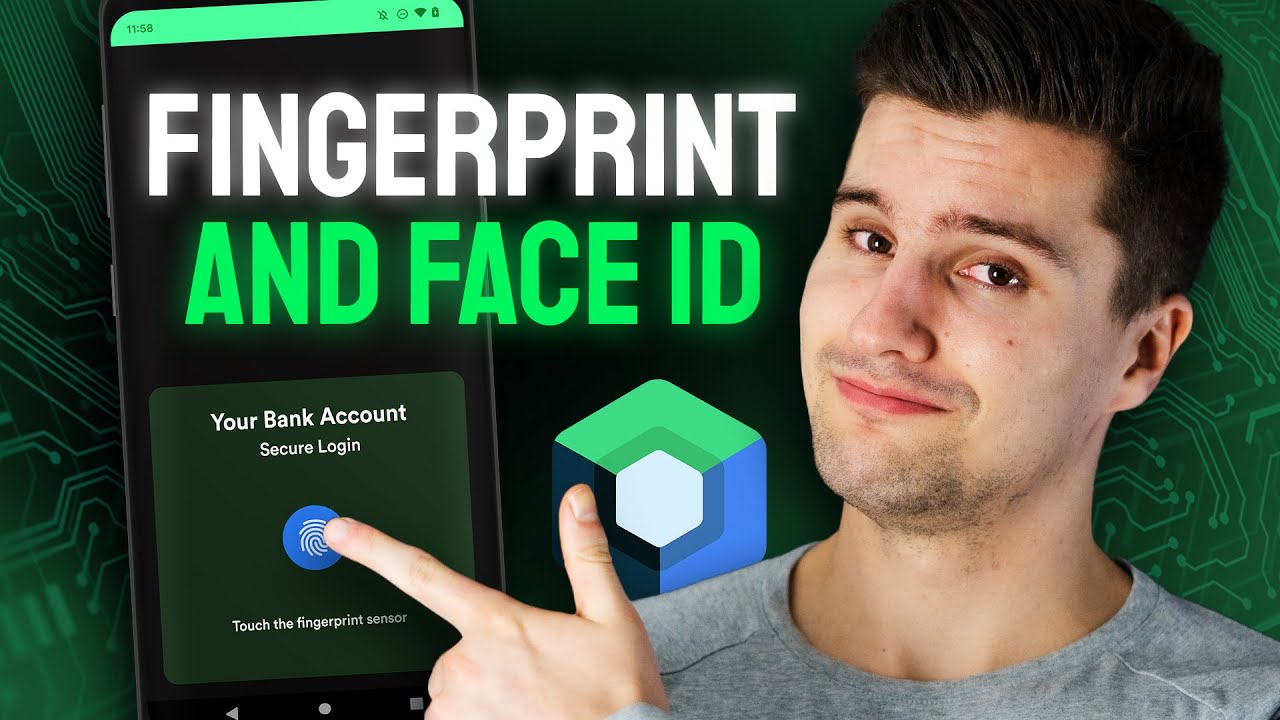
Biometric authentication verifies identity through fingerprints, facial recognition, or iris scans, providing convenient and secure access control.
Security Risk Addressed
Password-based authentication suffers from weak credentials, password reuse, and phishing attacks. Biometrics provide stronger authentication resistant to social engineering.
Implementation Method
iOS implements through LocalAuthentication framework with LAContext. Check biometryType for Touch ID or Face ID availability. Handle failures gracefully with fallback to passcode.
Android uses BiometricPrompt API (Android 10+) replacing deprecated FingerprintManager. Configure setAllowedAuthenticators for biometric strength requirements.
Don’t store biometric data (templates). OS handles biometric storage in Secure Enclave/TEE. Implement proper user consent and privacy disclosures.
Impact on App Protection
Strong authentication without password management burden. Hardware-backed biometric storage prevents extraction. Quick verification improves UX while maintaining security.
Compliance Considerations
GDPR considers biometric data special category personal data requiring explicit consent. CCPA classifies biometric information as sensitive personal information.
Implement Rate Limiting and Throttling
Rate limiting restricts the number of requests within timeframes, preventing abuse and resource exhaustion from automated attacks.
Security Risk Addressed
Brute force attacks on authentication endpoints. Credential stuffing. API abuse. DDoS attacks. Web scraping. Account enumeration.
Implementation Method
Implement server-side rate limiting (client-side easily bypassed). Use sliding window or token bucket algorithms.
Apply different limits for authentication, API calls, and public endpoints. Implement exponential backoff for failed attempts.
Use API gateway features for centralized rate limiting. Track by IP address, device ID, or user account. Return 429 (Too Many Requests) status codes.
Impact on App Protection
Prevents automated attacks from overwhelming systems. Stops brute force password guessing. Limits impact of stolen credentials used for bulk operations.
Compliance Considerations
PCI DSS requires account lockout mechanisms after repeated authentication failures. OWASP API Security Top 10 includes lack of resources and rate limiting.
Perform Regular Security Audits and Penetration Testing
Security audits and penetration testing identify vulnerabilities before attackers exploit them through systematic analysis and simulated attacks.
Security Risk Addressed
Unknown vulnerabilities in code, configuration, and architecture allow zero-day exploits, logic flaws, and security misconfigurations to persist undetected.
Implementation Method
Conduct automated scanning with SAST (static) and DAST (dynamic) tools. Perform manual code reviews focusing on security-critical components.
Engage third-party penetration testers for unbiased assessment. Test both iOS and Android versions. Use mobile penetration testing tools like MobSF, Frida, and Burp Suite.
Test before major releases and after significant code changes. Verify fixes for reported vulnerabilities. Document findings and remediation plans.
Impact on App Protection
Discovers vulnerabilities before malicious actors. Validates effectiveness of security controls. Ensures compliance with security standards. Improves overall security posture through continuous assessment.
Compliance Considerations
PCI DSS requires annual penetration testing and after significant changes. SOC 2 Type II necessitates ongoing security assessments. App stores may require security testing documentation.
Use App Transport Security (ATS)

ATS enforces secure connections by requiring HTTPS and modern TLS standards for all network communications on iOS applications.
Security Risk Addressed
Insecure network connections expose data to interception and man-in-the-middle attacks through weak protocols and ciphers.
Implementation Method
Enable ATS by default in Info.plist (enabled automatically iOS 9+). Configure NSAppTransportSecurity dictionary for domain-specific rules only when absolutely necessary.
Require TLS 1.2 minimum with forward secrecy ciphers. Avoid NSAllowsArbitraryLoads exceptions. Use NSExceptionAllowsInsecureHTTPLoads sparingly and only for specific domains.
Test network connectivity with ATS enabled. Ensure backend servers support required TLS versions and cipher suites.
Impact on App Protection
Enforces industry-standard encryption for all data in transit. Prevents protocol downgrade attacks. Eliminates weak cipher vulnerabilities automatically.
Compliance Considerations
Apple App Store requires ATS or documented justification for exceptions. PCI DSS mandates strong cryptography aligning with ATS requirements.
Implement Secure Data Deletion
Secure deletion permanently removes sensitive data from devices, preventing recovery through forensic analysis or data remnant exploitation.
Security Risk Addressed
Standard deletion operations mark data as deleted without actually overwriting, allowing recovery through forensic tools and file system analysis.
Implementation Method
Overwrite sensitive data before deletion using secure deletion APIs. Use Data Protection API on iOS with appropriate protection classes.
Clear cache, temporary files, and residual data on logout. Implement secure deletion for user-generated content and downloaded files.
For databases, use PRAGMA secure_delete in SQLite. Overwrite memory buffers containing sensitive data. Clear clipboard after timeout.
Impact on App Protection
Prevents data leakage through device resale, loss, theft, or forensic examination. Ensures compliance with data retention policies. Protects user privacy after account deletion.
Compliance Considerations
GDPR’s right to erasure requires complete data deletion. CCPA mandates data deletion upon consumer request. HIPAA requires secure disposal of ePHI.
Use Runtime Application Self-Protection (RASP)

RASP embeds security controls within applications to detect and prevent attacks in real-time during execution without external dependencies.
Security Risk Addressed
Runtime attacks including code injection, memory manipulation, hooking frameworks, debugging tools, and environment tampering bypass traditional security measures.
Implementation Method
Integrate RASP SDKs like Guardsquare’s AppShield, Zimperium’s zDefend, or Promon SHIELD during build process. Configure threat detection policies and response actions.
Monitor for suspicious runtime behavior including unexpected function calls, memory modifications, debugger attachment, and environment anomalies.
Implement self-defense mechanisms: terminate execution, obfuscate execution flow, inject decoy data, or alert security teams. Continuously update threat signatures.
Impact on App Protection
Real-time attack prevention without relying on perimeter defenses. Protects against zero-day exploits through behavioral analysis. Maintains security even on compromised devices.
Compliance Considerations
Aligns with OWASP MASVS resilience requirements. Banking regulations increasingly expect runtime protections. PCI Mobile Payment guidelines recommend anti-tampering controls.
Enable Binary Protection
Binary protection prevents unauthorized analysis and modification of compiled application code through anti-tampering and integrity verification mechanisms.
Security Risk Addressed
Attackers repackage apps with malware, remove licensing checks, inject spyware, steal intellectual property, and modify security controls through binary tampering.
Implementation Method
iOS uses code signing with Apple Developer certificates and App Store entitlements. Enable Bitcode for additional optimization and protection.
Android implements APK Signature Scheme v2/v3/v4 verification. Use Google Play App Signing for additional protection layers. Implement integrity checks during runtime.
Add checksum validation for critical code sections. Implement anti-debugging checks. Detect repackaging through signature verification and installer source validation.
Impact on App Protection
Prevents distribution of trojanized app versions. Detects runtime tampering attempts. Protects revenue through license enforcement. Maintains brand reputation by blocking fake versions.
Compliance Considerations
App stores require code signing. Financial regulations expect anti-tampering measures. Copyright protection for intellectual property.
Implement Secure Inter-Process Communication
IPC mechanisms allow apps to exchange data with other apps and system services securely without exposing sensitive information.
Security Risk Addressed
Insecure IPC exposes sensitive data to malicious apps, enables unauthorized data access, and allows privilege escalation through component hijacking.
Implementation Method
iOS uses URL schemes with validation, Universal Links, and App Groups for controlled data sharing. Validate incoming URLs before processing.
Android secures IPC through Intent filters with permission requirements, Content Providers with proper access controls, and Bound Services with signature-level permissions.
Never export components unnecessarily. Implement permission checks before responding to IPC requests. Validate all data received through IPC channels.
Impact on App Protection
Prevents unauthorized access to app functionality and data. Stops malicious apps from exploiting IPC channels. Maintains data confidentiality during inter-app communication.
Compliance Considerations
OWASP Mobile Top 10 includes improper platform usage covering IPC security. Privacy regulations require protecting data during sharing between apps.
Use Secure Backup Mechanisms
Backup systems preserve user data while maintaining encryption and access controls to prevent unauthorized data recovery.
Security Risk Addressed
Unencrypted backups expose all app data through iTunes/iCloud backups, Android backups, and cloud storage extraction by attackers or unauthorized parties.
Implementation Method
iOS excludes sensitive data from backups using NSFileProtectionComplete and isExcludedFromBackup attribute. Encrypt data before allowing backup.
Android disables backup for sensitive components using android:allowBackup=”false” in manifest. Implement Auto Backup rules in backup_rules.xml to exclude sensitive files.
For user-initiated backups, implement custom encrypted backup solutions. Never backup authentication tokens, encryption keys, or session data.
Impact on App Protection
Prevents data leakage through iTunes backups, iCloud syncing, Google Drive backups, and third-party backup tools. Maintains data confidentiality even if backups are compromised.
Implement proper logging (without sensitive data)
Logging helps debug production issues and monitor app behavior. The goal is capturing useful diagnostic information without exposing user credentials, payment details, or personally identifiable information.
Security Risk Addressed
Log files containing passwords, credit card numbers, session tokens, or API keys create data breach vectors that persist long after the security incident.
System logs on older Android versions can be accessed by other apps. Physical device access or malware can extract years of logged sensitive data.
Implementation Method
Strip sensitive data before logging. Use structured logging with predefined log levels and remove logging statements from production builds using tools like ProGuard.
For Android development, configure ProGuard rules to remove Log.v, Log.d, and Log.i calls. For iOS development, use conditional compilation flags.
Implement custom logging wrappers that automatically sanitize parameters. Never log authentication headers, tokens, passwords, or full API responses containing user data.
Impact on App Protection
Sanitized logs prevent attackers from extracting credentials even after compromising log storage or gaining filesystem access.
Development teams maintain debugging capabilities without creating permanent security liabilities. Crash reports remain useful while protecting user privacy.
Compliance Considerations
GDPR requires that personal data in logs be handled with the same protections as primary data storage. Organizations must define retention policies for log data containing PII.
Database exceptions revealing query fragments or results can expose PII to crash reporting platforms and device logs.
Apply the principle of least privilege

The principle means giving user accounts or processes only those privileges essentially vital to perform intended functions.
Apps should request minimum permissions needed for core functionality. Nothing more.
Security Risk Addressed
Dangerous permissions let apps access sensitive user data like messages, audio recordings, stored files, and real-time location tracking. Excessive permissions expand attack surface and enable unauthorized data collection.
Compromised apps with elevated privileges cause more damage than those running with restricted access.
Implementation Method
Android: Declare only necessary permissions in AndroidManifest.xml and request runtime permissions when features are used, not at app launch.
Request ACCESS_COARSE_LOCATION instead of ACCESS_FINE_LOCATION when precise coordinates aren’t needed.
iOS: Request permissions with clear usage descriptions. Offer functionality degradation when permissions are denied rather than blocking entire features.
Follow the principle that apps should request only permissions needed to complete specific actions when users initiate them.
Review third-party library permission requirements. Many SDKs request excessive access.
Impact on App Protection
Limited permissions reduce exploit impact. When code runs with lowest privilege levels possible, vulnerabilities in one component can’t compromise the entire system.
Apps become easier to deploy in enterprise environments with strict security policies. User trust increases when apps don’t request suspicious permissions.
Compliance Considerations
GDPR and CCPA require apps to collect only data necessary for stated purposes, which directly relates to permission requests.
Financial services apps need to demonstrate they follow least privilege principles for compliance audits.
Use secure WebView configurations
WebViews are embedded browser components that render HTML, CSS, and JavaScript within mobile apps. Many hybrid apps and progressive web apps rely heavily on WebView functionality.
Security Risk Addressed
Cross-app scripting vulnerabilities occur when apps accept malicious JavaScript into WebViews without proper validation, allowing attackers to inject code that executes in the victim app’s context.
Overly broad file permissions combined with JavaScript execution enable file-based XSS attacks and unauthorized access to local storage.
Implementation Method
Android: Disable JavaScript by default using setJavaScriptEnabled(false) unless absolutely required. When JavaScript is necessary, validate all URLs before loading.
webView.getSettings().setJavaScriptEnabled(false);
webView.getSettings().setAllowFileAccess(false);
webView.getSettings().setAllowContentAccess(false);
Enable Safe Browsing in AndroidManifest.xml to scan URLs for phishing or malicious domains. Use WebViewAssetLoader with http(s):// schemes instead of file:// schemes for local assets.
iOS: Configure WKWebView instead of deprecated UIWebView. Disable file access unless required. Validate all URLs against allowlists before loading.
Remove JavaScript interfaces before loading untrusted content using removeJavascriptInterface.
Impact on App Protection
Secure WebView configurations prevent attackers from accessing native bridge methods, which could expose sensitive functionality or authentication tokens.
Proper URL validation stops attacks that load arbitrary domains or execute JavaScript code, protecting against credential theft and arbitrary file access.
Compliance Considerations
Apps must enforce HTTPS for all network communications to comply with data protection regulations. Configure android:usesCleartextTraffic="false" in AndroidManifest.
Implement anti-tampering measures
Mobile apps must detect at runtime when code has been added or changed from its compile-time integrity state.
Financial, gaming, and DRM-protected apps face constant reverse engineering attempts. Attackers modify APKs to bypass licensing, inject ads, or steal in-app purchase flows.
Security Risk Addressed
Code tampering allows adversaries to modify app behavior, disable security checks, or extract proprietary algorithms.
Modified apps typically execute within jailbroken or rooted environments where built-in security restrictions have been removed. Attackers can hook methods to always return isCompliant=true regardless of actual device state.
Implementation Method
Implement integrity checks using checksums of critical codebase components. Inject multiple integrity checks throughout code to detect tampering activity and trigger evasive actions like wiping sensitive data or preventing execution.
Android: Check for test-keys in build.prop, attempt to run su command, and scan for common root management apps. Verify APK signature matches expected certificate.
iOS: Detect Cydia presence, check if /private directory is writable, and validate code signatures. Test if system() function returns values indicating jailbreak.
Combine detection with additional protections: code obfuscation, hooking framework detection, and runtime code injection prevention.
Impact on App Protection
Anti-tampering validates that software running on devices is the authorized version, reducing risk of running compromised or altered code.
When someone attempts to hook methods and replace compliance checks, tampering detection flags the unauthorized code injection and shuts down the app.
Protection layers ensure that bypassing one defense triggers another, making exploitation significantly harder.
Compliance Considerations
Gartner reports recommend hardening for critical transactional and sensitive enterprise applications. Financial regulations often require verification that apps execute in trusted environments.
Keep minimum OS version requirements current
Supporting newer OS versions ensures apps access latest security features, performance improvements, and privacy protections while reducing exposure to deprecated vulnerabilities.
Each Android and iOS release patches dozens of security flaws. Apps supporting ancient OS versions miss these critical fixes.
Security Risk Addressed
Older OS versions lack security mechanisms available in newer releases, requiring developers to implement additional workarounds for users on outdated systems.
Deprecated APIs contain known vulnerabilities. Supporting Android versions older than Android 10 means missing critical privacy controls and performance enhancements.
Implementation Method
For Android development, target Android 10 (API level 29) minimum to ensure critical privacy controls. Google Play requires apps to target Android 14 (API level 34) or higher, with new apps needing Android 15 (API level 35) by August 2025.
For iOS, support the current major version and previous one to balance new features with user base coverage. Apple’s annual release cycle means this typically covers 2 years.
Set minSdkVersion in build.gradle for Android and deployment target in Xcode for iOS. Test thoroughly on minimum supported versions.
Impact on App Protection
Targeting recent API levels ensures users benefit from security, privacy, and performance improvements built into modern OS versions.
Reduced attack surface from deprecated APIs. Newer versions include enhancements like advanced privacy controls and encryption improvements.
Development teams avoid maintaining security patches for multiple OS branches spanning years.
Compliance Considerations
Apps not meeting target API requirements become unavailable to users on newer Android versions, impacting distribution and compliance.
Enterprise mobility management often mandates minimum OS versions. Apps supporting ancient versions may fail certification.
Use secure deep linking practices
Deep links are URLs designed to open specific activities within apps, triggered from web pages, push notifications, or other applications.
They improve user experience by eliminating navigation steps. But they also create security vulnerabilities when implemented carelessly.
Security Risk Addressed
Deep link vulnerabilities arise from weaknesses in implementation or handling, allowing malicious actors to access privileged functions or sensitive data through techniques like link hijacking and data validation attacks.
Scheme URLs lack validation mechanisms, enabling any app to register custom schemes and intercept links intended for other apps.
Deep links containing authorization codes or tokens can be intercepted by malicious apps, potentially leading to account takeover.
Implementation Method
Implement android:autoVerify attribute in intent filters to allow users to select preferred apps for handling deep links. Use Android App Links or iOS Universal Links instead of custom schemes.
Host Digital Asset Links JSON file proving domain ownership. Validate all deep link parameters against predefined allowlists before processing.
Check authentication state before exposing sensitive functionality. Implement input validation for all parameters to prevent injection attacks and arbitrary component access.
Never trust deep link data. Treat it like any untrusted input requiring sanitization.
Impact on App Protection
Proper validation and verification prevent malicious code injection through deep link parameters, protecting against data breaches and unauthorized actions.
Android App Links with autoVerify prevent malicious apps from intercepting authorization codes during OAuth flows.
Users can’t accidentally open malicious apps when clicking legitimate deep links.
Compliance Considerations
Android 12 introduced stricter web intent handling requiring apps to be verified for specific domains. OAuth implementations must follow security best practices.
Implement proper crash reporting (sanitize data)
Crash reporting helps developers fix bugs and understand app usage patterns, but logs and error messages often accidentally include PII if developers aren’t careful.
Diagnostic data flows to third-party platforms like Crashlytics, Sentry, or custom backends. Without sanitization, sensitive information leaks permanently.
Security Risk Addressed
Database exceptions revealing query fragments, URL parameters containing tokens, and stack traces with user data all expose PII to crash reporting platforms.
Research shows 6% of top Android apps write PII to console logs and 4% write it to external storage accessible by other apps.
Implementation Method
Implement obfuscation, encryption, and tokenization to hide sensitive information while preserving debugging data.
Configure crash reporting SDKs to strip PII before transmission. Most platforms offer data scrubbing hooks.
Never include passwords, tokens, email addresses, or payment details in exception messages. Sanitize database exceptions before reporting them to prevent query or result exposure.
Use unique identifiers instead of user names in crash metadata. Sentry generates random per-device, per-app installation IDs rather than using hardware identifiers.
Impact on App Protection
Encryption ensures crash data remains secure while anonymization protects personal information from exposure.
Development teams receive actionable debugging information without creating compliance violations. Users maintain privacy even when apps crash.
Compliance Considerations
GDPR requires clear policies on how long sensitive crash data will be retained before deletion or archiving.
Apps targeting children must obtain parental consent before collecting any PII through crash reporting services. Organizations must disclose crash data collection in privacy policies.
FAQ on Mobile App Security Best Practices
What are the biggest mobile security threats?
Data leakage through unsecured APIs ranks first. Attackers exploit weak authentication protocols to intercept user credentials and payment information.
Malware injections through third-party libraries come second. Many developers integrate SDKs without proper security audits, creating backdoors into production environments.
Man-in-the-middle attacks on unencrypted communications remain common, especially on public WiFi networks.
How do I implement secure data storage in mobile apps?
Never store sensitive data in plain text. Use AES encryption for local databases and the Android Keystore System or iOS Keychain Services for credential management.
Implement secure key management practices. Generate encryption keys on-device rather than hardcoding them in your codebase.
Avoid storing authentication tokens in shared preferences or user defaults without encryption.
What’s the difference between iOS and Android security models?
iOS uses a closed ecosystem with sandboxing that restricts app permissions by default. Apps can’t access system files or other app data without explicit user consent.
Android offers more flexibility but requires careful permission management. The operating system grants runtime permissions that users can revoke anytime.
Both platforms provide secure enclave technology for biometric data, but implementation differs significantly.
Should I use OAuth 2.0 or JWT for mobile authentication?
OAuth 2.0 works better for third-party integrations and social logins. It keeps tokens off your servers and lets providers handle credential management.
JWT tokens suit apps with custom authentication systems. They’re stateless, which reduces server load.
Combine both when building enterprise applications. Use OAuth for user authentication and JWT for API integration between microservices.
How often should I conduct penetration testing?
Run security audits before every major release. New features introduce new vulnerabilities, especially when you’re adding payment processing or handling health data.
Schedule quarterly tests for apps in production. The mobile threat landscape evolves fast.
Automate vulnerability scanning in your continuous integration pipeline to catch issues during development.
What is certificate pinning and do I need it?
Certificate pinning validates that your app connects only to trusted servers by embedding their SSL certificates directly in your code. It prevents man-in-the-middle attacks even if a device’s certificate authority gets compromised.
You need it for financial apps, healthcare platforms, or anything handling sensitive user data. Skip it for low-risk consumer apps where the maintenance overhead outweighs security benefits.
How do I protect my app from reverse engineering?
Code obfuscation makes your source code harder to read after decompilation. ProGuard works for Android, while Swift’s built-in optimizations help on iOS.
Implement runtime application protection to detect jailbroken or rooted devices. Block app execution on compromised systems.
Store critical business logic on your backend instead of in the mobile client.
What security measures should I implement in my API?
Start with rate limiting to prevent brute force attacks. Set reasonable thresholds based on typical user behavior.
Implement token-based authentication with short expiration times. Refresh tokens should have longer lifespans but get stored more securely.
Use HTTPS exclusively and validate all input on the server side, never trust client-side validation alone.
How do I handle security in cross-platform frameworks?
React Native and Flutter inherit platform-specific security features but require careful configuration. Native modules often bypass framework security by default.
Test security on both platforms separately. A vulnerability on Android doesn’t always appear on iOS, and vice versa.
Use platform-specific encryption libraries through bridge modules rather than JavaScript-based alternatives, which run slower and offer weaker protection.
What compliance standards apply to mobile app security?
GDPR affects any app serving European users, requiring explicit consent for data collection and the right to deletion. Non-compliance costs up to 4% of global revenue.
PCI DSS standards apply to payment processing. You’ll need level 1 compliance if you handle over 6 million transactions annually.
HIPAA requirements kick in for healthcare apps storing patient information, while financial services need SOC 2 certification for enterprise clients.
Conclusion
Implementing mobile app security best practices isn’t a one-time checkbox. It’s a continuous process that evolves with new threat modeling techniques and emerging vulnerabilities.
Start with the fundamentals. Encrypt everything, validate all inputs, and never trust client-side data.
Build security into your software development process from day one rather than bolting it on before launch. Requirements engineering should include security compliance checks alongside functional specs.
Your users won’t notice good security until something breaks. But they’ll abandon your app the moment their data gets compromised.
Test relentlessly using mobile app security testing tools, run regular security audits, and stay current with OWASP Mobile Security Project guidelines. The five minutes you spend implementing secure session management today saves months of damage control later.
Security failures don’t just cost money. They destroy trust, and trust takes years to rebuild.

- MongoDB Cheat Sheet - October 20, 2026
- Adding AI Video Generation to a Software Product: Architecture, Cost Guardrails and QA - October 20, 2026
- Show Hidden Characters, Spaces, and Line Endings in Notepad++ - October 19, 2026


