
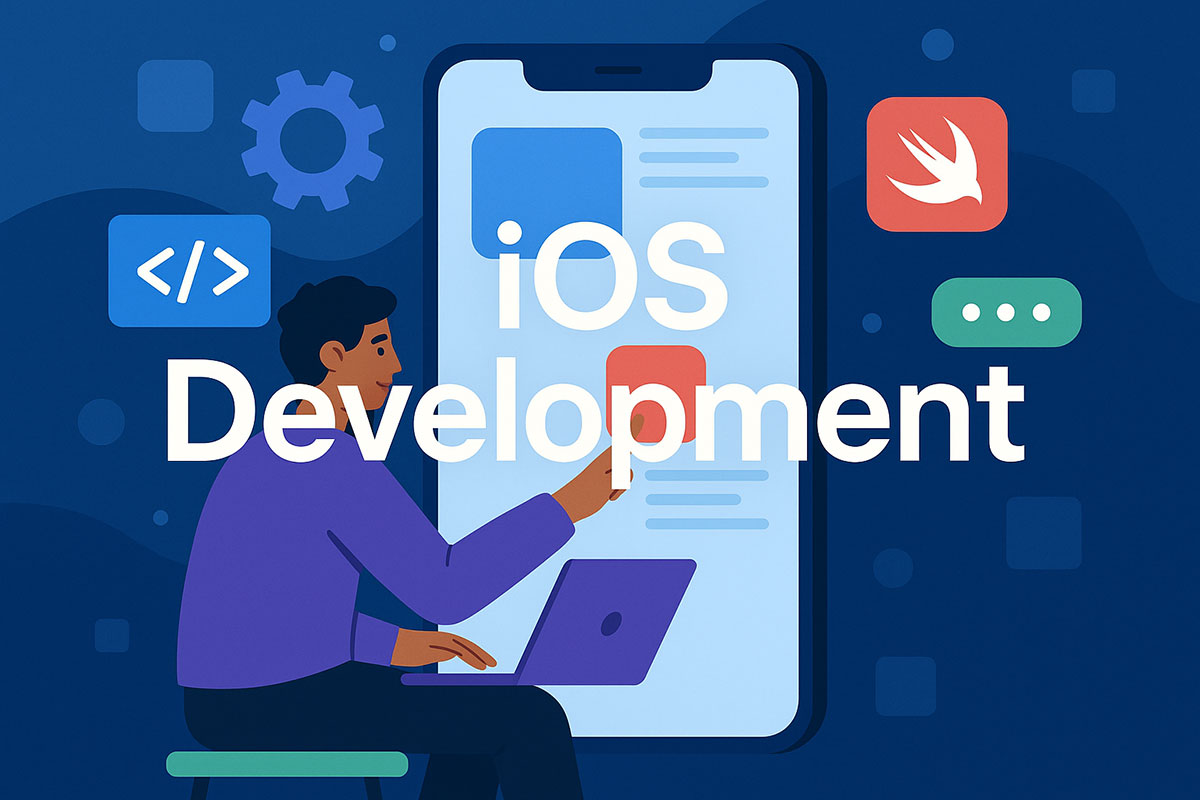
Building apps for iPhones and iPads requires specific knowledge that differs completely from Android development or web apps. Understanding what iOS development entails helps you decide if it’s the right path for your project or career.
This guide covers the programming languages, tools, frameworks, and processes that define iOS app creation. You’ll learn about Swift and Objective-C, navigate Xcode’s development environment, and understand how apps reach the App Store.
We’ll break down architecture patterns, common challenges, and the skills needed to succeed. Whether you’re considering mobile application development as a career or planning to build your first iPhone app, this article provides the foundation you need.
What is iOS Development?
iOS development is the process of creating applications for Apple’s mobile operating system that runs on iPhone, iPad, and iPod Touch devices.
The practice centers on building native apps using Apple’s official tools and programming languages. These apps access device hardware, integrate with Apple services, and follow platform-specific design standards.
Developers work within Apple’s ecosystem to create software that appears in the App Store. The work spans everything from simple utilities to complex enterprise applications.
Core Programming Languages
Swift
Swift is Apple’s modern programming language introduced in 2014. It replaced Objective-C as the preferred language for iOS app development.
The language offers type safety, automatic memory management, and faster compile times. Most new iOS projects start with Swift because it reduces common coding errors and improves code review process efficiency.
Swift supports protocol-oriented programming and includes powerful features like optionals, generics, and closures. Companies building iOS apps today almost exclusively choose Swift over legacy alternatives.
Objective-C
Objective-C powered iOS development from 2008 until Swift’s arrival. Legacy codebases still contain millions of lines written in this language.
Maintenance projects require Objective-C knowledge. Apps built before 2014 often mix both languages during gradual migration to Swift.
The language uses dynamic runtime and message passing. While outdated, understanding Objective-C helps developers work with older frameworks and third-party libraries.
SwiftUI vs UIKit
| Aspect | SwiftUI | UIKit |
|---|---|---|
| Programming Paradigm | Declarative syntax with reactive state management using property wrappers (@State, @Binding, @ObservedObject) | Imperative programming model with manual UI updates and lifecycle management |
| Platform Support | Cross-platform framework supporting iOS 13+, macOS 10.15+, watchOS 6+, tvOS 13+, and visionOS | iOS-specific framework with mature APIs dating back to iOS 2.0, supporting legacy versions |
| UI Construction Method | Code-based view composition using structs and ViewBuilder with automatic layout system | Multiple approaches: Storyboards, XIB files, or programmatic layout with Auto Layout constraints |
| Learning Curve | Steeper initial learning for developers unfamiliar with declarative patterns and Combine framework | Extensive documentation with 15+ years of community resources, tutorials, and Stack Overflow solutions |
| Performance Characteristics | Optimized rendering through view diffing algorithm and efficient memory usage with value types | Fine-grained control over rendering cycle, memory management, and hardware acceleration through layers |
| State Management | Built-in reactive patterns with single source of truth using SwiftUI’s property wrappers and Combine | Manual state synchronization requiring delegates, notifications, KVO, or third-party frameworks like RxSwift |
| Preview Capability | Live Canvas previews with multiple device configurations and dynamic data states in Xcode | Requires simulator or device builds for testing, with limited preview options in Interface Builder |
| Customization Flexibility | Modifier-based styling with limited low-level access; can bridge to UIKit through UIViewRepresentable | Complete control over view hierarchy, drawing cycle, animations, and custom rendering with Core Graphics |
| Animation System | Implicit animations with declarative transitions and spring-based physics using .animation() modifier | Explicit animations through UIView.animate, Core Animation layers, and UIViewPropertyAnimator |
| Industry Adoption | Growing adoption for new projects with limitations in production apps requiring iOS 13+ deployment target | Industry standard with widespread enterprise use, legacy codebase support, and backward compatibility |
UIKit has been the standard framework since iOS 2. It uses imperative programming where developers explicitly manage view hierarchies and state changes.
Most production apps still rely on UIKit. The framework offers complete control over UI elements and supports all iOS versions back to iOS 2.
SwiftUI launched in 2019 as Apple’s declarative UI framework. Code describes what the interface should look like, not how to build it step by step.
SwiftUI requires iOS 13 or newer. Apps targeting older devices can’t use it exclusively, though hybrid apps can mix both frameworks.
Development Environment Setup
Xcode Requirements

Xcode is Apple’s integrated development environment for iOS app creation. Download size exceeds 12GB and requires macOS to run.
The IDE includes Interface Builder, iOS Simulator, debugging tools, and performance analyzers. You can’t build iOS apps without it.
System requirements demand recent macOS versions. Xcode 15 needs macOS 13.5 or later with at least 8GB RAM (16GB recommended).
Apple Developer Account
Free accounts let you test apps on physical devices for 7 days. No App Store submission allowed.
The paid Apple Developer Program costs $99 annually. It unlocks TestFlight beta testing, App Store distribution, and access to pre-release iOS versions.
Enterprise accounts ($299/year) support internal app distribution without App Store approval. These suit companies deploying proprietary apps to employees.
Simulator and Testing Tools
iOS Simulator runs on Mac and mimics iPhone, iPad, and Apple Watch. It can’t test camera features, push notifications, or precise performance metrics.
Physical device testing catches issues simulators miss. Real hardware reveals actual memory constraints, network conditions, and touch interactions.
Xcode Instruments profiles app performance, tracks memory leaks, and measures energy impact. The tool identifies bottlenecks before users encounter them.
Essential iOS Frameworks
| Framework | Primary Function | Key Characteristics | Use Cases |
|---|---|---|---|
| UIKit | Traditional interface construction using imperative programming patterns | Event-driven architecture, manual layout management, mature ecosystem with extensive documentation | Navigation controllers, table views, collection views, gesture recognizers, fundamental UI controls |
| SwiftUI | Declarative UI development with reactive state management | Real-time preview rendering, automatic view updates, cross-platform compatibility, reduced boilerplate code | Rapid prototyping, modern app interfaces, multi-platform projects, state-driven animations |
| Core Data | Object graph management and persistent data storage | SQLite-backed storage, relationship mapping, automatic change tracking, migration support, iCloud synchronization | Complex data models, relational databases, offline-first applications, undo/redo functionality |
| Combine | Asynchronous event processing through functional reactive programming | Publisher-subscriber pattern, operator chaining, backpressure handling, thread-safe data streams | Network request management, form validation, event handling, API response processing |
| AVFoundation | Audiovisual media manipulation and playback control | Low-level media access, hardware integration, format conversion, precise timing control, metadata extraction | Video recording, audio playback, media editing, camera control, streaming applications |
iOS provides dozens of frameworks, but most apps rely on these core libraries.
UIKit handles traditional interface elements like buttons, tables, and navigation. Every iOS app uses it for fundamental UI components.
SwiftUI enables declarative interface design with live previews. Apps built with SwiftUI require less code refactoring during UI changes.
Core Data manages local data persistence and object graphs. It’s Apple’s solution for complex data models and offline storage.
Combine implements reactive programming patterns for handling asynchronous events. The framework simplifies API integration and data flow management.
AVFoundation controls media playback, recording, and editing. Apps processing video or audio depend on this low-level framework.
App Architecture Patterns
MVC
Model-View-Controller is Apple’s recommended pattern. Models store data, Views display content, Controllers coordinate between them.
The approach works well for simple apps but creates massive view controllers in complex projects. Developers joke about “Massive View Controller” syndrome where coordinators grow to thousands of lines.
MVVM
Model-View-ViewModel separates presentation logic from view code. ViewModels transform model data into display-ready formats while handling user interactions.
SwiftUI apps naturally follow MVVM patterns. The architecture reduces view controller bloat and improves testability through unit testing of ViewModels.
VIPER
View-Interactor-Presenter-Entity-Router splits apps into five layers. Each component handles a specific responsibility with strict boundaries.
Enterprise teams use VIPER for large custom app development projects. The pattern adds complexity that small teams don’t need but helps coordinate work across multiple developers.
Key iOS Development Concepts
View Controllers and Navigation
View controllers manage screens and coordinate data flow between models and views. Each screen typically has one view controller handling user interactions and content display.
Navigation controllers create hierarchical navigation patterns with back buttons. Tab bar controllers switch between independent sections while maintaining separate navigation stacks.
Modal presentations overlay new content temporarily. Developers choose navigation patterns based on information architecture and user flow requirements.
Auto Layout and Responsive Design
Auto Layout positions UI elements relative to screen edges and other views. Constraints define relationships that adapt across iPhone, iPad, and different orientations.
Stack views simplify responsive layouts by automatically arranging subviews. The system handles size classes to adjust interfaces for different device categories.
Supporting multiple screen sizes requires constraint-based thinking instead of fixed coordinates. Apps that ignore responsive design fail App Store review.
Memory Management (ARC)
Automatic Reference Counting tracks object ownership and deallocates unused memory. Developers don’t manually free memory like in C or C++.
Retain cycles occur when objects reference each other, preventing deallocation. Weak and unowned references break these cycles in closures and delegate patterns.
Poor memory management crashes apps. Xcode Instruments detects leaks during integration testing before production release.
App Lifecycle
Apps transition between foreground, background, and suspended states. The system calls specific methods during each transition.
applicationDidBecomeActive runs when apps open. applicationDidEnterBackground triggers before suspension, giving apps seconds to save state.
Background execution requires specific capabilities. Most apps can’t run code while suspended, though audio, location, and VOIP apps get exceptions.
Background Processing
iOS limits background execution to preserve battery life. Apps get 30 seconds when backgrounded before suspension.
Background fetch updates content periodically when conditions allow. Push notifications wake apps for 30 seconds to process new data.
Background URLSession downloads continue while suspended. The system completes network requests and notifies apps when data arrives.
Testing and Debugging
XCTest Framework

XCTest handles unit and UI testing in Xcode. Test methods verify function outputs, check object states, and validate business logic.
Test targets compile separately from app code. Developers write assertions like XCTAssertEqual to catch regressions during continuous integration builds.
Fast test suites run in seconds. Slow tests discourage frequent execution and reduce code confidence.
UI Testing
UI tests simulate user interactions by tapping buttons, entering text, and verifying screen content. They catch interface bugs that unit testing misses.
Tests reference UI elements through accessibility identifiers. Recording interactions generates test code automatically, though manual refinement improves reliability.
UI tests run slower than unit tests. Teams typically run them before releases rather than after every commit.
Debugging Tools
Breakpoints pause execution to inspect variable values and call stacks. Conditional breakpoints trigger only when specific conditions occur.
LLDB console executes code during debugging sessions. Developers print values, modify variables, and test fixes without recompiling.
Instruments profiles performance, memory, and energy usage. The Time Profiler identifies slow functions while Allocations tracks memory consumption.
App Store Submission Process

App Store Guidelines
Apple rejects apps violating software compliance rules. Common rejections include broken links, crashes, missing privacy policies, and incomplete functionality.
Apps must provide value beyond repackaging websites. Simple web apps wrapped in native containers get rejected.
Monetization follows strict rules. Apps can’t manipulate users into purchases or bypass Apple’s in-app payment system.
TestFlight Beta Testing
TestFlight distributes beta builds to 10,000 external testers. Internal testing supports 100 team members without review.
External beta requires App Store review before distribution. Builds expire after 90 days, forcing regular updates during testing.
Testers provide feedback through TestFlight’s built-in system. The mobile app development process includes multiple beta iterations before public launch.
Review Process Timeline
Initial reviews take 24-48 hours typically. Rejections extend timelines by several days while developers address issues.
Apps enter “In Review” status when evaluation begins. Apple tests functionality, checks guideline compliance, and verifies metadata accuracy.
Expedited reviews exist for critical bugs. Abuse of expedited reviews leads to account warnings.
App Store Optimization Basics
Keywords in app name and subtitle affect search rankings. Apple allows 30 characters for app names and 30 for subtitles.
Screenshots and preview videos drive conversion rates. The first three screenshots appear in search results.
Ratings and reviews influence rankings and trust. Developers prompt satisfied users for reviews through SKStoreReviewController.
iOS Version Compatibility
Supporting multiple iOS versions expands market reach but increases development complexity. Each version adds features while deprecating others.
Deployment target sets the minimum iOS version. Apps targeting iOS 15 can’t install on iOS 14 devices but access newer APIs.
Apple publishes iOS adoption rates showing 90% of devices run recent versions within a year. Dropping old versions accelerates development but excludes some users.
Feature availability checks prevent crashes on older iOS versions. if #available(iOS 16.0, *) gates modern APIs with fallback code for older systems.
Xcode warns about deprecated APIs before removal. Planning migration strategies prevents last-minute rewrites when Apple drops legacy support.
Common Development Challenges
Memory Leaks and Retain Cycles
Closures capturing self create retain cycles. Using [weak self] or [unowned self] breaks the cycle and prevents memory leaks.
Delegates should use weak references. Strong delegate references prevent view controller deallocation when dismissed.
Instruments’ Leaks tool identifies leaked objects. Running it periodically catches problems before they accumulate.
Threading and Concurrency
UI updates must occur on the main thread. Background thread UI changes cause crashes or corrupted displays.
Grand Central Dispatch manages concurrent operations. Dispatch queues simplify back-end development for network requests and data processing.
Data races happen when multiple threads access shared state. Swift’s actor model and @MainActor annotations prevent concurrency bugs.
Different Screen Sizes
iPhones range from 4.7″ to 6.7″ displays with different aspect ratios. iPads add even more size variations.
Safe area layouts prevent content from appearing under notches or rounded corners. Apps ignoring safe areas fail interface guidelines.
Dynamic Type scales text based on user preferences. Hardcoded font sizes ignore accessibility settings and hurt user experience.
Performance Optimization
Smooth scrolling requires 60fps rendering. Heavy layouts or synchronous network calls cause dropped frames and janky interfaces.
Image optimization reduces memory consumption. Loading full-resolution images for thumbnails wastes RAM and slows rendering.
Lazy loading defers expensive operations until needed. TableViews reuse cells instead of creating thousands of view instances.
Third-Party Tools and Libraries
CocoaPods, Carthage, SPM
| Aspect | CocoaPods | Carthage | Swift Package Manager |
|---|---|---|---|
| Official Apple Support | Third-party tool without native Apple integration | Third-party tool without native Apple integration | Native Apple tool integrated into Xcode since version 11 |
| Dependency Declaration Method | Podfile with Ruby-based DSL syntax | Cartfile with simple text format listing | Package.swift manifest file with Swift syntax |
| Build Integration Approach | Creates workspace and modifies Xcode project structure directly | Builds frameworks separately without project modification | Integrated directly into Xcode build system natively |
| Build Time Performance | Slower builds due to source compilation on each clean build | Faster builds through pre-built binary framework caching | Optimized build performance with native Xcode integration |
| Library Ecosystem Size | Largest library repository with 95,000+ pods available | Smaller selection limited to Carthage-compatible frameworks | Growing ecosystem as standard Apple dependency solution |
| Cross-Platform Capability | iOS and macOS focused with limited platform scope | Supports iOS, macOS, watchOS, and tvOS platforms | Full Apple ecosystem plus Linux and Windows support |
| Version Control Impact | Generates multiple files requiring Git tracking and merge handling | Minimal Git footprint with only Cartfile needing version control | Clean Git integration with Package.resolved file tracking |
| Setup Complexity Level | Requires Ruby gem installation and pod init command execution | Needs Homebrew installation plus manual framework linking steps | Zero external installation with built-in Xcode functionality |
| Maintenance Status | Actively maintained with regular updates and community support | Minimal maintenance mode with infrequent updates since 2020 | Apple-maintained with continuous development and improvements |
| Ideal Use Case Scenario | Legacy projects requiring maximum library availability and compatibility | Projects prioritizing build speed with minimal project intrusion | Modern iOS development with native tooling and future-proof architecture |
CocoaPods dominated dependency management until 2019. It modifies Xcode projects and creates workspaces with integrated libraries.
Carthage builds frameworks separately without touching project files. Manual integration takes longer but avoids project file conflicts.
Swift Package Manager is Apple’s official solution built into Xcode. Most libraries now support SPM, making it the standard choice for new projects.
Popular Libraries
Alamofire simplifies network requests with cleaner syntax than URLSession. It handles RESTful API calls, authentication, and response validation.
SDWebImage caches remote images asynchronously. Apps loading photos from servers need efficient image handling.
Realm offers an alternative to Core Data for local databases. It’s faster for some operations but lacks Core Data’s CloudKit integration.
Analytics and Crash Reporting
Firebase Analytics tracks user behavior and app events. It integrates with Google’s marketing tools for user acquisition campaigns.
Crashlytics captures crash reports with stack traces. Understanding why apps crash helps prioritize defect tracking and fixes.
Custom event tracking reveals how users navigate apps. Data informs UI/UX design decisions and feature prioritization.
Career and Skill Development
Required Skills
Technical skills include Swift proficiency, UIKit/SwiftUI knowledge, and Git version control. Mobile application development demands constant learning as iOS evolves annually.
Understanding software development principles like SOLID and design patterns separates junior from senior developers. Architecture decisions affect long-term maintainability.
Communication skills matter more than many developers expect. Explaining technical decisions to non-technical stakeholders is daily work.
Salary Ranges
Entry-level iOS developers earn $70,000-$90,000 in US markets. Mid-level developers with 3-5 years make $100,000-$140,000.
Senior iOS engineers command $140,000-$180,000 plus equity. San Francisco and New York pay 20-30% above national averages.
Contract rates range from $75-$200 per hour depending on experience and specialization. Mobile app development cost varies significantly by developer location and expertise.
Learning Resources
Apple’s official documentation covers all frameworks and APIs. WWDC videos explain new features directly from engineering teams.
Ray Wenderlich and Hacking with Swift offer structured courses. Stanford’s CS193p course on iTunes U teaches iOS development fundamentals.
GitHub hosts thousands of open-source iOS projects. Reading production code accelerates learning beyond tutorials.
Freelance vs Employment
Full-time positions provide stability, benefits, and team collaboration. Working with senior developers accelerates skill development.
Freelancing offers higher hourly rates and project variety. Finding consistent clients takes time, and benefits come out of pocket.
Many developers start employed to build portfolios, then transition to freelancing. Others prefer long-term projects and team environments over client acquisition.
FAQ on iOS Development
Do I need a Mac to develop iOS apps?
Yes. Xcode only runs on macOS, and you can’t build iOS apps without it.
Virtual machines or cloud-based Macs work but complicate the software development process. Physical Mac hardware provides the smoothest development experience for building native apps.
How long does it take to learn iOS development?
Basics take 3-6 months with consistent practice. Building production-ready apps requires 12-18 months of experience.
The mobile app development timeline depends on prior programming knowledge and project complexity. Swift fundamentals come quickly, but mastering UIKit and SwiftUI takes longer.
Is Swift easier than Objective-C?
Swift is significantly easier with modern syntax and built-in safety features. Objective-C requires understanding manual memory management and verbose syntax.
Most developers learn Swift first. Objective-C knowledge helps maintain legacy codebases but isn’t required for new projects starting today.
Can I build iOS apps with cross-platform tools?
Cross-platform app development tools like React Native and Flutter create iOS apps from shared code. They sacrifice some native features for development speed.
Complex apps eventually need native iOS code. Apps built with React Native often include Swift modules for platform-specific functionality.
What’s the difference between iOS and Android development?
iOS uses Swift and Xcode while Android development uses Kotlin and Android Studio. Design patterns and platform guidelines differ significantly between ecosystems.
iOS has fewer device variations but stricter App Store rules. Android offers more flexibility but requires testing across hundreds of device configurations.
How much does it cost to publish an iOS app?
Apple Developer Program membership costs $99 annually. This fee covers unlimited app submissions, TestFlight distribution, and beta testing access.
Additional costs include development time, UI/UX design work, and back-end development for server features. Total mobile app development cost varies widely by project scope.
What frameworks do iOS developers use most?
UIKit remains the dominant framework for interface development. SwiftUI adoption grows rapidly for new projects targeting iOS 13 and later.
Core Data handles local storage, AVFoundation manages media, and Combine implements reactive programming patterns for network requests and data flow.
Can iOS apps access device hardware?
iOS apps access cameras, GPS, accelerometers, and biometric sensors through framework APIs. Permission requests appear before accessing sensitive hardware.
Apps can’t access certain system features for security reasons. Background processing, push notifications, and app lifecycle management follow strict Apple guidelines.
How does App Store review work?
Apple reviews every app submission for guideline compliance. Reviews typically complete within 24-48 hours, though complex apps take longer.
Rejections require fixes and resubmission. Common rejection reasons include crashes, incomplete features, and privacy policy violations that prevent app deployment to production.
What’s the difference between Swift and SwiftUI?
Swift is the programming language. SwiftUI is a UI framework written in Swift for building interfaces.
You can write iOS apps in Swift using UIKit instead of SwiftUI. SwiftUI requires iOS 13+ while UIKit supports all iOS versions back to iOS 2.
Conclusion
Understanding what iOS development involves helps you make informed decisions about building iPhone and iPad applications. The process requires mastering Swift, navigating Xcode’s development environment, and following Apple’s strict App Store guidelines.
Success depends on choosing appropriate architecture patterns, implementing proper memory management, and testing across multiple iOS versions. Whether you pursue front-end development for interfaces or back-end development for server integration, iOS skills remain valuable.
The platform evolves constantly with annual updates introducing new frameworks and deprecating old APIs. Developers who invest time learning Core Data, SwiftUI, and Combine position themselves for long-term career growth.
Software development encompasses many specializations, but iOS development offers unique opportunities in Apple’s ecosystem. Start with basic Swift tutorials, build sample projects, and gradually tackle more complex applications as your skills develop.

- venv vs conda vs poetry: Which One for Which Project - October 9, 2026
- How to Delete a Python venv Without Breaking Your Project - October 7, 2026
- Google Play Account Suspended: What to Do - October 5, 2026


