

Over 74% of top retail apps in the App Store use hybrid architecture.
Gmail, Instagram, Uber. All hybrid.
So what are hybrid apps, and why have major companies abandoned the native-only approach?
Hybrid apps combine web technologies with native container shells, letting developers build once and deploy across iOS and Android from a single codebase.
The result: faster development, lower costs, broader reach.
This guide covers how hybrid apps work, the frameworks powering them, real-world examples, and when this approach makes sense for your project.
Whether you’re planning a new mobile application or evaluating development options, understanding hybrid architecture helps you make smarter technical decisions.
What Are Hybrid Apps?
Hybrid apps are mobile applications built using web technologies like HTML5, CSS, and JavaScript, then wrapped inside a native container shell.
Users download hybrid apps from the Apple App Store or Google Play Store just like any other app.
The difference sits under the hood.
Instead of writing separate code for iOS and Android, developers maintain a single codebase that runs on both platforms.
The native shell acts as a bridge between web code and device hardware.
This approach falls somewhere between fully native apps and browser-based web apps.
Gmail, Instagram, and Uber all use hybrid architecture in some form.
The model has become standard for companies wanting broad reach without maintaining multiple development teams.
How Does a Hybrid App Work
The internal mechanism relies on something called a WebView.
Think of it as an embedded browser running inside the app container.
Your HTML, CSS, and JavaScript code executes within this WebView while the native shell handles communication with the operating system.
When the app needs camera access, GPS data, or push notifications, native plugins step in.
These plugins translate requests from the web layer into commands the device understands.
The rendering process works like this:
- User opens the app
- Native container loads
- WebView renders the interface
- Plugins connect to device features as needed
Frameworks like React Native and Flutter have blurred these lines further by compiling to native components rather than relying purely on WebView rendering.
The result feels closer to native performance while keeping the single codebase advantage.
What Technologies Are Used to Build Hybrid Apps
The tech stack for building mobile apps depends heavily on your team’s existing skills and project requirements.
Several frameworks dominate the hybrid development space.
React Native
Meta created this JavaScript framework based on React principles.
It compiles to actual native components rather than WebView elements, which explains its performance edge.
Instagram and Facebook use it extensively.
Flutter

Google’s answer to cross-platform app development uses the Dart programming language.
The widget-based architecture renders everything through its own engine.
BMW and eBay Motors switched to Flutter for unified iOS and Android experiences.
Ionic Framework

Built on Angular, Vue, or React with Capacitor handling native functionality.
Burger King and Southwest Airlines run Ionic-based apps.
Excellent for teams with strong front-end development backgrounds.
Apache Cordova

The original hybrid framework, formerly known as PhoneGap.
Plugin-based architecture connects web code to device APIs.
Still relevant for simpler applications where WebView performance suffices.
Xamarin

Microsoft’s framework uses C# and the .NET ecosystem.
Good choice if your back-end development already runs on Microsoft technologies.
What Is the Difference Between Hybrid Apps and Native Apps
Native apps are written specifically for one platform.
iOS development typically uses Swift or Objective-C.
Android development relies on Kotlin or Java.
The performance gap between hybrid and native has shrunk dramatically, but differences remain:
Factor Hybrid Apps Native Apps
Development language JavaScript, Dart, HTML/CSS Swift, Kotlin, Java, Objective-C
Code reuse 70-95% shared across platforms Separate codebases required
Performance Near-native with modern frameworks Maximum device optimization
Device access Through plugins and bridges Direct hardware APIs
Development cost Lower (one team, one codebase) Higher (platform-specific teams)
Time to market Faster Slower
Graphics-intensive games and apps requiring complex animations often still go native.
Content-focused apps, e-commerce platforms, and business tools work perfectly as hybrid applications.
The deciding factor usually comes down to the cost to develop a mobile app versus performance needs.
What Is the Difference Between Hybrid Apps and Web Apps
Web apps run entirely in browsers.
No installation required.
Hybrid apps get downloaded from app stores and installed on the device.
Key distinctions:
- Offline access – Hybrid apps can store data locally and function without internet. Web apps typically require connectivity.
- Device features – Hybrid apps access cameras, GPS, accelerometers, and biometric sensors. Web apps have limited hardware interaction.
- Distribution – Hybrid apps appear in app stores alongside native apps. Web apps live on URLs.
- Push notifications – Hybrid apps send native notifications. Web apps rely on browser-based alternatives with lower engagement rates.
The mobile app development process for hybrid applications includes app store submission, review cycles, and update distribution through official channels.
Web apps skip all that but sacrifice discoverability and device integration.
Progressive web apps sit between these options, offering some offline capability and home screen installation without full native container functionality.
What Is the Difference Between Hybrid Apps and Progressive Web Apps
PWAs use service workers to cache content and enable offline functionality directly in the browser.
No app store required.
Hybrid apps wrap web code in a native container and distribute through official stores.
The technical distinctions matter:
- Installation – PWAs install from browser prompts; hybrid apps download from App Store or Google Play
- Updates – PWAs update automatically; hybrid apps go through store review cycles
- Device access – Hybrid apps have deeper hardware integration through native plugins
- Discoverability – Hybrid apps benefit from app store search; PWAs rely on web SEO
Twitter Lite runs as a PWA but also exists as a downloadable hybrid app.
The choice depends on your development timeline and distribution strategy.
What Are the Advantages of Hybrid Apps
The business case for hybrid development comes down to efficiency.
One team writes code once and deploys everywhere.
Cost reduction – Companies report 30-50% savings compared to building separate native apps for iOS and Android.
Faster launches – Single codebase means shorter development cycles and quicker iterations.
Easier maintenance – Bug fixes and feature updates apply across all platforms simultaneously.
Offline capability – Local data storage keeps apps functional without internet connectivity.
App store presence – Full access to Apple App Store and Google Play distribution channels.
Web developer friendly – Teams with JavaScript, HTML, and CSS expertise can build mobile apps without learning Swift or Kotlin.
The scalability advantage becomes clear as your user base grows across platforms.
What Are the Disadvantages of Hybrid Apps
No solution is perfect.
Hybrid apps carry trade-offs worth understanding.
Performance ceiling – Complex animations and graphics-heavy features run slower than native implementations.
Plugin dependencies – Device feature access requires third-party plugins that may lag behind OS updates.
Platform inconsistencies – UI elements may render differently on iOS versus Android despite shared code.
WebView limitations – Apps relying heavily on WebView components face browser engine constraints.
Larger app size – The native container and framework libraries add weight compared to lean native builds.
Games, AR applications, and apps requiring heavy device processing typically perform better as native builds.
What Device Features Can Hybrid Apps Access
Modern hybrid frameworks connect to most hardware capabilities through native plugins and API integration.
Accessible device features include:
- Camera (photo and video capture)
- GPS and geolocation services
- Push notification systems
- Local file system storage
- Contact list access
- Accelerometer and gyroscope
- Biometric authentication (Face ID, fingerprint)
- Bluetooth connectivity
- Calendar integration
- Microphone access
React Native and Flutter provide direct bridges to these APIs.
Ionic and Cordova use Capacitor or plugin ecosystems for the same functionality.
Following security best practices matters when accessing sensitive device features.
What Are Examples of Hybrid Apps
Major companies across industries have chosen hybrid architecture.
Gmail

Google’s email client combines WebView elements with native components using a proprietary tech stack including JavaScript, AJAX, and Vue.js.

Originally native, Meta rebuilt the app with React Native after acquisition, enabling offline data access and consistent cross-platform media handling.
Uber

The ride-sharing app uses Base (a React-based web UI framework) and serves content through m.uber.com within native containers.
Twitter/X
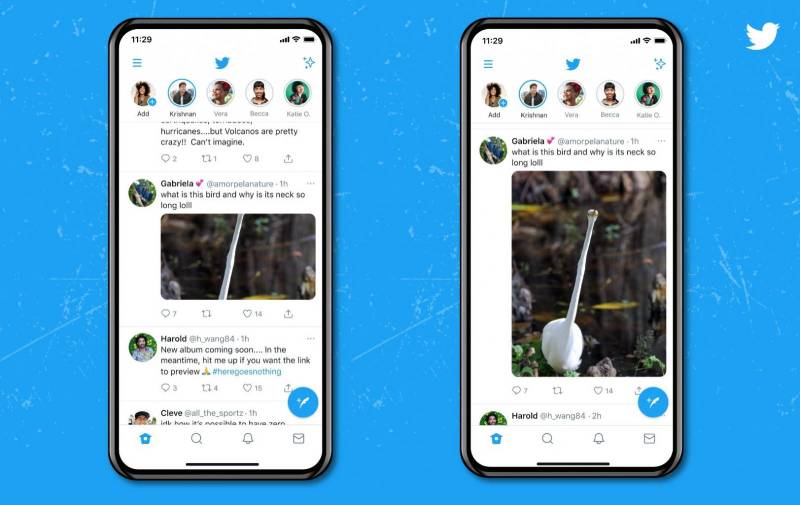
Built on Node.js, Express, and React Native, functioning as both a PWA and traditional hybrid application.
Amazon App Store
HTML5 interface with native code handling push notifications and camera access for product scanning.
These React Native applications demonstrate that hybrid development scales to billions of users.
When Should a Business Choose a Hybrid App
Hybrid makes sense in specific scenarios.
Budget constraints – Startups and SMBs needing iOS and Android presence without doubling development costs.
Content-focused apps – News readers, e-commerce platforms, social networks, and business tools where raw performance matters less than reach.
MVP development – Testing market fit quickly before committing to native builds.
Existing web team – Organizations with JavaScript expertise but no native mobile developers.
Internal tools – Employee-facing apps where UI/UX polish requirements are lower.
Skip hybrid for gaming, video editing, or apps requiring intense GPU processing.
A proper feasibility study should compare approaches before committing.
What Frameworks Are Best for Hybrid App Development
Framework selection depends on team skills, project scope, and performance requirements.
The tools available for cross-platform development have matured significantly.
React Native

Best for teams already using React.
Compiles to native components rather than WebView, delivering near-native performance.
Massive community support with extensive library ecosystem.
Flutter

Google’s framework using Dart offers hot reload for rapid development and custom widget rendering.
Strong choice for visually rich applications.
Check out successful Flutter applications for reference.
Ionic

Web-first approach supporting Angular, Vue, and React.
Capacitor bridges native functionality effectively.
Ideal for teams transitioning from web to mobile development.
The Flutter versus React Native debate often comes down to existing team expertise.
How to Test a Hybrid App
Testing hybrid applications requires coverage across multiple dimensions.
Functional testing – Verify all features work correctly on both iOS and Android.
Cross-platform compatibility – Check behavior across device sizes, OS versions, and manufacturers.
Performance testing – Measure load times, memory usage, and responsiveness under various conditions.
Security testing – Audit data storage, network communications, and authentication flows using penetration testing tools.
Network behavior – Test offline functionality and recovery when connectivity returns.
Understanding different testing approaches helps create comprehensive test coverage.
Automated testing through continuous integration catches regressions early.
How Much Does Hybrid App Development Cost
Development costs vary based on complexity, features, and team location.
Simple apps (basic UI, limited features) – $15,000 to $50,000
Medium complexity (custom UI, API integrations, user authentication) – $50,000 to $150,000
Complex apps (real-time features, payment processing, advanced functionality) – $150,000 to $500,000+
Factors affecting price:
- Number and complexity of features
- Third-party integrations required
- Custom design work versus templates
- Backend infrastructure needs
- Ongoing maintenance after launch
Hybrid development typically costs 30-40% less than building separate native apps.
Consider monetization strategies when budgeting for development investment.
FAQ on Hybrid Apps
Are hybrid apps better than native apps?
It depends on your goals. Hybrid apps cost less and launch faster with a single codebase. Native apps deliver maximum performance for graphics-intensive applications. Most content-focused apps, e-commerce platforms, and business tools work perfectly as hybrid builds.
Can hybrid apps work offline?
Yes. Hybrid apps store data locally on the device, enabling offline functionality. Users can access cached content, complete forms, and use core features without internet. Data syncs automatically when connectivity returns.
How long does it take to build a hybrid app?
Simple apps take 2-3 months. Medium complexity projects run 4-6 months. Complex applications with advanced features require 6-12 months. Hybrid development typically cuts timelines by 30-40% compared to building separate native apps for iOS and Android.
What programming languages are used for hybrid apps?
JavaScript powers React Native and Ionic. Dart runs Flutter applications. TypeScript works across most frameworks. HTML5 and CSS handle interface elements. Developers with web backgrounds can transition to hybrid mobile development quickly.
Are hybrid apps secure?
Hybrid apps achieve strong security when built correctly. Implement token-based authentication, encrypt stored data, use HTTPS for network calls, and follow platform security guidelines. Regular security testing catches vulnerabilities early.
Can hybrid apps access device hardware?
Yes. Native plugins connect hybrid apps to cameras, GPS, accelerometers, biometric sensors, Bluetooth, and push notification systems. React Native and Flutter provide direct bridges. Ionic uses Capacitor for hardware access.
Which companies use hybrid apps?
Gmail, Instagram, Uber, Twitter, Amazon, BMW, eBay Motors, Burger King, and Southwest Airlines all run hybrid applications. These companies serve billions of users, proving hybrid architecture scales effectively for enterprise-level demands.
What is the best framework for hybrid app development?
React Native suits teams with JavaScript and React experience. Flutter excels at custom UI with its widget system. Ionic works best for web developers transitioning to mobile. Framework choice depends on team skills and project requirements.
Do hybrid apps perform well?
Modern hybrid frameworks deliver near-native performance. React Native compiles to native components. Flutter renders through its own engine at 60fps. Performance gaps only appear in graphics-heavy games or complex animations requiring direct GPU access.
How much does a hybrid app cost to maintain?
Annual maintenance typically runs 15-20% of initial development cost. Single codebase means one update covers both platforms. Factor in bug fixes, OS compatibility updates, security patches, and feature additions when budgeting.
Conclusion
Understanding what hybrid apps are helps you make informed decisions about your mobile development strategy.
The technology has matured. React Native, Flutter, and Ionic now deliver near-native performance while keeping development costs manageable.
Gmail, Instagram, and Uber prove that hybrid architecture handles billions of users across iOS and Android without compromise.
The single codebase approach means faster launches, easier maintenance, and broader market reach.
Not every project fits the hybrid model. Graphics-intensive games and apps requiring deep hardware optimization still benefit from native development.
For content-driven applications, e-commerce platforms, and business tools, hybrid apps offer the right balance of performance, cost efficiency, and cross-platform compatibility.
Evaluate your project requirements, team expertise, and budget before choosing your path forward.

- Notepad++ Android Options: Apps That Come Close - October 21, 2026
- MongoDB Cheat Sheet - October 20, 2026
- Adding AI Video Generation to a Software Product: Architecture, Cost Guardrails and QA - October 20, 2026


