

Choosing between Flutter vs React Native affects your entire development process, timeline, and budget. Both frameworks promise the same thing: build once, deploy to iOS and Android.
But they deliver on that promise differently.
One uses Dart and compiles directly to native code. The other runs JavaScript through a bridge. These architectural differences ripple through everything from animation performance to how you access device features.
This comparison breaks down what actually matters. Performance benchmarks, development speed, community support, real production app examples. You’ll understand which framework fits your project, your team’s skills, and your timeline by the end.
Flutter vs React Native
| Aspect | Flutter | React Native |
|---|---|---|
| Programming Language | Dart (object-oriented, compiled to native ARM code) | JavaScript/TypeScript (interpreted via JavaScript bridge) |
| Rendering Architecture | Skia graphics engine renders UI directly on canvas (no native bridge) | JavaScript bridge communicates with native components for rendering |
| Performance Metrics | 60 FPS standard, 120 FPS capable (direct compilation reduces latency) | Near-native performance (bridge overhead can impact frame rates) |
| UI Consistency | Pixel-perfect consistency across platforms (custom widget rendering) | Platform-specific native components (UI varies by operating system) |
| Development Experience | Hot reload with stateful reloading, widget inspector for UI debugging | Fast refresh, extensive debugging tools via Chrome DevTools |
| Community & Ecosystem | Growing ecosystem with 35,000+ pub.dev packages (Google-backed) | Mature ecosystem with extensive npm libraries (Meta-supported, JavaScript community) |
| Code Reusability | Single codebase for mobile, web, desktop (6 platforms from one code) | Primarily mobile-focused (iOS, Android), experimental web support |
| Learning Curve | Requires learning Dart and Flutter-specific widget architecture | Leverages existing JavaScript/React knowledge (lower barrier for web developers) |
| App Size | Larger initial bundle (includes Skia engine, typically 4-8 MB baseline) | Smaller bundle size (relies on native components, ~2-4 MB baseline) |
| Native Integration | Platform channels for native API access (requires method channel setup) | Direct access to native modules via bridge (native module integration built-in) |
Core Architecture and Performance
How Flutter Works Under the Hood

Flutter compiles Dart code directly to native machine code. No JavaScript bridge slowing things down.
The Skia graphics engine handles all the rendering. It’s the same engine Chrome uses, so yeah, it’s fast.
Flutter’s widget tree is different from what you might expect if you’re coming from web development. Everything (and I mean everything) is a widget. Your button? Widget. The padding around it? Also a widget.
This approach gives you ridiculous control over every pixel on the screen. But it also means Flutter doesn’t use platform-native UI components by default.
How React Native Handles Processing

React Native uses a JavaScript bridge to communicate between your code and native components. Your JavaScript runs in one thread, the native modules in another, and they talk through this bridge.
The bridge serializes data back and forth. For simple apps, you won’t notice. For complex animations or heavy data processing? That’s where things get tricky.
React Native renders actual native components though. When you create a <View>, it becomes a real UIView on iOS or android.view.View on Android.
The threading model splits work between the JavaScript thread, native modules thread, and the main UI thread. Sometimes this helps performance. Sometimes it creates bottlenecks.
Real-World Speed Comparisons
App startup times favor Flutter in most benchmarks. We’re talking 300-400ms for Flutter versus 500-700ms for React Native in typical scenarios.
Animation smoothness is where Flutter really shines. That 60fps (or 120fps on newer devices) stays consistent because there’s no bridge overhead. React Native can hit 60fps too, but it takes more work to get there.
Complex UI rendering tells the real story. I’ve seen Flutter handle intricate layouts with dozens of animated elements without breaking a sweat. React Native starts dropping frames when you push it that hard.
Look, your mileage may vary. A well-optimized React Native app can outperform a poorly written Flutter app any day.
Memory Usage Patterns
Flutter apps tend to use more memory upfront. The Skia engine and the entire framework get bundled with your app.
React Native’s memory footprint depends heavily on how many native modules you’re using. Add more third-party packages, watch your memory usage climb.
Both frameworks handle memory management automatically. You’re not dealing with manual memory allocation like you would in pure iOS development with Swift or Objective-C.
Memory leaks can happen in either framework if you’re not careful with state management and component lifecycles. Nothing new there.
Development Experience and Learning Curve
Getting Started with Flutter
Dart is the language barrier most people hit first. It’s not hard to learn, especially if you know Java or JavaScript, but it’s still another language to add to your stack.
The syntax feels familiar. Classes, async/await, strong typing (if you want it). Dart compiles ahead-of-time for production and just-in-time during development.
Installation takes about 20 minutes if everything goes smoothly. Download the SDK, add it to your path, run flutter doctor to check dependencies.
You’ll need Android Studio for Android development and Xcode for iOS. No way around that. The Flutter plugin for VS Code works great too if you prefer a lighter IDE.
Time to first working app? Maybe an hour if you’re following the official tutorial. The CLI generates a complete starter project with one command.
Getting Started with React Native

JavaScript developers have an instant advantage here. If you know React, you’re already halfway there.
TypeScript integration is standard now. Most new React Native projects start with TypeScript by default, which honestly makes the development experience much better.
Setup requirements depend on your target platform. The Expo framework gets you running in minutes without touching native build tools. Going bare React Native means installing all the same stuff Flutter needs.
First app timeline is similar to Flutter. Maybe faster if you use Expo and skip all the native tooling.
The JavaScript ecosystem is both a blessing and a curse. Millions of npm packages available, but good luck figuring out which ones actually work with React Native.
Hot Reload and Development Speed
Hot reload in Flutter is stupid fast. Change your code, save, see it update in less than a second. The state persists too, so you don’t lose your place in the app.
React Native’s fast refresh works the same way. Sometimes it’s even faster than Flutter’s hot reload, depending on what you’re changing.
Both frameworks let you iterate quickly. This is huge for productivity compared to traditional native apps where every change means a full rebuild.
The real speed difference shows up in complex apps. Flutter’s hot reload stays consistent. React Native’s can slow down as your codebase grows.
Debugging Tools and Capabilities
Flutter’s DevTools are built into the framework. Widget inspector, timeline view, memory profiler, network monitor. All there.
The widget inspector is actually useful. Click on any element in your running app and see exactly which widget created it, with the full widget tree.
React Native relies more on external tools. React DevTools, Flipper, the Chrome debugger. They work fine, but setting them up takes effort.
Breaking on exceptions, stepping through code, inspecting variables – both frameworks handle the basics. Flutter’s integration feels tighter because everything lives in the same ecosystem.
IDE Support and Extensions
Visual Studio Code supports both frameworks well. Flutter’s extension is maintained by the Dart team at Google. The React Native extension comes from Microsoft.
Android Studio works great for Flutter. IntelliJ IDEA (same underlying IDE) gives you the same experience. Code completion, refactoring tools, the whole package.
React Native developers often prefer VS Code because it’s lighter and the JavaScript ecosystem already lives there. But Android Studio works if you want it.
The Flutter extension’s widget editing tools save time. Wrap widgets, extract widgets, organize imports – all one keystroke away.
User Interface Development
Flutter’s Widget System
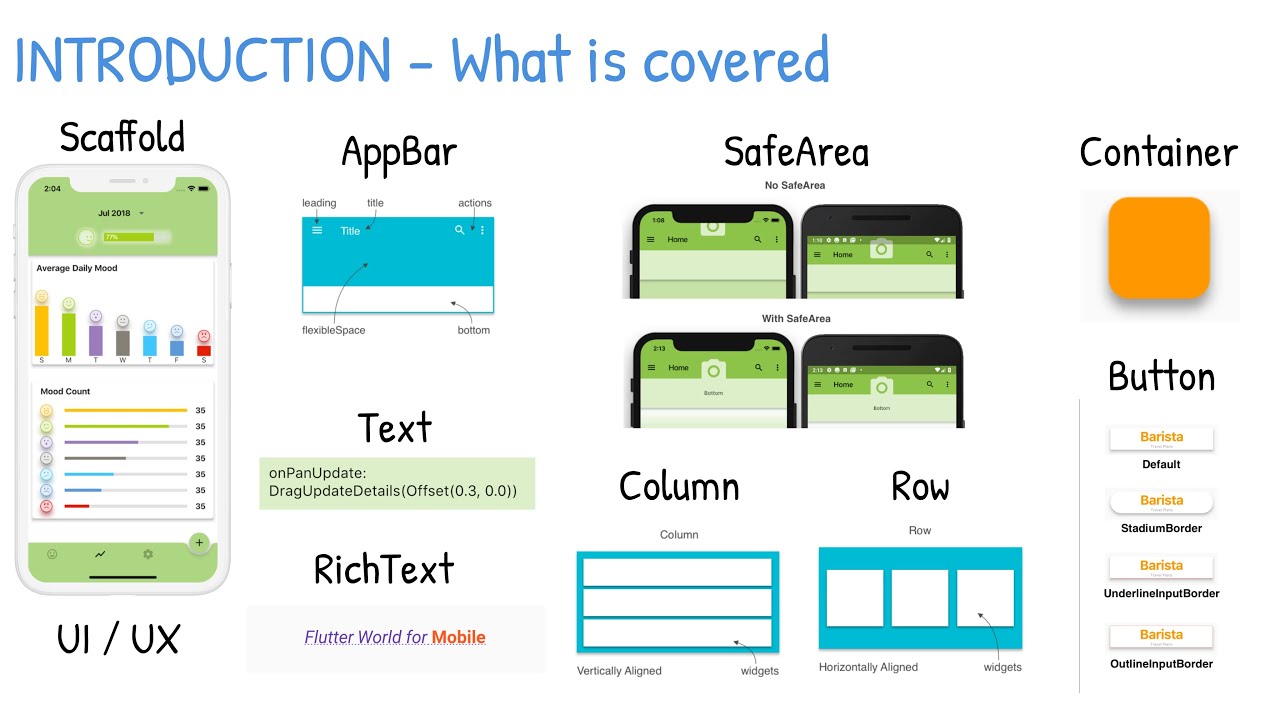
Everything is a widget. I already said that, but it’s worth repeating because it defines how you think about UI in Flutter.
Material Design components come built-in. Google’s design language implemented perfectly because Google built both. Buttons, cards, app bars, bottom sheets – all there.
Cupertino widgets for iOS styling exist too. Want your Android app to look like Android and your iOS app to look like iOS? Flutter gives you both sets of components.
Custom widget creation is straightforward. Extend StatelessWidget or StatefulWidget, implement the build method, return your widget tree. Done.
The composition model means you build complex UIs by combining simple widgets. It’s like LEGO blocks, but for interfaces.
React Native’s Component Library
Core components cover the basics. View, Text, Image, ScrollView, TextInput. Simple, clean, minimal.
Platform-specific styling happens through the Platform module. Check if you’re on iOS or Android, render different components or styles accordingly.
Third-party UI libraries fill the gaps. React Native Paper, React Native Elements, NativeBase. Pick your flavor. Each one brings its own design system and conventions.
The component ecosystem is both larger and more fragmented than Flutter’s. More choices, but also more decisions to make and potential compatibility issues.
Creating Custom Designs
Flutter gives you pixel-perfect control. Want to recreate that exact design your designer made in Figma? You can do it.
The CustomPaint widget lets you draw anything directly on the canvas. Bezier curves, gradients, complex shapes – all possible.
React Native’s customization often hits native code sooner. Need something truly custom? You might write a native module.
Both frameworks support custom fonts, icons, and assets without hassle. Drop them in the right folder, reference them in code.
Handling Different Screen Sizes
Responsive design in Flutter uses MediaQuery to get screen dimensions. LayoutBuilder tells you how much space your widget has available.
Flutter’s constraint system propagates from parent to child. Parents pass down constraints, children choose their size within those constraints, parents position the children.
React Native uses Flexbox for layouts. If you’ve done web development, it’s exactly what you expect. flex, flexDirection, justifyContent, alignItems.
The Flexbox model feels more intuitive coming from web backgrounds. Flutter’s constraint system takes longer to understand but gives you more control once you get it.
Handling tablets, foldables, and different device sizes requires planning in both frameworks. Neither one magically makes your app responsive.
Animation Capabilities
Flutter’s animation system is comprehensive. AnimationController, Tween, AnimatedBuilder. The building blocks for any animation you can imagine.
Implicit animations (like AnimatedContainer) handle simple cases. Change a property, Flutter automatically animates the transition.
Explicit animations give you frame-by-frame control. Physics-based animations, custom curves, chained animations – all built into the framework.
React Native’s Animated API works differently. You create animated values, interpolate them, and bind them to component properties.
The Reanimated library (a third-party package) makes React Native animations perform better. It runs animations on the native thread, avoiding the JavaScript bridge.
Flutter’s animations feel smoother out of the box. React Native can match it with Reanimated, but you’re adding another dependency.
Platform Integration and Native Features
Accessing Device Hardware in Flutter
Flutter’s plugin system connects you to native platform features. Camera, GPS, Bluetooth, sensors – there’s usually a plugin for it.
The pub.dev repository hosts thousands of packages. Some maintained by Google, most by the community.
Platform channels let you write custom native code when needed. Send messages between Dart and native code (Swift/Kotlin) using method channels.
You’ll write platform-specific implementations for iOS and Android separately. Flutter calls the right one based on which platform your app runs on.
Accessing Device Hardware in React Native
Native modules handle device features in React Native. The core library includes basic ones like Camera, Geolocation, and AsyncStorage.
Third-party libraries fill most gaps. Want to access the fingerprint sensor? There’s probably three different npm packages that do it.
Writing your own native module isn’t terrible if you know Swift or Kotlin. Bridge your native code to JavaScript, call it from your React components.
The npm ecosystem means you’re pulling from the broader JavaScript world. Sometimes that package was built for Node.js and won’t work in React Native without modifications.
Platform-Specific Code Requirements
Both frameworks require platform-specific code eventually. You can’t escape it for anything beyond basic UI.
Flutter uses conditional imports to load different code per platform. Check Platform.isIOS or Platform.isAndroid, render accordingly.
React Native’s Platform.select() method returns different values based on the current platform. Clean syntax for when you need different behavior on iOS versus Android.
Deep platform integration (like app extensions, widgets, or background processing) means diving into native code regardless of which framework you choose.
Third-Party Plugin Ecosystems
Flutter’s plugin ecosystem has grown massively. Most common use cases are covered. Firebase, payment processing, maps, analytics – all there.
Package quality varies wildly. Some plugins are maintained by big companies, others by solo developers who might abandon them tomorrow.
React Native’s library selection is larger but more fragmented. Multiple packages often solve the same problem, each with different APIs and maintenance levels.
Version compatibility issues hit both frameworks. A plugin built for Flutter 2.0 might break in Flutter 3.0. Same story with React Native versions.
Finding solutions for specific needs takes research. Read the documentation, check the GitHub issues, see when it was last updated. Don’t just grab the first package you find.
Code Reusability and Project Structure
Sharing Code Between Platforms in Flutter
One codebase runs on both iOS and Android. That’s the whole pitch for cross-platform app development.
You write your business logic once. UI code once. Network calls once. State management once.
The reality is slightly messier. Platform-specific UI tweaks happen. iOS users expect different navigation patterns than Android users.
Shared code percentage in real apps usually hits 85-95%. The remaining 5-15% handles platform differences. Top Flutter companies have refined the architectural strategies that push this ratio toward the higher end while keeping the platform-specific layer maintainable.
Sharing Code Between Platforms in React Native
Same deal with React Native. Write once, run on iOS and Android.
Component libraries often abstract platform differences for you. Use <Button> and it renders the appropriate native button for each platform.
Business logic lives in plain JavaScript files. No platform-specific concerns there unless you’re calling native modules.
The JavaScript bridge adds complexity to code sharing that Flutter’s direct compilation avoids. But you probably won’t notice for most application code.
Web and Desktop Support
Flutter added web apps and desktop (Windows, macOS, Linux) support. Same codebase, six platforms.
The web implementation compiles to JavaScript. Performance isn’t quite as good as native web frameworks, but it works.
Desktop apps work surprisingly well. Not as polished as native desktop apps, but functional for internal tools or specific use cases.
React Native has community projects for web (React Native Web) and desktop (React Native Windows, React Native macOS). They’re not officially supported by Meta though.
Most React Native developers who need web support just use React for the web version. Sharing business logic between React and React Native is straightforward since they’re both React.
Maintaining Platform-Specific Features
Feature flags help manage platform differences. Enable certain features only on platforms that support them.
Conditional rendering keeps your code maintainable. Don’t copy-paste entire screens just to change one button.
Both frameworks let you organize platform-specific code in separate files. file.ios.dart and file.android.dart in Flutter. file.ios.js and file.android.js in React Native.
The more platform-specific code you write, the more testing you need. Each platform becomes its own maintenance burden.
Project Organization Best Practices
Flutter projects typically organize by feature. All code for a feature (UI, logic, models) lives together.
The lib folder holds your Dart code. android and ios folders contain native project files you rarely touch.
React Native projects split between src for JavaScript code and native folders for platform code. Similar structure, different languages.
State management architecture matters more than folder structure. Redux, MobX, or Flutter’s Provider – pick one and stick with it.
Community and Ecosystem
Flutter Community Size and Activity
Flutter’s community grew fast after Google’s 1.0 release in 2018. GitHub stars, Stack Overflow questions, packages published – all show strong growth.
The community skews younger and more international. Lots of developers from regions where cross-platform development makes economic sense.
Google employees actively participate in forums, GitHub issues, and Discord channels. You can sometimes get direct answers from the team that built the framework.
Flutter Forward and other official events happen annually. Conference talks get posted on YouTube pretty quickly.
React Native Community Size and Activity
React Native’s community is older and larger. It launched in 2015, giving it a three-year head start.
The React developer ecosystem feeds into React Native. If you know React, you’re already part of the community.
Meta (Facebook) still maintains the core framework, but community involvement drives much of the ecosystem. Independent libraries, tools, and resources are everywhere.
Industry adoption by major companies (Microsoft, Shopify, Discord) legitimized React Native early on.
Available Learning Resources
Flutter’s documentation is excellent. Clear, comprehensive, with working examples you can copy-paste.
Tutorials and courses exist on every major platform. Udemy, Coursera, YouTube, paid and free. Quality varies like it does everywhere.
React Native documentation improved significantly over the years. Still not quite as polished as Flutter’s, but good enough.
The JavaScript ecosystem’s learning resources apply to React Native development. That’s a huge advantage if you’re already in that world.
Community forums include Reddit (r/FlutterDev, r/reactnative), Stack Overflow tags, Discord servers, and platform-specific forums. Both communities are active and generally helpful.
Job Market and Developer Demand
Mobile application development jobs increasingly list Flutter or React Native as requirements. Companies want developers who can build for both platforms.
React Native appears in more job postings currently. It’s been around longer and more companies have existing React Native codebases.
Flutter job listings are growing faster year-over-year though. The trend is clearly upward.
Salary ranges for both skills sit in similar ranges. Your location and experience matter more than which framework you know.
Learning either framework makes you more marketable than knowing only native development. But learning both native platforms (Swift and Kotlin) still has value.
Corporate Backing and Long-Term Support
Google backs Flutter. That’s reassuring for long-term stability, but Google has shut down projects before.
Flutter powers parts of Google’s own apps (Google Pay, Google Ads). That’s a stronger signal than just maintaining it for others.
Meta maintains React Native and uses it in Facebook and Instagram. Microsoft, Shopify, and other major companies contribute to the codebase.
The multi-company involvement in React Native reduces single-point-of-failure risk. If Meta reduces investment, other companies could keep it alive.
Both frameworks will likely be around for years. They’ve reached critical mass where abandonment would hurt too many production apps.
App Size and Distribution
Final APK/IPA Size Comparison
Flutter apps are bigger. A basic “Hello World” app compiles to about 4-5 MB on Android.
React Native’s minimal app sits around 7-8 MB for Android. Wait, that’s larger? Yeah, the core React Native bundle adds overhead.
Once you start adding features, the gap narrows. Real production apps end up in similar size ranges (15-30 MB) after you account for assets, dependencies, and actual functionality.
The Skia engine bundled with Flutter adds bulk upfront. React Native loads the JavaScript engine and bridge code instead.
App stores compress these sizes anyway. Users download smaller packages than what your build process generates.
Build Time Differences
Flutter’s build times depend on whether you’re doing debug or release builds. Debug builds are fast (seconds). Release builds with full optimization take minutes.
React Native builds can drag on longer, especially for iOS. The Metro bundler processes JavaScript, then Xcode compiles the native parts.
Clean builds versus incremental builds make a huge difference in both frameworks. Change one file, rebuild in seconds. Touch native dependencies, wait several minutes.
CI/CD pipelines care about build times more than developers do. Those extra minutes multiply across dozens of daily builds.
App Store Submission Process
Both frameworks produce standard app packages. An APK or AAB for Android, IPA for iOS.
App deployment follows the same rules regardless of how you built the app. Google Play and Apple’s App Store don’t care if you used Flutter or React Native.
Apple’s review process sometimes flags JavaScript-based apps. React Native occasionally hits this, though it’s rare now.
Flutter apps look like native apps to store reviewers. The compiled output doesn’t raise any red flags.
Over-the-Air Updates
React Native’s JavaScript bundle can update without app store approval. CodePush from Microsoft makes this straightforward.
Flutter doesn’t support OTA updates for code by default. You’re shipping full app updates through the stores.
Some services (like Shorebird) are working on Flutter OTA solutions. They’re newer and less proven than CodePush.
The ability to fix bugs instantly sounds great. In practice, you still want proper testing before pushing updates to production users.
Testing and Quality Assurance
Unit Testing in Flutter

Flutter’s testing framework ships with the SDK. Import flutter_test, write your tests, run them with flutter test.
The test package provides familiar assertions: expect(), equals(), throws. If you’ve written tests in any modern framework, you’ll recognize the patterns.
Testing widgets separately from business logic keeps tests fast. Mock your data sources, verify your widgets render correctly.
Flutter’s test coverage tools show exactly which lines run during tests. Green means covered, red means missed.
Unit Testing in React Native

Jest is the standard testing framework. It’s the same tool you’d use for regular React apps.
React Native Testing Library helps test components without needing a real device or emulator. Render components, simulate interactions, assert outcomes.
Mocking native modules takes extra setup. You’re testing JavaScript code that expects native functionality, so you stub out those native calls.
The JavaScript testing ecosystem is mature. Tools like Enzyme (though less popular now) or Testing Library work fine with React Native components.
Widget and Component Testing
Flutter’s widget tests render widgets in a test environment. Fast, reliable, no emulator needed.
You can test individual widgets or entire widget trees. Tap buttons, scroll lists, verify text appears – all in automated tests.
React Native’s component tests do similar things. Mount a component, trigger events, check if the right callbacks fired.
Both frameworks let you test without launching the full app. These tests run in seconds, making them perfect for continuous integration.
Integration Testing Tools
Flutter’s integration tests run on real devices or emulators. The integration_test package replaced the old flutter_driver approach.
These tests launch your actual app and interact with it programmatically. Slower than unit tests, but they catch issues that unit tests miss.
React Native uses Detox or Appium for end-to-end testing. These tools control real or simulated devices, performing actions like a user would.
Integration tests catch platform-specific bugs. Something that works in one test environment might fail on actual iOS 15 devices.
Automated Testing Workflows
Both frameworks integrate with standard CI/CD platforms. GitHub Actions, GitLab CI, Bitbucket Pipelines – pick your favorite.
Running tests automatically on every commit catches regressions early. The build fails if tests fail, preventing broken code from reaching production.
Continuous integration setups typically run unit tests on every push, integration tests on pull requests, and full E2E tests before releases.
Test parallelization speeds things up. Run different test suites simultaneously instead of sequentially.
Real-World Application Examples
Major Apps Built with Flutter
Google Pay uses Flutter for its latest versions. Google’s own payment app running on Google’s framework makes sense.
BMW’s mobile app runs on Flutter. A car manufacturer choosing it shows confidence in production readiness.
Alibaba’s Xianyu app (150+ million users) uses Flutter. That’s serious scale validation right there.
Apps built with Flutter cover e-commerce, fintech, social media, and enterprise tools. The variety proves the framework handles different use cases.
eBay Motors adopted Flutter for specific features. They didn’t rewrite everything, but trusted it for new development.
Major Apps Built with React Native
Facebook’s main app uses React Native for several features. They built the framework, so obviously they use it.
Instagram integrated React Native years ago. Not the entire app, but significant portions run on it.
Discord rebuilt parts of their app with React Native. A chat app with real-time requirements – and it works.
Shopify’s mobile app went all-in on React Native. Their entire mobile platform runs on it now.
Apps built with React Native demonstrate the framework can handle anything from social networks to e-commerce to gaming platforms.
What Different Industries Choose
Fintech companies lean toward Flutter lately. The performance and consistent UI appeal to financial apps where precision matters.
E-commerce platforms split between both frameworks. Shopify picked React Native, Alibaba chose Flutter. Both work fine for shopping apps.
Social media apps historically favored React Native because Meta built it for Facebook. The ecosystem matured around social networking needs.
Enterprise tools use both frameworks depending on their team’s existing skills. Got JavaScript developers? React Native makes sense. Fresh start? Flutter’s worth considering.
Gaming and media apps care about animation performance. Flutter’s rendering engine gives it an edge for smooth 60fps experiences.
Migration Stories and Results
Some teams migrated from React Native to Flutter. Usually citing performance issues or the desire for a more unified codebase.
Other teams went the opposite direction, moving from Flutter to React Native. Often because they had more JavaScript developers available.
Airbnb famously abandoned React Native and went back to native development. Their story is often cited by framework skeptics, but it’s from 2018 and React Native has improved since then.
Partial migrations are more common than full rewrites. Companies rebuild one feature or one app while keeping others in the original framework.
The real lesson from migration stories: pick the right tool initially, because switching later is expensive and time-consuming.
Development Costs and Team Considerations
Developer Availability and Rates
JavaScript developers dominate the market.
Stack Overflow’s 2024 Developer Survey shows JavaScript ranks as the most commonly used programming language for the 11th consecutive year, with 62.3% of professional developers using it.
React Native pulls from this massive talent pool. Your existing web developers can shift to mobile development without learning a new language.
Salary differences remain minimal between frameworks:
- React Native developers: $95,000-$120,000 (US average)
- Flutter developers: $95,000-$120,000 (US average)
- Variation depends on experience and location, not framework choice
Source: Glassdoor 2024 data
Junior developers flood the React Native market. JavaScript’s dominance in coding bootcamps means entry-level candidates arrive with transferable skills.
Senior Flutter developers require more aggressive recruitment. Dart usage sits at just 6.6% among professional developers according to Stack Overflow’s 2024 survey.
Team Size Requirements
Small teams ship production apps in both frameworks.
A 2-3 developer team handles moderately complex applications across iOS and Android. You’re not paying separate iOS and Android developers to build the same features twice.
Complex projects still need platform expertise:
- Real-time features
- Custom hardware integration
- Platform-specific optimizations
App complexity dictates team size more than framework choice. A content delivery app needs fewer developers than an AR-enabled social platform.
Maintenance Overhead
Single codebase maintenance cuts costs by 40-50% compared to native development.
You’re fixing bugs once instead of twice. Implementing features once instead of twice.
Framework update patterns:
Flutter releases major versions quarterly on a predictable schedule. Teams can plan migration windows in advance.
React Native’s update process improved after Meta restructured its release cycle in 2023. Breaking changes still surface, particularly when the community adopts features before official releases.
Third-party dependencies break in both frameworks:
- JavaScript projects contain 49 vulnerabilities on average
- Dart projects contain 23 vulnerabilities on average
Source: Snyk’s 2024 State of Open Source Security
You’ll spend time updating packages either way.
Transitioning Existing Development Teams
Web developers move to React Native faster.
React concepts transfer directly (components, props, state management).
| Developer Background | Framework | Learning Curve |
|---|---|---|
| Experienced React developers | React Native | 2-3 weeks |
| Web developers | Flutter | 4-6 weeks (must learn Dart first) |
| Native mobile developers | Either | Similar timeframes |
Source: Mozilla Developer Network
Project timeline expectations:
- First project: 30-40% longer than estimated
- Second project: Closer to estimates
- Third project: Match or exceed previous productivity
Teams with Redux or MobX experience transition smoothly to React Native’s state management.
Flutter’s provider pattern or bloc architecture requires learning new mental models.
When to Choose Flutter
Project Types That Favor Flutter
Apps with complex custom UI benefit from Flutter’s rendering control. You’re not constrained by platform components.
Projects requiring consistent branding across platforms love Flutter. Design once, looks identical everywhere.
Apps with heavy animation requirements perform better in Flutter. That direct compilation to native code shows up in frame rates.
Startups building MVPs quickly appreciate Flutter’s rapid app development capabilities. Hot reload and fast iteration matter when you’re racing to market.
Internal tools or enterprise apps where design flexibility matters more than platform conventions fit Flutter well.
Team Backgrounds That Fit Well
Teams without existing JavaScript codebases don’t have technical debt pulling them toward React Native.
Developers comfortable with strongly-typed languages (Java, C#, Swift) often prefer Dart’s type system.
Small teams that value comprehensive documentation appreciate Flutter’s official docs. Everything you need is in one place.
Teams building from scratch without legacy code constraints can choose Flutter without integration headaches.
Performance Requirements That Match
Apps needing consistent 60fps or 120fps rendering should consider Flutter. The performance ceiling is higher.
Games or interactive experiences with lots of on-screen elements perform better with Flutter’s canvas rendering.
Applications processing heavy computations locally benefit from Dart’s AOT compilation. No JavaScript bridge overhead.
Real-time data visualization apps (charts, graphs, dashboards) run smoother in Flutter. The Skia engine handles complex drawing efficiently.
Design Control Needs
Projects with unique design systems that don’t follow Material Design or iOS conventions need Flutter’s flexibility.
Apps where pixel-perfect implementation of designs matters choose Flutter. Designers get exactly what they designed.
Brands with strict visual guidelines that must look identical on all platforms favor Flutter.
Applications targeting multiple platforms beyond mobile (web, desktop) benefit from Flutter’s expanding platform support.
When to Choose React Native
Project Types That Favor React Native
Apps that need over-the-air updates without store approval should pick React Native. CodePush solves this problem.
Projects integrating with existing web applications benefit from code sharing between React and React Native.
Applications requiring lots of third-party native integrations find more options in React Native’s ecosystem.
Companies with significant existing React codebases can reuse business logic and state management.
Team Backgrounds That Fit Well
Teams with JavaScript or TypeScript expertise can start building immediately. No new language to learn.
Organizations with web developers who need to shift to mobile find React Native’s learning curve gentler.
Companies using React for web already have the component model, state management patterns, and testing approaches down.
Developers familiar with npm and the JavaScript ecosystem know how to find, evaluate, and integrate packages.
Existing Codebases and Integration
Projects with React web apps can share authentication logic, API calls, and business rules with React Native.
Applications needing to integrate with web apps benefit from the shared technology stack.
Teams maintaining both web and mobile apps reduce context switching with React everywhere.
Companies with JavaScript-based back-end development (Node.js) keep the entire stack in one language.
Rapid Prototyping Needs
Expo gets you from zero to working prototype incredibly fast. No native tooling needed initially.
Projects needing quick validation before committing resources benefit from React Native’s fast setup.
Apps where time-to-market matters more than perfect performance should consider React Native.
Proof-of-concept development with uncertain requirements favors React Native’s flexibility and large package ecosystem.
Teams that might pivot or change direction frequently appreciate React Native’s faster iteration for trying different approaches.
FAQ on Flutter vs React Native
Which is faster, Flutter or React Native?
Flutter typically performs faster because it compiles Dart directly to native code. React Native uses a JavaScript bridge that adds overhead.
For complex animations and heavy UI rendering, Flutter maintains smoother frame rates. Simple apps show minimal performance differences between the frameworks.
Is Flutter easier to learn than React Native?
React Native is easier if you know JavaScript or React already. Flutter requires learning Dart, which adds time.
However, Flutter’s documentation is more comprehensive. Developers without web backgrounds often find Flutter’s widget system more intuitive than React’s component model.
Which has better community support?
React Native has a larger, more mature community. It launched in 2015, three years before Flutter’s stable release.
Flutter’s community grows faster and Google actively maintains excellent documentation. Both communities provide sufficient resources, libraries, and support for production apps.
Can I use the same code for iOS and Android?
Both frameworks share 85-95% of code between platforms. Platform-specific UI tweaks and native feature access require separate implementations.
Flutter and React Native both handle cross-platform app development effectively. You’ll write platform-specific code occasionally regardless of framework choice.
Which framework do major companies use?
Meta (Facebook), Instagram, Discord, and Shopify use React Native. Google Pay, BMW, and Alibaba built apps with Flutter.
Both frameworks power production apps serving millions of users. Your choice shouldn’t depend on who else uses it.
Does Flutter support web and desktop?
Flutter supports web, Windows, macOS, and Linux from the same codebase. Performance on web isn’t quite native-level but works for most use cases.
React Native has community projects for web and desktop but they’re not officially supported by Meta. Most teams use React for web instead.
Which has more third-party packages?
React Native’s npm ecosystem offers more packages overall. Flutter’s pub.dev has fewer packages but better quality control.
Both provide plugins for common needs like Firebase, payment processing, and maps. Package availability rarely blocks projects in either framework.
Can I write native code when needed?
Both frameworks let you write platform-specific code in Swift, Kotlin, or Objective-C. Flutter uses platform channels, React Native uses native modules.
Deep platform integration requires native code regardless of framework. Neither framework restricts access to device features or OS capabilities.
Which costs less to develop?
Development costs are similar for both frameworks. React Native developers are slightly easier to find because more people know JavaScript.
Both frameworks reduce costs compared to building separate native apps. The bigger savings come from maintaining one codebase instead of two.
How often do these frameworks update?
Flutter releases major updates roughly every quarter. React Native’s update schedule is less predictable but generally ships new versions every few months.
Both frameworks maintain backward compatibility reasonably well. Breaking changes happen, but migration paths are documented. Update frequency shouldn’t drive your decision.
Conclusion
The Flutter vs React Native debate doesn’t have a universal winner. Your decision depends on your team’s skills, project requirements, and timeline.
Pick Flutter if you need top-tier animation performance, pixel-perfect custom designs, or you’re starting fresh without JavaScript dependencies. The Skia rendering engine and direct native compilation deliver consistent results across platforms.
Choose React Native when your team already knows JavaScript, you need over-the-air updates, or you’re sharing code with existing React web apps. The larger ecosystem and Meta’s continued investment make it a solid choice.
Both frameworks handle production apps at scale. Companies like BMW and Alibaba trust Flutter. Facebook and Shopify rely on React Native.
Your first mobile application development project in either framework teaches you more than any comparison article. Pick one, build something, and adjust course if needed.

- MongoDB Cheat Sheet - October 20, 2026
- Adding AI Video Generation to a Software Product: Architecture, Cost Guardrails and QA - October 20, 2026
- Show Hidden Characters, Spaces, and Line Endings in Notepad++ - October 19, 2026


