

Your mobile application just passed functional testing, but can it withstand an attacker’s toolkit?
Security vulnerabilities in mobile apps expose user data, breach compliance requirements, and damage brand reputation. Manual testing catches obvious flaws. Automated mobile application penetration testing tools uncover the hidden attack vectors that slip through code review processes.
This guide examines 28 specialized tools across Android, iOS, and cross-platform environments.
You’ll learn which tools detect specific vulnerability types, how they integrate into DevOps workflows, and when to choose static versus dynamic analysis approaches. We cover everything from free open-source frameworks to enterprise platforms, including MobSF for automated scanning, Frida for runtime manipulation, and Burp Suite for API testing.
Whether you’re securing a banking app or testing a startup MVP, the right tool stack makes the difference between surface-level checks and comprehensive security assessment.
Mobile Application Penetration Testing Tools
| Tool Name | Platform Compatibility | Primary Function | Key Testing Capabilities |
|---|---|---|---|
| MobSF | Android, iOS | Static and dynamic security analysis | Automated vulnerability scanning, malware analysis, API testing, certificate validation |
| Drozer | Android | Android security assessment framework | Component testing, intent fuzzing, IPC exploitation, permission analysis |
| Jadx | Android | Dex to Java decompiler | Source code analysis, reverse engineering, APK structure examination |
| APKTool | Android | Reverse engineering tool for Android apps | APK decoding, resource extraction, manifest analysis, app repackaging |
| Frida | Android, iOS | Dynamic instrumentation toolkit | Runtime manipulation, function hooking, SSL pinning bypass, memory inspection |
| Objection | Android, iOS | Runtime mobile exploration powered by Frida | Root/jailbreak detection bypass, UI exploration, keychain dumping, file system access |
| AndroBugs | Android | Vulnerability scanner | Security issue detection, code vulnerability analysis, insecure configuration identification |
| QARK | Android | Quick Android Review Kit | Security flaw detection, exploit creation, source code scanning |
| Inspeckage | Android | Dynamic analysis tool with web interface | Real-time API monitoring, file system operations tracking, cryptography analysis |
| Xposed Framework | Android | Module-based runtime modification framework | System behavior modification, application hooking, security control bypass |
| Clutch | iOS | iOS app decryption tool | Binary decryption, IPA extraction, App Store binary dumping |
| class-dump | iOS | Objective-C runtime information utility | Class structure extraction, method listing, interface analysis |
| Cycript | iOS | Runtime exploration and modification tool | Live process manipulation, JavaScript injection, Objective-C method invocation |
| iRET | iOS | iOS Reverse Engineering Toolkit | Automated analysis, vulnerability scanning, binary inspection |
| Needle | iOS | Modular penetration testing framework | Binary analysis, local data storage examination, network traffic interception |
| SSL Kill Switch | iOS | SSL certificate validation disabler | SSL pinning bypass, encrypted traffic interception, certificate verification override |
| Hopper Disassembler | iOS | Reverse engineering disassembler | Binary disassembly, control flow graph generation, decompilation |
| Burp Suite | Cross-Platform | Web application security testing platform | HTTP proxy, API testing, vulnerability scanning, request manipulation |
| OWASP ZAP | Cross-Platform | Open-source web app security scanner | Automated scanning, passive/active security testing, API fuzzing |
| mitmproxy | Cross-Platform | Interactive HTTPS proxy | Traffic interception, request/response modification, SSL inspection |
| Wireshark | Cross-Platform | Network protocol analyzer | Packet capture, protocol analysis, network traffic inspection |
| Postman | Cross-Platform | API development and testing platform | API endpoint testing, request building, authentication testing, response validation |
| Charles Proxy | Cross-Platform | HTTP proxy and monitor | Traffic recording, SSL proxying, bandwidth throttling, request rewriting |
| Fiddler | Cross-Platform | Web debugging proxy | HTTP/HTTPS inspection, request manipulation, performance analysis |
| Appknox | Cross-Platform | Automated mobile security testing platform | Compliance testing, vulnerability assessment, CI/CD integration, risk scoring |
| NowSecure | Cross-Platform | Mobile app security testing platform | Automated security analysis, compliance validation, continuous testing, threat detection |
Android Tools
MobSF

Mobile Security Framework is an all-in-one automated security assessment platform for Android, iOS, and Windows applications.
It handles static code analysis alongside dynamic runtime testing without requiring multiple tools.
Core Capabilities
MobSF detects insecure data storage, hardcoded secrets, improper cryptographic implementation, weak SSL/TLS configurations, and vulnerable third-party libraries. The framework identifies code injection vulnerabilities, authentication flaws, authorization bypass issues, and insecure inter-process communication.
Static analysis examines manifest permissions, broadcast receivers, content providers, and exposed components.
Dynamic capabilities include API monitoring, network traffic analysis, and runtime behavior inspection.
Supported Platforms
Android 4.1+, iOS 9+, Windows Mobile. Processes APK, AAB, IPA, APPX files and source code directories. Works with Java, Kotlin, Swift, and Objective-C codebases.
Testing Methodology
Combines static application security testing (SAST) with dynamic application security testing (DAST). Static analysis decompiles binaries, extracts manifest files, scans for vulnerable code patterns using regex and semantic analysis.
Dynamic testing deploys applications to Android emulators (Genymotion, AVD) or jailbroken iOS devices with Frida instrumentation. Captures API calls, monitors file system operations, analyzes encrypted traffic through MITM proxy.
Key Features
- Automated malware detection through behavioral analysis
- PDF report generation with severity-rated findings
- REST API for programmatic access
- Web-based interface with no client installation
- Database of 400+ security rules
- Certificate analysis and SSL pinning detection
Use Cases
Pre-release security validation during software development process. Continuous security testing in DevOps pipelines. Third-party app vetting before enterprise deployment. Compliance verification against OWASP Mobile Top 10. Security research and vulnerability disclosure programs.
Integration & Deployment
Docker containers for rapid deployment. Jenkins/GitLab CI integration via REST APIs. Standalone installation on Windows, Linux, macOS.
Supports headless operation for automated scanning pipelines. Integrates with JIRA, Slack for vulnerability notifications.
Licensing & Availability
Open source under GPL v3. Free for commercial and non-commercial use. Community support via GitHub. Active development with monthly releases.
Drozer

Android security assessment framework for identifying attack surfaces through inter-process communication exploitation.
Originally developed as Mercury, Drozer simulates malicious app behavior to test component exposure.
Core Capabilities
Drozer identifies exported activities, content providers, broadcast receivers, and services vulnerable to unauthorized access. Tests for SQL injection in content providers, path traversal vulnerabilities, and intent spoofing attacks.
Discovers debuggable applications, weak file permissions, and insecure data storage. Exploits Android IPC mechanisms without requiring source code access.
Supported Platforms
Android 2.3 through Android 14. Works on physical devices and emulators. Requires ADB connectivity but not root access for basic testing (root enhances capabilities).
Testing Methodology
Agent-based architecture deploys lightweight APK to target device. Console runs on PC, connects via TCP to agent over ADB forwarding or network connection.
Dynamic analysis assumes role of installed app to interact with other applications. Executes Java code directly on device through Dalvik VM injection.
Key Features
- Attack surface enumeration module identifies vulnerable components
- Intent fuzzing for broadcast receivers and activities
- Content provider URI discovery and exploitation
- Package information extraction
- Permission analysis
- Service interaction and manipulation
- Automated exploit module library
Use Cases
Component-level security testing during Android development. IPC vulnerability assessment. Android permission model testing.
Malicious app behavior simulation. Pre-deployment security validation. Security training and education.
Integration & Deployment
Python-based console requires Python 2.7. Agent APK installed via ADB. Module ecosystem for custom security tests.
Infrastructure mode supports remote testing through central server. Scriptable for automated security regression testing.
Licensing & Availability
Open source under BSD 3-Clause License. Maintained by WithSecure (formerly F-Secure). Available on GitHub. Free for all use cases.
Jadx

Dex-to-Java decompiler converting Android bytecode to readable Java source code.
Command-line and GUI tools for reverse engineering APK, DEX, AAR, AAB files.
Core Capabilities
Decompiles Dalvik bytecode to Java classes from APK, DEX, AAR, AAB, and ZIP files. Decodes AndroidManifest.xml and resources from resources.arsc.
Includes built-in deobfuscator for ProGuard/R8 obfuscated code. Supports smali debugging with breakpoint capabilities. Extracts assets, libraries, and native code.
Supported Platforms
Android applications across all versions. Processes APK formats including split APKs (AAB). Works on Windows, Linux, macOS.
Testing Methodology
Static analysis through bytecode decompilation. Three decompilation modes: auto (best options), restructure (normal Java), simple (linear with GOTOs), fallback (raw instructions).
Gradle project export for further analysis in Android Studio. Source code navigation with jump-to-declaration and find-usage features.
Key Features
- Syntax-highlighted code viewing
- Full-text search across decompiled code
- Multiple file format support (APK, XAPK, APKM)
- Resource extraction and viewing
- Certificate and signature analysis
- Multi-threaded processing (configurable)
- Single-class decompilation option
Use Cases
Security code review during penetration testing. Malware analysis and threat research. Understanding competitor app architecture.
Recovering lost source code. Educational purposes for Android internals. Identifying hardcoded credentials and API keys.
Integration & Deployment
Standalone application with GUI (jadx-gui) and CLI (jadx). Java 11+ required. Command-line automation for CI/CD integration.
Processes files directly without installation steps. Scriptable decompilation for batch operations.
Licensing & Availability
Open source under Apache 2.0 License. Active development on GitHub. Available on SourceForge. Free for all uses.
APKTool

Framework for reverse engineering Android packages, focusing on resource extraction and recompilation.
Decodes resources to nearly original form and rebuilds them after modifications.
Core Capabilities
Decodes resources.arsc, AndroidManifest.xml, and XML resources to readable formats. Disassembles DEX files to Smali format. Rebuilds APK after modifications with proper signing.
Extracts assets, libraries, and native code. Preserves directory structure and resource organization. Handles obfuscated resources and complex manifest structures.
Supported Platforms
Android 1.5 through Android 14. Processes APK and JAR files. Works on Windows, Linux, macOS with Java 8+.
Testing Methodology
Static analysis through resource decoding and Smali disassembly. Two-phase workflow: decode APK to readable format, modify resources/code, rebuild APK.
Framework installation extracts system resources for proper recompilation. Smali code editing for runtime behavior modification.
Key Features
- Resource ID preservation during rebuild
- Framework resource installation
- AAPT2 support for modern apps
- UTF-8 encoding for international resources
- Debug information preservation
- Asset and library extraction
- Signature scheme v2/v3 support
Use Cases
App localization and translation testing. Resource modification for security testing. Malware analysis and code injection.
Creating modified APKs for penetration testing. Understanding resource compilation. Educational reverse engineering.
Integration & Deployment
Command-line tool requiring Java 8+. Wrapper scripts for Windows (.bat) and Unix (.sh). Automated workflows via shell scripting.
No installation required beyond Java dependency. Portable across operating systems.
Licensing & Availability
Open source under Apache 2.0 License. Hosted on GitHub with active maintenance. Free for all purposes.
Frida

Dynamic instrumentation toolkit injecting JavaScript into native applications at runtime.
Cross-platform framework for real-time code manipulation during mobile application development and security testing.
Core Capabilities
Frida hooks functions in running processes without source code access. Intercepts method calls with custom JavaScript logic. Modifies function arguments and return values dynamically.
Traces API calls including crypto operations. Bypasses SSL pinning and certificate validation. Dumps process memory and inspects data structures. Spawns processes with pre-loaded instrumentation.
Supported Platforms
Android 4.4+, iOS 9+, Windows, macOS, Linux, FreeBSD, QNX. Works on rooted/jailbroken devices and non-rooted with debuggable apps. Supports ARM, ARM64, x86, x86_64 architectures.
Testing Methodology
Client-server architecture with server component loaded into target process. JavaScript engine (QuickJS) injected for script execution. Python, Node.js, Swift, .NET, Go bindings for client control.
Real-time instrumentation without app restart. Interactive REPL for live code modification. Batch script execution for automated testing.
Key Features
- Function hooking with argument/return manipulation
- SSL pinning bypass capabilities
- Memory scanning and modification
- Native code instrumentation
- Java/Objective-C runtime interaction
- Stack trace generation
- Process spawning with preload
- Script hot-reloading without restart
Use Cases
SSL pinning bypass during mobile app security testing. Authentication mechanism analysis. API endpoint discovery and documentation.
Malware behavior analysis. Runtime application protection bypass. Security control effectiveness testing. Dynamic cryptographic key extraction.
Integration & Deployment
npm/pip package installation for client tools. Server binary deployed to target device via ADB or SSH. Gadget library for non-rooted device testing.
CI/CD integration via scripting APIs. Docker containers for consistent environments. Cloud device farm compatibility.
Licensing & Availability
Open source (free as in freedom). Supported by NowSecure. Available via GitHub, npm, PyPI. Community-driven with commercial backing.
Objection

Runtime mobile exploitation toolkit built on Frida, simplifying dynamic instrumentation workflows.
Provides pre-built commands for common security testing tasks without custom scripting.
Core Capabilities
Objection performs SSL pinning bypass, root detection circumvention, and jailbreak detection bypass. Dumps keychain items, monitors pasteboard, intercepts file operations.
Explores app filesystem and SQLite databases. Lists loaded classes and methods. Executes arbitrary code in app context. Monitors crypto operations and network requests.
Supported Platforms
Android 4.4+ and iOS 9+. Works on rooted/jailbroken and non-rooted/non-jailbroken devices with limitations. Requires Frida server on target device.
Testing Methodology
REPL-based interface for interactive testing. Automatic Frida gadget injection for non-rooted scenarios. Job-based command system for parallel operations.
Explores application at runtime without decompilation. Hot-patching of security controls.
Key Features
- One-command SSL pinning disable
- Root/jailbreak detection bypass
- Automatic class and method discovery
- SQLite database interaction
- File system browsing
- Keychain/Keystore dumping
- Screenshot capture
- Intent/URL scheme testing
Use Cases
Quick security assessment of mobile applications. Educational demonstrations of mobile vulnerabilities. Rapid prototyping of security tests.
Black-box testing without source code. Security training labs. Bug bounty reconnaissance.
Integration & Deployment
Python package installed via pip. Requires Frida server on device. USB or network connectivity to target.
Gadget patching for standalone operation. Scriptable through Python API.
Licensing & Availability
Open source under GPL v3. Active development on GitHub. Free for all uses.
AndroBugs

Static vulnerability scanner specifically designed for Android APK analysis.
Automated framework checking for common security issues in Android applications.
Core Capabilities
AndroBugs scans for hardcoded secrets (API keys, passwords, tokens). Detects insecure WebView configurations and JavaScript interfaces. Identifies weak cryptographic implementations.
Checks SSL/TLS vulnerabilities including disabled certificate validation. Analyzes manifest for dangerous permissions and exported components. Finds potential SQL injection vectors.
Supported Platforms
Android applications from API level 1 through current versions. Processes APK files directly. Python-based, runs on Windows, Linux, macOS.
Testing Methodology
Fully automated static analysis requiring no user interaction. Decompiles APK, extracts manifest, analyzes smali code. Rule-based pattern matching against vulnerability database.
Generates severity-rated reports in text or HTML. Vector analysis for attack surface mapping.
Key Features
- 500+ vulnerability detection rules
- Severity classification (Critical, High, Medium, Low)
- Detailed findings with code references
- HTML report generation
- Batch processing support
- Custom rule definitions
- Zero false positive design philosophy
Use Cases
Automated security scanning in CI/CD pipelines. Pre-release vulnerability assessment. Third-party app security audits.
Security baseline establishment. Developer security training. Compliance checking.
Integration & Deployment
Python script execution with APK path argument. Command-line interface for automation. No dependencies beyond Python standard library.
Jenkins/GitLab integration via shell commands. Standalone or batch processing modes.
Licensing & Availability
Open source under Apache 2.0 License. Available on GitHub. Free for commercial and personal use.
QARK

Quick Android Review Kit for automated security assessment and exploit generation.
LinkedIn-developed tool combining static analysis with proof-of-concept exploit creation.
Core Capabilities
QARK analyzes source code, APK files, or installed applications. Detects component hijacking vulnerabilities, intent injection issues, and exported component exposure.
Identifies cryptographic weaknesses, insecure data storage, and code quality issues. Generates ADB commands to exploit discovered vulnerabilities. Creates proof-of-concept apps demonstrating security flaws.
Supported Platforms
Android 4.0+. Processes source code, APK files, or queries installed apps via ADB. Python-based, runs on Linux, macOS, Windows.
Testing Methodology
Multi-input static analysis supporting source, binary, and runtime queries. Manifest parsing for component exposure. Decompiled code scanning for vulnerability patterns.
Automated exploit generation for identified issues. Interactive mode guides testers through findings.
Key Features
- Vulnerability-specific exploit generation
- Multiple input format support
- Interactive and automated modes
- ADB integration for device analysis
- JSON/XML output formats
- Custom rule definitions
- Educational reporting with remediation
Use Cases
Developer security self-assessment during app development lifecycle. Security team validation of fixes. Penetration testing with automated exploit creation.
Security training with practical demonstrations. Code review augmentation. Compliance verification.
Integration & Deployment
Python package installation via pip. Command-line interface for automation. ADB integration for device testing.
CI/CD pipeline integration via scripting. Docker containers for consistent environments.
Licensing & Availability
Open source under Apache 2.0 License. Maintained by LinkedIn (limited recent activity). Available on GitHub.
Inspeckage

Dynamic analysis tool providing app inspection capabilities on Android devices.
Xposed module offering real-time monitoring of application behavior.
Core Capabilities
Inspeckage monitors all file read/write operations, SQLite queries, and HTTP/HTTPS requests. Tracks SharedPreferences access, cryptographic operations, and hash calculations.
Captures IPC through Intents and Binders. Monitors WebView events and JavaScript interfaces. Extracts serialized objects and clipboard operations. Logs class loading and method invocations.
Supported Platforms
Android 4.4 through Android 8.1. Requires Xposed Framework installation. Works on rooted devices only.
Testing Methodology
Runtime instrumentation through Xposed hooks. Web-based interface for monitoring and control. Real-time event logging with filtering capabilities.
No app modification required. Hooks installed at framework level affect target apps transparently.
Key Features
- Web interface for remote monitoring
- Real-time event filtering and search
- File system operation tracking
- Network traffic logging
- Crypto API monitoring
- Stack trace capture
- Export logs for offline analysis
- Per-app hook configuration
Use Cases
Dynamic security assessment during runtime. Data leakage detection. API usage discovery.
Crypto implementation verification. Debug logging in production apps. Security researcher training.
Integration & Deployment
Xposed module installation via Xposed Installer. Web server runs on device, accessible via browser. Per-app activation through module settings.
Requires root access and Xposed Framework. Limited to older Android versions.
Licensing & Availability
Open source under Apache 2.0 License. Available on GitHub. Free for all purposes. (Note: Development inactive, not compatible with Android 9+)
Xposed Framework

Powerful framework enabling runtime modification of Android system and app behavior without modifying APKs.
Module-based system for hooking Java methods at runtime.
Core Capabilities
Xposed intercepts method calls at framework level before execution. Modifies method parameters, return values, or replaces entire implementations. Provides consistent hooks across app restarts without binary modification.
Enables system-level modifications affecting all apps. Module ecosystem for specific security testing needs. No app reinstallation after hook changes.
Supported Platforms
Android 4.0 through Android 8.1 (original). EdXposed supports Android 8-10. LSPosed supports Android 8.1-14. Requires root access and custom recovery.
Testing Methodology
Framework installation modifies Android runtime. Modules installed as APKs implementing hooks. Soft reboot activates changes without full device restart.
Method hooking at Dalvik/ART level. Comprehensive access to Android internals.
Key Features
- Framework-level method interception
- No app modification required
- Module-based extensibility
- Survives app updates
- System-wide or per-app hooks
- Developer API for custom modules
- Runtime configuration changes
Use Cases
Security testing tool foundation (Inspeckage, JustTrustMe). SSL pinning bypass implementations. Root detection circumvention.
Runtime behavior modification for testing. Security researcher tool development. Custom security control validation.
Integration & Deployment
Flash via custom recovery (TWRP). Module management through Xposed Installer. Requires unlocked bootloader and root.
EdXposed/LSPosed for modern Android versions. Module development via Java/Kotlin with Xposed API.
Licensing & Availability
Open source under Apache 2.0 License. Original by rovo89. EdXposed and LSPosed are successor projects. Free for all uses.
iOS Tools
MobSF
(See Android section – same tool supports iOS)
Core Capabilities
iOS-specific: IPA binary analysis, Swift/Objective-C code review, plist file parsing, entitlements inspection. Identifies insecure keychain usage, weak encryption, and transport security issues.
Supported Platforms
iOS 9+ applications. Processes IPA files and source code. Analyzes Swift, Objective-C, and mixed codebases.
Testing Methodology
Static analysis through IPA extraction and Mach-O binary inspection. Dynamic testing via jailbroken devices or Corellium cloud iOS devices. Frida instrumentation for runtime analysis.
Use Cases
iOS development security validation. App Store submission security review. Enterprise iOS app assessment.
Frida
(See Android section – same tool supports iOS)
Supported Platforms
iOS 9+ on jailbroken devices with unrestricted access. iOS 13+ on non-jailbroken devices with debuggable builds. Supports arm64 and arm64e architectures.
Testing Methodology
Two modes: jailbroken (full system access) or jailed (debuggable apps only). Frida gadget injection for non-jailbroken testing. Dynamic library injection via USB connection.
Objection
(See Android section – same tool supports iOS)
Core Capabilities
iOS-specific: Keychain dumping, jailbreak detection bypass, SSL pinning disable for iOS frameworks. NSUserDefaults monitoring, plist manipulation, iOS URL scheme testing.
Clutch
iOS app decryption tool for removing App Store encryption from binaries.
Enables static analysis of App Store applications by decrypting FairPlay DRM.
Core Capabilities
Clutch decrypts App Store encrypted binaries to enable reverse engineering. Dumps decrypted IPA files for analysis in other tools. Preserves app structure and resources during decryption.
Handles both main executable and framework decryption. Supports arm64 and arm64e binaries.
Supported Platforms
iOS 7 through iOS 14. Requires jailbroken devices. Works with all App Store applications.
Testing Methodology
Runtime decryption by dumping memory after iOS loader decrypts binary. Spawns app process, injects code, dumps decrypted segments. Reconstructs IPA file with decrypted binary.
Key Features
- Batch decryption support
- Automatic entitlement preservation
- Framework decryption
- Command-line interface
- Progress monitoring
- Decrypted IPA export
Use Cases
Security research on closed-source iOS apps. Static analysis preparation. Malware analysis. Class-dump preparation for header generation.
Integration & Deployment
Installed via Cydia on jailbroken devices. Command-line operation via SSH or terminal. Requires root filesystem access.
Licensing & Availability
Open source under custom license. Available on GitHub. Free for security research (note: breaks App Store TOS).
class-dump
Utility extracting Objective-C class declarations from Mach-O binaries.
Generates header files revealing app structure and interfaces.
Core Capabilities
class-dump parses Objective-C runtime information from compiled binaries. Generates header files with class interfaces, protocols, properties, and method signatures.
Reconstructs class hierarchies and dependencies. Reveals private APIs and frameworks. Works on decrypted iOS binaries and macOS applications.
Supported Platforms
iOS applications (requires decrypted binaries). macOS applications. Analyzes Mach-O format on arm64, arm64e, x86_64.
Testing Methodology
Static analysis of compiled binary metadata. Reads Objective-C runtime sections from Mach-O. Reconstructs source-level declarations from runtime data.
No code execution required. Works on binaries without symbols.
Key Features
- Complete class hierarchy generation
- Protocol declarations
- Category extraction
- Property and method signatures
- Protocol-conformance mapping
- Recursive header generation
Use Cases
API discovery for penetration testing. Understanding closed-source frameworks. Preparing for Frida hook development.
Security audit reconnaissance. Identifying private methods. Technical documentation generation.
Integration & Deployment
Command-line utility for macOS. Processes decrypted IPA files directly. Scripting-friendly for automated analysis.
Licensing & Availability
Closed source freeware by Steve Nygard. Available for download. Free for all uses.
Cycript

JavaScript-based runtime manipulation tool for iOS and macOS applications.
Combines JavaScript and Objective-C syntax for interactive app exploration.
Core Capabilities
Cycript injects JavaScript runtime into running iOS/macOS processes. Provides interactive console for live object manipulation. Calls Objective-C methods using JavaScript syntax.
Modifies application state during execution. Explores object hierarchies and instance variables. Executes arbitrary code in app context.
Supported Platforms
iOS 4+ (jailbroken) and macOS 10.5+. Supports arm64, armv7, x86_64 architectures. Works with Objective-C and Swift bridged objects.
Testing Methodology
Runtime injection via substrate or manual loading. Interactive REPL for live experimentation. Hybrid JavaScript/Objective-C syntax for hooks.
No app restart needed for modifications. Direct memory access and manipulation.
Key Features
- Interactive JavaScript console
- Objective-C method invocation
- Runtime object inspection
- Tab completion for discovery
- Script injection capabilities
- Memory manipulation
- iOS and macOS support
Use Cases
Live iOS app debugging during pentesting. Authentication bypass prototyping. Data structure exploration.
UI manipulation for testing. Quick vulnerability validation. Security training demonstrations.
Integration & Deployment
Installed via Cydia on jailbroken iOS. Command-line or SSH access required. Script files for reproducible tests.
Licensing & Availability
Open source under GPL v3 + exception. Created by Jay Freeman (saurik). Available via Cydia repository.
iRET

iOS Reverse Engineering Toolkit automating common security testing tasks.
GUI-based tool simplifying iOS app analysis workflows.
Core Capabilities
iRET provides graphical interface for common iOS testing tools. Integrates class-dump, Cycript, Clutch, and others. Automated IPA analysis and information extraction.
Binary protection detection (PIE, Stack Canaries, ARC). URL scheme discovery. Automated decryption workflows.
Supported Platforms
iOS applications on jailbroken devices. Analyzes IPA files offline. Python-based tool runs on macOS, Linux.
Testing Methodology
GUI-driven analysis reducing command-line complexity. Automated tool chaining for complete workflows. Integrates multiple tools under single interface.
Point-and-click operation for common tasks. Scripting support for custom workflows.
Key Features
- Unified GUI for multiple tools
- Automated IPA analysis
- Binary protection detection
- Batch processing support
- URL scheme extraction
- Information gathering automation
- Tool integration framework
Use Cases
Streamlined iOS penetration testing. Security analyst productivity. Training environments for iOS testing.
Quick reconnaissance of iOS apps. Batch analysis of multiple apps. Educational tool for learning iOS security.
Integration & Deployment
Python application requiring iOS testing tools. macOS/Linux compatible. Connects to jailbroken devices via SSH.
Licensing & Availability
Open source under MIT License. Available on GitHub. Free for all purposes. (Note: Limited recent updates)
Needle
Modular iOS security testing framework with extensive testing modules.
Comprehensive platform automating iOS app security assessments.
Core Capabilities
Needle performs binary analysis, static code review, and dynamic runtime testing. Identifies hardcoded credentials, insecure data storage, and weak encryption.
Tests local authentication mechanisms, keychain security, and URL scheme handlers. Analyzes IPC mechanisms and app extensions. Screenshots and data extraction from running apps.
Supported Platforms
iOS 8-12 on jailbroken devices. Python-based framework runs on macOS, Linux. SSH connectivity to test devices.
Testing Methodology
Modular architecture with 50+ testing modules. Agent installed on device executes commands. Console on PC orchestrates testing workflow.
Automated reconnaissance, static, and dynamic analysis. Results aggregated in comprehensive reports.
Key Features
- 50+ pre-built security testing modules
- Automated information gathering
- Binary analysis integration
- Data storage security testing
- Keychain extraction
- Backup analysis
- Screenshot and file extraction
- Modular extension system
Use Cases
Comprehensive iOS penetration testing. Security assessments following OWASP MSTG. Automated compliance verification.
Enterprise iOS app auditing. Security researcher tool. Training and education.
Integration & Deployment
Python framework with iOS agent component. SSH-based device communication. Module-based architecture for custom tests.
Report generation in HTML/JSON formats. Extensible through custom modules.
Licensing & Availability
Open source under BSD 3-Clause License. Developed by MWR Labs. Available on GitHub. (Note: Project archived, limited support)
SSL Kill Switch

SSL certificate validation disable tool for iOS applications.
Xcode project and Cydia package for bypassing SSL pinning.
Core Capabilities
SSL Kill Switch disables SSL certificate validation system-wide or per-app. Bypasses pinning implementations using native iOS APIs. Works with NSURLSession, AFNetworking, Alamofire implementations.
Patches low-level security functions. Enables MITM interception of encrypted traffic.
Supported Platforms
iOS 9-14 on jailbroken devices. Installs as Cydia Substrate tweak or manual dylib injection.
Testing Methodology
Runtime hooking of SSL validation functions. System-wide or whitelist-based app targeting. No app modification required.
Enables proxy interception tools (Burp, ZAP) to inspect HTTPS traffic.
Key Features
- One-toggle SSL bypass
- Per-app configuration
- System-wide or targeted mode
- Multiple SSL library support
- Preference pane in Settings app
- Substrate-based hooking
Use Cases
Bypassing certificate pinning during security testing. Enabling MITM proxy inspection. API traffic analysis.
Security control effectiveness testing. Network protocol reverse engineering.
Integration & Deployment
Installed via Cydia repository or manual dylib. Configured through iOS Settings app. Works with common proxy tools.
Licensing & Availability
Open source under MIT License. Created by Alban Diquet (nabla-c0d3). Available on GitHub and Cydia.
Hopper Disassembler

Reverse engineering tool for disassembling and decompiling iOS/macOS binaries.
Commercial disassembler with ARM and x86 support.
Core Capabilities
Hopper disassembles Mach-O binaries to assembly language. Decompiles to pseudo-C code for readability. Supports ARM64, ARMv7, x86_64 architectures.
Identifies functions, strings, and cross-references. Analyzes control flow and creates graphs. Recognizes iOS frameworks and system calls.
Supported Platforms
iOS applications (decrypted), macOS applications, Linux ELF binaries. Analyzes ARM, x86, and x86_64 binaries.
Testing Methodology
Static analysis through disassembly and decompilation. Interactive analysis with annotations and comments. Script execution via Python API for automation.
Function signature recognition and type propagation. Cross-reference tracking for code flow analysis.
Key Features
- Multi-architecture support
- Pseudo-code decompilation
- Control flow graph generation
- String and constant analysis
- Cross-reference tracking
- Python scripting API
- Symbol recognition
- Procedure analysis
Use Cases
Deep binary analysis during pentesting. Vulnerability research in compiled code. Malware reverse engineering.
Understanding obfuscated code. Cryptographic algorithm extraction. Security audit of native code.
Integration & Deployment
Standalone macOS and Linux application. Licenses: Demo (free, limited), Basic ($99), Pro ($199). Trial version available for evaluation.
Licensing & Availability
Commercial software by Cryptic Apps. Free demo version with export restrictions. Paid versions for professional use.
Cross-Platform Tools
Burp Suite

Integrated platform for security testing mobile and web applications.
Industry-standard proxy tool for intercepting and manipulating HTTP/HTTPS traffic.
Core Capabilities
Burp Suite intercepts HTTP/HTTPS requests between mobile apps and backend servers. Modifies requests/responses in real-time for security testing. Scans for common web vulnerabilities (injection, XSS, CSRF).
Repeater function for manual request manipulation. Intruder for automated fuzzing and brute force. Decoder for encoding/decoding data formats. Comparer for analyzing request/response differences.
Supported Platforms
Android 4.4+, iOS 9+, web applications. Works with any app using standard HTTP/HTTPS protocols. Runs on Windows, macOS, Linux.
Testing Methodology
MITM proxy positioned between client and server. Certificate installation on mobile device for HTTPS interception. Manual proxy configuration in device network settings.
Requires root/jailbreak or user-installed certificates on modern Android/iOS. SSL pinning bypass needed for pinned applications (via Frida/Objection).
Key Features
- HTTP/HTTPS traffic interception
- Request/response modification
- Automated vulnerability scanning (Pro)
- Session handling rules
- Match and replace rules
- Extension ecosystem (BApp Store)
- Collaborator for out-of-band testing
- Mobile Assistant for iOS (Pro)
Use Cases
API security testing during mobile application development. Authentication/authorization bypass testing. Business logic vulnerability discovery.
Session management testing. Input validation verification. API integration security assessment.
Integration & Deployment
Desktop application requiring Java. Community Edition (free) or Professional/Enterprise (licensed). Proxy listener configuration with custom certificates.
Mobile device network proxy setup. Certificate trust configuration per platform. Extensions for enhanced capabilities.
Licensing & Availability
Community Edition: Free with limited features. Professional: $449/year per user. Enterprise: Custom pricing with team features. 30-day Pro trial available.
OWASP ZAP

Open-source web application security scanner with mobile testing capabilities.
Community-driven alternative to commercial security testing tools.
Core Capabilities
ZAP intercepts and modifies HTTP/HTTPS traffic like traditional proxies. Automated vulnerability scanning with active/passive modes. Spider crawls applications discovering endpoints and parameters.
Ajax spider handles JavaScript-heavy applications. Fuzzer tests input validation. Authentication and session management testing. API security scanning with OpenAPI/SOAP support.
Supported Platforms
Android, iOS, web applications using HTTP/HTTPS. Cross-platform Java application runs on Windows, macOS, Linux. Works with any HTTP-based mobile app.
Testing Methodology
Proxy-based MITM architecture. Certificate generation for HTTPS interception. Passive scanning during normal traffic. Active scanning with attack payloads.
API definition import for automated testing. Scripting support for custom tests. Automation via CLI and API.
Key Features
- Automated scanning engine
- Traditional and Ajax spiders
- Fuzzing capabilities
- Forced browsing
- Authentication testing
- WebSocket support
- Extensive reporting
- REST API for automation
- Add-on marketplace
Use Cases
Security testing in CI/CD pipelines. Mobile API vulnerability assessment. Automated regression testing.
Open-source alternative for budget-constrained teams. Security training and education. DevSecOps integration.
Integration & Deployment
Desktop application or Docker container. Headless mode for automation. Jenkins/GitLab CI integration.
Command-line interface for scripting. Daemon mode for long-running scans. Marketplace add-ons for extended features.
Licensing & Availability
Open source under Apache 2.0 License. Free for all uses. Active OWASP project with regular releases. Community and commercial support available.
mitmproxy

Interactive TLS-capable intercepting proxy with Python scripting.
Command-line and web-based proxy for traffic analysis and modification.
Core Capabilities
mitmproxy intercepts HTTP/HTTPS, WebSocket, and HTTP/2 traffic. Real-time request/response editing. Python scripting for automated modifications.
Flow recording and replay. Certificate generation per-host. Reverse proxy and transparent proxy modes. Protocol-aware filtering and searching.
Supported Platforms
Android, iOS, desktop applications, any HTTP client. Runs on Linux, macOS, Windows. Python-based with minimal dependencies.
Testing Methodology
Three interfaces: mitmproxy (console), mitmweb (browser-based), mitmdump (non-interactive). Certificate installation on target device. Programmatic traffic manipulation via Python scripts.
Event-driven hooks for request/response processing. Filter expressions for targeted interception.
Key Features
- Three interface options
- Python scripting API
- WebSocket interception
- HTTP/2 support
- Flow recording/replay
- Built-in scripts library
- Content view plugins
- Export formats (HAR, curl)
Use Cases
API reverse engineering. Automated traffic modification scripts. Protocol analysis and debugging.
Security testing automation. Behavioral analysis of mobile apps. Network traffic forensics.
Integration & Deployment
pip installation or binary releases. Docker containers available. Scriptable for test automation.
Certificate management per operating system. Transparent proxy mode requires iptables/pf configuration.
Licensing & Availability
Open source under MIT License. Free for all purposes. Active development and community. Available via pip, GitHub, binary downloads.
Wireshark

Network protocol analyzer capturing and analyzing packets.
Industry-standard tool for deep packet inspection and protocol analysis.
Core Capabilities
Wireshark captures network traffic at packet level. Decodes hundreds of protocols including HTTP, TLS, TCP, UDP. Filters traffic by protocol, IP, port, content.
Reconstructs TCP streams for session analysis. SSL/TLS decryption with private keys. Statistics and graph generation. Expert analysis identifies anomalies.
Supported Platforms
Any network-connected device including Android/iOS via USB tethering or network capture. Runs on Windows, macOS, Linux, BSD.
Testing Methodology
Network interface capture or pcap file analysis. Display filters for post-capture analysis. Capture filters for live traffic reduction.
Follow TCP/UDP streams for conversation reconstruction. Protocol hierarchy for traffic composition. Endpoint statistics for communication patterns.
Key Features
- Multi-protocol dissection
- Live capture and offline analysis
- SSL/TLS decryption
- VoIP call analysis
- Export objects (files, images)
- Coloring rules for visualization
- Time sequence graphs
- I/O graphs and statistics
Use Cases
Low-level protocol debugging. Non-HTTP protocol analysis (MQTT, CoAP). Network troubleshooting during development.
Certificate validation issues. DNS analysis. Baseline network behavior documentation.
Integration & Deployment
Standalone GUI application. tshark for command-line capture. Portable versions available.
Requires appropriate permissions for packet capture. USB tethering or WiFi monitoring for mobile capture.
Licensing & Availability
Open source under GPL v2. Free for all uses. Active development by large community. Available from official website and package managers.
Postman
API development and testing platform with security testing capabilities.
Popular tool for API documentation, testing, and collaboration.
Core Capabilities
Postman sends HTTP requests with customizable headers, body, and authentication. Collections organize related requests. Environment variables for configuration management.
Test scripts validate responses. Pre-request scripts modify requests dynamically. Mock servers simulate backends. API monitoring for production.
Supported Platforms
Web, desktop (Windows, macOS, Linux). Tests any HTTP-based API including mobile backends. Cloud sync across devices.
Testing Methodology
Manual request construction and execution. Collection runner for automated sequences. Newman CLI for CI/CD integration.
JavaScript-based testing with Chai assertions. Data-driven testing with CSV/JSON files. Response validation and schema checking.
Key Features
- Request building and execution
- Collection organization
- Environment management
- JavaScript test scripts
- Mock servers
- API documentation generation
- Team collaboration
- Version control integration
- Newman CLI runner
Use Cases
Mobile app backend testing. API authentication flow validation. Business logic security testing.
Automated API regression testing. Documentation generation. Team collaboration on API specs.
Integration & Deployment
Desktop application or web interface. Newman npm package for CLI. Jenkins/GitLab integration via Newman.
Collections exported as JSON. Git integration for version control. Cloud workspace for teams.
Licensing & Availability
Free tier with basic features. Plus ($14/user/month), Professional ($29/user/month), Enterprise (custom). 30-day Pro trial available.
Charles Proxy

HTTP proxy for monitoring traffic between applications and internet.
Commercial proxy with mobile-focused features.
Core Capabilities
Charles intercepts HTTP/HTTPS traffic with SSL proxying. Throttles bandwidth for network condition simulation. Breakpoints pause requests for modification.
Map Local/Remote for request redirection. Repeat requests with modifications. Record sessions for later analysis. AMF and JSON-RPC protocol support.
Supported Platforms
Android, iOS, desktop applications. Java-based, runs on Windows, macOS, Linux. Works with any HTTP client.
Testing Methodology
System proxy or per-app proxy configuration. SSL certificate installation for HTTPS. Breakpoints for interactive request modification.
Bandwidth throttling simulates poor networks. Map tools redirect to local resources. Session recording for documentation.
Key Features
- SSL certificate pinning
- Bandwidth throttling
- Request/response breakpoints
- Map Local/Remote
- Repeat and Compose tools
- AMF support
- JSON/XML beautification
- Session export formats
- macOS/iOS integration
Use Cases
Mobile API debugging during iOS development. Network performance testing under constrained conditions. Third-party API integration troubleshooting.
Cache behavior validation. CDN configuration verification. Cookie and session debugging.
Integration & Deployment
Desktop application installation. Trial version available (30 days). SSL certificate per platform.
Automatic proxy configuration on macOS. Manual configuration on other platforms. Recording filters for targeted capture.
Licensing & Availability
Commercial software by XK72. $50 per user (perpetual). Educational discounts available. 30-day free trial.
Fiddler
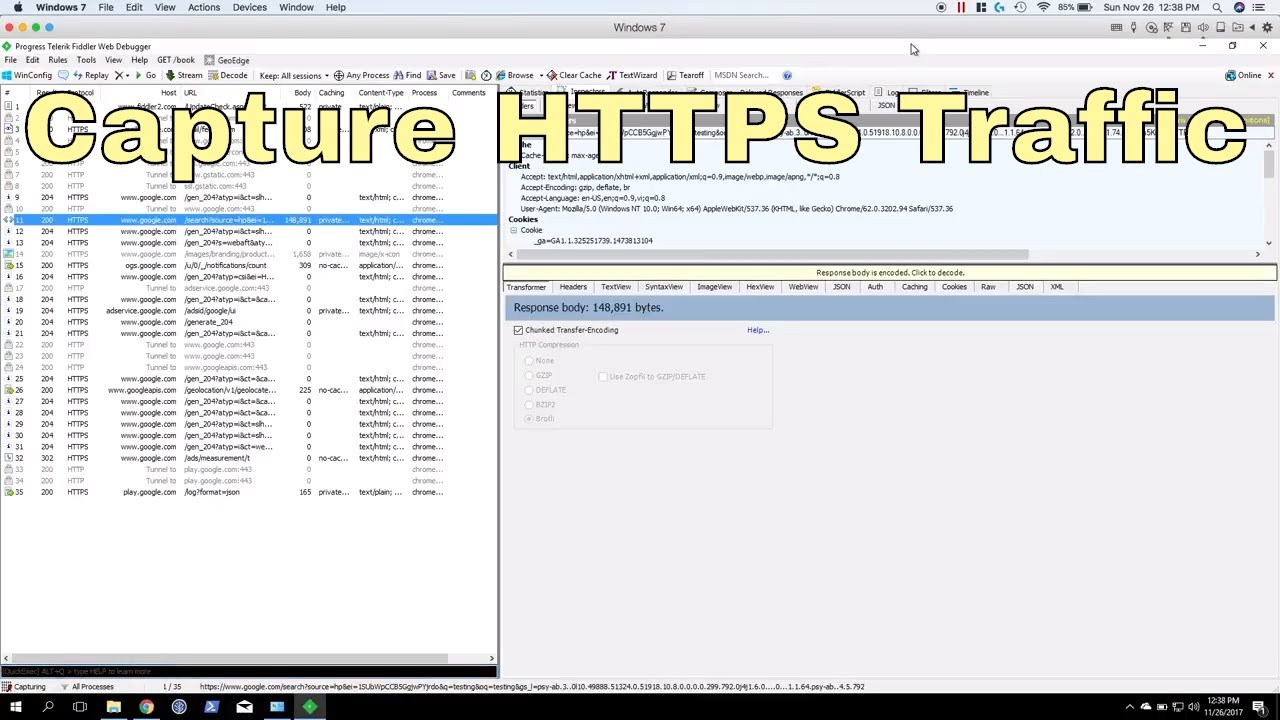
Web debugging proxy for traffic inspection and manipulation.
Free tool from Progress Telerik with Windows focus.
Core Capabilities
Fiddler captures HTTP/HTTPS traffic with certificate interception. Composes custom requests. Replays and modifies sessions. Performance analysis with timeline views.
AutoResponder for mocking server responses. Filters for targeted capture. Extensions (FiddlerScript, .NET) for customization. Request/response encryption/decryption.
Supported Platforms
Android, iOS, web applications. Fiddler Classic (Windows only), Fiddler Everywhere (cross-platform). Works with any HTTP client.
Testing Methodology
System proxy interception with certificate trust. Session inspection and modification. AutoResponder rules for response mocking.
Performance metrics and waterfall charts. FiddlerScript (JScript.NET) for automation. Extensions for custom logic.
Key Features
- HTTP/HTTPS traffic capture
- AutoResponder rules
- Custom request composer
- Timeline/waterfall views
- FiddlerScript extensibility
- Performance metrics
- Session comparison
- Export to multiple formats
- Mobile device support
Use Cases
API response mocking for front-end development. Performance bottleneck identification. Authentication token manipulation.
Cache and compression testing. Cookie troubleshooting. Security header validation.
Integration & Deployment
Fiddler Classic: Free for Windows. Fiddler Everywhere: Free tier or Pro ($12/month). Desktop installation.
Mobile configuration via manual proxy settings. Certificate trust setup per platform. Extensions for enhanced features.
Licensing & Availability
Fiddler Classic: Free (Windows only). Fiddler Everywhere: Free tier or Pro license. Progress Telerik product. Download from official site.
Appknox

Automated mobile security testing platform with continuous scanning.
Commercial SaaS solution for enterprise mobile security.
Core Capabilities
Appknox performs automated static and dynamic analysis of mobile apps. Scans for OWASP Mobile Top 10 vulnerabilities. API security testing with authentication flows.
Binary analysis identifies hardcoded secrets and cryptographic issues. Dynamic testing on real devices (not emulators). Compliance reporting for regulations.
Supported Platforms
Android 4.4+, iOS 9+. Hybrid and native applications. React Native, Flutter, Xamarin support. Cloud-based, no local installation.
Testing Methodology
Upload APK/IPA to cloud platform. Automated static analysis scans binary. Dynamic testing deploys to real devices.
API endpoint discovery and testing. Vulnerability severity scoring. Detailed remediation guidance.
Key Features
- Cloud-based scanning
- Real device testing
- API security analysis
- Compliance reporting
- CI/CD integration
- Developer dashboard
- Vulnerability tracking
- Risk scoring
- Scheduled scanning
Use Cases
Enterprise mobile security programs. Compliance requirements (GDPR, HIPAA). Third-party vendor app assessment.
Continuous security testing in DevOps workflows. Risk-based vulnerability prioritization. Security program metrics.
Integration & Deployment
SaaS platform accessed via web browser. REST API for automation. Jenkins/GitLab/GitHub integration.
SDK for in-app security monitoring. No infrastructure required. Multi-tenant cloud architecture.
Licensing & Availability
Commercial SaaS pricing. Free trial available. Enterprise plans with custom pricing. Support included with subscription.
NowSecure
Mobile app security testing platform with automated and manual testing.
Enterprise-grade solution combining automation with expert analysis.
Core Capabilities
NowSecure performs automated binary analysis and dynamic testing on real devices. Tests for data storage vulnerabilities, network security, authentication issues. Identifies business logic flaws through behavioral analysis.
Runtime application self-protection (RASP) capabilities. Compliance scanning for regulatory standards. Threat modeling and risk assessment. Penetration testing services available.
Supported Platforms
Android 5.0+, iOS 10+. Native, hybrid, cross-platform frameworks. Cloud-based platform with global device lab. Supports complex authentication flows.
Testing Methodology
Automated analysis on physical device cloud. Dynamic instrumentation via Frida integration. Network traffic analysis with protocol decoding.
Manual testing by security experts (higher tiers). Continuous monitoring for deployed apps. Regression testing for updates.
Key Features
- Real device testing (not emulators)
- Automated security scanning
- Expert manual testing options
- Business logic testing
- Compliance reporting
- CI/CD pipeline integration
- API security analysis
- SDK for runtime protection
- Executive dashboards
Use Cases
Enterprise mobile application security programs. Regulatory compliance verification. Pre-release security validation.
Mobile security best practices implementation. Supply chain risk management. Security posture tracking.
Integration & Deployment
Cloud platform accessed via web interface. REST API for programmatic access. GitHub Actions, Jenkins, Jira integration.
Available as managed service or self-hosted. Expert consultation included in enterprise tiers. Dedicated account management.
Licensing & Availability
Commercial platform with tiered pricing. Free trial available. Enterprise licenses with volume discounts. Professional services available.
FAQ on Mobile Application Penetration Testing Tools
What is the difference between static and dynamic analysis tools?
Static analysis examines application binaries and source code without executing the app. Tools like MobSF and QARK scan for hardcoded secrets, insecure data storage, and vulnerable code patterns.
Dynamic analysis tests running applications through runtime instrumentation. Frida and Objection monitor API calls, network traffic, and memory operations during execution, catching vulnerabilities static tools miss.
Do I need a rooted or jailbroken device for mobile penetration testing?
Root access expands testing capabilities but isn’t always required. Many tools work on standard devices with debuggable builds or through ADB connectivity.
Drozer operates without root for basic component testing. However, comprehensive testing with Frida, Xposed Framework, or SSL Kill Switch requires elevated privileges to hook system-level functions and bypass security controls.
Which tools are best for testing SSL pinning implementations?
Frida and Objection provide the most flexible SSL pinning bypass capabilities through runtime hooking. SSL Kill Switch works specifically for iOS applications using native frameworks.
Burp Suite and OWASP ZAP handle MITM interception after pinning is bypassed. For automated testing, MobSF detects pinning implementations during static analysis but requires separate tools for runtime bypass.
Can these tools detect business logic vulnerabilities?
Automated tools identify technical flaws like injection and authentication issues. Business logic vulnerabilities require manual analysis and understanding of application workflows.
Burp Suite and OWASP ZAP facilitate manual testing through request manipulation. Frida enables custom scripts for specific business logic scenarios. Mobile app security testing combines automated scanning with expert manual assessment for comprehensive coverage.
How do I integrate penetration testing tools into CI/CD pipelines?
MobSF, QARK, and AndroBugs offer REST APIs and command-line interfaces for continuous integration. OWASP ZAP provides Docker containers and Jenkins plugins.
Configure automated scans to run on every build or pull request. Set security thresholds to fail builds when critical vulnerabilities are detected. Export results to JIRA or Slack for team visibility.
What’s the best free tool for beginners learning mobile security?
MobSF provides comprehensive automated analysis with minimal configuration. Its web interface and detailed reports help beginners understand vulnerability types without command-line complexity.
Combine MobSF with OWASP ZAP for network traffic analysis. Both tools are open source, well-documented, and supported by active communities offering tutorials and guidance for Android development security.
How do commercial tools like Appknox differ from open-source alternatives?
Commercial platforms offer managed infrastructure, compliance reporting, and expert support. Appknox and NowSecure test on real device clouds with automated vulnerability scanning and remediation guidance.
Open-source tools require manual setup and infrastructure management. They provide flexibility and customization but lack enterprise features like scheduled scanning, team dashboards, and SLA-backed support for production security programs.
Can penetration testing tools detect vulnerabilities in React Native or Flutter apps?
Cross-platform frameworks use native components underneath, making them testable with standard tools. MobSF analyzes hybrid apps by examining both JavaScript bundles and native binaries.
Frida instruments React Native bridge communications and Flutter engine calls. Burp Suite intercepts API traffic regardless of framework. However, framework-specific vulnerabilities may require specialized knowledge beyond automated detection.
Which tools test for OWASP Mobile Top 10 vulnerabilities?
MobSF covers all OWASP Mobile Top 10 categories through automated static and dynamic analysis. QARK specifically targets improper platform usage and insecure data storage.
Burp Suite addresses server-side vulnerabilities affecting mobile backends. Combine multiple tools: MobSF for comprehensive scanning, Drozer for component analysis, and Frida for runtime protection bypass testing.
How often should I run penetration testing tools during development?
Run automated static analysis on every code commit through CI/CD integration. Schedule comprehensive scans weekly during active development.
Perform full penetration testing before major releases and after significant architecture changes. Dynamic analysis with tools like Frida should occur during software testing lifecycle phases and security-focused sprints for thorough coverage.
Conclusion
Selecting the right mobile application penetration testing tools determines whether vulnerabilities get caught during development or exploited in production. No single tool covers every attack vector.
Combine automated scanners like MobSF for baseline security checks with specialized frameworks such as Drozer for component testing. Runtime instrumentation through Frida reveals vulnerabilities that static analysis misses entirely.
Your software development lifecycle should integrate security testing at multiple checkpoints. Run QARK or AndroBugs during code refactoring, deploy OWASP ZAP for API validation, and schedule comprehensive assessments before release.
Budget constraints? Start with open-source tools and expand to commercial platforms as your security program matures.
The tools exist. The question is whether you’ll use them before attackers find what you missed. Security vulnerabilities don’t wait for convenient timing, and neither should your testing strategy when protecting user data and maintaining software reliability.

- MongoDB Cheat Sheet - October 20, 2026
- Adding AI Video Generation to a Software Product: Architecture, Cost Guardrails and QA - October 20, 2026
- Show Hidden Characters, Spaces, and Line Endings in Notepad++ - October 19, 2026


