

Your app crashes twice during a user’s first session. They uninstall it and never return.
This scenario plays out millions of times daily across app stores. Research shows 77% of users abandon apps within three days of installation, with Day 1 retention hovering around just 25%.
The mobile application development landscape has become brutally competitive. Users expect flawless experiences, instant load times, and intuitive interfaces from the moment they tap your icon. One misstep in UI/UX design or performance sends them to a competitor.
Mobile app best practices aren’t optional anymore. They’re the difference between an app that thrives and one that disappears into the digital void.
This guide covers 30 essential practices that successful apps implement. You’ll learn specific techniques for onboarding, performance optimization, security protocols, and user retention strategies backed by current industry data and real-world implementation approaches.
Mobile App Best Practices
| User Experience Category | Core Practice | Technical Implementation | User Benefit |
|---|---|---|---|
| Onboarding & Navigation | Clear onboarding flow Intuitive navigation Simple gestures | Progressive disclosure patterns Contextual guidance system Touch-optimized interface design | Users complete initial setup efficiently and navigate the app without confusion |
| Performance & Speed | Fast load times Performance optimization Data caching Battery efficiency Small app size | Lazy loading implementation Image compression algorithms Memory management protocols Background process optimization Asset bundling strategies | App launches instantly, operates smoothly, preserves device battery life, and occupies minimal storage space |
| Functionality & Features | Offline functionality Search functionality Pull-to-refresh Graceful degradation | Local data persistence layer Indexed search algorithms Network state detection Feature detection fallbacks | Core features remain accessible without internet connectivity and users can quickly locate specific content |
| Security & Privacy | Secure authentication Minimal permissions requests Privacy controls Biometric authentication support | OAuth 2.0 integration Encryption protocols (TLS/SSL) Permission granularity management Fingerprint/Face ID API implementation | User data remains protected through industry-standard security measures while maintaining convenient access methods |
| Communication & Feedback | Push notifications (opt-in) Clear error messages Loading indicators Empty states design Haptic feedback | FCM/APNs notification service Contextual error handling Progress indication components Placeholder content templates Vibration API integration | Users receive timely, relevant updates and clear feedback about app status and actions |
| Accessibility & Design | Responsive design for all screen sizes Accessibility support Dark mode option Consistent UI/UX patterns | Adaptive layout system WCAG 2.1 compliance Screen reader compatibility Theme switching architecture Design system implementation | App functions effectively across all devices and remains accessible to users with disabilities while offering visual preferences |
| Account Management | Easy account creation/login | Social sign-in integration Email verification workflows Password strength validation | Users establish accounts quickly with minimal friction through multiple authentication methods |
| Maintenance & Quality | Regular updates Crash reporting and monitoring Beta testing program App store optimization | CI/CD pipeline integration Crashlytics/Sentry implementation TestFlight/Play Console beta channels ASO keyword optimization A/B testing frameworks | App stability improves continuously through proactive bug detection and user feedback while maintaining high visibility in app stores |
Prioritize User Experience
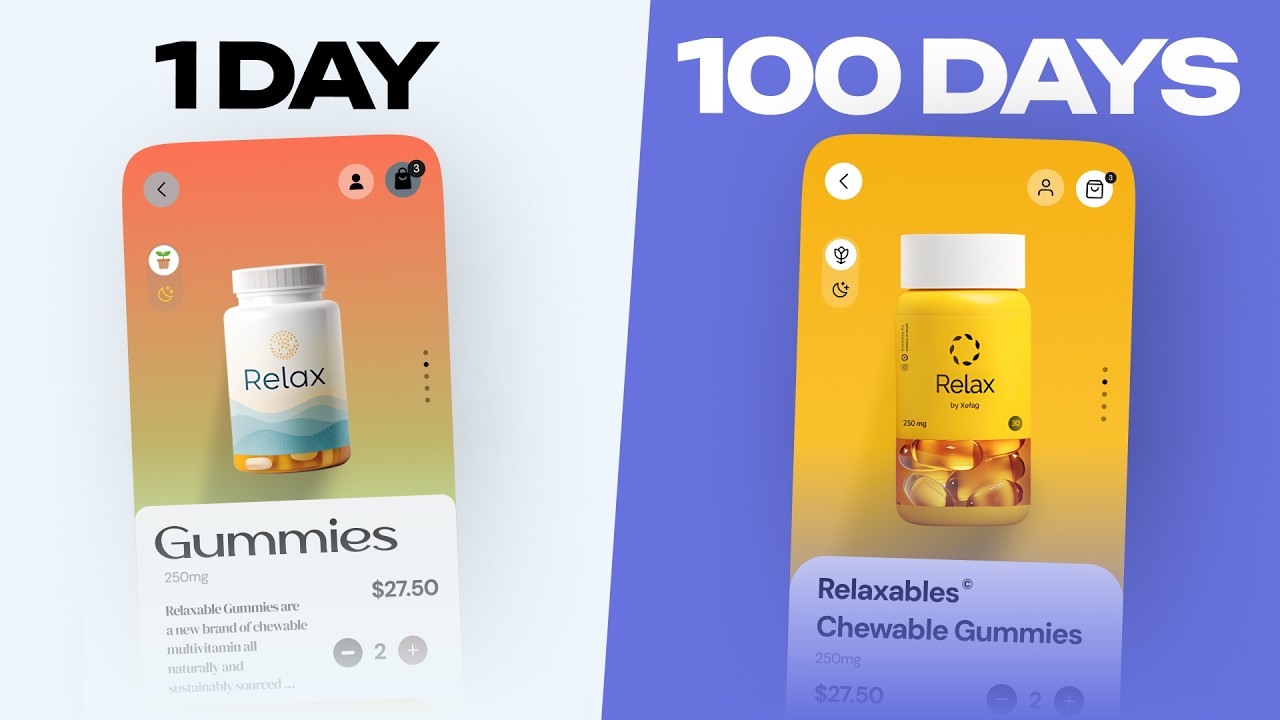
Your app must center entirely around what users need and how they behave. Well-designed apps fulfill user wishes while remaining easy to use, desirable, and findable.
Every design decision should reflect deep understanding of your audience’s goals and pain points.
Key Implementation Details
Start with thorough user research before writing any code.
Create detailed user profiles that guide each stage of software development.
Map complete customer journeys to understand how people interact before, during, and after using your app. Test early prototypes with real users and iterate based on actual feedback rather than assumptions.
Mobile users face unique contexts like walking while using devices, dealing with signal loss, and managing shorter attention spans.
Why This Matters
Studies show that every dollar invested in UX design returns $100.
Poor experiences drive 90% of users to abandon apps permanently. When users find interfaces pleasing and content logical, they stay engaged and complete desired actions.
Your UI/UX design directly impacts conversion rates, retention, and revenue.
Common Attributes
Platform considerations: Adapt designs for iOS development and Android development separately while maintaining brand consistency.
User metrics: Track task completion rates, time-on-task, error rates, and satisfaction scores.
Accessibility requirements: Support screen readers, adjustable text sizes, high contrast modes, and voice navigation.
Implementation Checklist
- Conduct user interviews and behavioral analysis before design begins
- Build user personas representing your target audience segments
- Create journey maps showing all touchpoints and potential friction points
- Develop wireframing prototypes for early validation
- Run usability tests with minimum 5 users per iteration
- Implement analytics to track how people actually use features
- Schedule regular feedback sessions throughout development
Related Practices
Connect user research findings to front-end development decisions.
Align UX priorities with back-end development architecture. User-centered approaches work especially well with custom app development projects where you can tailor every element to specific audience needs.
Optimize Performance and Speed

Load times under 2 seconds minimize uninstalls, while anything over 3 seconds causes 53% of users to abandon the app.
Speed isn’t just technical – it’s the foundation of user satisfaction.
Key Implementation Details
Focus on launch optimization by using lazy initialization for non-critical components and deferring heavy tasks until after the first screen renders.
Compress all images without sacrificing quality.
Implement caching strategies that store frequently accessed data locally. Use asynchronous loading to keep the main thread responsive. Minimize network requests by batching API calls and reducing payload sizes.
Adopt modern frameworks supporting code splitting and tree shaking to eliminate unused code.
Why This Matters
Even a one-second delay reduces conversions by 7%, and 70% of consumers say page load time influences their purchasing decisions.
Slow apps destroy trust. Google prioritizes faster experiences in mobile search rankings, with Core Web Vitals playing a major role in visibility.
Poor performance directly costs you users and revenue.
Common Attributes
Performance targets: Aim for sub-2-second cold starts and under 1-second warm starts.
Crash rates: Target less than 1% per user, 0.1% per session, and 0.01% per screen view.
Resource consumption: Monitor memory usage, CPU cycles, network bandwidth, and battery drain across device categories.
Framework selection: Choose lightweight libraries and avoid bloated dependencies that slow initialization.
Implementation Checklist
- Profile app startup to identify bottlenecks using platform-specific tools
- Implement image optimization with WebP format and appropriate resolutions
- Set up content delivery networks (CDN) for faster asset delivery
- Enable caching for both disk and memory storage
- Use lazy loading for images and content below the fold
- Minimize third-party SDK integration to reduce overhead
- Test performance on low-end devices with poor network conditions
- Monitor real-world performance metrics with Firebase Performance or similar
Related Practices
Performance optimization connects directly to your chosen tech stack for app development.
Consider progressive web apps for scenarios requiring instant loading. Proper API integration reduces latency when designed efficiently.
Responsive Design
Apps must adapt seamlessly across all screen sizes and resolutions, providing optimal experiences whether users access content on phones, tablets, or foldables.
One layout doesn’t fit all devices.
Key Implementation Details
Use flexible grids and percentage-based widths so elements adjust automatically to available space.
Apply CSS media queries to define breakpoints where layouts change to accommodate different screen dimensions.
Test across common resolutions including 360×640, 375×667, 414×896 for mobile, and 768×1024, 1280×800 for tablets. Set viewport meta tags properly for scaling. Design mobile-first, then progressively enhance for larger screens.
Why This Matters
Responsive design ensures consistent user experiences across devices, which improves satisfaction and prevents alienating significant user segments.
Device fragmentation means your app appears on hundreds of screen configurations. Testing across major resolutions maximizes coverage while avoiding unnecessary work.
Users expect apps to look professional regardless of their device choice.
Common Attributes
Breakpoint strategy: Define 3-5 major breakpoints based on your audience’s actual devices (check analytics).
Orientation handling: Support both portrait and landscape modes gracefully.
Touch target sizing: Maintain minimum 44×44 pixel tap areas per platform guidelines.
Content prioritization: Show critical information first on smaller screens, expand secondary content as space allows.
Implementation Checklist
- Analyze user data to identify top 5 device categories in your audience
- Define breakpoints using relative units (em, rem) rather than fixed pixels
- Test layouts at each breakpoint to ensure smooth transitions
- Verify touch targets meet minimum size requirements on smallest screens
- Check font legibility across all sizes without zooming
- Test on real devices, not just emulators
- Validate with tools like BrowserStack for comprehensive coverage
Related Practices
Responsive design principles apply whether building native or cross-platform app development solutions.
Connect responsive layouts to your overall mobile app development process. Consider how adaptive design approaches differ from responsive strategies.
Simplify Navigation

Navigation should feel intuitive and require minimal mental effort, allowing users to find content quickly without confusion.
Complex menu structures frustrate people and drive them away.
Key Implementation Details
Limit primary navigation to 3-5 key options to prevent decision paralysis.
Use recognizable patterns like bottom tab bars for core features, hamburger menus for secondary functions, and gesture-based controls for common actions.
Label navigation elements with clear, descriptive language that matches user mental models – avoid jargon or technical terms. Provide immediate visual feedback when users tap elements through color changes, animations, or haptic responses.
Place critical actions in thumb-reach zones, typically the bottom center of screens.
Why This Matters
Mobile users seek instant gratification and will abandon apps if they can’t quickly find what they need.
Overcomplicated navigation creates cognitive load and decision fatigue. Consistent, well-labeled navigation builds user confidence about where they are and where they can go next.
Simple structures directly improve task completion rates and user satisfaction.
Common Attributes
Navigation depth: Keep critical content within 3 taps from any starting point.
Touch accessibility: Ensure all navigation elements work comfortably for one-handed use.
Gesture support: Implement familiar swipe patterns for forward/back navigation.
Visual hierarchy: Use size, color, and placement to indicate importance of navigation items.
Implementation Checklist
- Map out information architecture before designing navigation
- Test navigation with card sorting exercises to validate structure
- Implement bottom navigation for apps with 3-5 core sections
- Reserve hamburger menus for secondary or less-used features
- Add search functionality for content-heavy apps
- Include breadcrumbs or back buttons for hierarchical navigation
- Test navigation flow with real users completing actual tasks
- Monitor analytics to identify where users get stuck or confused
Related Practices
Navigation design impacts how users move through your app lifecycle.
Connect navigation decisions to overall mobile application development strategy. Consider how web apps approach navigation differently than native solutions.
Maintain Consistent UI Elements
Visual and functional consistency across all screens helps users feel comfortable and know what to expect, reducing learning curves.
Uniform design patterns signal professionalism and reliability.
Key Implementation Details
Create a comprehensive design system that defines reusable components, color variables, typography scales, iconography, and interaction patterns.
Use component libraries to ensure buttons, inputs, cards, and other elements maintain identical styling and behavior throughout the app.
Document standard UI elements including how logos, navigation components, and action buttons should appear. Establish clear guidelines for spacing, alignment, and visual hierarchy. Apply the same interaction patterns (tap, swipe, long-press) consistently across similar elements.
Why This Matters
Consistency enhances familiarity, making apps more comfortable to navigate because users know what to expect.
Inconsistent interfaces create confusion and erode trust. When buttons look different on each screen, users question whether they’ll work the same way.
Unified design systems speed development by providing ready-made solutions and prevent visual fragmentation as teams scale.
Common Attributes
Component library size: Maintain 50-100 reusable components for most apps.
Style variables: Define global color palettes (typically 5-10 colors), typography scales (4-6 sizes), and spacing units (8pt grid common).
Platform adherence: Follow Material Design principles for Android and Human Interface Guidelines for iOS.
Documentation standards: Keep design system docs updated as components evolve.
Implementation Checklist
- Build or adopt a design system early in the project
- Create a shared component library accessible to all team members
- Define color palettes, typography rules, and spacing standards
- Document interaction patterns and animation principles
- Use design tokens to sync values between design and code
- Conduct regular design audits to catch inconsistencies
- Train team members on proper component usage
- Version control design system updates
Related Practices
Consistent design systems support efficient rapid app development.
Connect UI consistency to your codebase organization. Consider how design document standards prevent design drift across teams.
Minimize App Load Time
Users expect apps to launch in under 2 seconds, with 61% refusing to wait more than 5 seconds and 20% expecting sub-2-second starts.
Every additional second of delay directly increases abandonment rates.
Key Implementation Details
Implement lazy initialization by deferring component setup and data loading that isn’t immediately needed at launch.
Optimize images through compression, use appropriate resolutions for each display, and leverage lazy loading for below-the-fold content. Enable both memory and disk caching to reduce redundant data fetches. Minimize JavaScript bundle sizes through code splitting and removing unused dependencies.
Deploy CDNs with edge computing to reduce latency by serving content from geographically closer servers.
Why This Matters
Google confirms page speed is a ranking factor for mobile search, with top results loading under 5 seconds.
A one-second delay can reduce conversions by nearly 7%. Slow load times harm discoverability, user retention, and revenue.
First impressions form within seconds – slow launches create negative perceptions that persist even if the rest of the experience improves.
Common Attributes
Target metrics: Cold start under 2 seconds, warm start under 1 second, content meaningful paint under 1.5 seconds.
File size optimization: Keep initial bundle under 5MB, compress images by 60-80% without visible quality loss.
Network efficiency: Reduce API calls at startup, batch requests where possible, implement request prioritization.
Monitoring tools: Use Lighthouse, Firebase Performance, or platform-specific profilers for continuous measurement.
Implementation Checklist
- Profile current load time to establish baseline measurements
- Identify and defer non-critical initialization tasks
- Compress and optimize all image assets
- Implement progressive loading for content
- Set up CDN for static assets and media
- Enable gzip compression for text-based resources
- Reduce third-party library bloat
- Test load times on 3G and 4G networks, not just WiFi
- Monitor real user load times through analytics
Related Practices
Load time optimization connects to app deployment strategies and build pipeline configurations.
Consider code refactoring to eliminate performance bottlenecks. Efficient software development principles emphasize performance from day one.
Implement Strong Security Measures

Mobile apps handle sensitive user data and require robust protection against threats. Security breaches destroy trust and expose companies to legal liability.
Key Implementation Details
Encrypt all data both at rest and in transit using industry-standard protocols (AES-256 for storage, TLS 1.3 for transmission).
Implement secure authentication methods like biometric verification (fingerprint, face recognition) or multi-factor authentication. Never store passwords in plain text – use strong hashing algorithms with salt.
Validate all user inputs to prevent injection attacks. Apply certificate pinning to prevent man-in-the-middle attacks. Use secure coding practices to avoid common vulnerabilities like buffer overflows and insecure deserialization.
Why This Matters
Security breaches lead to user abandonment, regulatory fines, and reputational damage that can destroy apps permanently. Users increasingly expect strong privacy protections and will avoid apps with poor security track records.
Compliance requirements like GDPR and CCPA impose legal obligations with severe penalties for violations. Proactive security prevents costly incidents rather than reacting after breaches occur.
Common Attributes
Authentication strength: Support biometric options plus 2FA backup methods.
Encryption standards: Use AES-256 for local storage, TLS 1.3 for network communication.
Vulnerability testing: Conduct penetration testing quarterly, run automated security scans continuously.
Permission management: Request only necessary permissions, explain clearly why each is needed.
Implementation Checklist
- Implement end-to-end encryption for sensitive data
- Add biometric authentication where appropriate
- Enable certificate pinning for API communications
- Validate and sanitize all user inputs
- Store API keys and secrets securely (not in code)
- Implement session timeout and automatic logout
- Add obfuscation to protect source code
- Conduct regular security audits and penetration testing
- Create incident response plan for potential breaches
Related Practices
Security intersects with mobile app security frameworks and mobile app security best practices.
Follow comprehensive mobile app security checklist guidelines. Understand common mobile app security threats to prevent vulnerabilities.
Optimize for Different Screen Sizes
Apps must render properly across the vast range of devices users own, from compact phones to large tablets and foldables. Ignoring device diversity alienates significant audience segments.
Key Implementation Details
Design using flexible layouts that adapt to available space rather than fixed pixel dimensions. Implement breakpoints at strategic widths where content needs to reflow.
Test on devices spanning small (360px), medium (375-414px), large (768px+) categories. Use constraint-based layouts that define relationships between elements rather than absolute positions.
Support both portrait and landscape orientations. Scale images appropriately for each screen density (1x, 2x, 3x) to maintain quality without wasting bandwidth.
Why This Matters
Device fragmentation means apps run on thousands of different hardware configurations. Users expect professional experiences regardless of their device choice.
Poor adaptation leads to awkward layouts with truncated text, oversized images, or unusable interfaces. Responsive design increases reach by making apps accessible to more users across more devices.
Common Attributes
Screen density support: Provide assets for mdpi, hdpi, xhdpi, xxhdpi, xxxhdpi on Android; 1x, 2x, 3x on iOS.
Orientation handling: Design for both portrait and landscape where appropriate.
Tablet optimization: Create dedicated layouts for larger screens rather than just scaling phone layouts.
Foldable support: Handle screen continuity when devices fold/unfold.
Implementation Checklist
- Define breakpoints based on your user base’s device distribution
- Create layouts for small, medium, and large screen categories
- Test on actual devices representing each category
- Verify touch targets remain accessible across all sizes
- Check text legibility without requiring zoom
- Ensure images scale appropriately for each density
- Test multi-window and split-screen modes
- Validate on tablets and foldable devices if targeting those users
Related Practices
Screen optimization applies to both native and cross-platform app development tools.
Connect to broader mobile app development trends. Consider platform-specific approaches when comparing native or hybrid or cross-platform apps.
Use Clear CTAs

Call-to-action buttons guide users toward desired actions and significantly impact conversion rates. Clear, specific CTAs can increase click-through rates by up to 161%.
Every button should answer “Why should I click this?” without ambiguity.
Key Implementation Details
Design CTA buttons with sufficient size (minimum 44×44 pixels per Apple/WCAG, 48×48 per Google Material Design). Use familiar shapes like rectangles with rounded corners to signal interactivity.
Create high contrast between button text and background (minimum 3:1 ratio for accessibility).
Write action-oriented, benefit-driven copy that’s specific rather than generic (“Start Free Trial” beats “Submit”). Place primary CTAs in thumb-reach zones on mobile, typically bottom center. Use consistent button styling throughout the app but vary visual weight between primary and secondary actions through saturation and brightness differences.
Why This Matters
CTA buttons directly determine whether users complete desired actions that support business goals.
Poorly designed buttons create friction that prevents conversions. Users abandon tasks when they can’t quickly identify next steps or when buttons look unclickable.
Good CTA design removes obstacles between user intent and action completion, directly affecting revenue and engagement metrics.
Common Attributes
Size requirements: 44-48 pixels minimum in both dimensions for comfortable tapping.
Color strategy: High-contrast colors that stand out from background, typically brand primary color for main actions.
Copy principles: 2-5 words maximum, starts with action verb, communicates clear benefit.
Placement patterns: Bottom sheet for mobile commerce, floating action button for primary app actions, inline for form submissions.
Implementation Checklist
- Define button hierarchy (primary, secondary, tertiary actions)
- Establish minimum touch target sizes across all buttons
- Test color contrast ratios with accessibility checkers
- Write benefit-focused microcopy for each CTA
- Position primary CTAs within natural thumb zones
- Add visual feedback on tap (color change, ripple effect, haptic)
- Separate adjacent buttons by 8+ pixels to prevent misclicks
- A/B test button copy, color, and placement variations
- Verify CTAs remain accessible at all screen sizes
Related Practices
CTA design connects closely to overall UI/UX design principles and navigation structure.
Consider how button placement affects user flow through your app. Test effectiveness through systematic types of software testing approaches.
Limit Permissions to Essentials
Request only permissions absolutely necessary for core app functionality. Users increasingly scrutinize permission requests and will abandon apps that demand excessive access.
The principle of least privilege builds trust and protects user privacy.
Key Implementation Details
Request permissions contextually when users access features requiring that permission, rather than all at once during installation.
Explain clearly why each permission is needed before requesting it. Implement progressive permission requests that start with core features and only ask for additional access when users engage secondary functionality.
Mark hardware permissions as optional when possible (set android:required=”false” for features like camera if the app can function without them). Never request permissions for features you don’t actually use or implement.
Why This Matters
Excessive permission requests damage user trust and create security vulnerabilities.
Studies show 86% of users have uninstalled apps due to privacy concerns. Requesting only essential permissions reduces attack surface area if breaches occur.
Clear permission practices also ensure compliance with regulations like GDPR and CCPA, avoiding legal penalties while respecting user autonomy over their data.
Common Attributes
Permission categories: Location (only when needed for mapping/geo features), camera/microphone (only for media creation), contacts (avoid unless core social feature), storage (minimize with scoped storage).
Request timing: Contextual requests when user initiates relevant feature, never batch requests at launch.
User education: Brief explanation before system permission dialog appears.
Fallback functionality: App remains partially usable when users deny optional permissions.
Implementation Checklist
- Audit all requested permissions against actual feature usage
- Remove any unused or unnecessary permission requests
- Implement contextual permission requests tied to specific features
- Add explanatory screens before system permission dialogs
- Test app functionality when permissions are denied
- Provide settings screen where users can review/revoke permissions
- Document why each permission is needed in app store descriptions
- Use permission groups to minimize dialog count
- Implement graceful degradation for denied permissions
Related Practices
Permission management intersects directly with your mobile app security strategy and mobile app security best practices.
Follow comprehensive mobile app security checklist guidelines to protect both app and user data.
Support Offline Functionality
Apps should remain functional without constant internet connectivity, allowing users to complete critical tasks even when networks are unavailable or unreliable.
Studies show 61% of users expect apps to work offline, and 46% will uninstall apps that don’t.
Key Implementation Details
Implement local data storage using SQLite, IndexedDB, or Realm to cache essential content and user-generated data. Use service workers to cache resources and manage offline requests seamlessly.
Design intelligent sync mechanisms that queue changes locally and automatically upload when connection restores. Cache API responses and assets like images to enable viewing previously loaded content.
Create clear UI indicators showing connection status and which features remain available offline. Pre-fetch critical data during good connectivity so users can access it later without network.
Why This Matters
Network connectivity remains inconsistent globally, with 72% of users experiencing connection issues regularly. Apps that crash or become completely unusable without internet frustrate users and drive them to competitors.
Offline support expands your addressable market to include users in rural areas, developing markets, or anyone experiencing temporary connectivity problems like tunnels, planes, or crowded venues.
Common Attributes
Storage solutions: SQLite for structured data (60% of apps), Realm for real-time sync needs (35%), IndexedDB for web-based storage.
Sync strategies: Background synchronization when online, conflict resolution for simultaneous edits, last-write-wins or manual merge for conflicts.
User experience: Clear offline indicators, graceful feature degradation, queued action notifications.
Data priorities: Cache critical user content first, defer nice-to-have content, compress cached data to save space.
Implementation Checklist
- Identify which features must work offline versus nice-to-have
- Implement local database for critical data persistence
- Add caching layer for API responses and media assets
- Create sync queue for user actions taken offline
- Design conflict resolution strategy for simultaneous edits
- Show connection status indicators throughout app
- Test thoroughly with airplane mode and poor connectivity
- Set cache expiration policies to balance freshness and availability
- Implement background sync when device reconnects
Related Practices
Offline functionality requires thoughtful back-end development architecture to support sync.
Consider cloud-based app strategies for seamless data synchronization. Connect offline capabilities to your API integration design.
Regularly Update and Test
Continuous updates fix bugs, patch security vulnerabilities, and keep apps compatible with evolving OS versions. Regular testing catches issues before they reach users.
Apps without updates signal abandonment, eroding user trust and causing compatibility problems.
Key Implementation Details
Establish release schedules balancing feature velocity with stability (many teams target bi-weekly or monthly cycles). Implement automated testing suites covering unit tests, integration tests, and UI tests.
Use staged rollouts releasing updates to 5-10% of users initially, monitoring for issues before wider deployment. Test across multiple OS versions, especially when platforms release major updates.
Maintain both automated and manual testing, with automation handling repetitive checks and humans catching subtle UX issues. Monitor crash analytics and user feedback to prioritize fixes in upcoming releases.
Why This Matters
Operating systems update frequently, and apps must adapt to remain compatible. Even one-star rating drops correlate with 10% decrease in downloads.
Security vulnerabilities discovered after launch require immediate patches to protect users. Regular updates also signal active development, building user confidence that issues will be addressed and features will improve over time.
Common Attributes
Release frequency: Bi-weekly to monthly for feature updates, immediate for critical security patches.
Testing coverage: 70-80% code coverage for automated tests, manual testing for UX validation.
Rollout strategy: Staged releases starting at 5%, scaling to 25%, 50%, then 100% over days/weeks.
OS compatibility: Support current OS version plus 2-3 previous major versions.
Implementation Checklist
- Define clear release schedule and communicate to stakeholders
- Set up automated test suites (unit, integration, UI tests)
- Implement continuous integration/continuous deployment pipeline
- Configure staged rollout capabilities in app stores
- Monitor crash analytics and performance metrics post-release
- Test on real devices representing your user base
- Maintain testing documentation and test credentials
- Schedule regular security audits and penetration testing
- Create rollback plan for problematic releases
- Use feature flags to control feature exposure
Related Practices
Update strategies connect to app deployment processes and DevOps practices.
Align testing with software testing lifecycle standards. Leverage continuous integration and continuous deployment for efficient releases.
Use Analytics to Track Behavior

Understanding how users actually interact with your app reveals opportunities for improvement that assumptions miss. Analytics provide objective data about feature usage, user paths, and friction points.
Decisions based on real behavior outperform guesses.
Key Implementation Details
Integrate analytics SDKs like Firebase Analytics, Mixpanel, or Amplitude to track user events, screen views, and conversion funnels. Define key metrics aligned with business goals (retention rate, session length, feature adoption, conversion rates).
Implement event tracking for critical user actions to understand engagement patterns. Create user journey maps showing how people navigate through the app and where they drop off.
Segment users by behavior patterns (new, active, dormant, power users) to tailor experiences. Use cohort analysis to compare different user groups and test hypotheses about what drives engagement.
Why This Matters
Investing in UX improvements without data wastes resources on features users don’t need. Analytics reveal which features get heavy use versus those that sit ignored.
Understanding drop-off points in conversion funnels directly informs optimization priorities. Behavioral data also validates design decisions, showing whether changes improve metrics or harm them, enabling iterative improvement based on evidence rather than opinions.
Common Attributes
Core metrics: Daily/monthly active users, retention rates (Day 1, 7, 30), session duration, conversion rates, crash-free rate.
Event tracking: Screen views, button taps, feature usage, error occurrences, user paths through app.
User segmentation: Demographics, geographic location, device types, behavioral cohorts.
Analysis frequency: Daily monitoring of core metrics, weekly deep dives into user behavior, monthly trend analysis.
Implementation Checklist
- Install analytics SDK and configure event tracking
- Define key performance indicators aligned with business goals
- Implement event logging for critical user actions
- Create dashboards showing core metrics at a glance
- Set up funnel analysis for conversion paths
- Configure user segmentation for behavioral analysis
- Enable session replay or heatmaps for UX insights
- Schedule regular review meetings to discuss findings
- Connect analytics to A/B testing platform
- Ensure analytics respect user privacy and comply with regulations
Related Practices
Analytics inform data-driven decisions throughout the software development process.
Connect behavioral insights to requirements engineering for future features. Use data to validate software development principles and guide iteration.
Optimize for Accessibility
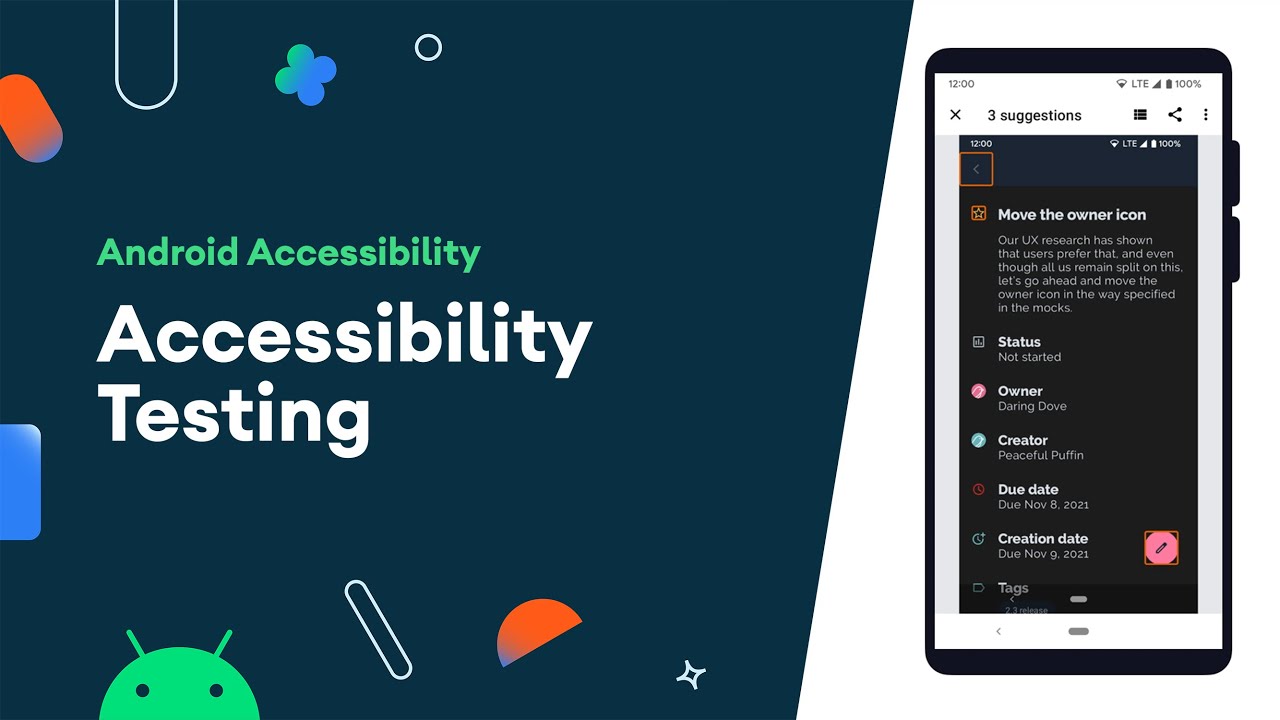
Accessible design ensures everyone can use your app regardless of disabilities, expanding your potential user base while meeting legal requirements. Apps should work with screen readers, support adjustable text sizes, and maintain sufficient contrast.
Inclusive design benefits all users, not just those with disabilities.
Key Implementation Details
Support screen reader compatibility by adding proper labels to all interactive elements and images. Maintain color contrast ratios of at least 4.5:1 for normal text and 3:1 for large text.
Enable dynamic type so users can adjust text sizes without breaking layouts. Provide alternatives for audio content (captions) and visual content (alt text, audio descriptions).
Design tap targets of at least 44×44 pixels with adequate spacing. Support voice control and keyboard navigation where applicable. Test with actual assistive technologies like VoiceOver (iOS) or TalkBack (Android).
Why This Matters
Over 1 billion people globally have disabilities, representing a significant market segment. Many countries enforce accessibility laws with serious penalties for non-compliance.
Beyond legal requirements, accessible design improves usability for everyone through clearer interfaces, better contrast, and more logical navigation.
Users with temporary impairments (broken arm, bright sunlight) or situational limitations (driving, loud environments) also benefit from accessibility features.
Common Attributes
Screen reader support: Semantic HTML, ARIA labels, logical reading order, descriptive element names.
Visual accessibility: 4.5:1 contrast for normal text, 3:1 for large text, no color-only information conveyance.
Motor accessibility: 44×44 pixel minimum touch targets, 8+ pixel spacing between targets, voice control support.
Cognitive accessibility: Simple language, clear instructions, consistent patterns, minimal distractions.
Implementation Checklist
- Run accessibility audits using platform-specific tools
- Test with screen readers (VoiceOver, TalkBack) on actual devices
- Check color contrast ratios for all text and UI elements
- Implement dynamic type support with flexible layouts
- Add meaningful labels and descriptions to interactive elements
- Verify keyboard/voice navigation works throughout app
- Provide captions for audio and alt text for images
- Test with accessibility settings enabled (large text, bold text, reduced motion)
- Include accessibility testing in QA process
Related Practices
Accessibility standards intersect with overall UI/UX design quality and functional and non-functional requirements.
Follow platform-specific guidelines like Material Design principles and Human Interface Guidelines for accessibility standards.
Follow Platform Design Guidelines
Each platform has established design systems that users know and expect. Following these guidelines creates familiar experiences that feel native rather than foreign.
Consistency with platform conventions reduces learning curves and builds trust.
Key Implementation Details
Study and apply Material Design for Android apps and Human Interface Guidelines for iOS apps. Use platform-standard UI components rather than creating custom replacements unnecessarily.
Follow native navigation patterns (bottom tabs on iOS, navigation drawer on Android when appropriate). Implement platform-specific interactions like swipe gestures and long-press behaviors users expect.
Use system fonts, standard iconography, and typical spacing conventions. Respect platform conventions for things like button placement, form design, and confirmation dialogs.
Why This Matters
Users develop muscle memory from other apps on their devices. When your app violates platform conventions, it feels awkward and increases cognitive load.
Platform guidelines reflect years of usability research and iteration by companies with massive user bases. Following these patterns means benefiting from that research rather than reinventing solved problems.
Apps that look and behave consistently with platform expectations also appear more polished and professional.
Common Attributes
iOS conventions: Bottom tab bars for primary navigation, large titles, swipe gestures, SF Symbols iconography, system blue for interactive elements.
Android conventions: Material Design 3, floating action buttons, bottom sheets, navigation drawer, adaptive layouts, material icons.
Cross-platform considerations: Maintain brand identity while adapting to platform expectations, use native components where possible.
Update frequency: Review guidelines when platforms release major updates (annually typically).
Implementation Checklist
- Read platform design guidelines thoroughly before starting design
- Use platform-native UI component libraries when available
- Audit designs against official guidelines checklists
- Test on actual devices to verify native feel
- Implement platform-specific patterns (not one-size-fits-all)
- Use system fonts and standard icon sets
- Follow platform conventions for permissions, notifications, settings
- Update designs when platforms release new guidelines
- Get platform design review before major releases
Related Practices
Platform guidelines shape fundamental mobile application development decisions.
Connect to specialized approaches for iOS development and Android development. Consider how cross-platform app development balances platform consistency with code reuse.
Keep Onboarding Simple
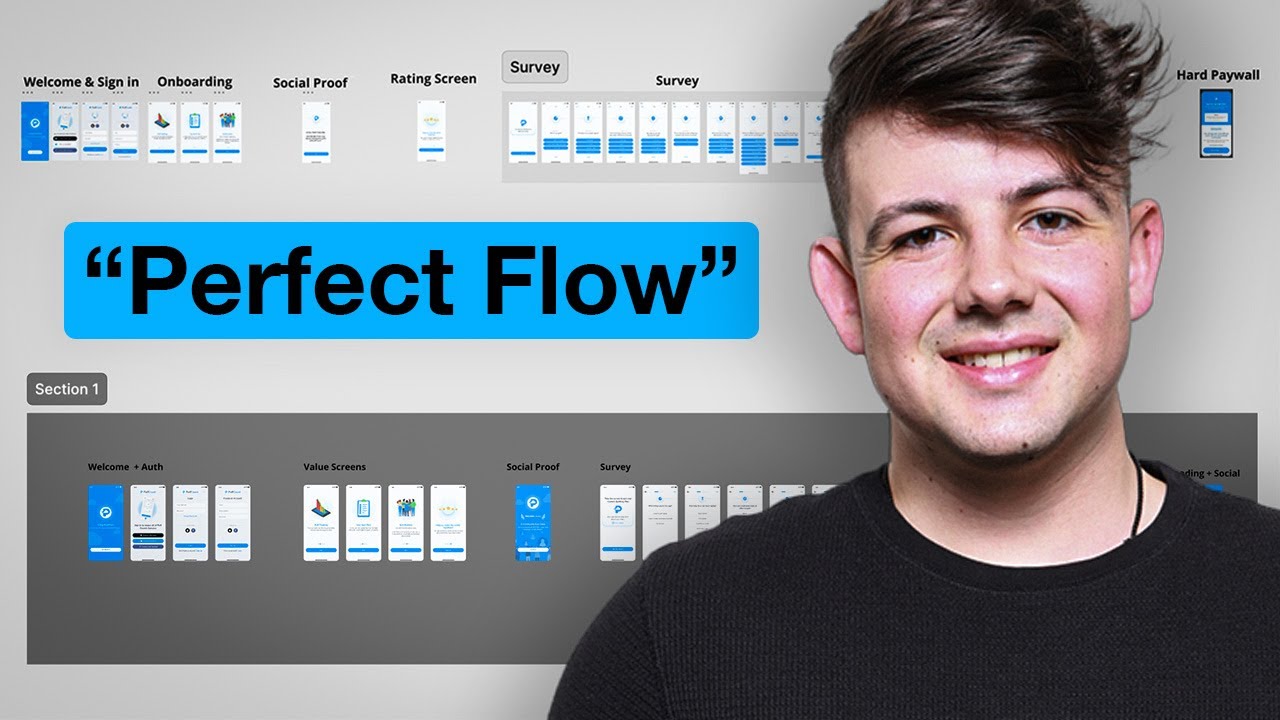
First-run experiences should quickly demonstrate value while teaching essential features. Complex onboarding creates friction that causes immediate abandonment.
Users decide within seconds whether to continue using an app.
Key Implementation Details
Limit onboarding screens to 3-5 maximum, each focusing on one key benefit or feature. Use progressive disclosure, teaching features contextually when users encounter them rather than explaining everything upfront.
Allow users to skip onboarding entirely if they prefer learning by exploration. Collect only essential information initially, deferring optional account details until users see value.
Use visuals and interactive walkthroughs rather than walls of text. Provide guest/trial access that lets users experience core functionality before requiring account creation.
Why This Matters
Apps lose 77% of daily active users within the first 3 days after install. Every additional step in onboarding increases abandonment risk.
Users want to accomplish goals immediately, not sit through tutorials. Complex onboarding signals the entire app will be complicated, creating negative first impressions.
Simple onboarding gets users to “aha moments” faster, where they experience the core value that drives retention.
Common Attributes
Screen count: 3-5 onboarding screens maximum before letting users into the app.
Information collection: Minimum viable data upfront, progressive profiling for additional details later.
Tutorial approach: Interactive demonstrations beat passive explanations, contextual tips beat upfront tutorials.
Time investment: Complete onboarding in under 60 seconds ideally.
Implementation Checklist
- Identify core value proposition to communicate immediately
- Limit onboarding to 3-5 screens maximum
- Make onboarding skippable for experienced users
- Use visuals and interactive elements over text
- Request only essential information initially
- Provide guest/trial access before requiring accounts
- Implement contextual tips that appear when users encounter features
- Test onboarding completion rates and iterate
- A/B test different onboarding approaches
Related Practices
Onboarding connects to the broader app lifecycle and user acquisition strategy.
Consider how first impressions affect overall mobile app development process success. Align onboarding with user experience optimization principles.
Use Push Notifications Wisely
Push notifications reconnect users with apps and drive engagement, but excessive or poorly timed messages cause opt-outs and uninstalls. Strategic notification practices build loyalty without alienating users.
65% of users return within 30 days when notifications are enabled, yet 60% quit apps entirely that send five or more weekly pushes.
Key Implementation Details
Request notification permission at meaningful moments rather than immediately at launch. Build trust first, then ask.
Personalize notifications based on user behavior, location, preferences, and past interactions (personalized messages see 259% higher engagement). Segment users by demographics and activity patterns to send relevant content. Limit frequency to 2-4 notifications weekly for most apps unless users expect daily updates.
Time notifications thoughtfully, avoiding late night/early morning hours unless urgent. Include clear, actionable copy with benefit-focused messaging. Provide granular preference controls letting users customize which notifications they receive.
Why This Matters
Push notifications directly impact retention and engagement metrics that determine app success. They offer a direct communication channel even when users aren’t actively using the app.
However, 86% of users have uninstalled apps due to excessive notifications. The privilege of interrupting users requires responsibility.
Well-executed notification strategies increase session frequency and boost conversion rates. Poor execution drives permanent abandonment.
Common Attributes
Frequency guidelines: 2-4 weekly for general apps, daily acceptable for news/finance/productivity where users expect updates.
Timing strategy: Send during peak mobile usage (evenings, lunch breaks), respect time zones for global audiences.
Personalization depth: User name, relevant products/content based on past behavior, geolocation triggers, behavioral milestones.
Permission approach: Contextual requests when feature is relevant, explain value before system dialog, never batch all permissions at launch.
Implementation Checklist
- Build relationship before requesting notification permissions
- Explain notification value clearly before system permission prompt
- Implement user segmentation for targeted messaging
- Personalize content based on user data and behavior
- Set appropriate frequency caps to prevent notification fatigue
- Schedule sends for optimal times based on user timezone
- Create preference center for granular control
- Use clear, benefit-driven copy with actionable CTAs
- A/B test messaging, timing, and frequency
- Monitor opt-out rates and adjust strategy accordingly
Related Practices
Push notification strategy connects to overall user engagement through the app lifecycle.
Balance notifications with other channels in your software development plan. Consider how notification timing affects user experience throughout your mobile app development process.
Ensure Data Privacy Compliance
Apps must comply with regulations like GDPR, CCPA, and others protecting user data. Violations result in massive fines (up to 4% of global revenue under GDPR) plus reputational damage that destroys user trust.
90% of apps still track users without proper consent, creating enormous legal and business risk.
Key Implementation Details
Provide transparent privacy policies explaining what data you collect, how you use it, who receives it, and how users exercise their rights. Obtain explicit consent before collecting personal information for GDPR jurisdictions.
For CCPA compliance, provide clear “Do Not Sell or Share My Personal Information” opt-out mechanisms. Implement granular consent management that lets users control different data processing activities.
Honor deletion, access, and portability requests promptly. Use consent management platforms (CMPs) to track and store user choices. Encrypt sensitive data both in transit and at rest. Minimize data collection to only what’s necessary for functionality.
Why This Matters
Privacy regulations carry severe penalties. GDPR fines can reach €20 million or 4% of global annual revenue, whichever is higher.
Beyond legal consequences, privacy breaches destroy user trust permanently. 60% of consumers avoid companies that suffered data breaches. Privacy violations also trigger app store rejections and removal.
Proactive compliance protects your business while demonstrating respect for user autonomy, building long-term trust that converts to loyalty.
Common Attributes
Key regulations: GDPR (EU), CCPA/CPRA (California), LGPD (Brazil), POPIA (South Africa), plus 20+ US state laws by 2025.
Consent requirements: Explicit opt-in for GDPR, opt-out mechanism for CCPA, granular controls for different processing purposes.
User rights: Access, deletion, correction, portability, opt-out of automated decisions, withdraw consent.
Documentation: Privacy policy, data processing agreements, consent records, breach notification procedures.
Implementation Checklist
- Create comprehensive privacy policy in clear language
- Implement consent management platform for tracking permissions
- Provide prominent opt-out mechanisms for data selling/sharing
- Build user rights management system (access, deletion, correction requests)
- Encrypt all sensitive data in transit (TLS 1.3) and at rest (AES-256)
- Conduct regular privacy impact assessments
- Maintain consent audit trail with timestamps
- Respect universal opt-out signals (Global Privacy Control)
- Update policies when data practices change
- Train team on privacy compliance requirements
Related Practices
Privacy compliance integrates with mobile app security and mobile app security best practices.
Follow software compliance standards throughout development. Consider privacy during requirements engineering phases.
Reduce Battery Consumption
Battery-hungry apps frustrate users and get uninstalled quickly. 85% of users cite battery life as critical to device satisfaction.
Apps that drain batteries create negative impressions that persist even if other aspects work well.
Key Implementation Details
Optimize network usage by batching requests, implementing intelligent caching, and minimizing polling frequency. Use efficient location services, prioritizing geofencing over continuous GPS when possible.
Manage background processes carefully, limiting them to essential operations only and using JobScheduler or WorkManager for optimal task scheduling. Reduce CPU-intensive operations through efficient algorithms and data structures.
Implement dark mode to reduce display power consumption on OLED screens (up to 60% savings). Optimize animations and transitions to minimize GPU usage. Release resources and objects promptly when no longer needed.
Why This Matters
Battery performance directly affects user satisfaction and retention. Apps that drain batteries quickly face immediate uninstalls and negative reviews.
Users working long hours or in situations without charging access depend on efficient battery management. Poor battery optimization signals sloppy development and lack of user consideration.
Turn-by-turn navigation, delivery apps, and productivity tools especially need careful battery management since users rely on them for extended periods.
Common Attributes
Primary drains: Screen brightness, GPS location services, network activity, CPU processing, GPU rendering.
Optimization targets: Reduce network requests 30-50%, limit background tasks to essentials, defer non-urgent operations.
Testing tools: Android Studio Energy Profiler, Xcode Energy Diagnostics, Battery Historian for detailed analysis.
User controls: Provide settings to adjust refresh rates, location accuracy, background sync frequency.
Implementation Checklist
- Profile app energy usage to identify power-hungry components
- Batch network requests to minimize radio wake-ups
- Implement intelligent caching to reduce redundant data fetches
- Use geofencing instead of continuous location tracking when possible
- Limit background processes to critical operations
- Optimize image loading and rendering
- Implement dark mode support for OLED power savings
- Reduce animation complexity where appropriate
- Test on real devices under various network conditions
- Monitor battery usage metrics post-release
- Provide user controls for power-intensive features
Related Practices
Battery optimization connects to overall software quality assurance process standards.
Balance performance with efficiency throughout software development. Consider energy impact during software modeling and architecture decisions.
Provide Easy Feedback Options
User feedback reveals issues, validates features, and guides product direction. Apps that make feedback difficult miss critical insights about problems and opportunities.
Direct communication channels build relationships and show users their input matters.
Key Implementation Details
Include accessible feedback mechanisms within the app, typically in settings or help sections. Implement in-app rating prompts that appear after positive experiences (successful task completion, milestone achievements).
Use contextual feedback requests tied to specific features or screens. Provide multiple channels like email, in-app forms, support chat, or community forums based on user preference.
Make bug reporting easy with automatic log collection and screenshot capabilities. Respond promptly to feedback, even if just acknowledging receipt. Close the feedback loop by informing users when their suggestions get implemented.
Why This Matters
Users who provide feedback feel invested in the app’s success and become advocates. Feedback identifies bugs that slip through testing and reveals UX friction points teams miss.
Feature requests from actual users outperform assumptions about what people want. Quick responses to complaints often convert frustrated users into loyal fans.
72% of users appreciate when apps record feedback offline and process it later, showing commitment to hearing them regardless of connectivity.
Common Attributes
Feedback channels: In-app forms, email support, chat support, community forums, app store reviews, social media.
Collection timing: After positive experiences, following major updates, when users encounter errors, through proactive surveys.
Response expectations: Acknowledge within 24-48 hours, resolve issues within reasonable timeframes based on severity.
Analysis approach: Categorize feedback by type (bug, feature request, UX issue), track trends, prioritize by frequency and impact.
Implementation Checklist
- Add clear feedback option in settings or help menu
- Implement smart rating prompts after positive user moments
- Include contextual feedback for specific features
- Enable offline feedback collection with automatic sync
- Provide screenshot and log attachment capabilities
- Set up automated acknowledgment for submissions
- Create internal system for tracking and categorizing feedback
- Establish response time targets based on feedback type
- Close the loop by notifying users of implemented suggestions
- Monitor feedback sentiment and trends over time
- Use insights to inform product roadmap
Related Practices
Feedback mechanisms support continuous improvement through the app lifecycle.
Connect user input to requirements engineering for future features. Use feedback to validate acceptance criteria and guide post-deployment maintenance priorities.
FAQ on Mobile App Best Practices
What’s the ideal app load time for mobile applications?
Apps should load in under 2-3 seconds to maintain user engagement. Load times exceeding 3 seconds cause 25% of users to abandon. Google confirms page speed affects search rankings, and the top-performing apps launch in under 1.5 seconds on modern devices through optimized mobile app development.
How often should I update my mobile app?
Establish a consistent release cadence (weekly, bi-weekly, or monthly) using continuous integration pipelines. Regular updates signal active development and address bugs before they impact ratings. The app lifecycle requires ongoing maintenance beyond initial launch.
What crash-free rate should mobile apps maintain?
Target 99.95% crash-free sessions as the minimum benchmark. Top-performing apps achieve 99.99% (“five nines”). Google’s data shows 50% of one-star reviews mention crashes, making crash reporting and monitoring critical for app store success.
Should mobile apps work offline?
Yes. Core features should remain accessible without connectivity since 30% of users experience intermittent connections. Implement local data caching with sync capabilities when connection returns. This prevents complete feature loss and reduces user frustration during network disruptions.
What’s the best authentication method for mobile apps?
Support multiple methods including biometric authentication, social login, and traditional passwords. 81% of users consider biometrics secure, and 72% prefer face recognition over passwords. Implement token-based authentication for API security.
How do I improve mobile app onboarding?
Limit initial screens to three or fewer steps and show value immediately. Apps with effective onboarding see retention rates 3x higher after 90 days. Use progressive disclosure for advanced features rather than overwhelming users upfront during user onboarding.
What permissions should mobile apps request?
Request only essential permissions just-in-time when users need specific features. Provide clear context before showing system dialogs. Premature or excessive permission requests reduce trust, and 20% of users distrust apps due to privacy concerns about data collection.
How important is accessibility in mobile apps?
Critical. 72% of mobile user journeys have accessibility barriers, affecting 1.3 billion people with disabilities worldwide. Follow WCAG 2.1 Level AA standards, support screen readers, maintain 4.5:1 color contrast, and ensure touch targets are at least 48×48 pixels.
What’s a good push notification opt-in rate?
Average opt-in rates are 67.5% overall, though iOS averages 43.9% while Android reaches 91.1%. Use soft permission requests explaining value before system dialogs. Users receiving notifications within first 90 days show 3x higher retention rates.
How can I reduce mobile app size?
Use platform-specific app thinning features (iOS App Thinning, Android App Bundles) to deliver only necessary resources. Compress images, use vector graphics, and remove unused code through code refactoring. Every 6MB increase decreases install conversion by 1%.
Conclusion
Implementing mobile app best practices separates successful apps from the 77% that users abandon within days. The difference between retention and deletion often comes down to milliseconds of load time, thoughtful permission requests, or smooth gesture interactions.
Modern software development demands more than functional code. Users expect polished experiences with intuitive navigation, robust offline capabilities, and responsive performance across all devices.
Start with the fundamentals. Prioritize crash-free sessions above 99.95%, optimize for battery efficiency, and ensure accessibility compliance with WCAG standards. These technical foundations matter more than flashy features.
Cross-platform app development frameworks like React Native and Flutter can accelerate deployment, but don’t sacrifice native performance for convenience. Balance development speed with user experience quality.
Test continuously through beta testing programs and monitor real-world usage patterns. The app development process never truly ends. Regular updates, security patches, and feature refinements keep users engaged long-term and prevent competitors from pulling them away.

- MongoDB Cheat Sheet - October 20, 2026
- Adding AI Video Generation to a Software Product: Architecture, Cost Guardrails and QA - October 20, 2026
- Show Hidden Characters, Spaces, and Line Endings in Notepad++ - October 19, 2026


