

Bolt.new went from $0 to $40 million in annual revenue in five months. Built by StackBlitz on seven years of WebContainers technology, it lets anyone turn a plain English prompt into a working full-stack application, all inside a browser tab. For example, similar AI is now powering an analytics agent that lets teams query their data in plain English too.
That’s Bolt vibe coding in practice. No local setup, no terminal, no prior coding knowledge required.
But the hype outpaces the reality in some areas. Token costs stack up fast, AI-generated code carries security risks, and complex projects still hit walls that only manual coding can fix.
This guide breaks down how Bolt actually works, what you can realistically build with it, how it compares to tools like Lovable and Cursor, and where the platform falls short. Practical prompting tips, pricing details, and a real workflow walkthrough included.
What Is Bolt Vibe Coding

Bolt.new is a browser-based AI coding platform built by StackBlitz that turns plain English prompts into full-stack applications. No local setup, no terminal commands, no package installations on your machine. You type what you want, and it builds the thing right there in your browser tab.
Vibe coding is the practice of describing software in natural language and letting AI generate the code. Andrej Karpathy, computer scientist and OpenAI co-founder, coined the term in February 2025. He described it as giving in to the vibes and forgetting the code even exists.
Bolt takes that idea and wraps it in a complete development environment. The platform runs Node.js directly inside the browser using StackBlitz’s proprietary WebContainers technology. So when you prompt Bolt to build a task manager with authentication, it doesn’t just spit out code snippets. It creates the files, installs dependencies, runs the dev server, and shows you a live preview. All inside one browser tab.
That’s a different thing from tools like GitHub Copilot or Cursor, which work inside existing code editors and assist developers line by line. Bolt doesn’t assist. It builds. The entire app lifecycle from prompt to deployment happens in one place.
Contrary Research reports that 67% of Bolt users are not developers. Product managers, designers, founders, marketers. People who have ideas but never learned JavaScript. That’s the audience Bolt is actually serving, and it’s a big part of why the platform grew from $0 to $40 million ARR in about five months.
How Bolt.new Works

The mechanics behind Bolt are simpler than most people assume. A user types a prompt. That prompt goes to a large language model (Claude Sonnet, GPT-4o, or Gemini, depending on what the user selects). The model generates code. Meanwhile, the browser spins up a WebContainers instance where that code runs immediately.
There’s no orchestration chain of multiple AI calls, no fine-tuned models stitched together. According to Albert Pai, Bolt’s co-founder and CTO, the entire application comes from a single, carefully crafted prompt sent to the LLM. The real technical lift is WebContainers, not the AI layer.
What WebContainers Actually Do
WebContainers run Node.js natively inside your browser using WebAssembly. That means npm installs, file system operations, and dev servers all execute locally on your device, not on some remote cloud server.
Most competing platforms spin up a fresh container in the cloud for every user session. That adds cold starts, network latency, and per-user infrastructure costs. Bolt flips that model. Your browser does the computing.
Popular packages sit pre-compressed on Bolt’s CDN. After the first load, they cache in the browser, so npm install often finishes in under 500 milliseconds. Builds run in Web Workers off the main thread, keeping the UI responsive.
StackBlitz spent seven years building this technology before Bolt existed. Google, Cloudflare, and Uber used StackBlitz’s WebContainers for sandbox demos and debugging. That engineering foundation is what separates Bolt from tools that rely entirely on cloud-hosted environments.
Prompt-to-Deployment Pipeline
The actual workflow looks like this:
- Write a prompt describing your app, specifying the tech stack if you have a preference (React, Next.js, Vue, Svelte)
- Watch the build as Bolt creates project files, installs packages, and runs the dev server in real time
- Iterate through chat by requesting changes, adding features, or fixing issues through follow-up prompts
- Edit directly in the built-in code editor if you prefer making changes yourself
- Deploy with one click to Bolt’s own hosting (bolt.host) or to Netlify through their integration
Bolt also supports rollback. If a prompt breaks something, you can revert to a previous version. There’s version history baked into the platform, which matters a lot when you’re iterating fast and an AI occasionally makes changes you didn’t ask for.
According to Madrona’s investment thesis, users return to Bolt daily, even on weekends. They come back to work on apps they’ve already started and create new ones. That kind of retention pattern signals the tool is becoming part of actual workflows, not just a novelty people try once.
What You Can Build with Bolt

Bolt handles front-end development well. Landing pages, portfolios, marketing sites, interactive tools. These come together fast, often in minutes. The platform defaults to React plus Tailwind CSS, which means the output tends to look clean and modern out of the box.
Full-stack applications with database integration work too. Bolt connects to Supabase and Firebase for Backend as a Service (BaaS)/), handling authentication, data storage, and basic CRUD operations. A startup founder can get a working SaaS prototype with user login, data persistence, and app deployment done in a single afternoon.
Bolt also supports native mobile app creation. Users can prompt something like “build a workout tracker as a native mobile app” and get a React Native Expo project that generates a QR code for testing on a phone. According to StackBlitz, thousands of users create mobile apps daily through this workflow.
Where Bolt Hits Its Limits
Simple applications with 3 to 5 components generate functional code within minutes. That part works consistently. But once a project goes past 15 to 20 components or requires custom API integrations, things start to degrade.
Context retention drops. The AI loses track of what it already built when projects get large. Token consumption accelerates during debugging, sometimes doubling the original estimate. Complex state management, multi-step authentication flows, or third-party service orchestration push the platform beyond its reliability threshold.
In May 2025, Lovable (a competitor) had 170 out of 1,645 apps built on its platform flagged for security vulnerabilities that exposed personal data. Bolt faces similar risks. Vibe coding security is a real concern across all these platforms, not just Bolt specifically.
For building complex apps with vibe coding, Bolt works best as a starting point, not a finish line.
Bolt vs. Other Vibe Coding Tools

The AI coding space is crowded. Vestbee reports that the combined valuation of leading startups (Cognition, Lovable, Replit, Cursor, Vercel) grew 350% year-over-year, from roughly $7 to 8 billion in mid-2024 to over $36 billion in 2025. Picking the right tool actually matters now.
When Bolt Is the Better Choice
Bolt wins on zero-setup speed. You open a browser tab and start building. No VS Code installation, no local Node.js, no terminal configuration. For non-technical founders who need a working prototype to show investors, or product managers who want to test an idea before committing engineering resources, that frictionless entry matters.
The WebContainers advantage is real for cost, too. Because Bolt runs code in your browser instead of cloud VMs, StackBlitz spends less per user on infrastructure. That’s partly why they could offer a generous free tier that gives enough tokens to build small projects without paying anything.
Bolt also handles rapid app development across the full stack. Not just UI components (like v0) but backend logic, database connections, and deployment. If your project is a web app built on JavaScript frameworks, Bolt covers more ground in a single tool than most alternatives.
When to Pick Something Else
Cursor is the better pick if you’re an experienced developer working inside an existing codebase. It runs locally, integrates with Git, and gives you granular control over every file. Bolt’s browser-based approach doesn’t handle large, established projects with the same precision.
Replit makes more sense for collaborative teams. It supports 50+ programming languages and has real-time multi-user editing. Bolt’s team features exist but lack real-time collaboration. Replit also went from $10M to $100M ARR in six months after launching their Agent, so the platform is clearly finding traction with serious users.
For anyone doing back-end development in Python, Go, or other non-JavaScript languages, Bolt is basically a non-starter. The platform runs on WebContainers, which means Node.js and JavaScript frameworks only.
Strengths and Limitations of Bolt for Vibe Coding
Bolt reached $40 million ARR by March 2025, about five months after launching. Over 5 million users signed up. Those numbers don’t lie about the product’s strengths. But the frustrations are equally real, and plenty of users have been vocal about them.
What Bolt Does Well
Speed of prototyping: A working application from prompt to live preview in minutes. Not hours, not days. For software prototyping, there’s almost nothing faster right now.
Zero environment setup: No installing Node.js, no configuring webpack, no debugging PATH variables. The entire web development IDE runs in your browser tab.
Beginner accessibility: Bolt’s official documentation says “just bring your ideas and feedback, and Bolt will do the rest.” And for simple projects, that’s roughly accurate. Someone who has never written code can get a functional web application running.
Live preview loop: You see changes immediately. Prompt something, watch it appear. This feedback cycle makes iterative development feel natural even for people who’ve never touched a software development process before.
What Breaks Down
Veracode’s 2025 GenAI Code Security Report found that 45% of AI-generated code contains security vulnerabilities. The report tested over 100 LLMs across Java, JavaScript, Python, and C#. Cross-site scripting had an 86% failure rate. These numbers apply to all AI code generators, and Bolt is no exception.
Token consumption is the other pain point. Some Bolt users have reported spending over $1,000 on tokens just to fix code problems the AI itself introduced. Because Bolt charges for every AI interaction (including ones where the AI makes mistakes and needs correction), costs spiral during debugging.
The “70% problem” is something vibe coding practitioners talk about constantly. Bolt gets you most of the way there. The last 30% requires either manual coding knowledge or burning through tokens trying to get the AI to fix its own mistakes. SaaStr founder Jason Lemkin documented this in July 2025 when Replit’s agent deleted his database despite explicit instructions not to make changes. These tools are powerful but unpredictable.
GitClear’s analysis of 211 million lines of code changes (2020 to 2024) showed that code refactoring dropped from 25% of changed lines in 2021 to under 10% by 2024. Code duplication increased roughly four times. These are systemic issues with AI-generated code, and they compound when platforms like Bolt encourage building fast without reviewing what’s under the hood.
Bolt Pricing and Token System

Bolt runs on a token-based pricing model. Every AI interaction consumes tokens from your monthly allowance. Larger prompts eat more tokens. Debugging eats more tokens. Even the AI making unnecessary changes eats tokens. This is the one thing that catches almost every new user off guard.
Plan Breakdown
As of mid-2025, unused tokens from paid subscriptions roll over for one additional month. Separately purchased token reloads carry forward indefinitely. That rollover policy is relatively new and came after user complaints about losing tokens at the end of billing cycles.
How Token Costs Compare
Bolt’s early $9 subscription didn’t last long. Users burned through it in 48 hours. The switch to usage-based pricing was practical for StackBlitz (revenue grew fast) but frustrating for users who didn’t understand how quickly tokens get consumed.
Different AI models consume tokens at different rates. Claude Sonnet tends to use more tokens but produces higher-quality output. GPT-4o is faster but sometimes less accurate on complex tasks. Picking the right model for your project type directly impacts your costs.
Cursor and GitHub Copilot charge flat subscription fees ($20/month for Cursor, $10/month for Copilot) because they use a mix of frontier models and smaller fine-tuned models. Bolt’s heavy reliance on Claude makes flat pricing harder to sustain. According to Sacra, Bolt had roughly 40% gross margins as of May 2025, which means a significant chunk of every dollar goes to AI model costs.
For context on app pricing models in general, usage-based structures like Bolt’s tend to work well for light users and punish heavy ones. If you’re building one simple prototype per month, the Pro plan is probably fine. If you’re iterating daily on a growing project, budget for the $100 or $200 tier.
Worth noting that Bolt was valued at $700 million in January 2025 after its $105.5 million Series B led by Emergence Capital and GV. The company is betting that the token model scales, even as competitors try to undercut on price.
Tips for Better Results with Bolt
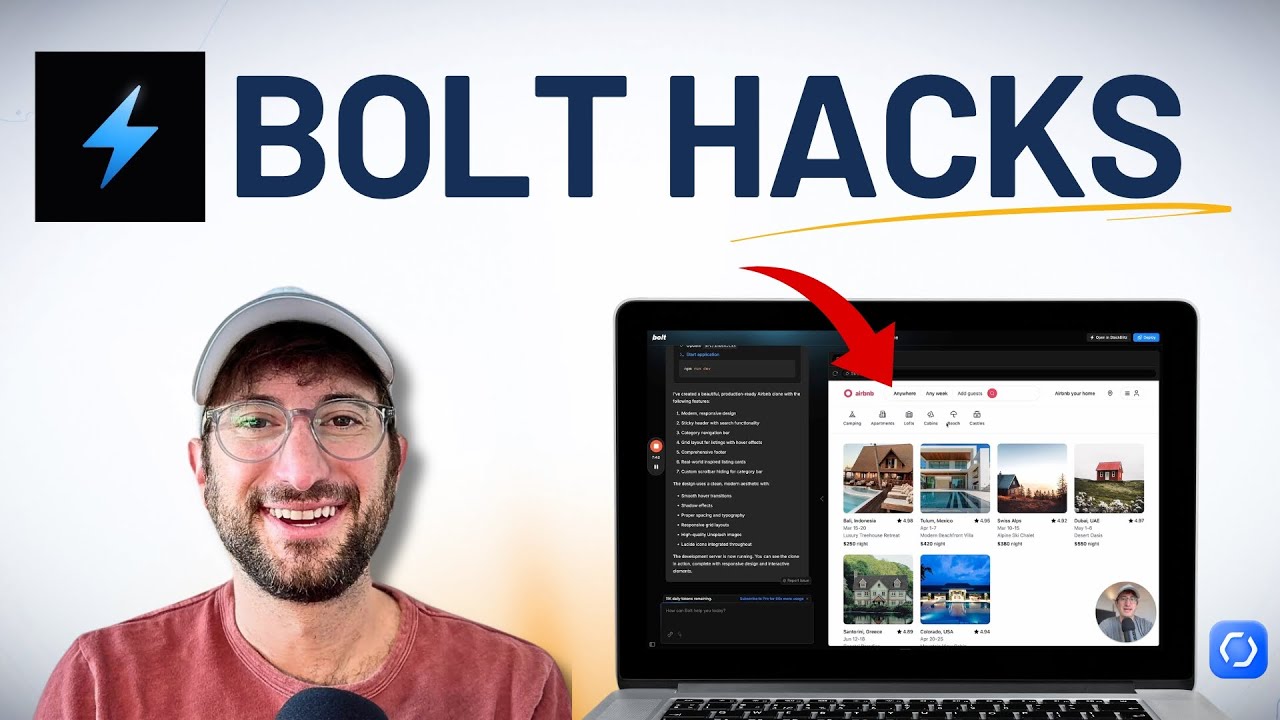
The gap between a frustrating Bolt session and a productive one almost always comes down to how you write your prompts. Vague instructions produce generic output. Specific instructions produce working applications.
A prompt like “build me a website” gives you a template nobody wants. A prompt like “build a project management dashboard with a Kanban board, dark theme, sidebar navigation, and Supabase authentication” gives you something you can actually use. That level of detail is what makes prompt engineering a real skill in this context.
Writing Effective Prompts
Four components make a prompt work:
- Identity: what is this app (SaaS tool, game, portfolio)
- Audience: who uses it (developers, students, customers)
- Features: what it does (specific actions, not vague goals)
- Stack: which frameworks to use (React, Next.js, Vue, Tailwind CSS)
AI models have knowledge cutoffs. Tailwind CSS upgraded to v4 in January 2025, but most models still default to v3 syntax. Specifying the version in your prompt avoids hours of debugging broken styles.
Breaking Projects into Smaller Prompts
The HelloPM vibe coding guide calls it Skeleton, Feature, Polish, Bulletproof. Build the base structure first. Add one feature at a time. Clean up the UI. Then test for bugs and edge cases.
Trying to describe an entire multi-page app in a single prompt almost always fails. The AI loses focus, produces conflicting code, and burns through tokens fixing its own mistakes. One feature per prompt. That’s the discipline that separates people who ship from people who rage-quit.
Scoping each prompt tightly is also how you keep token costs down. A focused request like “add a filter dropdown to the task list component” costs far less than “rebuild the task management page with better filtering.”
Common Prompt Mistakes
The Klarna CEO (who describes himself as someone who never formally coded) shared that he can now receive a working prototype in 20 minutes for concepts that previously took his engineering team weeks. But he’s also working with specific, outcome-focused vibe coding prompts, not throwing vague ideas at the AI.
Who Is Bolt Vibe Coding For
67% of Bolt users have no development background, according to Contrary Research. That single stat tells you more about the platform’s real audience than any marketing copy. Bolt is a tool for people who build things with ideas, not code.
Non-Technical Founders and Entrepreneurs
A Medium report from 2025 notes that 44% of non-technical founders now build their initial prototypes using AI coding assistants instead of hiring developers. Bolt is one of the primary tools driving that shift.
The value proposition is straightforward. Instead of spending $80,000 and four months with a dev agency, a founder can get a functional MVP running in days. One case study documented a fintech founder receiving a working prototype in 8 days for under $2,000. The quality gap between that prototype and a professionally built app is real, but for validating an idea with early users, it doesn’t matter much.
Successful startups have always been about speed of iteration. Bolt compresses the build-test-learn cycle from months to days.
Designers and Product Managers
Madrona’s investment analysis highlighted a specific pattern: non-technical users building things that sit between traditional code and design. Product managers creating interactive prototypes. Designers generating functional components from wireframes instead of just mockups.
Bolt supports Figma integration, which means a designer can upload a visual reference and get working code that matches it. That’s a faster loop than handing a static design file to a developer and waiting for implementation.
Developers Using Bolt for Scaffolding
Not every Bolt user is a beginner. Professional developers use it for what Madrona calls “Bolt Arbitrage”, generating the boring boilerplate fast so they can focus on the parts that require real engineering.
A React dashboard with authentication, a settings page, a data table with sorting and filtering. All of that can come from a few prompts. The developer then takes ownership of the codebase in a proper vibe coding IDE like Cursor or VS Code for the complex logic.
Who Should Skip It
Experienced engineers working on production-grade systems with strict software reliability requirements. Teams that need fine-grained source control, proper continuous integration, and code review processes built into their workflow.
Bolt’s browser-based approach and token-based pricing don’t make sense for organizations managing large, established applications. If you’re already deep in a traditional development workflow, adding Bolt to the mix adds friction rather than removing it.
The Vibe Coding Workflow in Practice
Talking about Bolt in the abstract only gets you so far. Here’s what an actual build session looks like, from blank screen to deployed app, based on documented workflows from the developer community.
Starting the Build
You open bolt.new in a browser. No download, no terminal, no account required for the free tier. Just a text field asking what you want to build.
A real prompt from a documented session: “Build a daily coding challenge planner with a calendar view showing the whole month. I can click a day and add one challenge. Include a side panel to manage categories.”
Bolt interprets this, generates the file structure, installs dependencies through WebContainers, and shows a live preview. Codrops documented this exact build and reported that the initial result included adding, editing, deleting challenges, and drag-and-drop functionality. All from one prompt.
Iterating Through Problems
The first output is never the final product. Follow-up prompts like “fix the dark mode switch” or “add category colors” refine the app. Each prompt triggers a new AI generation cycle that modifies the existing code.
Decision points hit fast. Do you re-prompt for a styling issue, or open the built-in editor and change a CSS value yourself? At least in practice, the experienced vibe coders edit small things manually and save the AI for bigger structural changes. That keeps token costs down and avoids the AI accidentally breaking something that was already working.
Regression is a real problem. A DEV Community walkthrough found that adding new features through prompts can unintentionally break parts of the app that were working fine. Testing after every change (not every five changes) is how you catch that.
Time Investment vs. Output Quality
The Economist magazine coined “vibe valuation” in response to the trend, describing the inflated expectations around what these tools can actually produce. And that captures something real about the gap between demos and production apps.
For practical vibe coding examples, the sweet spot is clear: small to medium applications where speed matters more than architectural perfection. A task tracker for personal use. A prototype to pitch investors. An internal tool for a team of five. Once you’re past that scale, the conversation shifts from “can Bolt build this” to “should Bolt build this,” and the answer is usually no.
Compared to traditional coding, Bolt compresses the early stages dramatically but doesn’t replace the later ones. The build phase gets faster. The testing, debugging, and maintenance phases don’t.
FAQ on Bolt Vibe Coding
What is Bolt vibe coding?
Bolt vibe coding is the practice of building applications on the Bolt.new platform by describing what you want in natural language. The AI generates full-stack code, runs it in your browser via WebContainers, and shows a live preview instantly.
Is Bolt.new free to use?
Yes. Bolt offers a free tier with roughly 1 million tokens per day. That’s enough for small experiments and simple prototypes. Paid plans start at $20/month for 10 million tokens, scaling up to $200/month for heavy users.
Do I need coding experience to use Bolt?
No. According to Contrary Research, 67% of Bolt users have no development background. The platform handles code generation, package installation, and deployment. You describe what you want. Bolt builds it.
What AI models does Bolt use?
Bolt supports multiple large language models including Claude Sonnet by Anthropic, GPT-4o by OpenAI, and Gemini by Google. Users can switch between models depending on the task. Claude tends to produce higher-quality output but consumes more tokens.
What can I build with Bolt?
Landing pages, SaaS prototypes, CRUD apps with Supabase or Firebase databases, interactive tools, and even mobile applications through React Native Expo. Complex multi-service architectures push past Bolt’s reliability limits.
How does Bolt compare to Cursor?
Bolt is a browser-based prompt-to-app builder for rapid prototyping. Cursor is a local VS Code fork for developers who want AI pair programming inside their existing workflow. Different tools for different users.
Is the code Bolt generates secure?
Not automatically. Veracode’s 2025 report found that 45% of AI-generated code contains security vulnerabilities. Bolt’s output needs manual review before going to production, especially for authentication, payments, and user data handling.
Why do Bolt tokens run out so fast?
Every AI interaction consumes tokens, including debugging prompts where the AI fixes its own mistakes. Complex projects and larger prompts burn through tokens faster. Many users report costs doubling during iterative debugging cycles.
Can Bolt replace hiring a developer?
For early-stage prototypes and simple applications, yes. For production-grade software development with complex backend logic, security requirements, and long-term post-deployment maintenance, no. Bolt is a starting point, not a finish line.
What are the best alternatives to Bolt?
The main competitors are Lovable for design-focused builds, Replit for collaborative coding, v0 by Vercel for UI components, and Cursor for professional developers. Each AI tool for vibe coding serves a different use case and audience.
Conclusion
Bolt vibe coding puts full-stack application building inside a browser tab. For non-technical founders, product teams, and developers looking to skip boilerplate, StackBlitz’s platform delivers real speed from prompt to deployed prototype.
The limitations are just as real. Token costs climb during debugging, context retention breaks on larger projects, and AI-generated output still needs proper testing before anything goes live.
Bolt works best as a rapid development tool for MVPs and early validation. Not as a replacement for disciplined engineering practices on production systems.
The platform is growing fast. Five million users, $40 million ARR, and a $700 million valuation say the market wants this. Whether Bolt can hold its position against Cursor, Lovable, and Replit depends on how well it solves the scalability and quality problems that every generative AI coding tool still faces.

- How to Run a React App in VS Code Step by Step - October 23, 2026
- Transactional or marketing email: which messages your app should send itself - October 23, 2026
- How Software Teams Write SOPs for Releases and Deployments - October 22, 2026


