

Over 41% of all code written in 2025 is AI-generated or AI-assisted. That number was close to zero three years ago.
So what is AI coding, and why has it taken over software development this fast? At its core, AI coding uses large language models to write, complete, debug, and refactor code based on natural language prompts or surrounding context.
This guide covers how AI code generation tools like GitHub Copilot and Cursor actually work, which programming languages get the best results, where the real productivity gains show up, and where the risks hide. Whether you’re evaluating these tools for your team or just trying to figure out what the hype is about, you’ll walk away with a clear, practical picture.
What Is AI Coding

AI coding is the use of artificial intelligence to write, complete, debug, and refactor software code. That’s the short version.
The longer version involves large language models trained on billions of lines from open-source repositories, documentation, and developer forums. These models take natural language prompts or partial code as input and produce functional code as output.
It’s not the same as traditional scripting or build automation. Those follow rigid, predefined rules. AI coding tools generate new code based on patterns learned from massive training datasets, adapting to context in ways that older automation never could.
There are two main categories here. AI-assisted coding keeps the developer in the loop. The tool suggests, the human decides. Autonomous code generation lets the AI handle larger tasks with minimal intervention, like building entire functions or files from a text description.
According to the 2025 Stack Overflow Developer Survey, 84% of developers now use or plan to use AI tools in their development process, up from 76% the year before. That adoption curve isn’t slowing down.
The AI code tools market reflects this. Grand View Research valued it at $4.86 billion in 2023, projecting it to reach $26.03 billion by 2030 at a 27.1% compound annual growth rate.
But here’s the thing most people skip over. AI coding doesn’t replace the software development process. It compresses specific parts of it. Architecture decisions, system design, requirements engineering, and debugging complex logic still need a human brain behind them.
The real shift is in what developers spend their time on. Less boilerplate. Less repetitive syntax. More time reviewing, integrating, and thinking about problems at a higher level.
How AI Coding Tools Work
Every AI coding tool runs on large language models trained on code. GitHub repositories, Stack Overflow threads, official documentation, and open-source projects form the bulk of the training data.
The model learns patterns. Not rules, not algorithms in the traditional sense. It learns that when a Python developer writes def calculate_ and the surrounding context involves financial data, the next likely tokens form something like a tax computation or interest rate function.
Prompt-based interaction is the core mechanism. You describe what you want in natural language (or start writing code), and the model predicts what should come next. The quality of output depends heavily on how much context the tool can see, which is determined by the context window.
Context windows vary by tool and model. Some see only the current file. Others can reference an entire codebase. The more context available, the better the suggestions tend to be.
Fine-tuning and reinforcement learning from human feedback (RLHF) play a significant role in improving outputs. Base models generate functional but sometimes odd code. RLHF helps the model learn which outputs developers actually accept and which they reject, creating a feedback loop that improves suggestion quality over time.
GitHub’s research with Accenture found that 95% of developers said they enjoyed coding more with Copilot’s help, and over 80% of participants successfully adopted it within the trial period.
Code Completion vs. Code Generation
These two modes get lumped together constantly. They’re different workflows.
Code completion works like autocomplete on steroids. You type, and the tool suggests the next chunk inline. It’s fast, unobtrusive, and works best for standard patterns.
Code generation is more deliberate. You describe a function, a component, or a test suite in plain English, and the model produces the whole thing. It’s better suited for scaffolding new features, writing unit tests, or generating boilerplate you don’t want to type by hand.
Most developers use both modes throughout the day. Completion for the small stuff, generation when they’re starting something new or translating between programming languages.
AI Coding Tools and Platforms

The tooling landscape has grown fast. What started with GitHub Copilot in 2021 is now a crowded space with tools built for different workflows, team sizes, and security requirements.
GitHub Copilot remains the market leader. Built on OpenAI’s technology, it integrates directly into Visual Studio Code and JetBrains IDEs. The 2025 Stack Overflow Developer Survey found that ChatGPT (82%) and Copilot (68%) are the two most-used AI tools among developers. Copilot users reported a 10.6% increase in pull requests and a 3.5-hour reduction in cycle time, according to a Harness case study.
Cursor takes a different approach. It’s an AI-native code editor, not a plugin. The entire IDE experience is built around AI interaction, with deep context awareness across your project files. Stack Overflow’s 2025 survey showed Cursor reaching 18% usage among developers, a significant number for a relatively new tool.
Amazon CodeWhisperer targets enterprise teams. Strong AWS integration, built-in security scanning, and data privacy controls make it a fit for organizations already deep in the Amazon ecosystem.
Tabnine and Codeium focus on privacy and flexibility. Tabnine offers on-premise deployment options, which matters for companies that can’t send proprietary code to external servers. Codeium provides a generous free tier and supports a wide range of languages.
ChatGPT and Claude aren’t traditional coding assistants, but developers use them constantly. You paste code into a chat, describe what’s wrong, and get back suggestions, explanations, or entirely rewritten functions. It’s a different workflow from inline completion, more like AI pair programming through conversation.
The distinction between IDE-integrated tools and chat-based tools matters more than people think. IDE tools reduce context-switching. Chat tools are better for learning, exploration, and working through tricky problems where you need to think out loud. Took me a while to figure out which mode works best for which situation, and honestly, it changes depending on the task.
What AI Coding Can and Cannot Do
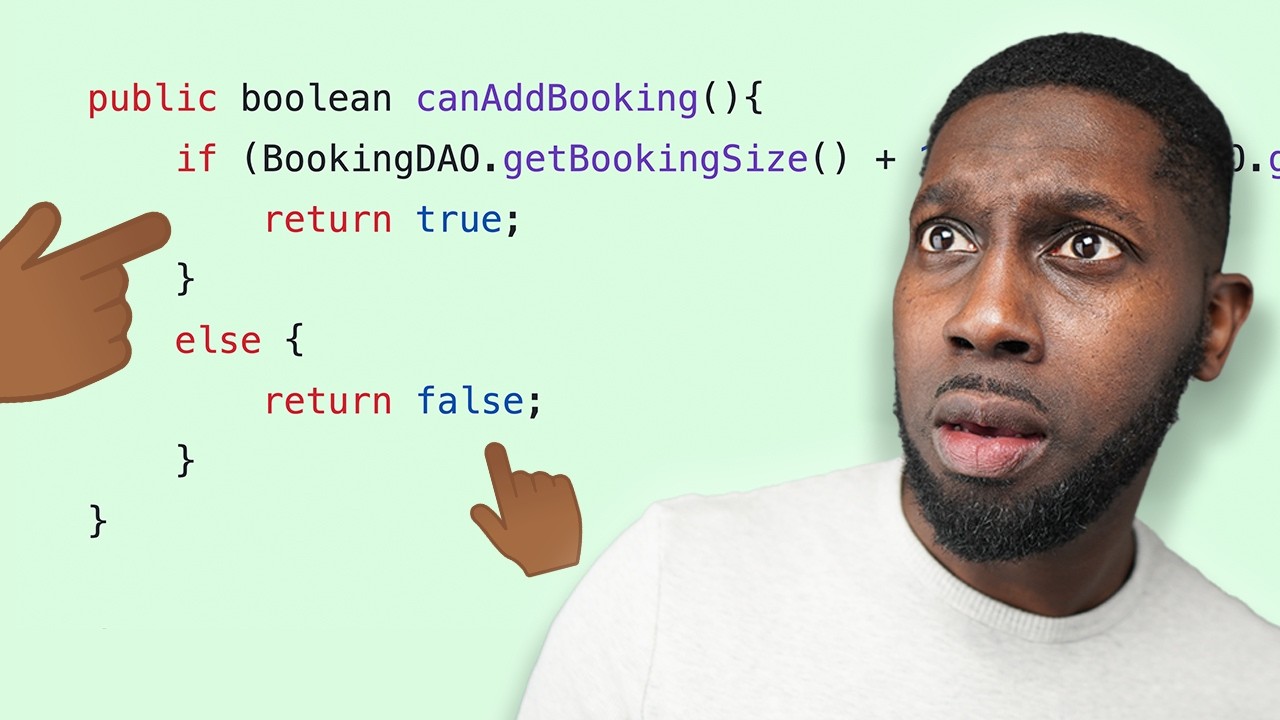
Let’s get specific about where AI coding actually delivers and where it falls apart. There’s too much vague hype floating around.
Where AI Coding Works Well
Boilerplate and repetitive patterns. This is where AI shines brightest. CRUD operations, data models, form validation logic, API endpoint scaffolding. The kind of code you’ve written a hundred times before and never want to write again.
Test generation is another strong area. AI tools can produce unit test scaffolds, suggest edge cases, and generate basic assertion patterns. Not perfect, but a solid starting point that saves real time.
According to Index.dev research, AI tools boost developer productivity by 10 to 30% on average, with developers saving up to 60% of their time specifically on coding, testing, and documentation tasks.
Language translation between programming languages also works surprisingly well. Converting a Python function to JavaScript, or migrating legacy code patterns to modern syntax. The AI understands both sides of the translation well enough to produce usable output.
Where AI Coding Breaks Down
Complex business logic: When the code needs to reflect specific domain rules, regulatory requirements, or multi-step workflows unique to your organization, AI tools struggle. They pattern-match against general training data and lack the context of your specific business.
Novel architecture decisions: Choosing between microservices architecture and a monolith, or deciding how to structure a build pipeline for your specific deployment needs. These require understanding trade-offs that AI can’t evaluate.
Hallucination in code is a real problem. AI tools sometimes generate function calls to APIs that don’t exist, reference deprecated libraries, or create plausible-looking code that simply doesn’t work. The 2025 Stack Overflow survey found that 46% of developers don’t trust the accuracy of AI tool output, up from 31% the previous year.
And then there’s what some developers call the “last mile” problem. AI gets you 80% of the way there, but that remaining 20% requires actual understanding of the system. If you can’t bridge that gap yourself, the AI-generated code becomes a liability rather than an asset.
AI Coding and Developer Productivity

The productivity question has real data behind it now. Not just vendor marketing, actual research.
GitHub’s controlled experiment with Copilot found that developers using the tool completed tasks 55.8% faster than the control group. That study, published in 2023 by researchers including Sida Peng, became one of the most cited papers in the AI productivity space.
But speed isn’t the whole story.
A Microsoft study of over 200 engineers found that telemetry data (lines of code, PR activity, time spent coding) showed no statistically significant changes after three weeks of Copilot use. The researchers noted the study may have been too short, and that more recent research suggests about 11 weeks of daily use before measurable gains appear.
GitClear’s 2025 report, which analyzed 211 million changed lines of code from 2020 to 2024, paints a more complicated picture. The data shows:
- Code duplication blocks increased 8-fold during 2024
- Copy/pasted lines exceeded moved (refactored) lines for the first time in history
- Code churn grew from 3.1% in 2020 to 5.7% in 2024
Google’s 2024 DORA report adds another dimension. A 25% increase in AI usage improved documentation speed and code review times, but caused a 7.2% drop in delivery stability.
The pattern is clear. AI makes certain tasks faster. But if teams don’t pair that speed with strong code review processes and attention to maintainability, the time saved in writing code gets eaten up in debugging and maintenance. ZoomInfo’s trial with 126 engineers confirmed this balance: developers rated productivity improvement at 7.6 out of 10, but the company found that consistent review practices were needed to maintain code quality standards.
Languages and Frameworks AI Coding Supports Best
AI coding tools don’t perform equally across all programming languages. The quality gap is significant, and it comes down to training data.
Python, JavaScript, and TypeScript get the best results. That’s no surprise. They dominate GitHub’s public repositories and have massive documentation footprints. The 2025 Stack Overflow survey confirmed Python’s accelerated adoption with a 7 percentage point jump year-over-year, driven partly by its role in AI and data science workflows.
Framework-specific quality matters too. React, Django, and Rails have deep enough representation in training data that AI tools produce solid completions and generation for them. Niche frameworks, even popular ones like Svelte or Phoenix, get noticeably weaker suggestions.
For front-end development, TypeScript projects with React tend to get the most accurate completions. Back-end development in Python with Django or FastAPI also performs well.
This training data bias creates a practical consideration. If your tech stack relies on less common languages or proprietary frameworks, the return on investment from AI coding tools drops. Your mileage may vary, and it varies a lot depending on what you’re building with.
One thing that doesn’t get mentioned enough: AI tools are significantly better at generating idiomatic code in popular languages. Ask for Python and you get clean, Pythonic output. Ask for Haskell and you might get something that compiles but looks like a C programmer wrote it.
Risks of Using AI-Generated Code

Speed is the selling point. But speed creates new problems when nobody checks what the machine just wrote.
The risks are concrete, measurable, and already showing up in production codebases. Here’s what teams actually deal with.
Security Vulnerabilities
Stanford researchers found that developers using AI assistants wrote significantly less secure code than those without access. Worse, the AI-assisted group was more confident their code was safe.
A large-scale analysis of 7,703 AI-generated files on GitHub identified 4,241 vulnerability instances across 77 distinct types. Python showed the highest rates (16-18%), followed by JavaScript (8-9%).
AI models train on public repositories. Those repositories contain decades of code with known flaws, deprecated libraries, and insecure patterns. The model reproduces what it learned.
Teams that skip proper software testing on AI output are essentially deploying unreviewed code from an anonymous contributor. That’s how security gaps in AI-assisted projects show up in production.
License and Copyright Exposure
The legal landscape is unresolved. The Doe v. GitHub class-action lawsuit (filed in 2022) accused GitHub and OpenAI of violating open-source license obligations. As of 2025, related litigation remains ongoing.
AI tools can generate code fragments that closely resemble copyrighted material from training data. GitHub Copilot acknowledges this can happen in rare cases and offers an optional filter to suppress matching suggestions.
The EU AI Act, approved in 2024, now requires AI model providers to comply with copyright law and disclose training data information. Companies using AI-generated code in commercial products should track AI contributions and run license compliance checks before shipping.
Over-Reliance and Skill Erosion
The 2025 Stack Overflow survey found that 46% of developers don’t trust AI output accuracy, yet 80% use these tools in their workflows. That gap between usage and trust tells you something.
When developers accept AI suggestions without fully understanding the code, they lose the chance to build the problem-solving skills that make them effective. Junior developers face the highest risk here, especially when learning new software development concepts.
Code Quality and Technical Debt
GitClear’s analysis of 211 million lines confirms that AI-assisted coding encourages adding new code rather than refactoring existing code. The DRY principle (don’t repeat yourself) is taking a hit.
Long-term software reliability depends on clean, well-structured codebases. When AI generates functionally correct but architecturally messy code, the maintenance cost compounds over time.
How to Use AI Coding Effectively

The tools work. The question is whether you’re using them in a way that actually makes your output better and not just faster.
Most developers who get real value from AI coding share a few habits. None of them involve blindly accepting suggestions.
Treat every AI output as a first draft. Not production code. Not reviewed code. A starting point that needs human judgment before it goes anywhere near a production environment.
Second Talent research shows 75% of developers still manually review every AI-generated snippet before merging. That’s the right instinct. The remaining 25% should probably start.
Use AI for exploration and prototyping. Trying out a new library? Sketching a feature? Building a proof of concept? AI coding tools are perfect for that. The stakes are low, the speed boost is real, and you can throw away whatever doesn’t work.
Know when to stop prompting. If you’ve asked the model three times for the same function and it keeps getting the logic wrong, write it yourself. At some point, the prompt engineering overhead exceeds the time you’d spend just coding the thing.
Pair AI coding with strong test-driven development habits. Write your tests first, then let the AI generate the implementation. The tests become your safety net, catching the gaps the model misses.
Prompt Patterns That Produce Better Code
Be specific upfront. The difference between a vague prompt and a detailed one is the difference between throwaway code and something usable.
- Include function signatures, types, and expected behavior
- Provide examples of input and output
- Specify constraints (language version, no external dependencies, performance targets)
A prompt like “write a function to process user data” gets you garbage. A prompt like “write a Python 3.11 function that validates email format, checks against a blocklist, and returns a typed result with error messages” gets you something you can actually use.
The best results come from developers who already know what the code should do and use AI to get there faster. If you can’t evaluate the output, you shouldn’t be relying on it. Your mileage may vary, but that principle holds across every tool I’ve worked with.
AI Coding in Teams and Enterprise
Individual adoption was the easy part. Getting AI coding to work across an engineering organization is a different challenge entirely.
Menlo Ventures’ 2025 report found that enterprise spending on generative AI surged from $11.5 billion to $37 billion year-over-year, with coding tools representing one of the fastest-growing categories. Gartner predicts 90% of enterprise software engineers will use AI code assistants by 2028.
Google already hit a milestone. CEO Sundar Pichai revealed during Alphabet’s Q3 2024 earnings call that over 25% of all new code at Google is generated by AI, then reviewed and accepted by engineers.
But scaling isn’t just about buying licenses. Faros AI’s analysis of 10,000 developers found that high-AI-adoption teams completed 21% more tasks and merged 98% more pull requests. The catch? PR review time increased 91%, creating a bottleneck that ate into the productivity gains.
Enterprise Tool Selection
IBM’s 2023 AI Adoption Index found that 57% of organizations cited data privacy as the biggest barrier to generative AI adoption. Enterprise versions of tools like Copilot and CodeWhisperer address this with private model hosting, audit logs, and policy controls.
Siemens and Morningstar adopted Continue, an open-source framework that lets organizations build custom AI assistants running on private infrastructure.
Policy and Governance
Second Talent data shows 97% of developers use AI coding assistants on their own, often before company policies formally allow it. That shadow adoption creates risk without guardrails.
Teams need clear policies covering which tools are approved, what proprietary code can be sent to external APIs, and how AI-generated contributions are flagged in source control.
The software audit process also needs updating. Organizations should tag AI-assisted commits in version control to track quality differences between human-written and AI-generated code over time. Without tracking, you can’t measure whether the tools are actually helping.
AI Coding vs. Traditional Software Development

AI coding doesn’t replace the software development lifecycle. It changes the speed of specific phases within it.
The planning, architecture, and requirement specification phases are still human work. AI can’t sit in a meeting with stakeholders, interpret business needs, or make trade-off decisions about system design. A software architect still has to decide whether the system should be a monolith or distributed, whether to use event-driven patterns or REST, and how the data layer connects to everything else.
Where AI compresses the timeline is in the implementation and initial testing phases. Writing boilerplate, generating test scaffolding, and translating between languages. Those used to eat hours. Now they take minutes.
What changes:
- Code writing speed increases significantly
- Developers spend more time reviewing and less time typing
- Prototyping happens in hours rather than days
What stays the same:
- Architecture and system design remain human decisions
- Software testing and QA become more important, not less
- Debugging complex, multi-system issues still needs deep understanding
- Documentation quality still depends on human clarity
The 2025 Stack Overflow survey confirmed this shift. 76% of developers said they resist using AI for deployment and monitoring tasks. 69% won’t use it for project planning. The high-stakes, high-context work stays with humans.
One more thing worth mentioning. “No-code AI” and “AI coding” are not the same thing. No-code platforms let non-developers build applications through visual interfaces. AI coding tools help actual developers write better code faster. The overlap between vibe coding and traditional AI-assisted development exists, but they solve different problems for different audiences. Look, if you’re building anything with real complexity (custom business logic, API integrations, specific security requirements), you still need developers who understand what the code does.
FAQ on AI Coding
What is AI coding?
AI coding is the use of artificial intelligence to write, complete, debug, and refactor software code. Large language models trained on billions of lines from open-source repositories generate code from natural language prompts or surrounding context.
What are the best AI coding tools?
GitHub Copilot and ChatGPT lead adoption. Cursor, Amazon CodeWhisperer, Tabnine, and Codeium are strong alternatives. Claude is widely used for code generation through chat. The best AI coding assistant depends on your workflow and privacy needs.
Is AI-generated code safe to use in production?
Not without review. Stanford research found developers using AI assistants wrote less secure code. About 30% of AI-generated snippets contain vulnerabilities. Always run regression testing and manual review before deploying AI output.
Which programming languages work best with AI coding tools?
Python, JavaScript, and TypeScript get the strongest results due to massive training data representation. Java and Go perform well. Less common languages like Rust, Haskell, and Elixir receive weaker suggestions from most tools.
Will AI replace programmers?
No. AI handles repetitive tasks like boilerplate and test scaffolding. Architecture decisions, complex debugging, and business logic still require human judgment. The 2025 Stack Overflow survey shows 64% of developers don’t see AI as a job threat.
How does AI code generation actually work?
Large language models learn patterns from billions of lines of public code. When you type a prompt or partial code, the model predicts the most likely next tokens. Fine-tuning and reinforcement learning from human feedback improve output quality.
What is the difference between AI coding and vibe coding?
AI coding assists developers who understand the output. Vibe coding lets anyone generate applications from prompts with minimal code review. Both use similar models, but vibe coding skips the human verification step most professionals keep.
Does AI coding improve developer productivity?
GitHub’s research showed a 55.8% faster task completion rate with Copilot. Developers save 30-60% of time on coding and documentation. But GitClear data shows code quality metrics decline without proper review practices in place.
What are the copyright risks of AI-generated code?
AI models train on copyrighted code from public repositories. Generated output can resemble protected material. The Doe v. GitHub lawsuit (2022) and EU AI Act (2024) are shaping how these risks get handled. Track AI contributions in your source control.
How do teams adopt AI coding at enterprise scale?
Enterprise adoption requires approved tool lists, data privacy policies, and updated code review workflows. Menlo Ventures reports enterprise AI spending hit $37 billion in 2025. Tag AI-generated commits in version control to track quality over time.
Conclusion
AI coding is reshaping how developers build software, but it’s not replacing the thinking behind it. The tools accelerate implementation. The humans still own the decisions.
GitHub Copilot, Cursor, Amazon CodeWhisperer, and ChatGPT have pushed AI-assisted development into mainstream developer workflows. Productivity gains are real, especially for boilerplate, test generation, and code completion across Python, JavaScript, and TypeScript.
But the trade-offs are just as real. Security vulnerabilities, code duplication, license risks, and declining software scalability from messy AI output all need active management.
The developers getting the most value treat AI as a drafting tool, not a finished product. They review everything, write clear prompts, and keep their quality assurance process tight.
That balance between speed and oversight is where AI coding actually works.

- How to Run a React App in VS Code Step by Step - October 23, 2026
- Transactional or marketing email: which messages your app should send itself - October 23, 2026
- How Software Teams Write SOPs for Releases and Deployments - October 22, 2026


