

Windsurf vibe coding turns plain English descriptions into working software. You describe what you want, and Cascade (Windsurf’s agentic AI assistant) writes the code, edits multiple files, runs terminal commands, and debugs errors across your entire project.
That sounds like magic. It’s not. It’s a specific workflow with real strengths, real limits, and a learning curve that most guides skip over.
This article breaks down how Windsurf’s AI-powered IDE actually handles vibe coding in practice. You’ll learn how Cascade works under the hood, where it beats Cursor, what you can realistically build with it, and where the whole approach falls apart. Pricing, prompt patterns, and the risks nobody talks about are all covered.
What Is Vibe Coding in Windsurf

Vibe coding is the practice of building software by describing what you want in plain language and letting an AI assistant generate the code. Andrej Karpathy coined the term in early 2025, and it caught on fast.
Windsurf is one of several AI-powered IDEs that puts this approach at the center of its design. Originally built by Codeium, the editor was acquired by Cognition AI (the team behind Devin) in December 2025 for roughly $250 million. That deal was the largest AI dev tools acquisition at the time.
But here’s the thing. Vibe coding as a concept and Windsurf as a product aren’t the same thing. The concept is a philosophy. You talk, the machine writes. Windsurf just happens to be one of the best tools for vibe coding right now because its entire architecture was built around that idea.
According to Stack Overflow’s 2025 Developer Survey, 80% of developers now use AI tools in their workflows. Windsurf captured about 5% of IDE usage among those surveyed, behind Cursor at 18% and Claude Code at 10%.
The agentic coding approach Windsurf uses goes beyond autocomplete. It reads your entire codebase, tracks your terminal activity, and executes multi-step tasks across files. That’s a fundamentally different thing than what GitHub Copilot does, which still operates more like a suggestion engine.
Vibe Coding vs. Traditional AI Code Completion
Traditional AI completion: You type code, the tool predicts the next few lines. You’re still writing most of it yourself.
Vibe coding in Windsurf: You describe an outcome (“Add authentication to this Express app with JWT tokens”), and the Cascade agent figures out which files to edit, what dependencies to install, and how to wire everything together.
The JetBrains Developer Ecosystem Survey 2025 found that 85% of developers regularly use AI tools for coding, with 62% relying on at least one AI coding assistant or agent. Nearly nine out of ten developers using these tools save at least an hour every week.
The difference between vibe coding and traditional coding boils down to who’s steering. In traditional coding, you drive and AI suggests. In vibe coding, you set the destination and AI picks the route.
How Windsurf’s Cascade Agent Works
Cascade is the core of Windsurf’s AI pair programming experience. It’s not a chatbot that answers questions about code. It’s an agent that reads your project, plans tasks, edits multiple files, runs terminal commands, and iterates on its own output.
The way it handles context is what separates it from competitors. Cascade tracks which files you edit and view, monitors your shell activity, and even reads clipboard content to stay aligned with what you’re doing right now.
Contrary Research reported that Windsurf was processing over 150 billion tokens daily by January 2025. That volume reflects how deeply the tool integrates into active development workflows.
Cascade’s Three Operating Modes
Write Mode handles about 90% of what most people use Cascade for, according to DataCamp’s testing. It creates files, runs them, checks for errors, and fixes issues in a loop.
Chat Mode is useful when you just need to understand something without changing any code. Took me a while to realize this distinction matters a lot. Sometimes you ask Cascade to explain a function and it rewrites half your file. Switching to Chat Mode prevents that.
Multi-File Editing and Context Awareness
Windsurf indexes your entire project and maintains context across your editing session. When you ask Cascade to add a feature, it already knows your route structure, middleware stack, and database models.
It can rename a function across every file that references it. It can add a new API endpoint and automatically update route imports, validation logic, and test stubs. All from a single prompt.
Codecademy’s comparison notes that Windsurf’s Cascade automatically finds and loads relevant context without you having to tag files manually. Cursor, by contrast, often requires you to specify which files the AI should look at.
One thing that trips people up: Cascade can run multiple instances simultaneously. But if two Cascades edit the same file at once, changes can race and fail. Windsurf’s docs recommend using Git worktrees to keep parallel agents isolated.
Built-in Planning for Complex Tasks
Cascade has a background planning agent that manages longer tasks. It creates a to-do list within the conversation and refines the plan as it picks up new information.
You can queue messages while Cascade is still working on something else. Type your next instruction, hit Enter, and it executes in order once the current task finishes.
This planning layer is where the agentic coding tools category starts to feel genuinely different from regular AI coding assistants. It’s not just responding to prompts. It’s maintaining a model of what needs to happen next.
Windsurf vs. Cursor for Vibe Coding

This is the comparison most developers actually care about. Both are VS Code forks. Both offer agentic AI features. Both use the same underlying models (Claude, GPT-4o, Gemini). So what’s different?
In February 2026, Windsurf climbed to #1 in the LogRocket AI Dev Tool Power Rankings, overtaking Cursor. That ranking is based on real-world usage data, not benchmarks.
Context Handling
Windsurf’s approach: Cascade automatically analyzes your codebase and pulls relevant context. You don’t need to tag files or specify which modules the AI should reference. It just figures it out.
Cursor’s approach: You typically add context manually or tag the codebase. Cursor’s agent mode improved this recently, but the workflow still requires more explicit direction from the developer.
Builder.io’s testing found Windsurf’s automatic context retrieval felt more intuitive, especially for beginners. But Cursor sometimes produced higher quality code on specific tasks because it gave developers more control over what the AI could see.
Pricing Breakdown
Windsurf is 25% cheaper at every tier. That gap matters more for teams. A 50-person engineering group saves $6,000 annually just by picking Windsurf over Cursor.
Cursor’s $200/month Ultra plan exists for power users who want 20x model usage. Windsurf doesn’t have an equivalent. If you burn through credits fast, Windsurf lets you buy 250 additional credits for $10.
Where Each Tool Pulls Ahead
Choose Windsurf if you work with large monorepos or enterprise codebases, want automatic context retrieval, need compliance certifications (SOC 2, HIPAA, FedRAMP), or prefer lower monthly costs.
Choose Cursor if you want broader tool access (grep searches, fuzzy file matching), prefer more manual control over AI behavior, work on smaller projects where speed matters more than deep context, or need access to the widest range of frontier models without BYOK setup.
Qodo’s comparison sums it up well. Cursor is faster but surface-level. Windsurf is slower but better aligned with architecture and internal conventions. Your mileage will vary based on project size.
What You Can Actually Build with Windsurf Vibe Coding
Everyone talks about what vibe coding could do in theory. Here’s what it actually handles well, and where it falls apart.
Among Y Combinator’s Winter 2025 cohort, 21% of companies had codebases that were 91% AI-generated. That’s an extreme example, but it shows where this approach lands for fast-moving startups building MVPs.
Strong Use Cases
Full-stack prototyping: Describe a dashboard with user authentication, a database, and a REST API. Cascade will scaffold the project, set up routes, create database schemas, and connect the front-end to the back-end. You’ll have a working prototype in hours instead of days.
Boilerplate and config: Setting up ESLint, Prettier, TypeScript configs, Docker files, CI/CD pipelines. All that stuff that eats an afternoon. Cascade handles it in minutes.
Refactoring legacy code: Describe the desired outcome (“Break this 150-line function into smaller, testable functions”) and Cascade will split it up, preserve comments, and add docstrings. Code refactoring is genuinely one of the strongest use cases.
Internal tools and scripts: Need a quick data migration script? A Slack bot? A CSV parser? These are the kinds of tasks where vibe coding shines because the stakes are lower and the scope is contained.
Where It Breaks Down
Complex architecture decisions. Performance-critical code. Novel algorithms that don’t exist in training data.
A METR randomized controlled trial found that experienced open-source developers using AI tools actually took 19% longer to complete tasks. They estimated they were 20% faster, but they were wrong. The perception of speed didn’t match reality for complex, familiar codebases.
Building complex apps with vibe coding is possible, but it demands constant review and a developer who actually understands what the generated code is doing. JPMorgan Chase uses Windsurf, but you can bet they’re not shipping AI-generated code to production without serious code review.
The Vibe Coding Workflow in Windsurf Step by Step
Getting started isn’t complicated, but doing it well takes some practice. The gap between “I got it working” and “I got it working correctly” is where most people trip.
Initial Setup
Download Windsurf from windsurf.com. It’s a standalone IDE, not a VS Code extension. If you’re coming from VS Code, the transition is smooth since it’s a fork with the same keybindings, extensions, and layout.
Open your project. Cascade will index the codebase automatically. For large projects, give it a minute. The indexing is what gives Cascade its context advantage, so don’t skip this.
Pick your AI model in settings. Claude Sonnet and GPT-4o are the popular choices for Cascade tasks. Faster models work fine for autocomplete, but premium models produce better results for multi-file generation and debugging.
Prompt Patterns That Work
The quality of what you get back from Cascade depends almost entirely on what you ask for. Vague prompts produce vague code. Good vibe coding prompts are specific about the outcome, the constraints, and the patterns you want followed.
Weak prompt: “Add a login page.”
Strong prompt: “Add a login page using React with email/password fields, form validation with error messages, JWT token storage in httpOnly cookies, and redirect to /dashboard on success. Use the existing AuthContext and the POST /api/auth/login endpoint.”
The second prompt gives Cascade everything it needs to make the right decisions. It knows the tech stack, the auth pattern, the API endpoint, and the expected behavior. Prompt engineering for developers is becoming a real skill, not just a buzzword.
Sonar’s State of Code 2025 report found that developers estimate 42% of the code they commit is now AI-assisted. But 96% say they don’t fully trust it. That trust gap is exactly why your prompts need to be precise.
The Iteration Loop
Cascade shows every change as a diff you can review inline. Accept, reject, or ask for a different approach.
Don’t just accept everything. Took me forever to break the habit of clicking “Accept All” without reading the diffs. The whole point of the iterative workflow is that you’re steering, not just riding along.
When something fails, Cascade reads the terminal output and tries to fix it automatically. This loop (generate, run, fail, fix) is where the tool genuinely saves time. But if the AI gets stuck in a loop, doing the same wrong fix three times, that’s your signal to intervene manually. Otherwise you’re burning credits for nothing.
Limitations and Risks of Vibe Coding
Skipping this section would be dishonest. Vibe coding in Windsurf is powerful, but it comes with real problems that don’t get enough attention in most reviews.
Code Quality and Technical Debt
AI-generated code works. It compiles. It passes basic tests. But “works” and “well-built” are different things.
GitClear’s research found that code churn (code discarded less than two weeks after being written) is increasing dramatically with AI-assisted development. Fast generation creates fast throwaway. The maintainability of AI-generated code is a genuine concern for any project that needs to last more than a few months.
Qodo’s 2025 State of AI Code Quality report revealed that 76% of developers fall into a “red zone” where they experience frequent hallucinations and have low confidence in AI-generated code. Only 3.8% of developers both trust AI output and see accurate results consistently.
Security Blind Spots
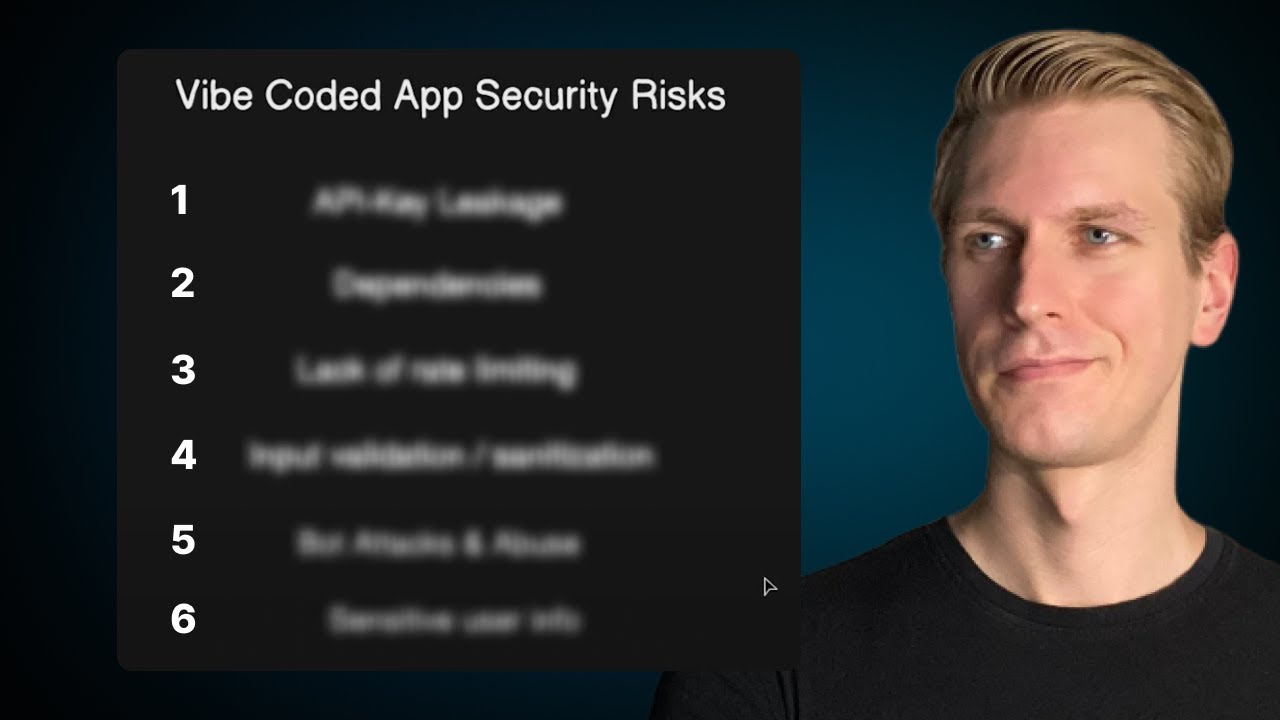
Vibe coding security is probably the biggest unresolved problem. Cascade generates code that works, but it doesn’t always follow security best practices.
Hardcoded credentials. Missing input validation. Exposed API keys. These are the kinds of mistakes the AI makes because it’s optimizing for “does it run” rather than “is it safe.”
The State of Vibe Coding 2025 report noted that vibe coding apps keep hitting vulnerabilities: exposed secrets, access misconfigurations, and hardcoded credentials. Vercel’s v0 blocked 17,000 insecure deploys in a single month.
The “I Don’t Understand My Own Code” Problem
This one’s tricky. When Cascade generates a complex function and you accept it without fully understanding the logic, you’ve created a dependency on an AI tool for your own project. Debugging something you didn’t write and don’t fully understand takes longer, not shorter.
Stack Overflow’s 2025 survey found that nearly 77% of developers said vibe coding is not part of their professional work. That’s a significant number, and it points to a gap between the hype and actual adoption in production environments. Trust in AI accuracy dropped from 40% to just 29% year over year.
Second Talent’s research reported that 44% of organizations observe declining fundamental programming skills among junior developers who rely heavily on AI generation. And 63% have spent more time debugging AI code than writing the equivalent manually.
None of this means you shouldn’t use Windsurf. It means you should use it with your eyes open. Review every diff. Run your own tests. Understand what the generated code is doing before you ship it.
Who Benefits Most from Windsurf Vibe Coding
Not everyone gets the same return from this tool. The gap between “great fit” and “waste of money” depends on what you’re building, how much you already know, and what kind of project you’re working on.
The State of Vibe Coding 2025 report found that 63% of vibe coding users are non-developers. They’re generating UIs (44%), full-stack apps (20%), and personal software (11%). That stat alone tells you something about who’s actually using these tools.
Solo Developers and Indie Hackers
This is Windsurf’s strongest audience. One person, one idea, limited time.
Cascade handles the grunt work: scaffolding, config files, boilerplate, API integration, basic CRUD operations. That frees the solo dev to focus on what actually differentiates the product.
A YC-backed founder reported going from concept to working prototype in three days, a process that would have taken weeks with traditional software development. That kind of speed matters when you’re validating an idea before burning through savings.
Non-Engineers Building Prototypes
Product managers, designers, founders without technical backgrounds. These are the people who benefit from Windsurf’s natural language interface the most.
Bubble’s 2025 survey of 793 builders found that 86.7% would recommend visual development to new entrepreneurs, compared to 51.4% for vibe coding. The gap reflects a real usability difference. Vibe coding still requires you to understand project structure and debug errors, even if you’re not writing the code yourself.
Windsurf works for non-engineers who are willing to learn. If you expect to type “build me an app” and get a finished product, you’ll be disappointed. But if you can describe features clearly and iterate on feedback, Cascade will get you surprisingly far.
When Windsurf Creates Problems
Second Talent’s research noted that adoption rates are lowest in heavily regulated industries like healthcare and finance. These organizations typically limit AI-generated code to non-critical systems or require extensive human review before deployment.
Windsurf Pricing and Model Access

The pricing question comes up fast. Windsurf’s credit system is simpler than it used to be (they dropped the confusing “flow action credits” model), but it still takes some getting used to.
Plan Breakdown
Free: 25 prompt credits per month. Access to base models only. One app deploy per day. Good enough to test the workflow, not enough for real projects.
Pro ($15/month): 500 prompt credits. Premium model access (GPT-4o, Claude Sonnet, Gemini, SWE-1). Five deploys per day. This is the plan most individual developers end up on.
Teams ($30/user/month): 500 credits per user, pooled billing, admin dashboard, priority support. Add-on credits at $40 for 1,000 pooled credits.
Enterprise ($60/user/month): Everything in Teams plus RBAC, SSO, hybrid deployment. At 200+ seats, doubles to 1,000 credits per user.
Flexprice’s analysis breaks it down further: 1 credit equals roughly $0.04. The Pro plan’s 500 credits represent about $20 in value for a $15 subscription, which is a decent deal. But some models consume credits differently. Token-based models like Claude Sonnet cost more per interaction than flat-rate models.
How Credits Actually Get Consumed
Basic tab completions don’t eat credits. Autocomplete is unlimited on all plans.
Credits only burn when you send a message to Cascade with a premium model. Each model has its own multiplier. Some cost 0.5 credits per prompt, others cost more depending on token usage.
If you run out, you can still use zero-cost models (including Windsurf’s SWE-1 Lite). Or buy add-on credits at $10 for 250. Auto-refill exists but can drive unexpected costs if you’re not watching it.
Windsurf vs. GitHub Copilot vs. Cursor Pricing
Copilot is cheapest but doesn’t match the agentic depth of Windsurf or Cursor. It’s still primarily a completion tool with agent features bolted on. Windsurf hits a middle ground: cheaper than Cursor, more capable than Copilot for complex multi-file work.
Contrary Research reported Windsurf reached $100 million ARR by April 2025, up from $12 million in late 2024. That 8x growth in four months shows the pricing model is working for enough people to matter. Enterprise customers like Dell, Zillow, and Anduril are driving a big chunk of that revenue.
How Vibe Coding Changes the Developer Workflow

The shift is real, and it goes beyond just writing code faster. The entire shape of the development process is changing.
Sonar’s 2025 State of Code report captured the core tension: developers generate code faster than ever, but spend more time questioning, reviewing, and validating what gets shipped. Speed went up. Confidence did not.
From Writing to Reviewing
Fastly’s July 2025 survey of 791 developers found that senior developers (10+ years experience) ship roughly 32% AI-generated code to production. Juniors ship about 13%.
The role is flipping. Instead of typing out implementations line by line, experienced developers now spend more time reading AI output, checking edge cases, and deciding which suggestions to accept. The skill set that matters most isn’t syntax knowledge. It’s judgment.
Walmart saved 4 million developer hours using AI coding tools, according to Market Clarity’s analysis. Booking.com achieved 65% adoption and saved 150,000 hours in its first year. These numbers come from teams that already had strong review practices in place before adding AI.
Version Control Gets Different
When AI generates most of the diffs, your Git history looks different. Commits get larger. The ratio of human-written to machine-generated lines shifts. Source control management practices need to catch up.
GitClear’s data shows code churn is increasing. Code that gets discarded within two weeks of being written is rising fast in AI-heavy workflows. That’s a signal that the first pass often isn’t the final pass, and version control strategies need to account for more frequent rewrites.
Teams using Windsurf in production are starting to save prompts alongside commits. The prompt that generated a feature becomes part of the project’s technical documentation, not just the resulting code.
What “Senior Developer” Starts to Mean
JetBrains’ Developer Ecosystem Survey 2025 found that 68% of developers expect employers to require AI tool proficiency in the near future. The definition of seniority is shifting from “can write complex algorithms from scratch” to “can direct AI effectively and catch what it gets wrong.”
AI won’t replace developers. But developers who use AI will work differently than those who don’t. The ones who thrive will be the ones who treat tools like Windsurf as powerful assistants that still need supervision, not replacements for understanding how software systems actually work.
Collins Dictionary named “vibe coding” its 2025 Word of the Year. That kind of cultural recognition tells you this isn’t a temporary fad. The workflow is here. The question for every developer and team is how, not whether, to integrate it.
FAQ on Windsurf Vibe Coding
What is Windsurf vibe coding?
Windsurf vibe coding is a development approach where you describe what you want in natural language and the Cascade agent generates, edits, and debugs code across your project. You steer the outcome. The AI handles implementation.
Is Windsurf free to use?
Yes. Windsurf offers a free plan with 25 prompt credits per month and unlimited tab completions. Premium models like GPT-4o and Claude Sonnet require upgrading to the Pro plan at $15/month.
How does Windsurf compare to Cursor?
Windsurf automatically pulls codebase context through Cascade. Cursor requires more manual file tagging. Windsurf costs $15/month vs. Cursor’s $20/month. Cursor often produces slightly higher quality output on smaller projects.
What can you build with Windsurf vibe coding?
Full-stack prototypes, internal tools, REST APIs, web apps, config files, and data scripts. It handles rapid app development well. Complex architecture and performance-critical code still need human oversight.
Do you need coding experience to use Windsurf?
Some, yes. You don’t need to write code from scratch, but understanding project structure and reading error messages helps a lot. 63% of vibe coding users are non-developers, though most stick to simpler projects.
What AI models does Windsurf support?
Windsurf supports GPT-4o, Claude Sonnet, Gemini, and its proprietary SWE-1 model family. You choose which model powers Cascade and autocomplete separately. Premium models consume prompt credits based on their multiplier.
Is AI-generated code from Windsurf safe to deploy?
Not without review. AI-generated code can contain hardcoded credentials, missing input validation, and security gaps. Always run your own tests and follow quality assurance processes before pushing anything to a production environment.
How does Cascade handle multi-file editing?
Cascade indexes your entire project and tracks file relationships. It can rename functions across every reference, add new endpoints with matching route imports, and update test files. All from a single prompt.
What are the biggest limitations of Windsurf vibe coding?
Code quality degrades on long, complex tasks. The context window has limits. Heavy projects can push CPU usage to 70-90%. And if you don’t understand what the AI generated, debugging becomes harder, not easier.
How do you write effective prompts for Windsurf?
Be specific about the tech stack, desired behavior, and existing patterns in your codebase. Mention endpoints, file names, and constraints. Vague prompts produce vague code. Following vibe coding best practices for prompting makes a measurable difference.
Conclusion
Windsurf vibe coding represents a real shift in how application development gets done. Not a theoretical one. A practical, measurable change in daily workflow for developers and non-developers alike.
The Cascade agent, the credit-based pricing, the automatic context retrieval. These aren’t gimmicks. They solve actual friction points in the development lifecycle.
But the tool has clear boundaries. AI-generated code still needs human review. Complex systems still need architectural thinking. And the productivity gains disappear fast if you skip validation.
Use Windsurf for what it does well: rapid prototyping, boilerplate generation, refactoring, and internal tooling. Pair it with solid review habits and a clear understanding of your tech stack.
The developers who get the most from this tool aren’t the ones who accept everything blindly. They’re the ones who know when to trust the AI and when to override it.

- How to Run a React App in VS Code Step by Step - October 23, 2026
- Transactional or marketing email: which messages your app should send itself - October 23, 2026
- How Software Teams Write SOPs for Releases and Deployments - October 22, 2026


