

v0 by Vercel turned prompt-based development from a neat trick into a production workflow. Type a description, get working React components, ship them to a live URL. That’s v0 vibe coding in practice.
But the gap between a generated prototype and something you’d actually deploy is bigger than most demos suggest. Andrej Karpathy coined the term “vibe coding” in February 2025, and the tools have matured fast since then. v0 sits in a specific spot within that landscape, focused on frontend UI generation rather than full-stack app building.
This article breaks down how v0 works, where it fits against tools like Bolt.new and Cursor, what you can realistically build with it, and where it falls apart. Plus the prompting techniques, deployment steps, and skill shifts that separate useful output from wasted time.
What is v0 and How Does It Work?

v0 is a generative UI tool built by Vercel. You type a description of what you want (a pricing table, a dashboard layout, a signup form) and v0 produces working React code with a live preview, right in your browser.
Sacra research estimated v0 was generating roughly $42 million in annual recurring revenue by early 2025, about 21% of Vercel’s total revenue. For a product that launched in late 2023, that’s a steep growth curve.
The output is specific. v0 generates React components built with Next.js, styled using Tailwind CSS, and structured around shadcn/ui, a popular component library. This isn’t random code. It’s the same tech stack many production teams already use.
v0 Interface and Prompt Workflow
The process is straightforward. You open v0.dev, type a prompt like “create a Stripe-style pricing page with three tiers,” and the tool generates a complete component with code and a visual preview side by side.
Don’t like the spacing? Tell it. Want a dark mode variant? Ask. Each follow-up prompt refines the output without starting over.
v0 also supports image-to-code. Upload a screenshot or a Figma export and the tool generates matching React components. This feature alone separates it from most competitors. Teams working from visual mockups or wireframes can skip the manual translation step entirely.
By late 2025, v0 supported over 3.5 million users and an estimated 9.6 million projects created in 2025 alone, according to Shipper data.
Supported Frameworks and Output Formats
v0 outputs TypeScript-based React components. That’s the default and the strength.
The generated code uses:
- Next.js for page structure and server-side rendering support
- Tailwind CSS for utility-first styling
- shadcn/ui for accessible, customizable component primitives built on Radix UI
If your project runs on a different framework (Angular, Vue, Svelte), v0 isn’t the right fit. It’s opinionated by design. That narrowness is what lets it produce clean, consistent output instead of generic code that works everywhere but looks great nowhere.
Vercel offers v0 on a freemium model. The free tier gives you enough to experiment. The premium tier costs $20/month and removes generation limits. Considering Vercel’s broader ecosystem (hosting, edge functions, analytics), v0 fits into a pipeline where you can go from prompt to deployed app without leaving the Vercel platform.
How v0 Handles Vibe Coding Differently Than Other Tools
Every AI code generation tool promises speed. The difference is in what they actually produce and where they expect you to take it.
v0 focuses almost exclusively on front-end development. It generates production-grade React components, not full applications. That’s a deliberate tradeoff. You get cleaner code for a narrower scope.
Sacra’s competitive analysis shows the market is fragmented. Bolt.new hit $40 million ARR. Lovable reached $17 million ARR. Cursor crossed $200 million ARR. Replit hit $70 million ARR. Each tool carves out a different piece of the software development workflow.
v0 vs. Bolt.new
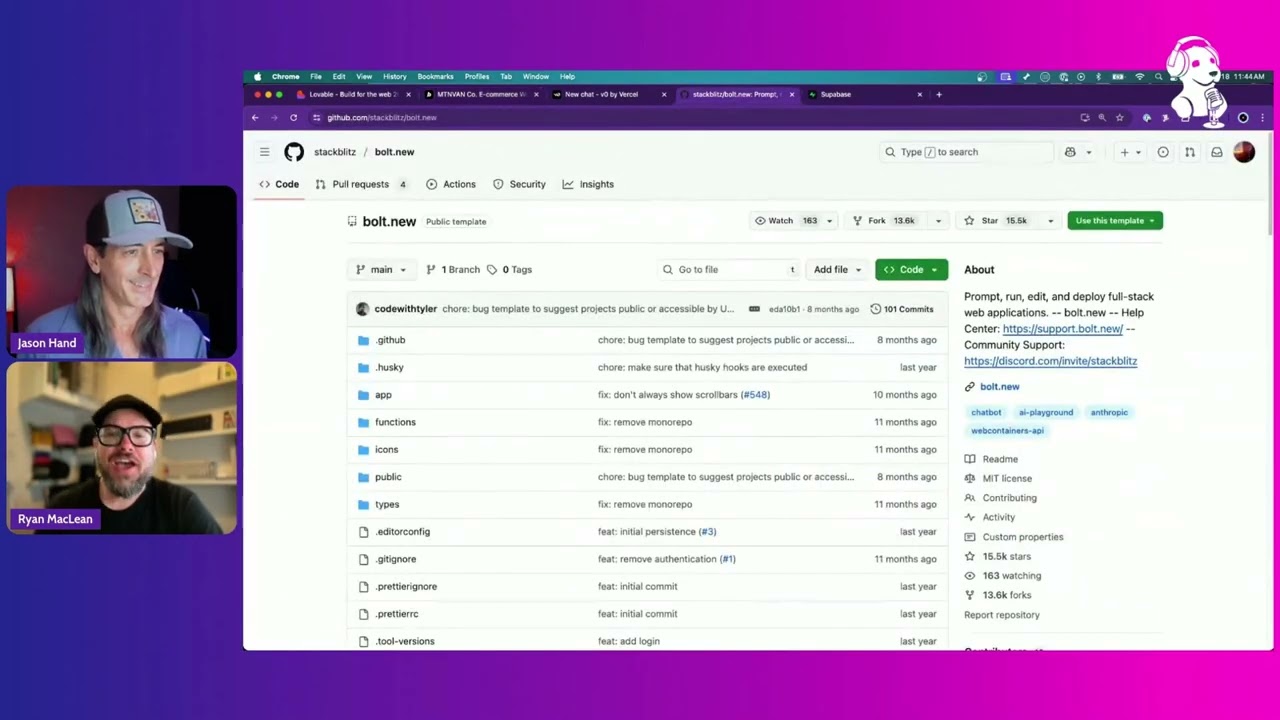
Bolt runs on StackBlitz’s WebContainers technology. It compiles Node.js to WebAssembly and executes everything in your browser. No local setup. You describe what you want and get a full-stack app with frontend, backend, and database in one shot.
v0 doesn’t do that. It generates UI components, not complete applications.
Bolt wins on raw first-draft speed. v0 wins on code quality for the specific thing it does. If you need a polished pricing component, use v0. If you need a working CRUD app in 20 minutes, Bolt is the faster path.
v0 vs. Cursor and Copilot-Style Tools
Cursor is a fork of VS Code with deep AI integration. It works inside your existing codebase, suggesting edits, generating functions, and refactoring files across an entire repository.
That’s a fundamentally different workflow. Cursor is an AI coding assistant that sits inside your web development IDE. v0 is a generative tool that creates new components from scratch.
GitHub Copilot, with over 20 million users as of July 2025 and 42% market share among paid AI coding tools, takes a similar assistant approach. It writes about 46% of the average developer’s code but expects you to understand and review every line.
Experienced developers often use both. v0 for rapid component generation, Cursor for integrating those components into a larger project and handling the complex logic that v0 can’t touch.
v0 vs. Lovable and Replit Agent
Lovable (formerly GPT Engineer) targets non-technical users who want full-stack applications. It has native Supabase integration, built-in database support, and one-click publishing. Lovable reached $100 million ARR in just 8 months, according to Market Clarity data.
Replit goes even broader. It combines a cloud IDE, GPU-backed runtime, deployment tools, and AI workflows into one platform. Replit’s CEO noted that 75% of their customers never write a single line of code.
v0 doesn’t try to be everything. It produces the best React UI components in the category, then hands off to the developer for everything else. If you have back-end development skills and just need the frontend built fast, that’s exactly where v0 fits.
What You Can Build With v0 Using Vibe Coding

Let’s get specific. v0 does some things really well and falls flat on others. Knowing the difference saves you hours of frustration.
Where v0 Excels
Landing pages and marketing sites. Describe the layout, mention a brand style, and v0 generates a complete page with hero sections, feature grids, testimonial blocks, and CTAs. These come out polished enough to ship with minor tweaks.
Dashboard UIs and admin panels. Sidebar navigation, data tables, chart placeholders, filter bars. v0 handles the structural complexity of dashboard interfaces well because shadcn/ui already includes the right component primitives for this kind of work.
Form-heavy interfaces. Multi-step signup flows, onboarding wizards, settings pages. The generated forms include proper validation patterns and accessible markup. A Vercel State of AI survey found that 43% of AI application builders create customer-facing interfaces, and forms are a huge chunk of that.
Component libraries. If you’re building a UI/UX design system, v0 can generate individual components (buttons, modals, dropdowns, cards) that follow consistent styling patterns. Design engineer Faraz Khan noted that using v0 meant less time rebuilding ideas in Figma because the output was already in code.
Where v0 Struggles
Anything that requires complex state management across multiple pages. Shopping carts with real-time inventory. Chat applications with websocket connections. Multi-user dashboards with role-based permissions.
v0 also can’t build mobile applications natively. It outputs React for the web. If you need a progressive web app, you’ll need to handle the service worker configuration and offline logic yourself.
Database integration is improving but still limited. v0 can now create Supabase tables and functions, but for anything involving complex queries, authentication flows, or API integration with third-party services, you’re on your own.
Prompting Techniques That Work in v0

The quality of what v0 produces depends almost entirely on how you ask for it. Vague prompt, vague result. This part of the workflow is a real skill, and most people underestimate it.
First Prompt Structure
Start with specifics. Don’t say “make me a dashboard.” Say “create a project management dashboard with a left sidebar showing project names, a main area with a kanban board layout, and a top bar with user avatar and notification bell.”
Reference existing products by name. “Stripe-style pricing table” or “Linear-style sidebar navigation” gives v0 concrete patterns to work from. The model understands these references because they’re well-represented in its training data.
Include technical constraints in your first prompt:
- Color scheme and spacing preferences
- Dark mode or light mode
- Responsive behavior expectations
- Specific shadcn/ui components you want used
A Deloitte 2025 report found that over 40% of junior developers deploy AI-generated code they don’t fully understand. Good prompting reduces this problem. The more specific your initial request, the less likely the output needs debugging you can’t do yourself.
Iterating and Refining Output
Don’t try to build everything in one prompt. That’s the single biggest mistake.
Build in layers. First prompt: overall layout and structure. Second prompt: refine the spacing and typography. Third prompt: add interactive states and hover effects. Fourth prompt: handle edge cases like empty states or loading indicators.
When something breaks, paste the exact error message into the chat. v0 handles this well because it maintains context across the conversation. Karpathy himself described doing exactly this: copying error messages into the prompt “with no comment” and letting the AI resolve them.
Knowing prompt engineering basics makes a measurable difference. Stack Overflow’s 2025 survey data shows that experienced developers ship 2.5x more AI-generated code to production than juniors (Fastly, July 2025). A big part of that gap is prompt quality, not coding ability.
Limitations and Failure Modes of Vibe Coding With v0
Look, the demos are impressive. But shipping to production is a different story. Here’s where things break down, and these aren’t edge cases.
Code Quality Issues
GitClear analyzed 211 million lines of code changes from 2020 to 2024 across repos owned by Google, Microsoft, Meta, and enterprise companies. Their findings are worth paying attention to.
Code refactoring dropped from 25% of changed lines in 2021 to under 10% by 2024. Code duplication increased roughly 4x. Copy-pasted code exceeded moved code for the first time in two decades. Code churn (code rewritten shortly after merging) nearly doubled.
These trends apply to all AI-generated code, not just v0. But v0 users are especially vulnerable because the tool encourages accepting output without deep review.
Security Risks
In May 2025, Lovable was found to have security issues in 170 out of 1,645 web applications it had generated, exposing personal data. v0 has addressed this more aggressively. By late 2025, v0 blocked 17,000 insecure deploys, and the platform holds SOC 2 Type II compliance.
Still, Second Talent research shows 75% of R&D leaders express concern about data privacy risks with AI code generation tools. The worry is real: hardcoded credentials, exposed API keys, access misconfigurations. These are the kinds of vibe coding security problems that don’t show up until someone actually tries to exploit them.
The Debugging Problem
Fastly’s July 2025 survey of 791 developers revealed something interesting. Nearly 1 in 3 developers (28%) said they frequently fix AI-generated code enough that it offsets most time savings. Only 14% said they rarely need changes.
With v0 specifically, the problem shows up when the generated component interacts with code you’ve written yourself. The AI doesn’t know your state management patterns, your custom hooks, or your RESTful API response shapes. It guesses. And sometimes it guesses wrong in ways that are tricky to diagnose if you didn’t write the original code.
A METR randomized controlled trial in July 2025 found that experienced open-source developers actually took 19% longer to complete tasks when using AI tools. The early speed gains got eaten by debugging cycles. That’s not a reason to avoid these tools entirely, but it is a reason to go in with realistic expectations.
Trust Is Declining, Usage Is Rising
This is the most telling pattern. The Stack Overflow 2025 survey found that 46% of developers don’t trust the accuracy of AI tool output, a sharp increase from 31% the previous year. Yet usage keeps climbing.
Developers feel locked in. They use tools they increasingly distrust because falling behind feels worse than debugging bad output. That tension shapes everything about how vibe coding compares to writing code the traditional way.
When Vibe Coding With v0 Makes Sense (and When It Doesn’t)

Not every project belongs in v0. And not every team benefits from the vibe coding workflow. The difference between a great outcome and a frustrating one usually comes down to matching the tool to the situation.
Good Fit Scenarios
Rapid prototyping: You have a pitch meeting Thursday. You need a working UI to show stakeholders. v0 gets you there in hours instead of days.
MVP frontends: Early-stage startups validating an idea don’t need perfectly architected code. They need something that works, looks decent, and ships fast. Over 30% of early-stage startups in 2024 used vibe coding approaches to build MVPs in under a week, according to Congruence Market Insights data.
Design exploration: You want to see three different dashboard layouts before committing engineering time. Generate all three in v0, compare them side by side, and pick the winner.
Non-technical founders: If you’re a product person or a designer who can describe what you want but can’t write React, v0 bridges that gap. The State of Vibe Coding report found that 44% of non-developer users generate UIs as their primary activity.
Bad Fit Scenarios
Y Combinator reported in March 2025 that 25% of its Winter 2025 batch had codebases 95% generated by AI. That sounds impressive until you read the follow-up coverage. SaaStr founder documented his experience with an AI agent deleting a database despite explicit instructions not to touch it.
The lesson? Vibe coding with v0 works great when the stakes are low and iteration speed matters more than architectural precision. The moment you need software reliability at scale, the calculus changes.
The 80% Problem
Getting from prompt to “looks pretty good” takes minutes. Getting from “pretty good” to production-ready takes significantly longer.
An InfoWorld survey of 500 engineering leaders found that 59% reported AI-generated code introduced errors at least half the time, and 67% said they now spend more time reviewing and fixing AI output. That last 20% of polish, edge cases, error handling, and accessibility is where vibe coding hands the baton back to traditional development.
This is why many teams use a hybrid approach. Generate the foundation with v0, then graduate the project into an iterative development workflow with proper source control and manual refinement.
How to Move v0 Output Into a Real Project

Generating a component in v0 is the easy part. Getting that code into your actual project, cleanly integrated with your existing architecture, is where most people hit friction.
Local Setup and Dependency Alignment
Step one: Export the code. v0 now supports bi-directional Git integration, meaning you can push code to GitHub and pull updates back. The “Add to Codebase” feature lets you install components via the shadcn CLI directly into a local Next.js project.
Step two: Align dependencies. v0 outputs code that expects specific versions of Tailwind CSS, shadcn/ui, and React. If your local project runs different versions, you’ll hit conflicts immediately.
Common dependency issues:
- Tailwind config differences (custom themes vs. v0 defaults)
- Missing shadcn/ui primitives that weren’t installed locally
- TypeScript strict mode mismatches
Sonar’s 2025 State of Code research found that 96% of developers don’t fully trust AI-generated code, largely because of integration problems like these. The code works in isolation. It breaks when it meets your real project’s constraints.
Deploying From v0 to Production
If you’re already on Vercel, deployment is a single click. v0 runs on Vercel Sandbox (a lightweight VM that replaced the earlier browser-based preview), and the path from v0 to a live URL is basically seamless.
For teams not on Vercel, the process looks different.
GitHub export: Push v0 code to a repo, then connect that repo to your preferred hosting (Netlify, AWS Amplify, or a custom build pipeline).
Manual transfer: Copy component files into your local project structure. This requires cleaning up imports, removing v0-specific paths, and restructuring the file organization to match your conventions.
Before deploying anything, run the output through your standard linting setup, a code review, and at minimum a basic set of unit tests. CodeRabbit’s analysis of 470 GitHub pull requests found that AI-co-authored PRs produce 1.7x more issues than human-only PRs. Skipping review because “it worked in v0” is how bugs reach your users.
A practical workflow that teams at companies like OpenAI and Under Armour (both Vercel enterprise customers) tend to follow: prototype fast in v0, export to GitHub, then finish the work in a proper continuous integration pipeline with automated checks before anything touches a production environment.
The Skill Set Shift Behind Vibe Coding
The tools changed. The skills that matter changed with them. If you’re still measuring developer value by lines of code written per day, you’re measuring the wrong thing.
Prompt Literacy as a Real Skill
Structured prompting processes reduce AI errors by up to 76%, according to SQ Magazine’s analysis of enterprise AI implementations. That’s not a trivial improvement. The difference between a vague prompt and a well-structured one is the difference between usable output and garbage.
But here’s the twist. While prompt skills are now part of the job, the standalone “prompt engineer” title is fading. A Microsoft-commissioned survey of 31,000 workers found that Prompt Engineer was ranked second to last among roles companies plan to add in the next 12 to 18 months (Salesforce Ben, 2025).
The skill got absorbed. It’s not a separate job anymore. It’s something every developer, designer, and product manager is expected to know. Much like how generative AI in software development isn’t a department. It’s a tool everyone uses.
Reading Code You Didn’t Write
Fastly’s 2025 survey showed senior developers (10+ years) ship over half their code as AI-generated, nearly 2.5x the rate of junior developers. The reason? Seniors are better at evaluating code they didn’t write.
This is the underrated skill. Vibe coding doesn’t eliminate the need to understand code. It shifts the emphasis from writing to reading, reviewing, and judging quality fast.
Stack Overflow’s 2025 survey data backs this up. The biggest frustration, cited by 66% of developers, is dealing with AI output that’s “almost right, but not quite.” The second biggest? Debugging that code takes longer than expected (45%).
Design Sense Matters More Now
When the AI handles implementation, the person guiding it needs to know what good looks like.
Understanding typography, spacing, color hierarchy, and component composition directly affects the quality of what v0 produces. You can ask for a “Stripe-style pricing page” and get decent results. But knowing why Stripe’s pricing page works (clear hierarchy, restrained color use, generous whitespace) lets you refine the output into something production-worthy.
Full-stack developers lead AI tool adoption at 32.5%, according to Second Talent research. These are people who understand both the visual layer and the technical plumbing. That dual awareness is exactly what makes someone effective at vibe coding best practices.
Why Experienced Developers Get Better Results
This sounds counterintuitive. If the AI writes the code, shouldn’t everyone get the same output?
They don’t. And the data proves it. Market Clarity research shows senior developers report 32% of shipped code as AI-generated, compared to just 13% for juniors. Juniors gain bigger productivity boosts (21-40% improvement) but produce lower-quality output that needs more revision.
Experience gives you three things that vibe coding can’t replace: the ability to spot when generated code will cause problems downstream, the vocabulary to describe what you want precisely, and the judgment to know when to stop prompting and start coding manually.
Karpathy himself noted this evolution in early 2026, a year after coining the term. He now prefers “agentic engineering” to describe the professional version of this workflow, emphasizing that orchestrating AI agents while maintaining code quality is “an art and science” with its own depth. The path to starting vibe coding is easy. Getting good at it takes the same thing every other skill does: practice, judgment, and knowing what you don’t know.
FAQ on V0 Vibe Coding
What is v0 vibe coding?
It’s the practice of using v0 by Vercel to build frontend components through natural language prompts instead of writing code manually. You describe what you want, and v0 generates production-ready React components styled with Tailwind CSS and shadcn/ui.
Is v0 free to use?
v0 has a free tier for experimenting with basic prompts. The Premium plan costs $20/month and removes generation limits. Team and Business plans add collaboration features and privacy controls at higher price points.
What programming languages does v0 support?
v0 outputs TypeScript-based React components built on Next.js. It also renders Svelte, Vue, and plain HTML inside Blocks. But its primary strength and deepest optimization is the React and Tailwind CSS stack.
Can beginners use v0 for vibe coding?
Yes. Non-technical users make up a large portion of v0’s user base. You don’t need to write code, but understanding basic UI/UX design concepts helps you write better prompts and evaluate the output more effectively.
How does v0 compare to Cursor for vibe coding?
v0 generates new components from scratch using prompts. Cursor works inside your existing codebase as an AI-powered IDE. Many developers use v0 for rapid prototyping, then move into Cursor for integration and refinement.
What can I build with v0?
Landing pages, dashboard layouts, admin panels, form wizards, and component libraries. v0 handles frontend UI well. It struggles with complex backend logic, database-heavy features, and multi-page state management requiring API integration.
Is v0-generated code production ready?
It’s closer than most competitors, but not fully. The output needs review for accessibility, edge cases, and performance. Always run generated code through linting and testing before deploying to any live environment.
Does v0 work with frameworks other than React?
v0 can render Vue, Svelte, and HTML inside its Blocks feature. But its core optimization targets React and Next.js. If your project runs on Angular or a different stack entirely, other tools like Bolt.new offer broader framework support.
How do I export v0 code to my local project?
Use the “Add to Codebase” feature or the shadcn CLI for direct component installation. v0 also supports bi-directional Git integration with GitHub, letting you push and sync code between v0 and your local development environment.
Will vibe coding with v0 replace traditional developers?
No. It shifts what developers spend time on. Writing code from scratch decreases. Reading, evaluating, and integrating AI-generated output increases. Experienced developers still get better results because they understand architecture and can spot problems the AI misses.
Conclusion
v0 vibe coding works best when you understand exactly what it is and what it isn’t. It’s a generative UI tool built for React and Next.js, not a replacement for the entire software development process.
The speed gains are real. So are the limitations. AI-generated components need human review, proper testing, and careful integration before they belong anywhere near a live deployment.
Experienced developers get better results because they bring architectural judgment to the prompting workflow. Non-technical builders get access to functional prototypes they couldn’t create alone. Both groups benefit, just differently.
The best vibe coding tools keep evolving. v0’s tight integration with the Vercel ecosystem, shadcn/ui component output, and image-to-code capability give it a specific edge in frontend prototyping. Whether you’re validating a startup idea or speeding up component development for an existing product, knowing when to use v0 (and when to switch to manual coding) is the skill that actually matters.

- MongoDB Cheat Sheet - October 20, 2026
- Adding AI Video Generation to a Software Product: Architecture, Cost Guardrails and QA - October 20, 2026
- Show Hidden Characters, Spaces, and Line Endings in Notepad++ - October 19, 2026


