

By the end of 2024, roughly 29% of Python functions on GitHub were written with substantial AI assistance. That number was near zero three years earlier.
Generative AI in software development has moved from experiment to daily practice faster than almost anyone predicted. Tools like GitHub Copilot, Claude, and Amazon CodeWhisperer now sit inside millions of developer workflows, handling everything from code completion to test generation and documentation.
But faster doesn’t always mean better. Security risks, code quality concerns, and unresolved intellectual property questions come with the speed.
This article covers how developers actually use these tools today, what the productivity research shows, where the real limitations are, and how engineering teams are rolling out AI-assisted development at scale without losing control of their software development lifecycle.
What Is Generative AI in Software Development

Generative AI in software development is the use of large language models and neural network systems to produce, complete, refactor, and review source code. It also covers related artifacts like tests, documentation, deployment scripts, and commit messages.
That definition sounds clean. But the reality is messier.
Traditional automation in software development relied on rigid rules. Linting tools, static analysis, template-based code generators. They followed deterministic paths. Generative AI doesn’t follow a path. It predicts the next likely token based on patterns absorbed from billions of lines of training data.
The models driving this shift include GPT-4, Claude, Code Llama, StarCoder 2, and DeepSeek Coder. GitHub Copilot runs on OpenAI Codex. Amazon CodeWhisperer uses its own models trained on Amazon’s internal repositories plus open-source code. Tabnine and Codeium offer alternatives, some with self-hosted options for teams with strict data policies.
Scope matters here. People hear “AI code generation” and picture a chatbot writing entire apps from a prompt. That happens, sure (it’s being called vibe coding these days). But the more common use cases are smaller and more practical.
Autocomplete suggestions while you type. Generating boilerplate for CRUD operations. Writing unit tests for existing functions. Drafting technical documentation from code comments. Producing infrastructure as code configurations. Summarizing pull requests.
A Science journal study published in 2025 found that by the end of 2024, roughly 29% of Python functions on GitHub were produced with substantial AI support. The U.S. led adoption, though France and Germany were closing the gap at 23% and 24% respectively.
The AI code generation market was valued at $4.91 billion in 2024, projected to reach $30.1 billion by 2032 at a 27.1% compound annual growth rate. That’s not hype. That’s money moving.
How Developers Actually Use Generative AI Right Now

The 2025 Stack Overflow Developer Survey, with over 49,000 responses, paints a clear picture. 84% of developers use or plan to use AI tools in their workflow, up from 76% in 2024. ChatGPT leads at 82% usage among those who use AI tools, followed by GitHub Copilot at 68%.
But here’s the part that rarely gets mentioned. Positive sentiment actually dropped in 2025. Down to 60% favorable from over 70% in 2023 and 2024. Developers are using AI more while trusting it less. That’s a weird tension worth paying attention to.
The most common activities look like this:
- Inline code completion inside the IDE (Copilot, Codeium, Tabnine, JetBrains AI Assistant)
- Chat-based debugging where developers paste errors and get explanations
- Generating boilerplate, test scaffolding, and repetitive patterns
- Pull request summaries and automated code review suggestions
Google’s CEO revealed during the Q3 2024 earnings call that over 25% of all new code at Google is now generated by AI, then reviewed and accepted by engineers. Amazon saved over 4,500 developer-years and $260 million by using AI to update more than 30,000 Java applications.
According to an Accenture study, 67% of developers use GitHub Copilot at least five days a week. It’s no longer a novelty. It’s part of the daily routine for most teams working in a web development IDE like VS Code or JetBrains.
Code Generation vs. Code Assistance
These two things get lumped together constantly. They shouldn’t be.
Code generation means producing entire functions, files, or components from a natural language prompt. You describe what you want, the model writes it. This is closer to what happens in vibe coding versus traditional coding workflows, where the developer directs rather than types.
Code assistance is the autocomplete-style experience. You start typing a function, the model predicts what comes next, and you hit tab to accept. Copilot’s average suggestion acceptance rate sits around 30%, meaning developers find roughly one in three suggestions worth keeping.
The distinction matters because accuracy expectations are completely different. Autocomplete can afford to be wrong often since rejecting a suggestion costs you nothing. But when you generate an entire module from a prompt, a subtle logic error can cost hours of debugging.
The 2025 Stack Overflow survey confirmed the frustration: 66% of developers said their biggest problem with AI is dealing with solutions that are “almost right, but not quite.”
Measured Productivity Gains and What the Research Says
The headline number everyone quotes is the 55.8% faster task completion from GitHub’s 2022 controlled experiment. Developers using Copilot finished an HTTP server implementation in JavaScript in 1 hour 11 minutes, compared to 2 hours 41 minutes without it.
That number is real. But it’s also misleading if you stop there.
Google ran a randomized controlled trial in mid-2024 with 96 full-time engineers working on enterprise-grade tasks within their own internal codebase. The result: 21% faster task completion with AI tools enabled. Not 55%. Context matters.
Field experiments at Microsoft and Accenture by researchers from MIT told a more modest story. Developers completed 12.9% to 21.8% more pull requests per week at Microsoft and 7.5% to 8.7% more at Accenture. Accenture also reported an 84% increase in successful builds, suggesting the AI helped catch errors earlier.
| Study | Participants | Productivity Gain | Task Type |
|---|---|---|---|
| GitHub (2022) | Freelance developers | 55.8% faster | Isolated HTTP server task |
| Google (2024) | 96 full-time engineers | 21% faster | Enterprise codebase task |
| Microsoft field trial | ~1,000 developers | 12.9–21.8% more PRs/week | Daily production work |
| Accenture field trial | ~974 developers | 7.5–8.7% more PRs/week | Daily production work |
One pattern keeps showing up. Senior developers get more out of these tools than juniors. Google’s trial found this explicitly. It contradicts the popular narrative that AI primarily helps beginners.
The reason is pretty straightforward if you think about it. Senior devs know what good code looks like, so they can evaluate suggestions faster and steer the AI better. Junior developers sometimes accept bad suggestions because they can’t tell the difference yet.
There’s also the perception gap. A study cited by index.dev found that developers believed they worked 20% faster with AI, even in controlled tests where they were actually slower. The tools reduce cognitive load and mental pressure, which creates a feeling of progress that doesn’t always match reality.
GitClear’s 2024 analysis of 211 million changed lines of code showed a concerning trend. Code classified as “copy/pasted” (cloned) rose from 8.3% to 12.3% between 2021 and 2024, while refactored lines dropped from 25% to under 10%. More code is being produced. Less of it is being maintained well.
Code Quality and Reliability Concerns

The question everyone in software development roles keeps asking: does AI-generated code actually work?
Veracode’s research found that AI models chose insecure coding methods 45% of the time when given a choice between a secure and insecure approach. Across 80 coding tasks in four languages and four vulnerability types, only 55% of AI-generated code was secure.
A Georgetown University CSET study in November 2024 confirmed the pattern. Almost half of code snippets from five different LLMs contained bugs that could lead to security exploits. The researchers tested models with prompts designed for realistic development scenarios.
Pearce et al.’s earlier research on Copilot found that approximately 40% of generated programs contained vulnerabilities, with C code hitting a 50% vulnerability rate. Perry et al. expanded this through a user study, finding that developers using AI assistants wrote “significantly less secure code” and showed a “false sense of security,” rating their insecure solutions as secure.
The 2025 DORA report from Google reinforced something important. AI adoption has a positive relationship with software delivery throughput but a negative relationship with delivery stability. Teams ship faster, but things break more often downstream.
This isn’t a reason to avoid AI tools. It’s a reason to pair them with stronger software quality assurance processes.
Testing AI-Generated Code
The uncomfortable reality: AI-generated code requires the same rigor (probably more) as human-written code when it comes to testing. A structured software test plan doesn’t become optional just because a model wrote the function.
Here’s where it gets circular. Developers are using AI to write tests for AI-generated code. Test-driven development workflows still apply, but the trust chain gets blurry when both the implementation and the test come from the same type of model.
Approaches that hold up under scrutiny:
- Property-based testing that validates behavior patterns rather than specific outputs
- Mutation testing applied to AI-generated code to check if tests actually catch changes
- Manual review gates before merging, which 71% of developers say they still do for every AI-generated snippet
The 2025 Stack Overflow survey showed that 46% of developers don’t fully trust AI outputs. Only 3% “highly trust” them. That skepticism is healthy, at least in my experience. The developers who get burned are the ones who stop reading what the model gives them.
Generative AI Across the Software Development Lifecycle
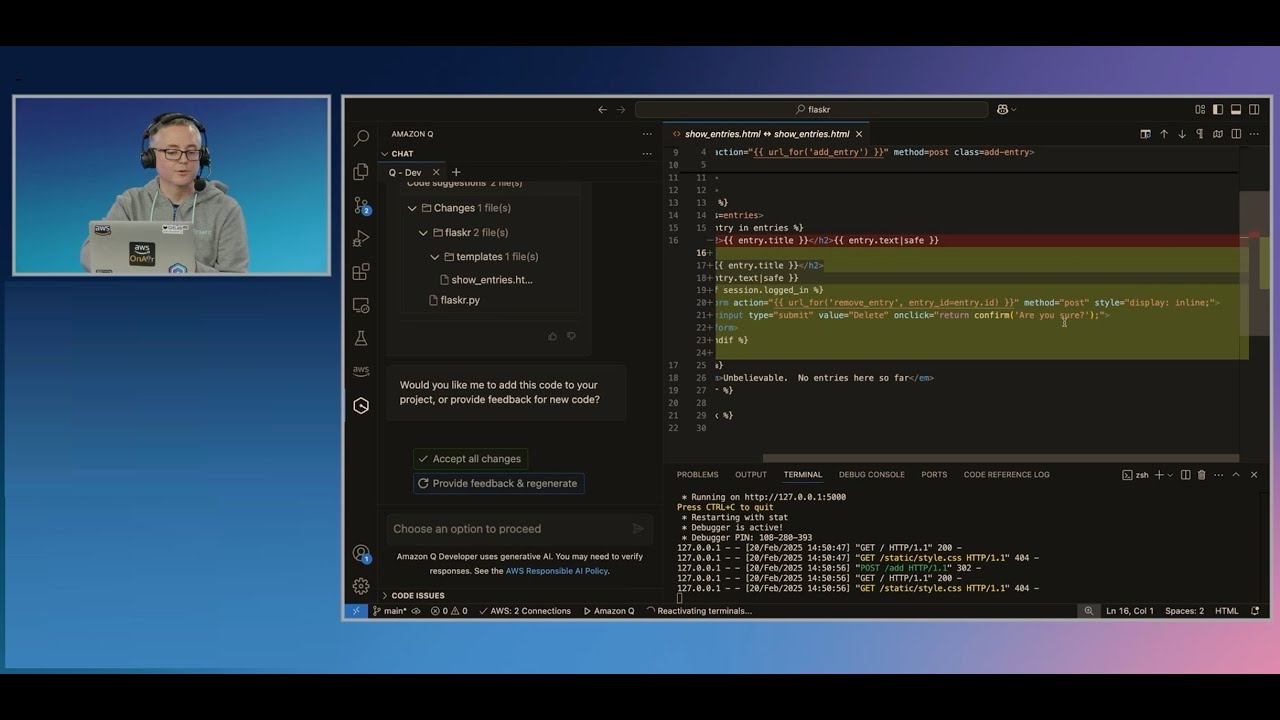
Code generation gets all the attention. However, generative AI for software development now extends across nearly every phase of the software development lifecycle, with some of its less visible applications delivering more consistent value.
Requirements and Design
Teams use AI to draft user stories from raw feature descriptions and to generate initial design documents. Requirements engineering still needs human judgment, but AI speeds up the grunt work of structuring and formatting specifications.
Software prototyping has changed the most. What used to take days of wireframing and basic frontend scaffolding now happens in hours. Tools like Cursor and Replit Ghostwriter can generate working prototypes from conversational descriptions.
Implementation and Review
This is where most of the productivity data lives. AI pair programming covers everything from inline suggestions to full conversational coding sessions where the model acts as a collaborator.
Google’s internal data shows that over 8% of code review comments at Google are now addressed with AI assistance. At Zoominfo, a deployment of Copilot across 400+ developers showed consistent 33% acceptance rates for suggestions and 72% developer satisfaction.
Testing and QA
High-impact application. AI generates integration tests, edge case scenarios, and regression testing suites that developers historically skip because they’re tedious to write. The software testing lifecycle gets compressed when a model can draft 80% of a test file in seconds.
But code coverage metrics can be deceiving. AI-generated tests often achieve high line coverage while missing the logic paths that actually matter. A QA engineer still needs to validate that tests are meaningful, not just plentiful.
Deployment and Maintenance
AI assists with continuous integration configuration, deployment pipeline scripts, and diagnosing build failures. Post-deployment maintenance benefits from AI-powered root cause analysis and incident summarization.
McKinsey identifies software engineering, along with customer operations and marketing, as the areas where generative AI concentrates the most value. Their estimates place the total annual impact potential at $2.6 to $4.4 trillion across all use cases, with a significant chunk in development workflows.
Tools and Platforms Powering AI-Assisted Development

The tooling landscape has split into two camps. Commercial products backed by massive compute budgets, and open-source models that teams can self-host and fine-tune.
| Tool | Type | Primary Use | Notable Feature |
|---|---|---|---|
| GitHub Copilot | Commercial | IDE code completion | 15M+ users, 46% completion rate |
| Amazon CodeWhisperer | Commercial | AWS-integrated coding | Enterprise security scanning |
| Cursor | Commercial | AI-native IDE | Deep codebase context awareness |
| Codeium | Freemium | Code autocomplete | Free tier for individuals |
| JetBrains AI Assistant | Commercial | IDE-integrated | Native to IntelliJ ecosystem |
| StarCoder 2 | Open-source | Code generation | BigCode Project, self-hostable |
| Code Llama | Open-source | Code generation | Meta AI, multiple size variants |
| DeepSeek Coder | Open-source | Code generation | Strong benchmark performance |
GitHub Copilot dominates. By early 2025, it had over 15 million users, a 400% increase in one year. Over 50,000 organizations have adopted it. Copilot now writes about 46% of the average user’s code, reaching as high as 61% in Java projects.
Cursor has emerged as the strongest AI coding assistant contender among developers who want the IDE itself rebuilt around AI. It’s popular with developers practicing prompt-driven development with Cursor because it holds deep context about the project structure.
On the open-source side, StarCoder 2 from the BigCode Project and Code Llama from Meta AI give teams options when data privacy or cost are concerns. These models run on Hugging Face infrastructure or self-hosted GPU clusters.
Choosing Between Commercial and Open-Source Options
Cost: Copilot runs $19/month per user (Business plan). For a 200-person engineering team, that’s roughly $45,600 annually. Open-source models require GPU infrastructure but avoid per-seat licensing.
Data privacy: This is the real deciding factor for many companies. Commercial tools send code context to external servers. Regulated industries (healthcare, finance, defense) often can’t risk it. Self-hosted models from the open-source ecosystem solve this, though performance gaps remain.
A large-scale GitHub analysis of 7,703 AI-attributed files found that Copilot achieved better security density for Python at 1,739 lines of code per CWE vulnerability, while ChatGPT performed better for JavaScript. Tool choice affects not just speed but the type of bugs you’ll see.
59% of developers now run three or more AI pair programming tools in parallel. The days of picking a single assistant are fading. Most teams mix a primary IDE tool with a conversational model for complex problem-solving.
Security and Intellectual Property Risks
The legal ground under AI-generated code is unstable. Debevoise tracked more than 50 active lawsuits between IP holders and AI developers in U.S. federal courts by the end of 2025. Courts are only beginning to rule on the core questions.
The biggest case for code specifically: the ongoing GitHub Copilot class action lawsuit, filed in 2022, alleges that Copilot reproduces GPL-licensed code from public repositories without attribution. The case challenges whether code generated by models trained on open-source libraries inherits those license obligations.
A federal judge ruled in June 2025 that Anthropic’s use of copyrighted books for AI training qualified as fair use. But that ruling covers literary works, not code. Software licensing (MIT, Apache, GPL) operates under different terms, and no court has issued a definitive ruling on whether AI output from code-trained models triggers copyleft obligations.
Training Data and Licensing
The core tension: LLMs like Codex, StarCoder, and Code Llama were trained on massive volumes of publicly available source code. Some of that code carries restrictive licenses. When the model produces output that resembles training data, does the license travel with it?
Nobody knows yet. The U.S. Copyright Office released a report in May 2025 concluding that some uses of copyrighted works for AI training will qualify as fair use, and some won’t. That non-answer is the current state of the law.
Companies building products with AI-generated code should keep a source control management trail that documents which code was human-written and which was AI-assisted.
Code Ownership and Enterprise Controls
Deloitte’s 2024 State of Generative AI report found that 61% of IT leaders cite data risk as their top barrier to AI implementation. The concern is practical: when developers use commercial AI tools, code context gets sent to external servers for processing.
| Risk Area | Concern | Mitigation |
|---|---|---|
| Data leakage | Proprietary code sent to AI servers | Self-hosted models, enterprise agreements |
| License contamination | GPL code in suggestions | License scanning in CI/CD pipelines |
| Ownership ambiguity | Who owns AI-generated output? | Clear IP policies, human review gates |
| Indemnification gaps | Liability if AI output infringes | Vendor IP indemnity clauses |
GitHub, Amazon, and Google all now offer IP indemnification for enterprise customers using their AI tools. That’s a signal that the vendors themselves see legal risk.
For teams in regulated industries (healthcare, finance, defense), the answer is increasingly self-hosted open-source models. It adds infrastructure cost but removes the data leakage question entirely. A clear software compliance framework needs to cover AI-generated code just like any other third-party dependency.
How Generative AI Changes Developer Roles and Team Workflows

The developer’s job is shifting. Not disappearing (the 2025 Stack Overflow survey found 64% of developers don’t see AI as a threat to their jobs), but changing shape in ways that affect hiring, team structure, and daily workflows.
The biggest shift: less time writing code, more time reviewing it. When a quarter of Google’s new code comes from AI, the review process becomes the bottleneck. Faros AI’s telemetry data from 10,000+ developers confirmed this, finding that teams with high AI adoption saw PR review time increase by 91% even as task completion rose 21%.
From Writer to Reviewer
The mental model for a developer used to be: think, type, debug, ship.
Now it looks more like: prompt, evaluate, refine, verify, ship. Prompt engineering for developers has become a real skill, not a buzzword. The developers who get the most out of AI tools are the ones who know how to ask precise questions and evaluate the answers critically.
Gartner predicts 90% of enterprise software engineers will use AI code assistants by 2028, up from under 14% in early 2024. The role isn’t going away. It’s being redefined.
Impact on Junior Developers
This is the part that worries people, and honestly, it should get more attention.
The concern: Junior developers historically learned by writing bad code, getting it reviewed, and improving. If AI handles the “writing bad code” step, where does the learning happen? The Science journal study found that early-career developers showed no statistically significant productivity gains from AI, while seniors benefited clearly.
Qodo’s 2025 research backs this up. Context-related frustration rises with experience, from 41% among juniors to 52% among seniors. But seniors still report the largest quality gains at 60%, with only 22% confidence in shipping AI code without review. Juniors don’t have the baseline knowledge to catch what the AI gets wrong.
New Skills Teams Need
Prompt design: Writing effective prompts that produce usable, secure code from AI tools.
Output evaluation: Reading AI-generated code critically, catching hallucinated APIs and logic errors.
Model awareness: Understanding which models work best for which languages and task types.
DX research found that teams providing AI tools without proper training see minimal benefits, while trained teams see large gains. Only 62% of employees have received any AI-related training, according to Gartner. That gap explains a lot of the adoption friction.
Adoption Barriers and Practical Limitations

76% of developers fall into what Qodo calls the “red zone,” experiencing frequent hallucinations with low confidence in AI output. Using the tools. Not trusting the results. That’s the adoption problem in one sentence.
Context and Comprehension Gaps
The top technical barrier isn’t accuracy in isolation. It’s context. Qodo’s 2025 report found that 65% of developers struggle with missing context during refactoring, and roughly 60% hit the same wall during test generation and code review.
Large codebases with years of accumulated logic, custom patterns, and undocumented conventions don’t fit neatly into an AI’s context window. The model can autocomplete a function, but it can’t understand why your team chose that particular architecture two years ago.
Developers juggling six or more AI tools still feel context-blind 38% of the time, per Qodo’s data.
Legacy Systems and Niche Languages
AI code generation works best with popular languages. Python, JavaScript, TypeScript. The training data is deep there.
Try using Copilot on a COBOL mainframe migration or a proprietary DSL built for internal tooling. Results drop off fast. Companies running legacy systems (banks, insurance companies, government agencies) often work with languages and frameworks that have thin representation in training data.
Enterprises managing large monolithic software systems face a double barrier: the AI can’t fully understand the existing code, and modernization itself requires the kind of deep architectural knowledge AI doesn’t have yet.
Organizational and Cost Barriers
Less than half (47%) of IT leaders said their AI projects were profitable in 2024, according to industry research. A third broke even. 14% recorded losses.
Cost at scale adds up. Copilot’s Business plan runs $19/user/month. For a 500-person engineering team, that’s over $113,000 per year before factoring in the GPU costs for any self-hosted models or the time spent training developers to use the tools properly.
Only about one-third of companies prioritize change management and training as part of their AI rollouts. That’s a recipe for expensive shelfware.
Enterprise Implementation Patterns That Work
Shopify’s CEO sent a company-wide memo in early 2025 stating that teams must prove why their goals can’t be achieved with AI before requesting additional headcount. Duolingo followed days later with a similar policy, building 148 new language courses in under a year with AI, work that previously took 12 years with human contractors.
These are aggressive moves. But the companies seeing real ROI from generative AI in their software development process share common patterns.
Pilot Programs and Phased Rollouts
IDC research found that over 60% of organizations report widespread use of AI coding assistance. But the ones scaling successfully started small.
JPMorgan Chase’s phased approach saved $1.5 billion through AI-driven fraud prevention and operational efficiencies, with over 200,000 employees now using their internal LLM Suite. They didn’t flip a switch. They ran targeted pilots, measured outcomes, then expanded.
An EdTech company profiled by Faros AI grew from 25 to 300 engineers using AI assistants in three months (a 1,100% adoption increase) by treating it as a strategic mandate with executive backing, not an optional experiment.
Measuring ROI Beyond Lines of Code
Lines of code per day is a terrible metric for AI-assisted development. Always has been, but it’s worse now.
| Metric | What It Measures | Why It Matters |
|---|---|---|
| PR merge rate | Throughput of completed work | Captures end-to-end delivery, not just writing |
| Build success rate | Quality of initial submissions | Accenture saw 84% improvement with Copilot |
| Review cycle time | Bottleneck identification | High AI adoption can increase review load 91% |
| Developer satisfaction | Adoption sustainability | 90% of Copilot users report higher job fulfillment |
McKinsey’s 2025 guidance emphasizes tracking both leading indicators (adoption rates, task automation counts) and lagging indicators (EBIT impact, revenue lift). Without tying AI use to business KPIs, programs stall.
Governance and Training
What works: Structured build pipeline checks that scan AI-generated code for security vulnerabilities before it reaches production. Continuous deployment workflows need gates specifically designed for machine-written code.
The 2025 DORA report found that 90% of organizations have adopted at least one internal platform, and there’s a direct link between platform quality and an organization’s ability to get value from AI tools. The infrastructure matters as much as the models.
DBS Bank built a governance framework (PURE: Purposeful, Unsurprising, Respectful, Explainable) that reduced time-to-market for AI initiatives from 15 months to under 3 months, generating $585 million in economic value in 2024. Good governance isn’t a brake on AI adoption. It’s what makes adoption stick.
FAQ on Generative AI in Software Development
What is generative AI in software development?
It’s the use of large language models to produce, complete, refactor, and review source code. These models predict likely code patterns based on training data rather than following fixed rules like traditional automation tools.
Which tools do developers use most for AI-assisted coding?
GitHub Copilot and ChatGPT lead adoption. The 2025 Stack Overflow survey shows 82% of AI-using developers rely on ChatGPT, while 68% use Copilot. Codeium, Tabnine, and JetBrains AI Assistant also hold significant market share.
Does AI-generated code have security vulnerabilities?
Yes. Veracode research found AI models chose insecure coding methods 45% of the time. AI-generated code requires the same security review and testing as human-written code, sometimes more, since models can hallucinate APIs or skip input validation.
How much faster do developers work with AI coding tools?
Results vary by context. GitHub’s controlled study showed 55% faster task completion. Google’s enterprise trial found a more modest 21% improvement. Productivity gains depend heavily on task complexity and developer experience level.
Can AI replace software developers?
Not currently. The 2025 Stack Overflow survey found 64% of developers don’t see AI as a job threat. AI handles repetitive coding tasks well but struggles with architectural decisions, business logic, and complex debugging that requires deep domain knowledge.
What is vibe coding?
Vibe coding means generating entire applications from natural language prompts rather than writing code manually. Nearly 77% of developers say it’s not part of their professional workflow, according to Stack Overflow’s 2025 data. It works for prototyping but carries quality risks.
Is AI-generated code copyrightable?
U.S. copyright law requires human authorship. Code produced entirely by AI likely isn’t copyrightable. If a developer substantially modifies AI output, protection may apply. The legal landscape is still developing, with over 50 active lawsuits pending in federal courts.
What are the biggest barriers to adopting AI coding tools?
Missing context is the top technical barrier, affecting 65% of developers during refactoring tasks. Other blockers include low trust in output accuracy, data privacy concerns with cloud-based tools, and lack of structured training programs within organizations.
Do AI tools work with legacy codebases?
Poorly, in most cases. AI code generation performs best with popular languages like Python and JavaScript. Legacy systems using COBOL, proprietary frameworks, or niche languages have thin training data representation, making AI suggestions unreliable for those environments.
How should teams measure ROI from AI coding assistants?
Skip lines-of-code metrics. Track pull request merge rates, build success rates, review cycle times, and developer satisfaction instead. McKinsey recommends combining adoption metrics with business KPIs like delivery speed and revenue impact for accurate measurement.
Conclusion
Generative AI in software development isn’t a future trend. It’s a present reality reshaping how engineering teams build, test, and ship code across every phase of the app lifecycle.
The productivity data is real. So are the risks. AI-assisted coding accelerates delivery, but code quality, security vulnerabilities, and intellectual property questions demand serious attention from every software architect and team lead making adoption decisions.
What separates teams getting value from those burning budget is governance. Clear development best practices, structured training, and measurement tied to actual business outcomes.
The tools will keep improving. Models from OpenAI, Anthropic, Meta AI, and Google DeepMind are getting better at understanding code refactoring patterns, automated testing workflows, and cross-platform logic. Context windows are expanding. Hallucination rates are dropping.
But no model replaces the developer who understands why the code exists. That part stays human.

- How to Run a React App in VS Code Step by Step - October 23, 2026
- Transactional or marketing email: which messages your app should send itself - October 23, 2026
- How Software Teams Write SOPs for Releases and Deployments - October 22, 2026


