

Cursor vibe coding has turned natural language into a full development workflow. Instead of writing code line by line, developers describe what they want, and the AI inside Cursor IDE generates it across multiple files in seconds.
Andrej Karpathy coined the term in February 2025. Within months, 25% of Y Combinator’s Winter 2025 startups were running codebases that were 95% AI-generated. Cursor hit over a million users and became the fastest SaaS product to reach $100 million in annual revenue.
This guide covers how cursor vibe coding actually works, what you can build with it, how it compares to GitHub Copilot and other AI coding assistants, the real limitations you’ll hit, and what it costs in practice.
What Is Cursor Vibe Coding

Cursor vibe coding is a software development workflow where you describe what you want built in plain English and let AI inside the Cursor IDE generate the code for you. You don’t type functions line by line. You prompt, review, iterate, and ship.
The term “vibe coding” comes from Andrej Karpathy, co-founder of OpenAI and former AI lead at Tesla, who posted about it on X in February 2025. His exact framing: you give in to the vibes, embrace the speed of large language models, and let the codebase grow through conversation rather than manual construction.
Karpathy specifically mentioned Cursor Composer paired with Anthropic’s Claude Sonnet model. He described barely touching his keyboard, accepting all AI-generated code changes without reading diffs, and pasting error messages back into the chat with zero commentary. The post pulled over 4.5 million views and Collins Dictionary named “vibe coding” their Word of the Year for 2025.
That gives you a sense of the scale. But there’s a real difference between what vibe coding actually is and how most people practice it with Cursor.
How Vibe Coding Differs from AI Code Completion
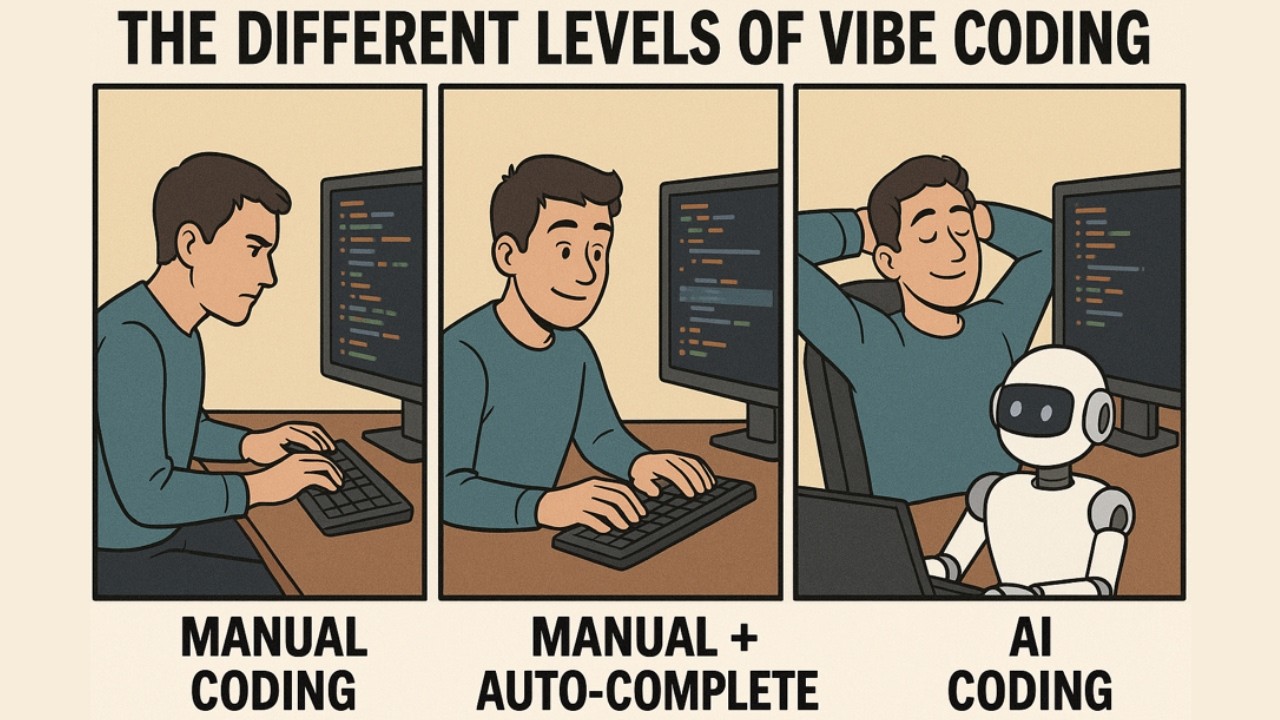
Code completion tools like GitHub Copilot suggest the next line or function as you type. You’re still writing code. The AI just fills in gaps.
Vibe coding flips that. You describe a feature, a fix, or an entire component in natural language. The AI writes all the code. You evaluate whether it works.
Programmer Simon Willison drew a useful line here: if an LLM wrote the code but you reviewed, tested, and understood every line, that’s not vibe coding. That’s just using AI as a typing assistant. Vibe coding means trusting the output based on results, not reading through diffs.
Cursor sits at the center of this shift because it’s not a plugin. It’s the entire IDE. The AI reads your whole project, generates across multiple files, and runs changes through its own diff view. That’s a fundamentally different interaction pattern than autocomplete inside VS Code.
Who Coined the Term and Why It Stuck
Karpathy’s February 2025 post resonated because it described something developers were already doing but hadn’t named yet. Within weeks, Merriam-Webster added it as a trending term.
By March 2025, Y Combinator reported that 25% of its Winter 2025 startups had codebases that were 95% AI-generated (TechCrunch). These weren’t hobby projects. Highly technical founders chose to let AI handle implementation because the tools had crossed a quality threshold.
The 2025 Stack Overflow Developer Survey found that 18% of developers were already using Cursor specifically, alongside 10% on Claude Code and 5% on Windsurf. For a tool that barely existed two years prior, those numbers explain why the term stuck. It gave a name to the workflow that thousands of developers had already adopted.
How Cursor Works as a Vibe Coding Environment

Cursor is a fork of Visual Studio Code built by Anysphere, a company founded in 2022 by four MIT students. It looks and feels like VS Code because it literally is VS Code underneath. The difference is that AI isn’t bolted on as an extension. It’s woven into every interaction.
Sacra estimates Cursor hit $1.2 billion in annual recurring revenue in 2025, up from $100 million the year before. That’s 1,100% year-over-year growth with a team that stayed remarkably small. The product reached over a million users within 16 months, almost entirely through word of mouth.
Composer Mode and Multi-File Generation
Composer is the core of Cursor’s vibe coding workflow. It lets you describe what you want in a single prompt, and the AI generates or modifies code across multiple files in your project simultaneously.
This is where Cursor separates itself from line-level autocomplete tools. You can tell Composer to scaffold a full authentication system, and it will create route handlers, middleware, database schemas, and front-end components in one pass.
With Cursor 2.0 (launched October 2025), Composer became Anysphere’s own proprietary model. Built on a Mixture-of-Experts architecture with reinforcement learning, it completes most coding turns in under 30 seconds. You can also run up to eight agents in parallel, each working in isolated git worktrees.
NVIDIA CEO Jensen Huang called Cursor his favorite enterprise AI service in an October 2025 interview, noting that 100% of NVIDIA’s engineers now use AI-assisted coding tools.
The Role of .cursorrules in Shaping Output
A .cursorrules file sits in your project root and tells the AI how to behave. Think of it as a project-specific system prompt.
You can enforce coding standards, require TypeScript strict mode, mandate test coverage for every new function, or tell the AI to follow a specific architecture pattern. One engineering team reported a 50% drop in style-related PR comments after implementing project-level Cursor rules (Opsera).
Without .cursorrules, Cursor’s output is generic. With it, the AI writes code that fits your stack and your team’s conventions. Senior developers who get better results from vibe coding almost always have well-crafted rules files. That’s the hidden leverage most beginners miss.
The Vibe Coding Workflow Step by Step

There isn’t a single correct way to vibe code with Cursor, but the pattern that works looks roughly the same across experienced users.
You start with a plain-language description of what you want. Not pseudocode. Not requirements docs. Just a conversational explanation of the feature, fix, or component you need. From there, the workflow becomes a loop of prompting, evaluating, and refining.
Here’s what that actually looks like in practice:
- Describe the goal broadly: “Build a dashboard page that shows user activity metrics with charts and a date filter.”
- Let Composer generate the first pass across all relevant files.
- Run the app and check the output visually. Does the dashboard load? Do the charts render?
- Follow up with targeted corrections: “The date picker doesn’t filter the chart data. Fix that. Also, move the sidebar padding from 24px to 16px.”
- Repeat until the feature matches what you need.
The trick is specificity. Vague prompts produce vague code. Experienced developers reference existing files using Cursor’s @ symbol (like @components/Chart.tsx), set constraints upfront, and chain prompts in logical sequence.
Opsera research found that developers who use Cursor keep about 30% of total characters suggested in internal benchmarks. That mirrors healthy selectivity. You’re not accepting everything blindly, even in a vibe coding workflow. You’re steering.
Companies like Visa, Reddit, and DoorDash now list AI-assisted development skills in job postings, according to a 2025 BI career trend analysis. Developers who have refined their prompt patterns for vibe coding are, on average, up to 40% faster without losing correctness.
What You Can Actually Build with Cursor Vibe Coding

Vibe coding with Cursor works best for certain project types. Knowing where it excels (and where it falls apart) saves time and frustration.
MVPs, Prototypes, and Internal Tools
Software prototyping is where cursor vibe coding genuinely shines. If you’re building a proof of concept or an internal tool that doesn’t need to survive ten years of maintenance, this workflow can compress weeks into hours.
Y Combinator’s Winter 2025 cohort grew 10% per week in aggregate, the fastest batch in YC history, and CEO Garry Tan attributed it directly to vibe coding and AI-generated codebases (CNBC).
Coinbase reported that by February 2025, every engineer had used Cursor, and individual developers were refactoring or building new codebases in days instead of months. Trimble saw a 25% increase in PR volume and over 100% growth in average PR size after rolling Cursor out to 800+ engineers.
Where It Breaks Down
Anything that requires deep awareness of implicit business rules, edge cases across hundreds of files, or fine-tuned performance optimization is still tricky. The AI generates code that works functionally but doesn’t always account for software scalability under real production loads.
Building complex apps through vibe coding is possible, but it demands far more human oversight than a quick prototype. You end up spending the time you saved on generation reviewing what the AI produced. Which, for production systems, is the right tradeoff anyway.
Cursor Vibe Coding vs. GitHub Copilot and Other AI Coding Tools

The AI coding assistant market is consolidating fast. But the tools aren’t all doing the same thing, even if they sound similar on paper.
Cursor vs. GitHub Copilot
This is the comparison everyone makes, and it comes down to philosophy.
Copilot is a plugin. It lives inside your existing editor and suggests code as you type. It’s excellent at line-level and function-level completion. GitHub’s 2024 data showed Copilot generating around $400 million in ARR, with broad IDE support across VS Code, JetBrains, Neovim, Visual Studio, and Xcode.
Cursor is the entire IDE. AI doesn’t sit in a sidebar. It reads your whole repository, plans multi-file changes, and verifies through tests. Cursor’s Composer model targets agentic workflows where the AI acts more like a junior developer than an autocomplete engine.
SWE-Bench Verified data from early 2026 showed Copilot solving 56% of tasks versus Cursor’s 51.7%. But Cursor completed each task 30% faster, averaging 62.9 seconds compared to Copilot’s 89.9 seconds (MorphLLM). Speed versus accuracy, pick your priority.
Windsurf, Replit, Bolt.new, and Others
Windsurf (from Codeium) is the closest competitor to Cursor’s approach. Its Cascade feature handles multi-file orchestration with a similar conversational model, and it’s cheaper at $10-15/month.
Replit takes a browser-first approach. No local installation, no setup. You describe what you want and Replit Agent builds it in a cloud environment. Great for people who don’t want to manage a local dev setup.
Bolt.new is similar to Replit in philosophy but skews toward quick web app generation. It’s popular with non-developers who want a functional prototype fast.
Claude Code, Anthropic’s CLI tool for agentic coding, works from the terminal rather than a GUI. The 2025 Stack Overflow survey found 10% of developers using it. It’s a different interaction pattern, less visual, but powerful for developers who prefer command-line workflows.
The best AI tool for vibe coding depends on what you’re building and how you like to work. There is no single winner across all use cases.
Limitations and Risks of Vibe Coding in Cursor
The productivity gains are real. But so are the problems. And most of them only show up after the initial excitement wears off.
Code Quality and Security Concerns
Veracode’s 2025 GenAI Code Security Report tested over 100 LLMs and found that AI-generated code introduced security flaws in 45% of curated coding tasks. The models chose an insecure method over a secure one nearly half the time.
That’s not a Cursor-specific issue, it applies to all AI code generation tools. But vibe coding makes it worse because the whole point is reduced manual review.
- Cross-site scripting: AI models failed to generate secure code 86% of the time (Veracode)
- Privilege escalation paths: jumped 322% in AI-generated code at Fortune 50 companies (Apiiro)
- Overall vulnerability rate: AI code contained 2.74x more security flaws than human-written code (CodeRabbit)
Ignoring security risks in vibe coding is how you end up with a surprise $25,000 cloud bill or a breach that tanks your startup. In May 2025, Lovable (a vibe coding platform) had 170 out of 1,645 apps generated with it expose personal data because of security flaws in the AI-generated code.
The Comprehension Gap
Karpathy himself admitted the code grew beyond his understanding during his original vibe coding experiments. When bugs appeared that the AI couldn’t fix, he’d just request random changes until the problem went away.
That’s fine for throwaway weekend projects. For production software, it’s a liability. The maintainability of code you don’t understand drops close to zero once the original developer moves on, or once the AI context window can’t hold the full project anymore.
Fast Company reported in September 2025 that senior engineers were describing “development hell” when trying to maintain or extend AI-generated codebases they hadn’t personally reviewed. The speed gain on day one becomes a code refactoring burden on day thirty.
Token Limits and API Dependency
Context windows have hard ceilings. When your project exceeds what the model can hold in memory, Cursor starts losing track of files, architectural decisions, and conventions you established earlier in the session.
There’s also the dependency factor. Cursor relies on external APIs from Anthropic, OpenAI, and its own Composer model. When those services go down or slow down, your IDE stops functioning as an AI tool. You’re back to manual coding in what’s essentially a heavier version of VS Code.
The gap between vibe coding and traditional coding narrows significantly once project complexity exceeds what the AI can comfortably reason about.
How Experienced Developers Use Cursor Vibe Coding Differently

Fastly’s July 2025 survey of 791 developers revealed something counterintuitive. Senior developers with 10+ years of experience ship 2.5 times more AI-generated code than junior developers. About a third of seniors say over half their production code comes from AI, compared to just 13% of juniors.
The gap isn’t about enthusiasm. It’s about knowing what good code looks like before the AI generates it.
Why Experience Changes the Output
Domain knowledge shapes prompt quality. A senior developer asking Cursor to build an authentication flow will specify token rotation, rate limiting, and session invalidation. A junior might just ask for “a login system.”
The METR randomized trial (July 2025) found that experienced open-source developers actually took 19% longer with AI tools than without. But here’s the twist: they believed they were 20% faster. The perceived speed comes from reduced cognitive load, not actual time savings on complex tasks.
Coinbase’s head of platform, Rob Witoff, told MIT Technology Review that speedups hit 90% for simpler tasks like restructuring code and writing tests. For complex work, gains were much smaller. The bottleneck shifted from writing code to reviewing the flood of AI-generated output.
Custom Rules and Prompt Patterns
Experienced developers don’t just use Cursor out of the box. They configure it.
- Custom .cursorrules files that enforce development best practices and architecture patterns
- Scoped context using @ references to limit which files the AI considers
- Chained prompts that build features incrementally rather than asking for everything at once
The 2025 JetBrains Developer Ecosystem Survey found that 85% of developers now regularly use AI tools for coding. But only 52% agreed those tools actually improved their productivity. The gap between usage and perceived benefit tracks with how well developers control AI output through configuration and prompting discipline.
Reviewing Every Diff
Fastly’s data shows just under 30% of senior developers report editing AI output enough to offset most of the time savings, compared to 17% of juniors.
That extra review time is the difference between vibe coding and traditional coding practices. Senior developers treat Cursor’s output like a pull request from a fast but error-prone colleague. They review, adjust, and merge selectively. Juniors tend to either accept everything or avoid AI-generated code in production entirely.
Setting Up Cursor for Effective Vibe Coding

Getting Cursor installed takes five minutes. Getting it configured for productive vibe coding takes a bit more thought.
Cursor runs on macOS, Windows, and Linux. It imports your VS Code settings, extensions, themes, and keybindings automatically on first launch. If you’ve been using a web development IDE like VS Code, the transition is nearly seamless.
Writing Your First .cursorrules File
The .cursorrules file is where your vibe coding quality gets defined. Without it, Cursor generates generic code. With it, the AI follows your stack, your style, and your testing expectations.
A basic .cursorrules file for a Next.js project might include:
- Use TypeScript strict mode for all files
- Follow React Server Components patterns
- Write unit tests for every new utility function
- Use Tailwind CSS for all styling, no inline styles
Over 90% of developers at Salesforce now use Cursor, according to the company’s public testimonials. Teams that enforce project-level rules through .cursorrules see higher consistency across AI-generated code than those relying on defaults.
Project Structure Tips for Better AI Context
Cursor indexes your entire project to understand context. How you organize files directly affects the quality of AI output.
A solid tech stack for your web app paired with clean project structure gives Cursor the best chance of generating code that fits. Messy repos produce messy AI output. That’s just how context windows work.
The Cost of Cursor Vibe Coding in Practice
The sticker price is $20/month for Cursor Pro. The actual cost depends on how aggressively you use AI models and which ones you pick.
Subscription Tiers and What They Include
In June 2025, Cursor overhauled its pricing from request-based limits to usage-based credit pools tied to actual API costs. The rollout was messy. Poor communication led to unexpected charges, and Cursor issued a public apology on July 4, 2025.
That $20 credit pool on Pro gives you roughly 225 Claude Sonnet requests, 500 GPT requests, or 550 Gemini requests per month, according to CheckThat.ai analysis. Heavy users can burn through credits in a single day of complex agent work.
Hidden Costs Beyond the Subscription
Token consumption scales with project size. A simple syntax question costs a fraction of what a multi-file refactor burns. Agent mode, which runs multiple API calls behind the scenes, costs significantly more than a single inline completion.
One Hacker News commenter reported spending $350 in Cursor overage charges in a single week. For a 500-developer team, GetDX estimated annual costs of $192,000 on Cursor’s business tier versus $114,000 for GitHub Copilot.
There’s also the time cost. The METR study showed developers believed they were faster with AI but actually took longer on complex tasks. The productivity gain on simple work gets partially offset by debugging and reviewing AI output on harder problems. For boosting productivity with AI coding tools, tracking real time savings matters more than how fast things feel.
The Junior Developer Learning Tradeoff
MIT Technology Review reported in late 2025 that employment among software developers aged 22 to 25 fell nearly 20% between 2022 and 2025, coinciding with the rise of AI coding tools.
When junior developers skip manual problem-solving and rely entirely on AI-generated code, they build less foundational knowledge. One developer interviewed by MIT described struggling with tasks that “used to be instinct” after heavy AI tool usage. The short-term speed gain becomes a long-term skills gap.
Where Vibe Coding in Cursor Is Heading
Karpathy himself updated his thinking in February 2026. He now calls the more disciplined version of AI-assisted development “agentic engineering,” distinguishing it from the original throwaway-project spirit of vibe coding. The goal, he says, is claiming the speed from AI agents without compromising software reliability.
Recent Feature Additions
Background Agents launched in mid-2025 and went to general availability shortly after. These agents work autonomously on tasks while you do something else, operating on your GitHub repos, creating branches, and opening pull requests.
Other 2025 additions that changed the workflow:
- BugBot: automated PR reviewer that catches issues before merge
- Memories: persistent project knowledge that carries across sessions
- One-click MCP setup: connects Cursor to external tools like databases and project management platforms
Cursor 2.0 (October 2025) introduced its proprietary Composer model and multi-agent parallelism, letting developers run up to eight agents simultaneously in isolated environments. By November 2025, Anysphere raised $2.3 billion at a $29.3 billion valuation, with NVIDIA and Google participating.
The Broader Competitive Shift
GitHub Copilot added its own agent mode in early 2026, letting users assign Claude, Codex, or Copilot to the same GitHub issue simultaneously and compare three draft PRs. The IDE-as-agent-platform concept that Cursor pioneered is now table stakes.
Windsurf, Lovable, V0, and Claude’s own coding tools are all moving in the same direction. The 2025 Stack Overflow Developer Survey showed positive sentiment toward AI tools dropped from over 70% to just 60%, even as adoption climbed. Developers are using more AI but trusting it less.
That tension will define the next phase. Whether vibe coding represents the future of generative AI in software development or just a stepping stone toward something more structured depends on how fast the tools can close the gap between speed and quality assurance.
Cursor’s bet is clear. They’re building toward a world where developers orchestrate AI agents rather than write code directly. The best vibe coding tools will be the ones that make that orchestration reliable enough for production, not just prototypes.
FAQ on Cursor Vibe Coding
What is cursor vibe coding?
Cursor vibe coding is a development workflow where you describe features in plain English inside the Cursor IDE, and AI generates the code across your project. You evaluate results by running the app, not by reading every line the AI wrote.
Who invented vibe coding?
Andrej Karpathy, co-founder of OpenAI, coined the term in a February 2025 post on X. He described using Cursor Composer with Claude Sonnet, accepting all AI-generated changes without reviewing diffs. The post got over 4.5 million views.
Is Cursor free to use?
Cursor offers a free Hobby tier with limited Tab completions and Agent requests. The Pro plan costs $20/month and includes unlimited autocomplete plus a credit pool for premium AI models like Claude Sonnet and GPT-4o.
What can you build with cursor vibe coding?
MVPs, internal tools, Chrome extensions, CLI utilities, and full-stack web apps using frameworks like Next.js or Flask. It works best for scoped projects. Complex apps with deep state management or large legacy codebases are harder to generate reliably.
How does Cursor differ from GitHub Copilot?
Cursor is a standalone IDE built on VS Code with AI woven into every interaction. Copilot is a plugin that adds AI suggestions to your existing editor. Cursor operates at the project level with multi-file generation. Copilot works primarily at the line or function level.
Is vibe coding safe for production code?
Not without review. Veracode’s 2025 report found AI-generated code introduced security flaws in 45% of tasks tested. Blindly shipping AI output to production creates real vibe coding security risks. Always run a thorough code review process before deploying.
What is the .cursorrules file?
A project-level configuration file that shapes how Cursor’s AI behaves. You define coding standards, architecture patterns, testing requirements, and style rules. It acts as a persistent system prompt so the AI generates code that fits your specific stack.
Do experienced developers benefit more from cursor vibe coding?
Yes. Fastly’s 2025 survey found senior developers ship 2.5x more AI-generated code than juniors. Experience helps you write better prompts, catch AI mistakes faster, and configure tools like .cursorrules for consistent output quality.
What AI models does Cursor support?
Cursor supports multiple large language models including its proprietary Composer model, Claude Sonnet from Anthropic, GPT-4o from OpenAI, and Gemini. You can switch models per task. Each model consumes credits at different rates based on token usage.
Will vibe coding replace traditional software development?
Not entirely. It speeds up prototyping and repetitive tasks, but the full software development process still requires human judgment for architecture, security, and post-deployment maintenance. Karpathy himself now prefers the term “agentic engineering” for professional use.
Conclusion
Cursor vibe coding has moved from a viral tweet to a legitimate development workflow used by teams at Coinbase, Salesforce, and NVIDIA. The speed is real. So are the tradeoffs.
AI-powered code generation through Cursor’s Composer and AI pair programming capabilities can compress days of work into hours. But code quality, security review, and architectural oversight still depend on the developer behind the prompts.
The developers getting the most from this workflow aren’t the ones accepting every suggestion blindly. They write solid .cursorrules files, scope their context carefully, and treat AI output like a draft that needs editing.
Whether you’re building a quick prototype or evaluating AI tools for developer productivity across your team, the pattern is the same. Prompt with precision, review with discipline, and ship with confidence.

- How to Run a React App in VS Code Step by Step - October 23, 2026
- Transactional or marketing email: which messages your app should send itself - October 23, 2026
- How Software Teams Write SOPs for Releases and Deployments - October 22, 2026


