

AI now generates 41% of all code being written globally. And a growing chunk of that comes from people who never learned to program.
Vibe coding, the practice of building software by describing what you want in plain language and letting an AI handle the rest, went from an Andrej Karpathy tweet in February 2025 to a legitimate development workflow used at startups and Fortune 500 companies alike.
This guide covers how to start vibe coding from scratch. You’ll learn which tools to pick, how to write prompts that produce working code, a step-by-step workflow for your first project, and where the real limitations are so you don’t hit them blind.
What Is Vibe Coding

Vibe coding is a software development practice where you describe what you want in plain language and let an AI model generate the code for you. You don’t read every line. You run it, check if it works, and move on.
Andrej Karpathy, co-founder of OpenAI and former AI lead at Tesla, coined the term in February 2025. His description was straightforward: give in to the vibes, let the AI handle the syntax, and focus on what you’re actually trying to build.
That distinction matters. Vibe coding isn’t the same as using an AI coding assistant for autocomplete suggestions. With tools like GitHub Copilot in its early form, you still wrote most of the code yourself and reviewed every suggestion line by line.
Vibe coding flips that. You describe features in natural language, accept the output based on whether it runs correctly, and iterate through conversation. The AI writes. You steer.
Wikipedia now lists it as a formal programming practice. Merriam-Webster added the term in March 2025 as “slang & trending.” Collins English Dictionary named it their Word of the Year for 2025.
And it’s not just a hobby for beginners. According to Second Talent research, 63% of vibe coding users are non-developers, but the remaining 37% includes professional engineers at companies like Shopify, Stripe, and Coinbase who use it daily for real production work.
Vibe Coding vs. Traditional Coding vs. AI-Assisted Coding
As programmer Simon Willison put it: if an LLM wrote every line but you reviewed, tested, and understood it all, that’s not vibe coding. That’s using an LLM as a typing assistant.
What You Need Before You Start

People jump into vibe coding thinking they need zero preparation. That’s partially true, but there’s a gap between “anyone can do this” and “anyone can do this well.”
You need a clear idea of what you want to build. Not a vague concept. Something specific enough that you can describe it in two or three sentences. “A personal expense tracker that categorizes spending and shows monthly charts” works. “An app that does finance stuff” doesn’t.
Took me a while to learn this, but the quality of your output is directly tied to how clearly you can articulate the goal. AI tools are pattern machines. They need patterns to latch onto.
Technical Prerequisites
Programming experience: Helpful but not required. Over 44% of non-technical founders now build initial prototypes using AI coding tools rather than hiring developers, according to industry data from 2025.
Prompting ability: This is the actual skill. You don’t need a prompt engineering certification, but knowing how to break features into specific descriptions makes a massive difference.
A testing mindset: Since you’re not reviewing every line, you need to verify that the output actually does what you asked. Run it. Click every button. Try to break it. That’s your quality control now.
Basic terminal comfort: Most vibe coding tools require installing packages, running servers, or using command-line interfaces at some point. You don’t need to be a sysadmin. But knowing how to cd into a folder and run npm install saves you from hitting a wall immediately.
What You Don’t Need
You don’t need to understand algorithms or data structures. You don’t need a computer science degree.
You don’t need to know how React’s virtual DOM works under the hood to build a working React app through vibe coding. Y Combinator reported that 25% of its Winter 2025 batch had codebases that were 95% AI-generated. Some of those founders aren’t traditional engineers.
Best Tools for Vibe Coding

The tool you pick shapes your entire workflow. Some are full IDEs with AI bolted on. Others are browser-based platforms where you type a description and get a deployed app in minutes.
The combined valuation of leading vibe coding startups (Cognition, Lovable, Replit, Cursor, Vercel) grew 350% year-over-year, reaching over $36 billion by mid-2025, according to Vestbee research. That kind of capital inflow means these tools are evolving fast.
AI-Native Code Editors
Cursor is the breakout story. Built on VS Code, it hit $500 million ARR by mid-2025 and crossed 1 million daily active users. Coinbase, Stripe, and OpenAI engineers use it daily. Sacra estimates revenue reached $1.2 billion ARR in 2025.
What makes it different from Copilot? Cursor reads your entire codebase for context. When you ask it to build a new feature, it understands how your existing files connect. That’s a big deal for anything beyond a single-file script.
Windsurf (by Codeium) takes a similar approach. It’s another AI-native IDE that competes directly with Cursor, focusing on flow-state coding with fewer interruptions.
Browser-Based Platforms
Replit transformed from a collaborative browser IDE into a full vibe coding platform after launching Replit Agent in September 2024. It can write, debug, set up databases, and deploy apps from natural-language prompts. Replit closed a $250 million round in 2025.
Bolt.new by StackBlitz hit $1 million ARR within a week of launch. By early 2025, it surpassed $40 million ARR with roughly five million registered users. Its trick: everything runs locally in the browser using WebContainers, cutting latency compared to server-based tools.
Lovable, the Swedish startup, became the fastest-growing startup on record. It raised $200 million in July 2025 and hit $100 million ARR just eight months after crossing $1 million. Its fully agentic engine interprets requests, modifies code, debugs issues, and creates assets on its own.
v0 by Vercel focuses on front-end generation, specifically React and Next.js components. Good for UI scaffolding and quick prototypes when you already know your tech stack for your web app.
LLM Chat Interfaces for Coding
Claude (by Anthropic) handles code generation through both its chat interface and Claude Code, a terminal-based tool for agentic coding tasks. Claude Artifacts lets you generate and preview working apps directly in conversation.
ChatGPT by OpenAI remains widely used. GitHub’s large-scale analysis found that ChatGPT accounted for 91.52% of AI-generated code on public repositories, though that includes all AI coding, not just vibe coding specifically.
GitHub Copilot crossed 20 million users by July 2025 and holds 42% market share among AI coding tools, per Quantumrun Foresight data. It generates about 46% of all code written by active users.
Choosing the Right Tool Based on Your Project Type
If you want a deeper comparison, check out our guide to the best vibe coding tools and free options available right now.
How to Write Prompts That Produce Working Code

Your prompts are your code now. Seriously. The quality of what the AI generates depends almost entirely on how you describe what you want.
Stack Overflow’s 2025 survey found that most developers (52%) either don’t use coding agents or prefer simpler AI tools. A big reason? Bad prompting leads to bad output, which leads to frustration, which leads to abandonment.
Describe Behavior, Not Implementation
Tell the AI what should happen, not how to make it happen.
- Good: “When a user submits the contact form, validate all fields, save to the database, and show a success message with a green checkmark”
- Bad: “Create a function that uses addEventListener on the form element and then runs a fetch POST request to /api/contact”
The first prompt gives the AI room to pick the best approach for your stack. The second one locks you into a specific pattern that might not even fit your setup.
Set Constraints Early
Include your tech stack preferences in the first prompt. Not the third one. Not after the AI has already scaffolded your project in Vue when you wanted React.
“Build this using Next.js 14, Tailwind CSS, and Supabase for the backend. No external UI libraries.” That one sentence saves you from rebuilding everything later.
Build Incrementally
This is where most people mess up. They dump an entire app specification into one massive prompt and expect magic.
Break it down. Start with the core feature. Get that working. Then add the next piece. Then the next.
Over 30% of early-stage startups globally used vibe coding to build MVPs in under a week during 2024, according to Congruence Market Insights. They didn’t do that by writing one mega-prompt. They iterated fast, feature by feature.
Common Prompt Mistakes That Break Your Output
Being too vague: “Make it look good” tells the AI nothing. “Use a clean, minimal design with a white background, 16px body text, and blue accent buttons” tells it everything.
Contradicting yourself: If prompt one says “use Tailwind” and prompt four says “add custom CSS for the header,” the AI might mix both approaches and create a mess. Stay consistent.
Skipping error handling: AI-generated code often skips edge cases unless you explicitly ask. “Handle empty states, loading states, and error messages for all API calls” should be in your early prompts.
For more detailed guidance on writing effective vibe coding prompts, we’ve put together a dedicated guide.
A Step-by-Step Workflow for Your First Vibe Coding Project

Reading about vibe coding only gets you so far. Here’s a workflow you can follow right now, today, to ship your first project.
Pick a Small, Specific Project
Don’t start with a SaaS product. Start with something you’ll actually use.
- A personal expense tracker
- A bookmark manager with tags
- A habit tracker with weekly charts
- A simple landing page for a side project
The Klarna CEO, who describes himself as someone who has never formally coded, shared in 2025 that he could receive a working prototype in 20 minutes for concepts that previously took his engineering team weeks. But he started simple too.
Write Your Project Brief as a First Prompt
Before touching any tool, write a two-paragraph description of what you’re building. Include the core features, the tech you want to use (or let the AI decide), and what the final output should look like.
This isn’t software prototyping the traditional way. You’re not drawing wireframes or writing specs. You’re writing a conversation starter.
Iterate Feature by Feature
First prompt: Describe the entire project at a high level. Let the AI scaffold the structure.
Follow-up prompts: Focus on one feature at a time. “Now add a form that lets users input expenses with amount, category, and date.” Test it. Move on.
Debugging prompts: When something breaks (and it will), paste the error message directly into the chat. “I’m getting this error when I click submit: [error]. Fix it.” The AI usually resolves it in one or two rounds.
Test After Every Generation Cycle
Run the code after every significant change. Don’t stack five prompts without checking anything.
Market Clarity research from 2025 found that AI-generated code shows 41% higher code churn rates, meaning code gets rewritten shortly after being merged. Catching issues early prevents compounding errors that become harder to untangle later.
Use Version Control (Even a Simple One)
At minimum, use source control through Git. Even if you’re a beginner, learning git init, git add, and git commit takes ten minutes and saves hours of pain.
If Git feels like too much right now, just copy your project folder before making big changes. Seriously. Having a snapshot you can roll back to is the difference between “fun experiment” and “I lost everything.”
Example Project Walkthrough
Let’s say you’re building a simple expense tracker using Cursor.
Prompt 1: “Create a Next.js app with a dashboard that shows monthly expenses in a bar chart. Use Tailwind for styling and localStorage for data persistence. Include a form to add expenses with amount, category, and date fields.”
Cursor generates the project structure, components, and basic logic. You run it. The chart shows up, the form works, but the categories aren’t filtering correctly.
Prompt 2: “The category filter on the dashboard isn’t working. When I select ‘Food,’ it still shows all categories. Fix the filtering logic in the dashboard component.”
Fixed in one round. You test again. Working.
Prompt 3: “Add an export button that downloads all expenses as a CSV file.”
Done. Three prompts, maybe 15 minutes total. You now have a working personal tool. That’s vibe coding. For more vibe coding examples, we cover several project types in detail.
When to Read the Code and When to Skip It
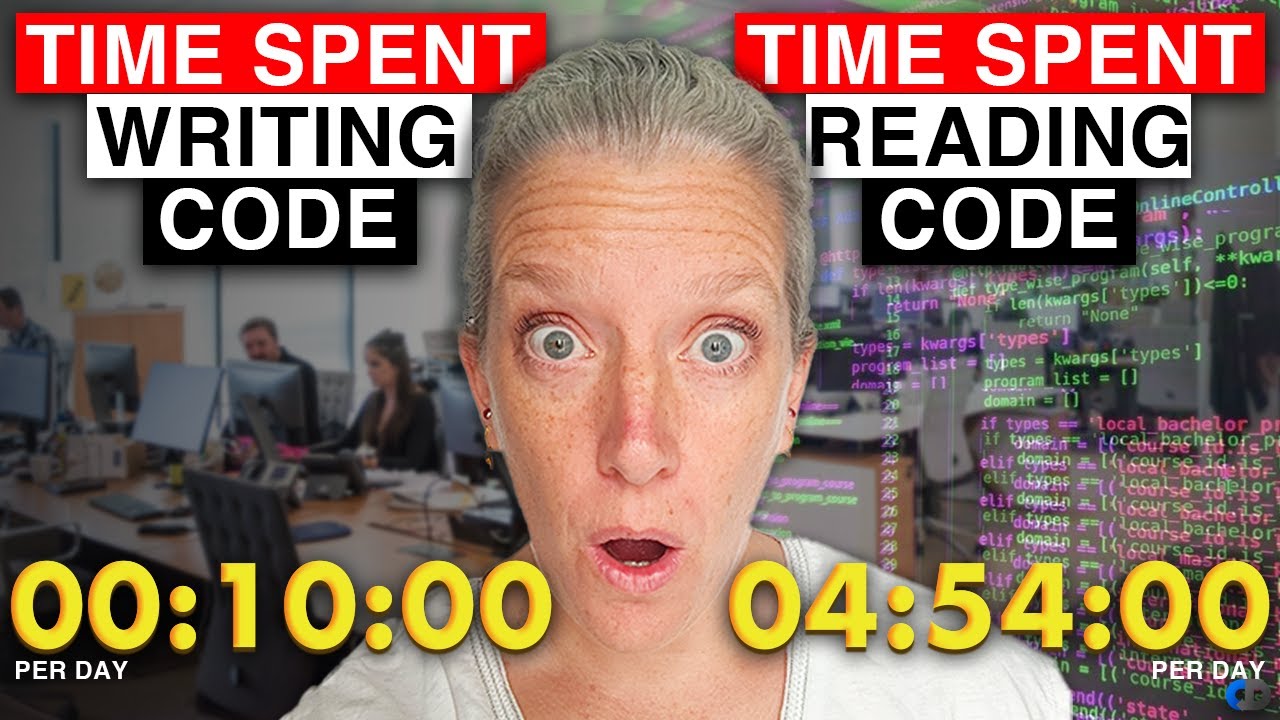
This is the question that splits the community. Karpathy’s original framing was about weekend projects and throwaway prototypes. But vibe coding has moved into professional settings since then.
The Wall Street Journal reported in July 2025 that vibe coding was being adopted by professional software engineers for commercial use cases. So the stakes have changed.
Safe to Skip Detailed Review
Personal tools: An expense tracker just for you? A script that renames files in a folder? Skip the deep review. If it works, it works.
Prototypes and MVPs: You’re validating an idea, not shipping to a million users. Speed matters more than code quality at this stage. More than 30% of early-stage startups used this approach to build MVPs in under a week, per 2024 data.
Learning projects: If you’re building something to understand how React or Python works, the AI’s output becomes your study material. You can review it later, at your own pace.
Must Review Carefully
Anything handling user data. Veracode’s 2025 GenAI Code Security Report tested over 100 LLMs and found that AI-generated code introduces security vulnerabilities in 45% of cases. Cross-site scripting failures hit 86%. Log injection failures reached 88%.
Authentication and payment flows. The Cloud Security Alliance found that 62% of AI-generated code solutions contain design flaws or known security vulnerabilities. If your app handles money or passwords, review every line in those modules.
Code going to production. GitClear’s analysis of 211 million lines of code found that code refactoring dropped from 25% of changed lines in 2021 to under 10% by 2024. Code duplication quadrupled. That’s the maintainability cost of skipping review.
The Paste-the-Error Debugging Loop
When something breaks and you don’t understand the code well enough to fix it manually, paste the full error message back into the AI. This loop works surprisingly well for most issues.
But. There’s a ceiling. If the AI can’t fix its own bug after two or three attempts, you’re probably hitting a problem that requires understanding the underlying architecture. At that point, you either read the code or start that section over with a clearer prompt.
Only 3% of developers highly trust AI-generated code without reviewing it first, according to JetBrains and Stack Overflow 2025 data. The other 97% are reviewing at least some of what the AI produces. Your mileage may vary, but that number tells you where the industry actually stands.
Limitations and Risks of Vibe Coding
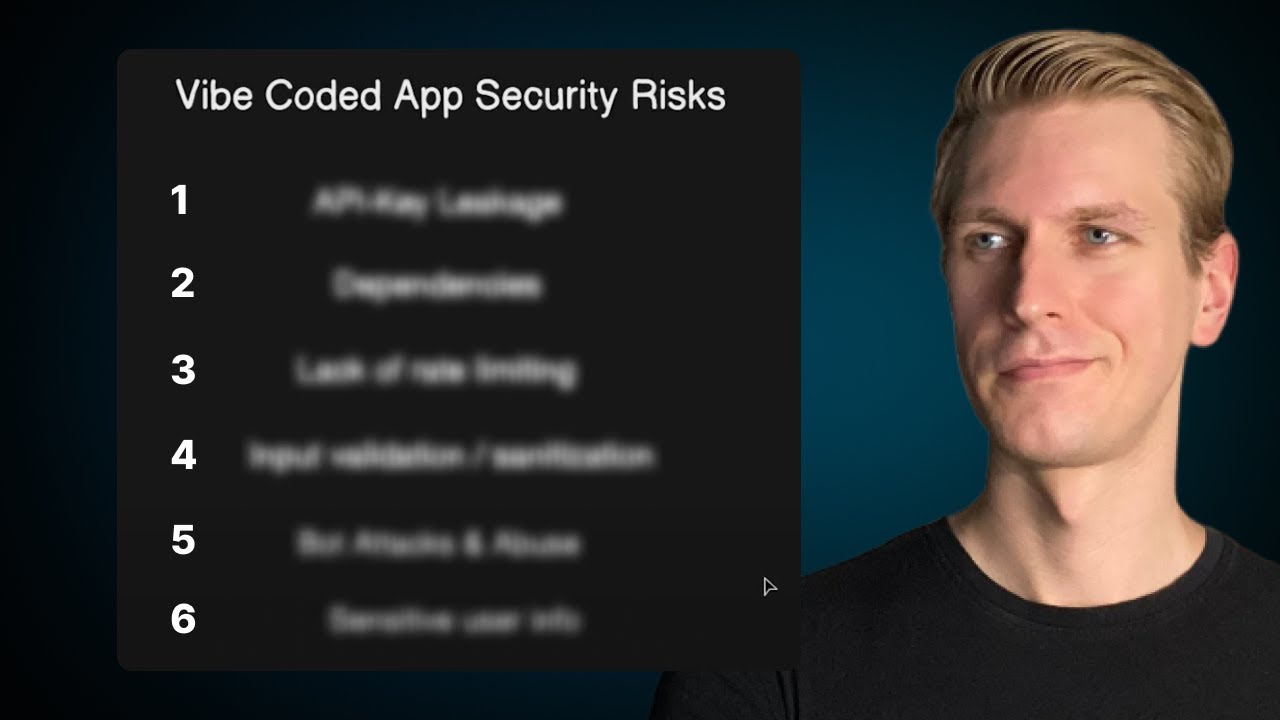
The speed is real. The risks are also real. And most people don’t discover the risks until they’re three months into a project that suddenly won’t cooperate.
Forrester has forecasted an incoming technical debt tsunami over the next two years, driven largely by AI-generated code that teams don’t fully understand. That’s not a distant problem. It’s already showing up in production systems today.
Architecture Decisions Still Need a Human
LLMs are pattern machines. They’re great at generating code that follows existing patterns. They’re terrible at deciding which pattern to use for your specific situation.
Choosing between a microservices architecture and a monolith, picking the right database, or designing API integration structures. These require understanding your business, your traffic, your team. AI can’t do that.
MIT Technology Review reported that developers agree AI tools produce good boilerplate code and handle tests well, but for the complex problems where engineers really earn their bread, the tools face significant hurdles.
AI Hallucinates Code That Doesn’t Exist
This is not a minor annoyance. LLMs regularly generate function calls to APIs that don’t exist, reference library methods that were never written, and import packages with made-up names.
Kevin Roose of the New York Times documented this firsthand during his vibe coding experiments in February 2025. His AI-generated e-commerce app fabricated fake product reviews entirely on its own.
You won’t always catch these hallucinations by running the code. Some will compile fine but produce wrong results quietly.
Security Vulnerabilities at Scale
CodeRabbit’s December 2025 analysis of 470 open-source GitHub pull requests found AI co-authored code contained 1.7x more major issues than human-written code. Misconfigurations were 75% more common. Security vulnerabilities appeared at 2.74x the rate.
Lovable, one of the most popular vibe coding platforms, was found in May 2025 to have security flaws in 170 out of 1,645 web applications it generated, exposing personal information publicly.
If your app handles user data, payment processing, or authentication, you can’t afford to skip the code review process.
The Maintainability Problem
Source: GitClear analysis of 211 million lines of code, 2020-2024.
Nobody on the team understanding the entire codebase becomes a real problem when something breaks at 2 AM. A new role has already emerged on LinkedIn: “vibe-coding cleanup specialists” who stabilize apps built by non-technical founders using AI tools.
Cost and Dependency Risks
API costs add up fast. Most vibe coding tools charge per usage or require monthly subscriptions. Cursor’s Ultra plan runs $200/month. Enterprise plans across platforms scale into thousands per team.
And you’re dependent on these platforms staying available, staying affordable, and not changing their models in ways that break your workflow. SaaStr founder documented in July 2025 that Replit’s AI agent deleted a database despite explicit instructions not to make changes.
For a full breakdown of what to watch for, see our guide on vibe coding vs traditional coding tradeoffs.
How Experienced Developers Use Vibe Coding Differently

Here’s where it gets interesting. The METR study from July 2025 found that experienced open-source developers actually took 19% longer to complete tasks when using AI tools, despite believing they were 20% faster.
That sounds damning. But context matters. Experienced developers use vibe coding differently than beginners, and their productivity gains show up in different places.
Skipping Boilerplate, Not Architecture
JetBrains’ 2025 report found that 62% of developers want AI specifically for generating boilerplate code. That’s routing files, CRUD operations, config setups, RESTful API endpoints, and all the repetitive glue that holds projects together.
Senior developers at companies like Shopify and Stripe aren’t using Cursor to design their systems. They’re using it to skip the boring parts they’ve written a hundred times before.
The actual architecture, the database schema design, the back-end structure, the deployment strategy. That’s still human work.
Rapid Prototyping Before Committing
Stack Overflow’s 2025 data shows that 72% of professional developers say vibe coding is not part of their professional workflow. But that doesn’t mean they’re not using AI at all.
Many use it selectively for rapid prototyping. Test an idea in 20 minutes. Show it to stakeholders. If it has legs, rebuild it properly with a real software development plan. If not, trash it and move on.
Google CEO Sundar Pichai confirmed on the Lex Fridman Podcast that 25% of Google’s code is AI-assisted, but their real focus is engineering velocity, not replacement.
Generating Tests and Documentation
This is the sleeper use case most people overlook.
Experienced developers feed their existing code into AI tools and ask for unit tests, integration tests, and documentation. JetBrains found that 57% of developers want AI for test generation and 58% for understanding and fixing bugs.
Writing tests is tedious. Most teams skip it under deadline pressure. AI makes it painless enough that people actually do it.
Knowing What to Prompt vs. What to Write by Hand
Experienced developers develop a sense for where AI adds value and where it creates more work than it saves.
- Prompt the AI: boilerplate, CRUD, styling, config files, simple utilities
- Write by hand: auth logic, payment flows, complex business rules, performance-critical code
Stack Overflow’s 2025 survey found that 76% of developers won’t use AI for deployment and monitoring, and 69% won’t use it for project planning. The instinct to keep high-stakes work manual is strong, and it’s backed by data.
Read more about how AI pair programming works alongside traditional development for a clearer picture of this hybrid approach.
How to Get Better at Vibe Coding Over Time

Most people plateau fast. They learn the basics, build a couple of small apps, and then hit a wall where every project feels like fighting the AI instead of working with it.
Getting past that wall requires deliberate practice, not just more prompting.
Build Progressively More Complex Projects
Start with single-page apps. Then add a database. Then add user authentication. Then add deployment.
Each layer introduces new failure modes that teach you where AI falls short and where your prompting needs to improve. Handling complex apps through vibe coding is a different skill than building simple ones.
Track Your Prompt-to-Fix Ratio
This is the single best metric for measuring your improvement.
After every session, count how many prompts you sent versus how many were fixing something the AI broke. If 60% of your prompts are debugging AI mistakes, your initial prompts need work.
Stack Overflow’s 2025 data backs this up: 66% of developers say their biggest frustration is AI solutions that are “almost right, but not quite.” The gap between “almost right” and “actually right” is where your skill matters.
Learn to Evaluate Output Without Reading Every Line
Run tests aggressively. Test-driven development becomes even more powerful in a vibe coding workflow. Write your tests first (or have the AI write them), then generate the implementation. If tests pass, the code probably works.
This approach solves the trust problem. Only 29% of developers trust AI output accuracy, per Stack Overflow’s 2025 survey. Testing replaces trust with verification.
Follow Communities and Creators Sharing Workflows
The vibe coding space moves fast. Tools update weekly. New prompting techniques pop up on X, YouTube, and Discord servers constantly.
- Andrej Karpathy’s posts on X for high-level thinking about where AI coding is headed
- Cursor and Replit community Discord servers for tool-specific tips
- YouTube channels covering specific build tutorials with real prompts
Product Hunt’s Vibecoding Discussion Forums have become an active hub where builders share project walkthroughs and compare tools. Worth bookmarking.
Study How Different Tools Respond to Different Prompting Styles
Each AI model has quirks. Claude handles long, detailed system prompts well. GPT-4 prefers shorter, iterative exchanges. Cursor’s Composer works best when you reference specific files in your project.
Experiment with different AI models for vibe coding to find what clicks with your thinking style. Some people work better in conversation mode. Others prefer dumping a spec and letting the AI run.
For a broader look at how these AI tools fit into the bigger picture of generative AI in software development, we cover the full landscape separately.
FAQ on How To Start Vibe Coding
What is vibe coding?
Vibe coding is a development practice where you describe what you want in natural language and let an AI generate the code. You guide the output based on results, not by reading every line. Andrej Karpathy coined the term in February 2025.
Do I need programming experience to start?
No. Over 63% of vibe coding users are non-developers. You need clear thinking and the ability to describe features specifically. Basic terminal comfort helps, but formal coding knowledge isn’t required.
What are the best tools for beginners?
Replit and Bolt.new are the easiest starting points since they run entirely in the browser. Cursor is the top AI coding assistant for those comfortable with a desktop IDE. ChatGPT and Claude work well for single-file projects.
How much does vibe coding cost?
Many tools offer free tiers. GitHub Copilot starts at $10/month. Cursor runs $20/month for the Pro plan. Browser-based platforms like Replit and Lovable have free options with paid upgrades for more AI usage and app scaling.
Is vibe coded software safe for production?
Not without review. Veracode’s 2025 report found AI-generated code introduces security vulnerabilities in 45% of cases. Personal tools and prototypes are fine. Anything handling user data or payments needs a proper security audit before going live.
What programming languages work best with vibe coding?
JavaScript, Python, and TypeScript get the best results because LLMs trained on massive amounts of code in these languages. React and Next.js projects tend to produce the most reliable AI-generated output for web apps.
Can I build a mobile app through vibe coding?
Yes, using frameworks like React Native or Flutter. Tools like Replit and Cursor support cross-platform app development workflows. Results work well for prototypes. Production-level mobile apps still benefit from manual review by experienced developers.
How long does it take to learn vibe coding?
You can build your first working project in an afternoon. Getting consistently good results takes a few weeks of practice. The real skill is learning how to write clear, specific prompts and knowing when to iterate versus start over.
What’s the biggest mistake beginners make?
Writing one massive prompt and expecting a finished app. Build incrementally. Start with the core feature, test it, then add the next piece. Stacking too many requirements in a single prompt almost always produces broken output.
Will vibe coding replace traditional developers?
No. Stack Overflow’s 2025 survey shows 72% of professional developers don’t use vibe coding in their work. It’s a prototyping and productivity tool, not a replacement for understanding software development principles and system design.
Conclusion
Learning how to start vibe coding doesn’t require a computer science background or years of programming experience. It requires clarity about what you want to build, the right AI pair programming tools, and a willingness to iterate fast.
The tools are ready. Cursor, Replit, Claude, and GitHub Copilot have matured enough to produce real, working applications from natural language prompts.
But speed without awareness creates problems. Review security-critical code. Use source control management from day one. Test everything you ship.
Start small. Pick one project this week. Write your first prompt. Run the output. Fix what breaks. That loop, repeated consistently, is how you get good at this.
The developers who combine AI-powered code generation with solid engineering judgment will build faster than either side alone. That’s not a prediction. It’s already happening across the software development process at every level.

- How to Run a React App in VS Code Step by Step - October 23, 2026
- Transactional or marketing email: which messages your app should send itself - October 23, 2026
- How Software Teams Write SOPs for Releases and Deployments - October 22, 2026


