

Docker packages an application together with its dependencies, so the same build runs on any machine that has a container runtime. That’s the whole pitch, and it has held up for over a decade.
Stack Overflow’s 2025 Developer Survey put Docker usage at 71.1 percent of all respondents and 73.8 percent of professional developers. The 17-point rise in overall usage was the largest single-year jump of any technology tracked that year.
Docker, Inc. maintains the core tooling. The open source Docker Engine runs containers natively on Linux, and Docker Desktop covers Windows and macOS. Because a container shares the host kernel instead of booting its own operating system, people usually measure it against full virtual machines.
What Is Docker

Docker bundles an application with everything it needs to run, and the bundle is called a container.
Move that container from a laptop to a production cluster and it behaves the same, because the dependencies travel with the code. Nobody has to hunt down the right library version on each machine. Developers call this environment parity, and it’s the main reason Docker pushed out so many hand-written setup scripts.
It isn’t a virtual machine and it isn’t an operating system, though people mix those up all the time.
Under the hood you get a command line tool that talks to a background service, and the service does the real work of building and running containers. When engineers say Docker Engine, they mean that service. It sits in the middle of nearly every modern DevOps pipeline.
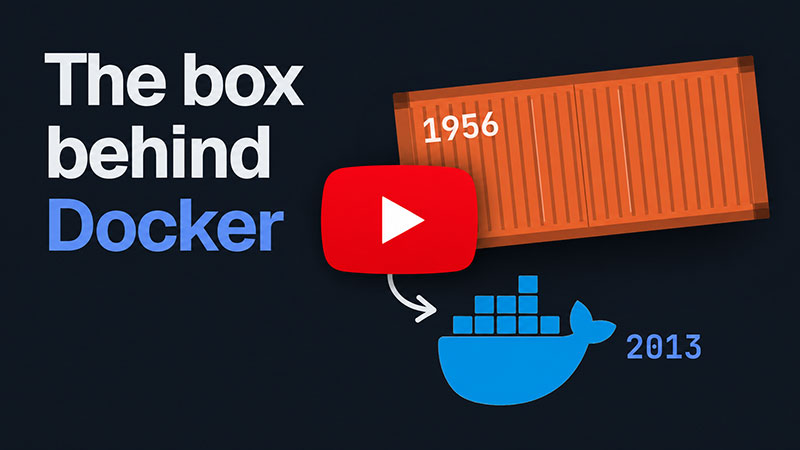
The history is a bit odd. Solomon Hykes demoed Docker at PyCon in Santa Clara in March 2013, and it came out of a struggling platform-as-a-service company called dotCloud. Docker Engine ships under an Apache-2.0 license for Linux, so the core runtime stays open source.
Docker Hub held roughly 8.3 million image repositories in early 2021, a nearly 40% jump year over year (Docker Index, February 2021). Accounts reached about 7.3 million in the same period, up close to 45% (Docker Index, February 2021).
Stack Overflow’s 2024 developer survey ranked Docker the most-used tool in its “other tools” category among professional developers, with 59% reporting they work with it directly.
What Is Containerization
Run several isolated applications on one machine, let them all share a single operating system kernel, and you’ve got containerization.
Docker didn’t invent it. It made it usable.
The idea, sometimes just called containerization, goes back to older Unix isolation tools that never really reached mainstream adoption.
The Linux kernel does the heavy lifting through namespaces and cgroups. Namespaces give each container its own view of processes, network interfaces, and file mounts. Cgroups cap how much CPU, memory, and disk I/O a container is allowed to use. Both come up again further down, since they explain a lot about how containers behave.
A virtual machine goes the other way and runs a full guest operating system on top of a hypervisor.
Containers skip that layer, which is the biggest reason they start faster and use less memory.
No hypervisor, no guest kernel, no separate boot sequence.
Docker Container Versus Docker Image
An image is a static template, and a container is what you get when that template actually runs.
One image can produce dozens of running containers at the same time, each isolated from the rest.
| Aspect | Docker Image | Docker Container |
|---|---|---|
| State | Read-only, static | Running, writable layer on top |
| Lifecycle | Built once, reused often | Started, stopped, removed |
| Storage | Layered filesystem | Image layers plus a container layer |
Docker Image
Every instruction in a Dockerfile adds a new read-only layer on top of the previous one. Docker caches those layers and reuses them across builds, so later builds get noticeably faster.
Images also carry a tag, like nginx:1.27, that points at one specific version. Most teams follow semantic versioning conventions for those tags, so a version bump tells you whether pulling the change is safe.
Docker Container
Starting a container adds one thin, writable layer on top of the image’s read-only layers.
Anything the application writes while running lands in that layer. And that data disappears the moment the container is removed, unless a volume is attached to keep it.
- docker run creates and starts a new container from an image
- docker stop halts it without deleting anything
- docker rm removes it for good, writable layer included
A closer look at what actually makes up a Docker image helps explain why containers stay so lightweight.
How Docker Works

Docker Engine runs as a background service that builds images, starts containers, and handles the plumbing between them.
The command line tool is what developers type into, and all it does is send instructions along. The daemon, dockerd, receives them and carries them out. Beneath the daemon sit containerd and runc, the lower-level pieces that create namespaces, mount filesystems, and start the container process.
The daemon and the CLI talk through a RESTful API, which also lets other tools automate Docker without ever touching the command line.
Underneath dockerd, containerd handles the container lifecycle. It passes the low-level kernel work to runc, a small tool that only creates and starts containers according to the OCI runtime specification.
Docker, CoreOS, and other container vendors launched the Open Container Initiative in June 2015 under the Linux Foundation, specifically to keep image and runtime formats portable across tools. That standard is why an image built with Docker also runs under other OCI-compliant runtimes without modification.
Once an image is built, pushing it to a container registry makes it available to any other machine that needs to pull and run it.
How a Dockerfile Builds a Docker Image
A Dockerfile is a plain text file listing the exact steps needed to assemble an image. Docker reads it top to bottom and runs each instruction as its own cacheable layer.
- Docker reads the Dockerfile and the build context, the set of files sent along with the build request
- The FROM instruction pulls or reuses a base image as the starting point
- Each RUN, COPY, or ADD instruction executes and gets committed as its own layer
- Layers that have not changed since the last build get pulled straight from cache
- The final CMD or ENTRYPOINT instruction sets what runs when a container starts
- Docker tags the finished image and stores it locally, ready to push or run
The finished image is effectively a build artifact, portable enough to run on any machine with a compatible container runtime.
Multi-stage builds spread the process over several FROM statements in one file. The heavy compiler toolchain used to build the app then never ends up in the image you ship.
Today the engine behind docker build is BuildKit. It works as the build automation tool that resolves layers in parallel instead of one at a time.
Layer order matters more than people expect. A badly ordered Dockerfile can turn a 10-second rebuild into several minutes, since one changed line near the top invalidates every layer below it.
How Docker Isolates Containers on the Host

Containers on the same machine don’t see each other by default, even though they share one kernel.
Namespaces handle isolation. Process IDs, network interfaces, mount points, and hostnames all get their own namespace for each container. Cgroups sit on the resource side and limit how much CPU, memory, and disk bandwidth a single container can burn through.
Hit the memory limit and the kernel kills the container rather than letting it starve everything else on the host.
The shared kernel is a real trade-off. You get faster startup and lower memory overhead than any form of full virtualization. But a kernel-level vulnerability can potentially reach every container on that host.
That’s why running unpatched images in a production environment is riskier than most teams assume. Seccomp profiles, AppArmor, and rootless container modes exist to narrow that exposure.
Docker Networking and Storage
Containers need a way to talk to each other and a way to keep data after they stop. Docker handles both, through separate systems.
On the networking side, the default bridge driver gives each container a private internal IP on an isolated virtual network. The host driver removes network isolation entirely and shares the host’s own network stack. Overlay networks connect containers running across multiple physical hosts.
Exposing a service to the outside world means mapping a container port to a port on the host, something as simple as adding -p 8080:80 to docker run.
Many production setups still put a dedicated proxy in front of that exposed port to handle TLS termination and routing, but that decision sits outside Docker itself.
Storage works on a different layer entirely.
| Storage Type | Lives Where | Survives Container Removal |
|---|---|---|
| Image layers | overlay2 filesystem on the host | Yes, tied to the image |
| Bind mount | A specific folder on the host | Yes, fully managed by the user |
| Volume | Docker-managed area on the host | Yes, managed by Docker itself |
Exactly where Docker images are stored on disk depends on the storage driver, with overlay2 as the standard on modern Linux hosts.
Volume data lives in its own location, and where Docker volumes are stored varies a little between Linux, macOS, and Windows.
Docker Hub and Image Distribution
Docker Hub is the default public registry, and it’s where docker push and docker pull point unless you configure another one.
Docker Content Trust lets teams sign images cryptographically, so a pull can verify the image came from a trusted publisher and wasn’t tampered with in transit.
Not every registry a team needs is public. Some images should never leave a company’s own infrastructure, and private options exist for exactly that.
| Registry | Visibility | Typical Use |
|---|---|---|
| Docker Hub | Public by default, private tiers available | Open source images, general sharing |
| Amazon ECR | Private, tied to AWS IAM | Teams already running on AWS |
| GitHub Container Registry | Public or private, tied to repos | Projects already hosted on GitHub |
The Warehouse Group standardized its pipeline around Docker images and cut the time to stand up a new development deployment from weeks to about 60 seconds. The same image moved from development to production without modification.
That speed only works once a registry holds the single trusted image every environment pulls from, whether the target is a bare server or a fully cloud-based app.
Docker Compared to a Virtual Machine

A Docker container shares the host kernel. A virtual machine brings its own kernel and runs on a hypervisor. Almost every practical gap between the two comes from that one difference.
| Factor | Docker Container | Virtual Machine |
|---|---|---|
| Kernel | Shared with host | Own dedicated kernel |
| Startup | Seconds or less | A full boot sequence |
| Isolation strength | Process-level | Hardware-level |
| Density per host | Dozens to hundreds | A handful |
Ataccama cut its server footprint by 40% after moving workloads from virtual machines to containers, and measured a 33% drop in CPU usage per application once workloads began sharing the underlying kernel (Docker, 2025).
Fewer kernels to boot means more applications fit on the same hardware. That density is why so many teams containerize a microservices architecture instead of giving each service its own virtual machine.
Virtual machines still win in a couple of situations. If you need a different operating system than the host, like Windows workloads on a Linux fleet, a VM is the answer. Same goes for compliance or multi-tenant security rules that call for hardware-level isolation.
Docker isn’t trying to replace virtual machines everywhere. It replaces them where process-level isolation is good enough and speed matters more than a hardened boundary.
Choosing Docker Over Podman or Another Container Engine

Podman runs containers without a central daemon, and without root privileges by default.
Docker still relies on a persistent daemon that traditionally needs elevated permissions, although a rootless mode exists for teams that want it.
Stack Overflow’s 2025 developer survey put Docker usage at 73.8% among professional developers, against 10.9% for Podman in the same group.
Docker’s strongest card is its ecosystem. There’s more third-party tooling, and the deepest pile of tutorials and Stack Overflow answers of any container tool. Docker Desktop also gives macOS and Windows developers a polished local experience. The downside is the daemon architecture, since one compromised daemon can affect every running container.
Podman has no background daemon and runs rootless by default on most Linux distributions. Its command syntax is close enough to Docker’s that most commands work by swapping the binary name.
Desktop tooling on macOS and Windows is weaker than Docker Desktop, though.
Red Hat made Podman the default container engine on Red Hat Enterprise Linux starting with RHEL 8, precisely because it fits environments that can’t tolerate a root daemon.
Teams standardized on macOS laptops and existing Docker tooling rarely have a reason to switch. Teams running security-sensitive Linux infrastructure often do.
When Docker Does Not Apply
Docker solves one specific problem, which is packaging and isolating applications that can share a Linux kernel. Some kinds of work fall outside that entirely.
A Windows-only application can’t run inside a Linux container, since both depend on matching the host kernel.
Heavy GUI desktop applications are a poor fit too. Containers were built to isolate background services, not to ship a full graphical desktop app to end users.
Strict compliance mandates often call for the hardware-level separation a virtual machine gives you, and process-level isolation won’t satisfy them.
Stateful systems are the fourth case. Docker does nothing on its own about replication, backups, or failover for something like a large relational database, so you need a separate strategy for those.
If your workload needs a different kernel than the host, ships a full desktop GUI, requires hardware-level tenant isolation, or has no replication or backup plan of its own, Docker is probably the wrong tool.
None of this makes Docker a poor tool. Containerization solves packaging and isolation, and it was never meant to solve every operational problem that comes after.
How to Run Your First Docker Container

A first container takes only a handful of commands, assuming Docker Engine is already installed.
The exact install process differs a bit by operating system, but the commands after it are identical everywhere.
- Install Docker Desktop or Docker Engine for the operating system in use
- Open a terminal and confirm the install with docker –version
- Pull a small image to test with, such as docker pull hello-world
- Start a container from that image using docker run hello-world
- Check that it ran and exited cleanly with docker ps -a
- Remove the test container once confirmed with docker rm
Anonymous pulls get rate limited once that first pull happens repeatedly from the same network.
Since Docker’s April 1, 2025 change to its Docker Hub pull limits, unauthenticated users get 10 pulls per hour per IP address, while authenticated free accounts get 100 pulls per hour.
Before troubleshooting a container that won’t start, confirm whether Docker itself is running in the background.
And a container that exits right after docker run isn’t necessarily broken. Many base images, hello-world included, are designed to run once, print a message, and stop.
Scaling From One Container to Multiple Services With Docker Compose

Docker Compose describes multiple containers, and how they connect, in a single YAML file. One command, docker compose up, starts every service in that file at once.
It’s worth a look at how Docker Compose structures that file before you write one from scratch.
A typical compose.yaml wires an application service, built from a local Dockerfile, to a database pulled from a public image. Add a cache like Redis on its own internal network and you’ve got a full local stack.
A top cosmetics retailer moved off monolithic infrastructure onto containerized services and cut average deployment times by 60%, while lowering infrastructure costs by 25% through better CPU and memory efficiency (Docker, 2025).
Compose works well until a single host can’t handle the load, or until services have to run across multiple machines.
That’s usually when teams start comparing Kubernetes and Docker directly, rather than treating Compose as a smaller Kubernetes.
Kubernetes production use reached 80% among organizations in 2024, up from 66% the year before (CNCF Annual Survey, 2024), and the CNCF’s 2025 survey put it at 82% among container users.
Compose isn’t a scaled-down Kubernetes. It runs a fixed set of services on one machine, and scheduling workloads across a cluster is a different job.
Common Docker Mistakes and Errors
Most Docker problems trace back to repeated habits, not exotic bugs.
Skipping multi-stage builds leaves compilers, build tools, and cached package files inside the final image. That often doubles or triples its size for no runtime benefit.
Data saved inside a container’s writable layer disappears when the container is removed, and it tends to surprise teams the first time it happens in production. Use a volume.
A Dockerfile with no USER instruction runs as root inside the container, which widens the blast radius if that container is ever compromised.
The build cache trips people up as well. Put a frequently changing COPY instruction near the top of a Dockerfile and every layer below it gets invalidated on every single build.
Siimpl restructured its Docker pipeline around SemVer-tagged image versions, which let the team revert to a known-good release almost instantly during a bad deployment.
| Mistake | Fix |
|---|---|
| No .dockerignore file | Exclude node\_modules, .git, and build artifacts from the build context |
| Latest tag in production | Pin an explicit version tag for anything running in production |
| No health check defined | Add HEALTHCHECK so orchestrators know when a container is actually ready |
FAQ on What Is Docker
How is Docker different from Kubernetes?
Docker builds and runs individual containers on one machine. Kubernetes orchestrates hundreds of containers across a cluster, handling scheduling, scaling, and failover. Most production Kubernetes clusters still run Docker-built, OCI-compliant images underneath, so the two tools work together rather than compete.
How much does Docker cost to run in production?
Docker Engine is free under its Apache-2.0 license, so running containers only costs whatever the underlying servers or cloud instances cost. Paid Docker subscriptions apply to Docker Desktop for larger companies and to advanced Docker Hub features like unlimited pulls.
Is Docker free to use?
Yes. The core Docker Engine, the CLI, and the Dockerfile format are open source and free to install and run anywhere. Docker Desktop stays free for individuals and small businesses, though companies above a certain size need a paid subscription tier.
Who created Docker and when was it released?
Solomon Hykes introduced Docker publicly in March 2013 out of dotCloud, a struggling platform-as-a-service company. DotCloud rebranded itself as Docker, Inc. that October, dropping its original hosting business to focus entirely on container technology.
Can Docker run on Windows and macOS natively?
Not fully. Containers need a Linux kernel, so Docker Desktop on Windows and macOS runs a lightweight virtual machine behind the scenes. Windows Subsystem for Linux makes that layer nearly invisible, so commands feel native even though a small Linux VM does the work.
What is the difference between Docker Swarm and Kubernetes?
Swarm ships as Docker’s own built-in orchestration tool, and it’s simpler to set up because it ties directly into the Docker CLI. Kubernetes handles larger, more complex deployments with a steeper learning curve, and it has become the industry-standard choice for orchestrating containers at scale.
What Should You Learn Next After Docker?
Docker gets worth mastering once a single container grows into a coordinated stack, a monitored registry habit, and a tested rollback plan.
Order matters more than speed here. Write a working compose.yaml for a real project first. Get disciplined about image tagging before you touch a registry. Kubernetes can wait until a single host runs out of room.
Standardizing a team around one shared compose.yaml trades individual flexibility for consistency. Every developer runs the same service graph, but changing one person’s local setup means editing a file everyone else depends on too.
This guidance holds as long as Docker Engine keeps its current Apache-2.0 licensing structure, a position last verified against Docker’s own documentation in September 2026.
From there, wiring image builds into continuous integration turns a manual docker build into something that runs on every commit.

- Build or Buy an AI Chatbot for E-commerce: The Costs Nobody Budgets For - October 24, 2026
- How to Run a React App in VS Code Step by Step - October 23, 2026
- Transactional or marketing email: which messages your app should send itself - October 23, 2026


