

Writing code faster doesn’t mean compromising quality anymore. The best AI code generation tools have evolved from simple autocomplete features into sophisticated coding partners that understand context, generate entire functions, and even debug your work in real-time.
Developer productivity tools powered by machine learning models now handle everything from boilerplate code to complex refactoring tasks. Whether you’re working on mobile application development, building web apps, or managing large-scale software development projects, these AI coding assistants accelerate your workflow without replacing your expertise.
This guide examines 18 leading AI code generation platforms. You’ll discover their core capabilities, pricing structures, integration options, and what makes each one worth considering for your specific development needs.
The Best AI Code Generation Tools
| AI Code Tool | Primary Use Case | Integration Type | Key Differentiator |
|---|---|---|---|
| GitHub Copilot | Inline code suggestions during development | IDE extension for VS Code, JetBrains, Neovim | Deep GitHub integration, trained on public repositories |
| Cursor | AI-first code editor with chat interface | Standalone editor built on VS Code | Entire codebase context awareness, multi-file editing |
| Claude (Anthropic) | Complex reasoning, code analysis, and generation | API, web interface, and IDE integrations | Extended context window (200K+ tokens), strong reasoning abilities |
| ChatGPT (OpenAI) | General-purpose coding assistance and debugging | Web interface, API, and third-party plugins | Most widely adopted, extensive plugin ecosystem |
| Windsurf (Codeium) | Agentic coding with autonomous task execution | Standalone IDE with agentic capabilities | AI agents that can independently plan and execute coding tasks |
| Gemini (Google) | Code generation with multimodal input support | Web interface, API, Google Cloud integration | Google Cloud ecosystem integration, multimodal capabilities |
| Pieces for Developers | Code snippet management with AI enhancement | Desktop app with IDE extensions | On-device AI processing, workflow context preservation |
| Qodo (formerly CodiumAI) | Automated test generation and code integrity | IDE plugin for VS Code, JetBrains | Focuses on test creation, code review, and documentation |
| Replit Ghostwriter | Browser-based collaborative coding assistance | Built into Replit cloud IDE | Real-time collaboration, instant deployment capabilities |
| Amazon Q Developer | AWS-focused development and troubleshooting | IDE plugins, AWS Console integration | AWS service expertise, cloud architecture guidance |
| JetBrains AI Assistant | Intelligent coding for JetBrains IDEs | Native integration in all JetBrains products | Deep IDE feature integration, context-aware refactoring |
| CodeGeeX | Multilingual code generation (100+ languages) | IDE plugins, API access | Strong support for Chinese developers, open-source model |
| Bolt.new | Full-stack web application generation | Web-based platform with instant preview | Prompt-to-deployed app, real-time preview with hot reload |
| Tabnine | Privacy-focused code completion | IDE extensions with on-premise deployment options | Enterprise privacy features, custom model training on your codebase |
| Codex CLI (OpenAI) | Natural language to shell commands | Command-line interface tool | Terminal workflow integration, command explanation and generation |
| PyCharm AI Assistant | Python-focused development assistance | Built into PyCharm IDE | Specialized Python expertise, data science workflow support |
| CodeWP | WordPress-specific code generation | Web platform specialized for WordPress | WordPress ecosystem expertise, plugin and theme development |
| Zencoder | AI coding assistant with documentation focus | IDE extension and web interface | Emphasis on code documentation and explanation generation |
GitHub Copilot

Backed by OpenAI’s Codex model, GitHub Copilot serves as an intelligent coding partner that lives inside your development environment. Built specifically for developers who want instant, context-aware code suggestions without leaving their workflow.
Core Capabilities
Generates complete functions, writes unit tests, and translates comments into working code through real-time autocomplete.
The agent mode handles multi-file edits and refactoring tasks. Code review features scan pull requests and flag potential issues before they hit production.
Supported Languages & Frameworks
Works across Python, JavaScript, TypeScript, Ruby, Go, PHP, and dozens more.
Strong performance with React, Node.js, and popular software development frameworks. Handles both front-end development and back-end development tasks efficiently.
Integration & Workflow
Native support for VS Code, JetBrains IDEs, Neovim, and GitHub’s interface.
The Copilot CLI brings AI assistance directly to your terminal. Works seamlessly with GitHub repositories and fits naturally into existing DevOps pipelines.
Pricing & Access
Free tier offers 2,000 completions and 50 premium requests monthly.
Pro costs $10/month with 300 premium requests (extra requests run $0.04 each). Pro+ jumps to $39/month with 1,500 premium requests and access to Claude Opus 4, OpenAI o3. Business plans start at $19/user/month.
Students and verified open source maintainers get Pro access free.
Key Differentiator
Tight Microsoft/GitHub ecosystem integration means it reads your repo context, understands your commit history, and learns from billions of lines of public code. The premium request system with multiple AI models (GPT-4.1, Claude 3.7 Sonnet, Gemini 2.5 Pro) gives you model selection flexibility that most competitors don’t offer at this price point.
Cursor

An AI-first code editor built on VS Code’s foundation but reimagined around agentic workflows. Cursor doesn’t just suggest code (it does that too), but the AI can actually understand your entire project and make coordinated changes across multiple files.
Core Capabilities
The Tab feature predicts your next move with context-aware autocomplete.
Composer handles complex refactoring across your whole codebase. Chat mode answers questions about your code, explains functions, and generates new implementations. Agent mode can execute multi-step tasks autonomously while you maintain control.
Supported Languages & Frameworks
Covers all major programming languages with particularly strong support for web development stacks.
Handles cross-platform app development frameworks, mobile application development environments, and modern JavaScript frameworks smoothly.
Integration & Workflow
Built as a standalone IDE based on VS Code architecture, so most VS Code extensions work out of the box.
Can connect your GitHub repositories for deeper context. The editor tracks your coding patterns and adjusts suggestions accordingly. Works with standard source control systems.
Pricing & Access
Free Hobby plan includes 2,000 completions and 50 requests monthly.
Pro runs $20/month with unlimited Tab completions plus $20 in API credits (roughly 500 requests depending on model choice). Teams tier costs $40/user/month. Ultra for power users hits $200/month with significantly higher limits.
The credit system can get confusing. Using premium models like Claude 3 Opus burns through credits faster than standard options.
Key Differentiator
The agent-driven architecture sets it apart. Most tools autocomplete or chat; Cursor’s AI actively participates in development by understanding project-wide context and executing coordinated changes across multiple files. The AI maintains state between interactions, meaning it remembers what you discussed three edits ago. This makes it feel more like pair programming than using a tool.
Claude (Anthropic)

Anthropic’s flagship language model, accessible through API, web interface, and now the Claude Code terminal tool. Known for nuanced reasoning and safer outputs thanks to Constitutional AI training methods.
Core Capabilities
Generates clean, well-structured code across multiple languages with strong attention to edge cases and error handling.
Excels at explaining complex code, debugging logic errors, and code refactoring. Claude Code (the terminal integration) can autonomously work on coding tasks by reading files, running tests, and creating pull requests. Strong at writing technical documentation and generating unit testing frameworks.
Supported Languages & Frameworks
Python, JavaScript, TypeScript, Java, C++, Go, Rust, and more.
Handles everything from simple scripts to complex software system architectures. Works well with API integration tasks and RESTful API development.
Integration & Workflow
Available through claude.ai web chat, Anthropic API, AWS Bedrock, and Google Vertex AI.
Claude Code integrates into your terminal for command-line development workflows. VS Code extension available. Can be embedded into custom applications via the API. Works with Model Context Protocol for extended functionality.
Pricing & Access
Free tier available with usage limits.
Pro subscription costs $20/month with higher message limits and access to Claude Sonnet 4.5. Team plans start at $30/user/month. API pricing runs on token usage (varies by model: Sonnet 4.5, Opus 4, Haiku options). Enterprise pricing requires contact.
Claude Code recently launched on web and mobile, letting you run coding tasks in cloud sandboxes.
Key Differentiator
The 200K+ token context window (expandable to 1M with beta headers) means it can process entire codebases or lengthy documentation in a single prompt. Constitutional AI training reduces hallucinations and produces more reliable code than many competitors. The reasoning quality stands out (it thinks through problems methodically rather than rushing to solutions). Works exceptionally well for complex, multi-step software development process tasks.
ChatGPT (OpenAI)

OpenAI’s conversational AI platform, now powered by GPT-5 and specialized models. While it started as a general chatbot, it has evolved into a serious development tool through Codex integration and advanced reasoning capabilities.
Core Capabilities
Writes code in natural conversation, explains algorithms, debugs errors, and generates complete functions from descriptions.
GPT-5 Thinking mode handles complex programming challenges with extended reasoning. Codex (OpenAI’s software engineering agent) runs in cloud sandboxes, executing tasks like writing features, fixing bugs, and creating pull requests. Can analyze screenshots of code and convert them to working implementations.
Supported Languages & Frameworks
Strong across all mainstream programming languages.
Particularly good at JavaScript/TypeScript, Python, and web apps development. Handles iOS development and Android development tasks competently.
Integration & Workflow
Access through web interface, mobile apps, or API integration.
Official plugins available for VS Code and JetBrains IDEs. Codex CLI provides terminal access for local development. Can be integrated into custom applications via the OpenAI API.
Pricing & Access
Free tier available with GPT-4o-mini and limited features.
ChatGPT Plus runs $20/month with access to GPT-5 (160 messages per 3 hours), advanced models, and web browsing. Pro plan costs $200/month with expanded limits. API pricing is pay-as-you-go based on tokens (GPT-5: $75/1M input, $150/1M output tokens).
Business ($60/user/month) and Enterprise (custom pricing) tiers add team features.
Key Differentiator
GPT-5’s hybrid architecture automatically routes queries to the optimal model variant (main, mini, thinking, nano) based on complexity. This means simple tasks complete faster and cheaper while complex problems get the full reasoning power. The Codex agent’s ability to work independently on multi-file projects in cloud sandboxes is unique (most competitors offer autocomplete or chat, not autonomous execution). Integration across OpenAI’s entire ecosystem (DALL-E for mockups, GPT-5 for logic) creates a comprehensive development environment.
Windsurf (Codeium)

An AI-native IDE that evolved from the well-regarded Codeium autocomplete tool. Windsurf emphasizes agentic workflows where the AI proactively assists rather than waiting for prompts.
Core Capabilities
Cascade is the standout feature (an AI agent that maintains deep codebase awareness and handles multi-file refactoring).
Supercomplete provides context-aware autocomplete that goes beyond single-line suggestions. Chat mode answers questions and generates code. The Flow state helps maintain context across long coding sessions. Cascade automatically writes code, runs tests, and commits changes while keeping you in the loop.
Supported Languages & Frameworks
Broad language support across 70+ programming languages.
Works well with modern web development stacks and supports both native apps and hybrid apps development.
Integration & Workflow
Built as a standalone IDE with VS Code compatibility and JetBrains integration options.
Works with GitHub repositories for context awareness. Vim and other editor support available. The IDE indexes your codebase locally for faster, more accurate suggestions.
Pricing & Access
Free plan offers 25 prompt credits monthly with unlimited Fast Tab completions and access to premium AI models.
Pro costs $15/user/month with 500 credits and the SWE-1 model. Teams plan runs $30/user/month with centralized billing and SSO. Enterprise tier hits $60/user/month with 1,000 credits and advanced security controls.
The credit system can be complex (thinking models consume 2 credits per request vs. 1 for standard).
Key Differentiator
Cascade’s proactive intelligence stands out. Most AI coding tools wait for you to ask; Cascade observes your work, understands project structure, and suggests relevant changes before you think to ask. The local indexing means faster performance and better privacy than cloud-dependent competitors. Built by Codeium (which powers several other AI coding tools), so the underlying technology is battle-tested. Recent updates focused heavily on the agent workflow rather than just autocomplete, positioning it as a true AI pair programmer.
Gemini (Google)

Google’s multimodal AI platform, integrated across Google Cloud services and available through various interfaces. Gemini Code Assist specifically targets developers with enterprise-grade features.
Core Capabilities
Code generation, chat assistance, and automated code reviews through Gemini Code Assist.
Handles multi-step tasks in agent mode with interactive approval workflows. Generates tests, writes documentation, and refactors code with awareness of project context. Next Edit Predictions feature suggests upcoming changes based on your patterns. Strong at explaining code and providing learning assistance.
Supported Languages & Frameworks
Comprehensive language support with particularly strong performance in Python, JavaScript, Java, Go, and C++.
Works across software development lifecycle stages. Integrated with Google Cloud services for cloud-based app development.
Integration & Workflow
Gemini Code Assist available as VS Code plugin and JetBrains extension.
Deep integration with Google Cloud Console, BigQuery, Firebase, Apigee, and Application Integration. Gemini for GitHub provides automated pull request reviews. API access available through Vertex AI and Google AI Studio.
Pricing & Access
Gemini Code Assist for individuals available free with Gemini 2.5 models.
Standard and Enterprise editions require Google Cloud pricing (contact for quotes). API usage billed per token based on model (2.5 Pro, 2.5 Flash, others). The 2 million token context window in Vertex AI enables massive document processing.
GitHub integration offers both free and enterprise versions with different quota levels.
Key Differentiator
Google’s vertical integration shines here. Gemini Code Assist connects directly to your Google Cloud infrastructure, BigQuery datasets, Firebase projects, and Apigee APIs with native understanding. The 2M token context window (when using Vertex AI) crushes competitors for large-scale codebase analysis. Code execution capability runs Python directly and iterates based on results. Strong at tasks requiring both code and data (like building analytics dashboards or processing BigQuery results).
Pieces for Developers
An AI-powered context manager that captures, enriches, and organizes your development materials across your entire toolchain. More than just a snippet manager (it learns from your workflow and provides intelligent assistance).
Core Capabilities
Captures code snippets, screenshots, and context from anywhere you work and automatically enriches them with metadata, descriptions, and related links.
The Pieces Copilot provides context-aware AI assistance based on your saved materials. Advanced OCR extracts code from screenshots and converts it to editable text. AI-powered search finds relevant snippets using natural language queries. Related People feature connects you with teammates who have relevant expertise.
Supported Languages & Frameworks
Language-agnostic (captures and processes code in any language).
Works across your entire tech stack regardless of frameworks or tools. Particularly useful for teams working with multiple languages and custom app development projects.
Integration & Workflow
Integrates with Chrome, Edge, Firefox, VS Code, JetBrains IDEs, Obsidian, and Microsoft Teams.
Desktop app serves as the central hub for all captured materials. Browser extensions capture code from Stack Overflow, GitHub, documentation sites. IDE plugins save snippets directly from your editor.
Pricing & Access
Individual plan free forever with 9 months of personal context, Copilot assistance, and desktop app access.
Teams plan (contact for pricing) adds shared team context, custom LLM support, and priority support. Enterprise features available with enhanced collaboration and security controls.
No usage limits on the free plan (unlike most AI tools).
Key Differentiator
The local-first architecture means all processing happens on your device by default (critical for security-conscious teams). The “personal AI” learns from your specific workflow rather than generic training data. It bridges the gap between different tools (captures from browser, surfaces in IDE, references in documentation). The Related People feature is unique (connects code context with teammate expertise to facilitate collaboration). Unlike pure code generation tools, Pieces focuses on capturing and organizing the materials you’ve already created or discovered.
Qodo (formerly CodiumAI)

Specialized in test generation and code integrity. Qodo analyzes your code behavior and generates meaningful tests that actually catch bugs (not just boost coverage metrics).
Core Capabilities
Automatically generates unit tests by analyzing code behavior and identifying edge cases.
Maps code behaviors, flags suspicious patterns, and creates tests that verify actual functionality. Provides visibility into how code changes affect the broader system. Suggests tests as you type based on docstrings and code structure. Finds potential bugs before they reach production.
Supported Languages & Frameworks
Strong support for Python, JavaScript, TypeScript, Java, and C#.
Works with popular testing frameworks and integrates with standard continuous integration pipelines.
Integration & Workflow
Available as VS Code extension and JetBrains plugin.
Integrates into your existing code review process and works alongside your current testing tools. Can be incorporated into build pipeline workflows.
Pricing & Access
Free tier available for individual developers.
Pro and Team plans offer expanded features (pricing available on request). Enterprise options include custom deployments and enhanced security controls.
The focus on test generation over general code completion means pricing stays more affordable than comprehensive AI coding assistants.
Key Differentiator
Laser focus on test quality and code integrity. Most AI tools write code; Qodo ensures that code actually works by generating intelligent tests. The behavioral analysis approach means it understands what your code does, not just what it says. Tests target actual functionality and edge cases rather than just chasing code coverage percentages. This makes it particularly valuable for teams practicing test-driven development or those concerned with software quality assurance process improvements.
Replit Ghostwriter

An AI coding assistant baked directly into Replit’s browser-based IDE. Ghostwriter removes the friction of local setup, letting you code, deploy, and collaborate entirely in the cloud with AI assistance.
Core Capabilities
Complete Code provides real-time inline suggestions as you type.
Explain Code walks through any code block step-by-step in plain language. Generate Code creates functions or programs from natural language descriptions. Transform Code refactors and rewrites code blocks. The integrated chat answers coding questions without leaving your editor.
Supported Languages & Frameworks
Supports 50+ programming languages including Python, JavaScript, Java, C++, Go, and more.
Works well with web frameworks and handles both simple scripts and full-stack applications. Particularly strong for prototyping and educational projects.
Integration & Workflow
Lives entirely inside Replit’s browser IDE (no downloads or local setup required).
One-click deployment means you can write code and ship it live instantly. Real-time multiplayer collaboration lets teams code together simultaneously. Mobile support through Replit’s apps enables coding on phones and tablets.
Pricing & Access
Free Starter plan includes limited AI features and up to 3 public projects.
Core costs $20/month (or $200 annually) with full Agent access, $25 in monthly usage credits, and ability to publish live apps. Teams plan runs $40/user/month with collaboration features. Additional usage beyond credits billed separately for compute and storage.
The free tier trial of Replit Agent lets you test the full experience before committing.
Key Differentiator
Zero-setup environment is the standout advantage. You can start coding with AI assistance from any device with a browser (no IDE installation, no environment configuration, no deployment headaches). Perfect for hackathons, learning to code, or quick prototypes. The combination of AI assistance plus instant deployment plus real-time collaboration in one package makes it unique. Trade-off: performance lags behind local IDEs for large projects, and costs can spike with heavy usage. Best for developers who value speed and accessibility over raw power.
Amazon Q Developer

AWS’s answer to AI coding assistance, evolved from CodeWhisperer. Q Developer goes beyond autocomplete to include autonomous agents that can refactor code, upgrade dependencies, and even answer questions about your AWS infrastructure.
Core Capabilities
Generates code suggestions in real-time with context awareness.
Autonomous agents handle complex tasks like upgrading Java versions (8 to 17) across entire applications. Chat interface answers questions about AWS services and generates CLI commands. Security scanning identifies vulnerabilities in code. Code transformation capabilities automate software release cycle tasks and framework migrations.
Supported Languages & Frameworks
Strong support for Python, Java, JavaScript, TypeScript, C#, Go, Ruby, Kotlin, PHP, C, C++, Shell, SQL, and more.
Particularly good at AWS-specific infrastructure as code and cloud service integration. Works across app deployment scenarios.
Integration & Workflow
Integrates with VS Code, JetBrains IDEs, and Visual Studio as plugins.
Lives directly in the AWS Console for cloud infrastructure questions. CLI version provides terminal access. Deep integration with AWS services means it understands Lambda, S3, EC2, and other AWS resources contextually.
Pricing & Access
Free tier offers 50 chat interactions and 10 agent invocations monthly plus 1,000 lines of code transformation.
Pro costs $19/user/month with unlimited chat, unlimited agent invocations, and 4,000 lines of monthly transformation. Additional transformation beyond included limits billed at $0.003 per line. Enterprise pricing available with custom controls.
Code suggestions and security scanning included in free tier.
Key Differentiator
The autonomous agents stand out (Amazon used Q to upgrade 1,000 applications from Java 8 to Java 17 in two days). Deep AWS integration means it can answer infrastructure questions, estimate costs, and generate commands specific to your AWS environment. The code transformation agents can handle massive modernization projects that would take months manually. If you build on AWS, Q Developer understands your cloud context better than generic tools. Less useful if you’re not in the AWS ecosystem.
JetBrains AI Assistant

Native AI integration across the entire JetBrains IDE family. Built by the company that makes IntelliJ, PyCharm, and WebStorm, so the AI understands the same code analysis and refactoring intelligence these IDEs are known for.
Core Capabilities
Inline code completion suggests context-aware snippets as you type.
AI Chat explains code, generates tests, creates documentation, and suggests refactors. Multi-file Edit mode proposes bulk changes across multiple files with reviewable diffs. Commit message generation writes clear git messages. Junie operates more autonomously for multi-step tasks. SQL assistance for database work in DataGrip and other DB tools.
Supported Languages & Frameworks
Comprehensive coverage across all languages supported by JetBrains IDEs.
Particularly strong in Java (IntelliJ), Python (PyCharm), JavaScript/TypeScript (WebStorm), PHP (PhpStorm), C# (Rider), and Go (GoLand). Benefits from each IDE’s deep language understanding and static analysis.
Integration & Workflow
Distributed as plugin across IntelliJ IDEA, PyCharm, WebStorm, GoLand, Rider, CLion, PhpStorm, RubyMine, DataGrip, and more.
Install via IDE Marketplace or Settings. Local model support lets privacy-conscious teams run AI offline through Ollama or LM Studio. Preview extension available for VS Code but with limited features.
Pricing & Access
AI Free tier includes unlimited local completions and quota-based cloud features (available in most IDEs from version 2025.1).
AI Pro included with All Products Pack or dotUltimate subscriptions. AI Ultimate offers higher monthly AI Credits quota. Pricing uses credit system where credits correspond to usage ($1 USD = 1 AI Credit). Top-up credits available and last 12 months.
The free tier emphasizes local processing to reduce cloud dependency.
Key Differentiator
Native integration means the AI leverages JetBrains’ legendary code analysis, refactoring, and navigation capabilities. It understands your project’s structure through the same static analysis that powers IntelliJ’s features. Local model support offers offline AI assistance (crucial for secure environments). The .aiignore file lets you exclude sensitive directories from AI processing. If you already live in JetBrains IDEs, this is the most natural fit. The credit-based quota system provides transparency but adds complexity compared to flat-rate competitors.
CodeGeeX
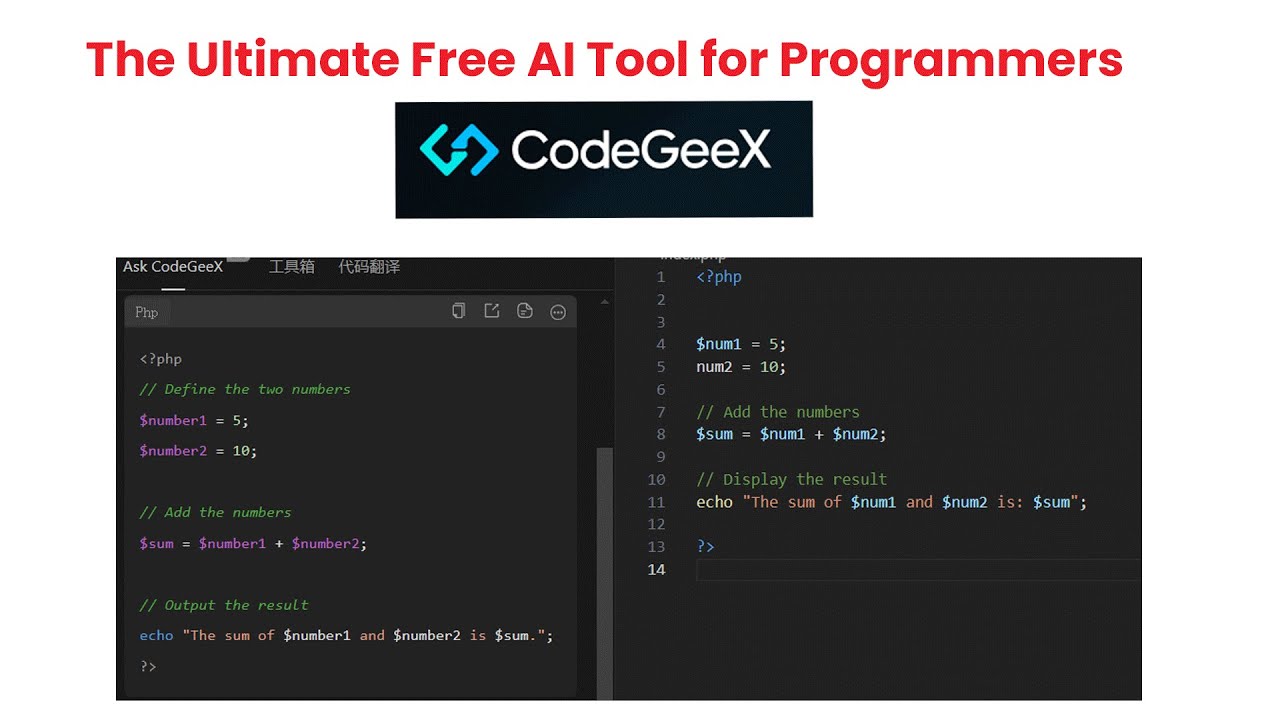
Open-source multilingual code generation model built by Tsinghua University. CodeGeeX stands out for being free, lightweight, and designed specifically for multi-language code translation.
Core Capabilities
Generates code from natural language descriptions across 20+ programming languages.
Line-by-line code completion with context awareness. Code translation between different programming languages (crucial for polyglot projects). Automatic comment generation for documentation. Code explanation breaks down complex algorithms. Intelligent Q&A chat answers coding questions.
Supported Languages & Frameworks
Trained on 20+ programming languages with strong multilingual capabilities.
Python, JavaScript, Java, C++, Go, TypeScript, and many more. The code translation feature works across language boundaries, making it valuable for teams working in multiple languages.
Integration & Workflow
Available as VS Code extension and JetBrains IDE plugins.
Lightweight installation and fast performance. Open API allows integration into custom systems. Enterprise-ready deployment options for organizations wanting private hosting.
Pricing & Access
Individual plan is completely free with full feature access.
Enterprise plan available with custom pricing (includes model fine-tuning, deployment options, and enterprise support). The free tier makes it accessible without financial barriers.
No subscription required for individual use.
Key Differentiator
Being open-source and truly free sets it apart in a market dominated by subscription models. The multilingual code translation capability is particularly strong (useful when migrating projects between languages or working on polyglot codebases). Built on a 13B parameter model trained specifically for code. Published at KDD 2023 with academic backing from Tsinghua University. Trade-off: smaller ecosystem and less polished than commercial alternatives, but the zero cost and translation features make it compelling for budget-conscious developers or those needing multi-language support.
Bolt.new

An AI-powered full-stack development environment that generates entire applications from prompts. Bolt doesn’t just suggest code (it builds complete web apps with front-end development, back-end development, and deployment configuration).
Core Capabilities
Generates complete full-stack applications from natural language descriptions.
Creates React/Vue/Svelte frontends with styling. Builds backend APIs and database schemas. Sets up authentication and authorization. Configures deployment pipelines. Iterates on running applications with conversational commands. Can modify existing code or build from scratch.
Supported Languages & Frameworks
Focuses on modern web stack: JavaScript, TypeScript, React, Vue, Svelte, Node.js, Next.js, Express.
Works with popular databases and ORMs. Handles both progressive web apps and traditional web applications.
Integration & Workflow
Browser-based IDE similar to Replit or StackBlitz.
Works entirely in the browser with instant preview. One-click deployment to various hosting platforms. Can export code to continue development locally.
Pricing & Access
Pricing varies based on usage and features.
Offers free tier for testing and small projects. Paid plans provide more compute resources and advanced features. Specific pricing details available on bolt.new website.
Key Differentiator
The end-to-end application generation sets it apart from code completion tools. You describe an entire app (“build me a task manager with user auth and real-time updates”) and Bolt generates the complete working application. It handles the entire stack, not just one layer. Particularly good for rapid prototyping, MVPs, and rapid app development scenarios. The conversational iteration means you can refine the app by chatting (“make the buttons blue, add email notifications”). Trade-off: generated code may require cleanup for production, and complex custom logic might need manual coding.
Tabnine

One of the earliest AI code completion tools, now evolved into a comprehensive coding assistant. Tabnine emphasizes privacy with on-premises deployment options and never trains on your code without permission.
Core Capabilities
Context-aware code completion that predicts whole lines or blocks.
AI chat for code explanation, test generation, and documentation. Code review suggestions. Supports learning from your team’s coding patterns. Can be customized to enforce company coding standards.
Supported Languages & Frameworks
Broad language support across all major programming languages.
Works with JavaScript, Python, Java, C++, PHP, Go, Ruby, TypeScript, and more. Framework-agnostic approach means it adapts to your tech stack.
Integration & Workflow
Integrates with VS Code, IntelliJ, PyCharm, WebStorm, Sublime Text, Vim, and other popular editors.
Available as cloud service or self-hosted on-premises for maximum security. Runs locally on your machine for air-gapped environments. Fits into existing software development methodologies without disruption.
Pricing & Access
Free plan available with basic completions.
Pro tier costs approximately $12/user/month with advanced AI features. Enterprise pricing includes on-premises deployment, custom models, and priority support. Flexible deployment options (cloud, hybrid, on-prem).
Team plans offer centralized management and shared learning.
Key Differentiator
Privacy-first approach with flexible deployment options. You can run Tabnine entirely on-premises or in air-gapped environments (crucial for regulated industries or companies with strict security requirements). Never trains on your code unless you explicitly opt in. The team learning feature lets Tabnine adapt to your organization’s coding patterns and standards. Been around longer than most competitors, so it’s mature and stable. Strong for enterprises that need compliance with software compliance requirements or software audit process standards.
Codex CLI (OpenAI)

OpenAI’s command-line interface for AI-assisted coding. Codex CLI brings GPT’s coding abilities directly to your terminal for developers who prefer command-line workflows.
Core Capabilities
Generates code from terminal commands and natural language.
Answers coding questions in the CLI. Explains code snippets. Helps with bash scripting and command-line automation. Assists with git operations. Understands system-level interactions.
Supported Languages & Frameworks
Particularly strong with shell scripts, Python, JavaScript, and languages commonly used in CLI contexts.
Works well with DevOps tools and infrastructure automation. Handles deployment pipeline tasks and system administration.
Integration & Workflow
Runs directly in your terminal.
Integrates with standard command-line workflows. Can be used alongside other CLI tools. Works with git, package managers, and system utilities.
Pricing & Access
Requires ChatGPT Plus ($20/month) or Pro ($200/month) subscription.
Plus users get $5 in free API credits monthly for 30 days. Pro users receive $50 in monthly credits. API pricing applies beyond included credits.
Enterprise and Business plans also have access.
Key Differentiator
Terminal-native experience for developers who live in the command line. No need to context-switch to a web interface or IDE chat. Particularly useful for DevOps, system administration, and backend engineers. The codex-1 model (based on o3) was specifically trained on real-world coding tasks with reinforcement learning. Understands multi-step workflows and can generate entire scripts. Being OpenAI’s dedicated coding CLI means it gets priority updates to coding capabilities. Best for terminal-focused developers rather than IDE users.
PyCharm AI Assistant

JetBrains’ AI features specifically within PyCharm (though technically the same AI Assistant that runs across all JetBrains IDEs, worth highlighting separately for Python developers).
Core Capabilities
Python-specific code generation with deep understanding of Python idioms and patterns.
Generates pytest test cases with proper fixtures and assertions. Creates docstrings in various formats (Google, NumPy, reStructuredText). Explains Python-specific features like decorators, generators, and context managers. Assists with data science libraries (pandas, numpy, scikit-learn).
Supported Languages & Frameworks
Primary focus on Python with exceptional depth.
Strong with Django, Flask, FastAPI web frameworks. Excellent for data science workflows (Jupyter notebooks, pandas, matplotlib). Understanding of Python packaging and software configuration management.
Integration & Workflow
Built directly into PyCharm IDE (Professional and Community editions from version 2025.1).
Shares the same AI backend as other JetBrains AI Assistants but tuned for Python development. Local model support available. Works with PyCharm’s debugger, profiler, and testing tools.
Pricing & Access
Same pricing as JetBrains AI Assistant.
AI Free tier with unlimited local completions. AI Pro included with PyCharm Professional or All Products Pack. AI Ultimate for higher cloud usage quotas.
Credit-based system with top-ups available.
Key Differentiator
Python developers get AI assistance that truly understands Python’s unique features and ecosystem. The integration with PyCharm’s legendary Python support (static analysis, type checking, intelligent refactoring) means the AI suggestions are more contextually aware than generic tools. Strong for data science workflows where you’re mixing Python code with data analysis. If you’re already a PyCharm user, the AI Assistant is the natural choice (no need to learn a different tool). The scientific tools integration helps with software modeling and analytical work.
CodeWP

Specialized AI code generator focused exclusively on WordPress development. CodeWP speaks WordPress natively, understanding themes, plugins, hooks, and the WordPress ecosystem.
Core Capabilities
Generates WordPress-specific code (plugins, themes, custom post types, shortcodes).
Creates functions that properly use WordPress hooks and filters. Writes WooCommerce customizations. Generates custom Gutenberg blocks. Provides security-conscious code following WordPress coding standards. Explains WordPress core functions and APIs.
Supported Languages & Frameworks
PHP with WordPress-specific knowledge.
JavaScript for WordPress block editor (Gutenberg). HTML/CSS for WordPress themes. SQL for WordPress database queries. Understands WordPress, WooCommerce, Advanced Custom Fields, and popular plugins.
Integration & Workflow
Web-based interface (no IDE plugin needed).
Generate code snippets and copy them into your WordPress files. Conversational interface asks clarifying questions. Provides context about where to place generated code in WordPress structure.
Pricing & Access
Free tier available with limited generations.
Paid plans offer more generations and advanced features (pricing on codewp.ai website). Monthly and annual billing options.
Key Differentiator
WordPress specialization is the entire point. Generic AI tools struggle with WordPress’s unique architecture, hooks system, and best practices. CodeWP was trained specifically on WordPress code and documentation. It generates code that follows WordPress coding standards and security practices. Understands the WordPress template hierarchy, action/filter system, and plugin architecture. Perfect for WordPress developers who don’t want to dig through documentation for every hook. Generates production-ready WordPress code rather than generic PHP that needs WordPress-ification. Useless outside the WordPress ecosystem, but unmatched within it.
Zencoder

AI-powered coding assistant focused on helping developers write better code through intelligent suggestions and code review process automation.
Core Capabilities
Provides intelligent code suggestions based on context and best practices.
Automated code reviews that flag potential issues before they reach production. Helps maintain consistent coding standards across teams. Suggests optimizations and performance improvements. Assists with defect tracking and bug fixes.
Supported Languages & Frameworks
Supports major programming languages with focus on web and mobile application development.
Works across various frameworks and development environments. Adapts to team-specific coding patterns.
Integration & Workflow
Integrates with popular IDEs and version control systems.
Works within existing software development process workflows. Can be incorporated into continuous deployment pipelines.
Pricing & Access
Pricing details available through Zencoder website.
Offers team and enterprise plans with varying feature sets. Trial periods available for evaluation.
Key Differentiator
Focus on code quality and team consistency rather than just completion speed. The automated review capabilities help maintain software development best practices across distributed teams. Particularly useful for teams practicing behavior-driven development or those with strict quality requirements. Helps with post-deployment maintenance by catching issues early. Strong for organizations focused on software reliability and maintainability.
FAQ on The Best AI Code Generation Tools
Are AI code generation tools accurate enough for production code?
Modern AI coding assistants like GitHub Copilot and Claude achieve 90%+ accuracy on common tasks. However, developers must review all generated code for logic errors, security vulnerabilities, and edge cases before deploying to production environments.
Do AI code generators replace human developers?
No. These tools accelerate software development by handling boilerplate code and repetitive tasks. Developers remain essential for architectural decisions, complex problem-solving, code review process, and understanding business requirements that AI cannot grasp.
Which AI code generation tool is best for beginners?
GitHub Copilot and Replit Ghostwriter work well for beginners. Both offer intuitive interfaces with clear suggestions. Replit’s browser-based environment eliminates setup complexity, while Copilot integrates smoothly into VS Code for those learning professional development workflows.
Can AI coding assistants work offline?
Some tools support offline functionality. JetBrains AI Assistant allows local model integration through Ollama. Tabnine offers on-premises deployment. However, most AI code generators require internet connectivity to access cloud-based language models for optimal performance.
How much do AI code generation tools cost?
Pricing varies significantly. Free tiers exist for GitHub Copilot, Pieces for Developers, and CodeGeeX. Paid plans range from $10/month (Copilot Pro) to $200/month (Cursor Ultra). Enterprise pricing typically starts around $19-39 per user monthly.
Do AI tools train on my private code?
Most reputable tools don’t train on your code without permission. GitHub Copilot, Amazon Q Developer, and JetBrains AI Assistant explicitly state they don’t use private codebase data for model training. Always verify privacy policies before adopting any tool.
Which programming languages do AI code generators support?
Major tools support 20+ languages including Python, JavaScript, TypeScript, Java, C++, Go, Ruby, PHP, and C#. Language support varies by tool. CodeGeeX specializes in multilingual translation while specialized tools like CodeWP focus exclusively on WordPress PHP development.
Can AI generate entire applications or just code snippets?
Tools like Bolt.new and Replit Agent can generate complete full-stack applications from prompts. Most AI coding assistants focus on functions, classes, and code blocks. OpenAI Codex handles multi-file projects autonomously. Capabilities depend on the specific tool’s design.
How do AI code generators handle code refactoring?
Advanced tools like Cursor and Claude excel at refactoring by understanding project-wide context. They can rename variables across files, extract functions, optimize algorithms, and modernize code patterns. JetBrains AI Assistant leverages its IDE’s powerful refactoring engine for precise transformations.
Are AI coding tools suitable for enterprise software development?
Yes, with proper governance. Enterprise-focused tools offer SSO, API integration, on-premises deployment, and compliance features. Amazon Q Developer, GitHub Copilot Enterprise, and Tabnine provide centralized management, software audit process capabilities, and security controls required for large organizations.
Conclusion
The best AI code generation tools transform how developers approach software development by automating repetitive tasks and accelerating coding workflows. Each platform offers distinct advantages depending on your specific needs.
GitHub Copilot dominates with ecosystem integration. Cursor excels at agentic workflows. Claude handles complex reasoning across massive codebases.
Your choice depends on factors like programming languages, IDE preferences, budget constraints, and privacy requirements. Free options like CodeGeeX and Pieces for Developers provide solid starting points without financial commitment.
The AI coding assistant landscape continues evolving rapidly. Tools that seemed cutting-edge months ago now compete with newer, more capable alternatives. Start with free trials, test multiple platforms, and choose based on actual productivity gains rather than marketing promises.
Your development workflow deserves tools that genuinely accelerate delivery without compromising code quality.

- MongoDB Cheat Sheet - October 20, 2026
- Adding AI Video Generation to a Software Product: Architecture, Cost Guardrails and QA - October 20, 2026
- Show Hidden Characters, Spaces, and Line Endings in Notepad++ - October 19, 2026


