

Writing code alone gets exhausting. You hit walls, debug for hours, and wonder if there’s a better way.
AI pair programming tools changed that. These intelligent coding assistants suggest code in real-time, catch bugs before they ship, and handle the repetitive stuff developers hate.
GitHub Copilot kicked off the revolution, but dozens of alternatives now compete for your attention. Some focus on code completion, others excel at automated testing, and a few can autonomously refactor entire codebases.
This guide breaks down the best AI pair programming tools available in 2025. You’ll learn what each tool actually does, how much it costs, and which scenarios they handle best.
Whether you’re building web apps, maintaining legacy systems, or just trying to code faster, you’ll find the right AI coding assistant here. No fluff, just practical comparisons to help you choose.
The Best AI Pair Programming Tools
| Tool Name | Primary Function | Key Attributes | IDE Integration Context |
|---|---|---|---|
| GitHub Copilot | AI code completion assistant for real-time suggestions | OpenAI Codex model, context-aware completions, multi-language support | VS Code, JetBrains IDEs, Neovim, Visual Studio |
| Cursor | AI-first code editor with chat-based programming | Codebase-aware chat, inline editing, GPT-4 integration, multi-file edits | Standalone editor (VS Code fork) |
| Windsurf | AI copilot for collaborative coding workflows | Flow state optimization, agentic capabilities, contextual memory | Standalone editor by Codeium |
| Aider | Command-line AI pair programming tool | Terminal-based interface, git integration, Claude/GPT-4 support, repository-wide edits | Terminal (integrates with any editor) |
| Claude Code | Terminal-based agentic coding assistant | Command-line interface, autonomous task delegation, Claude 4 model integration | Terminal (works with existing workflows) |
| Tabnine | AI code completion with privacy focus | Local and cloud models, team learning, private deployment options | VS Code, IntelliJ, Sublime, Vim, Eclipse |
| Amazon Q Developer | AWS-integrated coding assistant (formerly CodeWhisperer) | AWS service integration, security scanning, reference tracking | VS Code, JetBrains, AWS Cloud9, Lambda |
| Cody (Sourcegraph) | AI assistant with codebase understanding | Repository context awareness, code search integration, multi-LLM support | VS Code, JetBrains, Neovim |
| Replit Ghostwriter | Cloud IDE AI assistant for collaborative coding | Real-time collaboration, code generation, debugging assistance, instant deployment | Replit browser-based IDE |
| JetBrains AI Assistant | Native AI integration for JetBrains products | Context-aware suggestions, refactoring support, documentation generation | IntelliJ IDEA, PyCharm, WebStorm, all JetBrains IDEs |
| Qodo (CodiumAI) | AI-powered test generation and code integrity | Automated test creation, code behavior analysis, test suite suggestions | VS Code, JetBrains, GitHub, GitLab |
| Greta | AI code review and quality analysis assistant | Automated code reviews, best practice suggestions, technical debt identification | GitHub pull requests, GitLab merge requests |
| Codeium | Free AI code completion and chat | Multi-language autocomplete, unlimited usage, enterprise options | 70+ IDEs including VS Code, JetBrains, Vim |
| ChatGPT | General-purpose conversational AI for coding assistance | Natural language interaction, code generation, debugging support, explanations | Web interface, API (requires manual copy-paste) |
| Claude | Conversational AI assistant for complex coding tasks | Extended context window, nuanced understanding, code analysis and generation | Web interface, API (external to IDE) |
| Continue | Open-source AI code assistant with model flexibility | Multiple LLM support, customizable, local and cloud models, autopilot mode | VS Code, JetBrains IDEs |
| AskCodi | AI coding assistant for rapid development | Code generation, syntax conversion, documentation creation, workbook organization | VS Code, JetBrains, Sublime, web interface |
| Semgrep | Static analysis tool with AI-assisted security scanning | Security vulnerability detection, custom rule creation, SAST capabilities | CI/CD pipelines, CLI, VS Code, pre-commit hooks |
| Codacy | Automated code quality and security analysis platform | Code coverage tracking, standards enforcement, technical debt monitoring | GitHub, GitLab, Bitbucket integration |
| Panto AI | AI-powered coding assistant for development workflows | Intelligent code suggestions, workflow automation, project-aware assistance | Cross-platform IDE support |
GitHub Copilot

GitHub’s AI assistant sits inside your editor and predicts what you’ll type next. Built by Microsoft and OpenAI, it’s become the default choice for millions of developers.
Core Capabilities
Code completion across your entire file, not just single lines. Chat interface lets you ask questions and get instant answers about your codebase.
Multi-file edits through Copilot Workspace handle refactors that touch dozens of files. The agent mode tackles larger tasks like implementing features end-to-end.
Language Support
Works with Python, JavaScript, TypeScript, Ruby, Go, C++, and pretty much every language you can think of. Over 80 languages supported out of the box.
The model’s training on billions of lines of public code means it understands context better for popular frameworks like React, Django, and Spring Boot.
Integration Options
Lives in VS Code, Visual Studio, JetBrains IDEs, and Neovim.
Available through CLI for terminal work. Works in GitHub’s web editor too, so you can code directly in pull requests.
Context Understanding
Scans open files and tabs to grasp what you’re building. Reads nearby code to match your style.
Pulls context from your git history and commit messages. The 200K token window means it can process massive files without losing track.
Collaboration Features
Real-time suggestions appear as you type. Press Tab to accept.
Code review assistance flags potential bugs before you commit. Can explain complex functions in plain English when you’re stuck.
Pricing Model
Free tier: 2,000 completions and 50 premium requests monthly. Good for trying it out.
Pro ($10/month): Unlimited completions with base models, 300 premium requests.
Pro+ ($39/month): 1,500 premium requests, access to Claude Opus 4 and o3.
Business ($19/user/month): Team management, audit logs, IP indemnity.
Enterprise ($39/user/month): Custom models trained on your repos, GitHub.com chat integration, 1,000 premium requests.
Best Use Cases
Daily coding for professional developers who live in their IDE. Teams already on GitHub Enterprise get the smoothest experience.
Works well for learning new frameworks. The inline suggestions feel natural when writing front-end development or back-end development code.
Shines during repetitive tasks like writing tests or boilerplate for API integration.
Cursor

An AI-first code editor built on VS Code that turns coding into a conversation. Instead of just suggesting completions, Cursor lets you ask questions and make edits through natural language.
Core Capabilities
Composer generates entire features from descriptions. Tab autocomplete predicts your next move with scary accuracy.
Chat mode understands your full project structure. Can refactor multiple files at once or add features that span your entire app.
Language Support
Supports all major languages through VS Code’s foundation. Python, JavaScript, TypeScript, Rust, Go, and more.
The model adapts to whatever language you’re using. Works equally well with niche frameworks or standard stacks.
Integration Options
Standalone editor (fork of VS Code). Your extensions and settings transfer over seamlessly.
All your VS Code shortcuts still work. The learning curve is basically zero if you already know VS Code.
Context Understanding
Analyzes your entire codebase to provide relevant suggestions. Uses a 200K token context window to track what you’re doing.
Automatically indexes your project structure. Knows which files relate to each other and suggests edits accordingly.
Collaboration Features
Inline diffs show exactly what Cursor wants to change before you accept.
Agent mode runs autonomously, implementing features while you review. Can execute terminal commands and run tests on its own.
Pricing Model
Hobby (Free): 2,000 completions, 50 slow premium requests monthly.
Pro ($20/month): Unlimited tab completions, $20 API credit pool for premium models. This tier covers most developers.
Ultra ($200/month): 20x more usage than Pro. Built for power users who burn through credits fast.
Teams ($40/user/month): SSO, admin controls, centralized billing, usage analytics.
Enterprise: Custom pricing with pooled usage, invoice billing, SCIM management.
Best Use Cases
Developers who want maximum control over AI assistance. Great for complex refactors that touch many files.
Ideal for rapid app development when you need to ship fast. The agent mode handles tasks that would take hours manually.
Perfect for learning codebases. Just ask Cursor to explain any function and get instant context.
Windsurf

The first truly agentic IDE, built by Cognition (the team behind Devin). Windsurf doesn’t just suggest code. It understands what you’re building and executes multi-step tasks autonomously.
Core Capabilities
Cascade is their proprietary agent that tracks your work across the entire project.
Code completion with Fast Tab feels instantaneous. The SWE-1.5 model (13x faster than Sonnet 4.5) powers suggestions.
Codemaps provide visual navigation through large codebases. You can see relationships between files at a glance.
Language Support
Works with 70+ programming languages including Python, JavaScript, C++, Ruby, and more.
Native support for popular frameworks. Handles iOS development, Android development, and web apps equally well.
Integration Options
Available as plugins for VS Code, JetBrains IDEs, Vim, Neovim, and 40+ other editors.
Standalone Windsurf Editor provides the full experience. Works everywhere you code, not just one platform.
Context Understanding
Fast Context retrieves relevant code 10x faster than traditional search. Uses 8 parallel tool calls to analyze your project.
Cascade maintains awareness of your entire workflow. It remembers what you’re trying to accomplish across sessions.
Collaboration Features
Real-time multi-file editing with Vibe and Replace features.
Teams plan includes analytics, priority support, and SSO. Role-based access control keeps sensitive code protected.
Pricing Model
Free: 25 prompt credits monthly (100 prompts with GPT-4.1), unlimited Fast Tab, 1 app deploy daily.
Pro ($15/month): 500 prompt credits, advanced SWE-1 model access, 5 deploys daily.
Teams ($30/user/month): 500 credits per user, team analytics, centralized billing, SSO (+$10/user).
Enterprise ($60/user/month): 1,000 credits, RBAC, SOC 2 compliance, private deployment options.
Best Use Cases
Enterprise teams working on massive codebases (100M+ lines).
Perfect for software development teams that need HIPAA or FedRAMP compliance.
Developers who work across multiple IDEs. One consistent AI experience everywhere you code.
Aider

Terminal-based AI assistant that lives where developers actually work. No GUI, no BS. Just pure command-line efficiency with deep Git integration.
Core Capabilities
Multi-file editing from a single prompt.
Automatic Git commits with clear, contextual messages. Aider commits pending changes before making its own edits, so you never lose work.
Voice commands through speech-to-text. Debug by talking to your terminal.
Language Support
Works with 100+ programming languages including Python, JavaScript, Rust, Ruby, Go, C++, PHP, and more.
Not picky about frameworks. If you can write it in a text file, Aider can help with it.
Integration Options
Runs in any terminal. Works with whatever text editor you prefer.
Integrates with your existing Git workflow seamlessly. No IDE required, no plugins needed.
Context Understanding
Codebase mapping understands your project structure automatically.
Repository indexing gives Aider full context. It knows which files are related and suggests changes across your entire project.
Collaboration Features
Full control over which LLM you use. Switch between Claude, GPT-4o, DeepSeek, or any other model.
Works with images and screenshots. Paste a design mockup and Aider will implement it.
Pricing Model
Aider itself is completely free and open-source.
You only pay for API usage from your chosen LLM provider (OpenAI, Anthropic, DeepSeek, etc.). Typical cost: $0.007 per file processed.
This makes Aider extremely budget-friendly. Control your spending by choosing cheaper models for simple tasks.
Best Use Cases
Terminal devotees who hate context-switching. Perfect for DevOps engineers and backend developers.
Excellent for automated workflows and CI/CD pipelines. Script it into your deployment pipeline.
Great for developers who want maximum flexibility with model selection. Use the best LLM for each specific task.
Claude Code
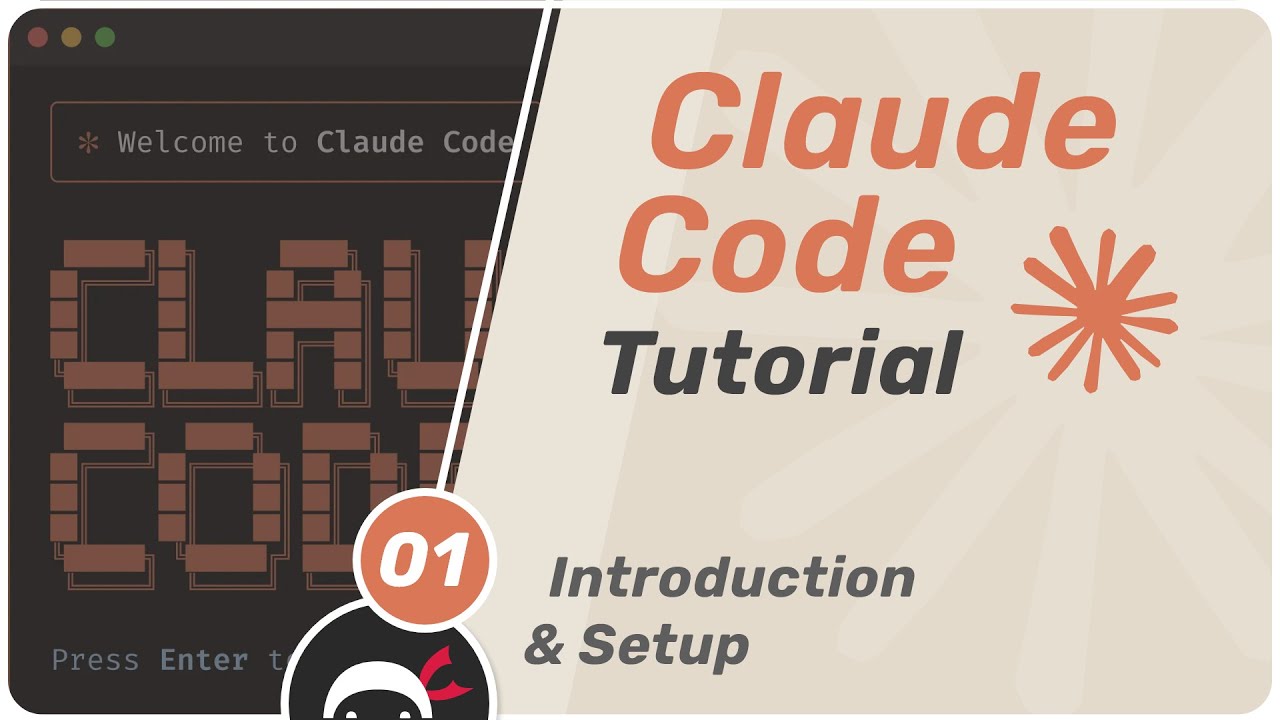
Anthropic’s terminal-native coding assistant powered by Claude Opus 4 and Sonnet 4.5. Built for developers who value autonomy and transparency over fancy interfaces.
Core Capabilities
Autonomous task execution for up to 7 hours on complex refactors.
Plan Mode breaks down large tasks into manageable steps you can review before execution.
Checkpoints save your code state before each change. Hit Escape twice to rewind instantly.
Language Support
Handles all major languages through Claude’s training on diverse codebases.
Particularly strong with Python, JavaScript, TypeScript, Java, and C++. Works across frameworks without configuration.
Integration Options
Terminal interface (Mac, Linux, Windows with WSL).
VS Code extension (beta) shows Claude’s changes in real-time through a sidebar panel. JetBrains integration coming soon.
Native GitHub CLI integration for managing repos, issues, and PRs from your terminal.
Context Understanding
200K+ token context window processes entire codebases. Claude reads your project structure and coding patterns.
MCP (Model Context Protocol) integration extends capabilities. Add custom tools and data sources for specialized workflows.
Collaboration Features
Subagents delegate specialized tasks while the main agent continues working. Parallel development across multiple features.
Multi-modal input accepts screenshots and design files. Paste UI mockups and Claude implements them.
Pricing Model
Included with Claude Pro ($20/month minimum subscription required).
Max plans ($100-200/month) provide more compute for heavy usage and access to Opus 4.1 model.
Enterprise customers get custom pricing with pooled usage across teams.
Best Use Cases
Developers who prefer terminal workflows over IDE bloat. Perfect for large-scale refactors across dozens of files.
Excellent for test-driven development. Claude generates tests, runs them, and fixes failures autonomously.
Ideal when you need transparency. Every change is visible and can be rolled back through checkpoints.
Tabnine

Privacy-focused AI code completion that runs on your machine or in your private cloud. Built for teams that can’t afford data leaks.
Core Capabilities
Context-aware completions learn your coding style over time.
AI chat helps generate tests, create documentation, and explain complex code without leaving your IDE.
Code Provenance tracks where suggestions come from and flags any that match open-source code with restrictive licenses.
Language Support
Supports 600+ programming languages and frameworks. Python, Java, JavaScript, C++, TypeScript, PHP, Ruby, Go, C#, Rust, and hundreds more.
Works with niche languages too. If there’s a language server, Tabnine probably supports it.
Integration Options
Extensions for VS Code, Visual Studio, IntelliJ IDEA, PyCharm, WebStorm, Sublime Text, Atom, and more.
Supports all major JetBrains products. Works in Eclipse and other IDEs through community plugins.
Context Understanding
Basic tier runs locally on your machine. Your code never leaves your computer.
Pro and Enterprise tiers can be fine-tuned on your private repositories. The AI learns your team’s patterns and standards.
Collaboration Features
Team training creates customized models based on your organization’s codebase.
Centralized admin tools for Enterprise. Manage policies, audit usage, and control which models teams use.
Pricing Model
Free: Basic completions and chat, runs locally, no credit card needed.
Pro ($12/user/month): Best-in-class AI models, personalized agents, 90-day free trial available.
Enterprise ($39/user/month): Private deployment (SaaS, VPC, or on-premises), custom models, Atlassian integration, SSO.
Enterprise pricing varies based on deployment model and team size. Self-hosted options available for air-gapped environments.
Best Use Cases
Teams in regulated industries that need software compliance and data control.
Companies that want AI without sending code to external servers. Perfect for mobile application development teams handling sensitive user data.
Organizations that need license safety guarantees. The Code Provenance feature prevents accidental IP violations.
Amazon Q Developer
AWS’s AI coding assistant (formerly CodeWhisperer) that speaks fluent cloud-native. Built specifically for developers working in the AWS ecosystem.
Core Capabilities
Real-time code suggestions optimized for AWS services. Type “upload to S3” and get the right boto3 call instantly.
Security scanning powered by CodeGuru catches hard-coded credentials, weak crypto, and overly permissive IAM policies.
Autonomous agents implement features, write tests, and perform code reviews with minimal input.
Language Support
Supports 15+ programming languages including Python, Java, JavaScript, TypeScript, C#, Ruby, Go, and more.
Particularly strong with AWS SDKs and infrastructure-as-code. CloudFormation, CDK, and Terraform get first-class support.
Integration Options
Works in VS Code, JetBrains IDEs, Visual Studio, AWS Cloud9, JupyterLab, and SageMaker Studio.
CLI integration provides AI assistance directly in your terminal. Available in GitHub (preview) for code reviews.
AWS Console integration helps optimize cloud resources and diagnose issues.
Context Understanding
Trained on billions of lines of Amazon and open-source code. Understands AWS best practices by default.
Customization (Pro tier) trains on your private repositories. Q Developer learns your internal libraries and API patterns.
Collaboration Features
Reference tracking flags suggestions that match open-source code and shows the license.
Pro tier includes IP indemnity. AWS defends you against claims that generated code infringes third-party rights.
Pricing Model
Free: Basic features, 50 agentic requests monthly, 1,000 lines of Java/.NET transformation, security scanning with reference tracking.
Pro ($19/user/month): No hard caps on requests, 4,000 lines of code transformation, SSO, admin dashboard, IP indemnity protection.
Enterprise teams get pooled transformation capacity. Extra lines cost $0.003 each beyond quota.
Best Use Cases
Teams building on AWS who want native integration with their cloud environment.
Perfect for cloud-based app development and serverless architectures. Understands Lambda, DynamoDB, and other AWS services.
Ideal for security-conscious teams. The built-in scanning catches vulnerabilities before code review.
Cody (Sourcegraph)

Code intelligence platform that understands your entire codebase, not just open files. Built by Sourcegraph, the company that pioneered large-scale code search.
Core Capabilities
Codebase-aware chat answers questions about your architecture, dependencies, and business logic.
Autocomplete predictions based on your organization’s coding patterns. Learns from your team’s style.
Code search across all repositories simultaneously. Find usage examples and understand how components connect.
Language Support
Works with all major programming languages through Sourcegraph’s universal code analysis.
Language-agnostic architecture means new languages get support automatically. No waiting for model updates.
Integration Options
VS Code and JetBrains extensions provide seamless IDE integration.
Web interface for exploring codebases visually. CLI tools for terminal-based workflows.
Context Understanding
Full repository indexing gives Cody complete project visibility. Understands dependencies between microservices.
Learns from your team’s commit history and pull requests. Suggestions match your established patterns.
Collaboration Features
Team workspaces share context across developers. Everyone benefits from collective knowledge.
Code reviews powered by AI catch issues that humans miss. Suggests improvements based on team standards.
Pricing Model
Free: Personal use with limited context size, basic autocomplete.
Pro ($9/month): Extended context, advanced models, priority support.
Enterprise: Custom pricing with SSO, audit logs, self-hosted deployment, unlimited repositories.
Best Use Cases
Teams managing large monorepos or microservice architectures. Cody excels at finding connections across codebases.
Perfect for onboarding new engineers. Ask Cody to explain any part of the system and get instant documentation.
Great for code review process automation and maintaining software quality assurance process standards.
Replit Ghostwriter

Browser-based AI assistant that lives inside Replit’s cloud IDE. No installation, no setup. Just open your browser and start coding.
Core Capabilities
Complete Code provides inline suggestions as you type. Works with web apps and backend services equally well.
Generate Code from natural language descriptions. Explain Code breaks down complex logic step-by-step in plain English.
Transform Code refactors existing code based on your instructions. The agent handles multi-file projects autonomously.
Language Support
Supports 50+ programming languages including Python, JavaScript, Java, C++, Ruby, Go, and more.
Particularly strong with web technologies. HTML, CSS, React, and Node.js get excellent suggestions.
Integration Options
Built directly into Replit’s browser IDE. Works on any device with internet access, including tablets and phones.
No plugins needed. The AI is always available in your coding environment without extra configuration.
Context Understanding
Analyzes your entire project structure for relevant suggestions. Understands file relationships and dependencies.
Chat maintains conversation history to provide contextual help. Proactive debugger catches errors before you ask.
Collaboration Features
Real-time multiplayer coding built in. Multiple developers can work on the same project with AI assistance.
Instant deployment lets you preview and share projects with one click. Agent handles complex multi-step tasks autonomously.
Pricing Model
Starter (Free): Limited features, cannot deploy live apps. Good for testing.
Core ($20/month): $25 usage credits, full agent access, PostgreSQL, app storage, live deployments.
Teams ($40/user/month): Everything in Core plus team collaboration, centralized billing, admin controls.
Enterprise: Custom pricing with SSO, SCIM, enhanced security, dedicated support.
Usage is credit-based. Agent operations, storage, and compute all consume credits at published rates.
Best Use Cases
Students and beginners learning to code. The zero-setup environment removes technical barriers.
Prototyping and demos when you need to ship fast. Build and deploy progressive web apps in minutes.
Educators teaching programming. Share projects instantly with students for live collaboration.
JetBrains AI Assistant

Native AI integration across the entire JetBrains IDE family. Built by the company that created IntelliJ, PyCharm, and WebStorm.
Core Capabilities
Inline completions suggest code as you type with full IDE context. Multi-file Edit mode applies changes across your codebase.
Chat panel handles questions, generates tests, and explains code. Commit message generation writes clear descriptions automatically.
Junie is an autonomous agent that plans, writes, and tests code with minimal oversight.
Language Support
Covers all languages supported by JetBrains IDEs. Java, Python, JavaScript, Kotlin, Go, C#, PHP, Ruby, and dozens more.
Deep integration with language-specific features. Refactoring and static analysis inform AI suggestions.
Integration Options
Works natively in IntelliJ IDEA, PyCharm, WebStorm, GoLand, Rider, CLion, PhpStorm, RubyMine, DataGrip, and more.
Public preview extension available for VS Code. Brings JetBrains AI Chat to Microsoft’s editor.
Context Understanding
Leverages JetBrains’ legendary static analysis and symbol understanding. The AI knows your project structure deeply.
Local models support available through Ollama or LM Studio for complete privacy. .aiignore files exclude sensitive code.
Collaboration Features
Multi-file edits with reviewable diffs before applying changes. Team workspaces share context across developers.
Admin controls for enterprises. Centralized billing, usage analytics, and policy management through IDE Services.
Pricing Model
AI Free: Unlimited local completions, limited cloud features with credits. Community editions not included.
AI Pro: $10/month when bundled with All Products Pack or dotUltimate. More credits for cloud features.
AI Ultimate: $20/month with extended quota for intensive usage. Includes Junie coding agent.
AI Enterprise: Custom pricing with BYOK (Bring Your Own Key), private deployments, advanced admin controls.
Credits reset monthly. Top-ups available, last 12 months. Usage priced at LLM rates.
Best Use Cases
JetBrains IDE users who want seamless AI without switching tools. Perfect for Java, Kotlin, and enterprise software development.
Teams that need privacy controls. Local model support keeps sensitive code on-premises.
Projects requiring code refactoring at scale. Multi-file edits handle complex transformations.
Qodo (formerly CodiumAI)

Quality-first platform that embeds AI agents across your entire software development process. Focuses on tests and code reviews rather than just completion.
Core Capabilities
Qodo Gen generates functions, fixes bugs, and writes comprehensive test suites in your IDE.
Qodo Merge reviews every pull request automatically. Flags issues inline and starts conversations.
Qodo Command lets you script custom agents from terminal or CI. Automates repetitive development tasks.
Language Support
Supports virtually all programming languages through its context engine. Python, JavaScript, Java, C++, Go, Ruby, and more.
Particularly strong at test generation across frameworks. Works with Jest, PyTest, JUnit, and others.
Integration Options
IDE plugins for VS Code and JetBrains IDEs. Git integration with GitHub, GitLab, and Bitbucket.
CLI tool for terminal workflows. Works in continuous integration pipelines and pre-commit hooks.
Context Understanding
Indexes your entire codebase for deep understanding. Learns from past pull request discussions to enforce team standards.
Scans repo discussions automatically. Creates best_practices.md files so future reviews match your conventions.
Collaboration Features
Pull request reviews with severity rankings. Inline chats and slash commands like /implement.
Team dashboards show usage analytics. Standard support and priority support options available.
Pricing Model
Developer (Free): 75 pull requests, 250 LLM credits monthly, community support.
Teams ($30/user/month): 2,500 credits, bug detection, PR automation, repo best practices learning, standard support.
Enterprise ($45/user/month): SSO, priority support, on-premises deployment, enhanced privacy, custom models.
Credits reset monthly. Premium models consume more credits per request.
Best Use Cases
Teams focused on software quality assurance process and code integrity. Automated testing saves massive time.
Projects needing thorough code reviews. Qodo catches issues human reviewers miss.
Organizations implementing test-driven development. Test generation handles the tedious parts.
Greta

AI agent specialized in understanding and maintaining large enterprise codebases. Built specifically for complex systems with millions of lines of code.
Core Capabilities
Deep codebase analysis maps dependencies and architectural patterns. Understands how components interact across modules.
Autonomous refactoring handles technical debt. Can modernize legacy code while preserving functionality.
Documentation generation creates comprehensive architecture guides automatically.
Language Support
Focuses on enterprise languages. Java, C#, C++, Python, and JavaScript with strong enterprise framework support.
Understands legacy systems. COBOL and mainframe code analysis for modernization projects.
Integration Options
Works with enterprise version control systems. Supports large-scale Git repositories and Perforce.
Integrates with JIRA and enterprise project management tools. Tracks technical debt and refactoring progress.
Context Understanding
Analyzes millions of lines across repositories. Maps architectural patterns and identifies code smells.
Historical analysis tracks how code evolved. Identifies technical debt accumulation over time.
Collaboration Features
Team workspaces for coordinated refactoring efforts. Progress tracking across large modernization projects.
Enterprise reporting dashboards. Show technical debt metrics to management.
Pricing Model
Enterprise-only pricing. Contact for custom quotes based on codebase size.
Typically sold as annual contracts for large organizations. Includes dedicated support and training.
Best Use Cases
Fortune 500 companies maintaining legacy systems. Modernization projects benefit from automated understanding.
Large-scale refactoring initiatives. When manual analysis would take months or years.
Mergers and acquisitions. Quickly understand acquired codebases to plan integration.
Codeium

Free-forever AI assistant with unlimited usage for individual developers. Positions itself as the ethical alternative to paid tools.
Core Capabilities
Rapid autocomplete with context-aware suggestions. Multi-line completions and full function generation.
In-editor chat for questions and code explanations. Natural language code search finds examples in your codebase.
Repository indexing provides project-wide context. The AI understands relationships between files.
Language Support
Works with 70+ programming languages. Python, JavaScript, TypeScript, Java, C++, Go, Rust, and more.
Supports frameworks across the stack. React, Django, Spring, Rails, and hundreds of others.
Integration Options
Extensions for all major IDEs. VS Code, JetBrains, Vim, Neovim, Emacs, Visual Studio, Sublime Text, and more.
Web-based interface available. No installation required for quick experiments.
Context Understanding
Context engine analyzes larger code samples for better suggestions. Learns your coding patterns over time.
Codebase personalization improves accuracy. The more you use it, the better it gets.
Collaboration Features
Teams plan adds admin dashboards and seat management. Usage analytics show adoption across your organization.
Enterprise includes on-premises deployment. Self-hosted options for regulated industries.
Pricing Model
Individual (Free): Unlimited autocomplete, chat, usage. No hidden catches or trial periods.
Pro ($10/month or $100/year): Access to GPT-4o and Claude Sonnet, faster speeds, advanced reasoning.
Teams ($12/seat/month annually, up to 200 seats): Admin controls, personalization, codebase training.
Enterprise: Unlimited seats, self-hosted deployment, priority support, custom training.
Best Use Cases
Individual developers and students wanting professional AI assistance without subscription fees.
Teams concerned about licensing risks. Trained only on permissively licensed code.
Startups watching budgets. The free tier handles most needs before scaling to Teams.
ChatGPT

General-purpose AI from OpenAI that handles coding alongside everything else. Not specialized for development but incredibly versatile.
Core Capabilities
Code generation from natural language descriptions. Handles algorithms, data structures, and complete programs.
Debug assistance analyzes error messages and suggests fixes. Explains complex code in simple terms.
Web browsing checks documentation in real-time. GPT Vision analyzes code screenshots and diagrams.
Language Support
Works with virtually every programming language. Python, JavaScript, Java, C++, Ruby, Go, Swift, and hundreds more.
Translates between languages. Convert code from one language to another with explanations.
Integration Options
Web interface requires no installation. Mobile apps for iOS and Android.
API access for custom integrations. Build AI features into your own tools.
Context Understanding
Large context window (128,000 tokens) processes substantial codebases. Maintains conversation history across turns.
Upload files for analysis. CSV, Excel, JSON, images, and documents all supported.
Collaboration Features
Advanced Data Analysis handles data science workflows. Analyze datasets, generate visualizations, create reports.
Custom GPTs let you build specialized coding assistants. Share them with your team or publicly.
Pricing Model
Free: GPT-4o mini, limited GPT-4o, web search, basic features.
Plus ($20/month): Full GPT-4o and o3-mini access, priority performance, extended capabilities.
Pro ($200/month): Unlimited usage, no rate limits, best performance.
Team ($25/user/month): Collaboration tools, admin controls, data excluded from training.
Best Use Cases
Learning new programming concepts. ChatGPT explains better than most documentation.
Quick prototypes and experiments. When you need code fast without opening an IDE.
Data analysis tasks. Advanced Data Analysis excels at software development with data.
Claude

Anthropic’s AI focused on safety and reasoning. Excellent for complex software development tasks requiring careful thinking.
Core Capabilities
Code generation with strong reasoning about correctness. Produces reliable, well-structured code.
Debugging through systematic analysis. Walks through problems logically to find root causes.
Image analysis understands diagrams, flowcharts, and UI mockups. Converts designs into code.
Language Support
Handles all major programming languages proficiently. Particularly strong with Python, JavaScript, TypeScript, and Rust.
Framework knowledge spans modern stacks. React, Next.js, FastAPI, Django, and more.
Integration Options
Web interface at claude.ai. Mobile apps coming soon.
API access for developers. Build Claude into your applications.
Context Understanding
200,000 token window processes massive documents and codebases. Can analyze entire projects at once.
Extended thinking mode for complex problems. Takes time to reason deeply before answering.
Collaboration Features
Artifacts feature creates sharable code, documents, and apps. Others can view and fork your work.
Projects organize conversations and knowledge. Keep related work together with custom instructions.
Pricing Model
Free: Claude 3.7 Sonnet with daily limits. Good for experimentation.
Pro ($18-20/month depending on region): Extended usage, priority access, all models.
Team: Coming soon with collaboration features and admin controls.
Best Use Cases
Complex software development requiring careful reasoning. When correctness matters more than speed.
Analyzing large codebases or documentation. The 200K window handles substantial context.
Code reviews and software documentation. Claude excels at explaining and improving existing code.
Continue

Open-source AI coding assistant that connects to any model. Maximum flexibility and zero vendor lock-in.
Core Capabilities
Universal model support. Connect to OpenAI, Anthropic, local models, or any OpenAI-compatible API.
Autocomplete and chat built into your editor. Tab to accept suggestions, ask questions in sidebar.
Codebase indexing provides context from your entire project. Understands file relationships automatically.
Language Support
Language-agnostic architecture. Works with whatever your chosen LLM supports.
Strong coverage of popular languages through model selection. Pick models specialized for your stack.
Integration Options
VS Code extension with deep integration. JetBrains support through plugin.
Self-hosted deployment for complete control. No data leaves your infrastructure.
Context Understanding
Local embeddings index your codebase. Retrieves relevant context for each query.
Configurable context providers. Choose exactly which files inform each request.
Collaboration Features
Open-source and customizable. Extend functionality through plugins and configuration.
Team deployments possible with self-hosting. Shared configuration and model access.
Pricing Model
Free and open-source. No subscription or licensing fees.
You pay only for LLM API usage from your chosen providers. Control costs by selecting cheaper models.
Self-hosting has infrastructure costs if running local models.
Best Use Cases
Developers wanting complete control over their AI assistant. No proprietary lock-in.
Teams with strict data privacy requirements. Self-host everything on your infrastructure.
Experimentation with different models. Switch between providers based on task requirements.
AskCodi

AI assistant focused on making coding accessible to beginners while serving professionals. Emphasizes explanations and learning.
Core Capabilities
Code generation with detailed explanations. Helps you understand what the code does.
Answer coding questions in plain English. No jargon, clear explanations for concepts.
Workbook feature organizes projects and conversations. Keep related work together.
Language Support
Supports 50+ programming languages. Python, JavaScript, Java, C++, and more.
Framework coverage for web and mobile development. React, Angular, Flutter, and others.
Integration Options
Browser extension brings AskCodi to any webpage. Works alongside documentation and Stack Overflow.
IDE plugins for VS Code and other editors. Discord bot for team channels.
Context Understanding
Conversation history maintains context across questions. No need to repeat yourself.
Project-aware when using workbooks. Understands your specific codebase.
Collaboration Features
Team workspaces share knowledge and code snippets. Collaborate on learning and problem-solving.
Community features let users share helpful prompts and solutions.
Pricing Model
Free tier: Limited requests but includes core features. Good for learning.
Premium ($9.99/month): Unlimited requests, faster responses, advanced features.
Teams: Custom pricing for organizations with admin controls.
Best Use Cases
Beginners learning to code. Explanations help you understand, not just copy.
Developers learning new languages or frameworks. AskCodi explains unfamiliar concepts clearly.
Quick answers without leaving your browser. The extension provides instant help.
Semgrep

Code security platform powered by AI. Finds vulnerabilities and enforces software development best practices automatically.
Core Capabilities
Static analysis scans code for security issues. Finds SQL injection, XSS, and other vulnerabilities.
Custom rule creation for your organization. Enforce coding standards automatically.
CI/CD integration blocks insecure code before merge. Catches issues in pull requests.
Language Support
Supports 30+ languages. Python, JavaScript, Java, Go, C#, PHP, Ruby, and more.
Framework-aware analysis. Understands Rails, Django, Spring, and other frameworks.
Integration Options
GitHub, GitLab, and Bitbucket integration. Automated PR comments and status checks.
IDE plugins for VS Code and JetBrains. See issues while coding.
Context Understanding
Dataflow analysis tracks how data moves through code. Finds complex security issues.
Cross-file analysis understands relationships. Catches issues spanning multiple files.
Collaboration Features
Team dashboards show security metrics across projects. Track vulnerability trends over time.
Policy as code. Version control your security rules alongside your codebase.
Pricing Model
Free: Community edition with basic scanning. Open-source rules library.
Team: Custom pricing with advanced features and support.
Enterprise: Full platform with SSO, RBAC, audit logs, priority support.
Best Use Cases
Security-conscious teams. Automated scanning catches vulnerabilities before production.
Enforcing software compliance requirements. Custom rules ensure adherence to standards.
DevOps pipelines needing security gates. Block insecure code automatically.
Codacy

Automated code review platform that checks quality, security, and style. AI-powered analysis across your entire codebase.
Core Capabilities
Automated code review on every commit. Finds bugs, security issues, code smells.
Code coverage tracking shows which parts lack tests. Integrates with your test suite.
Quality evolution over time. Track improvements and regressions across releases.
Language Support
Supports 40+ programming languages. Python, JavaScript, Java, Go, PHP, Ruby, Scala, and more.
300+ built-in code patterns. Extensible with custom rules.
Integration Options
Git provider integration with GitHub, GitLab, Bitbucket. Automated PR comments.
CI/CD integration with Jenkins, CircleCI, Travis. Fail builds on quality gates.
Context Understanding
Project history analysis shows quality trends. Identifies areas accumulating technical documentation.
Cross-repository insights for organizations. Compare quality across projects.
Collaboration Features
Team dashboards with quality metrics. Security insights and duplication analysis.
Custom quality gates. Define thresholds for passing builds.
Pricing Model
Open Source: Free for public repositories. Full features available.
Pro: Starting at $15/developer/month. Private repositories, advanced features.
Business: Custom pricing with SSO, RBAC, priority support.
Best Use Cases
Teams wanting automated quality checks. Catch issues before human review.
Organizations tracking software reliability metrics. Dashboard visibility into code health.
Maintaining maintainability standards. Prevent quality degradation over time.
Panto AI
Emerging AI coding assistant focused on natural language understanding. Converts plain English into working code.
Core Capabilities
Natural language to code conversion. Describe what you want, get implemented functions.
Conversational debugging. Explain errors in plain English, get step-by-step fixes.
Project templates generate starter code. Quickly scaffold common application types.
Language Support
Core support for Python, JavaScript, and TypeScript. Expanding to other languages.
Web development frameworks prioritized. React, Node.js, Express, and similar tools.
Integration Options
Web-based interface. No installation required to start coding.
IDE plugins in development. VS Code extension in beta.
Context Understanding
Session-based context. Maintains conversation history during your coding session.
Project memory remembers your preferences. Adapts to your coding style over time.
Collaboration Features
Share generated code with teammates. Export to GitHub or other platforms.
Community examples library. Learn from others’ prompts and generated code.
Pricing Model
Free tier: Limited generations per month. Good for trying out.
Pro (estimated $15-20/month): More generations, faster responses, priority support.
Details not fully public as of 2025. Check their website for current pricing.
Best Use Cases
Non-programmers building simple tools. Natural language interface lowers barriers.
Rapid prototyping when speed matters most. Get working code immediately.
Learning programming concepts. See how natural language translates to actual code.
FAQ on The Best AI Pair Programming Tools
What are AI pair programming tools?
AI coding assistants that work alongside developers in their IDE. They provide real-time code suggestions, automated testing, debugging help, and context-aware completions. Think GitHub Copilot or Cursor-AI that understands your codebase and writes code with you.
Are AI pair programming tools worth the cost?
Most developers save 2-3 hours weekly on repetitive tasks. The productivity gains typically justify the $10-40 monthly cost. Free tiers from Codeium and Amazon Q Developer let you test value before committing to paid plans.
Which AI coding assistant is most accurate?
Claude Opus 4 and Sonnet 4.5 score highest on coding benchmarks (72.5% SWE-bench). GitHub Copilot and Cursor using these models deliver excellent accuracy. Context quality matters more than the underlying model for most tasks.
Can AI pair programming tools work offline?
Some support local models through Ollama or LM Studio. Tabnine, JetBrains AI Assistant, and Continue offer offline modes. Cloud-based tools like GitHub Copilot and Cursor require internet connectivity for suggestions.
Do AI coding tools steal my code?
Reputable tools don’t train on your code without permission. GitHub Copilot Business, Tabnine Enterprise, and Amazon Q Developer Pro include IP indemnity protection. Always check data retention policies before choosing a tool.
Which AI assistant integrates with VS Code?
Nearly all of them. GitHub Copilot, Cursor, Codeium, Tabnine, Amazon Q Developer, Continue, and JetBrains AI all offer VS Code extensions. Cursor is actually a VS Code fork with deeper AI integration built in.
Can AI pair programming tools generate tests automatically?
Yes. Qodo specializes in test generation and excels at creating comprehensive test suites. GitHub Copilot, Cursor, and JetBrains AI Assistant also generate unit tests. Quality varies-always review generated tests before committing them.
What’s the best free AI coding assistant?
Codeium offers unlimited usage at no cost for individuals. Amazon Q Developer and GitHub Copilot provide limited free tiers. Aider is completely free and open-source, charging only for LLM API usage you control.
How do AI pair programming tools handle security?
Tools like Semgrep and Codacy focus specifically on security scanning. Most AI assistants flag potential vulnerabilities during code generation. Amazon Q Developer includes built-in security checks powered by CodeGuru for AWS projects.
Can multiple developers use the same AI assistant?
Team plans support collaborative features and shared billing. GitHub Copilot Business, Cursor Teams, Windsurf Teams, and Tabnine Enterprise all offer multi-user licenses with centralized management and usage analytics for organizations.
Conclusion
The best AI pair programming tools transform how developers write, test, and ship code. GitHub Copilot dominates market share, but alternatives like Cursor, Windsurf, and Claude Code offer compelling advantages.
Your choice depends on priorities. Need privacy? Choose Tabnine or self-hosted options.
Want autonomous agents? Cursor and Windsurf deliver. Budget conscious? Codeium and Aider provide professional features at zero cost.
Context-aware suggestions and intelligent autocomplete have become table stakes. The real differentiators are software development best practices enforcement, test generation quality, and how well tools understand your specific codebase.
Start with free tiers. Test multiple tools on real projects.
The right AI coding assistant pays for itself within weeks through developer productivity gains and fewer bugs reaching production.

- venv vs conda vs poetry: Which One for Which Project - October 9, 2026
- How to Delete a Python venv Without Breaking Your Project - October 7, 2026
- Google Play Account Suspended: What to Do - October 5, 2026


