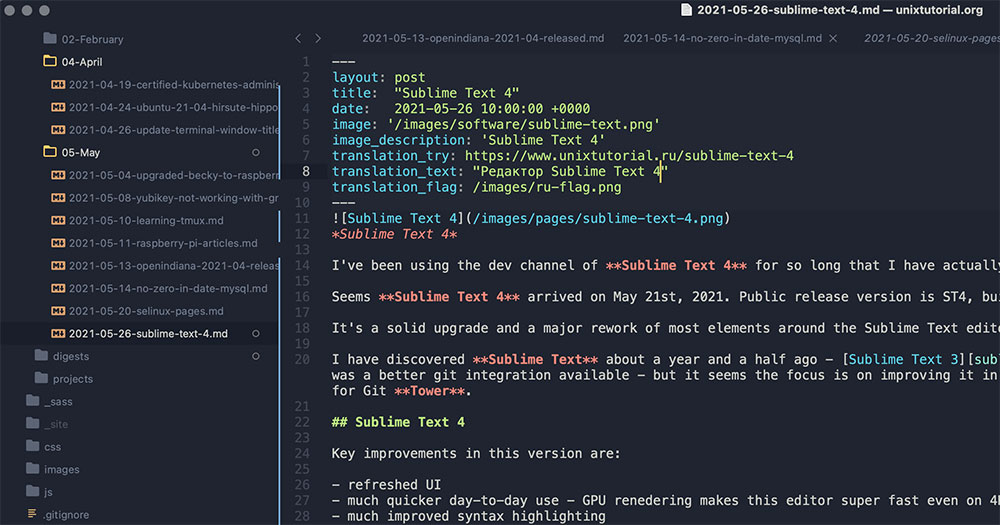
Both IDEs come from JetBrains. Both run on the IntelliJ platform. And yet, picking between WebStorm vs PhpStorm trips up developers more often than it should.
The confusion makes sense. PhpStorm includes every WebStorm feature inside it, so the overlap is massive. But the price difference, licensing options, and language coverage create real tradeoffs depending on your stack.
This guide breaks down what each IDE actually offers, where they differ, and which one fits your workflow. You will find side-by-side feature comparisons, performance benchmarks, framework support details, and pricing breakdowns to help you make a clear decision without second-guessing it.
What Is WebStorm
WebStorm is a JavaScript and TypeScript IDE built by JetBrains. It runs on the IntelliJ platform, the same foundation shared by every other JetBrains development environment.
The entire product is designed around front-end development. React, Angular, Vue.js, Svelte, Node.js, and related frameworks get first-class treatment out of the box, with no extra plugins required.
That focus keeps it lighter than JetBrains IDEs that bundle server-side language tooling. You get code completion, smart refactoring, debugging, and built-in terminal support, all tuned specifically for JavaScript-heavy projects.
JetBrains made WebStorm free for non-commercial use in October 2024. Open-source contributors, students, and hobbyists can now access the same feature set as paying subscribers, though they must agree to anonymous usage data collection.
According to the Stack Overflow 2025 Developer Survey, JavaScript remains the most-used programming language at 66% of respondents. TypeScript has seen the most dramatic rise in real-world usage over the past five years, according to JetBrains’ own Developer Ecosystem report. WebStorm covers both.
For commercial use, WebStorm starts at roughly $195 per year. The price drops in subsequent years through JetBrains’ continuity discount. Your mileage may vary depending on whether you grab an individual or organizational license.
Compared to Visual Studio Code (which Second Talent reports at 75.9% developer usage in 2025), WebStorm trades free pricing for deeper code intelligence. Its indexing engine understands project structure at a level that extensions-based editors struggle to match. At least, that has been my experience working with large monorepos.
What Is PhpStorm
PhpStorm is JetBrains’ IDE for PHP development. And here is the part that trips people up: it includes every single WebStorm feature inside it.
This is not a reduced version of WebStorm bolted onto a PHP editor. All JavaScript, TypeScript, CSS, and HTML tooling ships with PhpStorm. The same code completion engine. The same debugging tools. The same framework support for React, Vue, and Angular.
On top of that, PhpStorm adds full PHP language support, Xdebug integration, Composer management, database tools, and an HTTP client. Took me a while to fully grasp how much is packed into this thing when I first switched from a lighter editor.
PHP’s Continued Reach
W3Techs reports that PHP still powers 74.5% of all websites with a known server-side language. WordPress alone accounts for over 43% of all websites globally, and it runs entirely on PHP.
The JetBrains State of PHP 2025 survey, based on 1,720 PHP developers, found that 58% of PHP developers do not plan to migrate to other languages in the next year. Laravel dominates framework usage at 61%, according to the 2024 edition of the same report.
What PhpStorm Adds Beyond WebStorm
PHP debugging: Native Xdebug and Zend Debugger support with breakpoints, watches, and step-through execution.
Database tools: Built-in SQL editor, schema visualization, and connections to MySQL, PostgreSQL, and other databases without needing a separate application.
Framework integration: Laravel (with the Laravel Idea plugin now bundled for free since PhpStorm 2025.3), Symfony, WordPress, Drupal, and CakePHP support out of the box.
Composer: Dependency management directly inside the IDE, with code refactoring tools that understand PHP-specific patterns.
PhpStorm starts at about $283 per year for commercial use. That is roughly $88 more than WebStorm annually. No non-commercial free license exists for PhpStorm at this time, unlike WebStorm.
WebStorm vs PhpStorm Feature Comparison

This is where the conversation gets practical. Both IDEs share the IntelliJ platform, so a lot of the core experience feels identical. The differences come down to language coverage, bundled tools, and price.
| Feature | WebStorm | PhpStorm |
|---|---|---|
| JavaScript/TypeScript | Full support | Full support (identical) |
| PHP | Not included | Full support |
| Database tools | Plugin available | Built-in |
| Price (Year 1) | ~$195 | ~$283 |
| Free non-commercial license | Yes | No |
Frontend Development Features
Identical. I really want to stress this because it is the most common misconception in this comparison.
Both IDEs ship the same JavaScript engine, the same TypeScript support, and the same framework integrations. Whether you are working with React with TypeScript or building a Vue.js application, the editing experience is the same in WebStorm and PhpStorm, which also makes both IDEs highly practical for teams looking to hire TypeScript developer talent for modern frontend and full-stack projects.
Code completion, syntax highlighting, smart navigation, and live editing all work the same way. JetBrains has confirmed this repeatedly in their documentation.
Backend and Server-Side Features
This is where the split happens.
WebStorm handles Node.js just fine. You can run and debug server-side JavaScript without issues. But if your back-end development stack involves PHP, WebStorm simply cannot help you.
PhpStorm covers both worlds. PHP code analysis, unit testing with PHPUnit and Pest, and deep integration with frameworks like Symfony and Laravel. The 2025.3 release even bundled the Laravel Idea plugin directly into the IDE, so Laravel developers now get that tooling for free.
JetBrains’ 2025 Developer Ecosystem data shows that 95% of PHP developers have tried at least one AI tool, and 80% regularly use AI assistants. Both WebStorm and PhpStorm now include the JetBrains AI Assistant with a free tier.
Built-in Tools and Integrations
Version control: Git, GitHub, and GitLab integration is identical in both. You get the same commit interface, branch management, and merge conflict resolution tools.
Terminal: Both ship with a built-in terminal. PhpStorm 2025.1 introduced a reworked terminal architecture that also landed in WebStorm.
Docker: Containerization support exists in both IDEs through plugins, though PhpStorm’s Docker integration tends to be more practical for developers running PHP services in containers.
REST client: PhpStorm includes an HTTP client for testing RESTful API endpoints. WebStorm can access this through a plugin, but it is not bundled by default.
Performance and Resource Usage
Both IDEs are built on the same IntelliJ platform, so the performance conversation is more nuanced than most comparison articles suggest.
WebStorm indexes fewer language grammars. That means startup time is generally faster and memory usage is lower on identical hardware. But the gap is not dramatic for most projects.
Memory and Startup Benchmarks
Credence Research projects the global IDE software market will grow from $2.47 billion in 2024 to $4.04 billion by 2032, driven partly by demand for cloud-based and performance-optimized tools. Developers are paying attention to how their IDE handles resources.
In practice, WebStorm typically uses 300-500 MB less RAM than PhpStorm on the same project. This matters if you are running the IDE alongside browser dev tools, a local development server, and maybe a database client on a machine with 8 GB of RAM.
PhpStorm 2025.3 introduced a “PhpStorm Light” inspection profile specifically for resource-constrained systems. It strips out non-critical and heavy code checks, which is a nice acknowledgment from JetBrains that the IDE can be demanding.
Indexing and Large Projects
Both IDEs index your project files on first open to power code completion and navigation. Larger codebases take longer to index regardless of which IDE you pick.
WebStorm skips PHP file indexing entirely (obviously), so a mixed project with thousands of PHP files will index faster in WebStorm. But you also lose all PHP intelligence, so the comparison is a bit academic.
One thing that actually helped in both IDEs: excluding node_modules from search results. PhpStorm 2024.3 made this the default behavior in Find in Files, and WebStorm followed suit. Small change, big quality-of-life improvement.
Plugin and Extension Ecosystem
JetBrains reports over 8,860 plugins available on the JetBrains Marketplace. Most of them work across all IntelliJ-based IDEs, including both WebStorm and PhpStorm.
This shared marketplace means your favorite themes, linting integrations, and Git extensions install the same way in either IDE. The plugin experience is nearly identical.
Shared Marketplace
Popular plugins like Prettier, ESLint, and Tailwind CSS support work in both IDEs without modification. The source control management plugins (GitToolBox, for example) install the same way.
JetBrains’ 2025 data shows that 84% of developers are using or planning to use AI tools in their development process. Both IDEs now support the JetBrains AI Assistant, and PhpStorm 2025.3 added native Claude Agent integration as well.
PhpStorm-Exclusive Plugins
A handful of plugins only make sense in PhpStorm because they depend on PHP language support:
- Laravel Idea (now bundled free in PhpStorm 2025.3)
- Symfony Support plugin
- PHP Inspections (EA Extended)
- WordPress-specific tooling
These plugins cannot run in WebStorm because the underlying PHP parser is not present. If you are doing any software development that touches PHP, this gap matters more than any performance difference.
Community Plugin Quality
JetBrains curates the marketplace, but quality varies. Well, quality always varies with community plugins.
The safest bet is sticking with plugins that have high download counts and recent updates. Both IDEs share the same plugin architecture, so a buggy plugin in WebStorm will be equally buggy in PhpStorm. Nothing IDE-specific there.
Pricing and Licensing Differences
This is where the decision gets real for a lot of developers. The feature overlap between these two IDEs is massive, so the price gap needs to justify what you actually get.
| Plan/Year | WebStorm | PhpStorm | All Products Pack |
|---|---|---|---|
| Year 1 | ~$195 | ~$283 | ~$779 |
| Year 2 | Discounted | Discounted | ~$623 |
| Year 3+ | Further reduced | Further reduced | ~$467 |
| Non-commercial | Free | Not available | Not available |
Individual vs. Organizational Licenses
JetBrains uses a subscription model with continuity discounts. The longer you stay subscribed, the less you pay. After three years, both IDEs cost significantly less than their Year 1 price.
Every subscription includes a perpetual fallback license. If you cancel, you keep access to the version that was current when your subscription started. You lose updates, but you can keep coding.
The All Products Pack Question
The JetBrains All Products Pack costs $779 in Year 1 and drops to $467 by Year 3. It includes every JetBrains IDE: WebStorm, PhpStorm, IntelliJ IDEA Ultimate, PyCharm, GoLand, and more.
If you work across multiple languages or are part of a team that uses different software development methodologies, this pack often makes more sense than buying individual licenses. The math works out surprisingly fast when you consider that PhpStorm alone is $283.
JetBrains reported 11.4 million recurring active users in 2023, with 88 of the Fortune Global Top 100 companies using their products. That subscription model clearly works at scale.
Free Options Worth Knowing
WebStorm non-commercial license: Free. Covers learning, open-source contributions, hobby projects, and content creation.
Educational licenses: Both IDEs are free for students and teachers through the JetBrains educational program.
Open-source project licenses: Active open-source maintainers can apply for free commercial licenses.
EAP builds: Early Access Program versions of both IDEs are free during testing periods, though they expire when the stable version ships.
If you are learning JavaScript and do not need PHP, WebStorm’s free non-commercial license removes the cost question entirely. That is a meaningful advantage for anyone just starting their software development career.
Which Developers Should Use WebStorm

WebStorm makes sense when your entire workflow lives inside JavaScript and TypeScript. If you never touch PHP, paying extra for PhpStorm is throwing money at features you will never open.
The Stack Overflow 2025 Developer Survey shows React at 44.7% usage among web framework respondents, followed by Angular at 18.2% and Vue.js at 17.6%. All three frameworks run identically in WebStorm.
Pure Frontend and JavaScript Developers
If your daily work involves building interfaces with React, Angular, or Vue, WebStorm covers everything you need. The code completion, React performance optimization tools, and debugging support are the same as what ships in PhpStorm.
TypeScript developers get particular value here. JetBrains has been rebuilding WebStorm’s TypeScript engine (the WebStorm@next project), and the improvements land in WebStorm first since TypeScript is its primary focus.
NPM download statistics show React exceeding 20 million weekly downloads in 2025. WebStorm handles projects at that ecosystem scale without carrying unused PHP baggage.
Node.js Backend Developers
Key fit: Teams running JavaScript on both the client and server.
WebStorm supports Node.js debugging, npm/yarn/pnpm script management, and Express or Fastify development. If your tech stack for your web app is purely JavaScript-based, the IDE does not leave gaps.
Spotify’s web player team, for instance, works primarily with JavaScript and TypeScript. For teams structured similarly, WebStorm provides everything without the overhead of a PHP-focused IDE.
Budget-Conscious Developers
The free non-commercial license changed the calculus. Students, open-source contributors, and hobbyists now get the full WebStorm experience at zero cost.
JetBrains noted that 68% of developers code outside of work as a hobby. WebStorm’s free tier directly targets this group, and it is a stronger offer than what PhpStorm provides (which has no equivalent non-commercial license).
Which Developers Should Use PhpStorm

PhpStorm is the right choice when PHP is part of your work. Not sometimes. Not theoretically. If you write, debug, or maintain PHP code in any capacity, PhpStorm eliminates the need for two separate tools.
Full-Stack PHP Developers
The JetBrains State of PHP 2025 survey found that Laravel leads with 64% framework usage, followed by WordPress at 25% and Symfony at 23%. PhpStorm supports all three out of the box.
Full-stack developers building web apps with a PHP backend and a JavaScript frontend only need one IDE. The JavaScript tooling inside PhpStorm is not a watered-down version. It is WebStorm, fully integrated.
The same survey shows that 53% of PhpStorm users gave it the highest satisfaction rating, compared to 26% for VS Code users among PHP developers.
WordPress and CMS Developers
WordPress powers over 43% of all websites globally, according to W3Techs. If you build WordPress themes, plugins, or custom custom applications, PhpStorm understands the WordPress codebase at a deep level.
PhpStorm 2025.1 added automatic WordPress framework detection. The IDE now finds your WordPress installation path and configures support without manual setup.
That said, JetBrains’ own data shows VS Code slightly edges out PhpStorm among WordPress developers specifically. The WordPress community tends toward lighter tools. But for developers doing serious plugin or theme work (not just content editing), PhpStorm’s debugging and code review process tools pay off quickly.
Teams Needing Database Access
| Tool Need | WebStorm | PhpStorm |
|---|---|---|
| SQL editor | Plugin required | Built-in |
| Schema visualization | Plugin required | Built-in |
| MySQL/PostgreSQL | Plugin required | Built-in |
| HTTP client | Plugin required | Built-in |
PhpStorm ships with a full database client. You can query MySQL, PostgreSQL, and other databases without leaving the IDE. For teams that constantly switch between code and database, this cuts tool-switching overhead significantly.
Can You Use Both WebStorm and PhpStorm Together

Yes. JetBrains lets you install multiple IDEs on the same machine. But should you? Probably not.
Running Multiple JetBrains IDEs
Each IDE runs as a separate application with its own memory footprint. Running both WebStorm and PhpStorm simultaneously means doubling the RAM consumption for your development environment.
JetBrains Toolbox (the app manager for all their IDEs) makes installing and updating multiple products easy. But 42% of developers already use more than one IDE in their workflow, according to Second Talent’s analysis of JRebel data. Adding a second JetBrains IDE on top of that gets crowded fast.
Settings Sync Across IDEs
What syncs: Keymaps, color schemes, editor preferences, and plugin lists sync through your JetBrains account across all IntelliJ-based IDEs.
What does not sync: Project-specific configurations, run configurations, and some plugin settings remain local to each IDE installation.
If you do run both, at least your muscle memory stays consistent. The keyboard shortcuts and UI layout carry over cleanly between WebStorm and PhpStorm.
Why Most Developers Pick One
Since PhpStorm includes all of WebStorm’s features, running both is redundant for anyone who uses PHP even occasionally. The only scenario where both make practical sense is when you want WebStorm’s lighter footprint for pure JavaScript projects and PhpStorm for PHP work.
The JetBrains All Products Pack at $467/year (Year 3 pricing) gives access to every IDE. At that price point, you are not “buying two licenses.” You are getting the entire suite, which includes IntelliJ IDEA Ultimate, PyCharm, GoLand, and the rest.
For teams following software development best practices across multiple languages, the All Products Pack usually makes more financial sense than maintaining separate subscriptions.
WebStorm vs PhpStorm for Specific Frameworks
Framework support often drives the final purchase decision more than raw feature lists. Here is how each IDE handles the frameworks developers actually use.
JavaScript Framework Support
Identical. I keep repeating this because it matters.
| Framework | WebStorm | PhpStorm |
|---|---|---|
| React | Full support | Full support |
| Vue.js | Full support | Full support |
| Angular | Full support | Full support |
| Svelte | Full support | Full support |
| Next.js | Full support | Full support |
| Nuxt.js | Full support | Full support |
Both IDEs share the same JavaScript engine. The Next.js and Nuxt routing support added in 2024.2 works the same way in both products. File-system-based routing, dynamic routes, parallel routes, all covered.
React sits at 44.7% usage in the Stack Overflow 2025 survey. Vue and Angular follow. WebStorm and PhpStorm treat all three identically because they run the same underlying code intelligence.
If you are comparing the two IDEs specifically for React development, there is nothing to compare. Same experience. Same tooling. Same debugging. Pick based on whether you also need PHP, not based on JavaScript framework support.
PHP Framework Support
This is where PhpStorm stands alone.
Laravel: PhpStorm 2025.3 bundled the Laravel Idea plugin directly into the IDE. Route navigation, Eloquent model intelligence, Blade template support, and artisan command integration all ship for free. JetBrains made the plugin free in July 2025, then fully integrated it by December.
Symfony: PhpStorm’s Symfony plugin understands dependency injection containers, service definitions, and Twig templates at a structural level. The JetBrains State of PHP 2024 report shows PhpStorm used by 83% of Symfony developers, far ahead of any other editor.
WordPress: Automatic framework detection (added in 2025.1), hook and filter navigation, and integration with the WordPress coding standards. Worth noting that VS Code has a slight edge among casual WordPress developers, but PhpStorm wins for plugin and theme development work.
WebStorm cannot run any of these PHP framework plugins. There is no workaround, no extension to install, no hack. The PHP language parser simply does not exist in WebStorm. If your tech stack for web development includes any PHP framework, PhpStorm is the only JetBrains option.
FAQ on WebStorm vs PhpStorm
Does PhpStorm include all WebStorm features?
Yes. PhpStorm bundles every WebStorm feature inside it. JavaScript, TypeScript, CSS, and HTML support are identical. PhpStorm simply adds PHP language tools, database support, and framework integrations on top of the full WebStorm experience.
Is WebStorm free to use?
WebStorm is free for non-commercial use since October 2024. Open-source contributors, students, and hobbyists get the full feature set at no cost. Commercial projects still require a paid subscription starting at roughly $195 per year.
Which IDE is better for React development?
Neither has an advantage. Both IDEs share the same JavaScript engine and provide identical React support, including code completion, debugging, and JSX handling. Pick based on whether you also need PHP, not on frontend framework quality.
Can I use WebStorm for PHP development?
No. WebStorm does not include a PHP language parser. You cannot write, debug, or refactor PHP code in WebStorm. If your tech stack involves any PHP, you need PhpStorm or IntelliJ IDEA Ultimate.
Is PhpStorm worth the extra cost over WebStorm?
If you write PHP regularly, yes. The built-in database tools, Xdebug integration, and framework support for Laravel and Symfony save enough time to justify the price difference. Pure JavaScript developers should stick with WebStorm.
Do WebStorm and PhpStorm share the same plugins?
Most plugins on the JetBrains Marketplace work in both IDEs. The exception is PHP-specific plugins like Laravel Idea and Symfony Support, which require PhpStorm’s PHP parser and cannot run in WebStorm.
Which IDE performs better on large projects?
WebStorm is slightly lighter because it indexes fewer languages. The difference is modest on modern hardware. PhpStorm 2025.3 introduced a “PhpStorm Light” inspection profile to reduce resource usage on constrained systems.
Should I buy the JetBrains All Products Pack instead?
If you work across multiple languages, the All Products Pack ($467/year by Year 3) often costs less than two separate IDE subscriptions. It includes WebStorm, PhpStorm, IntelliJ IDEA Ultimate, PyCharm, and every other JetBrains IDE.
Can I run both WebStorm and PhpStorm on the same machine?
Yes, JetBrains Toolbox supports multiple IDE installations. But since PhpStorm already includes all WebStorm features, running both is redundant for most developers. It doubles RAM usage without adding new capabilities.
Which IDE is better for WordPress development?
PhpStorm. It offers automatic WordPress detection, hook navigation, and deep PHP debugging with integration testing support. VS Code is popular among casual WordPress users, but PhpStorm wins for serious plugin and theme work.
Conclusion
The WebStorm vs PhpStorm decision comes down to one question: do you write PHP? If yes, PhpStorm is the only sensible pick from the JetBrains lineup. If no, WebStorm gives you the same coding environment at a lower price.
Every JavaScript and TypeScript feature, every framework integration for React, Vue, or Angular, every source control tool works identically in both IDEs. The frontend experience does not change based on which product you buy.
PhpStorm justifies its higher subscription cost through PHP debugging, built-in database tools, and deep support for Laravel and Symfony. For developers managing a mixed production environment with PHP and JavaScript, it removes the need for multiple tools.
WebStorm’s free non-commercial license makes it the clear starter IDE for anyone learning agile development workflows or contributing to open-source projects. Start there. Move to PhpStorm when PHP enters your stack.

- Notepad++ Android Options: Apps That Come Close - October 21, 2026
- Data Management Services: A Practical Guide for Growing Companies - October 21, 2026
- MongoDB Cheat Sheet - October 20, 2026