

Shipping broken React components costs more than writing tests. A lot more.
React testing libraries catch bugs before users do. They verify that buttons click, forms submit, and data renders exactly as expected.
But choosing between Jest, Vitest, Cypress, and React Testing Library gets confusing fast. Each tool serves different purposes.
This guide breaks down the major testing tools in the React ecosystem. You’ll learn which library fits your project, how to configure test runners, and the patterns that make component testing reliable.
Whether you’re adding tests to an existing codebase or starting fresh, these tools form the foundation of quality assurance in modern React.js development.
What is a React Testing Library
A React testing library is a tool that verifies component behavior, DOM rendering, and user interactions in React applications.
These tools include Jest, React Testing Library, Vitest, Cypress, and Playwright.
Each serves different purposes: unit tests, integration tests, or end-to-end browser automation.
Testing libraries work with the virtual DOM to simulate how users interact with your components.
They catch bugs before code reaches production.
React Testing Libraries To Use
Jest

Jest is a zero-configuration testing framework built by Meta that’s become the go-to choice for React applications. It handles everything in one package without needing separate tools.
Core Capabilities
Tests JavaScript applications through a unified framework that includes test runner, assertion library, and mocking capabilities.
Runs in Node.js using jsdom rather than a real browser, which speeds up test execution considerably.
Supports snapshot testing to track UI changes over time by comparing rendered component trees.
Handles async code with built-in support for promises and async/await patterns.
Key Features
Zero configuration for Create React App projects. Runs tests in parallel across multiple workers to maximize speed. Built-in code coverage reports without additional plugins. Powerful mocking system for functions, modules, and timers. Clear error messages with stack traces pointing to exact failures. Watch mode reruns only tests related to changed files.
Use Cases
Choose Jest for greenfield React projects where you want an all-in-one solution.
Works well for teams who value fast iteration cycles and minimal setup overhead.
Ideal when you need both unit testing and snapshot testing in the same tool.
Best for projects where the development server uses Node.js tooling.
Setup Requirements
Install via npm: npm install --save-dev jest
React projects need additional packages: @testing-library/react and @testing-library/jest-dom
Babel configuration for JSX transformation in test files.
Minimum Node.js version varies by Jest release (currently 14+).
Testing Philosophy
Focuses on developer experience with fast feedback loops.
Tests run in an isolated Node environment rather than a browser, trading perfect accuracy for speed.
Encourages testing behavior over implementation details when paired with React Testing Library.
Integration Points
Works seamlessly with Babel and TypeScript.
Compatible with React Testing Library, Enzyme, and similar assertion libraries.
Integrates with CI/CD pipelines through simple commands.
Supports Next.js, Gatsby, and other React frameworks out of the box.
Learning Curve
Straightforward for developers familiar with JavaScript testing concepts.
Extensive documentation with real-world examples.
Large community means abundant tutorials and Stack Overflow answers.
Migration from other frameworks requires learning Jest-specific APIs for mocking.
Performance Characteristics
Extremely fast for unit tests, typically under a second per suite.
Parallel execution across CPU cores.
Smart caching reduces redundant work between runs.
Can slow down on very large test suites (5000+ tests) due to memory consumption.
Bundle size doesn’t matter since tests run in Node, not the browser.
React Testing Library

React Testing Library takes a user-centric approach to component testing. Rather than testing implementation details, it focuses on how users actually interact with your application.
Core Capabilities
Tests React components by rendering them into a simulated DOM environment.
Queries elements the way users find them: by labels, text content, roles, and placeholders.
Simulates user interactions like clicks, typing, and form submissions.
Waits for async updates automatically without manual intervention.
Key Features
Lightweight wrapper around react-dom/test-utils.
Accessibility-first queries using ARIA roles and labels.
Async utilities like waitFor and findBy queries handle dynamic content.
Discourages testing state and props directly, pushing you toward user behavior.
Works with any test runner (Jest, Vitest, Mocha).
Use Cases
Perfect for teams prioritizing accessibility and user experience.
Best when you want tests that survive refactoring without breaking.
Recommended for testing forms, user flows, and interactive components.
Great for projects where UI/UX design matters.
Setup Requirements
Install alongside your test runner: npm install --save-dev @testing-library/react
Add @testing-library/jest-dom for enhanced matchers.
Requires a DOM environment (jsdom in Node, real browser for E2E).
React 16.8+ for hooks support.
Testing Philosophy
“The more your tests resemble the way your software is used, the more confidence they can give you.”
Avoids implementation details like state variables or lifecycle methods.
Encourages writing tests from the user’s perspective.
Treats components as black boxes.
Integration Points
Pairs naturally with Jest or Vitest.
Compatible with MSW (Mock Service Worker) for API mocking.
Supports React 18’s concurrent features.
Works with Next.js, Remix, and server components.
Learning Curve
Easy for new testers since it mirrors real user behavior.
Requires unlearning old habits if coming from Enzyme.
Great documentation with clear examples.
Community resources abundant on testing-library.com.
Performance Characteristics
Fast execution in jsdom environment.
Low memory footprint compared to browser-based tools.
Scales well to hundreds of component tests.
Cleanup happens automatically between tests.
Cypress

Cypress revolutionized end-to-end testing with real browser automation and time-travel debugging. It’s built for modern web applications from the ground up.
Core Capabilities
Runs tests in actual browsers (Chrome, Firefox, Edge, Electron).
Executes tests directly in the browser rather than through external drivers.
Component testing mode lets you test React components in isolation.
Network request stubbing and spying built into the core.
Key Features
Visual test runner shows exactly what happened during test execution.
Time-travel debugging lets you hover over commands to see DOM snapshots.
Automatic waiting eliminates flaky tests from timing issues.
Real-time reloads as you write tests.
Screenshots and videos of failures in CI environments.
Network traffic control without additional tools.
Use Cases
Choose Cypress for critical user flows that must work flawlessly.
Best for testing complex interactions across multiple pages.
Ideal when visual debugging matters to your team.
Perfect for applications with heavy API integrations.
Setup Requirements
Install via npm: npm install --save-dev cypress
React component testing needs @cypress/react.
Vite or Webpack configuration for component tests.
Modern browser required for test execution.
Testing Philosophy
“Tests should work the way users work.”
Runs in the same run-loop as your application for synchronous access.
Favors real browser behavior over simulated environments.
Component testing brings E2E reliability to unit test speed.
Integration Points
Works with Jest, Mocha-style syntax for test organization.
Integrates with React, Vue, Angular, Svelte.
CI/CD support through Cypress Dashboard or GitHub Actions.
Component testing compatible with Vite and Webpack configurations.
Learning Curve
Gentle introduction with interactive tutorials.
Different mental model if coming from Selenium.
Excellent documentation with recipes for common scenarios.
Active Discord community for troubleshooting.
Performance Characteristics
Slower than unit tests but much faster than Selenium.
Parallel execution available in CI plans.
Component tests run faster than full E2E tests.
Video recording impacts speed but aids debugging.
Vitest
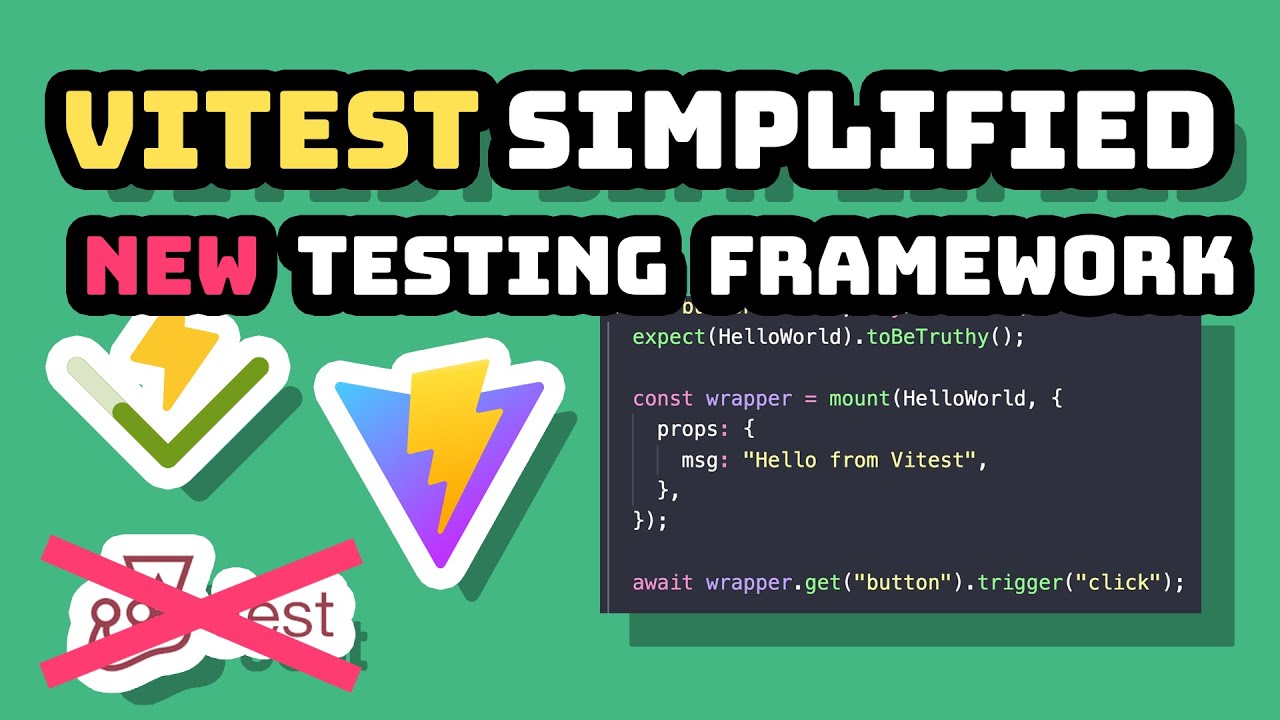
Vitest is a blazing-fast test framework built specifically for Vite projects. It reuses your Vite config for zero additional configuration.
Core Capabilities
Runs unit and integration tests with near-instant feedback.
Native ES modules support without transpilation overhead.
Hot module replacement (HMR) for tests during development.
Compatible with Jest APIs for easy migration.
Key Features
Instant watch mode reruns only affected tests.
Built-in TypeScript support without extra setup.
Smart diff output shows exactly what changed.
Native code coverage via c8 or istanbul.
Browser mode runs tests in real browsers.
Component testing for React, Vue, Svelte.
Use Cases
Best choice for new Vite-based React projects.
Perfect when you want Jest-like APIs with better performance.
Ideal for monorepos using Vite as a build tool.
Great for teams prioritizing developer experience.
Setup Requirements
Install: npm install -D vitest @testing-library/react jsdom
Add test script to package.json: "test": "vitest"
Configure test environment in vite.config.js.
React 18+ recommended for concurrent features.
Testing Philosophy
Leverages Vite’s transformation pipeline for consistency.
Tests should run as fast as your development server.
Zero-config philosophy for common scenarios.
Embraces modern JavaScript standards.
Integration Points
Shares Vite config with your application.
Works with React Testing Library.
Compatible with Jest ecosystem plugins.
Supports Playwright for browser-mode testing.
Learning Curve
Minimal if you already know Jest.
Simple for Vite users since config is shared.
Well-documented migration guides from Jest.
Growing but smaller community than Jest.
Performance Characteristics
Significantly faster than Jest on Vite projects.
Watch mode feels instantaneous.
Low memory usage compared to competitors.
Parallel test execution by default.
Mocha

Mocha is a flexible test framework that’s been around since 2011. It doesn’t include assertions or mocking, giving you complete control over your testing stack.
Core Capabilities
Runs tests in Node.js and browsers.
Organizes tests with describe/it blocks.
Handles async tests through callbacks, promises, or async/await.
Reports results in multiple formats (spec, JSON, HTML).
Key Features
Unopinionated – bring your own assertion library.
Flexible hooks: before, after, beforeEach, afterEach.
Rich ecosystem of reporters and plugins.
Supports behavior-driven development (BDD) style.
Runs tests serially for predictable results.
Use Cases
Choose Mocha when you want fine-grained control over your test stack.
Best for backend Node.js applications that also run React.
Ideal when your team has specific requirements for assertion styles.
Works well in monorepos with mixed testing needs.
Setup Requirements
Install Mocha: npm install --save-dev mocha
Add assertion library (usually Chai): npm install --save-dev chai
Configure Babel for JSX/React code.
Setup jsdom for DOM testing: npm install --save-dev jsdom
Testing Philosophy
Provides the structure, you bring the tools.
No magic – explicit setup and teardown.
Encourages modular test organization.
Freedom comes with responsibility to configure properly.
Integration Points
Pairs with Chai for assertions.
Works alongside Enzyme or React Testing Library.
Compatible with Sinon.js for mocking.
Runs in CI through standard npm scripts.
Learning Curve
Easy to start but setup takes longer.
Requires understanding multiple libraries.
Good documentation but scattered across tools.
Older, established community with deep knowledge.
Performance Characteristics
Fast when configured well.
Serial execution prevents race conditions.
Can be slower than Jest on large suites.
Performance depends heavily on chosen plugins.
Enzyme

Enzyme is a testing utility from Airbnb that made React component testing popular. However, it’s no longer actively maintained and has compatibility issues with React 18+.
Core Capabilities
Renders React components in three modes: shallow, mount, full render.
Provides jQuery-like API for traversing component trees.
Accesses component internals: state, props, lifecycle methods.
Simulates user events on rendered elements.
Key Features
Shallow rendering tests components in isolation.
Full DOM rendering for integration tests.
Method spying on component instances.
Snapshot testing support.
Granular control over component behavior.
Use Cases
Legacy projects still using React 16 or earlier.
Teams comfortable with implementation-detail testing.
Projects with heavy investment in existing Enzyme tests.
Gradually migrating to React Testing Library.
Setup Requirements
Install Enzyme and adapter: npm install --save-dev enzyme enzyme-adapter-react-16
Configure adapter before tests run.
Requires corresponding React version adapter.
Additional plugins for assertions (chai-enzyme).
Testing Philosophy
Tests components from developer’s perspective.
Direct access to component internals.
Implementation-detail focused approach.
Flexibility at the cost of test brittleness.
Integration Points
Works with Jest, Mocha, or any test runner.
Pairs with Chai for assertions.
Requires adapters for each React version.
No official React 18 support – community forks exist.
Learning Curve
Intuitive for developers familiar with jQuery.
Steeper than React Testing Library for testing concepts.
Abundant legacy tutorials still available.
Migration guides exist for moving to React Testing Library.
Performance Characteristics
Shallow rendering is extremely fast.
Full mount slower but still reasonable.
Memory cleanup requires manual attention.
Test speed comparable to React Testing Library.
Note: Consider migrating to React Testing Library for React 18+ projects.
Puppeteer

Puppeteer is Google’s browser automation library that controls Chrome/Chromium through DevTools Protocol. It excels at end-to-end testing with real browser behavior.
Core Capabilities
Controls headless or headful Chrome/Chromium browsers.
Navigates pages and interacts with elements programmatically.
Captures screenshots and PDFs of pages.
Intercepts network requests and responses.
Key Features
Native Chrome debugging through DevTools Protocol.
Fast headless execution for CI environments.
Screenshot and PDF generation.
Network throttling simulation.
Keyboard and mouse event simulation.
Mobile device emulation.
Use Cases
E2E testing React applications in production-like environments.
Visual regression testing with screenshot comparison.
Automated testing of authentication flows.
Testing applications that require Chrome-specific features.
Setup Requirements
Install: npm install --save-dev puppeteer
Bundles Chromium automatically (or use puppeteer-core with system Chrome).
Jest integration via jest-puppeteer preset.
No additional browser drivers needed.
Testing Philosophy
Tests real browser behavior, not simulations.
Headless by default for speed.
Low-level control over browser operations.
Emphasizes actual user experience.
Integration Points
Works with Jest through jest-puppeteer.
Combines with Mocha for test organization.
Integrates with screenshot comparison tools.
CI-friendly with headless mode.
Learning Curve
Straightforward API for basic operations.
Requires understanding async/await patterns.
Debugging headless tests can be tricky initially.
Good documentation with examples.
Performance Characteristics
Slower than unit tests but faster than Selenium.
Headless mode significantly faster than headful.
Parallel execution requires careful resource management.
Memory-intensive when running multiple browsers.
Playwright

Playwright is Microsoft’s modern browser automation framework supporting Chrome, Firefox, and WebKit. It’s Puppeteer’s spiritual successor with cross-browser capabilities.
Core Capabilities
Tests across Chromium, Firefox, and WebKit with single API.
Component testing mode for isolated React component tests.
Network interception and modification.
Multi-page and multi-context testing scenarios.
Key Features
Cross-browser testing with unified API.
Auto-wait for elements before actions.
Network interception without proxies.
Parallel test execution built-in.
Trace viewer for debugging test runs.
Mobile and tablet emulation.
Use Cases
Projects requiring Safari/WebKit compatibility.
Teams needing reliable E2E tests across browsers.
Component testing with real browser rendering.
Applications with complex multi-page workflows.
Setup Requirements
Install: npm install --save-dev @playwright/test
React component testing needs @playwright/experimental-ct-react.
Downloads browser binaries automatically.
TypeScript support built-in.
Testing Philosophy
Tests should work reliably without flakiness.
Real browser behavior over speed compromises.
Component tests get E2E test reliability.
Auto-waiting eliminates timing issues.
Integration Points
Native integration with React, Vue, Svelte.
Works with Vite or custom bundlers.
CI integration through GitHub Actions, GitLab.
Trace files viewable in standalone trace viewer.
Learning Curve
Easy if you know Puppeteer.
Excellent getting-started documentation.
Interactive code generator (Codegen) helps beginners.
Smaller but growing community.
Performance Characteristics
Fast parallel execution across browsers.
Component tests faster than full E2E.
Efficient resource usage compared to Puppeteer.
Traces add overhead but invaluable for debugging.
TestCafe

TestCafe is a Node.js E2E testing framework that runs tests without WebDriver. It works across all modern browsers with zero configuration.
Core Capabilities
Automates browser testing without external dependencies.
Injects test scripts directly into web pages.
Concurrent test execution across multiple browsers.
React-specific selectors through testcafe-react-selectors plugin.
Key Features
Zero WebDriver setup – pure JavaScript automation.
Automatic waiting for elements and page loads.
Built-in assertions and test organization.
Live mode for rapid test development.
Detailed test reports and screenshots.
Cross-browser and cross-platform support.
Use Cases
Teams wanting simple E2E setup without WebDriver hassles.
Projects testing React components with component-specific queries.
Scenarios requiring concurrent multi-browser testing.
Applications needing straightforward CI integration.
Setup Requirements
Install: npm install --save-dev testcafe
React selectors: npm install --save-dev testcafe-react-selectors
Zero browser driver installation needed.
Configuration through .testcaferc.json file.
Testing Philosophy
Tests should run anywhere without dependencies.
Direct page injection avoids driver complexity.
Focus on developer productivity.
Automatic waiting prevents flaky tests.
Integration Points
Works with React via testcafe-react-selectors.
Integrates with Testing Library through adapter.
Compatible with standard CI platforms.
Runs in Docker containers easily.
Learning Curve
Simple API resembling natural language.
Unique selector syntax takes adjustment.
Good documentation with examples.
Smaller community than Cypress or Playwright.
Performance Characteristics
Fast execution without WebDriver overhead.
Parallel testing across browsers.
Smart waiting reduces test time.
Lightweight compared to Selenium-based tools.
Chai

Chai is an assertion library that pairs with any JavaScript test framework. It provides three assertion styles to match your testing preferences.
Core Capabilities
Makes test assertions readable and expressive.
Works in Node.js and browser environments.
Supports BDD (expect/should) and TDD (assert) styles.
Extends easily through plugins.
Key Features
Three assertion styles: assert, expect, should.
Chainable assertions for natural language tests.
Deep equality comparisons for objects and arrays.
Plugin architecture for custom assertions.
Detailed error messages.
Promise assertions via chai-as-promised plugin.
Use Cases
Projects using Mocha, Jest, or any test runner.
Teams wanting consistent assertion syntax.
Scenarios needing custom assertion extensions.
Applications testing HTTP responses (chai-http plugin).
Setup Requirements
Install: npm install --save-dev chai
Import style of choice: assert, expect, or should.
Optional plugins for promises, HTTP, etc.
No framework dependencies.
Testing Philosophy
Assertions should read like natural language.
Provide flexibility without prescribing style.
Extensibility through community plugins.
Clear error messages guide debugging.
Integration Points
Framework-agnostic – works with any test runner.
Popular with Mocha for React testing.
Jest users typically use built-in assertions instead.
Pairs with Enzyme or React Testing Library.
Learning Curve
Quick to learn basic assertions.
Three styles can confuse initially.
Excellent API documentation.
Large community knowledge base.
Performance Characteristics
Minimal overhead – pure assertion logic.
No impact on test execution speed.
Lightweight library size.
Plugin performance varies by implementation.
How Does Testing Work in React Applications
React testing follows a render, interact, assert pattern.
First, the test runner renders your component in a simulated environment using jsdom or a real browser. Then it fires user events like clicks, form inputs, or keyboard actions. Finally, assertion libraries verify the expected output matches actual results.
The software testing lifecycle in React projects typically runs through npm test commands configured in your package.json. Most setups use a combination of test utilities: a runner (Jest or Vitest), a DOM library (Testing Library), and optional browser tools (Cypress or Playwright).
Jest dominates React testing. According to JetBrains State of Developer Ecosystem 2022, 59% of JavaScript developers use Jest for testing. A 2025 Stack Overflow survey shows over 60% of React engineers prefer Jest due to its zero-configuration setup and built-in mocking capabilities.
Tests execute in isolation through beforeEach hooks and afterEach cleanup functions.
Setting Up Your Test Environment
Choose your testing stack based on project complexity:
- Small projects: Jest + React Testing Library
- Medium projects: Add Vitest for faster execution
- Large projects: Include Playwright for end-to-end coverage
Installation takes under 2 minutes:
npm install --save-dev jest @testing-library/react @testing-library/jest-dom
For Vite projects, Vitest runs tests 30% faster than Jest projects averaging (GitHub analysis 2025). Playwright completes tests 42% faster than Cypress in headless mode and runs more than twice as fast in CI/CD pipelines.
Testing Strategy Implementation
Target 80% code coverage as your baseline. Research from Atlassian shows this percentage balances thorough testing without excessive overhead.
Coverage breakdown by test type:
- Unit tests: 90% coverage of individual functions
- Integration tests: 80% coverage of component interactions
- End-to-end tests: 70% coverage of critical user flows
Focus testing on these high-impact areas first: authentication flows, data submission forms, error handling, payment processing, and navigation between routes.
Tool Selection Framework
Unit Testing (Jest or Vitest):
Jest handles 40% of unit testing needs according to JetBrains 2024 data. Vitest offers API compatibility with Jest tests, making migration straightforward.
Component Testing (React Testing Library):
Test user interactions, not implementation details. According to MoldStud 2025 research, Testing Library usage increased while Enzyme declined from 40% in 2019 to 15% in 2025.
End-to-End Testing (Playwright or Cypress):
TestGuild 2025 survey reports Playwright adoption reached 45.1% among QA professionals with 94% retention. It supports Chromium, Firefox, and WebKit browsers. Cypress holds 14% market share but lacks Safari support.
Writing Effective Tests
Structure tests using the Arrange-Act-Assert pattern:
- Arrange: Set up test data and render components
- Act: Simulate user interactions (clicks, typing, navigation)
- Assert: Verify expected outcomes
Example test structure:
test('form submission updates user profile', () => {
  // Arrange
  render(<ProfileForm user={mockUser} />);

  // Act
  fireEvent.change(screen.getByLabelText('Email'), {
    target: { value: 'new@email.com' }
  });
  fireEvent.click(screen.getByText('Save'));

  // Assert
  expect(screen.getByText('Profile updated')).toBeInTheDocument();
});
Parallel Test Execution
Run tests faster using parallel execution. Playwright supports native parallelism across multiple browser contexts. Jest runs tests in parallel by default, cutting execution time substantially according to State of JS 2025 data showing over 70% of developers cite this speed advantage.
Configure Jest for parallel testing:
{
  "jest": {
    "maxWorkers": "50%"
  }
}
CI/CD Integration
Automate testing in your deployment pipeline. Configure coverage thresholds to prevent merging untested code:
{
  "jest": {
    "coverageThreshold": {
      "global": {
        "branches": 80,
        "functions": 80,
        "lines": 80,
        "statements": 80
      }
    }
  }
}
Tests should run on every pull request. Set up GitHub Actions, GitLab CI, or CircleCI to execute your test suite automatically.
Debugging Failed Tests
Use Jest’s watch mode to rerun tests on file changes. The integrated watch mode catches changes on the fly, reducing turnaround time by nearly 40% in mid-sized React apps (MoldStud 2025).
Debug workflow:
- Run failing test in isolation:
npm test -- --testNamePattern="test name" - Add console.log or use debugging breakpoints
- Check component state with screen.debug()
- Verify mock function calls with expect().toHaveBeenCalledWith()
Common Testing Patterns
Mock API calls:
jest.mock('../api/userService');
userService.getUser.mockResolvedValue(mockUserData);
Test async operations:
await waitFor(() => {
  expect(screen.getByText('Data loaded')).toBeInTheDocument();
});
Simulate user events:
import userEvent from '@testing-library/user-event';

await userEvent.type(screen.getByRole('textbox'), 'test input');
await userEvent.click(screen.getByRole('button'));
Performance Benchmarks
Track test execution speed. Your test suite should complete in under 5 minutes for projects with 1000+ tests. Playwright’s parallel execution and test sharding can run 16 tests concurrently when configured with 4 processes and 4 shards.
Optimize slow tests by:
- Mocking external API calls
- Using shallow rendering for unit tests
- Running only changed tests during development
- Implementing test sharding for large suites
Maintenance Strategy
Review test coverage monthly. Update tests when refactoring components. Remove obsolete tests that no longer match current functionality.
Keep test files next to components:
src/
  components/
    Button/
      Button.jsx
      Button.test.jsx
This structure reduces context switching and makes tests easier to find when updating components.
What Are the Types of React Tests
What is Unit Testing in React
Unit testing verifies individual components and functions in isolation. You test one piece at a time, using mock functions to replace dependencies like API calls or external modules.
React Testing Library has become the standard for unit testing React components. Tests focus on user interactions rather than implementation details, creating more maintainable test suites that survive refactors.
Write unit tests for:
- Individual React components in isolation
- Utility functions and helper methods
- Custom hooks functionality
- Reducer logic and state management
- Pure functions with no side effects
According to BrowserStack 2025 data, unit tests are quick to write and run, providing fast feedback during development. Jest’s watch mode enables continuous testing, automatically running tests related to code changes.
Unit testing efficiency:
Tests execute in milliseconds. A suite of 1,000 unit tests typically completes in under 2 minutes. Developers receive immediate feedback on code changes before committing.
What is Integration Testing in React
Integration testing checks how multiple components work together. These tests render parent and child components, verify props validation, and confirm state flows correctly between them.
Integration tests sit between unit and end-to-end testing. They combine several modules to test their cooperation without running the entire application. Kent C. Dodds advocates for integration testing as the sweet spot that provides maximum confidence with reasonable speed.
Integration test scenarios:
- Form components with multiple input fields and submit buttons
- Parent components passing data to children through props
- State management across connected components
- API integration with multiple service calls
- Navigation flows between route components
Survey data from Front End Engineering shows integration tests catch important bugs resulting from component interplay that unit tests miss. These tests validate functionality from a user perspective without the overhead of full end-to-end testing.
Common integration testing patterns:
Render multiple components together. Simulate user interactions across component boundaries. Verify data flows from parent to child components. Test API calls with mock servers using MSW (Mock Service Worker).
What is End-to-End Testing in React
End-to-end tests run in actual browsers, simulating complete user journeys from login to checkout. Tools like Cypress and Playwright handle browser automation, network requests, and visual regression testing.
Playwright adoption reached 45.1% among QA professionals with 94% retention according to TestGuild 2025 survey. It completes tests 42% faster than Cypress in headless mode and supports all major browsers including Safari through WebKit.
End-to-end test coverage:
- Critical user workflows (signup, login, checkout)
- Multi-step processes requiring authentication
- Payment processing and transactions
- Cross-browser compatibility validation
- Mobile responsive behavior verification
According to Katalon’s State of Quality Report 2025 (surveying 1,400 QA professionals), 82% of testers still use manual testing daily while 45% automate regression testing, which is the most automated test type.
E2E testing execution time:
Large test suites with 100+ tests complete in 5-10 minutes using parallel execution. Playwright supports running 16 tests concurrently when configured with 4 processes and 4 shards. Testlio statistics show 26% of teams replace up to 50% of manual testing with automation.
How to Choose a React Testing Library
What Factors Determine Testing Library Selection
Project setup matters. Vite projects benefit from Vitest. Create React App works best with Jest.
Consider code coverage requirements, team familiarity, and CI pipeline compatibility.
Selection criteria checklist:
- Current tech stack: Vite requires different configuration than Create React App
- Team experience: 59% of JavaScript developers already use Jest (JetBrains 2022)
- Coverage targets: Aim for 80% baseline (Atlassian research)
- CI/CD integration: Tools must run in GitHub Actions, GitLab CI, or CircleCI
- Budget constraints: Cypress Cloud features require paid subscription
According to Stack Overflow 2025 survey, over 60% of React engineers prefer Jest for its zero-configuration setup and built-in mocking. The framework runs tests in parallel by default, with State of JS 2025 showing 70% of developers cite speed advantages.
Make selection based on project phase:
Early development (rapid prototyping): Jest + React Testing Library Growth phase (scaling features): Add Playwright for critical paths Enterprise scale (complex workflows): Implement full E2E coverage with Playwright
Which Testing Library Works Best for Component Testing
Jest paired with React Testing Library covers most front-end testing needs. This combination handles snapshot testing, async testing, and DOM queries with minimal configuration.
React Testing Library usage increased while Enzyme declined from 40% in 2019 to 15% in 2025 according to MoldStud research. The shift reflects industry preference for testing user behavior over implementation details.
Component testing implementation:
import { render, screen, fireEvent } from '@testing-library/react';
import UserProfile from './UserProfile';

test('updates profile when form submitted', () => {
  render(<UserProfile user={mockUser} />);

  fireEvent.change(screen.getByLabelText('Email'), {
    target: { value: 'updated@email.com' }
  });

  fireEvent.click(screen.getByRole('button', { name: /save/i }));

  expect(screen.getByText('Profile updated successfully')).toBeInTheDocument();
});
Component testing best practices:
Test user-facing behavior, not internal state. Query by accessible roles and labels. Simulate real user events with fireEvent or userEvent. Verify visual output and DOM changes. Mock external API calls using MSW.
Jest provides built-in code coverage reports without external tooling. Run npm test -- --coverage to see which code paths remain untested.
Which Testing Library Works Best for E2E Testing
Cypress offers the best developer experience with its visual interface and time-travel debugging. Playwright wins for cross-browser requirements and headless testing in build pipelines.
Playwright overtook Cypress in npm downloads since mid-2024 according to Management Works Media. It now holds 15% market share among enterprises evaluating modern automation tools, with 78,600+ GitHub stars and adoption across 424,000+ repositories.
Browser support comparison:
- Playwright: Chrome, Firefox, Safari (WebKit), Edge – all browsers with native support
- Cypress: Chrome, Edge, Firefox only – no Safari support, no mobile emulation
TestDino 2025 data shows 4,484 verified companies use Playwright including Amazon, Walmart, Apple, NVIDIA, and Microsoft. The tool supports multiple programming languages (JavaScript, TypeScript, Python, Java, C#) while Cypress restricts to JavaScript and TypeScript.
Playwright advantages for CI/CD:
Executes in 42 seconds vs Cypress’s 100 seconds in pipelines. Provides auto-waiting for elements to become actionable. Includes built-in parallelization without paid cloud services. Generates detailed trace files for debugging failed tests.
Choose Cypress when:
Team works primarily in JavaScript ecosystem. Real-time debugging during development is priority. Testing Chrome-based applications only. Budget allows for Cypress Cloud subscription.
Choose Playwright when:
Cross-browser testing (including Safari) is required. Testing needs mobile web emulation capabilities. CI/CD pipeline speed is critical. Team uses multiple programming languages.
BrowserStack 2025 trends show 70% of newly developed applications will use low-code or no-code technology, increasing demand for optimized automated testing solutions across all platforms.
How to Set Up Testing in a React Project
What is the Testing Configuration for Create React App
Create React App ships with Jest pre-configured. Run npm test to start the test runner in watch mode.
Test files go in __tests__ folders or use .test.js / .spec.js naming conventions.
Zero configuration setup. Jest runs automatically without additional config files. The testing environment includes jsdom, React Testing Library, and built-in coverage reporting.
State of JavaScript 2025 data identifies mocking as the top pain point (267 mentions), followed by configuration (154 mentions). Create React App eliminates configuration complexity entirely.
File structure options:
src/
  components/
    Button/
      Button.jsx
      Button.test.jsx  // Recommended: colocated tests
Or use a dedicated test directory:
src/
  components/
    Button/
      Button.jsx
  __tests__/
    Button.test.jsx
Run tests with coverage: npm test -- --coverage
What is the Testing Configuration for Vite
Vite projects use Vitest. Install with npm install -D vitest @testing-library/react jsdom.
Add test configuration to vite.config.js specifying jsdom as the environment.
Vitest runs 30% faster than Jest projects according to GitHub analysis 2025. It offers API compatibility with Jest, making migration straightforward for existing test suites.
Installation steps:
npm install -D vitest @testing-library/react @testing-library/jest-dom jsdom @vitest/ui
vite.config.js configuration:
import { defineConfig } from 'vitest/config';
import react from '@vitejs/plugin-react';

export default defineConfig({
  plugins: [react()],
  test: {
    globals: true,  // No need to import describe/test/expect
    environment: 'jsdom',
    setupFiles: './src/setupTests.js',
    coverage: {
      reporter: ['text', 'json', 'html']
    }
  }
});
setupTests.js configuration:
import '@testing-library/jest-dom';
Add test script to package.json:
{
  "scripts": {
    "test": "vitest",
    "test:ui": "vitest --ui",
    "test:coverage": "vitest --coverage"
  }
}
According to Lucent Innovation 2025 research, Vitest offers more complete testing framework capabilities compared to Jest for modern Vite applications.
What is the Testing Configuration for Next.js
Next.js 12+ includes built-in Jest support. Run npx create-next-app@latest --example with-jest for new projects.
Existing projects need jest.config.js with next/jest transformer for handling TypeScript and module aliases.
Setup for existing Next.js projects:
npm install -D jest jest-environment-jsdom @testing-library/react @testing-library/jest-dom
jest.config.js:
const nextJest = require('next/jest');

const createJestConfig = nextJest({
  dir: './',
});

const customJestConfig = {
  setupFilesAfterEnv: ['<rootDir>/jest.setup.js'],
  testEnvironment: 'jest-environment-jsdom',
  moduleNameMapper: {
    '^@/(.*)$': '<rootDir>/src/$1',
  },
};

module.exports = createJestConfig(customJestConfig);
jest.setup.js:
import '@testing-library/jest-dom';
Challenges with Next.js 15 and React 19:
Testing with newer versions requires updated configurations. According to Medium developer reports from 2025, teams encounter module resolution errors and fetch-related issues that need specific polyfills.
Add to package.json:
{
  "scripts": {
    "test": "jest --watch",
    "test:ci": "jest --ci"
  }
}
What Are Common React Testing Patterns
How to Test React Hooks
The @testing-library/react-hooks package (now merged into @testing-library/react) provides renderHook() for testing hooks in isolation.
Wrap hooks that use context in custom providers during tests.
Custom hook testing implementation:
import { renderHook, act } from '@testing-library/react';
import { useCounter } from './useCounter';

test('increments counter', () => {
  const { result } = renderHook(() => useCounter(0));

  act(() => {
    result.current.increment();
  });

  expect(result.current.count).toBe(1);
});
According to Frontend Highlights 2024, focus on testing hook behavior, not implementation. Handle edge cases and mock external dependencies for reliable tests.
Best practices from Toptal research:
- Test what the hook does, not how it works internally
- Cover edge cases with unexpected inputs
- Mock API calls and browser-specific APIs
- Use act() when updating hook state
How to Test useState
Render a component using the hook, trigger state changes via user events, assert the updated output.
Avoid testing useState directly; test the behavior it produces.
Example test pattern:
import { render, screen, fireEvent } from '@testing-library/react';

function Counter() {
  const [count, setCount] = useState(0);
  return (
    <div>
      <p>Count: {count}</p>
      <button onClick={() => setCount(count + 1)}>Increment</button>
    </div>
  );
}

test('updates count when button clicked', () => {
  render(<Counter />);

  expect(screen.getByText('Count: 0')).toBeInTheDocument();

  fireEvent.click(screen.getByRole('button'));

  expect(screen.getByText('Count: 1')).toBeInTheDocument();
});
How to Test useEffect
Effects run after render. Use waitFor() or findBy queries for async effects.
Mock timers with jest.useFakeTimers() for effects with delays.
Testing async effects:
import { render, screen, waitFor } from '@testing-library/react';

test('fetches and displays data', async () => {
  render(<DataComponent />);

  expect(screen.getByText('Loading...')).toBeInTheDocument();

  await waitFor(() => {
    expect(screen.getByText('Data loaded')).toBeInTheDocument();
  });
});
Testing effects with timers:
beforeEach(() => {
  jest.useFakeTimers();
});

afterEach(() => {
  jest.runOnlyPendingTimers();
  jest.useRealTimers();
});

test('shows message after delay', () => {
  render(<DelayedMessage />);

  expect(screen.queryByText('Delayed')).not.toBeInTheDocument();

  act(() => {
    jest.advanceTimersByTime(3000);
  });

  expect(screen.getByText('Delayed')).toBeInTheDocument();
});
How to Test Custom Hooks
Use renderHook(() => useCustomHook()) and access return values through result.current.
Call act() when updating hook state to batch React updates properly.
Complex hook testing example:
import { renderHook, waitFor } from '@testing-library/react';
import { useFetch } from './useFetch';

test('fetches data successfully', async () => {
  const { result } = renderHook(() =>
    useFetch('https://api.example.com/data')
  );

  expect(result.current.loading).toBe(true);

  await waitFor(() => {
    expect(result.current.loading).toBe(false);
  });

  expect(result.current.data).toBeDefined();
  expect(result.current.error).toBeNull();
});
How to Test React Components with Props
Pass different prop combinations to render() and verify output changes accordingly.
Test default props, required props, and edge cases like empty arrays or null values.
Prop validation testing:
test('renders with different prop combinations', () => {
  const { rerender } = render(<UserCard name="John" />);
  expect(screen.getByText('John')).toBeInTheDocument();

  rerender(<UserCard name="Jane" role="Admin" />);
  expect(screen.getByText('Jane')).toBeInTheDocument();
  expect(screen.getByText('Admin')).toBeInTheDocument();
});

test('handles missing optional props', () => {
  render(<UserCard name="John" />);
  expect(screen.queryByText('Role:')).not.toBeInTheDocument();
});
How to Test Async Operations in React
Use findBy queries that return promises, or wrap assertions in waitFor() blocks.
Async testing requires patience; set appropriate timeout values in your test configuration.
Async query methods:
// findBy queries automatically wait (default 1000ms timeout)
const element = await screen.findByText('Loaded');

// waitFor with custom timeout
await waitFor(() => {
  expect(screen.getByRole('alert')).toHaveTextContent('Success');
}, { timeout: 3000 });

// Multiple async assertions
await waitFor(() => {
  expect(screen.getByText('User 1')).toBeInTheDocument();
  expect(screen.getByText('User 2')).toBeInTheDocument();
});
Error handling in async tests:
test('displays error message when fetch fails', async () => {
  server.use(
    http.get('/api/users', () => {
      return HttpResponse.error();
    })
  );

  render(<UserList />);

  const errorMessage = await screen.findByText('Failed to load users');
  expect(errorMessage).toBeInTheDocument();
});
How to Mock API Calls in React Tests
Mock fetch or axios at the module level using jest.mock().
Mock Service Worker (MSW) intercepts network requests at the service worker level for more realistic API mocking.
Return different responses per test to cover success, error, and loading states.
MSW setup for testing:
MSW intercepts requests at the network layer without modifying application code. According to Stack Builders 2024, this provides more realistic behavior compared to mocking HTTP clients.
Installation:
npm install -D msw
Create mock handlers (src/mocks/handlers.js):
import { http, HttpResponse } from 'msw';

export const handlers = [
  http.get('https://api.example.com/users', () => {
    return HttpResponse.json([
      { id: 1, name: 'John' },
      { id: 2, name: 'Jane' }
    ]);
  }),

  http.post('https://api.example.com/users', async ({ request }) => {
    const newUser = await request.json();
    return HttpResponse.json(
      { id: 3, ...newUser },
      { status: 201 }
    );
  })
];
Setup test server (src/mocks/server.js):
import { setupServer } from 'msw/node';
import { handlers } from './handlers';

export const server = setupServer(...handlers);
Configure tests (src/setupTests.js):
import '@testing-library/jest-dom';
import { server } from './mocks/server';

beforeAll(() => server.listen());
afterEach(() => server.resetHandlers());
afterAll(() => server.close());
Test with different responses:
import { server } from './mocks/server';
import { http, HttpResponse } from 'msw';

test('handles successful API response', async () => {
  render(<UserList />);

  const users = await screen.findAllByRole('listitem');
  expect(users).toHaveLength(2);
});

test('handles API error', async () => {
  server.use(
    http.get('https://api.example.com/users', () => {
      return HttpResponse.json(
        { error: 'Server error' },
        { status: 500 }
      );
    })
  );

  render(<UserList />);

  expect(await screen.findByText(/error/i)).toBeInTheDocument();
});
MSW advantages from developer feedback:
- Works with any HTTP client (fetch, axios, React Query)
- Reusable across development, testing, and debugging
- No need for adapters or configurations
- Supports REST, GraphQL, and WebSocket APIs
According to mswjs.io documentation, MSW uses Service Worker API in browsers and class extension in Node.js to intercept requests at the network level while keeping application code unchanged.
Performance impact: MSW intercepts requests without slowing down test execution. Tests run at normal speed since mocking happens at the network layer, not at the application level.
What Are the Best Practices for React Testing
Test behavior, not implementation. Query by accessible roles and text rather than class names or test IDs.
Query by accessibility attributes. React Testing Library prioritizes queries that reflect how users interact with your application. According to UXPin research from 2024, automated tools catch only 20-40% of accessibility issues, making proper testing patterns critical.
Priority query order:
- getByRole – Most accessible query (buttons, headings, links)
- getByLabelText – For form elements with labels
- getByPlaceholderText – Secondary option for inputs
- getByText – For static content
- getByTestId – Last resort only
Keep tests isolated. Each test should set up its own state and clean up after itself using beforeEach hooks and afterEach cleanup.
Test isolation implementation:
let mockData;

beforeEach(() => {
  mockData = {
    users: [
      { id: 1, name: 'John' },
      { id: 2, name: 'Jane' }
    ]
  };
});

afterEach(() => {
  cleanup();
  jest.clearAllMocks();
});
According to State of JavaScript 2025 survey data, 267 developers cited mocking as their top testing pain point. Proper test isolation prevents mock leakage between tests.
Write tests that fail for the right reasons. A regression test should break when functionality breaks, not when CSS changes.
Example of brittle vs resilient tests:
// Brittle - breaks when CSS changes
const button = container.querySelector('.btn-primary');

// Resilient - tests user-facing behavior
const button = screen.getByRole('button', { name: /submit/i });
Aim for confidence, not coverage. 80% test-driven coverage on critical paths beats 100% coverage with shallow tests.
Coverage strategy from Atlassian research:
- Unit tests: 90% coverage of individual functions
- Integration tests: 80% coverage of component interactions
- End-to-end tests: 70% coverage of critical user flows
Focus testing efforts on high-risk areas: authentication, payment processing, data submission, error handling, and navigation flows.
Run tests in your deployment pipeline. Block merges when tests fail.
CI/CD integration requirements:
# GitHub Actions example
- name: Run tests
  run: npm test -- --coverage --watchAll=false

- name: Check coverage threshold
  run: npm test -- --coverage --coverageThreshold='{"global":{"branches":80,"functions":80,"lines":80}}'
According to Katalon’s State of Quality Report 2025, 82% of testers still use manual testing daily while 45% automate regression testing. Automation in CI/CD pipelines reduces manual testing burden significantly.
Name tests descriptively: “renders error message when API returns 500” tells you exactly what broke.
Descriptive naming patterns:
// Poor naming
test('works', () => {});
test('test 1', () => {});

// Good naming
test('displays loading spinner while fetching data', async () => {});
test('shows error message when API returns 500 status', async () => {});
test('disables submit button when form is invalid', () => {});
Additional best practices from BrowserStack 2025:
- Test accessibility. Use jest-axe to catch accessibility violations
- Avoid testing implementation details. Don’t test state directly or component internals
- Use real timers when possible. Fake timers can mask timing bugs
- Test error boundaries. Verify graceful error handling
- Mock external dependencies. Use MSW for API calls instead of mocking fetch
European Accessibility Act enforcement starts June 2025. According to Test Guild data from AG2026 survey, accessibility testing becomes a CI/CD gate requirement, not optional.
Accessibility testing integration:
import { axe, toHaveNoViolations } from 'jest-axe';

expect.extend(toHaveNoViolations);

test('should have no accessibility violations', async () => {
  const { container } = render(<MyComponent />);
  const results = await axe(container);
  expect(results).toHaveNoViolations();
});
According to Frontend Highlights research from 2024, axe-core is one of the most popular tools for identifying accessibility issues and integrates easily into JavaScript-based web applications.
What Are Common React Testing Errors
How to Fix “Unable to Find Element” Errors
Check if the element renders asynchronously. Switch from getBy to findBy queries.
Use screen.debug() to print the current DOM and verify what actually rendered.
Common causes and solutions:
Element renders after async operation:
// Wrong - getBy queries fail immediately
expect(screen.getByText('Data loaded')).toBeInTheDocument();

// Right - findBy queries wait (default 1000ms)
expect(await screen.findByText('Data loaded')).toBeInTheDocument();
Element has different text than expected:
// Use screen.debug() to see actual DOM
screen.debug();

// Or debug specific element
screen.debug(screen.getByRole('button'));
Element not in accessible tree:
// Check what queries are available
screen.logTestingPlaygroundURL();
// Opens browser with available queries

// Verify element exists with accessible role
const button = screen.getByRole('button', {
  name: /submit/i,
  hidden: true  // Include hidden elements if needed
});
Query selector issues:
// Too specific - brittle
screen.getByText('Submit Form');

// More flexible - handles variations
screen.getByText(/submit/i);
screen.getByRole('button', { name: /submit/i });
How to Fix Act Warning in React Tests
The “not wrapped in act(…)” warning means state updated outside React’s awareness.
Wrap manual state updates in act(), or use Testing Library methods that handle this automatically.
Act warning indicates untested component updates. According to BrowserStack 2025 guidance, this helps avoid flaky tests where assertions run before React finishes processing state changes.
Common scenarios requiring act():
import { act } from '@testing-library/react';

// Manual state update
test('updates counter', () => {
  render(<Counter />);

  act(() => {
    // Trigger update that changes state
    someStateUpdate();
  });

  expect(screen.getByText('Count: 1')).toBeInTheDocument();
});
Preferred solution using Testing Library utilities:
// Instead of manual act(), use async utilities
test('updates after timeout', async () => {
  render(<DelayedComponent />);

  // findBy automatically waits and uses act() internally
  expect(await screen.findByText('Updated')).toBeInTheDocument();
});

// Or use waitFor for complex conditions
test('handles multiple updates', async () => {
  render(<ComplexComponent />);

  await waitFor(() => {
    expect(screen.getByText('Step 1')).toBeInTheDocument();
    expect(screen.getByText('Step 2')).toBeInTheDocument();
  });
});
When to use act() directly:
According to Kent C. Dodds’ testing guidance, you typically need manual act() wrapping for:
- Code running outside React’s callstack (async operations you manage)
- Jest fake timers advancing time
- Manual DOM manipulation triggering React updates
Always import act from Testing Library:
// Wrong - don't import from React
import { act } from 'react';

// Right - import from Testing Library
import { act } from '@testing-library/react';
The Testing Library version ensures proper test environment configuration and better compatibility across React versions.
How to Fix Timeout Errors in Async Tests
Increase the default timeout: jest.setTimeout(10000) or pass timeout to individual tests.
Check for unresolved promises, missing mock responses, or components waiting for data that never arrives.
Track failed tests systematically; flaky async tests often indicate race conditions in your code.
Timeout configuration methods:
// Global timeout in setup file
jest.setTimeout(10000);

// Individual test timeout
test('slow operation', async () => {
  // test code
}, 15000);  // 15 second timeout

// waitFor with custom timeout
await waitFor(() => {
  expect(screen.getByText('Loaded')).toBeInTheDocument();
}, { timeout: 5000 });
Common causes of timeout errors:
Missing mock response:
// Component waits forever for unmocked endpoint
test('loads data', async () => {
  // Forgot to mock this endpoint
  render(<DataComponent url="/api/missing" />);

  // Times out waiting for data
  await screen.findByText('Data loaded');
});

// Fix: Add mock handler
server.use(
  http.get('/api/missing', () => {
    return HttpResponse.json({ data: 'mocked' });
  })
);
Unresolved promise:
// Promise never resolves
const neverResolves = new Promise(() => {});

// Fix: Ensure promises resolve/reject
const mockPromise = Promise.resolve({ data: 'test' });
Infinite loop in useEffect:
// Component stuck in update loop
useEffect(() => {
  setState(newValue); // Missing dependency array
});

// Fix: Add dependency array
useEffect(() => {
  setState(newValue);
}, [dependency]);
According to Semaphore research on flaky tests:
Write synchronous tests unless functionality explicitly involves asynchronous operations. Mindlessly kicking off flaky tests wastes time. Flag flaky tests and fix them quickly. The faster you fix them, the better.
Debugging async test failures:
// Add logging to track test progress
test('async operation', async () => {
  console.log('Starting test');
  render(<Component />);

  console.log('Waiting for element');
  const element = await screen.findByText('Success');

  console.log('Found element, making assertion');
  expect(element).toBeInTheDocument();
});

// Check if element exists at all
const element = screen.queryByText('Success');
console.log('Element exists:', element !== null);

// Verify mock was called
expect(mockFunction).toHaveBeenCalled();
console.log('Mock called with:', mockFunction.mock.calls);
Performance impact of timeouts:
Tests with increased timeouts still fail quickly when assertions pass. The timeout only affects failing tests. Set timeouts appropriately for your slowest legitimate operations (typically 3-10 seconds for API calls).
Test stability best practices:
- Use MSW for network mocking (prevents real API flakiness)
- Avoid hardcoded delays with
setTimeout - Mock timers when testing time-dependent features
- Use
waitForinstead of fixed delays - Clean up async operations in afterEach hooks
According to How To Test Frontend 2025 guidance, flaky tests that pass sometimes and fail other times usually indicate:
- Race conditions in component logic
- Missing await statements
- Shared state between tests
- External dependencies not properly mocked
FAQ on React Testing Libraries
What is the best testing library for React?
Jest paired with React Testing Library covers most use cases. Jest handles test running and assertions. React Testing Library queries the DOM like users interact with it. This combination is the standard for React component testing.
Is Jest still used for React testing?
Yes. Jest remains the default test runner in Create React App and most React projects. While Vitest gains popularity in Vite-based setups, Jest’s ecosystem, documentation, and behavior-driven matchers keep it widely adopted.
What is the difference between Jest and React Testing Library?
Jest is a test runner that executes tests and provides assertions. React Testing Library is a DOM testing utility that renders components and queries elements. They work together. Jest runs the tests; Testing Library interacts with your components.
Should I use Enzyme or React Testing Library?
Use React Testing Library. Enzyme is deprecated and no longer maintained for React 18+. React Testing Library focuses on user behavior rather than implementation details, producing more reliable tests that survive code refactoring.
How do I run tests in a React application?
Run npm test in your terminal. Create React App and most setups execute Jest in watch mode. Tests in tests folders or files ending with .test.js run automatically. Failed tests display in your console with stack traces.
What is snapshot testing in React?
Snapshot testing captures a component’s rendered output and compares it against stored snapshots. When output changes unexpectedly, the test fails. Useful for detecting unintended UI changes, but overuse creates brittle tests that fail on every minor update.
How do I test async components in React?
Use findBy queries or wrap assertions in waitFor(). These methods wait for elements to appear after async operations complete. Mock API calls with jest.mock() or MSW to control responses and test loading, success, and error states.
Is Cypress good for React testing?
Cypress excels at end-to-end testing where you need real browser interactions. It also supports component testing since version 10. For unit tests, stick with Jest. For full user flows and integration scenarios, Cypress works well.
What is the recommended test coverage for React apps?
Aim for 70-80% coverage on critical paths. 100% coverage often means testing trivial code. Focus on user-facing features, complex logic, and edge cases. Coverage reports from Istanbul help identify untested areas in your development process.
How do I debug failing React tests?
Use screen.debug() to print the current DOM. Check for async timing issues with findBy queries. Verify mock functions receive expected calls with toHaveBeenCalledWith(). Read error messages carefully; Testing Library errors explain exactly which element was not found.
Conclusion
React testing libraries protect your application from shipping broken code. Jest, React Testing Library, Vitest, Cypress, and Playwright each solve different problems in your test suite.
Start with Jest and React Testing Library for component unit tests. Add Cypress or Playwright when you need browser automation.
Write tests that focus on user behavior, not implementation details. Mock external dependencies. Keep test suites fast through reliable isolation patterns.
Good tests improve maintainability and give you confidence to refactor without fear. They catch regressions before your users do.
Integrate testing into your DevOps workflow. Run tests on every commit through source control hooks and CI pipelines.
The best test suite is one your team actually runs. Keep it fast, keep it relevant, keep it green.

- How to Run a React App in VS Code Step by Step - October 23, 2026
- Transactional or marketing email: which messages your app should send itself - October 23, 2026
- How Software Teams Write SOPs for Releases and Deployments - October 22, 2026


