Most React codebases settle into a handful of repeating shapes. Two components need the same fetch logic. A tabs widget has four pieces that all read the same state. A form input has to stay in step with whatever’s in memory. The names people gave those shapes are what get called component patterns.
They aren’t design patterns in the Gang of Four sense. No abstract factories here. Everything runs on what React itself hands you, which is props, context, hooks, and refs, and that’s a much smaller toolbox than general object-oriented theory assumes.
Hooks landed as a stable feature in version 16.8 on February 6, 2019 (React Blog). That release quietly ended the reign of higher-order components and render props. Custom hooks became the default way to move logic around, and a lot of what came before is now code teams maintain rather than write.
What Are React Component Patterns?
Conventions, mostly. Ways of structuring how state, logic, and markup travel between components, agreed on by teams rather than enforced by the library.
That’s the whole difference from a general software design pattern: the older idea sits underneath, just narrowed down to what React specifically gives you to work with.
Everything below is built out of the same small set of pieces.
- props, passed down explicitly from parent to child
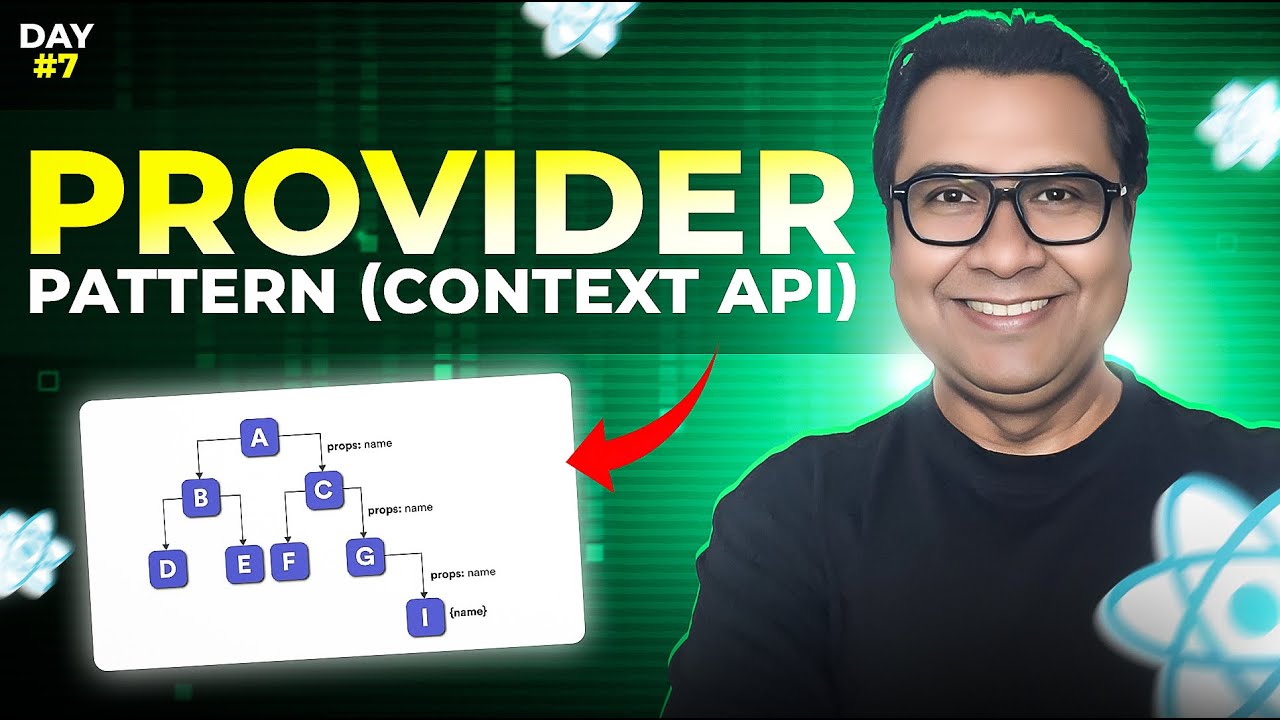
- context, for state that many descendants need without threading it through every level, the classic prop drilling problem
- hooks, for logic that needs to live inside a function component
- refs, for reaching into the DOM or an imperative API directly
React shows up in 41.6 percent of professional developers’ toolkits, more than any other web framework tracked in the 2024 Stack Overflow Developer Survey. Node.js came second at 40.7 percent. That’s an enormous amount of production frontend code running on the same few conventions.
Worth repeating, though: React enforces none of this. Meta ships the library and teams agree on the rest. If you’re still getting oriented with what React.js actually provides out of the box, that distinction matters more than it first sounds.
What Are the Main Types of React Component Patterns?

Compound components, render props, higher-order components, custom hooks, controlled components. The uncontrolled variant rides along with that last one and gets covered alongside it.
A good number of popular React libraries package these up for you already, which is why plenty of developers use two or three every week without ever naming them.
| Pattern | Use Case | Mechanism | Era Introduced |
|---|---|---|---|
| Compound components | Multi-part UI like tabs or accordions | Context shared between parent and children | Pre-hooks, still common |
| Render props | Sharing a changing value across UI | A function passed as a prop | React 15-16, pre-hooks |
| Higher-order components | Wrapping a component with extra behavior | Function returns an enhanced component | Early React, pre-hooks |
| Custom hooks | Reusing stateful logic without new markup | A function that calls other hooks | React 16.8, 2019 |
| Controlled components | Form inputs driven by state | Value and onChange tied to state | Present since early React |
Higher-order components, render props, and custom hooks all attack one problem, which is sharing logic without copy-pasting it. The mechanics differ mostly by when a team adopted them.
- higher-order components, render props, and most controlled-component code came out of the pre-hooks era
- custom hooks and newer controlled inputs built around useState came after
How Does the Compound Component Pattern Work?

One logical UI element gets split into several small components that share hidden state through context. Accordion and Accordion.Item only make sense rendered together, and that’s deliberate.
Kent C. Dodds popularized the approach in the React community. His framing was about handing consumers control over markup while the actual state management stays private inside the parent.
The catch is real. Pull a child out to render inside a portal, or anywhere else on the page, and the implicit connection to its parent’s context usually breaks.
Steps to Build a Compound Component
Building one from scratch tends to follow the same order every time.
- Create a context scoped to just this component group.
- Build the parent component as a context provider.
- Have each child read from that context with useContext.
- Attach the children to the parent as static properties, like Accordion.Item.
Radix UI and shadcn/ui both build their accordion and tabs primitives on close to this exact structure, and they’re two of the better-known names among React UI component libraries.
npm shows @radix-ui/react-accordion pulling in more than 6.7 million downloads a week (npm, 2026), a rough proxy for how far those primitives have spread.
How Does the Render Props Pattern Work?

You pass a function as a prop. The function returns JSX. Control over what actually renders goes back to the parent instead of staying with the child.
Michael Jackson and Ryan Florence get credit for popularizing the technique. Early versions of React Router leaned on it heavily before the library shifted toward hooks, a change the guide to React Router walks through in more detail.
The obvious fit is a value that changes constantly, like scroll position or mouse coordinates. Data-fetching logic wrapped around a piece of UI works too. And there’s the case where a parent needs to own layout while the child owns the underlying state, which is awkward to do any other way.
Custom hooks took over most of that work once React shipped hooks as a stable feature in version 16.8, on February 6, 2019 (React Blog). A hook does the same logic-sharing job without stacking another wrapper into the component tree.
The complaint people actually make is about nesting. Stack two or three render props inside each other and the indentation gets deep enough to be annoying before a single piece of real UI shows up. Developers still half-jokingly call it render prop hell.
How Does the Higher-Order Component Pattern Work?

Take a component, return a new one with extra behavior bolted on. That’s the entire idea.
Redux’s connect() function is probably the most-executed HOC in JavaScript history at this point. Call it on a component and you get back a component already wired up to the store.
- static methods don’t get copied onto the wrapper automatically, a gap the official React documentation flags directly
- refs won’t pass through to the wrapped component unless you forward them yourself
- stack two or three HOCs on one component and prop names start colliding with no warning at all
Most teams still migrating off HOCs are really doing code refactoring toward custom hooks. Same logic-sharing job, no permanent wrapper component sitting in the tree.
How Do Custom Hooks Work as a Component Pattern?

Any plain JavaScript function whose name starts with use. That naming rule is what lets it call other hooks inside itself, and that’s the whole mechanism.
Two unrelated components can then share the same piece of cross-cutting stateful logic without sharing any markup. Higher-order components and render props never quite managed that cleanly.
In the State of React 2024 survey run by Devographics, useState came back as both the most used and the most loved feature in the entire questionnaire, with only 1.26 percent negative sentiment. Most custom hooks are useState or useReducer underneath, wearing a more specific name.
- useFetch, for data loading
- useLocalStorage, for values that need to survive a page refresh
- useDebounce, for delaying how often input handling actually fires
React’s own announcement for version 16.8, with Dan Abramov leading the write-up, recommended pairing hooks with a new lint rule called eslint-plugin-react-hooks. That rule still catches missing dependencies inside useEffect today.
The mechanics behind all of this get a fuller walkthrough in the React hooks explained guide.
Typing a hook’s return value keeps its contract predictable for whoever else on the team ends up calling it. That’s really a React with TypeScript question rather than anything unique to hooks.
How Do Controlled and Uncontrolled Components Work?
Two different owners for one piece of data, that data being the current value sitting inside a form input.
In a controlled component the value lives in React state. Uncontrolled means it stays in the DOM, untouched, until something goes looking for it.
Controlled Components
- component state is the data source, updated on every onChange event
- one render per keystroke or change, sometimes more with nested state
- what’s on screen always matches what’s in state, no exceptions
That last part is exactly why validation logic and conditional form fields lean on controlled inputs so often.
Uncontrolled Components
No onChange handler at all. The current value gets read through a ref, usually only at the moment the form actually gets submitted.
React Hook Form built its entire approach around this, relying on refs captured through its register function instead of value and onChange pairs. npm shows react-hook-form pulling in more than 15 million downloads a week (npm, 2026), among the highest of any React form library.
Cutting re-renders this way is one narrow case of the broader React performance optimization work most teams get to eventually.
| Aspect | Controlled | Uncontrolled |
|---|---|---|
| Data owner | React state | The DOM |
| Update trigger | onChange handler | Ref read on submit |
| Typical library | Formik-style state forms | React Hook Form |
Which React Component Pattern Should You Use for Sharing State?
Custom hooks win the sharing-state question most of the time in 2026. The other four each keep a narrow lane where they’re genuinely the better call.
Look at what’s being shared rather than at what feels current. A value and its setter usually wants a hook. A whole chunk of markup usually wants compound components.
- 99.5 percent of respondents in the State of React 2023 survey had adopted useState, with under 2 percent reporting dissatisfaction (Devographics)
- Zustand usage climbed from 28 percent to 41 percent in a single year, per the State of React 2024 survey (Devographics)
- React’s own documentation states plainly that higher-order components are not commonly used in modern React code
| Pattern | Pros | Cons |
|---|---|---|
| Compound components | Clean consumer API, state stays internal | Children must stay inside the parent’s tree |
| Render props | Full control over rendering handed to the parent | Nesting gets messy fast |
| Higher-order components | Works with both class and function components | Static methods and refs need manual handling |
| Custom hooks | No wrapper component, easy to test in isolation | Still needs a component to actually call it |
| Controlled components | State and UI never drift apart | More renders on fast-changing input |
Compound components start beating long prop lists once a UI element has four or five configurable children instead of two or three. Below that threshold, plain props are simpler and the extra structure buys nothing.
For brand new logic-sharing code, custom hooks are the default answer almost every time. Reach elsewhere when the problem’s actual shape calls for it. A genuinely multi-part UI wants compound components, and something that has to work inside both class and function trees still wants a higher-order component.
What Tools Support React Component Patterns?
| Tool | What It Does | Best For |
|---|---|---|
| Storybook | Builds and documents components in isolation | Compound components, shared UI libraries |
| eslint-plugin-react-hooks | Enforces the rules of hooks | Custom hooks, any hooks-based code |
| TypeScript | Types context values and prop pass-through | Compound components, higher-order components |
| Radix UI, shadcn/ui | Pre-built compound primitives | Skipping the from-scratch build |
Storybook renders one component at a time, away from the rest of the app, which makes it a natural fit for documenting a compound component’s full API. npm shows the @storybook/react package pulling in more than 7 million downloads a week (npm, 2026).
Linting in programming is what eslint-plugin-react-hooks is doing under the hood, and it enforces two separate rules. One blocks calling a hook conditionally or inside a loop. The other flags a useEffect that’s missing a dependency it actually reads.
Typing gets more interesting once patterns are involved. A compound component’s context value needs a type every child can narrow safely. A higher-order component needs its prop types to pass through cleanly to whatever gets wrapped, which is fiddlier than it sounds.
Some of the best UI libraries for React exist specifically to hand you these primitives already built, so nobody on the team has to solve the context-typing problem from scratch.
How Do You Test Components Built With These Patterns?
Testing Library shapes how these patterns get tested, more than Jest or Vitest do on their own.
Its documentation puts the philosophy directly: the more a test resembles how the software actually gets used, the more confidence it gives you. npm shows @testing-library/react pulling in well over 18 million downloads a week (npm, 2026), more than almost any other testing tool in the React ecosystem.
- compound components get rendered as a whole group, since children read from context that only exists inside the parent
- with render props and higher-order components, test the wrapped output that reaches the screen rather than the wrapper function by itself
- for inputs, simulate someone actually typing instead of calling onChange directly
Jest and Vitest both sit underneath Testing Library as the actual test runner, executing assertions and reporting results.
Testing a custom hook in isolation needs renderHook. That utility used to live in its own package, @testing-library/react-hooks, before the functionality was folded into @testing-library/react and @testing-library/react-native to support React 18. The legacy package is marked deprecated on npm now, and its weekly download count is a small fraction of @testing-library/react’s, mostly older codebases nobody has migrated yet (npm, 2026).
The deeper comparison between runners and libraries sits in the guide to React testing libraries on this site.
How Do React Component Patterns Fit Into Application Architecture?
At the architecture level this stops being a syntax question and turns into a folder and boundary question. Where compound components live, where custom hooks live, which pieces get their own bundle.
- Brad Frost’s atomic design methodology breaks a UI into atoms, molecules, organisms, templates, and pages, and plenty of teams use that as the folder-level structure component patterns live inside
- the container and presentational split traces straight back to Dan Abramov’s original 2015 post, keeping data-fetching in one layer and markup in another, though he’s since pointed to hooks as a replacement for a lot of what the split used to require
Bundle boundaries fall out of pattern choice too. A component built with React.lazy and Suspense becomes its own chunk, and compound components or heavy tool-driven UI are usually first in line for that split.
Consistent pattern use shortens onboarding in a very literal way. A new engineer who has read one compound component in the codebase has effectively read all of them, because the shape repeats.
When Do React Component Patterns Not Apply?
These patterns fail in specific, predictable spots. None of the five is universally correct, and forcing one where it doesn’t fit adds indirection and nothing else.
- wrapping a button that gets used once in a compound structure or an HOC adds a layer of indirection for zero reuse benefit
- React Server Components can’t use hooks like useState, useEffect, or useContext, which rules out custom hooks and anything context-based at that boundary
- three or four stacked higher-order components multiply the number of components React has to check on every re-render, even when most of them render nothing new
- without TypeScript, a compound component reading the wrong context value or a child rendered outside its parent usually surfaces as a runtime error instead of getting caught before the code ships
None of that means avoid the patterns. It means matching the pattern to the actual shape of the problem, and defaulting back to a plain component with plain props when there isn’t one.
FAQ on React Component Patterns
What Is the Difference Between a React Component Pattern and a General Software Design Pattern?
A general software design pattern solves problems across any object-oriented language, built around classes and interfaces.
A React component pattern only exists because of React’s specific tools, which are props, context, and hooks. Take it outside a React codebase and it means nothing.
Are Higher-Order Components Outdated in 2026?
Not obsolete, but clearly secondary now. New logic-sharing work reaches for custom hooks first, since a hook needs no wrapper.
Higher-order components still earn a place when logic has to reach both class and function components, which hooks cannot do.
What Is the Best Pattern for Building a Shared Component Library?
Compound components usually win for a shared UI library. Consumers get a clean API and state stays private inside the parent.
Custom hooks handle the shared logic underneath, so published packages often ship both patterns together inside one library.
Is Prop Drilling Always a Problem, or Sometimes Acceptable?
Not always. Passing a prop through one or two intermediate components is normal and doesn’t need context or a dedicated pattern.
It turns into a real problem past three or four levels, once components start carrying props they never use.
Can Multiple Component Patterns Be Combined in One Component?
Regularly, and production code does it constantly. A compound component often uses custom hooks internally to manage its shared state.
A higher-order component can wrap one that itself uses render props. Patterns describe roles, not categories a component has to pick.
Do React Component Patterns Still Apply With React Server Components?
Partly. A component running on the server cannot use hooks or context, which rules out custom hooks and context-based compound components.
Controlled components and higher-order components written as plain functions still work fine once marked as client components.
Is TypeScript Required to Use These Patterns?
No, every pattern works in plain JavaScript. React’s API has no TypeScript dependency anywhere.
It does add real value for compound components and higher-order components, catching context misuse and broken prop pass-through before anything ships.
Where Should You Start Adopting React Component Patterns in an Existing Codebase?
Start with the highest-friction spot, which is whatever component carries the most duplicated logic across screens. Convert that into a custom hook before touching any other pattern.
Custom hooks carry the least migration risk. You change internals without touching markup or the component’s public interface.
A dependable order looks like this.
- Extract duplicated logic into custom hooks.
- Replace multi-part UI with compound components.
- Retire remaining higher-order components last.
That order accepts a trade-off. Higher-order components wrapping third-party integrations, an analytics library for instance, stay in place longest.
This priority order holds as of September 2026. Wider React Server Components adoption changes it, pushing browser-only custom hooks toward the back of the queue and moving the next decision up to the app level, where the choice is between React context and Redux for shared state.

- How to Run a React App in VS Code Step by Step - October 23, 2026
- Transactional or marketing email: which messages your app should send itself - October 23, 2026
- How Software Teams Write SOPs for Releases and Deployments - October 22, 2026