

A component showing a stock price, a chat thread, or a queue of open support tickets has to change what it displays while someone is looking at it. No reload. That is real-time data rendering in React, and most of the work sits in two hooks plus whatever is feeding them.
The source can be a WebSocket, a polling timer, a Firebase listener. React does not much care which. It cares that state changed, because a state change is what schedules the next render and puts fresh numbers on screen.
useState and useEffect became stable in version 16.8, released February 6, 2019 (React blog, 2019). Everything below assumes that version or later.
What Is Real-Time Data Rendering in React

Nothing gets installed for this. It is a shape you build out of hooks: a component stays subscribed to something, and when that something sends a new value, React runs its re-render cycle and patches the DOM. You never touch the DOM yourself.
Static rendering hands you one snapshot, at build time or on the first request, and then it is finished. Here the snapshots keep coming for as long as the component stays mounted and the connection is alive.
The term gets stretched to cover almost anything with a spinner on it, so it is worth pinning down what it is not.
- Not a single library or package you install
- Not limited to apps that use WebSockets
- Not the same as server-side rendering, which only handles the first paint
- Not a reason on its own to add a state management library
Anyone still shaky on the basics might want the rundown on what React.js is first, since the rendering model here builds straight on top of it.
How React Re-Renders a Component When Its Data Changes
The re-render itself is fairly boring mechanics. React builds a new virtual DOM tree, diffs it against the previous one, and updates only the real nodes that differ. Reconciliation is the name for the diffing step, and it runs whenever state or props change.
Lists are where people get burned. The key prop is how React identifies an item across renders, so reordering a list moves the existing nodes instead of tearing them down and rebuilding them. Use the array index as a key on a list that reorders and you will watch input values jump to the wrong rows.
Two other things happen without you asking. React batches state updates fired inside the same event handler, timeout, or promise callback, so five setState calls produce one render rather than five. And React 18, out in March 2022, added useTransition and startTransition so a state update can be flagged non-urgent, letting more pressing work render first.
None of this is free. A screen that re-renders often enough starts to feel gummy, which is the actual subject behind working through React performance optimization techniques like memoizing components or trimming what triggers a render at all.
Which Hooks Manage Updating Data in React
useState, useEffect, useReducer, and whatever custom hook you eventually wrap them in. That is the toolkit. Each maps to a different shape of the same problem, from one value that flips to a subscription with setup and teardown on both ends.
useState for Local Updates
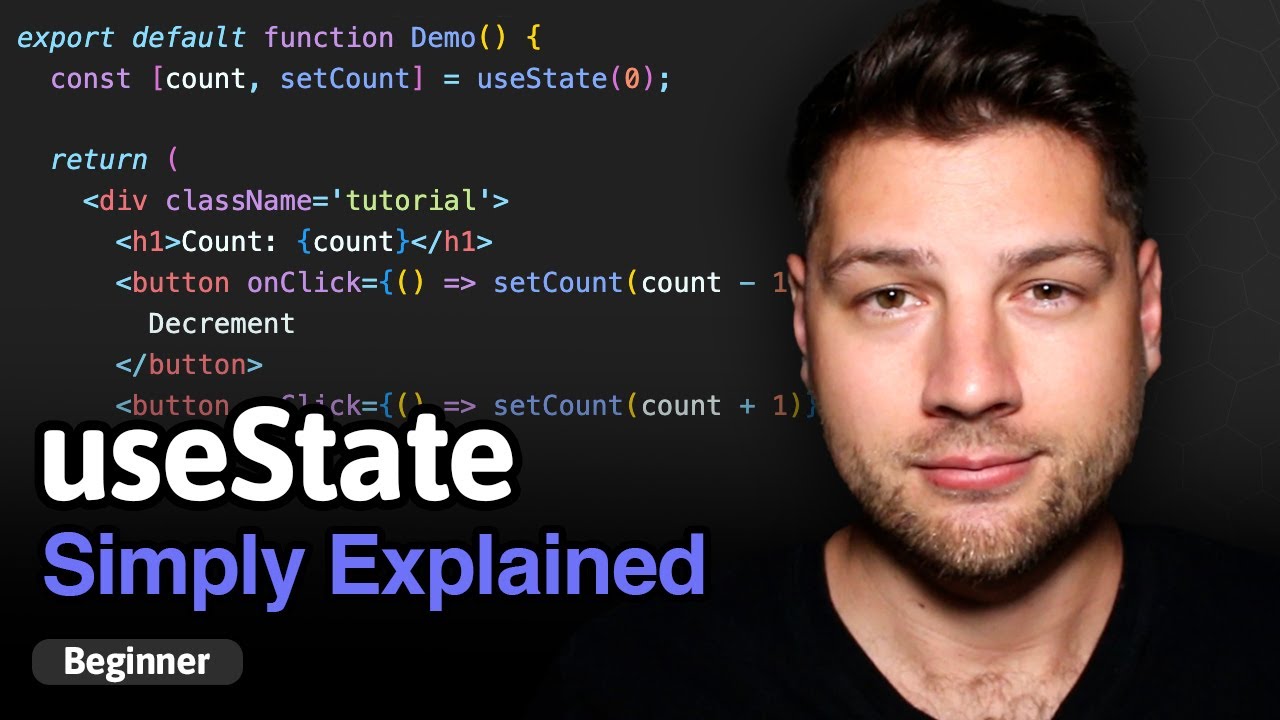
useState holds the value you display and hands back a setter. Calling that setter is the part that matters, because the call is what tells React anything happened.
It works well for a price, a counter, a status flag, anything that moves as one unit. It turns clumsy the moment three related fields have to change together, and that clumsiness is usually the signal to reach for useReducer.
useEffect for Subscriptions

useEffect is where connection work belongs, inside the Effect body rather than anywhere in the render path. The fuller tour of React hooks explained covers the rest of the API this one leans on.
- Opening a WebSocket connection when the component mounts
- Starting a polling interval with setInterval
- Subscribing to a Firebase or Supabase listener
useReducer for Complex Update Logic
useReducer earns its place once one event touches more than one piece of state.
Say a chat message arrives. The message list grows, an unread counter ticks up, a last-seen timestamp moves. That is either three setState calls scattered through the component or one reducer function that owns the whole transition. Reducers also win when the next state depends on the previous one, which is easy to get subtly wrong with plain setters.
Most production codebases end up wrapping this into a custom hook. useLiveOrders, useStockPrice, whatever the feed is called, so setup and cleanup and state live in one file instead of being pasted into every component that needs it.
What Methods Deliver Live Data to a React Component
WebSockets, Server-Sent Events, plain polling, a managed realtime database like Firebase or Supabase, GraphQL subscriptions through a client such as Apollo. The tradeoff in every case is connection complexity against how fast an update actually reaches the screen.
| Method | Latency | Connection overhead | Best use case |
|---|---|---|---|
| WebSocket | Very low | Persistent, bidirectional | Chat, trading, multiplayer |
| Server-Sent Events | Low | Persistent, one-way, HTTP based | Notifications, feeds, tickers |
| Polling | Depends on interval | Repeated short requests | Low-frequency dashboards |
| Firebase or Supabase | Low | Managed persistent connection | Apps without a custom backend |
| GraphQL subscriptions | Low | Persistent, protocol dependent | Apps already built on GraphQL |
WebSockets
One persistent connection, both sides free to write to it whenever they like. That is why chat apps and trading dashboards feel instant on WebSockets and sluggish on anything else.
- Full duplex, so the client can send data back over the same connection
- Very low overhead once the handshake completes
- Handles binary data, not just text
Trello’s web client syncs its boards this way, holding the connection open rather than asking the server every few seconds whether anything moved.
Reconnection after a drop is your problem, though. Nothing in the WebSocket API retries. You write the backoff logic yourself or you pull in a wrapper that already has.
Server-Sent Events
One direction only, server to client, over an ordinary HTTP connection through the EventSource API.
For anything read-only, a live feed or a notification stream, that limitation costs nothing and buys simplicity. Browsers also reconnect on their own when the connection drops, which is precisely the part WebSockets make you build.
- No custom protocol, so it works through ordinary proxies and load balancers
- Automatic reconnection without extra code
- Cannot send data back to the server over the same channel
Older HTTP/1.1 deployments also cap how many SSE connections one browser holds open per domain. A dashboard that opens four or five separate streams will hit that ceiling.
Polling
Polling means asking the server on a timer. fetch or Axios inside a setInterval call, that is the whole idea.
It hammers a RESTful API endpoint over and over, which is crude and completely fine for data that does not move every second.
- Short interval: fresher data, more wasted requests
- Long interval: fewer requests, staler screen
Firebase and Supabase
Managed backends like Firebase Realtime Database and Supabase own the connection and the syncing logic, pushing changes out to every subscribed client with no wiring on your side.
You run no sync server, since that layer sits on the vendor’s infrastructure, and offline caching comes built in and reconciles itself once the connection returns. The bill arrives later, in the form of a data model and a pricing page the app is now married to.
GraphQL Subscriptions
Subscriptions sit alongside queries and mutations as a third operation type in the schema, built specifically for streaming.
- Queries and mutations: request once, get one response
- Subscriptions: stay open, get a new payload each time something changes
They extend whatever GraphQL API the app already exposes, and Apollo Client keeps the subscription open and drops each payload straight into the local cache.
Only worth it if the rest of the app already runs on GraphQL. Standing up a subscription server for one live counter is a lot of setup for very little.
What Are Common Use Cases for Real-Time Data Rendering in React
Anywhere the screen has to reflect a change the second it happens. Live dashboards, chat, price tickers, notification badges, activity feeds. The delivery method varies. The pattern underneath it, something pushing or being polled and React re-rendering off the back of it, does not.
- Live dashboards tracking metrics that change by the second
- Chat applications rendering incoming messages as they arrive
- Stock or crypto price tickers
- Notification badges and activity feeds
Chart.js and the other popular React libraries built for plotting handle the drawing once the stream is feeding state.
Discord is the obvious chat example. Its web client keeps a WebSocket connection open to the gateway for as long as the app is running, so messages and presence updates land without a refresh.
A few numbers make the picture clearer.
- React is used by roughly eight in ten JavaScript developers surveyed, more than any other front-end framework (State of JS 2024, Devographics)
- A WebSocket frame carries only 2 to 14 bytes of overhead once the handshake is done, per the WebSocket protocol specification (RFC 6455)
- Server-Sent Events cap out at 6 simultaneous open connections per browser and domain when not running over HTTP/2 (MDN Web Docs)
React Query vs SWR vs Manual State for Updating Data
Three ways to manage server data that keeps changing: React Query (now TanStack Query), SWR, or useState and useEffect wired by hand. What decides it is how much caching and background refresh the app really needs, weighed against the bundle size and setup you are willing to carry.
React Query
TanStack Query pulls tens of millions of weekly downloads on npm, well ahead of SWR’s roughly 10 million, a gap that widened after TanStack Query overtook SWR in downloads in late 2024. Exact figures vary between npm-tracking tools, but the direction and the size of the gap are consistent across them.
TanStack Query refetches when the window regains focus, retries failed requests, and deduplicates identical requests fired from different components in the same tick.
Cache invalidation is automatic, the devtools are good, and pagination and mutations are properly supported. The price is a heavier bundle, roughly 13.4KB minified and gzipped, and a learning curve noticeably steeper than a plain hook.
SWR
Vercel’s library, named after the stale-while-revalidate strategy it implements. Show the cached value now, fetch a fresh one quietly, swap it in.
- Roughly 4.2KB minified and gzipped, about a third the size of TanStack Query
- Built-in revalidation on focus, reconnect, and interval
- First-party recommendation inside the Next.js ecosystem
Fewer batteries included than TanStack Query, so mutation handling and pagination want more manual wiring.
Manual State Management
Manual state management is useState and useEffect with no caching library sitting in between.
For two endpoints or a single live widget that is the right call, and pulling in a whole data-fetching library would be overkill. Once state has to be shared across a dozen components, read the React context vs Redux comparison before defaulting to the Context API as a substitute.
- Zero extra dependencies
- No automatic caching, so duplicate requests are easy to end up with by accident
How to Handle Loading and Error States While Data Updates
A first load, a background refresh, and a failure are not the same event. Treating them as one is the most common reason these screens feel broken while the data underneath is perfectly fine.
On the first load nothing has rendered, so a skeleton screen or a spinner fills the gap while the initial request resolves. On a background refresh there is already data sitting on screen, and replacing it with a full-page spinner every few seconds is unpleasant to look at. A small inline indicator works. Often no indicator at all works better.
Failures need their own path. An error boundary catches a rendering crash, but a rejected fetch or a dropped socket sails right past it, so those want their own fallback UI.
React 18 quietly changed part of this picture. It dropped the “state update on an unmounted component” warning that shipped in React 17, since most of what triggered it was not an actual memory leak (React, 2022).
The underlying risk did not go anywhere. React stopped flagging it, that is all. A subscription or fetch still running after unmount still burns work and still writes state nobody will ever read.
- Show a skeleton only on the very first render, never on every refresh
- Keep the last good data visible during a background refetch instead of clearing it
- Give connection failures their own message, distinct from a simple empty state
How to Build a Component That Displays Live Updating Data
The shape is the same whether a socket, a timer, or a listener is feeding it. Get the sequence right and loading, errors, and cleanup fall into place on their own.
- Set up the connection inside useEffect. Open the WebSocket, start the polling interval, or subscribe to the listener inside the Effect body, not in the component’s render path.
- Store incoming values in state. Every message, poll response, or snapshot gets passed to a setState call, which is what actually schedules the next render.
- Render the current state value in JSX. The component reads straight from state, so it always shows whatever the most recent update left behind.
- Return a cleanup function. Close the socket, clear the interval, or unsubscribe the listener inside the function useEffect returns.
- Wire up loading and error state around it. A separate boolean or status field tracks whether the first value has arrived yet, and a caught error gets its own piece of state too.
Stripped down for a polling case: useState holds the value, useEffect opens a setInterval that calls fetch and hands the result to the setter, and the returned cleanup calls clearInterval. That is the whole component minus the JSX.
Step four is the one people skip. It has to exist before the component ever unmounts, or the connection from step one keeps running with nowhere to put its updates.
How to Prevent Unnecessary Re-Renders When Data Updates Frequently
Ten re-renders a second because one field moved is the complaint I hear most about real-time React screens. The fixes are well worn by now.
| Technique | What it does | Best for |
|---|---|---|
| React.memo | Skips a re-render if props are unchanged | Child components receiving stable props |
| useMemo | Caches an expensive computed value | Derived data, filtered or sorted lists |
| useCallback | Keeps a function reference stable | Callbacks passed to memoized children |
| Virtualization | Renders only visible list items | Long, frequently updating lists |
React Compiler reached its stable 1.0 release in October 2025 and works with React 17 and newer, inserting memoization at build time so you stop writing it by hand. Meta had it powering parts of instagram.com in production years before the compiler itself hit that stable release (React team, 2024).
Hand memoization is not pointless yet. Older React versions still need it, and so does any code the compiler bails out of because it cannot prove a rule is being followed.
Long lists that update constantly are a virtualization problem, not a memo problem. react-window, react-virtuoso, and TanStack Virtual (@tanstack/react-virtual) are the three most widely used options, each pulling several million weekly npm downloads, with the latter two gaining ground as react-window’s own development has slowed.
Rendering ten thousand list items directly can take around 200 milliseconds on first paint. Virtualize it so only the visible slice mounts and the same list typically renders in under 10 milliseconds.
How to Clean Up Connections When a Component Unmounts
Whatever step one opened, the function useEffect returns has to close. Skip it and the connection outlives the component that made it.
A WebSocket wants socket.close(). An EventSource wants eventSource.close(). An interval wants clearInterval() called on the ID setInterval handed back. Firebase and Supabase listeners return their own unsubscribe function, and calling it is the entire job.
React’s own documentation points out that Strict Mode deliberately runs an extra setup-then-cleanup cycle in development, ahead of the real one, specifically to expose cleanup logic that does not properly mirror its setup (React documentation).
Even Meta gets this wrong. The React Native team once shipped a bug where a packager WebSocket connection was never actually closed when an instance was destroyed, leaving the connection manager leaking in memory (facebook/react-native, GitHub).
- A duplicate WebSocket connection opening every time the component remounts
- Data still arriving and updating state after the screen has changed
- A slow but steady climb in memory use during a long session
Common Mistakes When Displaying Updating Data in React
Nearly every bug in this pattern traces back to the same short list of causes, and they all present identically. Data looks wrong on screen while the connection underneath is working fine.
| Mistake | Symptom | Fix |
|---|---|---|
| Missing cleanup function | Duplicate listeners, climbing memory use | Return a cleanup function from every useEffect |
| Stale closure in useEffect | Updates use an outdated prop or state value | Add the value to the dependency array, or read it via a ref |
| Polling interval set too aggressively | Rate-limited or throttled by the API | Match the interval to how often the data actually changes |
| Updating state after unmount | Wasted work, occasional console warnings | Track a mounted flag or cancel the request in cleanup |
The stale closure is the sneaky one. useEffect captures the props and state from the render it was created in, so a callback holding a value from three renders ago keeps happily using that old value until the effect re-runs.
Which is why the dependency array deserves as much attention as the connection logic. Leaving a value out of it is not a style preference. It is the bug.
Catching this before it reaches production usually comes down to test coverage on the hook itself, which is what the tools in the React testing libraries roundup exist for.
Over-aggressive polling causes a second, unrelated kind of pain. Hit an endpoint hard enough and you trip its rate limiting, turning a freshness problem into an outage.
When Real-Time Data Rendering Does Not Apply in React
Real-time rendering is not free, and plenty of screens are better off without it.
Data that changes once a day does not need a persistent connection. A settings page, a monthly report, an admin table, all of them are covered by a fetch on mount and a refresh button, at a fraction of the code.
Low-priority background data is much the same. A profile page someone opens twice a month should refetch on window focus rather than hold a subscription open for the entire life of the tab.
Then there is the infrastructure bill. Every open connection costs something whether or not it is moving bytes.
- Apache Tomcat’s own WebSocket documentation notes that each connection reserves message buffers by default, 8KB for incoming text messages and 8KB for binary messages, before counting the connection’s thread and socket overhead, so an idle connection still holds real memory even when it isn’t actively sending anything
- That cost multiplies across every idle tab a user leaves open, not just active sessions
Content that does not change after publication, a marketing page or a blog post, is already answered by server-side rendering or static generation with none of this machinery involved.
The test is simple. If a page reload would answer the user’s question just as well as a live connection, the live connection is solving a problem nobody has.
FAQ on How To Display Updating Data To User In React.Js
What Is the Difference Between Real-Time Data and Live Data in React
People use the terms interchangeably. Strictly, real-time data updates within milliseconds of a change, while live data just means the value on screen is current even if it refreshes every few seconds through polling. React draws no firm line between them.
Does React Have a Built-In Way to Handle Real-Time Data
There is no single built-in system. useState and useEffect are enough to wire up a WebSocket, a subscription, or a polling interval, but the connection logic always comes from an external API or library rather than from React.
Can You Use Both Polling and WebSockets in the Same React App
Yes, and plenty of production apps do exactly that. Polling a REST endpoint covers anything non-critical while a single WebSocket handles the one or two features that genuinely need instant updates, chat or live pricing being the usual candidates.
How Often Should You Poll an API in React
Match the interval to how fast the underlying data changes, not to what feels responsive in a demo. A dashboard refreshing every 30 seconds is common. Anything under 5 seconds is usually a sign the app wants a WebSocket instead.
Is Redux Necessary for Real-Time Data in React
No. Redux manages global client state, not server data synchronization, and pairing it with a live WebSocket feed generally means hand-writing the caching and deduplication logic that React Query or SWR already ship with.
What Is the Cost of Running Real-Time Updates at Scale
Cost scales with concurrent open connections, not with how much data moves through them. An idle WebSocket still reserves server memory and a socket slot, so spend tracks active users regardless of how often the data changes.
What Should You Fix First in How To Display Updating Data To User In React.Js?
Start with the cleanup function inside useEffect. A missing one leaves a socket or an interval running long after the component that opened it is gone, and nothing downstream of that will behave predictably.
After that the order is fixed. Connection lifecycle first, transport choice second, render load third.
- Close every socket, interval, or listener on unmount
- Match the delivery method to how often the data actually changes
- Memoize or virtualize only once the first two are solid
Doing lifecycle before performance means the stuttering list stays on screen a while longer, which is uncomfortable but correct. Virtualization and memoization belong at the end of this order, not the front.
Once the data updates cleanly, the usual next step is surfacing individual changes to the user directly, which is what implementing notification in React.js covers.

- Notepad++ Android Options: Apps That Come Close - October 21, 2026
- Data Management Services: A Practical Guide for Growing Companies - October 21, 2026
- MongoDB Cheat Sheet - October 20, 2026


