Building exceptional user interfaces shouldn’t require wrestling with outdated tools or learning entirely new programming languages. Java GUI frameworks have evolved dramatically from their humble AWT beginnings, now powering everything from trading platforms to modern web applications across the enterprise landscape.
Despite JavaScript’s dominance in front-end development, Java remains a powerhouse for desktop application development and consistently ranks among the top programming languages worldwide. The framework you choose directly impacts your project’s performance, user experience, and long-term maintainability.
This comprehensive guide examines 13 essential Java GUI frameworks, from battle-tested Swing to cutting-edge Vaadin Flow. You’ll discover performance benchmarks, platform compatibility details, and real-world use cases that help determine the perfect framework for your next project.
Whether you’re maintaining legacy systems or building modern cross-platform app development solutions, understanding these frameworks ensures you make informed decisions that accelerate development while delivering exceptional user experiences.
Java GUI Frameworks
| Framework | Architecture Type | Primary Use Case | Development Status |
|---|---|---|---|
| Swing | Desktop GUI Framework | Traditional desktop applications | Legacy/Maintenance |
| AWT | Native GUI Toolkit | Basic desktop components | Deprecated |
| JavaFX | Rich Client Platform | Modern desktop applications | Active Development |
| SWT | Native Widget Toolkit | Eclipse-based applications | Stable/Niche |
| Apache Pivot | RIA Framework | Rich internet applications | Limited Activity |
| Vaadin | Web Application Framework | Enterprise web applications | Active Development |
| GWT | Web Toolkit Framework | JavaScript compilation platform | Maintenance Mode |
| ZK | Ajax Web Framework | Component-based web apps | Commercial Support |
| PrimeFaces | JSF Component Library | JSF-based web interfaces | Active Community |
| JSF | Server-Side Framework | Component-based web UIs | Jakarta EE Standard |
| Apache Wicket | Component-Based Framework | Object-oriented web development | Stable Releases |
| Play Framework | MVC Web Framework | Reactive web applications | Active Development |
| Spring Boot + Thymeleaf | Template Engine Stack | Server-side rendered web apps | Highly Active |
Swing

Swing remains the backbone of countless enterprise applications for over two decades, providing mature and battle-tested GUI components despite being in maintenance mode.
It’s part of Java Foundation Classes with extensive widget toolkits and event-driven programming support.
Framework Type
Category: Native desktop framework with cross-platform compatibility.
Swing operates independently of operating system native widgets, using Java2D for rendering.
Key Features
Primary capabilities: Complete MVC architecture, pluggable look-and-feel system, extensive component library including JTable and JTabbedPane.
Swing offers much-improved functionality over AWT with drag-and-drop support and advanced event handling. The framework includes sophisticated layout managers and customizable UI components.
Advanced features support complex enterprise applications with robust threading through Event Dispatch Thread.
Performance Characteristics
Resource usage: Apps built with Swing can consume significant system resources, particularly memory.
Standard UIs complete initialization in under 90 ms on quad-core hardware, with 25% lower memory footprint during cold launches compared to modern alternatives.
Performance degrades under stress testing with dynamic updates.
Platform Support
Compatibility: Runs on Windows, macOS, Linux with Java 8+.
Swing remains available as part of Java Standard Edition and continues to be supported through 2024. Enterprise deployment works across diverse hardware configurations.
Learning Curve
Developer experience: Swing is helpful for prototyping and learning the basics of GUI frameworks.
Extensive documentation available with decades of community knowledge. IDE support remains strong across IntelliJ IDEA, Eclipse, and NetBeans.
Complex threading model requires understanding of EDT constraints.
Popular Use Cases
Applications: Trading platforms, insurance claim processors, asset management dashboards, and logistics control panels.
62% of financial desktop applications still use Swing. Legacy system maintenance dominates current usage patterns.
Community & Support
Ecosystem health: Oracle continues to offer critical support for Swing with focus on maintaining existing functionality and addressing bugs and security threats.
Active community continues sharing knowledge online despite feature-frozen status.
AWT

Abstract Window Toolkit serves as Java’s original GUI framework, providing lightweight components through native platform integration.
Foundation technology that underlies other Java GUI frameworks.
Framework Type
Category: Heavyweight native component framework.
AWT components are based on the native platform and use the native GUI components of the platform for rendering.
Key Features
Primary capabilities: Basic UI components including buttons, text fields, checkboxes with platform-specific rendering.
AWT provides various different components like buttons, text fields, and checkboxes that you can basically use to build the visual part of your application.
Limited component set compared to modern frameworks. Direct operating system integration for authentic native appearance.
Performance Characteristics
Resource usage: Java AWT is lightweight and has minimal overhead, making it suitable for simple applications or environments with limited resources.
Fastest startup times among Java GUI frameworks. Minimal memory footprint due to native component delegation.
Platform-dependent performance variations based on underlying OS capabilities.
Platform Support
Compatibility: Universal Java platform support across Windows, macOS, Linux.
Java AWT components can adapt to the host look & feel of the platform. Native integration ensures consistent platform behavior.
Learning Curve
Developer experience: Simple API with straightforward component manipulation.
AWT was developed to execute Java GUI applications on any platform that supports the Java Virtual Machine.
Basic event handling model easier to understand than complex frameworks.
Popular Use Cases
Applications: Simple desktop utilities, embedded system interfaces, and legacy application maintenance.
Prototyping and educational projects benefit from reduced complexity. Foundation for more sophisticated GUI frameworks.
Community & Support
Ecosystem health: Minimal active development with maintenance-only support.
Even though there are newer frameworks with more advanced features, AWT is still a great choice for some Java applications.
Extensive documentation remains available through Oracle.
JavaFX

JavaFX provides a comprehensive set of tools and libraries for developers to create rich client applications across various platforms, with features like CSS styling, FXML, and multitouch support.
Oracle’s official successor to Swing for modern desktop development.
Framework Type
Category: Modern cross-platform rich client framework.
JavaFX represents the future of Java desktop user interface development because it offers more effective, flexible and visually compelling features.
Scene graph architecture with hardware-accelerated rendering support.
Key Features
Primary capabilities: Scene graph technology, CSS support, FXML markup language, multimedia integration including animations, audio, video.
JavaFX has an extensive range of features for developing GUIs: tables, buttons, trees, menus, and many more. It also supports CSS, 2D and 3D Graphics, and WebView.
Advanced data binding and MVC architecture with powerful layout management.
Performance Characteristics
Resource usage: JavaFX leverages hardware acceleration for rendering, resulting in excellent performance for modern UIs with rich multimedia and visual effects.
Modern vector-powered approach maintains median 60 FPS with dynamic updates, compared to 35 FPS for older event models under identical test conditions.
Prism rendering engine provides superior graphics performance.
Platform Support
Compatibility: OpenJDK and OpenJFX evolved as open-source projects and follow the same release cadence, available in version 23 since September 2024.
JavaFX applications work on ARM with Azul Zulu builds supporting Linux ARM 64bit systems. Windows, macOS, Linux support with embedded system capabilities.
Learning Curve
Developer experience: The easiest way to start building a UI with JavaFX is to use a Scene Builder with convenient drag-and-drop interface.
Steeper learning curve than Swing due to modern architecture concepts. Strong IDE integration with Scene Builder visual editor.
FXML requires understanding of XML-based UI declaration.
Popular Use Cases
Applications: Enterprise applications, multimedia software, educational tools benefit from modern features, performance, and ease of use.
Benchmark studies indicate applications built with JavaFX can achieve up to 30% better performance compared to Swing in graphical applications.
Modern desktop applications requiring rich media integration.
Community & Support
Ecosystem health: Gluon offers commercial Long Term Support with guaranteed support and availability via SDK, jmods, and jars.
GitHub recorded over 1,500 pull requests aimed at enhancing features and fixing bugs between 2023 and 2024.
Active OpenJFX project with regular updates and commercial backing.
SWT

Standard Widget Toolkit provides native GUI libraries access using Java Native Interface in a manner similar to operating system-specific APIs.
Eclipse Foundation maintains this framework for native look-and-feel applications.
Framework Type
Category: Native widget toolkit with platform-specific implementation.
SWT implementation accesses native GUI libraries of the operating system using Java Native Interface (JNI).
Heavyweight approach using actual OS widgets for authentic platform behavior.
Key Features
Primary capabilities: SWT utilizes native components for rendering, resulting in native look & feel and efficient & lightweight performance.
SWT delivers native widget functionality for the Eclipse platform in an operating system independent manner.
Direct access to platform-specific libraries and features through JNI integration.
Performance Characteristics
Resource usage: The use of native components of SWT makes this framework very efficient and lightweight.
Performance problems are legendary in widget toolkits and finding them is a black art, but SWT’s one-to-one mapping simplifies debugging.
Optimal performance due to direct native widget utilization.
Platform Support
Compatibility: SWT comes with platform-specific jar files for different operating systems.
Windows, macOS, Linux support with platform-specific distributions. Webswing now supports Eclipse (SWT), allowing developers to easily web-enable SWT applications alongside other frameworks.
Learning Curve
Developer experience: New and aspiring SWT developers should see the SWT beginner guide to get started.
Understanding of native platform concepts required. Eclipse IDE provides comprehensive development environment.
JNI knowledge helpful for advanced customization.
Popular Use Cases
Applications: Eclipse IDE, IBM Rational Software products including Rational Application Developer and Rational Team Concert.
Enterprise development tools and IDEs benefit from native performance. Applications requiring authentic platform integration.
Community & Support
Ecosystem health: Eclipse Foundation maintains SWT in tandem with Eclipse IDE with ongoing development tracking in GitHub Issue Tracker.
Current work evaluates achieving single, OS-agnostic implementation to reduce maintenance efforts and improve configurability.
Active Eclipse community with volunteer-driven development.
Apache Pivot
Pivot allows developers to easily construct visually-engaging, cross-platform, connected applications in Java or any other JVM language, such as JavaScript, Groovy, or Scala.
Open-source platform for rich internet applications with comprehensive component library.
Framework Type
Category: Cross-platform rich internet application framework.
Pivot is the only truly open IIA framework: it is completely open source, and is driven entirely by the software development community.
Installable internet application approach supporting both desktop and web deployment.
Key Features
Primary capabilities: WTK components based on Java2D are completely skinnable and support color schemes with more widgets than other Java GUI libraries.
Data binding capabilities allow developers to attach UI components to data models with BXML (Pivot Binary XML) for UI definition.
WYSIWYG design tools and animation support for enhanced user experience.
Performance Characteristics
Resource usage: Pivot employs a consistent data model throughout the entire framework, with JSON data from REST services serialized into same data structures used by table view components.
Performance optimized through unified data model reducing translation overhead. Java2D rendering provides solid graphics performance.
Platform Support
Compatibility: Pivot programs run on Windows, macOS, Linux, and web browsers with minimum adjustments through Java Virtual Machine portability.
Write-once-run-anywhere principle enables broad platform reach. Web browser deployment supported through Java plugin.
Learning Curve
Developer experience: Learning Pivot is not easy; beginners may face many difficulties in understanding this framework.
Pivot was designed to be familiar to web developers who have experience building AJAX applications using HTML, CSS, and JavaScript.
BXML markup language requires XML understanding.
Popular Use Cases
Applications: Enterprise apps, web dashboards, data visualization applications benefit from cross-platform capability.
Rich internet applications requiring desktop-quality user experience. Data-driven applications with complex visualization needs.
Community & Support
Ecosystem health: Pivot has a significantly small number of followers compared to other popular Java GUI frameworks.
Pivot joined the Apache Incubator in January 2009 and graduated as a top-level Apache project in December 2009.
Apache Software Foundation backing ensures long-term stability.
Vaadin

Vaadin Flow boosts developer productivity for web apps with Spring backends, allowing developers to write UIs with components in 100% Java without JS or HTML.
Full-stack web framework bridging Java back-end development with modern web interfaces.
Framework Type
Category: Server-side web application framework.
Vaadin Flow is well-known for its component-based architecture and integrates seamlessly with Java backends.
Web-first approach with progressive web apps support.
Key Features
Primary capabilities: Real-time communication through websockets, lazy loading, and feature rich web components optimized for data heavy business applications.
Server-side Web Storage API provides Java interface to browser APIs with plugins support for Development Tools window.
Component library based on W3C Web Components standard.
Performance Characteristics
Resource usage: Vaadin 24.2 shows impressive enhancement with small applications reloading in 1.2 seconds down from 3.2 seconds-a 62% improvement.
Larger applications with up to 1000 routes have reload times cut from 5.2 seconds to 2.9 seconds, a 43% reduction.
Enhanced Gradle support reduces build time through caching optimization.
Platform Support
Compatibility: Vaadin 24 is the latest stable version with free maintenance until approximately June 2026.
Cross-browser compatibility ensures consistent web experience. Components work natively in all modern browsers and can be used with virtually any front-end development framework.
Learning Curve
Developer experience: Vaadin makes it possible to write fewer codes with more focus on business logic and less attention to technical details of web development.
Java developers leverage existing knowledge without learning web apps technologies. Visual design tools and AI assistance streamline development.
Spring integration provides familiar enterprise patterns.
Popular Use Cases
Applications: Companies like Siemens, Vaisala, and ABB trust Vaadin for their web applications, highlighting its reliability and versatility.
Enterprise web applications requiring complex data management. Vaadin Flow provides a future-proof solution that bridges the gap between desktop and web development.
Community & Support
Ecosystem health: Core product licensed under permissive Apache 2.0 license with commercial features available where value can be added beyond fully functional core.
Customers with Premium, Ultimate, or existing Prime subscriptions receive maintenance for five years from release date until March 2028.
Active development with regular feature releases and enterprise support options.
GWT
Google Web Toolkit enables developers to write web apps in Java that compile to optimized JavaScript for browser execution.
Mature framework for building complex browser applications using Java development tools.
Framework Type
Category: Java-to-JavaScript compilation framework.
Web-based with client-side execution through JavaScript compilation. Supports single-page application architecture patterns.
Key Features
Primary capabilities: Java-to-JavaScript compiler, rich widget library, internationalization support, and API integration capabilities.
Code splitting and optimization features for production deployment. Strong typing benefits from Java language features.
Performance Characteristics
Resource usage: Compiled JavaScript provides optimized browser performance.
Code splitting enables selective loading for improved startup times. Browser-based execution eliminates server-side rendering overhead.
Platform Support
Compatibility: Universal browser support through standards-compliant JavaScript output.
Responsive design capabilities for mobile and desktop browsers. Progressive enhancement strategies supported.
Learning Curve
Developer experience: Java developers can leverage existing skills for web development.
JavaScript debugging requires understanding of compilation process. Modern web development practices may require additional learning.
Popular Use Cases
Applications: Complex web applications requiring rich interactivity and data management.
Enterprise web portals and business applications. Legacy GWT applications still maintain active usage.
Community & Support
Ecosystem health: Google maintains project with community contributions.
Open-source project with ongoing updates and security patches. Large existing codebase of GWT applications ensures continued relevance.
ZK

Component-based Java web framework enabling rich user interfaces through server-side development model.
Enterprise-focused framework combining Java backend logic with modern web presentation.
Framework Type
Category: Server-side web application framework.
Ajax-enabled with event-driven programming model. Component library supports desktop-like web applications.
Key Features
Primary capabilities: Rich component library, data binding, MVVM architecture, and theme customization support.
Built-in Ajax support eliminates manual JavaScript coding. Spreadsheet and calendar components for business applications.
Performance Characteristics
Resource usage: Server-side processing with optimized client-server communication.
Event batching and smart rendering reduce network traffic. Component caching improves response times.
Platform Support
Compatibility: Standard web browser support with mobile responsive capabilities.
Java servlet container deployment across enterprise infrastructure. Cloud deployment compatibility maintained.
Learning Curve
Developer experience: Desktop application developers easily transition to web development.
Component-oriented approach familiar to Swing developers. MVVM pattern requires architectural understanding.
Popular Use Cases
Applications: Enterprise business applications, financial systems, and data management portals.
Complex forms and data entry applications benefit from rich component set. Dashboard and reporting applications.
Community & Support
Ecosystem health: ZK maintains active development with commercial support options.
Enterprise licensing provides professional support and consulting. Open-source community edition available for smaller projects.
PrimeFaces

UI component library for JavaServer Faces providing rich web components and modern themes.
Extends JSF capabilities with comprehensive widget collection and Ajax integration.
Framework Type
Category: JSF component library and extension framework.
Web-based with server-side component rendering. Integrates with existing JSF application architecture.
Key Features
Primary capabilities: 100+ UI components, mobile support, Ajax integration, and responsive themes.
Chart components for data visualization and file upload capabilities. Push support for real-time updates.
Performance Characteristics
Resource usage: Optimized rendering with lazy loading and virtual scrolling support.
Client-side widget optimization reduces server round trips. Partial page updates improve responsiveness.
Platform Support
Compatibility: JSF-compatible application servers with modern browser support.
Mobile-first responsive design approach. Touch device optimization included.
Learning Curve
Developer experience: JSF developers can immediately leverage existing knowledge.
Rich documentation with community examples. Component-based development accelerates UI creation.
Popular Use Cases
Applications: Enterprise web applications requiring rich data presentation and user interaction.
Business dashboards and administrative interfaces. Form-heavy applications with complex validation requirements.
Community & Support
Ecosystem health: Active open-source project with commercial support available.
Regular updates with new component additions. Strong integration with Java enterprise stack.
JSF
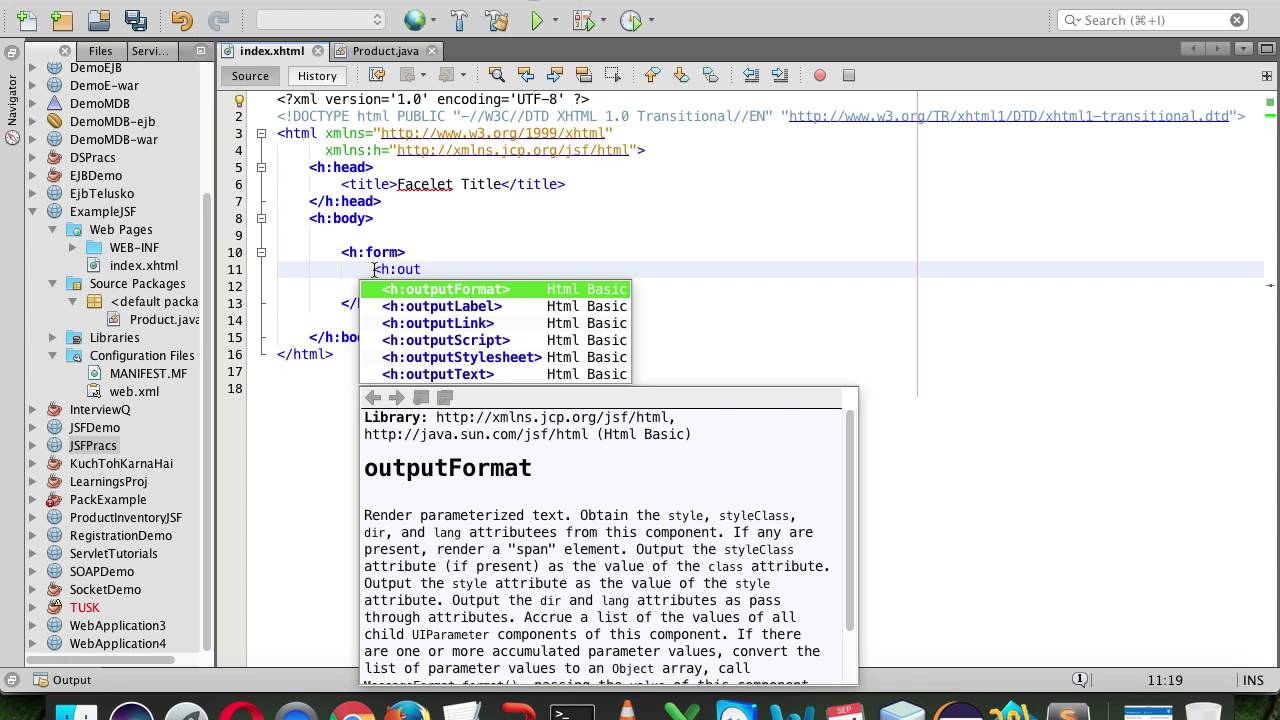
JavaServer Faces provides component-based framework for building Java web applications through standardized architecture.
Java EE standard enabling rapid development of server-side web interfaces.
Framework Type
Category: Server-side web application framework.
Component-based with managed bean architecture. MVC pattern implementation for enterprise applications.
Key Features
Primary capabilities: Component lifecycle management, validation framework, conversion utilities, and navigation rules.
Facelets templating system and API integration support. Built-in security and internationalization features.
Performance Characteristics
Resource usage: Server-side rendering with stateful component management.
View state management impacts memory usage. Partial page rendering improves user experience.
Platform Support
Compatibility: Java EE application server deployment with servlet container support.
Standards compliance ensures portability across enterprise infrastructure. CDI integration for dependency management.
Learning Curve
Developer experience: Enterprise Java developers familiar with MVC patterns adapt quickly.
Component lifecycle understanding required for advanced development. Extensive configuration options provide flexibility.
Popular Use Cases
Applications: Enterprise web applications with complex business logic and data management requirements.
Government and financial systems requiring standardized development approaches. Legacy enterprise application modernization.
Community & Support
Ecosystem health: Oracle maintains JSF specification with vendor implementations available.
Long-term enterprise support through application server vendors. Active community providing extensions and components.
Apache Wicket

Component-based web framework enabling object-oriented approach to web development with separation of concerns.
Pure Java web framework avoiding XML configuration through programmatic component creation.
Framework Type
Category: Server-side component-based web framework.
Stateful component model with automatic state management. No XML configuration required for basic applications.
Key Features
Primary capabilities: Component hierarchy, automatic state management, type-safe programming, and reusable component library.
Markup-code separation with HTML templates. Built-in security features and form validation.
Performance Characteristics
Resource usage: Stateful components consume server memory for session management.
Page versioning supports browser back button functionality. Clustering support for scalable deployment.
Platform Support
Compatibility: Standard servlet container deployment with Java application server support.
Modern browser compatibility with progressive enhancement strategies. Mobile development capabilities through responsive design.
Learning Curve
Developer experience: Object-oriented developers appreciate component-based approach.
No new templating language to learn beyond HTML. Strong typing catches errors during compilation.
Popular Use Cases
Applications: Complex web applications requiring rich component interaction and stateful behavior.
Content management systems and e-commerce platforms. Applications requiring fine-grained component control.
Community & Support
Ecosystem health: Apache project with active community development and contributions.
Regular releases with security updates and new features. Commercial support available through third-party vendors.
Play Framework
High-productivity web framework built on reactive principles enabling modern web application development.
Scala and Java support with non-blocking I/O for scalable web services.
Framework Type
Category: Full-stack reactive web framework.
Asynchronous and stateless with RESTful API support. Modern web development patterns including hot reloading.
Key Features
Primary capabilities: Hot code reloading, reactive streams, JSON handling, and WebSocket support.
Built-in testing framework and database evolution management. Type-safe routing and template system.
Performance Characteristics
Resource usage: Non-blocking architecture enables high concurrency with minimal thread usage.
Reactive streams handle large data volumes efficiently. Load balancer friendly stateless design.
Platform Support
Compatibility: JVM-based with deployment flexibility across cloud and traditional infrastructure.
Docker and containerization support for modern deployment strategies. Akka integration for distributed systems.
Learning Curve
Developer experience: Modern web development concepts required beyond traditional Java enterprise patterns.
Reactive programming understanding beneficial for advanced features. Scala knowledge opens additional possibilities.
Popular Use Cases
Applications: High-traffic web services, RESTful API backends, and real-time applications.
Microservices architecture implementations. Applications requiring WebSocket communication and streaming data.
Community & Support
Ecosystem health: Lightbend maintains framework with active community contributions.
Regular updates with modern web development features. Commercial support available for enterprise deployments.
Spring Boot with Thymeleaf
Spring Boot simplifies Spring application development while Thymeleaf provides natural templating for server-side rendering.
Combines Spring ecosystem power with modern templating for rapid web application development.
Framework Type
Category: Full-stack web application framework with templating integration.
Convention-over-configuration approach with embedded server support. Template-driven server-side rendering architecture.
Key Features
Primary capabilities: Auto-configuration, embedded servers, Spring Security integration, and natural HTML templates.
Dependency injection through Spring framework and comprehensive data access support. Thymeleaf enables designer-friendly templates.
Performance Characteristics
Resource usage: Optimized auto-configuration reduces startup time and memory usage.
Template caching improves rendering performance. Microservices architecture support enables scaling strategies.
Platform Support
Compatibility: Java platform with embedded server deployment capabilities.
Cloud-native features supporting modern deployment patterns. Container orchestration integration for scalable infrastructure.
Learning Curve
Developer experience: Spring framework familiarity accelerates development productivity.
Thymeleaf natural templates require minimal learning curve. Extensive documentation and community resources available.
Popular Use Cases
Applications: Enterprise web applications, microservices backends, and rapid prototyping projects.
Business applications requiring Spring ecosystem integration. Template-driven applications with server-side rendering requirements.
Community & Support
Ecosystem health: Pivotal and community maintain active development with regular updates.
Extensive Spring ecosystem integration possibilities. Commercial support available through VMware Spring portfolio.
FAQ on Java GUI Frameworks
Which Java GUI framework is best for beginners?
JavaFX offers the most intuitive learning curve with Scene Builder visual design tools and comprehensive documentation. Its modern architecture and FXML markup language make desktop development accessible.
Apache Pivot provides excellent balance of features and simplicity for newcomers to software development.
Is Swing still relevant in 2024?
Swing remains viable for legacy system maintenance and specific enterprise applications. 62% of financial desktop applications still use Swing despite being in maintenance mode.
Oracle continues providing critical support with bug fixes and security updates through Java Standard Edition.
What’s the difference between JavaFX and Swing?
JavaFX provides hardware-accelerated graphics, CSS styling, and scene graph architecture for modern applications. Swing uses older component-based rendering with limited multimedia support.
JavaFX achieves 60 FPS performance compared to Swing’s 35 FPS under identical stress testing conditions.
Can Java frameworks create web applications?
Vaadin Flow enables pure Java web apps without JavaScript or HTML knowledge. GWT compiles Java code to optimized JavaScript for browser execution.
Spring Boot with Thymeleaf provides full-stack web development using familiar Java enterprise patterns and dependency injection.
Which framework offers the best performance?
SWT delivers optimal performance through native widget utilization and direct operating system integration. JavaFX follows closely with hardware acceleration and efficient rendering pipelines.
AWT provides fastest startup times but limited functionality compared to modern alternatives like Vaadin or JavaFX.
Are Java GUI frameworks cross-platform compatible?
Most Java GUI frameworks support cross-platform deployment across Windows, macOS, and Linux through JVM portability. JavaFX and Swing offer consistent behavior across different operating systems.
SWT requires platform-specific JAR files but delivers authentic native appearance on each target platform.
What’s the learning curve for enterprise developers?
Enterprise Java developers easily transition to Spring Boot with Thymeleaf or Vaadin Flow using existing framework knowledge. JSF integrates seamlessly with Java EE application servers.
Component-based frameworks like Wicket appeal to object-oriented programmers familiar with software development principles.
Which frameworks support mobile development?
JavaFX works on ARM systems including Raspberry Pi with Azul Zulu builds. Vaadin components provide responsive web interfaces accessible across mobile browsers.
Progressive web apps built with Vaadin Flow deliver mobile-friendly experiences without native app development.
How do modern frameworks handle real-time updates?
Vaadin Flow supports real-time communication through WebSocket integration and server push capabilities. Play Framework uses reactive streams for non-blocking data processing.
JavaFX provides data binding and observable properties for dynamic UI updates with minimal codebase complexity.
What’s the future of Java desktop development?
JavaFX represents Oracle’s official direction for desktop application development with active OpenJFX community contributions. Vaadin Flow bridges desktop-to-web migration paths.
Modern frameworks emphasize cloud-based app deployment and microservices architecture integration for enterprise scalability.
Conclusion
Selecting the right Java GUI frameworks determines your project’s success, affecting everything from development speed to user satisfaction. Modern frameworks like JavaFX and Vaadin Flow offer compelling alternatives to legacy Swing applications.
Performance benchmarks reveal significant differences between frameworks. JavaFX achieves superior rendering speeds while SWT delivers authentic native experiences through direct operating system integration.
Enterprise desktop solutions continue evolving with frameworks supporting containerization and cloud deployment strategies. Vaadin Flow bridges traditional desktop development with modern web technologies.
Consider your team’s expertise when choosing frameworks. Spring Boot integration appeals to back-end development teams familiar with dependency injection patterns.
The landscape favors frameworks supporting rapid app development and seamless API integration. Whether maintaining legacy systems or building progressive web apps, understanding each framework’s strengths ensures informed architectural decisions that accelerate delivery while maintaining code quality and user experience standards.
If you liked this article about Java GUI frameworks, you should check out this article about JVM languages.
There are also similar articles discussing Java build tools, Java game engines, Java performance monitoring tools, and Java static code analysis tools.
And let’s not forget about articles on Java microservices frameworks, Java logging frameworks, Java machine learning libraries, and best Java courses.

- Build or Buy an AI Chatbot for E-commerce: The Costs Nobody Budgets For - October 24, 2026
- How to Run a React App in VS Code Step by Step - October 23, 2026
- Transactional or marketing email: which messages your app should send itself - October 23, 2026