Point your phone at a plant, a wine label, or a product on a shelf and get an instant answer. That is what Google Lens does, and it handles over 20 billion visual search queries every month.
But Lens is a generalist. It identifies things. It rarely explains them, tracks them, or helps you buy them efficiently.
That gap is exactly why so many people look for apps like Google Lens built for a specific job. PictureThis diagnoses plant diseases. Vivino scores wine labels against 70 million user ratings. TinEye traces where an image has appeared across 60 billion indexed photos.
This guide covers the best visual search and image recognition alternatives, what each one does better than Lens, and which use case each tool actually fits.
Apps Like Google Lens
Pinterest Lens

Pinterest Lens is a visual discovery app that lets users search for products, style ideas, and home decor inspiration using their camera or existing photos, targeting shoppers and creative consumers. It skips general object identification and focuses entirely on lifestyle content, shopping, and inspiration. Pinterest Lens handles over 2.5 billion visual queries monthly, with roughly half of all searches in fashion and home decor categories.
What Does Pinterest Lens Do?
Pinterest Lens lets users point their camera at real-world objects to find visually similar Pins, product listings, and purchase links across iOS and Android through the Pinterest app.
How Is Pinterest Lens Similar to Google Lens?
Both use AI-powered camera search to identify objects from photos. Both return shoppable product results and support uploading existing images. Both are free and available on iOS and Android.
How Is Pinterest Lens Different from Google Lens?
Pinterest Lens is trained exclusively on lifestyle content, not general knowledge. It does not translate text, identify landmarks, or read barcodes. Google Lens handles 12-20 billion monthly searches across dozens of categories; Pinterest Lens focuses on one: discovery-driven shopping.
Who Is Pinterest Lens Best For?
Pinterest Lens suits shoppers and creative users who want to find and buy products similar to things they see in real life, on social media, or in magazines.
Key Features of Pinterest Lens
- Shop the Look: Tap any object in a Pin to see buyable product matches from retailers
- Style refinements: Filter by aesthetic, occasion, color palette, and fit after scanning
- Screenshot search: Automatically suggests recent screenshots for visual lookups
- Multimodal search: Combine image and text queries for more precise results
Pricing
- Free plan: Yes, fully free with no limits on visual searches
- Paid plans: None for consumers
- Free trial: N/A
Microsoft Bing Visual Search

Bing Visual Search is a general-purpose image recognition tool built into the Bing app and Windows 11 Snipping Tool, targeting Windows users and Microsoft ecosystem users who want camera-based web search. Product identification via Bing Visual Search is roughly 61% faster than equivalent text-based queries, according to testing data. That said, Google Lens still outperforms it on recognition accuracy, especially outside English-speaking markets.
What Does Bing Visual Search Do?
Bing Visual Search lets users search the web using photos or screenshots across iOS, Android, and Windows 11, returning product results, landmark info, and translation directly in Bing.
How Is Bing Visual Search Similar to Google Lens?
| Feature | Bing Visual Search | Google Lens |
| Object Recognition | Yes | Yes |
| Text Translation | Yes | Yes |
| Barcode Scanning | Yes | Yes |
| Free to Use | Yes | Yes |
| Platform Availability | Mobile + Desktop | Mobile-first (Desktop via Chrome) |
How Is Bing Visual Search Different from Google Lens?
Bing Visual Search opens results in a new browser tab rather than a floating overlay, which breaks workflow. It uploads full images to Microsoft servers by default; Google Lens processes images locally before optional upload. Bing also has a narrower image database and weaker non-English language support.
Who Is Bing Visual Search Best For?
Bing Visual Search suits Windows 11 power users and Microsoft 365 users who want visual search built directly into their existing desktop workflow without installing extra apps.
Key Features of Bing Visual Search
- Snipping Tool integration: Win + Shift + S shortcut triggers visual search on any screen area
- Object bounding box: Draw a box around a specific object in multi-object images
- Translation: Real-time text translation from camera or screenshot
- Microsoft Rewards: Earn points for searches, redeemable for gift cards
Pricing
- Free plan: Yes, fully free
- Paid plans: None for consumers
- Free trial: N/A
Apple Visual Look Up
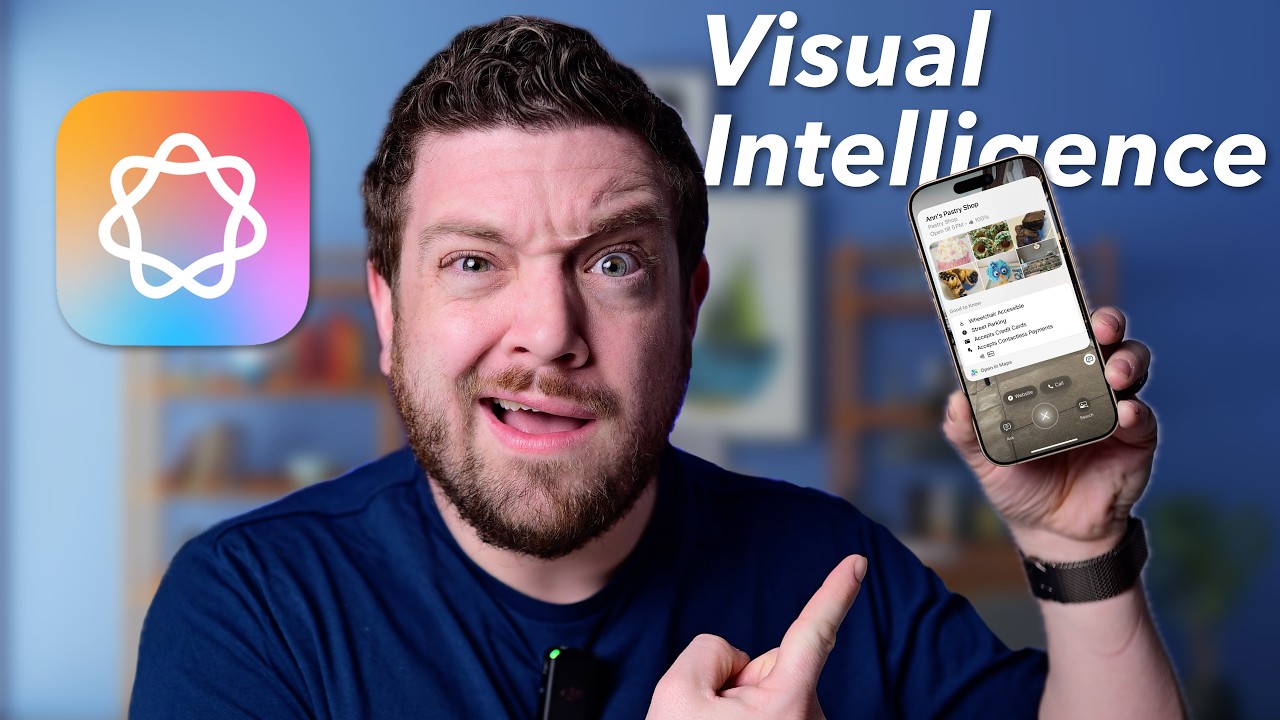
Apple Visual Look Up is a built-in image recognition feature in iOS 15 and later, targeting iPhone and iPad users who want on-device object identification without a separate app. It processes data locally on the device. No images are sent to Apple servers, which is a clear advantage over most visual search tools. Extended Visual Search in iOS 18 adds landmark recognition even when photos have no geolocation data saved.
What Does Apple Visual Look Up Do?
Visual Look Up identifies plants, animals, landmarks, artworks, food, laundry symbols, and dashboard icons directly inside Photos, Safari, Messages, and Mail on iOS 15 or later devices.
How Is Apple Visual Look Up Similar to Google Lens?
Both identify a wide range of real-world objects from photos. Both surface Siri Knowledge, web links, and related images. Both support plants, animals, and landmarks. Both are free.
How Is Apple Visual Look Up Different from Google Lens?
Visual Look Up is iOS-only and has no Android version. It does not support shopping comparisons, barcode scanning, or real-time camera translation. Recognition accuracy can be imprecise for specific breeds or niche objects. Available in 6 languages only (English, French, German, Italian, Japanese, Spanish).
Who Is Apple Visual Look Up Best For?
Visual Look Up suits privacy-conscious iPhone users who want quick object identification from existing photos without opening a separate app or sending data to third-party servers.
Key Features of Apple Visual Look Up
- On-device processing: No photos sent to Apple; uses homomorphic encryption for landmark matching
- Multi-app support: Works in Photos, Safari, Mail, and Messages
- Visual Intelligence (iOS 18.2+): Real-time camera-based lookups on iPhone 16 and 15 Pro models
- Multi-subject detection: Identifies multiple objects within a single image separately
Pricing
- Free plan: Yes, built into iOS at no cost
- Paid plans: None
- Free trial: N/A
CamFind

CamFind is a mobile visual search engine developed by Image Searcher Inc., powered by the CloudSight AI image recognition API, targeting everyday mobile users who want to identify objects and compare prices. It has been downloaded over 42 million times and has processed more than 550 million image identifications. The recognition accuracy is mixed in user reviews, particularly for product-specific searches where labels aren’t visible.
What Does CamFind Do?
CamFind lets users take a photo of any object to get web results, similar images, price comparisons, shopping links, and local business results on iOS and Android.
How Is CamFind Similar to Google Lens?
Both use AI-powered camera search to identify objects. Both return shopping links and price comparisons. Both support QR code and barcode scanning. Both are free on iOS and Android. Both include a built-in language translation tool.
How Is CamFind Different from Google Lens?
CamFind has social features (likes, favorites, community image feeds) that Google Lens lacks entirely. Its recognition accuracy rates lower than Google Lens in independent tests, especially for branded products without visible packaging. Updates have been infrequent, and the app shows its age compared to more actively maintained tools.
Who Is CamFind Best For?
CamFind suits casual users who want a standalone visual search app with social features and price comparison, without being locked into Google’s ecosystem.
Key Features of CamFind
- CloudSight API: Core AI engine powering object identification
- Price comparison: Returns shopping results from multiple retailers
- Social layer: Like and favorite images; see what others are finding nearby
- Visual Reminders: Save searched images offline for later reference
- VoiceOver compatible: Accessibility support for visually impaired users
Pricing
- Free plan: Yes, fully free with no credits or limits reported
- Paid plans: None for consumers; CloudSight API has enterprise pricing
- Free trial: N/A
TinEye

TinEye is a reverse image search engine founded in 2008, targeting photographers, designers, and brands who need to track image usage and detect unauthorized copying across the web. It indexes over 60 billion images and creates a unique digital fingerprint for each one. This means it can find exact matches even if an image has been cropped, resized, or lightly edited.
What Does TinEye Do?
TinEye lets users upload an image or paste a URL to find every location where that image appears online, including modified or resized versions, with results sortable by size, date, or best match.
How Is TinEye Similar to Google Lens?
Both accept image uploads for visual search. Both identify image sources from the web. Both offer browser extensions for right-click searching. Both are accessible without an account for basic searches.
How Is TinEye Different from Google Lens?
TinEye is built specifically for copyright tracking and duplicate detection, not general object identification. It does not translate text, identify plants, scan barcodes, or return shopping results. No face recognition. No mobile camera support. The free tier has upload limits; heavy commercial use requires paid API access.
Who Is TinEye Best For?
TinEye suits photographers, content creators, and brands who need to monitor where their images appear online and detect unauthorized use or copyright violations.
Key Features of TinEye
- Digital fingerprinting: Finds matches even after cropping, resizing, or editing
- 60+ billion indexed images: One of the largest reverse image databases available
- Browser extensions: Available for Chrome, Firefox, Edge, and Opera
- TinEye Alerts: Monitor the web for unauthorized use of specific images
Pricing
- Free plan: Yes, with upload limits for personal use
- Paid plans (API): Starter at $200 for 5,000 searches; Basic at $300 for 10,000 searches; Corporate at $1,000 for 50,000 searches
- Free trial: No formal trial; free tier available indefinitely
Samsung Bixby Vision
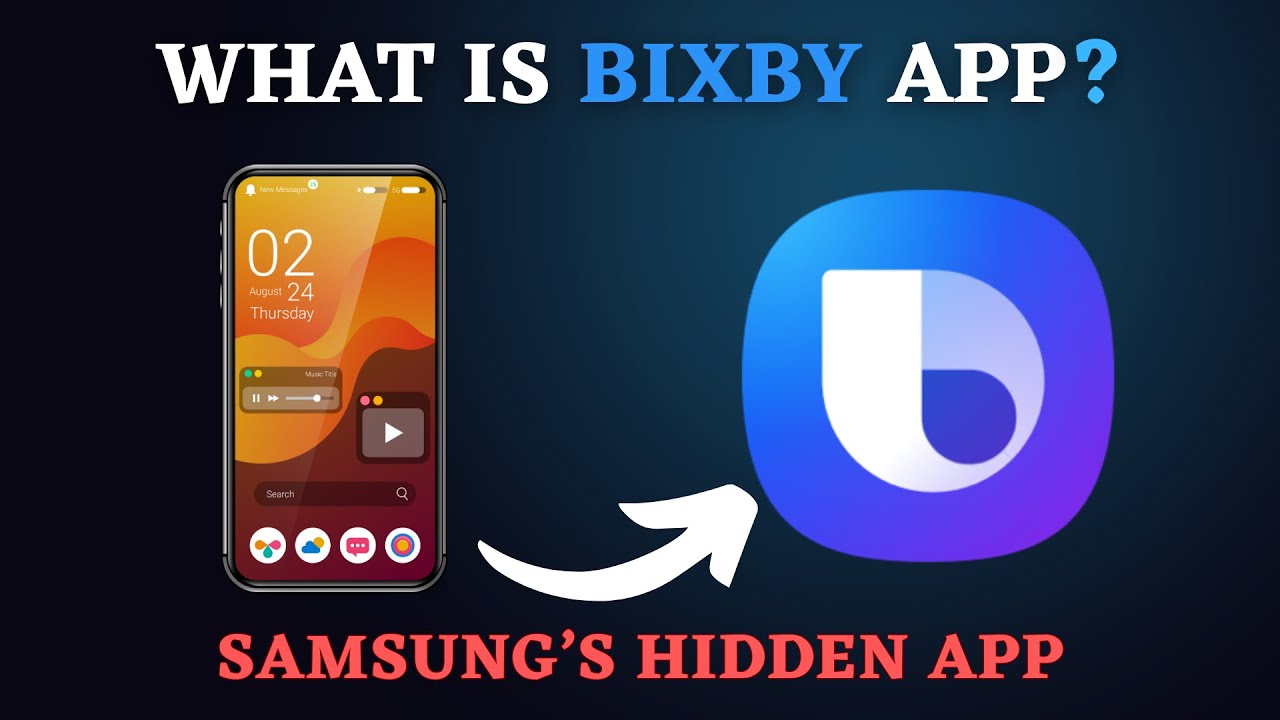
Samsung Bixby Vision is an AI camera feature built into Samsung Galaxy devices, targeting Samsung users who want object identification, translation, and shopping search directly inside their camera and gallery apps. It is available exclusively on Samsung Galaxy hardware and requires a network connection. Accuracy in shopping mode is inconsistent for products without visible labels, but its translation and text extraction tools work reliably.
What Does Samsung Bixby Vision Do?
Bixby Vision identifies objects, translates text in real time, extracts text for copying, scans QR codes, and searches for similar products via the camera on supported Samsung Galaxy devices.
How Is Samsung Bixby Vision Similar to Google Lens?
Both are AI-powered camera search tools built into Android devices. Both support real-time text translation, barcode scanning, and object identification. Both include accessibility features for visually impaired users. Both are free.
How Is Samsung Bixby Vision Different from Google Lens?
| Feature | Bixby Vision | Google Lens |
| Device availability | Samsung Galaxy only | All Android + iOS |
| Accessibility modes | Scene describer, color detector | Limited |
| Text Reader support | 60 languages | 100+ languages |
| Shopping accuracy | Inconsistent | Stronger |
Who Is Samsung Bixby Vision Best For?
Bixby Vision suits Samsung Galaxy users who want visual search and live translation built natively into their camera app without downloading anything extra.
Key Features of Samsung Bixby Vision
- Scene describer: Audibly describes what the camera sees for accessibility users
- Live translation: Overlays translated text on foreign menus, signs, and books in real time
- Color detector: Identifies and reads out colors, useful for low-vision users
- AR home decor: Virtually place Wayfair furniture in your room via Bixby Vision
Pricing
- Free plan: Yes, built into Samsung Galaxy devices at no cost
- Paid plans: None
- Free trial: N/A
PictureThis

PictureThis is a plant identification app developed by Glority LLC, targeting gardeners, hikers, and nature enthusiasts who need fast, accurate plant recognition and care guidance. Over 100 million downloads and a 4.6-star rating on the iOS App Store. In independent testing by Gardenstead, PictureThis achieved 100% accuracy compared to PlantSnap’s 85%. The app identifies over 400,000 plant species.
What Does PictureThis Do?
PictureThis identifies plants, flowers, trees, weeds, and succulents from photos, then provides care guides, disease diagnosis, watering reminders, and toxicity warnings on iOS and Android.
How Is PictureThis Similar to Google Lens?
Both use AI image recognition to identify plants from photos. Both are available on iOS and Android. Both provide additional information beyond just a name. Both can analyze existing photos from a camera roll.
How Is PictureThis Different from Google Lens?
PictureThis goes far deeper on plant-specific data than Google Lens. Care schedules, disease diagnosis, watering reminders, and a 24/7 expert chat are all exclusive to PictureThis. Google Lens identifies plants but provides no ongoing care tools. PictureThis requires a paid subscription for full access; Google Lens is entirely free.
Who Is PictureThis Best For?
PictureThis suits gardeners and plant parents who need not just identification but ongoing plant care, disease diagnosis, and watering management in one dedicated app.
Key Features of PictureThis
- 400,000+ species database: 98% claimed accuracy across plants, weeds, and fungi
- Disease auto-diagnosis: Snap a sick plant for treatment recommendations
- Watering tracker: Reminders and schedules per plant species
- Toxic plant warnings: Flags pet and child hazards instantly
- Light meter: Measures sunlight exposure for indoor plants
Pricing
- Free plan: Yes, with very limited identification credits; ad-supported
- Paid plans: $29.99/year (US); monthly options available
- Free trial: Yes, 7 days
Vivino

Vivino is a wine identification and marketplace app with over 70 million users, targeting casual wine drinkers and collectors who want instant label scanning, ratings, and purchase options in one place. The label scanner is used over 1 million times daily worldwide, according to App Annie data. The database covers 16 million wines across 245,000 wineries. Think of it as a photo-based search engine where the only subject is wine.
What Does Vivino Do?
Vivino lets users scan any wine label to instantly see community ratings, average pricing, food pairings, and purchase options from over 500 wine sellers on iOS and Android.
How Is Vivino Similar to Google Lens?
Both use image recognition to identify real-world objects from a phone camera. Both return actionable product information after scanning. Both are free on iOS and Android. Both can search from existing photos in the camera roll.
How Is Vivino Different from Google Lens?
Vivino is domain-specific. It only works on wine labels. Google Lens identifies millions of object types; Vivino identifies one. The trade-off: Vivino returns far richer wine-specific data including vintage scoring, food pairing suggestions, winemaker background, and a personalized taste profile that Google Lens cannot match.
Who Is Vivino Best For?
Vivino suits wine buyers who want to make fast, informed decisions at restaurants and stores without needing wine expertise or a sommelier on hand.
Key Features of Vivino
- Label scanner: OCR + image recognition returns wine data within seconds
- Match for You score: Personalized taste prediction based on your rating history
- Wine cellar tracker: Log bottles with drinking windows and readiness status
- In-app marketplace: Buy directly from 500+ vetted wine merchants
Pricing
- Free plan: Yes, label scanning restored to free version as of 2025
- Paid plans (Vivino Premium): $2.99/month or $29.99/year (US iOS pricing)
- Free trial: No standard trial listed
Yandex Images

Yandex Images is a reverse image search engine from the Russian tech company Yandex, targeting users who need broader international results, Eastern European content, or face-adjacent image matching that Google Images often misses. Yandex consistently returns more results than Google Images for the same query, even if some are loosely related. It is notably stronger for searches involving Eastern European content, foreign-language sources, and photos where Google returns minimal matches.
What Does Yandex Images Do?
Yandex Images lets users upload a photo or paste a URL to find visually similar images, identify objects, and locate the original source of an image across the web via yandex.com/images.
How Is Yandex Images Similar to Google Lens?
Both accept photo uploads for reverse image search. Both return visually similar results and source links. Both are free with no account required. Both work from a browser without installing an app.
How Is Yandex Images Different from Google Lens?
Yandex Images is desktop-first and has no dedicated mobile camera app. It has no real-time translation, barcode scanning, or object-specific knowledge cards. Results can include loosely related images, reducing precision for specific product lookups. Strongest outside Google’s coverage areas, particularly for Russian and Eastern European web content.
Who Is Yandex Images Best For?
Yandex Images suits researchers, OSINT investigators, and users searching for images with international or Eastern European context that Google Images regularly underperforms on.
Key Features of Yandex Images
- Upload or URL search: Standard reverse image lookup from browser
- Broad database: Returns more total results than Google for many queries
- Similar image detection: Finds visually related images even from loosely matching sources
- No app required: Works fully in any desktop or mobile browser
Pricing
- Free plan: Yes, completely free
- Paid plans: None for consumers
- Free trial: N/A
Amazon Shopping (Visual Search)
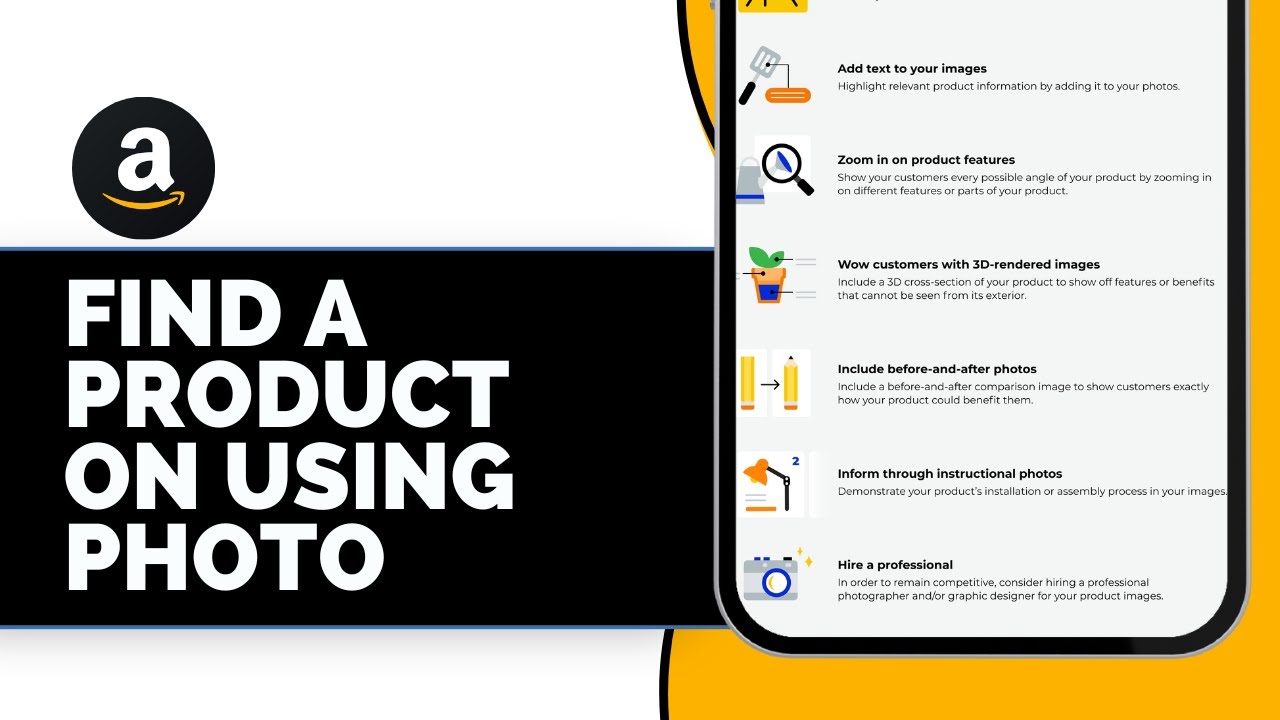
Amazon Shopping’s built-in visual search tool, often called StyleSnap for fashion, is a product-discovery feature targeting Amazon shoppers who want to find purchasable items by photographing or screenshotting products they see offline or online. Amazon’s catalog gives it a unique advantage here. If the item exists on Amazon, the camera tool is often the fastest path from “I want that” to add-to-cart. Amazon Rekognition, the underlying AI engine, is also offered separately as an enterprise API.
What Does Amazon Visual Search Do?
Amazon Visual Search lets users scan physical products, barcodes, or outfit photos inside the Amazon Shopping app to find matching or similar items available to buy on Amazon, on iOS and Android.
How Is Amazon Visual Search Similar to Google Lens?
Both use AI image recognition to identify products from photos. Both return shoppable results. Both support barcode scanning for product lookup. Both are free within their respective apps.
How Is Amazon Visual Search Different from Google Lens?
Amazon Visual Search only returns results from Amazon’s own catalog. It does not identify landmarks, translate text, read QR codes, or provide general knowledge. Google Lens searches the entire web. Amazon’s tool is purely transactional, Google’s is informational and transactional combined.
Who Is Amazon Visual Search Best For?
Amazon Visual Search suits regular Amazon shoppers who frequently encounter products in the real world and want to buy them, or close alternatives, as quickly as possible.
Key Features of Amazon Visual Search
- StyleSnap: Upload outfit photos to find similar clothing and accessories on Amazon
- Barcode scanner: Scan in-store product barcodes for Amazon price comparison
- Product matching: AI matches objects to Amazon catalog listings
- Amazon Rekognition API: Enterprise-grade version available for developers separately
Pricing
- Free plan: Yes, built into the Amazon Shopping app at no cost
- Paid plans: None for consumers; Amazon Rekognition API has usage-based pricing
- Free trial: N/A for consumers
Looking for apps in other categories? Check out our guides on satellite and mapping apps similar to Google Earth, or explore AI image generation tools like Midjourney if visual creation is what you’re after.
What Is Google Lens and What Does It Do?
Google Lens is an AI-powered visual search tool that identifies objects, reads text, translates languages, scans barcodes, and returns shopping results using your camera or existing photos.
It runs on Android natively, on iOS through the Google app, and on desktop via Chrome’s right-click menu. Google processes over 20 billion visual search queries every month through Lens, according to Google’s own data cited by Backlinko.
That scale creates a training feedback loop no competitor can match. The more searches Lens processes, the more accurate its recognition becomes across every category it covers.
Still, breadth is not the same as depth. Lens identifies a plant but gives no care schedule. It finds a wine label but provides no taste profile. It locates a product but skips copyright tracking.
That gap is where alternatives live.
| Google Lens Capability | What It Does | Where It Falls Short |
| Object Identification | Names items from a photo | No care data, species depth, or context |
| Text Extraction (OCR) | Copies and translates text in real time | Limited offline support |
| Product Search | Returns shopping links from the web | Not tied to a single retailer catalog |
| Plant / Animal ID | Basic species name | No disease diagnosis or watering guide |
Users aged 18 to 24 engage with Google Lens the most, according to Google’s own demographic data. Gen Z and Millennials together start 40% of product searches visually, based on 2025 Google statistics compiled by kartikahuja.com.
Reasons people look for alternatives include iOS-first limitations, ecosystem lock-in, need for deeper domain data (wine, plants, copyright), and privacy concerns around cloud image uploads.
How Do Visual Search Apps Work?
Visual search apps fall into two distinct technical approaches: AI image recognition and reverse image search. They look similar on the surface but work very differently under the hood.
AI image recognition (used by Google Lens, PictureThis, Bixby Vision) takes a photo, runs it through a neural network, and returns a semantic label or structured data. Reverse image search (used by TinEye, Yandex Images) creates a digital fingerprint of the image and finds matches across an indexed database.
Neither approach is universally better. The right method depends entirely on the task.
| Approach | Best For | Example Apps |
| AI Image Recognition | Identifying objects, plants, products in real time | Google Lens, PictureThis, Bixby Vision |
| Reverse Image Search | Finding image sources, copyright tracking | TinEye, Yandex Images, Google Images |
| Domain-specific AI | Deep recognition within one category | Vivino (wine), PictureThis (plants) |
The second key split is on-device vs. cloud processing. Apple Visual Look Up processes images locally on the device. CamFind, Bing Visual Search, and TinEye send images to remote servers for analysis.
On-device processing is faster for simple tasks, keeps images private, and works offline. Cloud-based tools access larger databases and handle complex recognition better, but require an internet connection and raise data privacy questions.
Visual recognition algorithms now achieve over 94.5% accuracy across standard benchmarks, up from 88.1% in 2022, according to Market Growth Reports. That improvement is largely driven by deep learning advances in both on-device and cloud models.
Real-time camera mode (continuous recognition as you point the phone) is available in Google Lens, Bixby Vision, and PictureThis. Static photo upload works across all tools. CamFind, TinEye, and Yandex Images do not offer live camera scanning.
The practical takeaway: camera apps suit active discovery, reverse search engines suit passive verification.
What Are the Best Free Alternatives to Google Lens?
Six tools cover the bulk of what Google Lens does, each free for core use. The differences show up in platform restrictions, processing approach, and depth of results.
Over 72% of online shoppers under 35 used a visual search tool at least once per week in 2023, with fashion and electronics as the top categories, according to Market Growth Reports. That demand is exactly what these free tools compete to capture.
Pinterest Lens
Primary strength: lifestyle shopping discovery.
Pinterest Lens handles over 2.5 billion visual queries monthly and is tuned entirely for fashion, home decor, and lifestyle content. It does not identify landmarks, translate text, or scan barcodes.
- Free on iOS and Android through the Pinterest app
- Tap any object in a Pin to find shoppable product matches
- Style refinements filter by aesthetic, occasion, and color palette
- Screenshot mode automatically suggests recent photos for lookup
About half of all Pinterest Lens searches are in fashion and home decorating categories, per Pinterest’s own data. IKEA integrated Pinterest Lens into its shopping experience to let users match furniture from photos to available catalog items.
Microsoft Bing Visual Search
Bing Visual Search is desktop-first. That is its real differentiator.
It is built into Windows 11’s Snipping Tool (Win + Shift + S), letting users search any area of their screen without switching apps. Product identification tasks run 61% faster than equivalent text queries, according to testing data from Alibaba LifeTips.
The trade-off is workflow. Results open in a new browser tab, breaking focus from whatever was on screen. Google Lens keeps everything in a floating overlay.
- Object recognition, translation, and barcode scanning
- Draw a bounding box around a specific object in a multi-object image
- Earns Microsoft Rewards points redeemable for gift cards
Weaker than Google Lens on non-English content, and uploads full raw images to Microsoft servers by default rather than processing locally first.
Apple Visual Look Up
iOS 15+. No separate app. No data sent to Apple servers.
Privacy-first design: Visual Look Up uses homomorphic encryption for landmark matching, meaning Apple never receives a decryptable version of your photo.
It identifies plants, animals, landmarks, artworks, food, laundry symbols, and dashboard icons from inside Photos, Safari, Messages, and Mail. iOS 18.2 added Visual Intelligence for real-time camera lookup on iPhone 16 and 15 Pro.
Limitations are real: iOS only, 6 supported languages, no shopping comparisons, no barcode scanning. But for privacy-focused users who want quick lookups from existing photos, nothing requires less setup.
Samsung Bixby Vision
Samsung Galaxy devices only. Baked directly into the camera and gallery app.
Strongest feature: live text translation overlaid on foreign menus, signs, and books in real time, supporting 60 languages. Its accessibility suite (scene describer, object identifier, text reader, color detector) is more comprehensive than Google Lens’s accessibility options.
- Real-time AR text translation overlay
- Scene describer audibly describes what the camera sees
- Shopping mode works reliably when scanning visible product labels
Shopping recognition is inconsistent for unlabeled products. Samsung’s own SamMobile documentation notes the shopping mode rarely found the right product when scanning gadgets without visible branding.
CamFind
One of the earliest mobile visual search engines. 42 million downloads and 550 million identified images since 2013, per its Wikipedia entry.
It adds something Google Lens skips entirely: a social layer. Users can like, favorite, and share searches in a community feed. The app also saves searched images offline as Visual Reminders.
Accuracy is mixed. User reviews consistently note the app works well for barcodes and labeled products but misidentifies unlabeled objects. Updates have been infrequent since 2020. For general object recognition, Google Lens is more reliable.
Yandex Images
Desktop browser tool. No camera mode. No app required.
Best use case: reverse image search for content where Google returns thin results. Eastern European web content, Russian-language sources, and images with complex compositional changes are areas where Yandex consistently outperforms Google Images.
- Upload image or paste URL for reverse lookup
- Returns more total results than Google for many queries
- No account required, fully free
- No real-time translation, barcode scanning, or knowledge cards
OSINT researchers and investigators routinely use Yandex Images alongside Google Images specifically because the two databases surface different results for the same photo.
Which Apps Specialize in Tasks Google Lens Does Partially?
Four categories exist where Google Lens works but doesn’t go deep: plant identification, wine recognition, copyright tracking, and direct product shopping. Each has a purpose-built alternative that outperforms Lens within its domain.
Adding visual search capabilities to a product increases user engagement by 30%, according to Opensend’s 2025 analysis of ecommerce search behavior. Domain-specific tools capture that engagement by going far beyond a basic object label.
Apps for Plant and Nature Identification
PictureThis identifies over 400,000 plant species with a claimed 98% accuracy rate. In independent testing by Gardenstead, it achieved 100% accuracy compared to PlantSnap’s 85% on the same sample set.
Google Lens names a plant. PictureThis names it, diagnoses diseases from a photo, provides a watering schedule, sets care reminders, and flags toxicity risks for pets. That is a fundamentally different product.
- Plant disease auto-diagnosis with step-by-step treatment plans
- Light exposure monitoring via built-in light meter
- Toxic plant warnings with safety guidelines
- 24/7 expert chat for personalized gardening advice
Over 100 million downloads and a 4.6-star rating from 1 million+ iOS reviews. The free version is limited (ad-supported, few daily credits). Full access costs $29.99/year with a 7-day free trial.
Apps for Wine Label Recognition
Vivino’s label scanner is used over 1 million times daily worldwide, according to App Annie data cited in Miracuves’ 2025 platform analysis. That single stat explains why Vivino exists: wine ID is a genuine high-frequency use case that deserves its own product.
Scan a label and get the wine’s community rating, average price across retailers, food pairing suggestions, and a “Match for You” score based on your personal taste history. Google Lens returns a Wikipedia snippet and a Google Shopping link.
Key differentiator: Vivino’s database covers 16 million wines across 245,000 wineries, with ratings from 70 million users. No general visual search tool gets close to that depth on wine.
The base app (including label scanning) is free. Vivino Premium costs $29.99/year and adds advanced cellar management and sommelier features.
Apps for Reverse Image Search and Copyright Tracking
TinEye has indexed over 60 billion images and uses digital fingerprinting that finds matches even when an image has been cropped, resized, or lightly edited. Google Lens cannot do this at all.
Google Lens asks: “What is this?” TinEye asks: “Where has this been?” Those are completely different questions, answered by completely different architectures.
- Finds exact and modified image matches across the web
- Browser extensions for Chrome, Firefox, Edge, and Opera (right-click any image)
- TinEye Alerts: ongoing monitoring for unauthorized use of specific images
- Paid API from $200 for 5,000 searches (free tier available for personal use)
Photographers and brands use TinEye to detect copyright violations and track where their images appear. Amazon uses reverse image search concepts within its own catalog matching, but TinEye covers the open web.
How Do These Apps Compare to Google Lens on Key Attributes?
Choosing the right tool comes down to four variables: platform, processing location, primary function, and cost. No single alternative matches Google Lens across all four.
Visual search adoption is growing at roughly 21% annually through 2025, according to Grand View Research. That growth is not coming from one app winning. It is coming from users switching between tools based on context.
| App | Platform | Processing | Primary Use | Free? |
| Google Lens | Android, iOS, Chrome | Cloud | General search | Yes |
| Pinterest Lens | iOS, Android | Cloud | Shopping discovery | Yes |
| Bing Visual Search | iOS, Android, Windows | Cloud | General + desktop | Yes |
| Apple Visual Look Up | iOS only | On-device | Object ID (private) | Yes |
| Samsung Bixby Vision | Samsung Galaxy only | Cloud | Translation + ID | Yes |
| PictureThis | iOS, Android | Cloud | Plant ID + care | Freemium |
| Vivino | iOS, Android | Cloud | Wine ID + buying | Freemium |
| TinEye | Web (browser ext.) | Cloud | Copyright tracking | Freemium |
| Yandex Images | Web (browser) | Cloud | Reverse image search | Yes |
| Amazon Visual Search | iOS, Android | Cloud | Amazon product search | Yes |
Accuracy benchmarks, where publicly available: PictureThis claims 98% plant identification accuracy; Bing Visual Search returns 32% more irrelevant listings than Google Lens on product queries, per Alibaba LifeTips analysis; TinEye finds modified images at a 60-billion-image scale that no mobile camera app matches.
Privacy split is clear. Apple Visual Look Up is the only tool with fully on-device processing. Bing Visual Search uploads raw images to Microsoft servers by default. The rest are cloud-dependent but vary in their data retention policies.
Use case summary:
- General object lookup: Google Lens or CamFind
- Shopping inspiration: Pinterest Lens
- Plant care: PictureThis
- Wine buying: Vivino
- Copyright / image tracking: TinEye
- Privacy-first: Apple Visual Look Up
- Windows desktop: Bing Visual Search
- Eastern European content: Yandex Images
What Should You Consider Before Choosing a Google Lens Alternative?
The most common mistake is choosing a tool by brand name rather than task fit. A wine collector using Google Lens instead of Vivino is getting 1% of the available information. A Windows user needing screenshot search who installs a mobile app is solving the wrong problem.
One in three online shoppers now uses AI-powered visual tools during their purchase journey, according to Digital Applied’s 2026 ecommerce analysis. That adoption is uneven. The users getting the most value are matching specific tools to specific tasks.
Four questions cut through the noise:
1. What is the actual task? General object identification points to Google Lens, CamFind, or Bixby Vision. Domain-specific needs (plants, wine, copyright) point to PictureThis, Vivino, or TinEye. Shopping comparisons on Amazon’s catalog point to Amazon Visual Search.
2. What device do you use? Apple Visual Look Up is iOS-only. Bixby Vision is Samsung Galaxy-only. Bing Visual Search has unique value on Windows 11 desktops. Cross-platform users have more options.
3. How sensitive are the images? On-device processing (Apple Visual Look Up) keeps photos off external servers entirely. All other tools in this list send image data to cloud servers for analysis. For personal, medical, or proprietary images, that distinction matters.
4. What is the budget? Seven of the ten tools covered here are fully free. PictureThis ($29.99/year) and Vivino Premium ($29.99/year) add meaningful depth. TinEye’s paid API starts at $200 for 5,000 searches and targets professional or commercial users rather than casual ones.
The tools that consistently outperform Google Lens do so because they solve one problem extremely well. General-purpose visual search remains Google Lens’s domain. For everything else, there is a better-fit tool that already exists.
If you are looking at other areas of app discovery, our guides on habit-tracking apps similar to Habitica and product scanning apps like Yuka follow the same format and cover adjacent use cases worth exploring.
FAQ on Apps Like Google Lens
What is the best free alternative to Google Lens?
Pinterest Lens, Apple Visual Look Up, and Bing Visual Search are all fully free. For general object identification, CamFind is a solid cross-platform pick. For plant identification specifically, PictureThis offers a free tier with limited daily credits.
Which app identifies plants better than Google Lens?
PictureThis outperforms Google Lens on plant identification. It covers 400,000+ species with 98% claimed accuracy, plus disease diagnosis and care guides. Google Lens names the plant. PictureThis tells you how to keep it alive.
Is there a visual search app that works without internet?
Apple Visual Look Up processes images on-device and handles basic identification offline. Most other tools, including Google Lens, CamFind, and Bing Visual Search, require an active internet connection to run recognition against cloud databases.
What app identifies wine labels like Google Lens?
Vivino is the go-to wine label scanner. It pulls ratings from 70 million users, shows average pricing, food pairings, and a personalized taste score. Google Lens returns basic label info. Vivino returns everything a wine buyer actually needs.
Can I use reverse image search on my phone?
Yes. Google Lens, Yandex Images (via mobile browser), and CamFind all support reverse image lookup from a phone camera or photo library. TinEye works via its mobile browser version but has no dedicated camera mode.
What is the best visual search app for shopping?
It depends on where you shop. Amazon Visual Search matches photos directly to Amazon’s catalog. Pinterest Lens finds style inspiration with purchase links. Google Lens returns broader web results across multiple retailers rather than one specific platform.
Which apps like Google Lens work on iPhone?
Apple Visual Look Up, Pinterest Lens, CamFind, Vivino, and the Google app (which includes Lens) all run on iPhone. Samsung Bixby Vision is the one major exclusion. It only works on Samsung Galaxy Android devices.
Is Samsung Bixby Vision better than Google Lens?
For live text translation and accessibility features, Bixby Vision has an edge. For general object recognition and shopping results, Google Lens is more accurate. Bixby Vision is also locked to Samsung Galaxy hardware, while Lens runs on any Android or iOS device.
What app finds where an image came from?
TinEye is built specifically for this. It indexes over 60 billion images and uses digital fingerprinting to find exact or modified matches. Yandex Images also performs well for reverse image sourcing, often surfacing results that Google Images misses.
Are apps like Google Lens safe to use?
Most tools send images to cloud servers for processing. Apple Visual Look Up is the exception, handling recognition entirely on-device with no data sent to Apple. If privacy matters, check each app’s data policy before uploading personal or sensitive photos.
Conclusion
This conclusion is for an article presenting apps like Google Lens as purpose-built alternatives to a tool that does many things but masters none.
The right camera search app depends entirely on the task. Vivino wins for wine label scanning. PictureThis dominates plant identification and care. TinEye is the only real option for copyright tracking and reverse image lookup at scale.
For privacy-first users, Apple Visual Look Up keeps every image on-device. For Windows desktop workflows, Bing Visual Search fits naturally. For lifestyle shopping, Pinterest Lens connects visual discovery directly to purchase.
No single app replaces Google Lens across every use case. But for any specific job, a better-fit tool almost certainly exists.
Pick the one that matches your actual need, not the one with the biggest name.

- How to Share GitHub Repository Access With Collaborators - October 25, 2026
- Build or Buy an AI Chatbot for E-commerce: The Costs Nobody Budgets For - October 24, 2026
- How to Run a React App in VS Code Step by Step - October 23, 2026