The Best Apps Like Panda Helper for Modded Apps

Summarize this article with:
Panda Helper went down again. Your favorite tweaked apps stopped working overnight.
Sound familiar?
Enterprise certificates get revoked constantly. That’s just how third-party app stores work on iOS. One day everything runs fine, the next you’re staring at an “Unable to Verify App” error.
You need backup options. Multiple ones, actually.
This guide covers the best apps like Panda Helper that let you download modded games, tweaked applications, and premium content without jailbreaking your iPhone or rooting your Android device.
You’ll find alternatives like TutuApp, AppValley, AltStore, and ACMarket. Each handles sideloading differently.
Some use enterprise certificates. Others work through your personal Apple ID. A few focus exclusively on Android APK files.
We’ll break down what each unofficial app store offers, their safety profiles, and which one fits your situation.
Apps Like Panda Helper
| App Store Alternative | Primary Installation Method | Key Differentiator | Device Compatibility |
|---|---|---|---|
| TutuApp | Direct OTA profile installation | VIP subscription for certificate stability | iOS and Android |
| AppValley | Enterprise certificate sideloading | Large catalog of modified apps and games | iOS exclusively |
| TweakBox | Browser-based profile download | Frequent certificate rotation system | iOS devices |
| ACMarket | APK sideloading for Android, profile for iOS | Cross-platform app distribution network | iOS and Android |
| Emus4u | Configuration profile via Safari | Emulator and retro gaming focus | iOS devices |
| CokernutX | Direct installation without revocation | Anti-revocation technology implementation | iOS exclusively |
| TopStore | Web-based installer with certificate signing | Minimalist interface with curated selection | iOS devices |
| Ignition | Multi-repository aggregation system | Repository aggregator pulling from multiple sources | iOS devices |
| AppCake | Requires jailbreak or Cydia Impactor | Jailbreak-oriented distribution platform | iOS (jailbroken preferred) |
| AltStore | PC/Mac companion app with WiFi sync | Personal developer certificate utilization (7-day signing) | iOS with desktop computer |
TutuApp

TutuApp is a third-party app installer that provides modded applications, hacked games, and unofficial content for iOS and Android without requiring jailbreak or root access. The platform has been operating since its launch and maintains millions of users worldwide who rely on it for access to premium apps at no cost.
Compatibility & Requirements
iOS Support:
- iOS 8.0 through iOS 26
- Works on iPhone, iPad, and iPod Touch
Android Support:
- Android 4.4 and above
- Tablets and smartphones supported
Installation Prerequisites:
- No jailbreak or root required
- Safari browser for iOS installation
- Unknown Sources enabled for Android
Key Features
Dual Version System: TutuApp offers both free and VIP versions. The free version operates on enterprise certificates that Apple may revoke periodically, while VIP provides independent certificates with better stability and fewer interruptions.
Modified Content Library: Access tweaked versions of popular apps like Spotify++, Instagram++, YouTube++, and Pokemon Go++ with unlocked premium features, removed ads, and additional functionality not available in official versions.
Game Hack Tools: Built-in utilities allow manipulation of in-game values including coins, diamonds, health points, and progression speeds. Popular hacked games include Minecraft, CoinMaster Hack, and Subway Surfers Hack.
Desktop Integration: The desktop application (Windows available, macOS support coming) assists with installation by connecting iPhone to computer and pushing apps directly onto devices, bypassing certificate issues.
App Catalog & Content
The store contains thousands of applications across multiple categories. Content updates daily with new tweaked apps and mod releases.
Primary Categories:
- Hacked games with modified features
- Premium apps unlocked for free
- Cydia utilities and tweaks
- Screen recording and video editing tools
- Game emulators (GBA, NDS, PSP)
- Modified social media apps
Popular downloads include paid App Store applications made free, plus exclusive content unavailable elsewhere.
Installation Method
iOS Installation (Profile-Based):
Users visit the official TutuApp website through Safari. After selecting iOS version (VIP or Free), the site prompts profile download. The configuration profile must be trusted in Settings > General > Profile Management before the app becomes functional.
VIP version requires payment upfront and provides application download permissions with stable, independent certificates.
Android Installation (APK Method):
Download TutuApp APK from the official website. Enable “Unknown Sources” in device settings before installation. The APK installs like any standard Android application without Google Play intervention.
Security & Verification
TutuApp operates on enterprise certificates for the free iOS version. These certificates come from Apple’s Developer Enterprise Program, which allows app distribution outside the App Store but carries revocation risk.
The platform uses SSL encryption for all app downloads. Content undergoes developer testing, though apps remain unsigned by Apple, meaning they bypass standard App Store verification processes.
No Apple ID required for installation or use. This prevents account tracking but also means apps cannot sync with Apple’s ecosystem.
Pricing Model
Free Version:
- Full access to app library
- Enterprise certificate based (subject to revocation)
- Occasional downtime when certificates expire
- Must reinstall apps after certificate replacement
VIP Version:
- More stable certificate infrastructure
- Faster download speeds
- Priority access to new releases
- Exclusive applications not in free tier
- Optimized experience on both iOS and Android
Pricing varies by subscription length. VIP status applies across devices using the same account.
Reliability & Updates
Certificate revocation remains the primary reliability concern. When Apple revokes enterprise certificates (typically every few weeks to months), the free version stops working until developers acquire new certificates. This usually takes 24-48 hours.
The VIP version experiences fewer revocations due to different certificate sourcing. However, no third-party installer can guarantee 100% uptime.
App library receives regular updates. Developers maintain compatibility with newest iOS and Android versions, typically adding support within days of major OS releases.
User Experience
The interface resembles Apple’s App Store with familiar navigation patterns. Categories include Latest, Trending, Games, and Apps.
Search functionality allows quick location of specific content. Each app page displays screenshots, descriptions, user ratings, and version information.
Installation happens with single-tap simplicity. After selecting an app, TutuApp handles download and installation automatically. Progress bars show download status.
The desktop version provides additional control for users who prefer managing installations from computer rather than directly on device.
Advantages Over Alternatives
TutuApp supports both major mobile platforms (iOS and Android) while many competitors focus on only one. This cross-platform availability appeals to users with multiple devices.
The VIP tier offers more consistent service than free alternatives. While competitors also use enterprise certificates, TutuApp’s VIP infrastructure reduces downtime significantly.
Desktop integration sets TutuApp apart. When certificate issues arise on iOS, users can sideload via desktop app rather than waiting for certificate restoration.
Active development team responds to issues within 24-48 hours according to user reports. Updates address compatibility problems faster than some competing platforms.
Limitations
Free version suffers from frequent certificate revocations. Users must wait for developer fixes and reinstall apps repeatedly.
Some users report that TutuApp no longer functions properly on iOS devices, with the installer only creating a website bookmark rather than installing an actual app. This suggests Apple may have closed the installation method used.
Android users get better experience since APK sideloading doesn’t depend on revocable certificates. iOS remains the problematic platform.
No official support channels exist beyond social media. Documentation can be sparse for troubleshooting unusual issues.
The platform distributes cracked apps and modified versions that violate original developer copyrights, creating legal gray areas depending on jurisdiction.
AppValley

AppValley is a web-based third-party app installer providing access to tweaked applications, modified games, and unofficial iOS content without jailbreaking. Originally launched in 2017, the platform underwent significant changes including internal disputes and eventual merger with TopStore in 2024.
Compatibility & Requirements
Device Support:
- iOS 9 through iOS 26
- iPhone, iPad, iPod Touch models
- All device generations including latest iPhone XS Max
Installation Requirements:
- Safari browser for profile installation
- No jailbreak necessary
- No Apple ID needed
- Configuration profile trust in device settings
The platform supports nearly all iOS versions with regular updates maintaining compatibility across Apple’s firmware releases.
Key Features
Fast App Signing: The 2024 release introduced capability to sign 200 apps per minute, dramatically reducing wait times. This represents major performance improvement over previous versions and competing platforms.
Expanded App Library: AppValley contains thousands of applications including premium app unlocks, tweaked versions with additional features, and hacked games with unlimited resources. The library grows daily with new additions.
No Jailbreak Architecture: The system operates entirely without requiring device jailbreak. Apps install using enterprise certificates through configuration profiles, maintaining device warranty and security.
Community-Driven Vetting: Users report non-working apps through integrated feedback system. The development team removes or fixes problematic content based on community input, ensuring catalog quality.
App Catalog & Content
The collection includes official apps, tweaked versions of popular applications, and exclusive content unavailable through standard channels.
Main Categories:
- Tweaked apps (Instagram++, Snapchat++, TikTok++)
- Modified games with unlimited resources
- Premium apps unlocked free
- Streaming applications
- Emulators and utilities
- Jailbreak tools (Unc0ver, Chimera)
Popular items include Spotify++ (no ads, unlimited skips), YouTube++ (background playback, no ads), and Pokemon Go++ with joystick controls.
Installation Method
AppValley uses profile-based installation method for iOS devices.
Installation Process:
Users navigate to appvalley.vip (the original domain now redirects to TopStore infrastructure) using Safari browser. Tapping the install link downloads a configuration profile.
iOS prompts to allow profile installation. After allowing, users navigate to Settings > General > Profile & Device Management. The AppValley profile appears in the list.
Tapping the profile shows install option. After entering device passcode and confirming, the profile installs and AppValley icon appears on home screen.
First launch requires trusting the developer certificate again through Settings > General > Profile & Device Management to prevent “Untrusted Enterprise Developer” error.
The entire process takes 2-3 minutes and requires no computer connection.
Security & Verification
AppValley doesn’t require Apple ID, preventing account tracking or suspension risks. The platform uses enterprise certificates for app distribution, operating within Apple’s Developer Enterprise Program framework.
SSL encryption protects profile downloads and app installations. However, enterprise certificates face periodic revocation by Apple when misuse is detected.
Apps installed through AppValley aren’t vetted by Apple’s App Store review process. This means potentially higher security risks compared to official sources, though AppValley claims to scan submissions for obvious malware.
No personal information required during installation or usage maintains user privacy.
Pricing Model
Free Tier:
- Full access to app library
- Standard signing speed
- Enterprise certificate dependent
- Subject to certificate revocations
VIP Subscription:
- Faster app signing
- More reliable certificates
- Fewer interruptions during busy periods
- Exclusive apps not available in free tier
- Priority customer support via Telegram
Pricing information not publicly listed. VIP helps users who require consistent access without downtime from certificate issues.
Reliability & Updates
Certificate revocation remains the main reliability challenge. Apple periodically revokes enterprise certificates used by AppValley, causing service interruptions.
When revocation occurs, free users must wait until developers acquire new certificates (typically 24-48 hours). VIP users experience less frequent interruptions due to separate certificate infrastructure.
The 2024 merger with TopStore improved infrastructure stability. Combined resources allow faster certificate replacement and better uptime overall.
App library receives continuous updates. New releases appear within days of official launches. Tweaked versions get updated when base apps receive major changes.
User Experience
The 2024 interface overhaul created sleek, intuitive design. Navigation feels familiar to App Store users with similar layout patterns.
Apps organize into categories like Latest Updates, Popular, Tweaks, and Games. Search bar at top allows quick location of specific content.
Each app page displays screenshots, description, version number, and user ratings. One-tap installation simplifies the download process.
The platform loads quickly despite containing thousands of apps. Responsive design works smoothly on all iOS device sizes from iPhone SE to iPad Pro.
Advantages Over Alternatives
The merger with TopStore in 2024 created unified platform with better resources than independent operations provided. This means improved stability and faster problem resolution.
Fast signing speed (200 apps per minute) surpasses most competitors. Users spend less time waiting for installations to complete.
No computer required differentiates AppValley from solutions like AltStore that need desktop companion software. Pure mobile experience appeals to users wanting simple installation.
The platform’s long history (since 2017) demonstrates staying power. Despite internal disputes and ownership changes, the service continues operating.
Limitations
The original U.S.-based developers lost control during Chinese New Year 2019 dispute, causing service disruption for millions of users. While operations resumed, the incident highlighted organizational instability.
Certificate revocations disrupt service regularly for free users. This recurring problem affects all enterprise certificate-based platforms but remains frustrating nonetheless.
The appvalley.vip domain now redirects to TopStore infrastructure, causing confusion about platform identity. Some users unsure whether they’re using AppValley or TopStore.
VIP subscription required for best experience. Free tier works but interruptions from certificate issues push users toward paid option.
Legal questions surround distributing cracked apps and modified versions of copyrighted software. Users assume risk when installing content that violates developer terms of service.
TweakBox

TweakBox launched in 2013 as an alternative app marketplace allowing tweaked and modded apps without jailbreaking iOS devices. Despite reports suggesting the platform stopped working after 2019, recent evidence confirms TweakBox remains functional in 2025, though with reliability issues.
Compatibility & Requirements
iOS Compatibility:
- iOS 7 and above supported
- Works on iPhone, iPad, iPod Touch
- Latest devices including iOS 26 compatible
Android Support:
- Android platform support added later
- APK installation method
- Requires Unknown Sources enabled
Installation Prerequisites:
- Safari browser for iOS
- Configuration profile installation
- No jailbreak or root access needed
- Device passcode for profile verification
Broader compatibility exists now compared to launch, with Android support expanding user base beyond iOS-only limitations.
Key Features
No Jailbreak Requirement: TweakBox operates on non-jailbroken devices, preserving warranty and system security. This accessibility allowed anyone with iOS device to access modified content without technical expertise required for jailbreaking.
Extensive App Library: The platform hosts over 200,000 apps, games, and tweaks according to some sources. Content includes modified versions of stock apps with additional features and unlocked premium content.
Reddit and Facebook Community: Beta testers from TweakBox’s official Reddit community continuously test apps for stability. The Facebook page serves as primary channel for reporting non-working apps and receiving quick fixes.
Categorized Content Organization: Apps organize into clear categories including official apps, modified apps, tweaks, and games. This structure helps users navigate the extensive library efficiently.
App Catalog & Content
The store contains mix of official applications, tweaked versions, and exclusive content.
Main Sections:
- iOS Apps: Standard iPhone and iPad content
- Exclusive Apps: Tweaks, emulators, screen recorders unavailable in App Store
- Modified Apps: Stock apps enhanced with additional features and functions
- Tweaked Games: Popular games with all features unlocked and new capabilities added
Popular downloads include app installers, screen recording tools, gaming emulators, and ++ applications (modified versions with extra features).
The catalog receives regular updates from developers, though update frequency has reportedly decreased compared to TweakBox’s peak years.
Installation Method
iOS Installation:
Users open Safari and navigate to the official TweakBox website. After tapping download button, a popup requests permission to install configuration profile.
Selecting “Allow” downloads the profile. Users then open Settings > General > Profile Downloaded section. The TweakBox profile appears in the list.
Tapping “Install” in top-right corner prompts for device passcode. After entering passcode, tapping “Install” again confirms. When complete, TweakBox icon appears on home screen.
Before launching, users must trust the profile: Settings > General > VPN & Device Management. Locating TweakBox profile and tapping “Trust” enables app functionality.
Common Installation Issues:
White or black screens indicate cached data problems. Clearing Safari website data (Settings > Safari > Clear Website Data) typically resolves this.
“Untrusted Enterprise Developer” error requires trusting the certificate through Device Management settings.
Profile installation failures need complete removal of existing TweakBox profiles before reinstalling.
Security & Verification
TweakBox underwent thorough developer testing during development phase. Beta testers from the Reddit community provide ongoing stability verification.
The platform monitors for issues daily, with reported problems addressed within 24-48 hours according to official sources.
SSL encryption secures downloads. However, apps distributed through TweakBox bypass Apple’s App Store review process, meaning they don’t meet same security standards as official apps.
No Apple ID required for use prevents account-related risks. Device warranty remains intact since no jailbreak is involved.
Pricing Model
TweakBox operates as completely free service with no subscription tiers or hidden charges.
All apps in the library are free to download. Users never pay for content, regardless of whether apps are premium on official stores.
The platform generates revenue through occasional in-app advertisements rather than charging users directly.
This free model makes TweakBox attractive to users seeking premium content without cost, though legal and ethical questions exist around distributing paid apps free.
Reliability & Updates
Multiple sources report TweakBox “hasn’t worked since late 2019” while other sources confirm continued functionality in 2025. This discrepancy suggests irregular reliability.
Enterprise certificate revocations cause periodic service disruptions. When Apple revokes TweakBox’s certificates, the platform stops working until developers acquire new ones.
The development team demonstrates quick response times for reported bugs, typically fixing issues within 24-48 hours when certificates are valid.
Regular app library updates maintain compatibility with latest iOS versions, though less frequently than competing platforms.
User Experience
The interface provides straightforward navigation similar to other third-party app stores. Categories appear clearly labeled with search functionality for specific apps.
Installing apps requires just a few taps after initial profile setup. The process remains simple even for non-technical users.
Testing across devices confirms TweakBox works on latest iPhones and Android phones when operational. However, inconsistent uptime frustrates users expecting reliable access.
The platform’s Facebook and Reddit presence allows community interaction and support, though official support channels are limited.
Advantages Over Alternatives
TweakBox’s 2013 launch makes it one of the oldest alternative app stores still operating. This longevity demonstrates resilience despite Apple’s enforcement efforts.
The platform pioneered the configuration profile installation method that many subsequent app stores adopted. TweakBox essentially created the blueprint for modern iOS third-party installers.
Reddit community involvement provides quality control not found in all competing platforms. Beta testing by experienced users catches problems before wide release.
Free access to entire library (no VIP tier) removes financial barriers. Users get same content without paying for premium membership.
Limitations
Certificate revocations disrupt service with no clear timeline for restoration. Users can’t predict when TweakBox will work or stop working.
Conflicting information about functionality creates confusion. Some sources claim it’s been broken since 2019, while others show recent successful installations.
Limited official support channels mean users rely on community forums for troubleshooting rather than dedicated help desk.
The platform distributes modified and cracked apps that violate original developers’ intellectual property rights, raising legal concerns.
Decreased development activity compared to peak years suggests the platform may be in maintenance mode rather than active development.
ACMarket

ACMarket is an Android-focused third-party app store providing cracked apps, game mods, and modified APKs for free. Originally designed for Android platform, the service has limited iOS compatibility through web-based workarounds rather than native installation.
Compatibility & Requirements
Android Support:
- Android 4.4 KitKat through latest versions
- Smartphones, tablets, phablets
- Low-end devices supported due to lightweight design
iOS Limited Support:
- No native iOS application
- Web-based access only
- Requires AppValley or similar service for iOS access
Installation Prerequisites (Android):
- Unknown Sources enabled in Security settings
- APK downloaded from official website
- Basic file manager for locating downloaded file
The platform primarily targets Android users, with iOS support being an afterthought implemented through third-party services.
Key Features
Extensive Mod Library: ACMarket hosts thousands of modified Android apps and games. Content includes fully unlocked games with infinite coins, gems, and resources, plus premium apps with paid features activated.
Fast Download Speeds: The platform operates dedicated servers providing faster downloads compared to many competing stores. Multiple simultaneous downloads don’t significantly impact speed.
No Google Play Dependency: ACMarket functions completely independently from Google Play Services. Users don’t need Google account or Play Store installed for ACMarket to work.
Built-in Ad Blocking: Modified apps available through ACMarket often have advertisements removed, providing cleaner user experience than official versions.
App Catalog & Content
The store organizes content into familiar categories matching Google Play Store structure.
Category Organization:
- Android Apps: Official applications plus tweaked versions
- ACMarket Apps: Exclusive content found nowhere else
- Modified Games: Popular games with unlocked features and unlimited resources
- Premium Apps: Paid applications available free
Popular downloads include Spotify with premium unlocked, YouTube without ads, social media apps with enhanced features, and games like PUBG Mobile and Minecraft with mods.
The catalog receives regular updates with new content added frequently. However, some apps may be outdated compared to official store versions.
Installation Method
Android Installation:
Users navigate to official ACMarket website using mobile browser. Before downloading, Settings > Security > Unknown Sources must be enabled (or Settings > Apps > Special Access > Install Unknown Apps on newer Android versions).
Tapping download button retrieves ACMarket APK file to device. Using file manager or browser’s download section, users locate the APK.
Tapping the APK file initiates installation. Android may warn about installing from unknown sources; users tap “Install Anyway” to proceed.
After installation completes, ACMarket icon appears in app drawer. Launching it presents the app library ready for browsing.
iOS “Installation”:
ACMarket doesn’t truly install on iOS devices. Instead, users visit AppValley or similar services, which provide web-based access to ACMarket’s catalog. This web version functions more like bookmark than actual app.
The iOS access method remains inferior to Android’s native application experience.
Security & Verification
ACMarket developers claim all applications are scanned for security issues before upload. However, independent verification of these claims is difficult.
SSL encryption secures downloads. The platform doesn’t require Google account, preventing tracking through Google services.
Since ACMarket distributes modified versions of official apps, security risks potentially exceed those from authorized sources. Users should maintain antivirus software when using third-party stores.
Rooted devices gain more benefit from ACMarket since it can modify already-installed games. Non-rooted devices work fine but access fewer features.
Pricing Model
ACMarket operates as completely free platform with no subscription tiers. All content remains free to download and use.
The business model relies on advertising within the ACMarket app itself rather than charging users. Apps downloaded through ACMarket are often ad-free, but the store interface contains ads.
This free structure appeals to users seeking premium content without payment, though it raises questions about developer compensation.
Reliability & Updates
ACMarket enjoys better reliability than iOS-focused alternatives because Android’s APK installation doesn’t depend on revocable certificates. Once installed, ACMarket continues functioning indefinitely.
App updates come regularly, though not always immediately when official versions release. Popular apps receive faster update attention than obscure titles.
The platform experiences minimal downtime. Unlike iOS services plagued by certificate revocations, ACMarket’s Android-native approach provides consistent availability.
Database updates occur frequently with new mods and apps appearing regularly. However, no official schedule exists for content additions.
User Experience
The interface closely resembles Google Play Store’s layout, making navigation intuitive for Android users. Categories, search bar, and app pages follow familiar patterns.
Finding and downloading apps requires minimal steps. Users search or browse, tap desired app, tap download button, and installation happens automatically.
The lightweight design means ACMarket runs smoothly even on older or lower-end Android devices. Response times remain quick throughout the interface.
File manager functionality allows users to view download progress and manage stored APK files. Web server feature enables APK access from desktop browsers.
Advantages Over Alternatives
Android focus means ACMarket avoids iOS certificate revocation problems entirely. This creates significantly more reliable experience for Android users.
Independence from Google Play Services allows functionality on devices without Google apps installed. This benefits custom ROM users and privacy-focused individuals.
Fast dedicated servers provide better download speeds than many competitors. Large files download noticeably faster.
No Google account requirement prevents tracking through Google’s ecosystem. Users maintain more privacy using ACMarket versus Play Store.
Limitations
iOS support remains essentially non-existent. The web-based workaround provides inferior experience compared to native apps, making ACMarket poor choice for iPhone users.
Modified apps may contain security vulnerabilities not present in official versions. The scanning process ACMarket claims to perform may not catch sophisticated malware.
Legal issues surround distributing cracked versions of paid apps. Users and platform operators potentially face copyright infringement claims depending on jurisdiction.
App updates lag behind official releases. Waiting days or weeks for popular app updates frustrates users wanting latest features.
No customer support infrastructure exists. Users troubleshoot problems independently or through community forums rather than official help channels.
Emus4u

Emus4u is a third-party app installer for iOS devices specializing in game emulators, tweaked apps, and unofficial content. Launched specifically to address lack of emulators on non-jailbroken iOS devices, the platform provides access to Game Boy Advance, Nintendo DS, and other classic console emulators.
Compatibility & Requirements
iOS Support:
- iOS 9 through iOS 26
- iPhone, iPad, iPod Touch compatibility
- Works on jailbroken and non-jailbroken devices
Android Support:
- Android APK version available
- Requires Unknown Sources enabled
- Functions on most Android devices
Installation Prerequisites:
- Safari browser for iOS installation
- Configuration profile installation
- No Apple ID required
- No jailbreak necessary for basic functionality
The platform supports wide range of iOS versions, making it accessible to users unable to update to latest firmware.
Key Features
Emulator Specialization: Emus4u focuses heavily on gaming emulators including GBA4iOS, Delta Emulator, SNES4iOS, NewGamePad, and Happy Chick. This specialized focus appeals to retro gaming enthusiasts wanting Nintendo, Sega, and other classic console experiences on modern devices.
Daily Content Updates: The inventory receives updates daily with new applications and games added regularly. This consistent content addition keeps the library fresh and relevant.
Built-in Cache Cleaner: Integrated cache cleaning functionality helps maintain device performance when using multiple tweaked apps. This utility feature isn’t common in competing platforms.
Notification System: Users receive notifications when installed apps have available updates. This proactive approach keeps apps current without manual checking.
App Catalog & Content
The collection emphasizes emulators and gaming-related content while also including standard tweaked apps.
Main Categories:
- Emulators: GBA, NDS, PSP, SNES emulators
- iOS Apps: Standard iPhone/iPad applications
- Exclusive Apps: Cydia tweaks, screen recorders, utilities
- Tweaks: Modified versions of popular apps
- Hacked Games: Pokemon Go++, other modded games
Popular downloads include Delta (multi-system emulator), iNDS (Nintendo DS emulator), screen recording tools, and streaming apps like Titanium TV and Showbox.
The library contains thousands of apps though exact numbers aren’t publicly disclosed. Focus remains on quality over pure quantity.
Installation Method
iOS Installation (Configuration Profile):
Users open Safari browser and navigate to official Emus4u download page. Scrolling down reveals “Install Emus4u” button.
Tapping install button triggers popup stating webpage wants to download configuration profile. Selecting “Allow” downloads the profile.
Settings app shows “Profile Downloaded” notification. Navigating to Settings > General > Profiles section displays Emus4u profile.
Tapping the profile shows “Install” button. After entering device passcode, tapping “Install” confirms. Once complete, “Done” button appears.
Emus4u icon appears on home screen, but before launching, users must trust the profile: Settings > General > Device Management. Finding Emus4u profile and tapping “Trust” enables app functionality.
Android Installation (APK Method):
Users download Emus4u APK from official website. Locating downloaded file through file manager and tapping it initiates installation after Unknown Sources is enabled.
Security & Verification
Emus4u underwent thorough testing during development before public release. Ongoing daily monitoring ensures stability and security.
SSL encryption protects downloads and installations. The platform doesn’t require Apple ID, preventing account-related security risks.
No jailbreak requirement means Emus4u doesn’t compromise iOS security barriers. The app operates within standard iOS permissions.
However, some users report potential viruses or malicious software in certain apps. This suggests security scanning may not catch everything, requiring users to research apps before installation.
Pricing Model
Emus4u operates as completely free service with no subscription options or premium tiers.
All content in the library is free to download and use. No hidden charges or in-app purchases exist within Emus4u itself.
The platform generates revenue through advertisements rather than user fees. This keeps barrier to entry non-existent for all users.
Reliability & Updates
Certificate revocations affect Emus4u similarly to other iOS third-party stores. When Apple revokes the enterprise certificate, all installed apps stop working until developers obtain new certificate.
White screen issues occur occasionally, typically resolved by clearing Safari website data. This common problem has documented fix.
Daily updates to app inventory maintain compatibility with latest iOS versions. When iOS releases major update, Emus4u usually adds support quickly.
Developer response time for reported issues varies. No guaranteed timeline exists for fixing problems, though active development continues.
User Experience
The interface provides simple, straightforward navigation. Users browse categories, search for specific apps, or view latest additions easily.
Installation after initial setup requires minimal taps. Finding desired emulator and installing takes less than a minute once Emus4u is configured.
The cache cleaner integration provides useful utility not found in all competing platforms. Users appreciate this maintenance feature.
Download speeds depend on content size and server load but generally perform adequately. Large emulator files may take several minutes.
Advantages Over Alternatives
Emulator focus sets Emus4u apart. While other platforms include emulators, Emus4u specializes in this content, maintaining better selection of retro gaming options.
No registration or account creation required streamlines the experience. Users install and immediately start downloading without creating profiles.
Daily content updates exceed some competitors’ update frequency. This consistency keeps library current with latest tweaks and modifications.
The platform doesn’t ask for Apple ID at any point in process. This privacy-conscious approach prevents potential account complications.
Limitations
Certificate revocations disrupt service unpredictably. Users can’t know when Emus4u will stop working or how long restoration will take.
Some users report encountering viruses or malware in certain apps according to user reports. This suggests security verification may have gaps.
Limited official support means users troubleshoot problems independently. No help desk or customer service exists beyond community forums.
The platform primarily benefits retro gaming enthusiasts. Users not interested in emulators find less value compared to more general-purpose alternatives.
White screen errors occur frequently enough that troubleshooting guides specifically address this issue. While fixable, the recurring problem frustrates users.
CokernutX

CokernutX is a third-party app installer launched as one of the more recent alternatives to Cydia for non-jailbroken iOS devices. The platform provides access to hacked games, modified apps, and emulators with over 5,000 applications in its library.
Compatibility & Requirements
iOS Support:
- iOS 8.0 or higher required
- iPhone, iPad, iPod Touch compatibility
- Works up to iOS 26 including latest devices
Android Support:
- Android APK available
- Functions on Galaxy series and other Android devices
- No rooting required
Installation Prerequisites:
- Safari browser for iOS
- Configuration profile installation
- Minimum iOS 8.0 (hard requirement)
- No Apple ID needed
- No jailbreak or root access necessary
The iOS 8.0 minimum represents hard floor. Devices running older firmware cannot use CokernutX regardless of model.
Key Features
Large Content Library: CokernutX hosts over 5,000 apps and games organized into numerous categories. This extensive collection covers entertainment, productivity, social media, business, health, fitness, games, and more.
SSL Encryption Security: All app downloads use standard SSL encryption to protect data in transit. This security measure helps prevent man-in-the-middle attacks during installation.
No Revocation Issues: CokernutX claims to be “revoke-proof,” suggesting certificate management differs from typical enterprise certificate approaches. However, verification of this claim remains unclear.
Cross-Platform Support: The installer works on iOS, Android, jailbroken devices, and Mac computers. This versatility allows users to manage installations across different device types.
App Catalog & Content
The store contains thousands of applications across multiple content categories.
Popular Content:
- Modified versions of Spotify (unlimited skips, no ads)
- Pokemon Go with location spoofing
- MovieBox for streaming
- YouTube with premium features unlocked
- Instagram with additional capabilities
Categories Include:
- Hacked games with unlimited resources
- Tweaked social media apps
- Premium apps unlocked for free
- Emulators for retro gaming
- Screen recorders and utilities
The library updates regularly though no public schedule exists. New content appears based on user requests and developer priorities.
Installation Method
iOS Installation (Configuration Profile):
Users visit official CokernutX website through Safari browser. Tapping configuration profile link initiates download.
iOS prompts to allow profile installation. After allowing, the profile downloads and Settings app shows notification.
Navigating to Settings > General > Profile Downloaded reveals CokernutX profile. Tapping it displays install option.
After entering device passcode and tapping “Install,” the profile installs and CokernutX icon appears on home screen.
Before first launch, users must trust the profile: Settings > General > Profile & Device Management. Finding CokernutX and tapping “Trust” prevents “Untrusted Developer” error.
Android Installation (APK Method):
Users download CokernutX APK from official website after enabling Unknown Sources in security settings. The APK installs like standard Android application.
Security & Verification
CokernutX operates as open-source platform according to official sources, allowing public examination of code. However, verification of this claim is difficult.
SSL encryption protects downloads. No Apple ID requirement prevents account tracking or Apple-related complications.
The platform doesn’t require special permissions or jailbreak, meaning it doesn’t compromise device security barriers. Apps install with standard iOS permissions.
Regular updates address security issues as they arise. The development team claims to monitor for problems actively.
Pricing Model
CokernutX operates as completely free platform with no subscription options, premium tiers, or hidden charges.
All 5,000+ apps remain free to download and use. Users never pay for content regardless of original app pricing.
The free model generates revenue through advertisements within the CokernutX interface rather than charging users.
Reliability & Updates
CokernutX claims “revoke-proof” status, suggesting more reliable operation than competitors. However, user reports occasionally mention service disruptions, indicating certificates still face occasional issues.
The platform receives regular updates maintaining compatibility with latest iOS versions. When Apple releases major OS updates, CokernutX typically adds support within days.
Content library grows continuously with new apps added regularly based on popularity and user requests. No fixed schedule exists for additions.
Over one million users worldwide reportedly use CokernutX, suggesting reasonable reliability despite occasional problems.
User Experience
The interface follows familiar app store design patterns with categories, search functionality, and individual app pages.
Navigation is straightforward. Users browse categories, search for specific apps, or view featured content easily.
One-tap installation simplifies the download process. After selecting desired app, CokernutX handles download and installation automatically.
The platform loads quickly and responds smoothly across different iOS device sizes and models.
Advantages Over Alternatives
Over one million users demonstrates significant adoption. This large user base suggests the platform meets user needs adequately.
The revoke-proof claim (if accurate) represents major advantage over competitors suffering frequent certificate issues. Consistent availability matters more than library size for many users.
No registration or account creation streamlines experience. Users install and immediately access content without creating profiles.
Open-source nature (claimed) allows community examination of code for security issues. This transparency exceeds closed-source competitors.
Limitations
The iOS 8.0 minimum requirement excludes very old devices. Users with ancient hardware cannot access CokernutX.
Verification of “revoke-proof” claims remains unclear. Some user reports mention occasional service disruptions contradicting this claim.
Open-source claim lacks clear evidence. No public repository link appears readily available for code examination.
Limited official support means users rely on social media and forums for troubleshooting rather than dedicated help channels.
The platform distributes cracked and modified apps raising legal concerns about copyright violation.
TopStore

TopStore emerged as a third-party app installer for iOS devices, later merging with AppValley in 2024 to create unified platform under TopStore branding. The service provides tweaked apps, modified games, and premium content free through enterprise certificate distribution.
Compatibility & Requirements
iOS Support:
- iOS 9 through iOS 26
- iPhone, iPad models including latest releases
- Works on iOS 15, iOS 16, iOS 17, iOS 18 specifically mentioned
Installation Prerequisites:
- Safari browser for profile installation
- No jailbreak required
- No PC needed for installation
- Configuration profile trust required
The platform supports essentially all modern iOS versions with regular compatibility updates when Apple releases new firmware.
Key Features
AppValley Merger: In 2024, AppValley.vip officially merged with TopStore due to U.S. trademark filing complications. The appvalley.vip domain now redirects to TopStore infrastructure, creating unified service with combined resources and better uptime.
VIP Subscription Option: While basic version remains free, VIP membership offers uninterrupted download service, faster signing, fewer certificate revocations, and exclusive apps. This dual-tier approach provides options for different user needs.
Regular Content Updates: New applications and games join the library daily. The development team actively maintains catalog freshness with latest tweaks and modifications.
SSL Encryption: Full SSL encryption protects all downloads and installations. This security measure prevents data interception during transfer.
App Catalog & Content
The store organizes content into clear sections for easy navigation.
Main Sections:
- Popular: Home screen showing trending content
- Apps: Subdivided into Movie Apps, Tweaked Apps, Paid Apps
- Games: Split into Tweaked Games and Paid Games
Popular Content:
- Spotify++ (premium features unlocked)
- Instagram++ (enhanced functionality)
- YouTube++ (no ads, background playback)
- Modified games with unlimited resources
- Jailbreak tools (Unc0ver, Taurine, Odyssey)
The Paid Apps section provides App Store paid applications free. This category drives significant traffic from users seeking premium content without payment.
Installation Method
Profile-Based Installation:
Users open Safari browser and navigate to TopStore download page. Tapping download button retrieves configuration profile.
iOS prompts permission to install profile. Allowing downloads the profile to device.
Settings > General > Profile & Device Management shows downloaded profile. Tapping TopStore profile reveals install option.
After entering device passcode, tapping “Install” confirms. The profile installs and TopStore icon appears dimmed initially on home screen.
Before launching, users navigate to Settings > General > Profile & Device Management again and trust the TopStore profile. The icon brightens indicating readiness.
Opening TopStore presents the three main sections ready for browsing and downloading.
Security & Verification
TopStore operates through Apple Developer Enterprise Program using enterprise certificates for app distribution. This method bypasses App Store review process.
No Apple ID required prevents account tracking or suspension risks. Users maintain privacy since installations don’t link to Apple accounts.
SSL encryption secures all downloads and data transmission. The platform claims 100% safety though this assertion is difficult to verify independently.
Regular testing by developers and community (Facebook page serves as reporting channel) helps identify and remove problematic apps.
Pricing Model
Free Version:
- Basic app access
- Standard signing speed
- Subject to certificate revocations
- Occasional downtime during busy periods
VIP Version:
- Yearly paid plan (pricing not publicly listed)
- Faster and more reliable signing service
- Fewer interruptions from certificate revocations
- Exclusive apps unavailable in free tier
- Priority support
The VIP tier aims to provide uninterrupted experience for users requiring consistent access without certificate-related downtimes.
Reliability & Updates
Certificate revocations affect TopStore’s free version like other enterprise certificate-based platforms. When Apple revokes certificates, service stops until developers acquire replacements (typically 24-48 hours).
VIP version experiences fewer revocations due to different certificate sourcing strategy. This creates more stable experience for paying users.
The 2024 merger with AppValley improved infrastructure and uptime. Combined resources allow faster problem resolution and better certificate management.
App library receives regular updates maintaining compatibility with latest iOS versions. Major OS updates typically receive support within days of release.
User Experience
The interface design resembles standard app stores with familiar navigation patterns. Three main sections (Popular, Apps, Games) provide clear organization.
Finding and installing apps requires minimal taps. Users browse or search, select desired app, tap install, and TopStore handles the rest automatically.
The platform responds quickly across different iOS devices. Load times remain short even when browsing large sections.
One-tap installation simplifies user experience compared to more complex alternatives requiring computer connections.
Advantages Over Alternatives
The AppValley merger created stronger platform with better resources than independent operation provided. This consolidation improved reliability and feature development.
VIP option gives users choice between free service with interruptions or paid service with consistency. This flexibility accommodates different user priorities.
No computer requirement simplifies installation compared to solutions like AltStore needing desktop companion software.
Regular content additions keep library current. Users find latest tweaks and modifications without waiting weeks for updates.
Limitations
Free version suffers from certificate revocation problems creating unpredictable downtime. Users can’t rely on consistent access without VIP subscription.
The AppValley merger created branding confusion. Users unsure whether they’re using TopStore, AppValley, or merged entity.
Limited official support channels mean users troubleshoot independently or through community forums rather than customer service.
The platform distributes cracked apps and modified versions raising legal concerns about copyright infringement.
VIP subscription cost creates barrier for users seeking free solution. The need to pay for reliable service diminishes appeal compared to truly free alternatives.
Ignition

Ignition operates as web-based third-party app installer for iOS devices, providing access to tweaked apps, jailbreak tools, and game emulators without requiring device jailbreak. The platform distinguishes itself by functioning entirely through website access rather than installed app.
Compatibility & Requirements
iOS Support:
- iOS 11 through iOS 26
- iPhone, iPad compatibility
- Works on non-jailbroken devices
Installation Prerequisites:
- Safari browser access
- No profile installation required (web-based access)
- Internet connection for each use
- Device management profile trust for downloaded apps
The web-based nature means Ignition works without formal installation process, differentiating it from profile-based competitors.
Key Features
Web-Based Platform: Unlike most alternatives requiring profile installation, Ignition operates entirely through website access. Users navigate to app.ignition.fun and download apps directly without installing Ignition itself.
Certificate Status Indicator: The interface displays whether apps are currently signed and available for download. This transparency helps users know if service is functional before attempting downloads.
Organized Categories: Content organizes into AppStore, Emulators (GBA4iOS, iNDS), Tweaked Apps, Jailbreak Apps, and other categories for efficient navigation.
Fast Download Speeds: Users report quick download times compared to some competing platforms. The web-based approach may contribute to performance efficiency.
App Catalog & Content
The collection focuses on most popular and requested content rather than comprehensive library.
Main Categories:
- Tweaked Apps: Modified versions with additional features
- Jailbreak Apps: Unc0ver, Chimera, Odyssey tools
- Emulators: GBA4iOS, iNDS, other retro gaming emulators
- Modified Games: Popular games with unlimited resources
- Premium Apps: Paid applications available free
The catalog size appears smaller than competitors like TutuApp or AppValley. However, focus remains on quality and popular titles rather than massive quantity.
Installation Method
Web-Based Access Method:
Users navigate to app.ignition.fun using Safari browser. The website displays available apps with current signing status indicated.
Selecting desired app shows download button. Tapping download initiates direct installation to device without intermediate profile installation.
After download completes, users navigate to Settings > General > Device Management (or Profile Management). The app developer profile appears in list.
Tapping profile and selecting “Trust” enables the app to run. This trust process repeats for each app installed through Ignition.
The web-based approach eliminates need to install and maintain Ignition app itself. Users bookmark the website for easy return access.
Security & Verification
Ignition uses enterprise certificates for app signing like other third-party platforms. Certificate revocations affect service availability.
The web-based approach means no Ignition app requires trusting or updating. Only downloaded applications need trust through Device Management.
No Apple ID required prevents account-related issues. Users access service anonymously without authentication.
Apps distributed through Ignition bypass Apple’s App Store review process, carrying security risks inherent to unsigned applications.
Pricing Model
Ignition operates as completely free service with no subscription tiers or premium options.
All apps available through the platform are free to download. Users never pay for content regardless of original pricing.
The business model likely relies on advertisements or donations though specific revenue sources aren’t publicly detailed.
Reliability & Updates
Certificate revocations significantly impact Ignition since it relies on enterprise certificates like competitors. When Apple revokes certificates, the platform stops working until developers acquire new ones.
The web-based nature means updates happen server-side without users needing to reinstall anything. When service resumes after revocation, users simply revisit the website.
Users report service works “fine” when operational but experiences typical downtime from certificate issues. No reliable uptime statistics are publicly available.
App library updates occur regularly though less frequently than larger platforms. Popular apps receive updates when major versions release.
User Experience
The web interface provides straightforward browsing with categories clearly labeled. Finding specific apps through search or browsing takes minimal time.
Certificate status indicators help users determine if attempting downloads makes sense. This transparency prevents frustration from trying to install when service is down.
Direct download approach feels faster than profile-based competitors. Fewer intermediary steps streamline the installation process.
Bookmarking the website provides quick access without needing app icon on home screen. This appeals to users wanting minimal device footprint.
Advantages Over Alternatives
Web-based access eliminates profile installation hassle. Users never deal with trusting Ignition itself, only individual downloaded apps.
No app to update or maintain means one less thing occupying device storage and requiring attention. The website remains constant access point.
Certificate status transparency helps users know when service is operational. This saves time compared to trying installations blindly.
The platform works on devices where profile installation might fail. Web access bypasses some installation barriers affecting profile-based competitors.
Limitations
Frequent certificate revocations disrupt service unpredictably. The web-based approach doesn’t solve the fundamental enterprise certificate problem.
Smaller app library compared to comprehensive platforms means users might not find every desired app. The limited catalog frustrates users with niche needs.
Each app requires individual trust through Device Management. While avoiding Ignition profile trust, users still perform trust steps per application.
No automatic app refresh capability means apps expire after certificate revocation. Users must manually reinstall affected apps when service resumes.
Limited information available about the platform’s operators or development team. This opacity raises trust concerns for security-conscious users.
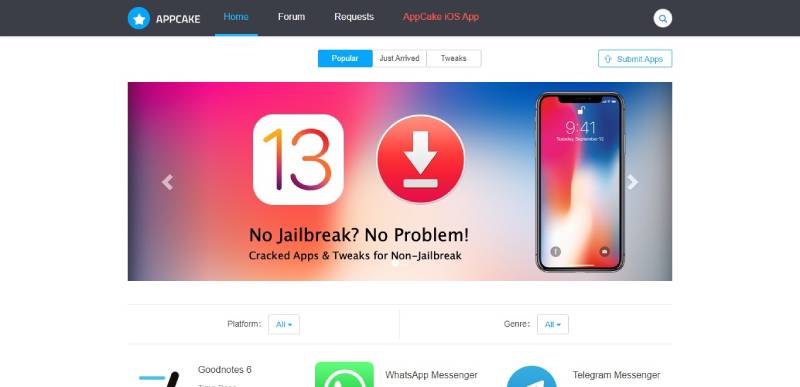
AppCake

AppCake is an established third-party app installer developed since 2008 that allows installation of unsigned IPA files on iOS devices. The platform works on both jailbroken and non-jailbroken devices, providing access to tweaked apps, hacked games, and premium content free.
Compatibility & Requirements
iOS Support (Non-Jailbreak):
- iOS 9 through iOS 18
- iPhone, iPad, iPod Touch models
- Profile-based installation for non-jailbroken devices
iOS Support (Jailbroken):
- iOS 9 through iOS 16 via Cydia repository
- Requires AppSync Unified package
- Prevents app revocations on jailbroken devices
Installation Prerequisites (Non-Jailbreak):
- Safari browser for profile download
- Certificate trust through Device Management
- No Apple ID required
Installation Prerequisites (Jailbroken):
- Cydia, Sileo, or Zebra package manager
- AppSync Unified tweak installation
- AppCake repository added to sources
Jailbroken devices gain significant advantages including permanent app installations without revocations.
Key Features
Dual Installation Methods: AppCake offers both profile-based installation for non-jailbroken devices and Cydia repository installation for jailbroken users. This flexibility accommodates users across the jailbreak spectrum.
Built-in File Manager: Integrated file management allows users to monitor download progress and organize all IPA files stored on device. This utility provides control beyond simple app installation.
Web Server Functionality: AppCake includes web server feature enabling access to stored IPA files from desktop browsers. Users can download and upload IPAs between iPhone and computer without additional software.
AppSync Unified Integration: On jailbroken devices, AppCake works with AppSync Unified tweak to install unsigned, fake-signed, or ad-hoc signed packages. This prevents certificate expiration issues plaguing non-jailbroken installations.
App Catalog & Content
The library organizes content into standard app store categories.
Content Categories:
- Books, Business, Catalogs
- Education, Entertainment, Finance
- Food & Drink, Games
- Health & Fitness, Kids
- Lifestyle, Medical, Music
- Navigation, News, Newsstand
- Photo & Video, Productivity
- Reference, Social Networking
- Sports, Travel, Utilities, Weather
Popular content includes premium apps unlocked, tweaked versions of social media apps, modified games with unlimited resources, and utilities unavailable through App Store.
The catalog receives regular updates with new content added as developers submit applications. Version 7.1.7 released with iOS 16 support and bug fixes.
Installation Method
Non-Jailbreak Installation (Profile Method):
Users visit AppCake official website through Safari browser. Tapping install link downloads configuration profile.
iOS prompts to allow profile installation. After allowing, Settings app shows profile available.
Navigating to Settings > General > Profile Downloaded reveals AppCake profile. Tapping profile shows install option.
After entering device passcode and confirming, AppCake installs and icon appears on home screen. Tapping profile in Device Management and selecting “Trust” enables functionality.
Apps installed through AppCake require individual trust through same Device Management process.
Jailbroken Installation (Cydia Repository):
Users open Cydia, Sileo, or Zebra package manager. Navigating to Sources tab, users tap Edit then Add.
Adding official AppCake repository URL (api.ipastore.me/repo or cydia.iphonecake.com) imports the source.
After source adds, navigating to Search tab and finding “AppCake” shows the package. Tapping install adds AppCake to device.
Jailbroken users must also install AppSync Unified from Karen’s repository for full functionality. This tweak prevents certificate expiration issues.
Security & Verification
AppCake claims thorough testing and regular malware scans. However, independent verification of security processes is difficult.
The platform doesn’t require Apple ID, preventing account tracking or suspension risks. Users maintain privacy throughout usage.
Jailbroken installations carry inherent security risks from bypassing iOS protections. However, AppCake itself operates within expected jailbreak parameters.
Non-jailbroken installations face standard enterprise certificate security considerations. Apps don’t undergo Apple’s review process, potentially carrying risks.
Pricing Model
AppCake operates as completely free platform with no subscription options or premium tiers.
All content in the library remains free to download and use. Users never pay for apps regardless of original pricing.
The business model likely relies on community support and donations rather than charging users directly.
Reliability & Updates
Non-Jailbroken Reliability:
Certificate revocations affect non-jailbroken AppCake installations regularly. When Apple revokes enterprise certificates, installed apps stop working until new certificates are obtained (typically 24-48 hours).
Users must reinstall affected apps when service resumes after certificate replacement.
Jailbroken Reliability:
Jailbroken devices using AppSync Unified avoid certificate expiration issues entirely. Apps installed through AppCake on jailbroken devices remain functional indefinitely without reinstallation.
This represents major advantage for jailbroken users willing to accept jailbreaking trade-offs.
App library receives regular updates maintaining compatibility with latest iOS versions. Version 7.1.7 specifically addressed iOS 16 compatibility.
User Experience
The interface resembles standard app stores with category organization and search functionality. Finding specific apps takes minimal time through browse or search methods.
File manager integration provides useful utility for power users. Managing downloaded IPAs directly within AppCake streamlines workflow.
Web server feature allows convenient IPA transfer between devices and computers. This functionality exceeds what most competitors offer.
Automatic installation option in settings streamlines repeated downloads. Users enable this once and subsequent apps install without additional confirmation.
Advantages Over Alternatives
AppCake’s 2008 launch makes it one of the oldest continuously operating third-party stores. This longevity demonstrates resilience and sustained development.
Jailbroken support with AppSync Unified provides permanent solution to certificate revocation problems. Users willing to jailbreak gain significant reliability advantages.
Built-in file manager and web server exceed functionality found in most competitors. These utilities add value beyond simple app installation.
The platform supports both jailbroken and non-jailbroken devices with optimized experiences for each. This dual approach accommodates users across the jailbreak spectrum.
Limitations
Non-jailbroken installations suffer from standard certificate revocation problems. Service disruptions occur unpredictably when Apple revokes certificates.
The platform distributes cracked and modified apps raising legal concerns about copyright infringement and developer compensation.
Jailbreaking requirement for best experience limits appeal. Many users avoid jailbreaking due to security concerns and warranty implications.
Limited official support means users troubleshoot problems independently. Community forums provide primary assistance rather than dedicated help desk.
AppSync Unified requirement on jailbroken devices adds installation complexity. Users must understand package management and tweak installation.
AltStore

AltStore is an alternative app store for non-jailbroken iOS devices that uses legitimate Apple Developer certificates to sideload applications. Created by developer Riley Testut after Apple rejected his Nintendo emulator Delta, AltStore launched in September 2019 and has since been downloaded over 1.5 million times.
Compatibility & Requirements
iOS/iPadOS Support:
- iOS 9.3 or later
- iPadOS 9.3 or later
- All iPhone, iPad models from iPhone 5s onward
Apple TV Support:
- tvOS 9.3 or later (macOS only)
- Manual Xcode pairing required initially
Computer Requirements:
- macOS or Windows computer
- AltServer companion app installed
- Same WiFi network as iOS device
Installation Prerequisites:
- Free Apple ID (or paid Developer account for extended signing)
- USB cable for initial setup
- iTunes WiFi sync enabled
AltStore represents fundamentally different approach than enterprise certificate-based competitors, requiring computer connection rather than pure mobile installation.
Key Features
Official Apple Developer Certificate Usage: Unlike platforms using revocable enterprise certificates, AltStore leverages Apple’s official development certificate infrastructure. Users sign apps with personal Apple ID, creating temporary provisioning profiles valid for 7 days (free account) or 1 year (paid Developer account).
Automatic Background Refresh: AltStore running on iOS device communicates with AltServer on computer to automatically refresh app signatures before expiration. This happens over WiFi when devices are on same network, preventing apps from becoming unusable.
App Source System: Anyone can create “sources” (JSON files with app information) to distribute applications through AltStore. This democratic distribution model allows developers to publish apps without App Store approval.
Security-Focused Design: App permission listings appear on store pages. AltStore alerts users when app permissions change during updates, enabling informed sideloading decisions.
AltStore PAL (EU Only): In April 2024, Testut launched AltStore PAL for European Union users following Digital Markets Act requirements. This Apple-approved alternative marketplace functions independently from standard AltStore without computer requirement.
App Catalog & Content
Official AltStore Apps:
- Delta: Multi-system Nintendo emulator (NES, SNES, GB, GBA, DS, N64)
- Clip: Background-capable clipboard manager
Additional Sources: Users add external sources to access more apps including:
- Game emulators (DolphiniOS, PPSSPP, Provenance)
- Modified versions of Reddit, Instagram, Facebook, YouTube
- Jailbreak tools (unc0ver, Odyssey, Taurine)
- Utilities and productivity apps
The catalog grows through community-contributed sources. AltStore PAL (EU) features verified developers and curated app selections.
Installation Method
Initial Setup (Requires Computer):
Users download AltServer for macOS or Windows from altstore.io. After installing AltServer on computer, they connect iPhone via USB cable.
Launching AltServer places icon in menu bar (macOS) or system tray (Windows). Users click AltServer icon, select “Install AltStore,” and choose connected device.
When prompted, users enter Apple ID credentials. AltServer signs AltStore app with personal development certificate and installs via iTunes WiFi sync.
AltStore icon appears on iPhone home screen. Opening Settings > General > Device Management, users trust the developer certificate associated with their Apple ID.
Installing Apps Through AltStore:
After initial setup, users open AltStore on iOS device. The Browse tab shows available apps. Tapping app displays store page with screenshots, description, and permissions list.
Tapping “Get” downloads and installs app using personal development certificate. Free Apple IDs can have 3 apps installed simultaneously (plus AltStore itself doesn’t count toward limit).
Adding Custom Sources:
Users tap Sources button in Browse tab, then “+” icon. Entering source URL imports that source’s app catalog. Multiple sources can be added for expanded selection.
Security & Verification
AltStore uses official Apple development mechanisms rather than exploiting loopholes. This creates more secure foundation than enterprise certificate abuse.
Personal developer certificates prevent Apple ID suspension risks. Apps are signed with user’s own certificate rather than shared enterprise certificates.
Explicit permission listings help users understand what apps can access. Permission change alerts during updates maintain ongoing transparency.
Sandboxed iOS application means AltStore runs with standard security restrictions. No special access or system modifications occur.
AltServer requires user’s Apple ID credentials but doesn’t store them beyond signing process. However, users must trust AltServer with credentials during each signing session.
Pricing Model
AltStore Classic (Free):
- Free Apple ID supported
- 3 app limit per device
- 7-day app expiration (automatic refresh if on same WiFi as AltServer)
- Open source codebase
AltStore PAL (€1.50/year + VAT):
- EU-exclusive alternative marketplace
- Apple-approved distribution
- Access to verified developers
- No computer required after installation
- Different certificate system than Classic version
Paid Apple Developer ($99/year):
- Optional upgrade path for Classic users
- 100 devices registered per year
- 1-year certificate validity
- 10 app limit per device
Most users operate on free tier. The €1.50 PAL subscription applies only to EU users accessing the DMA-compliant marketplace.
Reliability & Updates
Certificate Management:
Free Apple IDs require app refresh every 7 days. AltStore performs this automatically when iOS device and computer running AltServer connect via same WiFi network.
Paid Developer accounts extend signing to 1 year, drastically reducing refresh frequency.
Apps becoming “unverified” or failing to launch indicates expired certificates requiring refresh through AltStore.
Platform Stability:
AltStore avoids certificate revocation issues plaguing enterprise certificate platforms. Using personal development certificates means Apple cannot revoke access across all users simultaneously.
AltServer receives regular updates maintaining compatibility with latest iOS, macOS, and Windows versions. Version updates address bugs and add features like JIT compilation support.
The platform works reliably when users maintain AltServer connection. Primary reliability issue involves ensuring computer remains accessible on network for automatic refreshes.
User Experience
Initial Setup Complexity:
Setup requires more steps than profile-based competitors. Users must install desktop software, connect via USB, and configure WiFi sync.
However, after initial configuration, daily usage becomes straightforward. Apps install with familiar app store interface.
Ongoing Maintenance:
Users must keep computer running AltServer for automatic app refresh. This creates dependency on computer availability that pure mobile solutions avoid.
Refresh process happens automatically in background, requiring no user action when properly configured.
Interface Design:
AltStore features polished, modern interface matching iOS design language. App pages include detailed information, screenshots, and permission breakdowns.
Navigation follows Apple’s Human Interface Guidelines, creating familiar experience for iOS users.
Advantages Over Alternatives
Legitimate Certificate Usage:
AltStore’s use of official developer certificates prevents mass revocations affecting all users. Each user’s certificates are independent.
This creates more stable foundation than platforms abusing enterprise certificate programs.
Open Source Transparency:
AltStore’s open source codebase allows security auditing and community contributions. Users can verify the app doesn’t contain malicious code.
This transparency exceeds closed-source competitors.
Permission Visibility:
Explicit permission listings and change alerts provide security transparency unavailable in other third-party stores.
Users make informed decisions about what apps access on their devices.
Official EU Recognition:
AltStore PAL represents first Apple-approved alternative marketplace. This legitimacy exceeds gray-area enterprise certificate platforms.
EU users gain official alternative to App Store without legal concerns.
Limitations
Computer Dependency:
AltStore Classic requires computer running AltServer for installation and app refresh. This desktop dependency complicates usage compared to pure mobile solutions.
Users without regular computer access struggle maintaining app functionality.
3-App Limit (Free Accounts):
Free Apple IDs restrict users to 3 simultaneously installed apps beyond AltStore itself. This limitation frustrates users wanting more applications.
Paid Developer accounts increase limit to 10 apps but require $99 annual fee.
7-Day Refresh Requirement:
Apps expire after 7 days with free accounts. While automatic refresh handles this, users must ensure computer accessibility on same WiFi network.
Forgetting to connect devices before expiration requires manual refresh.
Limited Official App Selection:
AltStore includes only Delta and Clip as official apps. Expanding library requires finding and adding third-party sources.
This smaller initial selection contrasts with competitors offering thousands of apps out-of-box.
EU Exclusivity (AltStore PAL):
The Apple-approved PAL version only functions for EU users. Other regions remain limited to Classic version requiring computer.
Global availability would increase appeal but faces regulatory barriers outside EU.
FAQ on Apps Like Panda Helper
Are apps like Panda Helper safe to use?
Generally yes, but with caveats. These third-party app stores don’t undergo Apple’s verification process.
Stick to well-known alternatives like TutuApp, AppValley, or AltStore. Avoid downloading random apps. Running antivirus software adds another layer of protection.
Do I need to jailbreak my iPhone to use these app stores?
No jailbreak required. Most Panda Helper alternatives use enterprise certificates or sideloading methods that work on stock iOS devices.
Your device warranty stays intact. AltStore uses your personal Apple ID instead of certificates.
Why do third-party app stores suddenly stop working?
Apple revokes enterprise certificates. When this happens, all apps signed with that certificate crash.
Developers need time to obtain new certificates. Usually takes a few hours to a couple days. VIP versions typically recover faster.
What’s the best Panda Helper alternative for iOS?
AltStore offers the most stability since it uses your personal Apple ID. No certificate revokes.
The tradeoff? You need a computer for setup and weekly refreshes. TutuApp and AppValley work without computers but face occasional downtime.
Can I use these unofficial app stores on Android?
Some work on both platforms. TutuApp supports iOS and Android.
ACMarket and HappyMod focus exclusively on Android mod APK files. They don’t require root access. Just enable “Unknown Sources” in settings.
Are modded apps and tweaked games legal to download?
It’s complicated. Downloading modified applications may violate terms of service from original developers.
You won’t face legal action for personal use. But distributing or profiting from cracked apps crosses into illegal territory.
What happens when an enterprise certificate gets revoked?
Apps stop launching. You’ll see “Unable to Verify App” errors.
Delete the broken app store and reinstall once developers push new certificates. Some stores like TopStore offer revoke protection tools that help maintain access.
Do these app installers work without a computer?
Most do. AppValley, TutuApp, and TweakBox install directly through Safari using configuration profiles.
AltStore is the exception. It requires AltServer running on a Mac or Windows PC for installation and weekly app refreshes.
Will using third-party app stores void my device warranty?
No. These stores don’t modify your operating system.
Jailbreaking voids warranties. Simply installing unofficial app stores through certificates or sideloading keeps your device in its original state. Apple can’t tell the difference.
What’s the difference between free and VIP versions?
Free versions use shared certificates that get revoked frequently. VIP subscriptions provide dedicated certificates with better stability.
You also get faster downloads, exclusive apps, and no advertisements. Pricing typically runs $10 to $20 per year.
Conclusion
Finding reliable apps like Panda Helper comes down to what matters most to you.
Want stability? AltStore avoids certificate revocation entirely by using your personal developer profile.
Need convenience? AppValley and TutuApp let you direct install on iPhone without touching a computer.
Android user? ACMarket delivers thousands of mod APK files with no root required.
Each app signing service has tradeoffs. Some go down when Apple pulls certificates. Others need weekly refreshes. None are perfect.
Keep two or three installed. When one fails, another picks up the slack.
The days of needing Cydia or a jailbroken device are over. These IPA file installers and alternative app markets give you access to premium features, game mods, and tweaked content on stock devices.
Pick one and start downloading.
- What Is Agentic Coding? The Next AI Dev Workflow - April 10, 2026
- From Setup To Monitoring: Why A DMARC Service Matters - April 10, 2026
- 4 Scalable Hosting Providers for Growing Small Business Websites - April 9, 2026