HappyMod goes down, and suddenly half your modded games stop working.
It happens more than it should. Whether it’s a regional block, a broken mod APK, or just needing iOS support, relying on a single third-party app store is a gamble.
This guide covers the best apps like HappyMod available right now, from mod-first Android stores to privacy-focused alternatives that skip Google entirely.
Each option is different. Some prioritize free mod games with unlimited coins and unlocked features. Others focus on safe APK downloads, open-source software, or cross-platform support for both Android and iOS.
By the end, you will know exactly which platform fits your setup.
Apps Like HappyMod
APKPure

APKPure is a third-party Android app store that lets users download region-locked apps, older APK versions, and modded files outside of Google Play. It supports Android and runs without root access.
What Does APKPure Do?
APKPure lets users download APK and XAPK files directly to Android devices, bypassing geo-restrictions and Play Store availability limits.
How Is APKPure Similar to HappyMod?
Both are third-party Android marketplaces offering free APK downloads outside the official Play Store. Both support sideloading without root and provide mod APK files alongside standard app versions.
How Is APKPure Different from HappyMod?
- APKPure focuses on original and region-locked APKs, not exclusively on modded content
- Offers XAPK and APKM format support, which HappyMod does not
- Has a premium subscription tier with faster download speeds
Who Is APKPure Best For?
APKPure suits Android users who need access to region-locked or older app versions, not just mod APKs.
Key Features of APKPure
- XAPK Installer: Handles large split-APK game files in one step
- App version history: Access to older builds for compatibility
- Daily game recommendations: Curated by editors
- Lightweight client: Optimized for low-end devices
Pricing
- Free plan: Yes, full library access
- Paid plans: Premium tier available (faster downloads)
- Free trial: No
Aptoide

Aptoide is a decentralized Android app store where users and developers create their own stores inside the platform. It covers both standard and modded APK downloads across a wide catalog.
What Does Aptoide Do?
Aptoide lets anyone create a personal app store within its ecosystem, giving access to thousands of apps outside Google Play, including tweaked and modded versions. Check out more third-party app stores similar to Aptoide if you want other options.
How Is Aptoide Similar to HappyMod?
Both offer free APK and mod APK downloads without requiring a Google account. Both run on Android without root and give access to apps not available on the Play Store.
How Is Aptoide Different from HappyMod?
| Feature | Aptoide | HappyMod |
| Store Model | Decentralized, user-created stores | Centralized mod repository |
| Mod Focus | Mixed content, not mod-first | Exclusively mod APKs |
| Platforms | Android + partial iOS support | Android only |
Who Is Aptoide Best For?
Aptoide suits Android users who want a broad app library beyond just mods, especially those comfortable browsing community-run stores.
Key Features of Aptoide
- User-created stores: Anyone can publish their own app repository
- Auto-update system: Apps update themselves after installation
- iOS game support: Expanding catalog for iOS users
Pricing
- Free plan: Yes, full access
- Paid plans: No paid tier
- Free trial: No
ACMarket
ACMarket is a third-party Android marketplace focused on cracked apps, modified games, and tweaked APKs. It was originally connected to AppCake.net and targets users looking for premium unlocked content.
What Does ACMarket Do?
ACMarket provides free downloads of paid Android apps, game mods with unlimited coins and unlocked features, and regional apps not found on Google Play.
How Is ACMarket Similar to HappyMod?
Both prioritize modded APK downloads and give access to premium unlocked games at no cost. Both require sideloading and work without root on most Android devices.
How Is ACMarket Different from HappyMod?
- ACMarket covers Apps, Tweaks, and Mods across three distinct categories
- No pre-upload malware scanning, unlike HappyMod’s 30+ antivirus checks
- Some content sourced via scraping from external sites, which affects file reliability
Who Is ACMarket Best For?
ACMarket suits Android users specifically looking for modded games and tweaked apps, who are comfortable verifying files independently.
Key Features of ACMarket
- Three content categories: Apps, Tweaks, Mods
- No registration required
- SSL-encrypted downloads
- In-app request system: Users can request missing apps
Pricing
- Free plan: Yes
- Paid plans: No
- Free trial: No
Panda Helper

Panda Helper is a third-party app store for Android and iOS that offers tweaked apps, modded games, and hacked app versions without requiring a jailbreak or root. Check out more alternatives to Panda Helper worth considering.
What Does Panda Helper Do?
Panda Helper lets users install tweaked and modded apps on both Android and iOS using a sideloading method that bypasses official app store restrictions.
How Is Panda Helper Similar to HappyMod?
Both provide modded APKs and premium unlocked apps for free. Both support Android without root access and offer games with unlimited resources and ad-free features.
How Is Panda Helper Different from HappyMod?
Panda Helper works on iOS in addition to Android, which HappyMod does not. It also offers a VIP paid tier with exclusive content and faster access, based on device UDID verification.
Who Is Panda Helper Best For?
Panda Helper suits users on both iOS and Android who want modded apps and game tweaks without jailbreaking or rooting their device.
Key Features of Panda Helper
- Cross-platform: Android and iOS support
- VIP tier: Exclusive apps and priority access
- No jailbreak required for iOS installs
- Game emulators and screen recorders included
Pricing
- Free plan: Yes
- Paid plans: VIP tier available (pricing varies by region)
- Free trial: No
F-Droid

F-Droid is a free, open-source Android app repository that hosts only FOSS (free and open-source software). It is maintained by the community and does not carry modded or cracked apps.
What Does F-Droid Do?
F-Droid distributes verified open-source Android apps with no trackers, no ads, and no proprietary code, giving users a privacy-focused alternative to Google Play.
How Is F-Droid Similar to HappyMod?
Both are third-party Android app stores that operate outside Google Play and require sideloading. Both are free with no registration required.
How Is F-Droid Different from HappyMod?
F-Droid carries zero modded APKs. Its entire catalog is FOSS-only, making it fundamentally different in purpose. There are no cracked apps, no unlocked games, and no premium content for free.
Who Is F-Droid Best For?
F-Droid suits privacy-focused Android users and developers who want open-source apps with full code transparency.
Key Features of F-Droid
- 100% FOSS catalog
- No ads, no trackers
- Community-vetted app submissions
- Supports custom repositories
Pricing
- Free plan: Yes, fully free
- Paid plans: No
- Free trial: No
Aurora Store

Aurora Store is an open-source Google Play client that lets Android users download Play Store apps without a Google account. It is listed on F-Droid and works on Android 6.0 and above.
What Does Aurora Store Do?
Aurora Store fetches official Play Store APKs anonymously, letting users browse, download, and update apps without signing in to a Google account.
How Is Aurora Store Similar to HappyMod?
Both bypass Google Play restrictions and allow free APK downloads outside the standard Play Store flow. Both work without root on Android devices.
How Is Aurora Store Different from HappyMod?
| Feature | Aurora Store | HappyMod |
| Content type | Official Play Store APKs | Modified/modded APKs only |
| Privacy model | Anonymous, no Google sign-in needed | No account required but not privacy-focused |
| Open source | Yes (F-Droid distributed) | No |
Who Is Aurora Store Best For?
Aurora Store suits privacy-conscious Android users who want official app versions from Google Play without handing over a Google account.
Key Features of Aurora Store
- Anonymous login: No Google account needed
- Older version downloads available
- Material3 UI (updated 2026)
- Works with or without Google Play Services
Pricing
- Free plan: Yes, fully free
- Paid plans: No
- Free trial: No
Blackmart Alpha

Blackmart Alpha is a black-market style Android app store that provides paid apps and games for free without requiring a Google account or any registration.
What Does Blackmart Alpha Do?
Blackmart Alpha lets users download paid Android apps, modded games, and region-locked content at no cost, with no account setup required.
How Is Blackmart Alpha Similar to HappyMod?
Both offer free access to paid and modded Android apps. Neither requires a Google account, and both target users who want premium app features without paying.
How Is Blackmart Alpha Different from HappyMod?
- Blackmart Alpha has over 10 million apps, but update frequency is slower
- No community mod verification system, unlike HappyMod’s user-driven checks
- File sources are less transparent, meaning reliability varies
Who Is Blackmart Alpha Best For?
Blackmart Alpha suits Android users who want a wide range of paid apps for free and do not mind performing their own safety checks before installing.
Key Features of Blackmart Alpha
- 10M+ app library
- No Google account or registration needed
- Multi-language interface
- Built-in app manager for updates and uninstalls
Pricing
- Free plan: Yes
- Paid plans: No
- Free trial: No
Modyolo
Modyolo is a mod APK website and platform focused exclusively on delivering 100% working modded apps and games for Android. It positions itself as a clean, ad-minimal alternative to HappyMod.
What Does Modyolo Do?
Modyolo hosts and distributes verified mod APKs for Android, including games with unlimited money, unlocked features, and premium versions at no cost.
How Is Modyolo Similar to HappyMod?
Both focus entirely on mod APK downloads with working mod guarantees. Both are free, require no account, and target Android users looking for modded game content.
How Is Modyolo Different from HappyMod?
Modyolo operates as a website rather than a standalone app, which means no app install is needed. The library is smaller than HappyMod’s but the focus is on quality over volume.
Who Is Modyolo Best For?
Modyolo suits Android gamers who want a focused mod APK source without installing another third-party store on their device.
Key Features of Modyolo
- Web-based: No app installation required
- Mod APK quality focus over catalog size
- Clear mod descriptions and version notes
Pricing
- Free plan: Yes
- Paid plans: No
- Free trial: No
ModDroid

ModDroid is a mod APK platform that offers a simple, ad-free interface for downloading modified Android apps and games. It emphasizes clean UX over catalog volume.
What Does ModDroid Do?
ModDroid provides curated mod APK downloads for Android with a straightforward download process, covering popular games with unlocked features and free premium versions.
How Is ModDroid Similar to HappyMod?
Both specialize in mod APKs and offer free access to premium unlocked Android apps. Both target Android users who want modified game content without root access.
How Is ModDroid Different from HappyMod?
- ModDroid has a smaller catalog with a stronger editorial review process
- Ad-free experience by design, unlike HappyMod’s ad-supported model
- No community mod request system
Who Is ModDroid Best For?
ModDroid suits Android users who prefer a clean, distraction-free download experience over a large mod library.
Key Features of ModDroid
- Ad-free interface
- Editorial mod review before publishing
- Simple one-click install process
Pricing
- Free plan: Yes
- Paid plans: No
- Free trial: No
Uptodown
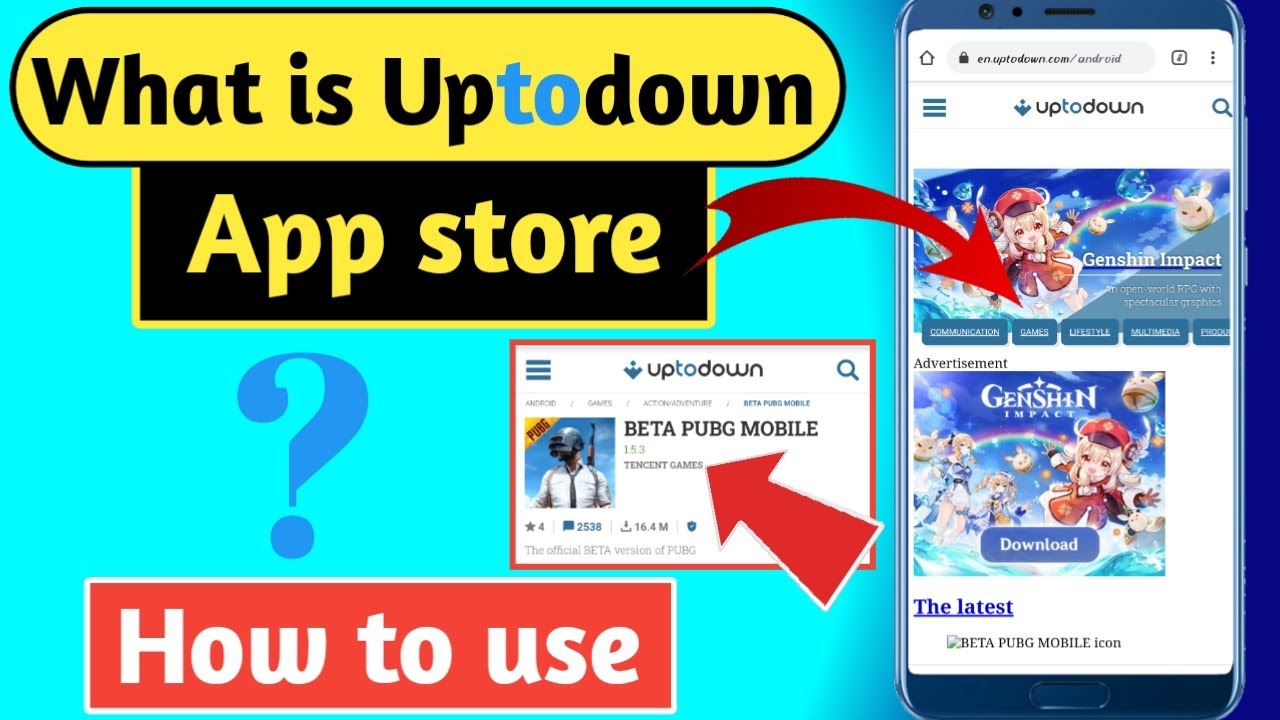
Uptodown is a long-running third-party Android app store known for safe APK downloads, detailed app version histories, and human-written editorial reviews.
What Does Uptodown Do?
Uptodown distributes official and older Android APK versions with malware scanning on all files, covering thousands of apps across every category.
How Is Uptodown Similar to HappyMod?
Both provide free APK downloads outside the Google Play Store and both keep older app versions accessible. Neither requires a Google account to download.
How Is Uptodown Different from HappyMod?
| Feature | Uptodown | HappyMod |
| Content Focus | Official + safe APKs | Mod APKs exclusively |
| Editorial Reviews | Human-written | Community-driven ratings |
| Mod Content | Limited | Primary focus |
Who Is Uptodown Best For?
Uptodown suits Android users who want a trustworthy APK source with editorial oversight, especially for downloading older or stable app versions.
Key Features of Uptodown
- Malware scanning on all app submissions
- Human-written app reviews
- Full version history per app
- Available for Android and Windows
Pricing
- Free plan: Yes
- Paid plans: No
- Free trial: No
What Is HappyMod and What Do Similar Apps Offer?
HappyMod is a third-party Android mod APK repository hosting over 30,000 modified apps and games. Every file goes through scanning by more than 30 antivirus programs before users can download it, and the platform runs a community-driven mod verification system to confirm files work after install.
Android holds 72.77% of the global mobile OS market as of late 2025, with roughly 3.9 billion active users worldwide, according to Statista. That scale directly fuels demand for alternative app stores and free mod APK platforms.
| Store Type | Primary Focus | Examples |
| Mod-first stores | Modified APKs only | HappyMod, ACMarket, Modyolo, ModDroid |
| General APK stores | Original + some mods | APKPure, Uptodown, Aptoide |
| FOSS repositories | Open-source apps only | F-Droid, Aurora Store |
| Cross-platform stores | Android and iOS tweaks | Panda Helper |
Every platform in this category shares a few core attributes: free mod APK downloads, no-root install support for most content, sideloading via Android’s “unknown sources” setting, and some form of premium unlocked game content.
What a “working mod guarantee” actually means varies. HappyMod removes failed mods based on community reports and replaces them. Platforms like ModDroid use editorial pre-screening. Aptoide relies almost entirely on user-created stores, so quality consistency depends on who runs each store.
Users typically look for alternatives when HappyMod is unavailable in their region, when a specific modded APK isn’t in HappyMod’s catalog, or when they need iOS support. Some move to privacy-focused options like F-Droid entirely.
How Do These Mod APK Platforms Handle Safety and File Verification?
Kaspersky blocked 33.8 million mobile attacks in 2023, a 52% jump from the previous year. Adware accounted for 40.8% of all detected threats, often embedded in free apps from third-party sources, per Kaspersky’s 2023 mobile threat report.
That context matters before picking any modded APK platform. The safety gap between platforms is wide, and the differences are concrete.
Which Platforms Scan Files Before Publishing?
HappyMod: 30+ antivirus scans per file, community rating system, failed mods removed and replaced.
APKPure: Malware scanning on all submissions, XAPK Installer tool for large game files, no mod-specific verification beyond standard scans.
Uptodown: Human editorial review on top of automated malware scanning. All app submissions are checked before publishing. Considered one of the more reliable APK sources for original app versions.
ModDroid: Editorial team tests mods before public release. Smaller catalog than HappyMod but the extra review layer catches broken or infected files earlier.
Build38’s 2024 mobile app security analysis found that 75% of apps contain at least one vulnerability, and unpatched flaws are involved in 60% of data breaches. Pre-upload scanning does not catch all issues, but it removes the most obvious attack vectors.
What Are the Risks of Stores That Use Content Scraping?
ACMarket scrapes download links from external sites to keep its library large. When the scraped source is safe, the file is fine. When it isn’t, there’s no direct accountability.
Malwarebytes’ 2023 State of Malware Report found droppers accounted for 14% of Android detections. These are apps that look legitimate but install secondary malware after the first launch. Free app stores used to get paid apps for free are a common dropper delivery channel.
Aptoide operates on a user-created store model. Individual users upload files to their own “stores” within the Aptoide ecosystem. Quality varies dramatically depending on who runs each store. Searching for a popular app like HappyMod on Aptoide can return five different versions from five different publishers, and not all carry the same file.
Practical steps that apply across every platform:
- Check user rating count, not just the rating score
- Read mod version notes before installing
- Verify the antivirus badge is current, not months old
- Use a separate device or profile for sideloaded apps if possible
Which Apps Like HappyMod Work on Both Android and iOS?
Most HappyMod alternatives are Android-only. iOS has strict sideloading restrictions, and until the EU’s Digital Markets Act forced changes in 2024, third-party app installation on iPhone was effectively blocked everywhere outside China.
Panda Helper is the clearest cross-platform option. It supports both Android and iOS, requires no root on Android and no jailbreak on iOS, and uses a UDID-based VIP tier for exclusive content. iOS users install it via a certificate-based method directly through Safari. Check out more alternatives to Panda Helper if you want other cross-platform options.
Aptoide has been slowly expanding its iOS game catalog, but availability is not yet global. It works better for Android users who want the broader catalog, not for iOS users who need a reliable tweaked app source.
| Platform | iOS Support | Jailbreak Required | Region Limit |
| Panda Helper | Yes | No | None |
| Aptoide | Partial (games only) | No | Expanding |
| AltStore PAL | Yes | No | EU and Japan only |
| APKPure, HappyMod, ACMarket | No | No | Android only |
AltStore PAL is technically a legitimate sideloading tool for iOS but only functions in EU and Japanese markets. It focuses on open-source IPAs and emulators, not modded games or premium unlocked apps. Different audience, different use case.
Panda Helper’s free tier covers a solid library of tweaked apps on both platforms. The VIP tier adds exclusive content and faster access, priced on a subscription basis tied to device UDID. For iOS users specifically, this is the closest functional equivalent to what HappyMod offers on Android.
What Are the Best Free Mod APK Stores for Android Gamers?
Mobile gaming generated $92 billion in revenue in 2024, representing 49% of the entire global gaming market, per Newzoo. The top in-app purchase category for US and Canadian players was in-game currency and gems. That monetization pressure is exactly why mod APK platforms with unlimited coins and unlocked features attract millions of Android gamers.
Which Platforms Offer Unlimited Coins and Unlocked Game Mods?
ACMarket splits its content into three categories: Apps, Tweaks, and Mods. The Mods section focuses directly on games with unlimited resources, unlocked levels, and ad-free experiences. No registration is needed, and SSL encryption covers download traffic.
Modyolo runs as a website rather than a standalone app. No install required. It focuses on quality over library size, with clear mod version notes that tell you exactly what each modified APK unlocks before you download.
ModDroid takes the smallest catalog of the three but puts every mod through editorial testing before publishing. Nothing gets listed with a “100% working” tag unless an editor has confirmed it.
How Do Mod Libraries Compare Across These Platforms?
Blackmart Alpha: 10M+ apps including mods, no Google account needed, but update speed is slower than the others and file source transparency is low.
APKPure: Strong for large game files. The XAPK format support handles big titles like PUBG and Free Fire that come with separate OBB data files. Less focused on mods specifically, stronger for original and region-locked versions.
Modyolo: Focused, web-based, no clutter. Best when you know exactly what game mod you need and want to get in and out without navigating a full app store interface.
SensorTower’s 2025 report shows mobile game downloads reached 49.6 billion in 2024. Simulation and Puzzle genres each captured 20% of total downloads. The appetite for modded versions of these category leaders, which lock premium content behind in-app purchases, directly drives traffic to every platform on this list.
Which HappyMod Alternatives Are Best for Privacy-Focused Users?
Not every user searching for third-party Android app stores wants mod APKs. Some just want to avoid Google account tracking, opt out of Play Store telemetry, or download open-source software that Google Play doesn’t carry. These platforms serve that need directly.
F-Droid vs. Aurora Store: Which One to Use?
The answer depends on whether you need Play Store apps or only FOSS ones.
F-Droid hosts only free and open-source Android applications. Every app has publicly available source code, no trackers, and no proprietary advertising components. It supports custom repositories, meaning developers can publish their own FOSS app stores within the F-Droid ecosystem. Zero modded content. Zero cracked apps. Not the right tool if you want game mods.
Aurora Store fetches official Google Play APKs anonymously, without requiring a Google account. It received a major UI update in 2026 with a Material3 Expressive theme and improved widescreen support. Distributed directly through F-Droid, it works on Android 6.0 and above with or without Google Play Services.
| Feature | F-Droid | Aurora Store |
| Content Type | FOSS (Free & Open Source) apps only | Full Google Play catalog |
| Google Account Needed | No | No (supports anonymous login) |
| mod apks | No | No |
| Privacy Guarantee | Strongest (Strict FOSS-only) | Strong (client-side), inherits Play Store risks |
Security researchers at Factually’s 2026 roundup recommend F-Droid as the default for privacy-first users and Aurora Store as the supplement when a Play Store app is specifically needed. Use both together rather than choosing one over the other.
Uptodown fits users who want a middle ground: human-written reviews, malware scanning, version history for every app, and no paid tier. It doesn’t carry FOSS guarantees or anonymous login, but it’s significantly more transparent than Blackmart or ACMarket on file sourcing. It also covers Windows apps, making it useful for cross-platform setups.
How Do You Safely Install Mod APKs from These Platforms?
Every platform in this list requires sideloading. That means manually enabling a specific Android setting before any third-party APK will install. The process is consistent across APKPure, ACMarket, Modyolo, Panda Helper, and Blackmart Alpha.
Step 1: Go to Settings on your Android device. On Android 8.0 and above, navigate to Settings > Apps > Special app access > Install unknown apps. On older versions, find Settings > Security > Unknown sources.
Step 2: Enable “Allow from this source” for the browser or file manager you are using to open the APK.
Step 3: Download the APK or XAPK file from the platform. For XAPK files (large game downloads with OBB data), APKPure’s built-in XAPK Installer handles the extraction automatically.
Step 4: Tap the downloaded file and follow the install prompts. Most mods work without root access. Basic modded games and unlocked apps do not require rooted Android.
A few things worth checking before hitting install:
- Review count: more reviews mean more real-world testing of the file
- Mod notes: confirm the mod version matches your game version
- Upload date: files that haven’t been updated in 6+ months may be outdated
Root access changes the equation for advanced mods. Some mod menus, cheat APKs, and deep game modifications require root to function. Most casual game mods (unlimited coins, ad-free, unlocked skins) do not.
Kaspersky’s mobile threat data shows adware accounts for 35% of total mobile detections in 2024. Running a mobile antivirus scan after installing from any third-party source is a reasonable extra step, especially when the platform doesn’t pre-scan files before listing them.
FAQ on Apps Like HappyMod
Are apps like HappyMod safe to use?
Safety depends on the platform. APKPure and Uptodown scan files before listing them. ACMarket and Blackmart Alpha have weaker verification. Always check user ratings, mod version notes, and upload dates before installing any modded APK on your Android device.
Do mod APK stores work without root?
Most do. Platforms like HappyMod, APKPure, Modyolo, and ACMarket install apps without root access. You only need to enable unknown sources in Android settings. Some advanced mod menus require root, but standard unlocked games and premium apps do not.
Which app is the closest alternative to HappyMod?
APKPure is the most comparable in terms of library size and download reliability. For mod-focused content specifically, Modyolo and ModDroid are the strongest options. Both offer working mod guarantees with editorial or community verification before files go live.
Can I use these apps on iPhone?
Most are Android-only. Panda Helper is the main exception, supporting both Android and iOS without jailbreak. Aptoide has a partial iOS game catalog, but availability is still limited. AltStore PAL works on iOS in the EU and Japan only.
Is downloading mod APKs legal?
It depends on the app and your country. Modifying apps you own sits in a legal gray area in most regions. Downloading cracked or premium unlocked apps without purchasing them can violate developer terms of service and, in some jurisdictions, copyright law.
What is the difference between APKPure and HappyMod?
HappyMod focuses exclusively on modified APKs with community verification. APKPure covers original, region-locked, and older app versions alongside some mods. APKPure also supports XAPK format for large game installs, which HappyMod does not.
Which platform has the largest mod APK library?
HappyMod hosts over 30,000 verified mods. Blackmart Alpha claims 10 million-plus apps overall, though mod quality varies. For pure mod catalog depth with working file guarantees, HappyMod and ACMarket consistently rank as the two largest focused mod repositories.
Are there privacy-friendly alternatives to HappyMod?
Yes. F-Droid distributes only free and open-source Android apps with no trackers or ads. Aurora Store fetches Google Play APKs anonymously without a Google account. Neither carries modded content, but both are strong choices for privacy-focused Android users.
Do these apps work on all Android versions?
Most support Android 5.0 and above. Aurora Store requires Android 6.0 minimum. APKPure is optimized for both high-performance and low-end Android devices. Older Android versions may encounter compatibility issues with newer mod APK files that target recent Android builds.
What should I check before installing a mod APK?
Check the review count, not just the score. Read the mod version notes to confirm compatibility with your game version. Verify the upload date. Files older than six months may be outdated or broken. Run a malware scan after install when using platforms without pre-upload verification.
Conclusion
This conclusion is for an article presenting the best apps like HappyMod across every use case, from modded APK downloads to privacy-first alternatives.
No single platform wins for everyone. Android gamers chasing unlimited coins and unlocked content will find ACMarket and Modyolo more useful. Users who want safe APK downloads with version history are better served by APKPure or Uptodown.
Cross-platform needs? Panda Helper covers both Android and iOS without root or jailbreak.
Privacy matters more than mods? F-Droid and Aurora Store are the right call.
Pick based on what you actually need, verify files before installing, and keep your sideloading habits clean. The options are solid. The choice is straightforward.

- How to Share GitHub Repository Access With Collaborators - October 25, 2026
- Build or Buy an AI Chatbot for E-commerce: The Costs Nobody Budgets For - October 24, 2026
- How to Run a React App in VS Code Step by Step - October 23, 2026