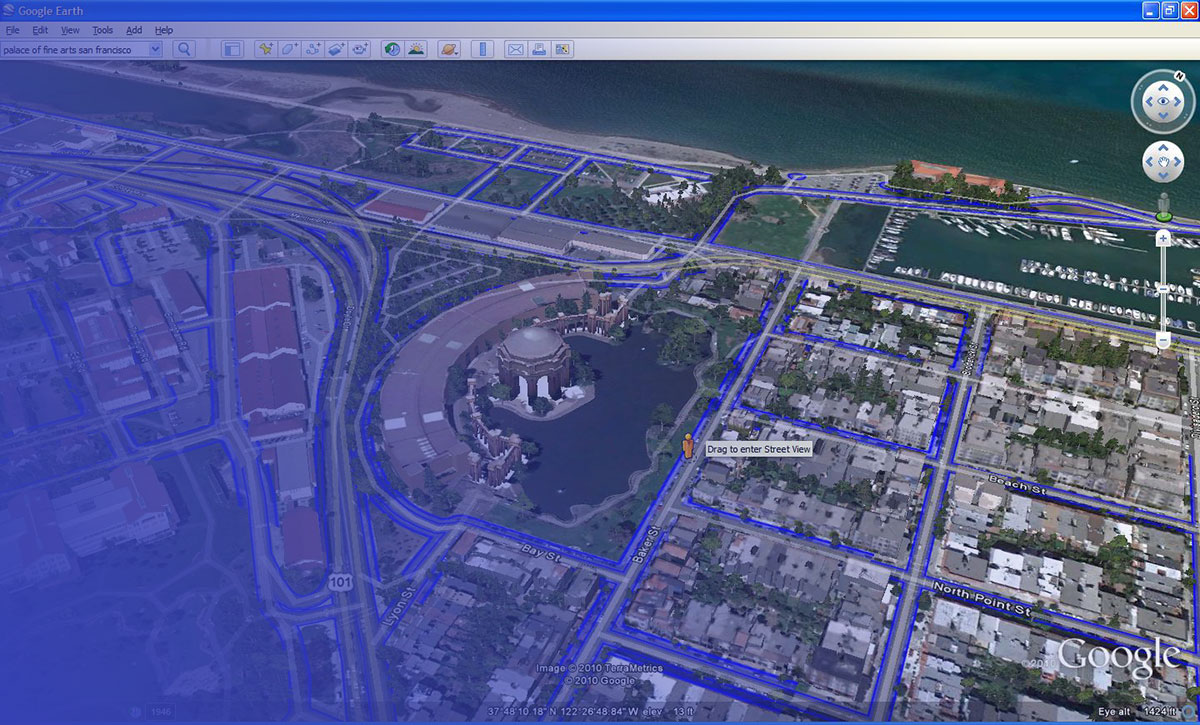
Google Earth changed how people see the world, but it was never built to do everything.
Its satellite imagery is often months old. It lacks real-time data, multi-spectral analysis, and meaningful offline support. For casual exploration it works fine, but the moment your needs shift toward live satellite view, environmental monitoring, or building a custom mapping tool, it starts showing its limits.
There are better-suited options, and most of them are free.
This guide covers the best apps like Google Earth across every use case: weather tracking, scientific earth observation, offline navigation, open-source GIS, and developer mapping APIs. Each tool is compared directly against Google Earth so you know exactly when to switch and why.
Apps Like Google Earth
Zoom Earth
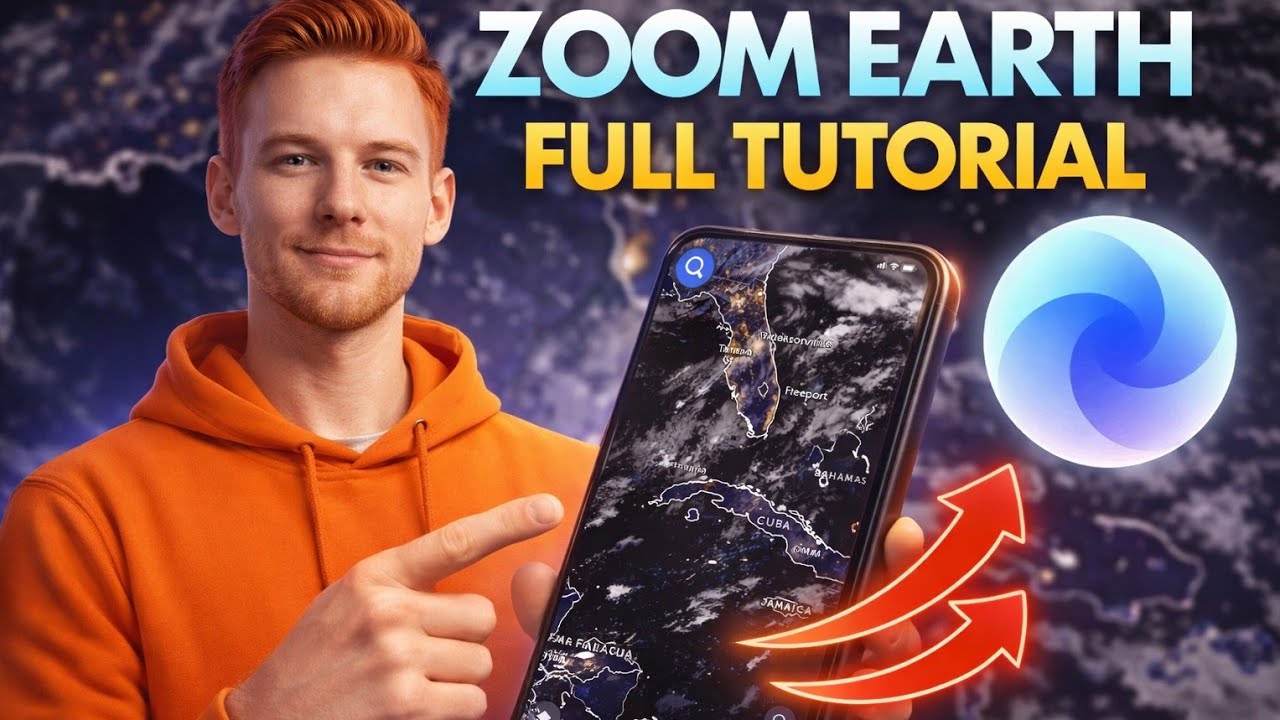
Zoom Earth is a weather and satellite mapping app that delivers near real-time aerial photography and storm tracking for casual users and meteorology enthusiasts. It skips the 3D terrain view Google Earth is known for, focusing instead on live satellite imagery updated every 10 minutes. Supports Web, iOS, and Android.
What Does Zoom Earth Do?
Zoom Earth pulls satellite imagery from NOAA GOES, EUMETSAT Meteosat, and JMA Himawari to show near real-time weather maps, hurricane tracking, and wildfire monitoring globally.
How Is Zoom Earth Similar to Google Earth?
Both offer global satellite imagery you can zoom into from any location. Both are free to use with no account required. Both work on web and mobile platforms.
How Is Zoom Earth Different from Google Earth?
| Feature | Zoom Earth | Google Earth |
| Imagery Update Frequency | Near real-time (every 10–15 mins) | Months to years old |
| 3D Terrain View | No | Yes |
| Primary Use Case | Weather, storm, and disaster tracking | Geographic exploration and research |
| Street-Level View | No | Yes (Integrated Street View) |
| Live Satellite Data | Yes (GOES, Himawari, Meteosat) | No (Static imagery only) |
Who Is Zoom Earth Best For?
Zoom Earth suits weather watchers, emergency responders, and anyone who needs live satellite view of storms, wildfires, or flood events without needing 3D map features.
Key Features of Zoom Earth
- Live satellite imagery: Updates every 10 minutes from 4 geostationary satellite sources
- Hurricane tracking: Real-time storm paths using NHC and JTWC data
- Wildfire monitoring: NASA FIRMS heat spot detection, updated daily
- Historical imagery: Archive goes back to the year 2000
- Weather overlays: Rain radar, wind speed, temperature, and pressure maps
Pricing
- Free plan: Yes, full access with no account needed
- Paid plans: Zoom Earth Pro available via auto-renewable subscription (price varies by region)
- Free trial: No separate trial needed; free version is fully functional
NASA WorldWind

NASA WorldWind is a developer SDK, not a finished app. It lets programmers build custom 3D virtual globe tools for Java, Android, and web platforms. First released in 2003, it runs entirely on open-source code under the Apache 2.0 license.
What Does NASA WorldWind Do?
WorldWind gives developers a 3D planetary globe engine they can embed into desktop, mobile, or web applications, with built-in Landsat imagery, SRTM terrain data, and support for custom geospatial layers.
How Is NASA WorldWind Similar to Google Earth?
Both offer 3D globe visualization with satellite imagery. Both support Landsat data sources. Both allow users to zoom from orbital altitude down to street level. Both support KML and KMZ file formats.
How Is NASA WorldWind Different from Google Earth?
WorldWind is a development kit, not a consumer app. You build with it rather than use it directly. It also supports multi-planet visualization including the Moon and Mars, something Google Earth does not. No proprietary restrictions apply since it is fully open source.
Who Is NASA WorldWind Best For?
WorldWind suits developers and GIS professionals who need a free, customizable 3D geospatial engine to build specialized mapping applications, not casual users looking for point-and-click globe exploration.
Key Features of NASA WorldWind
- Multi-platform SDKs: Java, JavaScript/HTML5, and Android versions available
- Multi-planet support: Earth, Moon, Mars, Venus, and Jupiter included
- Open source: Apache 2.0 license, hosted on GitHub
- Supports WMS, WFS, and OGC standard data protocols
- Elevation data from NASA SRTM covering 80% of Earth’s landmass
Pricing
- Free plan: Yes, completely free and open source
- Paid plans: None
- Free trial: Not applicable
ArcGIS Earth

ArcGIS Earth is a 3D desktop and mobile mapping app built by Esri for professionals who need real-world geospatial data, layer overlays, and GIS integration alongside a virtual globe experience. It supports Windows, iOS, and Android.
What Does ArcGIS Earth Do?
ArcGIS Earth lets users explore 2D and 3D map data globally, import KML, KMZ, and shapefile formats, run elevation profiles and line-of-sight analysis, and connect to live ArcGIS data services.
How Is ArcGIS Earth Similar to Google Earth?
Both offer 3D globe navigation with satellite imagery. Both support KML imports. Both have desktop and mobile versions. Both are free to download.
How Is ArcGIS Earth Different from Google Earth?
ArcGIS Earth integrates directly with the entire Esri ecosystem, giving access to thousands of public datasets from ArcGIS Online. The April 2025 update (version 2.4) added real-time stream data feeds from ArcGIS GeoEvent Server. Google Earth has no equivalent enterprise data pipeline.
Who Is ArcGIS Earth Best For?
ArcGIS Earth suits GIS analysts, urban planners, field teams, and defense users who need professional-grade spatial tools, offline map support, and real-time data feeds beyond basic satellite viewing.
Key Features of ArcGIS Earth
- 3D analysis tools: Elevation profiles, viewsheds, line of sight
- Real-time data: Stream service integration via ArcGIS Velocity (added 2025)
- Offline support: Download raster and vector basemaps for disconnected field use
- External GPS: Sub-meter accuracy via Bluetooth GPS in version 2.5
- Data formats: KML, KMZ, shapefiles, GeoPackage, mobile map packages
Pricing
- Free plan: Yes, desktop and mobile apps are free to download
- Paid plans: Full Esri ArcGIS ecosystem requires an ArcGIS Online subscription (pricing varies; enterprise plans contact Esri directly)
- Free trial: Yes, ArcGIS Online offers a 21-day trial
OpenStreetMap
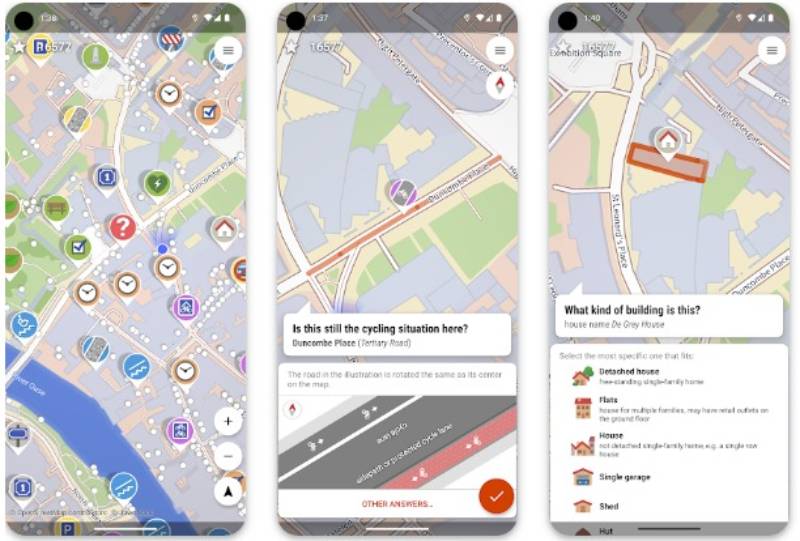
OpenStreetMap (OSM) is a free, community-built geographic data platform used by over 11.7 billion nodes of editable map data worldwide. It is the open-source backbone behind apps like Snapchat, Craigslist, Strava, and Wikipedia’s locator maps. Supports Web and all major platforms via third-party apps.
What Does OpenStreetMap Do?
OSM provides a free, editable, global geographic database that anyone can contribute to or build from, with coverage ranging from roads and buildings to hyperlocal details like shops and street furniture.
How Is OpenStreetMap Similar to Google Earth?
Both cover global mapping data at street-level detail. Both are freely accessible and usable for personal and research purposes. Both provide data that can power offline navigation apps.
How Is OpenStreetMap Different from Google Earth?
| Attribute | OpenStreetMap | Google Earth |
| 3D terrain/globe view | No | Yes |
| Data ownership | Community, open license | Proprietary Google data |
| Editable by users | Yes | No |
| Satellite imagery | No native imagery | Yes, Landsat-based |
Who Is OpenStreetMap Best For?
OSM suits developers, NGOs, educators, and researchers who need free, customizable, and openly licensed geographic data without proprietary restrictions or satellite imagery requirements.
Key Features of OpenStreetMap
- Open license: Open Database License (ODbL), free for commercial use
- Global coverage: 11.7 billion nodes of contributor data
- Developer APIs: Overpass API, Nominatim geocoding, tile server access
- Backed by TomTom, Microsoft, Esri, and Meta as top corporate sponsors (2025)
- Powers GNOME Maps, Marble, OsmAnd, and hundreds of other apps
Pricing
- Free plan: Yes, all data is freely available
- Paid plans: None from OSM directly; third-party hosting services vary
- Free trial: Not applicable
Bing Maps

Bing Maps is Microsoft’s mapping service offering satellite imagery, Bird’s Eye oblique aerial views, and a 3D globe alternative for casual users and developers within the Microsoft ecosystem. It is accessible via web browser and through the Azure Maps API.
What Does Bing Maps Do?
Bing Maps provides satellite imagery at up to 0.3m per pixel resolution in urban areas, Streetside 360-degree photos, turn-by-turn routing, and developer APIs for geocoding, routing, and traffic integration.
How Is Bing Maps Similar to Google Earth?
Both provide high-resolution satellite imagery globally. Both offer street-level photography (Streetside vs. Street View). Both support developer API access and 3D aerial views in select cities.
How Is Bing Maps Different from Google Earth?
Bing’s Bird’s Eye view shows oblique 45-degree aerial photography, giving a different perspective than Google Earth’s top-down imagery. Bing integrates directly with Microsoft products like Windows Maps. It does not offer the historical imagery slider that Google Earth Pro includes.
Who Is Bing Maps Best For?
Bing Maps suits casual users, Windows ecosystem users, and developers who already work within Microsoft Azure infrastructure and want competitive mapping APIs without Google dependency.
Key Features of Bing Maps
- Bird’s Eye imagery: Oblique 45-degree aerial views in thousands of cities
- Satellite resolution: Up to 0.3m per pixel in major urban areas
- Streetside views: 360-degree street-level photography
- Turn-by-turn routing with real-time traffic overlays
- Azure Maps API integration for enterprise developer use
Pricing
- Free plan: Yes, free for public web use at bing.com/maps
- Paid plans: Azure Maps API pricing starts at pay-per-use (from $0.50 per 1,000 transactions)
- Free trial: Yes, Azure free account includes Maps API credits
HERE WeGo

HERE WeGo (formerly Nokia HERE) is a navigation and satellite mapping app focused on offline functionality, covering downloadable maps for 100+ countries with turn-by-turn directions and public transit data. Supports Web, iOS, and Android.
What Does HERE WeGo Do?
HERE WeGo lets users download full regional maps for offline navigation, with real-time traffic, transit routes, and satellite imagery layers without requiring a constant internet connection.
How Is HERE WeGo Similar to Google Earth?
Both provide global satellite imagery at street level. Both support mobile use on iOS and Android. Both include real-time traffic data and location search.
How Is HERE WeGo Different from Google Earth?
HERE WeGo’s biggest strength is offline navigation. Downloadable maps for entire regions work fully without internet. Google Earth requires connectivity for imagery. HERE WeGo is also built for automotive and logistics industries, with fleet-grade API tools that Google Earth does not offer.
Who Is HERE WeGo Best For?
HERE WeGo suits travelers, commuters, and remote area workers who need reliable offline maps, and developers in automotive or logistics sectors using HERE’s location platform APIs.
Key Features of HERE WeGo
- Offline maps: Full download for 100+ countries, works without internet
- Transit data: Real-time bus, train, subway, and ferry schedules globally
- Multi-modal routing: Car, bike, walking, and public transport in one app
- Satellite imagery layer with global coverage
- HERE Location Platform API for enterprise and fleet integration
Pricing
- Free plan: Yes, HERE WeGo app is free on iOS and Android
- Paid plans: HERE Platform API pricing starts at pay-per-use for developers
- Free trial: Yes, developer free tier available with monthly API call limits
Mapbox

Mapbox is a developer-focused mapping platform that provides satellite imagery, custom map styling, and geolocation APIs for building location-based web and mobile applications. It is not a consumer globe app like Google Earth. It is a toolset developers use to build their own mapping products. Supports Web, iOS, and Android via SDK.
What Does Mapbox Do?
Mapbox gives developers access to satellite tile imagery (sourced from Maxar Vivid at 13-16 zoom levels), custom vector map styling via Mapbox Studio, routing, geocoding, and navigation SDKs for building branded map experiences.
How Is Mapbox Similar to Google Earth?
Both provide high-resolution global satellite imagery. Both support 3D terrain visualization. Both offer APIs for developers. Mapbox Satellite achieves sub-meter resolution in many urban areas, similar to Google Earth’s coverage.
How Is Mapbox Different from Google Earth?
Mapbox is a build-your-own platform. There is no single Mapbox app to open and explore; you build with its SDKs instead. Pricing scales with usage rather than being free like Google Earth. That said, it has no match for customization depth.
Who Is Mapbox Best For?
Mapbox suits developers and startups building custom location-based apps, navigation tools, or data visualization products who need flexible map styling and scalable geospatial APIs.
Key Features of Mapbox
- Satellite imagery: Sub-meter resolution using Maxar Vivid at high zoom levels
- Mapbox Studio: Browser-based custom map styling tool
- Navigation SDK: Per-trip pricing model, free for under 100 MAU / 1,000 trips monthly
- Geocoding: Forward, reverse, and batch geocoding APIs
- Pay-as-you-go pricing with automatic volume discounts as usage scales
Pricing
- Free plan: Yes, generous free tier for most products (approx. 50,000 map loads/month)
- Paid plans: Usage-based; web map loads from $5 per 1,000 beyond free tier
- Free trial: Free tier functions as ongoing trial with no time limit
QGIS

QGIS is a free, open-source desktop GIS application for creating, editing, analyzing, and publishing geospatial data across Windows, macOS, and Linux. It is ranked #2 in the GIS software category on SelectHub as of 2025.
What Does QGIS Do?
QGIS lets users visualize vector, raster, and database map layers, run spatial analysis, build print-quality maps, and extend functionality through a large plugin ecosystem including direct Sentinel Hub satellite imagery access.
How Is QGIS Similar to Google Earth?
Both support satellite imagery viewing. Both can open KML files. Both support topographic and terrain mapping. Both are free.
How Is QGIS Different from Google Earth?
| Attribute | QGIS | Google Earth |
| Use Case | GIS analysis and cartography | Visual globe exploration |
| Learning Curve | Steep | Very low |
| 3D Globe View | No | Yes |
| Satellite Imagery | Via plugins (e.g., Sentinel Hub) | Built-in Landsat imagery |
| Data Export Formats | 30+ formats (GeoTIFF, SHP, etc.) | KML, KMZ |
Who Is QGIS Best For?
QGIS suits urban planners, environmental consultants, academic researchers, and GIS analysts who need professional spatial analysis tools and cannot afford commercial software like ArcGIS.
Key Features of QGIS
- Completely free: $0, open source, no licensing fees
- Cross-platform: Windows, macOS, Linux, BSD
- Plugin ecosystem: Includes Sentinel Hub integration for satellite imagery
- Supports shapefiles, GeoTIFF, GeoJSON, PostGIS databases, and more
- Python scripting support for automated geospatial workflows
Pricing
- Free plan: Yes, fully free with no feature limits
- Paid plans: QGIS Cloud hosted plans start free (1 database, non-commercial); paid tiers available
- Free trial: Not applicable; the full desktop app is free
Sentinel Hub
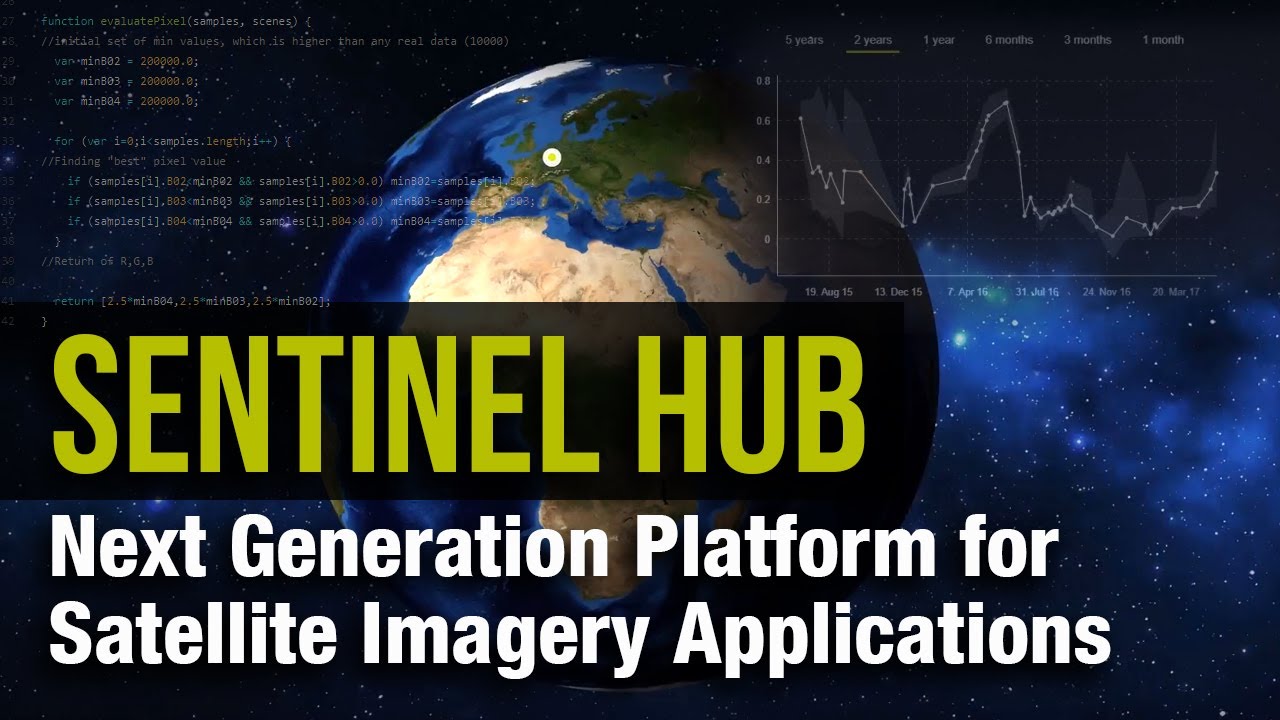
Sentinel Hub is a satellite data access platform operated by Sinergise, designed for remote sensing professionals, environmental scientists, and developers who need frequent, high-resolution Earth observation imagery. It is accessible via the EO Browser (free web app) and developer APIs.
What Does Sentinel Hub Do?
Sentinel Hub provides unified access to Copernicus Sentinel-1, Sentinel-2, Sentinel-3, Sentinel-5P, Landsat 8/9, and MODIS imagery through a single API, with Sentinel-2 updated every 5 days at 10m resolution.
How Is Sentinel Hub Similar to Google Earth?
Both provide global satellite imagery free at a basic level. Both support historical imagery archives. Both are used for environmental monitoring and land analysis. Sentinel Hub’s EO Browser, like Google Earth, requires no install and works in a browser.
How Is Sentinel Hub Different from Google Earth?
Sentinel Hub provides 1,200+ data layers including multi-spectral bands, vegetation indices (NDVI, EVI), and SAR data that Google Earth simply does not offer. Updates are near real-time rather than months old. The platform is built for data analysis, not casual globe exploration.
Who Is Sentinel Hub Best For?
Sentinel Hub suits agricultural analysts, climate researchers, environmental agencies, and developers building satellite data workflows who need frequent, multi-spectral imagery and API access.
Key Features of Sentinel Hub
- Data coverage: Sentinel-1 through Sentinel-5P, Landsat 8/9, MODIS in one API
- Resolution: Sentinel-2 at 10m; Landsat at 30m; Sentinel-1 SAR available
- Update frequency: Sentinel-2 every 5 days; Sentinel-1 within hours
- 1,200+ layers: Multi-spectral bands, vegetation indices, atmospheric data
- OGC/WMS compatible with QGIS, ArcGIS, and custom web apps
Pricing
- Free plan: Yes, EO Browser is always free; Copernicus Data Space account is free
- Paid plans: Research, education, and commercial tiers available (processing unit-based)
- Free trial: Yes, Sentinel Hub trial accounts available with limited monthly processing units
Esri Landsat Explorer
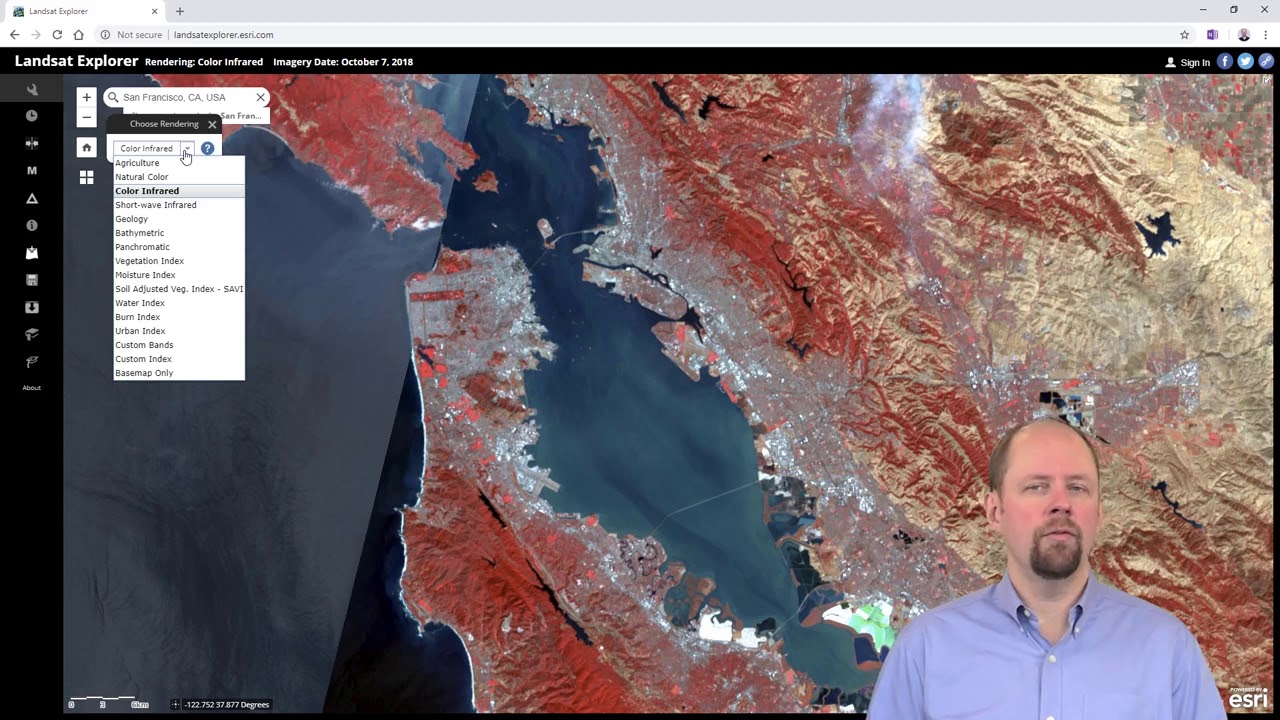
Esri Landsat Explorer is a free web-based tool built on 50+ years of Landsat program imagery, offering historical satellite data, time-lapse comparison, and land surface analysis for researchers, educators, and GIS professionals.
What Does Esri Landsat Explorer Do?
Landsat Explorer lets users browse archived Landsat imagery dating back to the 1970s, compare land changes over time using Dynamic View, filter by date and cloud coverage, and apply spectral visualizations like surface temperature and agriculture mapping.
How Is Esri Landsat Explorer Similar to Google Earth?
Both offer free global satellite imagery in a browser. Both include historical imagery comparison. Both are used for environmental monitoring and land change analysis. Both require no account for basic use.
How Is Esri Landsat Explorer Different from Google Earth?
Historical depth is where Landsat Explorer wins. It provides imagery going back to the early 1970s, versus Google Earth’s history starting roughly in the 1990s. It also provides multi-spectral analysis modes including vegetation health, surface temperature, and agriculture indices that Google Earth does not support natively.
Who Is Esri Landsat Explorer Best For?
Landsat Explorer suits climate scientists, environmental researchers, geography educators, and anyone studying long-term land use change, glacial retreat, deforestation, or urban expansion over decades.
Key Features of Esri Landsat Explorer
- 50+ year archive: Landsat imagery from early 1970s to present
- Dynamic View: Most recent cloud-free imagery for any location
- Find A Scene: Pick imagery from a specific date and time
- Spectral modes: surface temperature, agriculture, vegetation, geology overlays
- Free, browser-based, no account required for core functionality
Pricing
- Free plan: Yes, fully free with no account needed for exploration
- Paid plans: None for the Landsat Explorer tool itself; advanced Esri tools require ArcGIS subscription
- Free trial: Not applicable
What Makes an App a Real Alternative to Google Earth?
Google Earth covers more than 97% of the world’s surface using Landsat satellite imagery, aerial photography, and 3D terrain data. Knowing exactly what it does helps narrow down which alternatives actually replace it vs. which ones just share a map interface.
Google Earth’s core attributes, the ones an alternative must match or exceed in at least one area:
- 3D globe visualization with zoomable terrain
- Landsat-based satellite imagery (imagery can be 4 to 18 months old)
- Historical imagery slider for time-lapse comparison
- Street View integration for ground-level exploration
- KML and KMZ file support for custom data overlays
- Free access with no account required
The tricky part is that Google Earth overlaps three distinct tool categories: casual geographic exploration, geospatial data visualization, and light navigation. Each category has its own set of better-suited alternatives.
“Similar to Google Earth” means different things depending on what you actually need:
- Casual exploration: Zoom Earth, Bing Maps, HERE WeGo
- Scientific analysis: Sentinel Hub, Esri Landsat Explorer, QGIS
- Developer tooling: Mapbox, NASA WorldWind, OpenStreetMap
- Professional GIS: ArcGIS Earth, QGIS
The global GIS software market was valued at $9.4 billion in 2024 and is projected to grow at 12.3% CAGR through 2034, according to GM Insights. That growth reflects how many specialized tools have emerged to serve needs that Google Earth simply was not designed for.
Which Apps Like Google Earth Work Best for Casual Exploration?
The most common intent behind “apps like Google Earth” is simple: people want to visually explore the planet from a browser or phone. No GIS background. No data pipelines. Just zoom in and look around.
Three tools stand out here, and they differ more than you’d expect.
How Does Zoom Earth Compare to Google Earth for Real-Time Views?
Zoom Earth is the clearest upgrade over Google Earth for anyone who cares about imagery freshness. Google Earth purchases its satellite photos between 4 and 18 months after capture. Zoom Earth pulls live feeds from NOAA GOES, EUMETSAT Meteosat, and JMA Himawari, updating every 10 minutes.
That gap matters a lot for specific use cases:
- Tracking a wildfire in real time
- Monitoring a hurricane’s path
- Checking current cloud cover over a travel destination
Google Earth cannot do any of these. Zoom Earth does all three, for free, with no account.
Key difference: Zoom Earth wins on live satellite view. Google Earth wins on 3D terrain and Street View. They serve different purposes, and there is no single overlap.
The global satellite imagery market was valued at $2.57 billion in 2025 and is projected to reach $8.65 billion by 2033 at an 18.7% CAGR, per The Market Intelligence. Zoom Earth sits at the accessible consumer end of that market, where demand for near real-time aerial photography is growing fastest.
What Does Bing Maps Offer That Google Earth Does Not?
Bing Maps provides Bird’s Eye oblique imagery, 45-degree aerial views of cities that Google Earth does not replicate. Resolution reaches up to 0.3m per pixel in major urban areas.
Beyond the oblique angle, Bing offers Streetside 360-degree photography and tight integration with Microsoft Azure for developers. Casual users get a clean, fast interface with no account needed. Developers get a competitive API with pay-per-use pricing starting at $0.50 per 1,000 transactions.
Google and Microsoft collectively held over 30% of the GIS market share in 2024, according to GM Insights. That position explains why Bing Maps continues to receive active development despite operating in Google’s shadow.
When Does HERE WeGo Beat Google Earth?
Offline navigation. That is the one area where HERE WeGo has no real competitor among the tools on this list.
HERE WeGo lets users download full regional maps for 100+ countries. It works entirely without internet for navigation, routing, and location search. Google Earth requires a constant connection for imagery. HERE WeGo’s maps are available on iOS, Android, and web, all free.
For travelers heading into remote areas, HERE WeGo is the practical choice. For city browsing, Bing or Zoom Earth serve better. They cover separate needs.
Which Google Earth Alternatives Are Built for Developers and Custom Mapping?
Three tools in the list are not really apps at all. They are platforms, SDKs, or open datasets that developers use to build their own mapping products. None of them have a “download and explore” interface like Google Earth.
Worth knowing upfront so you do not waste time looking for a consumer UI that does not exist.
| Tool | Type | Best For | License |
| Mapbox | API / SDK platform | Custom map apps | Pay-as-you-go, free tier |
| NASA WorldWind | Open-source SDK | Custom 3D globe apps | Apache 2.0, fully free |
| OpenStreetMap | Open geographic database | Custom maps, data projects | Open Database License |
How Does Mapbox Work as a Google Earth Alternative?
Mapbox is where developers go when they need custom satellite maps baked into their own products. It is not a globe you explore, it is a toolset you build with.
Satellite tile imagery uses Maxar Vivid at zoom levels 13 to 16, reaching sub-meter resolution in many urban areas. The free tier covers approximately 50,000 map loads per month. Navigation SDK trips are free for under 100 monthly active users and 1,000 trips.
Snapchat, Foursquare, and GitHub have all used Mapbox-powered maps in their products. Mapbox competes directly with Google Maps Platform, and according to Vendr transaction data, buyers who commit to $50,000+ annually often achieve 20 to 40% below standard rates.
What Is NASA WorldWind Used For?
Developer SDK, not a consumer app. NASA WorldWind is the only tool in this list that lets you build multi-planet 3D globe applications for free.
Platforms supported: Java desktop, JavaScript/HTML5 web, and Android. The European Space Agency used WorldWind as the foundation for its Copernicus Sentinel mobile app. Fully open source under Apache 2.0 license, hosted on GitHub.
No Google Earth-style UI exists. You get a code library. If you need a finished product you can click through, look elsewhere.
Why Does OpenStreetMap Power So Many Apps?
OpenStreetMap’s 11.7 billion node database underlies Snapchat’s location features, Wikipedia’s locator maps, Strava’s route maps, and hundreds of other products. TomTom, Microsoft, Esri, and Meta are its top corporate sponsors as of 2025.
It does not provide satellite imagery directly. But as a free, openly licensed geographic dataset, it is the backbone developers reach for when they want to build without paying per tile. That makes it fundamentally different from Google Earth, which is a finished product rather than a data source.
For NGOs, researchers, and developers who want to avoid proprietary map data, OSM is the standard starting point.
Which Apps Like Google Earth Are Used for Scientific and Environmental Analysis?
The commercial satellite imaging market was valued at $4.6 billion in 2024 and is projected to reach $10.7 billion by 2033 at a 9.7% CAGR, per IMARC Group. The fastest-growing segment within it is environmental and climate monitoring, projected at over 19% CAGR through 2034.
Google Earth does not serve this segment well. Its imagery is months old and lacks multi-spectral band access. Four tools in this list do it properly.
How Does Sentinel Hub Compare to Google Earth for Environmental Monitoring?
Sentinel Hub is not a casual exploration tool. It is a professional earth observation API operated by Sinergise, covering Sentinel-1, Sentinel-2, Sentinel-3, Sentinel-5P, Landsat 8 and 9, and MODIS through a single interface.
The Copernicus Data Space Ecosystem reported that in 2024, more than 200 petabytes of Earth observation data were made available to users, with 100 million individual Sentinel products in online storage handling up to 1,000 catalogue queries per second. That scale is what Sentinel Hub taps into.
Google Earth vs. Sentinel Hub on the attributes that matter for science:
| Attribute | Google Earth | Sentinel Hub |
| Imagery update frequency | 4 to 18 months old | Every 5 days (Sentinel-2) |
| Spectral bands | RGB only | 13 bands including NDVI, thermal |
| Resolution | Up to 15cm (select cities) | 10m (Sentinel-2), 30m (Landsat) |
| Free access | Yes | EO Browser always free |
The USDA allocated $500 million in 2024 toward precision agriculture projects using satellite imagery, according to Future Market Insights. Sentinel Hub’s Sentinel-2 NDVI layers are among the primary data sources used in projects like these.
When Does ArcGIS Earth Replace Google Earth for Professional Work?
ArcGIS Earth is what organizations reach for when they need a 3D globe that plugs into an enterprise data pipeline. Google Earth is a viewer. ArcGIS Earth is an operational tool.
Three things that make it different:
- Real-time data feeds: ArcGIS Velocity stream service integration added in version 2.4 (April 2025)
- Sub-meter GPS accuracy: External Bluetooth GPS device support added in version 2.5 (July 2025)
- Offline field use: Full raster and vector basemap downloads for disconnected environments
Esri reinvests roughly 28% of annual turnover into R&D, according to Mordor Intelligence. That investment cadence means ArcGIS Earth receives meaningful new capabilities multiple times per year, unlike Google Earth, which sees much slower feature updates.
Why Do Researchers Choose QGIS Over Google Earth?
QGIS is free desktop GIS software that does everything Google Earth does not: spatial analysis, data export in 30+ formats, Python scripting, and plugin access to Sentinel Hub imagery.
It is ranked #2 in the GIS software category on SelectHub as of 2025, with a 90% user satisfaction rating based on 284 reviews. It runs on Windows, macOS, and Linux. Zero cost, no licensing fees.
Urban planners, environmental consultants, and academic researchers use QGIS because the Sentinel Hub QGIS plugin allows direct visualization of Copernicus satellite data inside the desktop GIS environment. That combination of free software plus free satellite data covers most research workflows at no cost.
What Makes Esri Landsat Explorer Unique for Historical Research?
50+ years of Landsat archive data, going back to the early 1970s. No other free tool in this list matches that historical depth.
Google Earth’s historical imagery slider goes back roughly to the 1990s for most locations. Landsat Explorer goes further, and it adds spectral analysis modes (surface temperature, agriculture, vegetation health, geology) that Google Earth simply does not offer.
No account required. Browser-based. Fully free. Researchers studying glacial retreat, deforestation, or urban expansion over decades use it regularly.
How Do Free and Paid Google Earth Alternatives Compare?
Most of the tools in this list cost nothing for core use. That is the direct answer to what most people are actually asking when they search for apps like Google Earth.
Here is the full pricing picture across all 10 tools:
| Tool | Free Plan | Paid Entry Point |
| Zoom Earth | Yes, full web access | No (Revenue via ads/enterprise API) |
| NASA WorldWind | Yes, open-source SDK | None |
| ArcGIS Earth | Yes, free desktop app | ArcGIS Online (Starts ~$700/yr/user) |
| OpenStreetMap | Yes, all data free | None (Third-party tile hosting varies) |
| Bing Maps | Yes, free web use | Azure Maps API ($0.50 per 1,000 calls) |
| HEREWeGo | Yes, free mobile app | HERE Platform API (Pay-per-use) |
| Mapbox | Yes, 50,000 free loads/month | $5 per 1,000 loads beyond tier |
| QGIS | Yes, open-source desktop | QGIS Cloud (Variable paid tiers) |
| Sentinel Hub | Yes, EO Browser access | Research/Commercial plans (API use) |
| Esri Landsat Explorer | Yes, free web app | None (Included in Esri’s public datasets) |
Seven of the ten tools require no payment at all for their primary functionality. The three that do have paid tiers (ArcGIS Earth’s ecosystem, Mapbox API, and Sentinel Hub commercial plans) are all aimed at professional or enterprise workloads, not casual users.
The global satellite data services market is valued at $14.15 billion in 2025, per Precedence Research, growing toward $55.24 billion by 2034. Despite that commercial scale, the majority of tools relevant to individual users remain free because the underlying satellite data (Landsat, Copernicus Sentinel) is publicly funded and openly licensed.
How to Choose the Right App Based on Your Use Case
The right choice comes down to one question: what are you actually trying to do? The tools in this list do not compete with each other. They serve different needs entirely.
The decision matrix, by primary use case:
| Use Case | Best Tool | Why |
| Wildfire or storm tracking | Zoom Earth | 10-minute imagery updates, free |
| Casual globe browsing | Bing Maps | Bird’s Eye views, fast interface |
| Offline travel navigation | HERE WeGo | 100+ country downloads, no internet needed |
| Building a custom map app | Mapbox | Sub-meter satellite tiles, flexible API |
| Scientific vegetation analysis | Sentinel Hub | 13 spectral bands, 5-day revisit |
| Historical land change research | Esri Landsat Explorer | 50+ year archive, free, no account |
| Desktop GIS analysis | QGIS | Free, 30+ formats, Python scripting |
| Enterprise GIS field work | ArcGIS Earth | Offline maps, sub-meter GPS, real-time feeds |
| Custom app development (open-source) | NASA WorldWind | Apache 2.0, multi-planet, Java/JS/Android |
| Map data without satellite imagery | OpenStreetMap | 11.7B nodes, free, ODbL license |
A note on combining tools. Many GIS workflows stack these together. Using OpenStreetMap as a base layer inside QGIS with Sentinel Hub imagery on top is a common setup among environmental researchers who want free, professional-grade geospatial analysis with zero licensing costs.
Platform availability matters too. If you need desktop-only tools, QGIS and ArcGIS Earth desktop fit. If you need mobile-first, HERE WeGo and Zoom Earth work best. If you need browser-only access with no install, Esri Landsat Explorer and Sentinel Hub’s EO Browser are the cleanest options.
The GIS market grew to $11.61 billion in 2025, according to Precedence Research, with the mobile segment projected to grow fastest. That shift toward mobile mapping reinforces why HERE WeGo and Zoom Earth are gaining ground among everyday users who previously had no reason to look beyond Google Earth.
FAQ on Apps Like Google Earth
What is the best free alternative to Google Earth?
Zoom Earth is the strongest free option for most users. It delivers near real-time satellite imagery updated every 10 minutes, requires no account, and works in any browser. For desktop GIS analysis, QGIS is fully free with no feature limits.
Which app shows live satellite images of Earth?
Zoom Earth pulls live feeds from NOAA GOES, EUMETSAT Meteosat, and JMA Himawari satellites. Images update every 10 minutes. It is the closest free tool to a real-time satellite view available to the general public.
Is there an app like Google Earth for offline use?
HERE WeGo supports full offline map downloads for over 100 countries. ArcGIS Earth also allows raster and vector basemap downloads for disconnected field use. Both work without internet once maps are saved to your device.
What is the best Google Earth alternative for developers?
Mapbox is the standard choice for developers building custom location-based apps. It offers satellite tile APIs using Maxar imagery, a generous free tier, and pay-as-you-go pricing. NASA WorldWind suits developers who need an open-source 3D globe SDK.
Which app has better satellite imagery than Google Earth?
Sentinel Hub provides Sentinel-2 imagery at 10m resolution updated every 5 days, far fresher than Google Earth’s months-old Landsat data. Bing Maps reaches 0.3m per pixel in many urban areas, matching or exceeding Google Earth’s resolution in those locations.
Is there a free app to view historical satellite images?
Esri Landsat Explorer provides free access to over 50 years of Landsat archive imagery, going back to the early 1970s. No account is required. It includes spectral analysis modes like surface temperature and vegetation health that Google Earth does not offer.
What is the best open-source alternative to Google Earth?
QGIS is the leading open-source option for desktop geographic information systems. OpenStreetMap provides free, community-built geographic data under the Open Database License. NASA WorldWind is open-source under Apache 2.0 for developers building custom 3D globe applications.
Which app is best for environmental and scientific mapping?
Sentinel Hub covers Sentinel-1 through Sentinel-5P plus Landsat 8 and 9 in one API, with over 1,200 data layers including NDVI and SAR. The Copernicus EO Browser is always free. QGIS with the Sentinel Hub plugin handles most scientific geospatial analysis workflows at zero cost.
Does anything replace Google Earth’s 3D terrain view?
ArcGIS Earth offers full 3D globe visualization with elevation profiles, viewshed analysis, and 3D city models. Bing Maps provides 3D aerial views in select cities. NASA WorldWind supports 3D terrain rendering but requires developer implementation rather than a ready-to-use app.
Are apps like Google Earth available on mobile?
Yes. Zoom Earth, HERE WeGo, and ArcGIS Earth all have iOS and Android apps. Mapbox powers mapping within thousands of mobile apps via its SDK. HERE WeGo is the strongest mobile option specifically for offline navigation on Android and iPhone.
Conclusion
This conclusion is for an article presenting apps like Google Earth, and the core takeaway is straightforward: no single tool replaces it across every use case.
Zoom Earth leads for real-time satellite maps. QGIS and Sentinel Hub handle scientific earth observation. HERE WeGo owns offline navigation. Mapbox and OpenStreetMap serve developers building location-based apps from scratch.
Most of these virtual globe applications are completely free, backed by open satellite data from programs like Copernicus and the Landsat program.
The right choice depends entirely on what you need. Match the tool to the task, and you will get better results than Google Earth delivers for that specific job.
Pick one, explore the world, and stop settling for months-old imagery.

- How to Share GitHub Repository Access With Collaborators - October 25, 2026
- Streamlining Client Projects: Modern Cloud ERP Solutions - October 25, 2026
- Build or Buy an AI Chatbot for E-commerce: The Costs Nobody Budgets For - October 24, 2026