
jQuery ruled front-end development for over a decade. Then browsers caught up.
Today, native JavaScript handles DOM manipulation, event handling, and fetch requests without any library. Yet most developers still reach for a replacement out of habit, not necessity.
This guide covers the best jQuery alternatives available right now, from lightweight libraries like Cash.js and Alpine.js to full component frameworks like React and Vue.
By the end, you will know exactly which option fits your project, whether you are migrating a legacy codebase or starting fresh.
You will find:
- Drop-in replacements with jQuery-like syntax
- Declarative options for server-rendered pages
- Modern JavaScript frameworks for complex applications
- When vanilla JavaScript is simply enough
jQuery Alternatives
Is Vanilla JavaScript a Good jQuery Alternative for Lightweight Projects?
Yes. Vanilla JavaScript is a strong jQuery alternative for lightweight projects because it adds zero bytes to the bundle, runs directly on native browser APIs, and covers every use case jQuery was originally built for, including DOM manipulation, event handling, and AJAX requests.
What Is Vanilla JavaScript?
Vanilla JavaScript is not a library or framework. It is the native JavaScript language running directly in the browser without any abstraction layer.
It is maintained by ECMA International through the ECMAScript specification, with the most recent widely-adopted standard being ES2023. Every modern browser supports it natively. No installation, no CDN link, no build step required.
Its architectural pattern is imperative DOM manipulation using native browser APIs such as querySelector, addEventListener, and fetch.
How Does Vanilla JavaScript Compare to jQuery?
| Attribute | jQuery | JavaScript (Vanilla) |
|---|---|---|
| Architecture | Imperative, abstraction layer over DOM | Imperative, direct native DOM APIs |
| Bundle size | ~87KB minified, ~30KB gzipped | 0KB (no dependency) |
| Learning curve | Low, simple chained syntax | Low–medium, slightly more verbose |
| Performance | ~5.6s avg for 10K DOM ops (benchmarks) | ~3.5s avg for 10K DOM ops |
| Browser support | IE6+, extensive legacy coverage | Modern browsers (ES6+) |
| Ecosystem | Large, mature plugin library | No plugin ecosystem; uses native platform APIs |
| Use case fit | Legacy codebases, CMS sites | New projects, performance-focused builds |
| License | MIT | N/A (native platform) |
The performance gap is concrete. DOM operation benchmarks show vanilla JavaScript executes about 38% faster than jQuery for the same tasks (Medium, Jugaadu Dev). The zero-dependency approach also removes one of the most common sources of supply chain risk in a codebase.
Native methods like querySelector, fetch, and classList now cover virtually everything jQuery abstracted. The cross-browser inconsistencies that made jQuery necessary in 2006 no longer exist in modern browsers.
When Should You Choose Vanilla JavaScript Over jQuery?
- Vanilla JavaScript is the better choice when bundle size and initial page load time are performance constraints, since it eliminates jQuery’s ~30KB gzipped footprint entirely.
- It is preferable when building new projects that do not need to support legacy browsers like Internet Explorer.
- Vanilla JavaScript suits projects where the team wants to avoid external JavaScript dependencies for security or compliance reasons.
- It is the right call when the task is simple DOM traversal, event delegation, or fetch-based AJAX, since native APIs now handle all three without abstraction.
What Are the Limitations of Vanilla JavaScript Compared to jQuery?
- Vanilla JavaScript requires more verbose syntax for some tasks. For example, jQuery’s
$(el).fadeIn()has no single-line native equivalent and requires custom CSS transition logic. - jQuery’s plugin ecosystem has no direct equivalent. Teams replacing jQuery in legacy projects lose access to thousands of ready-made plugins immediately.
- Cross-browser quirks, while rare, still appear in older enterprise environments. jQuery handles them automatically; vanilla JavaScript requires manual polyfills.
Is Vanilla JavaScript Free and Open Source?
Vanilla JavaScript is the ECMAScript language specification itself. It is not a product with a license. It is free to use in all environments without restriction.
Is React.js a Good jQuery Alternative for Single-Page Applications?

React.js is a strong jQuery alternative for SPAs because its virtual DOM handles frequent UI updates efficiently, its component-based architecture scales across large codebases, and its ecosystem includes routing, state management, and SSR support that jQuery never offered.
What Is React.js?
React is a JavaScript UI library first released by Meta (Facebook) in 2013 and maintained by Meta alongside an open-source community.
It uses a component-based architecture and a virtual DOM diffing model to batch and optimize DOM updates. The current stable release is React 19. It is written in JavaScript and TypeScript, requires Node.js for development, and is licensed under the MIT License.
React powers production apps at Airbnb, Netflix, Instagram, and TripAdvisor. According to the State of JavaScript 2024 report, React is the most used front-end JavaScript library among professional developers.
How Does React.js Compare to jQuery?
| Attribute | jQuery | React |
|---|---|---|
| Architecture | Imperative DOM manipulation | Declarative, component-based, virtual DOM |
| Bundle size | ~87KB minified | ~95KB minified (React + ReactDOM) |
| Learning curve | Low (days) | Medium–high (JSX, hooks, state, build tools) |
| Performance | Slower on frequent re-renders | Faster for complex, data-driven UIs |
| State management | Manual DOM updates | Hooks + external state libraries (Redux, Zustand, etc.) |
| Ecosystem | Large legacy plugin library | Massive modern ecosystem (Next.js, etc.) |
| Use case fit | Simple DOM tasks, legacy CMS | SPAs, dashboards, component-driven UIs |
| License | MIT | MIT |
React’s virtual DOM provides a decisive performance advantage when UI state changes frequently. jQuery updates the real DOM directly on every operation, which becomes expensive at scale. React batches updates, computes diffs, and applies only necessary changes.
That said, React’s initial bundle is slightly larger than jQuery’s (~95KB vs ~87KB minified, per Pluralsight). For simple pages with minimal interactivity, this overhead is not justified. React also requires a build step using tools like Vite or webpack, whereas jQuery drops in with a single script tag.
For progressive web apps and complex web apps, React’s server-side rendering support via Next.js adds capabilities that are simply not in jQuery’s scope.
When Should You Choose React.js Over jQuery?
- React is the better choice when the project requires a single-page application with complex state, routing, and frequent UI re-renders.
- It is preferable when the team plans to scale the product over time, since component reusability and enforced structure reduce long-term maintenance cost.
- React suits projects where front-end development needs to share logic with a mobile app, since React Native uses the same component model.
- Choose React when TypeScript integration and automated XSS protection are requirements, as both are built into the React ecosystem by default.
What Are the Limitations of React.js Compared to jQuery?
- React requires understanding JSX, hooks, component lifecycle, and a build pipeline before writing a single useful line of code. jQuery needs none of that setup.
- React’s core library handles only the UI layer. Routing, form handling, and data fetching each require separate third-party libraries, which increases architectural decision overhead.
- React’s direct DOM manipulation conflicts with jQuery. Mixing both in the same project causes state mismatches, since React’s virtual DOM will not track changes made by jQuery’s
$(el).html()calls.
Is React.js Free and Open Source?
React is released under the MIT License, which permits free commercial use, modification, and distribution without restriction.
Is Vue.js a Good jQuery Alternative for Full-Stack Projects?

Vue.js is a good jQuery alternative for full-stack projects where teams need reactive data binding and component structure without React’s steeper learning curve. Its reactivity system automatically syncs UI to state changes, which jQuery cannot do without manual DOM updates.
What Is Vue.js?
Vue.js is an open-source JavaScript framework maintained by an independent team led by Evan You. It was first released in 2014 and is currently on version 3.x, written in TypeScript.
It uses a reactive, component-based architecture with a virtual DOM and a Composition API introduced in Vue 3. Vue powers over 3 million public GitHub repositories and is used in production at Alibaba, Xiaomi, and GitLab.
It is licensed under the MIT License. The Vue ecosystem includes Vue Router for client-side routing and Pinia for state management, both officially maintained.
How Does Vue.js Compare to jQuery?
| Attribute | jQuery | Vue.js |
|---|---|---|
| Architecture | Imperative DOM manipulation | Declarative, reactive component system |
| Bundle size | ~87KB minified | ~33KB gzipped (Vue 3 core) |
| Learning curve | Low | Low–medium (templates, reactivity model) |
| State management | None built-in | Reactive data system + Pinia |
| DOM updates | Manual, direct | Automatic via reactivity system |
| TypeScript support | Limited | Full (Vue 3 is TypeScript-first) |
| Use case fit | Simple interactions, legacy CMS | SPAs, dashboards, SSR apps |
| License | MIT | MIT |
The key difference is Vue’s reactivity system. When a data property changes in Vue, every bound DOM element updates automatically. In jQuery, that same update requires the developer to manually select and update each affected element, which multiplies code volume and introduces bugs as projects grow.
Vue’s single-file components combine HTML template, JavaScript logic, and scoped CSS in one file. This is a structural shift from jQuery’s separation of concerns model, but it makes component-level reasoning much cleaner. Nuxt.js extends Vue with SSR and static site generation, making it competitive for full-stack use cases where back-end development integration matters.
When Should You Choose Vue.js Over jQuery?
- Vue is the better choice when the project involves frequently changing UI state that would require repetitive manual DOM updates in jQuery.
- It suits teams migrating away from jQuery incrementally, since Vue can be added to a single page with a CDN link and gradually expand without replacing the full stack at once.
- Vue is preferable when the team has some JavaScript experience but wants to avoid React’s JSX syntax and build complexity.
- Choose Vue when the project needs server-side rendering through Nuxt.js or tight integration with a Laravel or similar backend.
What Are the Limitations of Vue.js Compared to jQuery?
- Vue’s reactivity system does not tolerate direct DOM manipulation from jQuery or vanilla JavaScript running in the same context. Mixing the two causes state desync that is difficult to debug.
- Vue 3’s Composition API introduced a significant API change from Vue 2. Legacy Vue codebases using the Options API require refactoring before adopting modern patterns.
- Vue’s ecosystem, while strong, is smaller than React’s. Fewer enterprise-grade UI component libraries and fewer specialized third-party integrations are available.
Is Alpine.js a Good jQuery Alternative for Server-Rendered Pages?
Alpine.js is the best jQuery alternative for server-rendered pages because it adds reactive, declarative behavior directly in HTML attributes, requires no build step, and ships at 7.1KB gzipped. That is roughly 4x smaller than jQuery’s 30.4KB gzipped footprint.
What Is Alpine.js?

Alpine.js is a lightweight JavaScript framework created by Caleb Porzio, first released in 2019 and maintained as an open-source project. Current stable version is 3.x.
It uses a declarative, attribute-driven architecture similar to Vue’s template syntax, applied directly to existing HTML. It ships at 21.9KB minified and 7.1KB gzipped, compared to jQuery at 87.6KB minified and 30.4KB gzipped (Web Mavens). No build step, no npm install required. It is licensed under the MIT License.
How Does Alpine.js Compare to jQuery?
Alpine.js and jQuery both target the same use case: adding interactivity to server-rendered HTML without a full framework. The difference is how they do it.
jQuery uses JavaScript functions that query and imperatively update the DOM. Alpine.js uses HTML attributes (x-data, x-bind, x-on, x-model) to declare behavior inline, similar to how Vue handles templates. DOM updates happen automatically when reactive data changes.
| Attribute | jQuery | Alpine.js |
|---|---|---|
| Bundle size | 30.4KB gzipped | 7.1KB gzipped |
| Architecture | Imperative, function-based | Declarative, attribute-driven |
| Reactivity | None (manual updates) | Yes, reactive data binding |
| Build step | No | No |
| Learning curve | Low | Low (HTML-first syntax) |
| Accessibility defaults | Manual | Manual (not provided by default) |
| Use case fit | Legacy, general DOM tasks | Server-rendered pages, Blade, Liquid |
Alpine works well with Laravel Blade, Shopify Liquid, and similar server-side templating engines, which makes it a practical jQuery replacement in those stacks. It is the “J” in the popular TALL stack (Tailwind, Alpine, Livewire, Laravel).
When Should You Choose Alpine.js Over jQuery?
- Alpine.js is the better choice when the project is a server-rendered app (Laravel, Rails, Django) that needs small amounts of UI interactivity without a full JavaScript framework.
- It suits projects where bundle size directly affects Core Web Vitals scores and where jQuery’s 30KB overhead is not justified by the feature set being used.
- Alpine is preferable when the team wants reactive data binding without adopting React or Vue’s component model and build pipeline.
What Are the Limitations of Alpine.js Compared to jQuery?
- Alpine.js inline JavaScript in HTML attributes can become hard to maintain in large templates. For any project with complex UI logic, this inline approach scales poorly compared to jQuery’s separate script files.
- Alpine’s component examples in official documentation do not include ARIA attributes by default, making accessibility an extra manual step that jQuery-based Bootstrap components handle automatically.
- Alpine has a much smaller plugin ecosystem than jQuery. There is no equivalent to jQuery UI or the thousands of jQuery plugins available via CDN.
Is Svelte a Good jQuery Alternative for Performance-Critical Web Apps?
Svelte is a strong jQuery alternative for performance-critical apps because it compiles components to plain JavaScript at build time, producing no virtual DOM overhead and smaller runtime bundles than jQuery for equivalent functionality.
What Is Svelte?

Svelte is an open-source JavaScript compiler, not a runtime library. It was created by Rich Harris and first released in 2016. The current stable version is Svelte 5, which introduced a runes-based reactivity model.
Svelte is maintained by the open-source community and backed by Vercel since 2021. Its architecture compiles component code to optimized vanilla JavaScript at build time, eliminating virtual DOM diffing at runtime entirely. It is licensed under the MIT License. SvelteKit, the official meta-framework, handles SSR, routing, and full-stack features. Users include The New York Times, GoDaddy, and Rakuten.
How Does Svelte Compare to jQuery?
Svelte and jQuery solve completely different problems at different scales. Svelte is not a drop-in replacement for jQuery on a small marketing page. It requires a build step and a compile process.
Where Svelte wins is runtime performance. Svelte consistently tops JavaScript framework benchmarks because there is no framework code running in the browser at all. The compiled output is surgical DOM updates written in plain JavaScript. Lighthouse 2024 performance data shows 47% of users abandon sites that take over 3 seconds to load, and Svelte’s compiled output directly addresses that constraint.
| Attribute | jQuery | Svelte |
|---|---|---|
| Architecture | Imperative DOM manipulation | Compiled, no virtual DOM |
| Build step | No | Yes (Vite + SvelteKit) |
| Bundle size | ~30KB gzipped | Minimal runtime (~1.5KB) + compiled output |
| Performance | Direct DOM, slower on re-renders | Very fast due to compile-time optimizations |
| Learning curve | Low | Low–medium (compiler-driven model) |
| Use case fit | Simple pages, legacy CMS | High-performance web apps |
| License | MIT | MIT |
When Should You Choose Svelte Over jQuery?
- Svelte is the better choice when the app requires frequent, complex UI state changes where jQuery’s direct DOM manipulation would produce performance bottlenecks.
- It suits greenfield projects where a build pipeline is already in place and the team wants the smallest possible JavaScript payload in the browser.
- Svelte is preferable when the team is moving away from jQuery toward a component-driven model but wants a gentler learning curve than React or Angular.
What Are the Limitations of Svelte Compared to jQuery?
- Svelte requires a build step. jQuery drops in via a single script tag. For quick prototypes, CMS integrations, or legacy environments without a build pipeline, Svelte is not viable.
- Svelte 5’s runes-based reactivity model is a significant change from Svelte 4. Teams upgrading existing Svelte codebases or learning from older tutorials will encounter breaking changes and outdated documentation.
- Svelte’s ecosystem is smaller than React and Vue. Fewer third-party component libraries, fewer enterprise integrations, and a smaller developer community compared to the jQuery plugin catalog.
Is Cash.js a Good jQuery Alternative for Migrating Legacy Codebases?
Cash.js is the best jQuery alternative specifically for legacy migration because it mirrors jQuery’s API with a near-identical syntax, ships at ~6KB gzipped (vs jQuery’s ~30KB), and targets modern browsers only, which is where most migration projects end up anyway.
What Is Cash.js?

Cash.js is an open-source, community-maintained JavaScript library designed as a lightweight jQuery drop-in replacement. It has no corporate backer and is maintained on GitHub under the MIT License.
Current stable version is 8.x. It provides jQuery-compatible methods for DOM manipulation, traversal, event handling, and CSS manipulation. It does not include jQuery’s AJAX module (use the Fetch API instead) or jQuery UI components. At ~6KB gzipped, it is approximately 5x smaller than jQuery.
How Does Cash.js Compare to jQuery?
Cash.js is the closest thing to a drop-in jQuery replacement available. The API syntax is intentionally identical for the most-used jQuery methods.
The tradeoff is coverage. Cash drops legacy browser support (no IE) and omits jQuery’s AJAX module, Deferred system, and several utility methods. If a project uses only basic DOM and event methods, most jQuery code runs unchanged after swapping the script tag.
| Attribute | jQuery | Cash.js |
|---|---|---|
| Bundle size | ~30KB gzipped | ~6KB gzipped |
| API compatibility | Full jQuery API | Subset of most-used jQuery methods |
| AJAX support | Built-in $.ajax | Not included (uses Fetch API) |
| Browser support | IE6+ | Modern browsers only |
| Maintenance | Active (jQuery Foundation) | Community-driven, slower updates |
| Migration effort | N/A | Minimal for basic jQuery usage |
| License | MIT | MIT |
The migration path is genuinely simple for most projects. Swap the jQuery CDN link for Cash, run the app, and identify the small number of missing methods. This kind of incremental code refactoring is low-risk and immediately reduces the JavaScript bundle.
When Should You Choose Cash.js Over jQuery?
- Cash.js is the better choice when the goal is reducing bundle size in an existing jQuery project without rewriting all DOM interaction code.
- It suits projects where the only jQuery features in use are selectors, class manipulation, event binding, and basic traversal since Cash covers all of those.
- Cash is preferable when the project has already dropped IE support and wants a modern-browser-only dependency with the same familiar
$syntax.
What Are the Limitations of Cash.js Compared to jQuery?
- Cash does not include jQuery’s
$.ajaxor Deferred/Promise utilities. Any project relying on those requires additional refactoring to use the Fetch API or Axios. - Cash is community-maintained with no corporate backing. Update frequency is slower than jQuery’s active release cycle, which creates a risk for long-term projects that need timely security patches.
Is Htmx a Good jQuery Alternative for Hypermedia-Driven Apps?

Htmx is a strong jQuery alternative for hypermedia-driven apps because it handles AJAX, partial page updates, and server interactions entirely through HTML attributes, with no JavaScript required and a bundle size of ~14KB gzipped.
What Is Htmx?
Htmx is an open-source JavaScript library created by Carson Gross, first released in 2020 as a successor to intercooler.js. It is community-maintained under the MIT License. Current stable version is 2.x.
Its architecture is hypermedia-first. Rather than building UIs in JavaScript, Htmx extends HTML with attributes like hx-get, hx-post, and hx-swap that trigger server requests and swap HTML fragments into the DOM. It works with any server-side framework, including Django, Rails, Laravel, and FastAPI.
How Does Htmx Compare to jQuery?
Htmx and jQuery overlap in one area: both handle AJAX requests and DOM updates on user interaction. But their approaches are completely different.
jQuery uses JavaScript functions to make requests and manually update the DOM. Htmx moves that logic into HTML attributes and lets the server return HTML fragments directly. This is closer to the original web model and eliminates most client-side JavaScript for data-driven interactions.
| Attribute | jQuery | htmx |
|---|---|---|
| Interaction model | JavaScript function calls | HTML attribute directives |
| AJAX | Built-in $.ajax | Built-in via hx-get, hx-post |
| DOM updates | Manual JavaScript manipulation | Server returns HTML; htmx swaps fragments |
| Bundle size | ~30KB gzipped | ~14KB gzipped |
| JavaScript required | Yes | Minimal to none |
| Use case fit | General DOM tasks, legacy apps | Server-rendered, hypermedia-driven apps |
| License | MIT | MIT |
Teams building API integration heavy apps with server-side rendering often find Htmx dramatically reduces the amount of JavaScript they need to write or maintain. GitHub used a similar partial-HTML-swap approach long before Htmx existed.
When Should You Choose Htmx Over jQuery?
- Htmx is the better choice when the app is server-rendered and the primary interactivity involves fetching and displaying server data in response to user actions.
- It suits backend-heavy teams (Python, Ruby, PHP, Go) who want dynamic UIs without learning a JavaScript framework or writing significant front-end code.
- Choose Htmx when the goal is to keep the entire application’s logic on the server and use the browser purely as a display layer.
What Are the Limitations of Htmx Compared to jQuery?
- Htmx is not designed for client-side-only UI interactions like form validation, animations, or complex state management. Those still require JavaScript or a complementary library like Alpine.js.
- Htmx’s hypermedia model requires the server to return HTML fragments, not JSON. Projects already built around JSON APIs cannot use Htmx without significant backend changes.
- Debugging Htmx interactions is harder than debugging jQuery. The behavior is declared in HTML attributes, which makes it less transparent when requests fail or produce unexpected DOM swaps.
Is Preact a Good jQuery Alternative for Mobile-First Web Apps?
Preact is a good jQuery alternative for mobile-first apps where React’s component model is needed but payload size is constrained. At 3KB gzipped, it delivers a virtual DOM, hooks, and component architecture in roughly 1/10th of jQuery’s gzipped weight.
What Is Preact?

Preact is an open-source JavaScript library created by Jason Miller, first released in 2015 and maintained by the open-source community. Current stable version is Preact 10.x.
It is a React-compatible alternative that implements the same virtual DOM and hooks API in a 3KB gzipped package. It uses the MIT License. Most React components work in Preact via the preact/compat compatibility layer without code changes. Preact is used in production by Lyft, Etsy, and Uber.
How Does Preact Compare to jQuery?
Preact and jQuery solve different problems. jQuery handles DOM manipulation imperatively. Preact manages application state declaratively through components and a virtual DOM. They are not direct API substitutes.
The case for Preact over jQuery on mobile is bundle size. jQuery adds 30KB gzipped to every page load. Preact adds 3KB and delivers a full component architecture. For performance-sensitive mobile experiences where every kilobyte affects Time to Interactive, that gap matters.
| Attribute | jQuery | Preact |
|---|---|---|
| Architecture | Imperative DOM | Declarative, virtual DOM, component-based |
| Bundle size | ~30KB gzipped | ~3KB gzipped |
| React compatibility | No | Yes, via preact/compat |
| Build step | No | Yes |
| Mobile performance | Adequate | Optimized, minimal runtime |
| Use case fit | Simple DOM tasks | Mobile-first SPAs, PWAs |
| License | MIT | MIT |
Preact’s virtual DOM and component model make it well-suited for progressive web apps where performance budgets are tight. Teams already familiar with React can adopt Preact with minimal retraining.
When Should You Choose Preact Over jQuery?
- Preact is the better choice when the project needs React-style component architecture but cannot absorb React’s ~95KB minified bundle on mobile networks.
- It suits custom app development projects that need to reuse existing React components without migrating to full React.
- Preact is preferable when Core Web Vitals scores, specifically LCP and INP, are being actively optimized and JavaScript payload is a known bottleneck.
What Are the Limitations of Preact Compared to jQuery?
- Preact’s compatibility layer with React (
preact/compat) does not cover 100% of React’s API surface. Specific React features like concurrent rendering and some advanced hooks behave differently or are unsupported. - Preact requires a build step, a module bundler, and familiarity with component-based thinking. jQuery works with a single script tag, which remains faster to set up for small projects.
- Community size and third-party library support are significantly smaller than React’s. Preact-specific integrations for testing, routing, and UI components are limited by comparison.
Is Zepto.js a Good jQuery Alternative for Mobile Web Development?
Zepto.js is a decent jQuery alternative for mobile web development. It replicates jQuery’s core API at roughly 10KB minified, targets modern mobile browsers, and performs well for basic DOM manipulation and AJAX on bandwidth-constrained devices.
What Is Zepto.js?
Zepto.js is an open-source, community-maintained JavaScript library created by Thomas Fuchs and first released in 2010. It is licensed under the MIT License. Current version is 1.2.0 (no major updates since 2016).
Its architecture mirrors jQuery’s CSS-selector-based DOM API but strips cross-browser IE compatibility code, which accounts for most of jQuery’s size. This results in a ~10KB minified footprint compared to jQuery’s ~87KB. Zepto targets WebKit and Blink browsers specifically.
How Does Zepto.js Compare to jQuery?
Zepto was built for one purpose: give jQuery developers a smaller, faster library for mobile WebKit browsers. It succeeds at that narrow goal. The $ selector, chaining, event methods, and basic AJAX all work the same way.
The practical problem in 2025 is that Zepto is no longer actively maintained. Its last major release was in 2016. Modern mobile browsers have advanced well beyond what Zepto was built for, and several of its modules (touch, gesture, IE) are either irrelevant or incomplete.
| Attribute | jQuery | Zepto.js |
|---|---|---|
| Bundle size | ~87KB minified | ~10KB minified |
| API similarity | Reference | Near-identical subset |
| Browser support | IE6+ and modern | Modern WebKit/Blink only |
| AJAX support | Full | Basic |
| Last major update | Active | 2016 (unmaintained) |
| Mobile optimization | General | Explicit mobile focus |
| License | MIT | MIT |
When Should You Choose Zepto.js Over jQuery?
- Zepto is a reasonable choice when the project is a simple, read-heavy mobile web page with basic event handling and no complex AJAX requirements.
- It suits legacy mobile projects already using Zepto that do not require updates to the library itself and are not targeting new browsers.
What Are the Limitations of Zepto.js Compared to jQuery?
- Zepto has not had a meaningful update since 2016. This is a significant risk for any production project. Open security vulnerabilities and browser API changes will not be patched.
- Zepto omits several jQuery methods entirely. Developers migrating from jQuery will encounter missing APIs, particularly in the AJAX module, that require custom fallback code.
- For most new projects, Cash.js or vanilla JavaScript is a better choice than Zepto. Both are actively maintained and achieve the same size reduction without the maintenance risk.
Is Umbrella.js a Good jQuery Alternative for Small DOM-Focused Projects?
Umbrella.js is a good jQuery alternative for small, DOM-focused projects. At ~3KB gzipped, it provides jQuery-inspired selectors, traversal, event handling, and manipulation methods with clear documentation and a modern, dependency-free codebase.
What Is Umbrella.js?
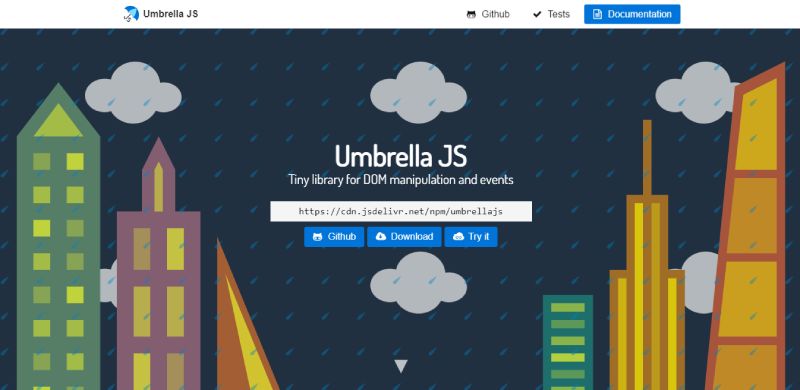
Umbrella.js is an open-source JavaScript library created by Francisco Presencia, first released in 2015 and maintained by an independent open-source community. Licensed under the MIT License.
It is a lightweight DOM manipulation library with jQuery-like syntax, targeting modern browsers only. At 3KB gzipped, it is the smallest actively maintained jQuery-syntax alternative available. It covers selectors, traversal, events, AJAX, and class manipulation. No build step required.
How Does Umbrella.js Compare to jQuery?
Umbrella.js does not try to match jQuery’s full feature set. It covers the 80% of jQuery that most projects actually use and ignores the rest. That is a deliberate tradeoff for size.
For projects where the only jQuery usage is $(selector), .on(), .addClass(), .html(), and .ajax(), Umbrella.js covers all of it at 1/10th the weight. The documentation is clear and complete, which is a genuine advantage over several other micro-libraries.
| Attribute | jQuery | Umbrella.js |
|---|---|---|
| Bundle size | ~30KB gzipped | ~3KB gzipped |
| API style | jQuery (reference) | jQuery-inspired |
| Browser support | IE6+ | Modern browsers only |
| Documentation | Extensive | Clear and complete |
| AJAX support | Full $.ajax | Basic, Fetch-based |
| Community size | Very large | Small |
| Use case fit | General, legacy applications | Small projects, lightweight DOM tasks |
| License | MIT | MIT |
Umbrella is worth considering when the project is a small component or widget within a larger server-rendered page, where a front-end development team wants jQuery-like syntax without the weight. It is similar in purpose to Cash.js but slightly smaller and with a slightly different API coverage.
When Should You Choose Umbrella.js Over jQuery?
- Umbrella.js is the better choice when the project uses only basic jQuery features and the team wants the smallest possible library with a familiar
$syntax. - It suits static sites, landing pages, or small interactive components where a full framework is overkill and jQuery’s 30KB is not justified.
- Choose Umbrella when the team is comfortable reading source code to fill in gaps, since the community is small and Stack Overflow coverage is limited.
What Are the Limitations of Umbrella.js Compared to jQuery?
- Umbrella.js has a small community. Finding answers to specific implementation questions outside the official documentation is difficult compared to jQuery’s decades of Stack Overflow coverage.
- Umbrella does not support Internet Explorer or older browsers. For any project with a legacy browser requirement, it is not a viable replacement for jQuery.
Why Developers Replace jQuery in Modern Projects

jQuery still runs on 77.8% of the top 10 million websites, according to W3Techs 2025 data. But that number is almost entirely legacy usage. New projects rarely choose it.
The reason is straightforward: the problems jQuery solved in 2006 no longer exist.
Modern browsers standardized their JavaScript APIs years ago. querySelector, addEventListener, fetch, and classList now cover every task jQuery was built for, without the 30KB gzipped payload.
In the 2024 State of JavaScript survey, jQuery does not appear in the main framework discussions at all. Developers are not replacing it because it broke. They are replacing it because it became unnecessary.
The two migration contexts are different problems:
- Replacing jQuery in a legacy codebase requires evaluating API compatibility and migration risk
- Not choosing jQuery for a new project is simply a bundle size and architectural decision
jQuery’s direct DOM manipulation also conflicts with the virtual DOM and reactivity systems used in React, Vue, and Svelte. Mixing both causes state desync that is genuinely difficult to debug.
Bootstrap 5 dropped its jQuery dependency entirely when it launched in 2021, signaling that even the libraries that bundled jQuery no longer needed it. WordPress’s Gutenberg editor ships without jQuery in new blocks.
There is no single replacement. The right alternative depends on the project type, team size, and whether a build step is acceptable.
How to Choose the Right jQuery Alternative
Most developers reach for a framework they already know rather than choosing the right tool for the context. That leads to overengineering simple pages and under-equipping complex ones.
Three questions narrow the decision quickly.
| Question | If Yes | If No |
|---|---|---|
| Is a build step acceptable? | React, Vue.js, Svelte, Preact | Alpine.js, htmx, Cash.js, Vanilla JavaScript |
| Does the page need component architecture? | React, Vue, Svelte | Alpine.js, htmx, Cash.js |
| Is this a jQuery migration (not a new build)? | Cash.js, Umbrella.js, Zepto.js | Choose based on project complexity |
Bundle size matters when it affects Core Web Vitals. jQuery adds ~30KB gzipped. On mobile networks with tight performance budgets, that overhead has a direct impact on Largest Contentful Paint and Interaction to Next Paint scores.
Team familiarity is a real cost. Switching from jQuery to React carries onboarding overhead that Cash.js or Alpine.js does not. A three-person team building a Laravel app will ship faster with Alpine than with React if no one knows React.
Stack context also shapes the decision. Alpine.js fits naturally into the TALL stack (Tailwind, Alpine, Livewire, Laravel). htmx fits Python/Django, Ruby on Rails, and FastAPI projects where server-rendered HTML is the primary output.
The wrong frame is “what replaces jQuery?” The right frame is “what does this project actually need?”
Lightweight jQuery Replacements with Similar Syntax
These libraries exist for one purpose: reduce jQuery’s bundle weight while keeping the API familiar. No architectural shift required. Most jQuery code runs unchanged after swapping the script tag.
Cash.js
Closest drop-in replacement available. Cash mirrors jQuery’s selector syntax, chaining model, event methods, and DOM manipulation API at ~6KB gzipped vs jQuery’s ~30KB.
- Covers selectors, traversal, events, class manipulation, and CSS properties
- Drops IE support entirely (modern browsers only)
- Excludes jQuery’s
$.ajaxmodule (use Fetch API instead) - MIT License, v8.x, community-maintained on GitHub
Migration is genuinely simple for most projects: swap the CDN link, run the app, identify the small number of missing methods through code refactoring. The whole process often takes under a day for a standard legacy site.
Umbrella.js
Smallest actively maintained option. At ~3KB gzipped, Umbrella covers the 80% of jQuery that most projects actually use and deliberately skips the rest.
API coverage includes: $() selectors, .on(), .addClass(), .html(), traversal, and basic AJAX via Fetch. Documentation is clear and complete, which is a genuine advantage over several other micro-libraries.
The limitation is community size. Stack Overflow coverage is thin. If a specific method is missing or behaves differently, finding answers outside the official docs takes time.
Zepto.js
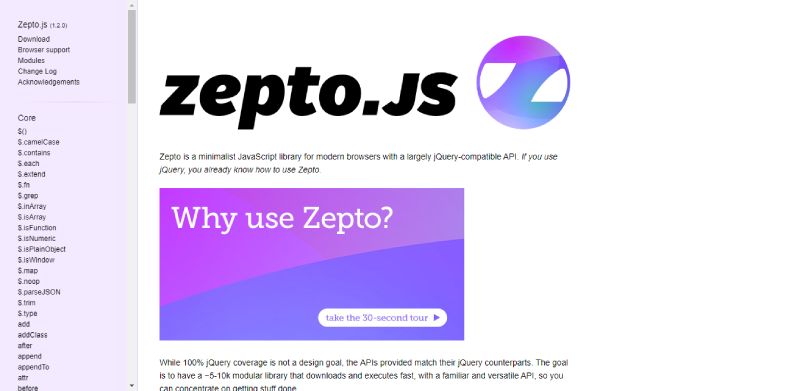
W3Techs data shows Zepto never exceeded 0.1% web usage, even at its peak. It was built for WebKit mobile browsers in 2010 and has not had a major release since 2016.
Last major update: 2016. That maintenance gap is the single most important fact about Zepto. Open security vulnerabilities will not be patched. For any new production project, Cash.js or vanilla JavaScript is a better choice on every dimension.
Zepto is only worth considering for legacy mobile projects already running it that have no plans for updates.
Declarative and Reactive Alternatives for Server-Rendered Pages
These two tools share one key property: neither requires a build step. Drop in a script tag and add behavior directly to existing HTML. That makes them the natural jQuery replacement for teams working in Laravel, Django, Rails, or any server-side stack.
Alpine.js
Alpine.js ships at 7.1KB gzipped, roughly 4x smaller than jQuery’s 30.4KB. It brings reactivity to HTML through 15 directives including x-data, x-bind, x-on, and x-model.
State of JS 2024 data shows Alpine.js favored by small companies, placing it alongside Qwik and Solid in the “new challengers” category. It is the “A” in the TALL stack and works natively with Shopify Liquid and Laravel Blade templates.
Key difference from jQuery: Alpine updates the DOM automatically when reactive data changes. jQuery requires manual DOM queries after every state change.
One real limitation: Alpine’s official code examples do not include ARIA attributes by default. Accessibility requires manual implementation, which Bootstrap-based jQuery components handled automatically. Teams building accessible UIs need to account for this.
htmx
htmx gained 16,800 GitHub stars in 2024, more than React gained in the same period (PkgPulse). That is a momentum signal, not a download comparison.
Hypermedia-first approach:
- Server returns HTML fragments, not JSON
- htmx attributes (
hx-get,hx-post,hx-swap) trigger requests and swap DOM sections - No client-side state management required
- Works with any backend language
htmx replaces jQuery’s AJAX role entirely for server-rendered apps. It bundles at ~14KB gzipped. Teams at Basecamp have used a similar “HTML over the wire” approach with Hotwire for years.
The limitation is clear: htmx requires the server to return HTML fragments. Projects already built around JSON APIs cannot use htmx without significant backend changes. It also does not handle client-side-only interactions like form validation or animations. Alpine.js and htmx are frequently used together for exactly this reason.
JavaScript Frameworks as jQuery Alternatives for Complex Applications

These are not drop-in jQuery replacements. They manage application state declaratively and render UI from that state. Mixing jQuery’s direct DOM calls into a React or Vue app bypasses the virtual DOM and causes state desync.
The decision between them is mostly about project scale, team size, and performance requirements.
| Framework | Bundle (gzipped) | Weekly npm downloads | Retention (State of JS 2024) |
|---|---|---|---|
| React | ~47KB | ~125M | 75% |
| Vue.js | ~33KB | ~11.5M | 87% |
| Svelte | ~1.5KB runtime | growing | 88% |
| Preact | ~3KB | stable | high |
React.js
React has ~125 million weekly npm downloads and 82% usage among State of JS 2024 respondents. It is the industry default for SPAs and component-driven front-end development.
Meta-backed, MIT licensed, currently on React 19. Powers production apps at Airbnb, Netflix, and Instagram. Its virtual DOM handles frequent UI re-renders far more efficiently than jQuery’s direct DOM manipulation at scale.
The tradeoff is setup complexity. React requires JSX, hooks, a build step (Vite or webpack), and external libraries for routing and state management. For simple pages, that overhead is not justified. Learn more about how React.js works as a library before committing to it for a new project.
Vue.js
Vue holds 87% developer retention in State of JS 2024, the second-highest of any major framework. About 4,000 State of JS respondents use Vue professionally.
Maintained by an independent team led by Evan You. Current version is 3.x, rewritten in TypeScript, with a Composition API that sits closer to vanilla JavaScript patterns than React’s hook model.
Best fit: teams that want component architecture and reactive data binding without React’s ecosystem complexity. Nuxt.js extends Vue with SSR and static site generation for full-stack use cases. Used in production at Alibaba and GitLab. The Vue.js documentation is considered among the best in the JavaScript ecosystem.
Svelte
Svelte has the highest “admired” rate of any major front-end framework in 2024 aggregated data. Stack Overflow even used Svelte for its 2024 survey results site.
Compiles components to plain JavaScript at build time. No virtual DOM at runtime. The New York Times and Spotify’s marketing pages use Svelte in production. Current version is Svelte 5, which introduced a runes-based reactivity model in October 2024.
The ecosystem is smaller than React or Vue. Fewer UI libraries, fewer specialized integrations, and a smaller developer hiring pool. For teams that hit a Svelte-specific bug, community support is thinner. The Svelte vs React trade-off comes down to performance vs ecosystem depth.
Preact
3KB gzipped. Same hooks, same component model, same JSX as React. Most React components run in Preact without code changes via the preact/compat layer.
Used in production at Lyft, Etsy, and Uber. The case for Preact over React is purely about bundle size on performance-constrained environments like mobile-first progressive web apps.
The limitation is API coverage. preact/compat does not cover 100% of React’s surface. Concurrent rendering and some advanced hooks behave differently. Teams upgrading an existing React app to Preact will encounter edge cases that require testing.
Vanilla JavaScript as a Zero-Dependency jQuery Alternative
Zero bytes added to the bundle. No library to maintain, audit, or update. For the majority of tasks jQuery was used for, native browser APIs now handle them directly.
DOM operation benchmarks show vanilla JavaScript executes approximately 38% faster than jQuery for equivalent tasks (Jugaadu Dev, Medium). The reason is simple: there is no abstraction layer between the code and the browser.
| jQuery method | Vanilla equivalent |
|---|---|
jQuery $('#id') | document.getElementById('id') |
jQuery $('.class') | document.querySelectorAll('.class') |
jQuery $.ajax() | fetch() |
jQuery $(el).addClass('foo') | el.classList.add('foo') |
jQuery $(el).on('click', fn) | el.addEventListener('click', fn) |
Stack Overflow’s 2024 Developer Survey shows JavaScript has been the most-used programming language for 12 consecutive years, used by over 65% of professional developers. Modern JavaScript includes everything needed to replace jQuery without a third-party dependency.
WordPress’s Gutenberg block editor ships with native browser APIs and no jQuery dependency in new blocks, which is a strong real-world signal that even jQuery’s home territory is moving on.
Where vanilla JavaScript falls short:
- No equivalent to jQuery’s chainable animation API (requires custom CSS transitions)
- More verbose for some multi-step DOM operations
- No cross-browser polyfill layer for older enterprise environments still running Internet Explorer
For new projects targeting modern browsers, vanilla JavaScript is the correct default starting point before reaching for any library. Understanding JavaScript debugging becomes simpler when there is no library abstraction to look through.
Add a library only when the native API is genuinely insufficient for the task.
FAQ on jQuery Alternatives
What is the best jQuery alternative in 2025?
It depends on the project. For simple DOM manipulation, vanilla JavaScript is the default. For server-rendered pages, Alpine.js. For component-driven SPAs, React or Vue. No single replacement covers every use case.
Is vanilla JavaScript a complete jQuery replacement?
Yes, for modern browsers. Native methods like querySelector, addEventListener, and fetch cover everything jQuery did. The syntax is slightly more verbose, but the performance is faster and the bundle size is zero.
What is the closest drop-in replacement for jQuery?
Cash.js is the closest. It mirrors jQuery’s API at roughly 6KB gzipped versus jQuery’s 30KB. Most basic jQuery code runs unchanged after swapping the script tag. It drops IE support and excludes the AJAX module.
Is jQuery still worth learning in 2025?
Only if you work with legacy codebases, WordPress themes, or older CMS platforms that depend on it. For new projects, your time is better spent learning vanilla JavaScript or a modern framework like React or Vue.
What is the lightest jQuery alternative available?
Umbrella.js at ~3KB gzipped is among the smallest actively maintained options. Preact sits at 3KB as well but solves a different problem. For pure DOM manipulation with jQuery-like syntax, Umbrella.js is the smallest viable choice.
Should I use Alpine.js or jQuery for a WordPress site?
Alpine.js is the better choice for new WordPress builds where jQuery is not already required by a plugin. At 7.1KB gzipped, it adds reactive behavior through HTML attributes with no build step and far less overhead.
What jQuery alternative works best with Laravel or Django?
Alpine.js and htmx are both designed for server-rendered frameworks. Alpine handles client-side reactivity. htmx handles server round-trips by swapping HTML fragments. Many Laravel and Django teams use both together for full coverage.
Does React replace jQuery?
Not directly. React manages application state and renders UI declaratively. jQuery manipulates existing DOM imperatively. They solve different problems. Mixing both in the same project causes virtual DOM state desync and is not recommended.
What jQuery alternative has the best developer satisfaction?
Svelte leads in developer satisfaction, with 88% retention in the State of JS 2024 survey. Vue follows at 87%. Both score higher than React. For lightweight alternatives, Alpine.js has strong satisfaction among developers in server-rendered stacks.
How do I migrate from jQuery to vanilla JavaScript?
Replace $(selector) with querySelector, swap $.ajax for fetch, and convert .on() to addEventListener. Most jQuery code has a direct native equivalent. Start with the most-used methods and work through the codebase incrementally.
Conclusion
This conclusion is for an article presenting the full range of jQuery alternatives available to front-end developers today.
There is no universal answer. The right choice depends on your stack, your team, and how much JavaScript your project actually needs.
Cash.js and Umbrella.js handle legacy migration with minimal friction. Alpine.js and htmx cover server-rendered interactivity without a build pipeline. React, Vue, and Svelte serve component-driven applications at scale.
And sometimes, vanilla JavaScript with native browser APIs is simply enough.
The goal was never to find a jQuery replacement. It was to stop adding dependencies you do not need and start choosing tools that match the problem.
Pick the lightest option that solves your use case. Ship faster. Debug less.

- How to Share GitHub Repository Access With Collaborators - October 25, 2026
- Streamlining Client Projects: Modern Cloud ERP Solutions - October 25, 2026
- Build or Buy an AI Chatbot for E-commerce: The Costs Nobody Budgets For - October 24, 2026