Every dollar of in-app purchase revenue on Android flows through one piece of infrastructure: the Google Play Billing Library.
With Google Play generating $42.3 billion in consumer spending in 2024, getting the billing integration right is not optional. A misstep in purchase acknowledgment, subscription state handling, or server verification can cost real money.
This guide covers everything from BillingClient setup and product types to subscription lifecycle management, error handling, promo codes, and the regulatory changes reshaping how alternative billing works on Android.
What Is the Google Play Billing Library?

The Google Play Billing Library is an Android SDK that lets apps sell digital products and subscriptions through Google Play.
It is the only supported payment method for digital goods sold in apps distributed via the Play Store. No third-party payment processor can replace it for in-app digital content.
Built on the Play Billing API, it handles the full purchase flow: product queries, checkout UI, purchase state management, and receipt validation. Developers interact with it through a BillingClient instance rather than calling the underlying API directly.
Current stable release: Play Billing Library 8.x (as of mid-2025), with version 7.0.0 set as the compliance floor by Google from August 31, 2025 (Google Play Policy, 2025).
The library is distributed via Google Maven. Add it to build.gradle with com.android.billingclient:billing:X.X.X and declare com.android.vending.BILLING in your AndroidManifest.xml.
That said, the library is only part of the picture. A robust billing integration also requires a back-end that verifies purchase tokens against the Google Play Developer API before granting entitlements.
Why it matters at scale: Google Play generated $42.3 billion in consumer spending in 2024, with 98% of that revenue coming from free apps monetized through in-app purchases and subscriptions (Priori Data, Statista 2024). Every dollar of that flows through the Play Billing infrastructure.
—
What the BillingClient Does
Central interface: BillingClient is the single object through which your app communicates with the Play Billing backend.
- Queries available products via
queryProductDetailsAsync() - Launches purchase UI with
launchBillingFlow() - Delivers results through
PurchasesUpdatedListener - Handles connection lifecycle via
startConnection()andendConnection()
One BillingClient instance per app. Building multiple instances causes undefined behavior and complicates purchase state tracking.
What the Library Does Not Handle
The library manages the client-side purchase UI and state. It does not handle server-side receipt validation, entitlement storage, or subscription state synchronization.
Those require a separate API integration with the Google Play Developer API using purchases.products.get and purchases.subscriptionsv2.get endpoints.
Google’s own documentation is explicit: never grant permanent entitlement based only on client-side data. A purchase token returned by the library must be verified server-side before access is granted.
What Products Can Be Sold Through the Google Play Billing Library?
The Play Billing Library supports 3 purchasable product types: one-time products (consumable and non-consumable), and subscriptions.
Each type has a distinct purchase flow, acknowledgment requirement, and entitlement model. Mixing up how you handle them is one of the most common sources of billing bugs in Android development.
| Product Type | API Method to Confirm Delivery | Repurchasable | Typical Use Case |
|---|---|---|---|
| Non-consumable | acknowledgePurchase() | ❌ No | Premium upgrades, ad removal, lifetime unlocks |
| Consumable | consumeAsync() | ✅ Yes, after consumption | In-game currency, energy, credits, coins |
| Subscription | acknowledgePurchase() | ✅ Auto-renews | Premium memberships, streaming, SaaS plans |
One-Time Products
As of Play Billing Library 8.0, Google rebranded “managed products” to “one-time products.” The terminology change came alongside support for multiple purchase options and offers per product.
Non-consumables are purchased once and remain permanently granted. Consumables must be explicitly consumed via consumeAsync() before the user can buy the same product again. Skipping this step is the most common cause of ITEM_ALREADY_OWNED errors (RevenueCat Engineering, 2026).
Subscriptions
Subscriptions in Play Billing Library 5.0+ follow a 3-tier structure:
- Subscription: the top-level product (e.g., “Premium Plan”)
- Base plan: defines billing period and renewal type (auto-renewing or prepaid)
- Offer: free trial, introductory price, or upgrade pricing layered onto a base plan
ProductDetails.getSubscriptionOfferDetails() returns all available offers for a given subscription. You pass the selected offer token into BillingFlowParams when launching the purchase flow.
Consumable Products
Consumables require consumeAsync(), not acknowledgePurchase(). Calling consumeAsync() implicitly acknowledges the purchase and reopens it for repurchase.
Always verify on your backend that a purchase token has not already been consumed before granting the associated currency or credits. Failing this check leads to duplicate entitlement grants when consumption requests fail silently and retry (Android Developers, 2024).
What Are the Google Play Billing Library Version Requirements?
From August 31, 2025, all new apps and app updates submitted to the Play Store must use Play Billing Library version 7.0.0 or higher. Apps already on the store targeting API Level 34 with Billing Library 6.x were not immediately removed, but updates get rejected without the upgrade (Google Play Policy, 2025).
An extension deadline of November 1, 2025 was available to developers who requested it through the Play Console policy status page.
Deprecation Timeline and Enforcement
What enforcement looks like in practice:
- Apps using version 4.x or below: billing stops working for new installs
- Apps using version 5.x or 6.x: updates rejected after August 31, 2025
- Apps using 7.0.0+: compliant for new submissions and updates
- Apps using 8.x: compliant, with access to latest features including multiple OTP offers
Appodeal confirmed that even transitive dependency conflicts, where another SDK pins an older billing version, count as non-compliant and trigger Play Console warnings (Appodeal, 2025).
Breaking Changes Across Major Versions
Version upgrades in Play Billing are not backward-compatible. Each major version removes deprecated APIs without replacement fallbacks.
| Version | Key Breaking Change | Migration Required |
|---|---|---|
| 5.0 | New subscription model with base plans and offers | Replace SkuDetails with ProductDetails |
| 6.0 | querySkuDetailsAsync() removed | Migrate to queryProductDetailsAsync() |
| 7.0 | enablePendingPurchases() without parameters removed | Use enablePendingPurchases(PendingPurchasesParams) |
| 8.0 | queryPurchaseHistory() removed; support for multiple purchase options per one-time product | Use queryPurchasesAsync() and update purchase flow logic |
Teams using Bubblewrap or PWABuilder for Android app wrappers had their own dependency chain to update. ChromeOS Developer docs confirmed that com.google.androidbrowserhelper:billing:1.1.0 was required for version 7 compliance (ChromeOS.dev, 2025).
How Does the Google Play Billing Library Purchase Flow Work?

The billing flow runs in 5 sequential steps, each of which can fail independently. Missing any step results in either a refund, a failed transaction, or an unresolvable ITEM_ALREADY_OWNED error downstream.
This is not theoretical. RevenueCat’s analysis of edge cases across production apps found that skipping or mishandling steps 4 and 5 is responsible for the majority of support tickets related to missing purchases (RevenueCat Engineering, 2026).
Initializing BillingClient
What happens here: You build a BillingClient instance and call startConnection(). The connection callback returns either BillingResponseCode.OK or a failure code.
Connections drop. The onBillingServiceDisconnected() callback fires when this happens, and you must reconnect before any further billing calls.
From Play Billing Library 7.0, enablePendingPurchases(PendingPurchasesParams) is mandatory in the builder. Omitting it throws an IllegalStateException at initialization. No workaround exists.
Querying Product Details
Call queryProductDetailsAsync() with a list of product IDs and their types (ProductType.INAPP or ProductType.SUBS).
The result is a list of ProductDetails objects. Each object contains pricing, offer tokens, and subscription tier data. Do not cache these objects between sessions. Pricing changes server-side without notice, and stale ProductDetails data can show incorrect prices during the purchase flow.
Handling Purchase Results and Acknowledgment
Purchase results arrive in onPurchasesUpdated(). Three cases require distinct handling:
BillingResponseCode.OKwith a non-null purchase list: process each purchase, verify server-side, then acknowledge or consumeBillingResponseCode.USER_CANCELED: do nothing, do not retry, do not show an error- All other codes: log, handle per error category (see section on error handling)
Acknowledgment must happen within 3 days. Unacknowledged purchases are automatically refunded by Google, and the entitlement is revoked. This 3-day window applies to both acknowledgePurchase() and consumeAsync() (Android Developers, 2024).
What Is the Difference Between PurchaseState and Acknowledgment?
These are two separate concepts that operate independently. Conflating them is the single most common architectural mistake in Play Billing integrations.
PurchaseState tells you whether Google processed the payment. Acknowledgment tells Google that you received the purchase and delivered the entitlement. Both must be true for a purchase to be fully settled.
| Concept | What It Means | Set By | Consequence If Missing |
|---|---|---|---|
PurchaseState.PURCHASED | Payment has been successfully completed and confirmed by Google Play. | Google Play | Do not grant entitlement until this state is reached. |
PurchaseState.PENDING | Purchase has been initiated but payment is still awaiting completion (for example, cash payments or family approval). | Google Play | Wait for the purchase to transition to PURCHASED; do not grant access yet. |
Acknowledged (isAcknowledged() == true) | Your app or backend has confirmed that the user received the purchased item. | Developer | Google automatically refunds the purchase after approximately 3 days if it is never acknowledged. |
Why PENDING Purchases Break Naive Implementations
PurchaseState.PENDING occurs when users pay with delayed methods. Cash payments at convenience stores in Japan and South Korea are one example.
A naive implementation that checks for PurchaseState.PURCHASED only inside onPurchasesUpdated() will miss this transition. The correct approach: also query purchases via queryPurchasesAsync() on every app launch, checking for newly transitioned pending purchases.
Starting with Play Billing Library 7, enablePendingPurchases() with explicit params is required to receive pending purchase events at all. Without it, purchases using delayed payment methods fail silently (RevenueCat Engineering, 2026).
The 3-Day Acknowledgment Window
72 hours. That is the window between a PurchaseState.PURCHASED transition and Google’s automatic refund for unacknowledged purchases.
Your acknowledgment logic must handle network failures and retry. The recommended pattern is an exponential backoff retry stored in your backend, not a one-shot acknowledgment attempt inside the purchase callback. If your server is down for 3 days and you have no retry queue, users get refunded and lose access to content they paid for.
Spotify and similar apps with large Android user bases implement server-side acknowledgment rather than client-side acknowledgment, ensuring the retry queue survives app restarts and crashes.
How Does Subscription Management Work in the Google Play Billing Library?

Subscription management in Play Billing Library 5.0+ runs on a 3-layer model. Every subscription product in the Play Console has base plans, and every base plan can have multiple offers attached to it.
This architecture replaced the flat, single-tier subscription model from earlier versions. It is more flexible but significantly more complex to implement correctly.
Base Plans and Offer Phases
Base plan types:
- Auto-renewing: standard recurring billing, renews automatically at the end of each period
- Prepaid: user pays in advance for a fixed period, no automatic renewal
Offers are attached to base plans and can include free trials, introductory pricing (reduced rate for N billing cycles), and upgrade pricing.
The offerToken from ProductDetails.SubscriptionOfferDetails is what you pass into BillingFlowParams to apply a specific offer during purchase. Pass the wrong offer token and the user gets charged at the wrong price. No confirmation screen catches this error before the charge goes through.
Subscription State Lifecycle
32.3% of all Google Play subscription cancellations are involuntary billing errors, not users choosing to leave. That is more than double the iOS rate of 15.2% (RevenueCat State of Subscription Apps, 2026).
Handling every state transition correctly is what separates recoverable billing failures from lost revenue:
- Active: subscription is paid, entitlement granted
- In grace period: renewal payment failed, access maintained while Google retries (up to 30 days)
- On account hold: grace period expired, access suspended, retries continue (up to 60 days total from December 2025 policy)
- Paused: user-initiated pause, access suspended for 1 week to 3 months
- Canceled: user canceled, access continues until period end
- Expired: subscription ended, entitlement must be revoked
Google expanded the total payment recovery window to 60 days as of December 1, 2025. The account hold duration is now auto-calculated as 60 minus the grace period duration (Google Play Console Help, 2025). For a $1M ARR Android app, a 32% involuntary churn rate costs over $300K annually in recoverable lost revenue (RevenueCat, 2026).
How Does Server-Side Purchase Verification Work?
Client-side validation is not enough. A purchase token returned by the Play Billing Library can be forged, replayed, or tampered with before it reaches your entitlement logic. Server-side verification is mandatory for any app selling real products.
Google’s own security documentation states: use the Play Billing Library, Google Play Developer API, and Real-Time Developer Notifications together to securely validate purchases (Android Developers Security Best Practices).
Google Play Developer API Verification
After receiving a purchase token on your client, send it to your backend. Your server then calls:
purchases.products.getfor one-time product verificationpurchases.subscriptionsv2.getfor subscription verification
Both require OAuth 2.0 service account credentials with the androidpublisher scope. The package name, product ID, and purchase token must all match the API response before you grant entitlement.
For subscriptions, also check the linkedPurchaseToken field. Every upgrade or downgrade generates a new token. If linkedPurchaseToken is set, the previous token it references must be immediately invalidated in your database to prevent dual-access attacks (ChromeOS Developer Docs, 2025).
Real-Time Developer Notifications
Polling the Developer API for subscription state changes is expensive and slow. Real-Time Developer Notifications (RTDN) via Google Cloud Pub/Sub push state changes to your server within seconds of them occurring.
RTDN covers:
- Subscription renewals and payment failures
- Grace period and account hold transitions
- User-initiated cancellations and pauses
- Refunds and revocations from the Play Console
Set up a Pub/Sub push subscription pointing to your webhook endpoint. Your server receives a base64-encoded DeveloperNotification JSON payload on every state change. Parse the notification type, call the Developer API to get the full subscription resource, and update your entitlement database accordingly.
Without RTDN, your users’ access states drift out of sync with Google Play’s records. An app that relies on cached subscription state without real-time updates will grant access to canceled subscriptions and revoke access from users in grace periods, both of which generate support tickets and chargebacks. This matters particularly for cloud-based apps where entitlement logic lives entirely on the server.
What Are the Google Play Billing Library Integration Requirements?
4 prerequisites must be in place before billing works on any device: the dependency, the manifest permission, a published app track, and at least one configured license tester.
Miss any one of them and the BillingClient will initialize but all product queries will return empty results. This catches developers off guard constantly during early setup in mobile application development.
| Requirement | Where to Set It | Common Miss |
|---|---|---|
| Billing Library dependency | app/build.gradle (module level) | A transitive dependency forces an older Billing Library version. |
com.android.vending.BILLING permission | AndroidManifest.xml | Manifest merging or library configuration removes or overrides the permission. |
| Published app track | Google Play Console (Internal Testing, Closed Testing, or Production) | Testing only with a locally installed debug APK. |
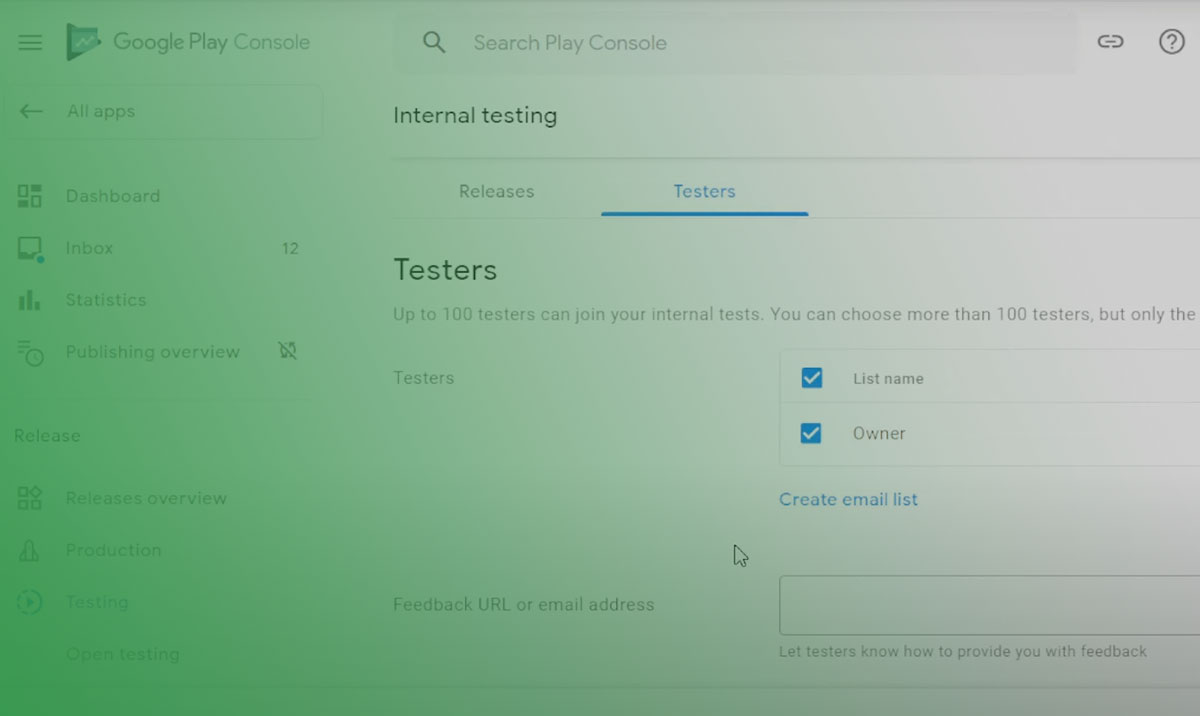
| License tester account | Google Play Console → Setup → License Testing | Using a Google account that is not configured as a license tester. |
Dependency and Manifest Setup
Gradle dependency: implementation 'com.android.billingclient:billing:X.X.X' added to the app module’s build.gradle.
From August 31, 2025, X must be 7.0.0 or higher. Apps using Appodeal, AdMob, or other SDKs that transitively depend on older billing versions must explicitly exclude and override the version in Gradle (Appodeal, 2025).
Google’s deprecation FAQ notes that AndroidManifest.xml should contain com.google.android.play.billingclient.version after a successful build. If it’s missing, manifest merging may have stripped critical attributes.
App Publishing and License Testing
Billing does not work in a local debug build alone. The app must be uploaded to at least the Google Play internal testing track before the Play Store can resolve its product listings during testing.
License tester behavior vs. production:
- License testers go through the full purchase UI but are never charged
- Test purchases auto-cancel after a short period unless manually managed in Play Console
- Subscription renewals happen every few minutes in test mode (not the real billing period)
Google introduced the Play Billing Lab app in 2024, available as a download from the Play Store. It includes a Response Simulator that forces specific BillingResponseCode values, making it possible to test error paths (like SERVICE_UNAVAILABLE) that are otherwise impossible to trigger reliably (Google Codelabs, 2024).
Using the Response Simulator requires Play Billing Library version 7.1.1 or later and a specific metadata flag in AndroidManifest.xml (Android Developers, 2026).
How Does the Google Play Billing Library Handle Billing Errors?
Not all response codes are errors. USER_CANCELED and OK are both valid, expected outcomes. The mistake most teams make is treating every non-OK code as a failure requiring user-visible feedback.
32.3% of Google Play subscription cancellations traced back to billing errors in RevenueCat’s 2026 data, more than double iOS rates. A lot of that gap comes from poor error handling and retry logic on the developer side, not just platform issues.
Retryable vs. Non-Retryable Error Codes
Retryable (use exponential backoff):
SERVICE_UNAVAILABLE: transient server issue, retry after delayNETWORK_ERROR: connection issue added in Play Billing Library 6.0, retry when network availableERROR: internal Google error, retry the call
Non-retryable (handle and stop):
USER_CANCELED: intentional exit, no retry, no error UIITEM_ALREADY_OWNED: query existing purchases, do not show an errorDEVELOPER_ERROR: misconfiguration in your code or manifest, no retry will fix thisFEATURE_NOT_SUPPORTED: the product type is not available on this device’s Play Store version
Android Developers documentation recommends exponential backoff specifically for background operations that do not block the user session (Android Developers, 2024).
Handling SERVICE_DISCONNECTED
SERVICE_DISCONNECTED fires when the connection to the Play Store is dropped mid-session. The billing client becomes unusable until reconnected.
The correct response: override onBillingServiceDisconnected() and call startConnection() again, using a max-retry pattern (3 attempts is standard). Only after a successful reconnect should any pending billing calls be retried.
MetaCTO’s 2025 developer guide notes this is a commonly underestimated step. Apps that leave onBillingServiceDisconnected() empty lose all billing functionality until the user restarts the app (MetaCTO, 2025).
One specific edge case worth flagging: ITEM_ALREADY_OWNED is almost never the user’s fault. It usually means a previous purchase went unacknowledged. The correct response is to call queryPurchasesAsync() and process any unacknowledged purchases found, not to show an error message (RevenueCat Engineering, 2026).
What Is PurchasesUpdatedListener and How Should It Be Implemented?

PurchasesUpdatedListener is the interface that receives every purchase result in your app. It is passed to BillingClient.Builder at initialization and fires for new purchases, canceled flows, and errors.
Get the scoping wrong and you end up with multiple listeners firing for a single purchase event. This is one of the more tricky bugs to diagnose in production.
Architecture and Scoping
Scope the BillingClient (and therefore its PurchasesUpdatedListener) to the Activity level, not the Fragment level.
A Fragment-scoped BillingClient creates a new instance every time Navigation recreates the Fragment. Multiple active instances means multiple onPurchasesUpdated() callbacks firing for one event, which can trigger duplicate entitlement grants or conflicting acknowledgment attempts (DEV Community, 2023).
In practice: implement the listener in a Repository or Application-scoped ViewModel, not in an Activity or Fragment directly. The BillingClient takes an application context, so there are no memory leak concerns from keeping it at that scope (Android Developers, 2024).
Common Implementation Mistakes
Granting entitlement inside the listener before server verification: the listener fires on the main thread. Any network call to verify the purchase should happen asynchronously on a background thread, not inline.
Missing the null purchases list on OK response: onPurchasesUpdated() can return BillingResponseCode.OK with a null purchase list. Always null-check before iterating.
Ignoring queryPurchasesAsync() on app resume: the listener only catches purchases made while the app is active. Purchases completed while the app was backgrounded, or subscription renewals, are only recoverable by calling queryPurchasesAsync() on every app resume (Android Developers, 2024).
How Does the Play Billing Library Support Promo Codes and Offers?
Promo codes in Play Billing are attached to subscriptions, not to one-time products. They grant free trials between 3 and 90 days, redeemable either directly from the Play Store or inside your app (Google Play Console Help, 2024).
2 promo code types are available: one-time use codes (auto-generated, single redemption) and custom codes (developer-defined, multiple redemptions up to a set limit, in-app redemption only).
Offer Token Selection
Available offers for a subscription come through ProductDetails.getSubscriptionOfferDetails() as a list of SubscriptionOfferDetails objects.
Each object includes the offer token, pricing phases (trial, introductory, and standard), and the offerId and basePlanId (added in Play Billing Library 5.1.0). You pass the selected offer token into BillingFlowParams. Pass no token and the user is charged at the base price with no offer applied.
Free trial eligibility is determined by Google Play based on the user’s purchase history for that product. Your app cannot override this check. If a user previously subscribed and canceled, Google may determine they are not eligible for a trial regardless of what your Play Console offer configuration says.
EU Personalized Pricing Compliance
The isOfferPersonalized boolean in BillingFlowParams triggers a required disclosure during the purchase flow for users in the European Union under the EU Omnibus Directive.
Set setIsOfferPersonalized(true) when the price shown is based on automated user profiling or purchase history data. Omitting this when the condition applies puts the app out of compliance with EU consumer protection law, not just Google policy (Android Developers, 2024).
Promo codes redeemed directly via the Play Store (outside the app flow) do not return an orderId in the purchase object. Build your backend to handle missing orderId values for promo redemptions, or purchase token lookup will fail (RevenueCat Docs, 2024).
How Does the Play Billing Library Work With Google Play’s Alternative Billing Policies?

For most of its history, Google Play Billing was the only permitted payment method for digital goods sold in Android apps on the Play Store. That has changed significantly, driven by antitrust litigation and regulatory pressure.
A nine-person federal jury found in December 2023 that Google illegally monopolized Android app distribution and in-app billing. The Ninth Circuit upheld the resulting injunction on July 31, 2025, forcing Google to open the Play Store to competition in the US (Epic Games v. Google, 9th Cir. 2025).
What Changed After the Epic v. Google Injunction
As of October 29, 2025, Google no longer requires apps distributed on the US Play Store to use Google Play Billing exclusively for in-app payments. Developers can offer alternative payment methods and communicate prices to users without restriction, for US users only (Google Play Console Help, 2025).
Key policy changes from the injunction:
- Alternative payment methods can be offered alongside Play Billing in US apps
- Developers can link users to external purchase flows
- Price parity requirements between Play Billing and alternative methods were removed
- Google cannot enforce revenue-sharing deals with manufacturers that disadvantage rival stores
The practical math, though, is tricky. Google’s proposed fee structure for alternative billing programs set fees at 20-25%. Add a payment processor’s fee of roughly 5%, and the savings over Play Billing’s 30% cut disappear (Neon Commerce, 2025).
User Choice Billing and DMA Compliance
Outside the US, the EU’s Digital Markets Act (DMA) drove a separate set of changes. From March 6, 2024, Google updated its Payments policy to allow developers to direct European Economic Area users outside their app to promote offers for in-app digital features (Google Play Policy, 2024).
User Choice Billing (UCB) lets eligible apps offer an alternative payment method alongside Play Billing in select regions. UCB integrates with a different set of APIs (ExternalOfferReportingDetails) and requires program enrollment through Play Console.
Apps using UCB or external offer programs still integrate the Play Billing Library as the primary flow. The library does not become optional; only the exclusivity requirement is lifted for qualifying scenarios.
For developers building apps that will serve users across multiple regions, understanding both the US injunction rules and the EEA DMA requirements is part of the software development planning process before shipping a billing integration. A settlement between Epic and Google was filed in November 2025 and agreed in March 2026, with Google’s take on US store purchases proposed at between 9% and 20%, pending final court approval (Epic Games v. Google, settlement documents, 2026).
For teams evaluating the app pricing models available across both platforms and payment methods, the regulatory picture is still moving. The rules in effect today may shift again depending on the final court ruling on the settlement terms.
FAQ on Google Play Billing Library
What is the Google Play Billing Library used for?
It is the Android SDK that lets apps sell digital products and subscriptions through Google Play. It handles the full purchase flow: product queries, checkout UI, purchase state management, and purchase token delivery. No alternative exists for in-app digital goods on the Play Store.
Is the Google Play Billing Library mandatory for Android apps?
Yes, for any app selling digital content through the Play Store. Google Play policy requires it as the payment method for in-app purchases and subscriptions. Physical goods and services fulfilled outside the app are exempt from this requirement.
What version of the Google Play Billing Library is required in 2025?
Version 7.0.0 or higher, effective August 31, 2025. Apps submitting updates using older versions get rejected. Version 8.x is the current stable release, adding multiple purchase options per one-time product and removing queryPurchaseHistory().
What happens if a purchase is not acknowledged within 3 days?
Google automatically refunds the purchase and revokes the entitlement. Call acknowledgePurchase() for non-consumables or consumeAsync() for consumables within 72 hours of PurchaseState.PURCHASED to prevent this. Server-side acknowledgment with retry logic is the safest approach.
What is the difference between consumable and non-consumable products?
Non-consumables are purchased once and permanently granted. Consumables must be explicitly consumed via consumeAsync() before the user can repurchase them. Skipping consumption causes ITEM_ALREADY_OWNED errors on the next purchase attempt for the same product.
How do I test in-app purchases without real charges?
Add your Google account as a license tester in Play Console under Setup > License testing. Upload the app to at least the internal testing track first. Testers go through the full billing flow without being charged. The Play Billing Lab app also supports error code simulation.
Why is server-side purchase verification necessary?
Client-side purchase tokens can be forged or replayed. Your backend must call the Google Play Developer API using purchases.products.get or purchases.subscriptionsv2.get with OAuth 2.0 to confirm each transaction before granting access.
What causes ITEM_ALREADY_OWNED errors in Play Billing?
Usually a previous purchase that was not properly acknowledged, not deliberate double-purchasing. The correct response is to call queryPurchasesAsync() and process any unacknowledged purchases found. Showing an error message to the user is the wrong reaction here.
Can I use a payment method other than Google Play Billing in my Android app?
For US users, yes, as of October 29, 2025, following the Epic v. Google injunction. For other regions, User Choice Billing applies in select markets under DMA compliance. Play Billing Library remains required as the primary integration in all cases.
What are Real-Time Developer Notifications and why do they matter?
RTDN is a Google Cloud Pub/Sub system that pushes subscription state changes to your server within seconds. Without it, your backend relies on polling, which causes access state drift. It covers renewals, payment failures, cancellations, pauses, and refunds in real time.
Conclusion
This article presenting the Google Play Billing Library covers the full scope of what a production-ready billing integration actually requires.
From BillingClient initialization and purchase acknowledgment deadlines to subscription lifecycle states, RTDN setup, and the post-injunction alternative billing landscape, the details matter at every layer.
A missed consumeAsync() call, a Fragment-scoped listener, or skipped server-side verification can each quietly cost revenue or trigger automatic refunds.
The in-app purchase and subscription billing environment on Android is also shifting fast, driven by version compliance deadlines, Epic v. Google policy changes, and DMA requirements in the EEA.
Build the integration correctly once, handle every BillingResponseCode category, and keep your Play Billing Library version current.

- MongoDB Cheat Sheet - October 20, 2026
- Adding AI Video Generation to a Software Product: Architecture, Cost Guardrails and QA - October 20, 2026
- Show Hidden Characters, Spaces, and Line Endings in Notepad++ - October 19, 2026