

The Kanban Guide (May 2025) lists 3 practices and 4 mandatory flow metrics. Kanban University’s version of the method lists 6 practices. Both are published definitions of the same thing, and they disagree on how much a team has to do before it can call the result Kanban.
The Guide’s metrics are WIP, throughput, work item age and cycle time. Teams in finance, utilities, healthcare and software use the method for work that moves through repeatable states.
What Is Kanban?
The Kanban Guide (May 2025) calls it “a strategy for optimizing the flow of value through a process”. Items cross a board from started to finished, one workflow state at a time. WIP stays limited, and the team pulls in new work only when capacity frees up.
The word is Japanese and translates roughly as signboard or billboard. A kanban is a card that signals a piece of work, and the Kanban board is the surface the cards sit on.
Kanban University says it isn’t a methodology. It’s a management method applied on top of whatever process a team already runs, and it prescribes no roles. The To Do, Doing and Done board is only a starting point too, because a real board mirrors the actual workflow and usually needs more columns (Kanban University).
Manufacturing doesn’t own it anymore, either. The Guide lists finance, utilities, healthcare and software among the fields where knowledge workers use it.
Where Kanban Comes From
It started at Toyota in the 1950s as a card signal between production processes. The practices used in knowledge work today mainly originated on a team at Corbis in 2006, according to the Kanban Guide.
Taiichi Ohno wrote that kanban was “an idea I got from American supermarkets”, where a customer takes what is needed, when it is needed, in the amount needed (Quality Digest, quoting Toyota Production System). Toyota’s own history points somewhere else. It credits hints from a report on a Lockheed aircraft plant, printed in an industry publication in spring 1954, as cited by historian Bob Emiliani.
The dates don’t sit well together. The Lean Enterprise Institute’s lexicon, citing Ohno’s book, says Toyota installed its first supermarket in 1953, a year before the spring 1954 report Toyota’s history cites. Gemba Academy’s summary of Ohno’s Gemba Keiei says Ohno started working on the kanban system in the mid-1950s, and that a complete kanban system ran at the Motomachi plant only in 1962.
Either way it lands in the 1950s, not the 1940s that some glossaries print.
The manufacturing results are documented. An SAE International technical paper (2006) on an aircraft-component sub-assembly process reported that average inventory cost fell by about 42% within one year of adding a Kanban system.
The same paper credits shorter lead times and faster detection of line abnormalities.
Kanban University bases the Kanban Method on David J. Anderson’s 2010 book, Kanban: Successful Evolutionary Change for Your Technology Business. IT services supplied the first examples, including software development work, and marketing agencies, HR, customer support and education followed later.
Leaving the factory changed some assumptions (Kanban University). Inventory turned intangible and cheaper per unit, delivery variability was accepted as normal, and the workflow got less strict. Waste reduction also gave way to value and flow as the priority.
How a Kanban System Works

Work items sit in defined workflow states. Each state holds a limited number of them, and a new item is released only when a slot opens. The board shows all of that at a glance.
Board, columns and cards
The Kanban Guide treats the board as the visualization of a team’s Definition of Workflow (DoW), the shared agreement on how work moves from started to finished.
Cards stand in for work items, whether tasks, user stories, campaigns or job positions. Columns are the workflow states between started and finished. Lanes split work by type or project so capacity gets distributed.
Kanban University’s guide says every Kanban system has at least one clear commitment point and one delivery point. Work moves left to right, and value reaches the customer when an item exits on the right.
Its own example is an in-house training service. Course ideas enter on the left, get developed and piloted, then leave as courses ready for use.
The board shows the true current workflow, not a planned one.
WIP limits
Kanban trades utilization for flow.
A fully loaded system has no slack, and every task switch costs effort (Kanban University).
A limit can sit on a state, so a column holds a fixed number of items. It can also cap a person or a lane, give each work type its own number, or put one figure over everything in progress (Kanban University).
The Guide requires explicit WIP control but fixes no number or token format. Any exception to a limit has to be written into the DoW.
In the training-service example, the pilot column holds at most three courses.
Pull signals
Toyota’s system used two kinds of card. A production-ordering kanban specified the kind and quantity the preceding process had to produce, and a withdrawal kanban authorized a process to take parts from the preceding one. Each process kept two post-boxes, one per card type.
That description comes from the Cambridge Institute for Manufacturing, drawing on Yasuhiro Monden (1993).
On a modern board, a WIP count below the limit is the signal to select new work (Kanban Guide). Work moves right while pull signals travel left, upstream (Kanban University).
Pull rewards finishing over starting. Kanban University values completed work above newly started work, which is what separates Kanban from push scheduling in traditional project management.
What Are the Core Practices of Kanban?
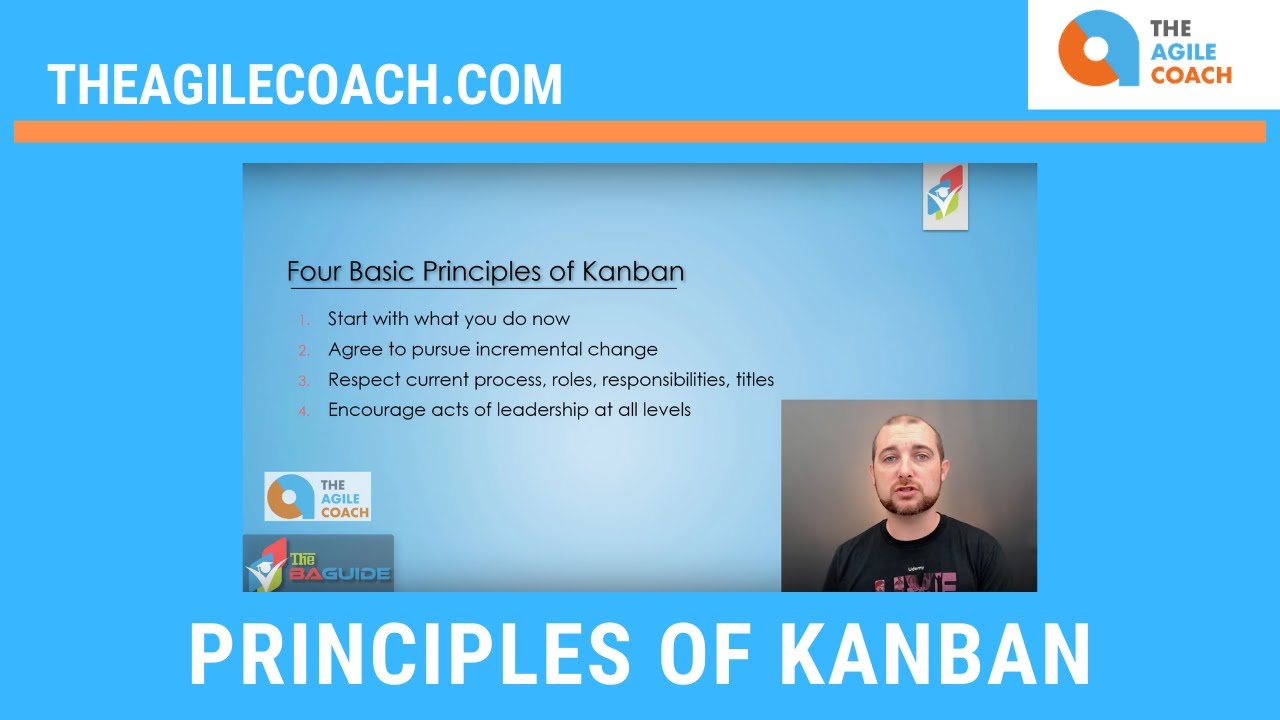
It depends on the source. The Kanban Guide (May 2025) names 3 practices: defining and visualizing a workflow, actively managing items in a workflow, and improving a workflow.
Kanban University’s Kanban Method goes to 6. They are visualize, limit work in progress, manage flow, make policies explicit, implement feedback loops, and improve collaboratively and evolve experimentally.
The Guide’s first practice rests on the Definition of Workflow, whose minimum elements can be adopted in any order.
- Work items, the units of value moving through the workflow
- Started and finished points for those items
- Defined states between started and finished
- A definition of how WIP is controlled
- Explicit policies for moving items through each state
- A service level expectation (SLE), a forecast pairing elapsed time with a probability, such as 85% of items finished in eight days or less (the Guide’s illustrative example)
The SLE rests on historical cycle time and sits visibly on the board. With no history yet, a best guess holds until enough data exists.
| Aspect | Kanban Guide | Kanban Method |
|---|---|---|
| Published by | Practitioner community, kanbanguides.org | Kanban University |
| Practices | 3 | 6 |
| Metrics named | WIP, throughput, work item age, cycle time | Lead time, delivery rate, WIP |
| Stance on adoption | Minimum set must be preserved | More or less appropriate, not right or wrong |
| Self-description | A strategy for optimizing flow | A management method, not a methodology |
The Guide itself moved between editions. The December 2020 edition called Kanban’s practices and measures immutable and stated that partial implementation is not Kanban.
The May 2025 edition deleted the immutability reference and loosened the wording on how WIP is controlled. Its endnote still requires the minimum practices, the metrics and the aim of optimizing value.
As of the May 2025 edition, a team that tracks none of the four mandatory metrics sits outside the Guide’s definition.
My own read is to use the Guide as the entry test for whether a team is doing Kanban at all. The Method’s six practices, along with its principle of starting with what you do now, work better as the list of what to add next.
Which Flow Metrics Does Kanban Track?
The Kanban Guide (May 2025) requires 4 flow metrics at minimum, namely WIP, throughput, work item age and cycle time. Each one counts work items against the started and finished points a team sets in its Definition of Workflow.
| Metric | What it measures | Closest Kanban University term |
|---|---|---|
| WIP | Items started but not finished | WIP |
| Throughput | Items finished per unit of time | Delivery rate |
| Work item age | Time from start to today for an unfinished item | None in its core three |
| Cycle time | Time from start to finish for one item | Lead time (commitment point to completion) |
The two sources disagree on labels, not on intervals. Kanban University’s lead time covers the same span the Guide calls cycle time.
The Guide lets teams rename any metric as long as they use it as described. Before comparing numbers between teams, check where each one starts the clock.
Little’s Law ties three of the four metrics together. John D. C. Little proved in 1961 that the mean number of units in a system equals the arrival rate multiplied by the mean time a unit spends there (Operations Research).
In Kanban terms, average WIP equals average throughput multiplied by average cycle time, for a stable system where items finish at roughly the rate they start. The Scrum.org Kanban Guide for Scrum Teams uses the relationship to argue that decisions about flow should rest on historical data.
Say a team has 12 items in progress and finishes 4 per week. That gives an average cycle time of 3 weeks. Cut WIP to 8 with throughput unchanged and the average falls to 2 weeks (illustrative numbers).
Cutting WIP only shortens cycle time when throughput holds. Watch both after every limit change.
Work item age adds the forward-looking view. The Guide pairs it with the SLE to spot items that are aging before they finish.
The Guide’s test for any metric is blunt: if it informs none of the three practices, it is meaningless. Fair enough.
How Kanban Differs From Scrum

Kanban runs on continuous flow and prescribes no roles at all. Scrum works in sprints of one month or less and defines three accountabilities (Scrum Guide, 2020).
The Scrum Guide describes the Scrum framework as one Scrum Master, one Product Owner and Developers turning selected work into an Increment each Sprint.
| Aspect | Kanban | Scrum |
|---|---|---|
| Cadence | Continuous flow, meetings chosen by the team | Sprints of one month or less, five events |
| Roles | None prescribed | Scrum Master, Product Owner, Developers |
| Work selection | Pull one item when WIP is under the limit | Developers select items at Sprint Planning |
| Mid-cycle change | New items enter when capacity frees up | Scope renegotiated with the Product Owner, Sprint Goal protected |
| Shared agreement | Definition of Workflow, with policies and SLE | Product Goal, Sprint Goal, Definition of Done |
A table makes it look like a contest, and the official sources don’t treat it as one. The Kanban Guide for Scrum Teams (Scrum.org, September 2019 edition, updated January 2021) assumes the reader already runs Scrum and treats Kanban practices as additions to it.
Scrum was the starting point for 57% of respondents in the State of Kanban 2022 report, which let people pick more than one answer.
Yuval Yeret, co-author of the Guide for Scrum Teams, wrote that most teams he has worked with since around 2010 find Scrum plus Kanban to be the ideal mix (Scrum.org, 2018).
One stance does separate them. The Scrum Guide keeps a rule the Kanban Guide dropped in 2025: the framework is immutable, and implementing only parts of it is not Scrum.
If you want to keep your current process and just tune the flow, Kanban fits. If you want prescribed events and accountabilities, Scrum does. And a team already running Scrum that has flow problems will usually do better adding Kanban practices inside it than switching.
A longer Kanban versus Scrum comparison goes deeper on how the two behave in daily team work.
Where Kanban Fits, and Where It Falls Short
Kanban fits any workflow where work items move through repeatable states and someone can define when an item starts and finishes. It struggles where nobody holds the limits or the work can’t be split into countable items.
Common uses
Microsoft’s XIT Sustaining Engineering team cut average lead time on change requests from 5.5 months to 12 days, and its delivery rate rose 230% (Kanban University case study, 2023).
The team in Hyderabad maintained internal applications such as payroll and employee records across a 13-hour time difference. It replaced estimation with service level agreements, set WIP limits in development and testing, and swapped monthly planning for weekly replenishment meetings.
Kanban University offers Kanban training, so treat the case as a promotional source with real figures.
IT and operations both appear among the functional areas using Kanban in the State of Kanban 2022 report. The same report names product management, sales and HR as the most common new areas. Personal Kanban (Jim Benson and Tonianne DeMaria Barry, 2011) cuts the method down to two rules, visualize work and limit work in progress.
When Kanban does not apply

Kanban asks for discipline more than it asks for tooling.
It doesn’t apply when work can’t be defined as items with a start and a finish, because there is no Definition of Workflow to visualize. It also fails when nobody will revisit the workflow, since improving it is one of the three practices.
What it has going for it
- WIP counts per state show where work waits
- Kanban University says it needs no reorganization and no new roles
- Forecasts come from historical cycle time through the SLE
- Visibility of flow, delivery speed and predictability were the top reasons for adopting in the 2022 survey
What works against it
- There’s no prescribed cadence, so the team has to build its own rhythm (Kanban University)
- Jira’s documented response to a broken column constraint is a header color change, and Adobe Workfront calls its WIP limit “simply a visual warning” (vendor documentation, as of October 2026)
- New teams lack the cycle time history an SLE needs, so the first one is a best guess (Kanban Guide)
- The 2022 survey asked about lack of skills, organizational resistance to change, poor tooling and measurements, and difficulty mapping work to a Kanban system
The satisfaction number needs a caveat. In the State of Kanban 2022 report, 87% of 483 respondents called Kanban more or much more effective than other methods they had used.
The survey went out through mailing lists of Kanban University, Kanbanize and Digite SwiftKanban. The 2021 edition, which drew a larger response, reported 76% on the same question.
The figure measures satisfaction among engaged practitioners, not average results.
How Do You Set Up a Kanban Board?
Run a short design session with the people who do the work, map the real workflow into columns, set starting WIP limits and policies, then begin pulling work and review the flow metrics. Kanban University’s STATIK approach covers that session in 6 steps and usually takes between 4 hours and 4 days.
Steps to follow
STATIK, the Systems Thinking Approach To Introducing Kanban, runs iteratively and with a representative group of the people involved, not with a project manager or coach alone.
- Identify sources of dissatisfaction. Ask team members and customers what is wrong today, which gives the change its motivation.
- Analyze demand. List the types of work, the channels requests arrive through and the patterns in volume.
- Analyze system capabilities. Measure how much demand the system delivers, how fast and how predictably, using historical data.
- Model the workflow. List the activities each work item type passes through, which become the columns.
- Identify classes of service. Decide how items enter the system and which ones get different treatment.
- Design the Kanban system. Combine board, cards, metrics, cadences and policies, including the WIP limits and the policy for replenishing the board.
To size the first limits, multiply average weekly throughput by the cycle time you want. At 5 items per week and a 2-week target, the system carries about 10 items in progress, spread across the active columns (illustrative numbers).
The Guide’s ideal is a system that runs neither above nor below its control. A limit that is never reached, or constantly exceeded, needs revisiting.
Physical or digital board
A physical board is paper notes on a wall, one per work item (Kanban University). Everyone sees the same picture, and people enforce the limits themselves.
A digital board puts the cards in a tool that counts items per column and keeps the history flow metrics need. A majority of 2022 survey respondents used one.
In Jira Cloud (company-managed spaces), the default Kanban columns are Backlog, Selected for Development, In Progress and Done. Column constraints take a minimum and a maximum, and the header turns red above the maximum or yellow below the minimum.
Adobe Workfront sets the WIP limit per column under Column Policies, and the counter turns red when the column exceeds it.
Both vendors present the limit as a visual signal, as of October 2026. The board won’t stop anyone from exceeding it, so the team has to agree on what happens at the limit.
In the same report, Jira was the most-used tool but not highly recommended for Kanban, while the tools Kanban University recommends were highly recommended by their users. Those vendors also helped distribute the survey, so treat the ranking as one input.
A dedicated Kanban app deserves a trial before you commit. Check whether the product enforces limits or only displays them.
Kanban FAQ
Is Kanban a method, a framework or a system?
Kanban University calls it a management method, which rules out both methodology and process framework. The Kanban Guide describes it as a strategy for optimizing flow, and its three practices working together form a Kanban system.
Is Kanban part of Agile?
Not by definition. Kanban University traces the method to lean manufacturing and applies it on top of an existing way of working, whether Scrum, Waterfall or something else, and Waterfall was the starting point for 35% of State of Kanban 2022 respondents (multiple answers allowed).
Does Kanban have roles?
No. Kanban University says introducing the method gives no one a new title, role or responsibilities.
The Kanban Guide names only Kanban system members, meaning everyone who takes part in delivering value through the system.
What is Scrumban?
Most people describe it as a hybrid of Scrum and Kanban, though the term has no single definition. Yuval Yeret, co-author of the Kanban Guide for Scrum Teams, gives three meanings. One is a path from Scrum to Kanban. Another is a way to bring Lean and Kanban flow into Scrum while keeping core Scrum intact. The last is simply the combination of the two, which he says is what the Guide for Scrum Teams describes (Scrum.org, 2018).
How do you read a cumulative flow diagram?
Each colored band is the number of items in one workflow activity over time (Kanban University).
A band that keeps widening shows items piling up in that state, which marks a bottleneck.
What is a swimlane on a Kanban board?
Swimlanes run across the board and group cards by work type, project or team, so capacity can be shared among them (Kanban University).
A lane can also carry a class of service. An expedite lane, for example, lets items pass even when the WIP limit is full, under rules everyone knows.
Keeping a Kanban System Useful After Setup
A Kanban system stays useful only while the team keeps checking WIP limits, policies and flow metrics against real delivery data.
The order of the checks matters. Work item age is the only one of the four metrics that measures how long unfinished items have been in progress, because cycle time arrives only after an item finishes. So review aging items against the SLE first, then compare WIP limits with current throughput.
Revising the Definition of Workflow comes last, because moving a started or finished point changes what every metric measures.
Kanban University reports that more frequent, shorter meetings often raise agility, so upkeep costs a short standing review, not a long one.
This sequence follows the May 2025 edition of the Kanban Guide and was verified in October 2026. A later edition can change the minimum, so check the Guide’s version history first.

- MongoDB Cheat Sheet - October 20, 2026
- Adding AI Video Generation to a Software Product: Architecture, Cost Guardrails and QA - October 20, 2026
- Show Hidden Characters, Spaces, and Line Endings in Notepad++ - October 19, 2026


