Your IDE choice shapes how fast you write code, how deep your tooling goes, and how much you pay for it.
The VSCode vs IntelliJ debate comes down to two different philosophies: a free, extension-driven editor built for polyglot development, versus a full IDE with deep language intelligence built specifically for JVM ecosystems.
Neither is objectively better. But one is almost certainly better for your stack.
This article covers performance, language support, code intelligence, debugging, plugin ecosystems, pricing, and stack-specific recommendations to help you pick the right tool.
What is VSCode

Visual Studio Code is a free, open-source code editor built for web and general-purpose development, released by Microsoft in 2015. It runs on Windows, macOS, and Linux without any setup cost or licensing requirement.
Built on the Electron framework, VSCode is technically a text editor with IDE-like features layered on top through extensions. That distinction matters more than most people think.
Out of the box, VSCode ships with built-in Git support, an integrated terminal, IntelliSense for JavaScript and TypeScript, and a basic debugger. Everything else comes from the extension marketplace.
The Stack Overflow Developer Survey 2024 puts VSCode at 73.6% usage across all developers globally. By 2025, that number climbed to 75.9% (Stack Overflow, 49,000+ respondents across 177 countries).
Among Java developers specifically, VSCode held 31% adoption in 2025, up from 34% in 2024 (JRebel Java Developer Productivity Report). Still a secondary tool for that group, but the trend is upward.
Core identity as an editor
Key distinction: VSCode is not a full IDE out of the box. It becomes one through extensions.
- Language support via Language Server Protocol (LSP)
- Debugging configured through
launch.jsonfiles - No built-in project indexing or build tool integration by default
- Runs across polyglot stacks without switching tools
Developers who work across Python, TypeScript, Go, and Rust in the same week use VSCode precisely because they don’t need a different tool for each one.
Who actually uses it
68% of IntelliJ IDEA users also use VSCode as a secondary tool (Second Talent, 2025). That stat tells you a lot. It’s not a competition in many teams. It’s a combination.
Frontend teams use it as their primary editor. Backend Java teams use it for scripting, config editing, or side projects. DevOps engineers use it for YAML, Docker, and infrastructure files.
The best VSCode extensions for a given language can get remarkably close to IDE-level tooling. Close enough that for many workflows, the distinction stops mattering.
What is IntelliJ IDEA

IntelliJ IDEA is a full IDE built by JetBrains, designed from the ground up for JVM-based development. It launched in 2001 and has been the dominant Java IDE for over a decade.
Unlike VSCode, IntelliJ ships with everything integrated: debugger, build tool support, database browser, version control UI, static analysis, and framework-specific tooling. No configuration required to get a working Java environment.
IntelliJ usage among Java developers jumped from 71% in 2024 to 84% in 2025 (JRebel Java Developer Productivity Report). Eclipse dropped from 39% to 28% in the same period. The consolidation is real.
Community vs Ultimate: the real split
| Edition | Cost | What’s missing |
|---|---|---|
| Community | Free | Spring, Jakarta EE, database tools, web frameworks |
| Ultimate (Individual, Year 1) | $199/year | Nothing. Full feature set. |
| Ultimate (Individual, Year 3+) | $119/year | Nothing. Continuity discount applied. |
| Ultimate (Commercial) | $599/year per user | Nothing. No continuity discount from Jan 2025. |
The Community edition covers pure Java and Kotlin work reasonably well. The moment you add Spring Boot, a database layer, or any serious web framework, you need Ultimate. Most professional teams end up there.
What makes it a full IDE
IntelliJ’s code analysis engine understands your entire project structure including dependencies, framework annotations, and cross-module relationships. That’s not something extensions bolt on. It’s built into the core.
- Over 50 automated code refactoring operations
- Smart step-in debugger with expression evaluation at runtime
- Structural search and replace across the entire codebase
- Native Gradle and Maven integration, no plugins needed
JetBrains also offers the Toolbox App, which manages installation and updates across all JetBrains products. Students and open-source contributors get free Ultimate access through JetBrains’ educational programs.
Performance and Resource Usage

This is where the two tools feel most different in daily use. VSCode opens in seconds. IntelliJ takes longer because it indexes your entire project before giving you full code intelligence.
That indexing time is an upfront cost. Once it’s done, IntelliJ’s code navigation and analysis during actual development is faster and more accurate than what VSCode offers through language servers.
Startup and memory footprint
VSCode minimum requirements: roughly 1GB RAM for typical use. IntelliJ recommends 8GB minimum, with 16GB or more for larger projects (Java Code Geeks, 2026).
The gap is meaningful on older machines. Developers working on budget hardware or older laptops consistently report IntelliJ becoming sluggish, while VSCode stays responsive.
- VSCode: fast startup, lighter footprint, slight memory creep with heavy extension loads
- IntelliJ: slower startup, higher baseline RAM, faster code analysis post-index
Worth noting: VSCode is built on Electron, a browser-based runtime. That architecture has its own memory overhead, especially with many extensions active. It’s lighter than IntelliJ, but not as lightweight as native editors.
Large project behavior
On a large enterprise Java codebase, IntelliJ’s indexing pays off. Cross-module navigation, framework-aware completions, and real-time error detection are all faster after the initial setup phase.
VSCode with the Java Extension Pack handles medium-sized projects fine. At enterprise scale with complex Spring Boot applications and multiple Maven modules, the language server starts to lag behind IntelliJ’s native engine. It’s not dramatic, but experienced Java developers notice it.
Practical takeaway: if you’re on modern hardware (16GB+ RAM, SSD), IntelliJ’s startup penalty becomes irrelevant within a few minutes. If you’re on constrained hardware or switching contexts constantly, VSCode’s snappiness has real daily value.
Real-world developer behavior
Many developers don’t pick one and stick with it exclusively. 42% of Java developers use more than one IDE regularly (JRebel, 2025). The common pattern: IntelliJ for complex Java work, VSCode for quick edits, config files, scripting, or non-Java languages.
Language and Framework Support
VSCode and IntelliJ take completely different approaches here. VSCode extends outward through its marketplace. IntelliJ builds deep support inward for specific ecosystems.
Neither approach is wrong. They just serve different workflows.
VSCode: extension-based language coverage

The VSCode Marketplace holds over 60,000 extensions as of 2025, covering nearly every language in active use. The quality varies widely, but for popular stacks, the extensions are excellent.
Languages with strong VSCode support:
- JavaScript and TypeScript (built-in IntelliSense, no extensions needed)
- Python (Pylance extension, excellent type checking and autocomplete)
- Go, Rust, PHP, Ruby (strong community-maintained extensions)
- Java (Extension Pack for Java by Microsoft, solid for most projects)
For frontend development, VSCode is simply the standard. React, Angular, Vue, Svelte developers overwhelmingly use it. The tooling for TypeScript in particular is best-in-class because Microsoft maintains both.
IntelliJ: native framework depth
| Language / Framework | IntelliJ Support Level | Edition Required |
|---|---|---|
| Java, Kotlin, Groovy | Native, full depth | Community or Ultimate |
| Spring Boot, Jakarta EE | Native, framework-aware | Ultimate only |
| JavaScript, TypeScript | Good, but not VS Code-level | Ultimate only |
| Python, PHP, Go | Separate JetBrains IDEs (PyCharm, etc.) | Different product |
IntelliJ’s framework awareness goes beyond syntax highlighting. For Spring Boot, it understands bean injection, annotation semantics, and configuration properties. It flags misconfigured beans as errors, not just syntax issues. That level of analysis doesn’t exist in VSCode’s Java extensions.
For back-end development on the JVM, IntelliJ has no real equivalent. For everything else, VSCode competes well and often wins on convenience.
Code Intelligence and Refactoring
This is where the gap between the two tools is most obvious, and most consequential for experienced developers.
IntelliJ’s code analysis engine is proprietary and deeply integrated. It doesn’t rely on an external language server. It builds a complete semantic model of your project during indexing and uses that model for everything from autocomplete to refactoring.
IntelliJ’s refactoring depth

Over 50 automated refactoring operations are available in IntelliJ IDEA (Java Code Geeks, 2026). Not just rename and extract method. Things like:
- Introduce parameter object
- Replace inheritance with delegation
- Extract interface from class
- Structural search and replace across the entire project
These aren’t edge-case features. Senior Java and Kotlin developers use them regularly during large-scale code refactoring sessions. The confidence that IntelliJ won’t break something during a rename across 200 files is real. It tracks references properly.
VSCode: LSP-dependent intelligence
VSCode’s code intelligence depends entirely on the Language Server Protocol implementation for each language. Quality varies by language and by extension maintainer.
Where VSCode holds its own:
- TypeScript: Microsoft maintains both VSCode and TypeScript, so the integration is seamless
- Python with Pylance: strong type inference, decent refactoring
- Go and Rust: community servers are reliable for standard operations
Where it falls behind: complex Java refactoring. The Eclipse JDT language server that powers Java support in VSCode is capable, but it doesn’t match IntelliJ’s semantic understanding of framework annotations and cross-module dependencies.
For unit testing with JUnit or TestNG, IntelliJ’s test runner integration is tighter. It shows test results inline, understands test hierarchies, and lets you rerun failed tests with a single click.
Autocomplete quality
IntelliJ wins on Java. The completions are context-aware at a level that LSP-based solutions haven’t matched yet.
VSCode wins on TypeScript and JavaScript. No contest there. The rest depends on which language server handles your stack and how actively it’s maintained.
Debugging and Testing Tools
Both tools have solid debugging capabilities. The difference is in depth and configuration effort.
VSCode requires you to write a launch.json file to configure the debugger. One-time setup, and it works well once done. IntelliJ detects run configurations automatically from your project structure and build files.
IntelliJ’s debugger features

IntelliJ’s debugger is genuinely impressive for JVM work. It’s one of the reasons experienced Java developers are reluctant to switch away.
- Conditional breakpoints: pause execution only when a specific condition is true
- Evaluate Expression: run arbitrary code in the context of a paused thread
- Smart step-in: choose which method call to step into when multiple are on one line
- Remote debug over JDWP with minimal setup
The ability to evaluate expressions mid-debug and see results inline is something developers coming from VSCode often don’t expect. Took me a while to realize how much time it saves compared to print-debugging.
VSCode debugging
VSCode’s debugger handles the basics well across many languages. Breakpoints, variable inspection, call stack, watch expressions. All there, all working.
For Java specifically, the Debugger for Java extension covers standard workflows. Remote debugging is supported. The experience is functional but involves more manual configuration than IntelliJ.
For debugging JavaScript and TypeScript applications, VSCode is actually excellent. Chrome DevTools integration, Node.js debugging, React component debugging through extensions. That’s native territory for VSCode.
Test runner comparison
| Feature | VS Code | IntelliJ IDEA |
|---|---|---|
| JUnit / TestNG | Via extension, functional | Native, inline results |
| Jest / Mocha | Strong extension support | Ultimate, decent support |
| Test coverage visualization | Extension-dependent | Built-in, integrated |
| Rerun failed tests only | Extension-dependent | Built-in, one click |
Code coverage visualization is another area where IntelliJ has the edge for JVM languages. It highlights covered and uncovered lines directly in the editor after a test run, no extra configuration needed.
For Python testing with pytest, VSCode is the more natural choice. The pytest integration in VSCode is well-maintained and works with virtual environments without much friction.
Extensions and Plugin Ecosystem
The VSCode Marketplace holds over 70,000 extensions as of 2025, covering nearly every language, framework, linter, theme, and productivity tool imaginable (Stack Overflow Developer Survey data via commandlinux.com).
JetBrains Marketplace is smaller by volume, but plugins are generally more stable and tightly integrated with the IDE’s internal architecture. Plugin conflicts are rare. Broken extensions are rarer still.
VSCode extension strengths
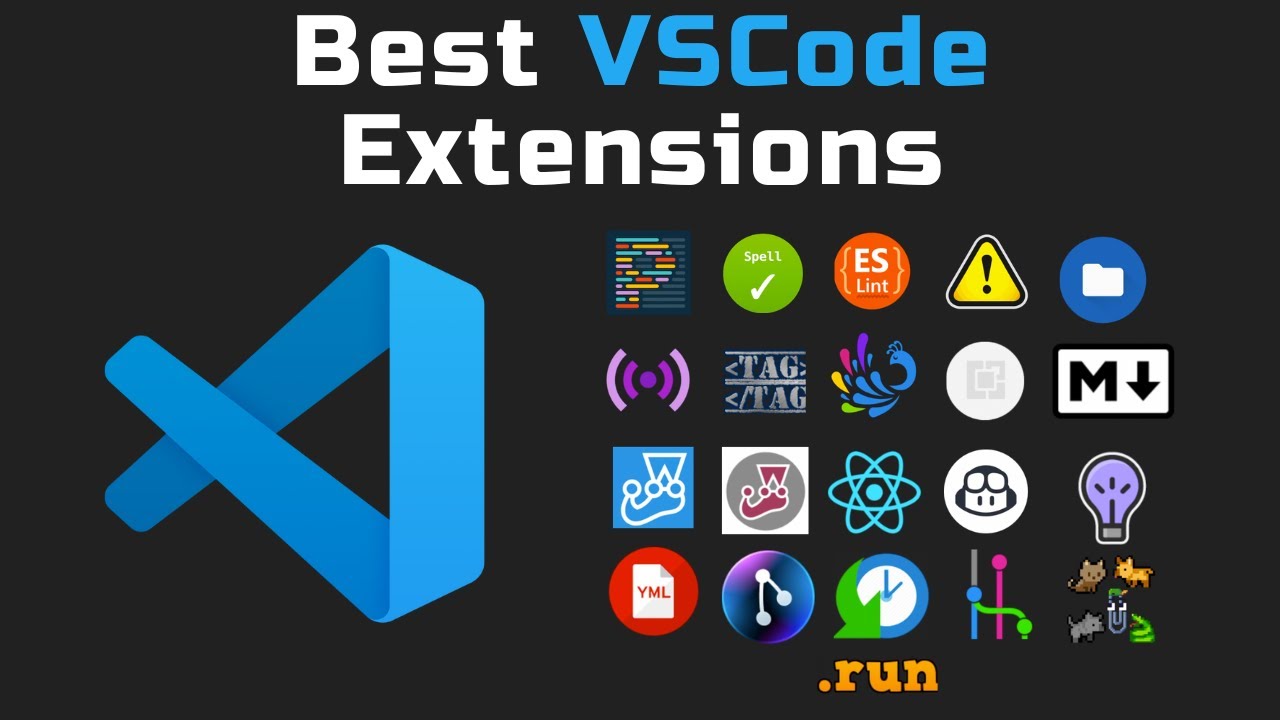
Scale and variety: The breadth is unmatched. If you need support for an obscure language, a niche linter, or a workflow tool that three people use, it’s probably there.
- Extensions written in TypeScript or JavaScript, lowering the barrier for contributors
- Community updates are frequent for popular extensions
- Web development extensions in particular are excellent
The downside is quality variance. Some extensions are abandoned. Some conflict with each other. Heavy extension loads do affect startup time and memory usage in ways that are hard to predict without testing.
JetBrains plugin ecosystem
Smaller library, tighter quality control. JetBrains reviews plugins before they hit the marketplace, which cuts down on the junk-tier extensions you sometimes wade through in VSCode.
Key advantage: plugins in IntelliJ can hook directly into the IDE’s code model. That means a Spring plugin understands beans. A database plugin understands your entity classes. This depth of integration isn’t possible with VSCode’s extension API.
JetBrains AI Assistant is now bundled into IntelliJ subscriptions. Only 9% of developers use it regularly, compared to 29% for GitHub Copilot (JetBrains Research, January 2026). Copilot works in both tools, so this isn’t an IntelliJ-exclusive advantage.
AI tooling in both editors
GitHub Copilot reached over 15 million users by early 2025, with 68% of AI-using developers reporting they use it (Second Talent, 2025). It works in both VSCode and IntelliJ, but integration depth differs.
VSCode: full Copilot feature parity, agent mode, plan mode, and model selection built in.
IntelliJ: Copilot plugin available, completions work well, but some advanced features like agent mode and deep GitHub integration are thinner compared to the native VSCode experience.
For teams building with AI pair programming tools as a core part of their workflow, VSCode currently has the edge on Copilot integration depth. IntelliJ wins on native AI code analysis through its own engine.
Pricing and Licensing
VSCode is free. MIT license. No usage limits, no tiers, no gotchas. That’s the whole story on the VSCode side.
IntelliJ pricing is more layered, and it changed significantly in October 2025 when JetBrains raised prices and restructured continuity discounts for commercial licenses.
IntelliJ licensing breakdown
| License Type | Year 1 | Year 2 | Year 3+ |
|---|---|---|---|
| Individual (annual) | $199 | $159 | $119 |
| Individual (monthly) | $19.90/mo | Same | Same |
| Commercial (annual) | $599 | $599 | $599 |
| All Products Pack | $249/yr | Lower | Lower |
As of January 2, 2025, new commercial licenses no longer qualify for continuity discounts. That’s a meaningful change for companies evaluating IntelliJ at scale (JetBrains pricing data via checkthat.ai).
Free access options
IntelliJ has real free paths for certain groups:
- Students: free Ultimate access through JetBrains’ educational program with a verified .edu email
- Open-source projects: free licenses available on application
- Community Edition: genuinely good for pure Java and Kotlin, but missing Spring, database tools, and web framework support
A Forrester TEI study commissioned by JetBrains found 144 hours saved per developer over three years and an estimated $2,027 net annual benefit per user. That’s worth reading with some skepticism given who funded it, but the general productivity argument for Ultimate is real for professional Java teams.
Total cost comparison
VSCode + GitHub Copilot Pro: roughly $228/year total. Zero upfront cost.
IntelliJ Ultimate (individual, year 3+): $119/year. Actually cheaper if you stick with it.
The gap closes significantly for long-term individual subscribers. Where it stays wide is on commercial licenses, where a team of 10 developers on IntelliJ Ultimate costs $5,990/year in year one with no discount path from 2025 onward. That’s a budget line worth scrutinizing against the actual productivity gains for your specific stack.
Which One to Use Based on Your Stack
There’s no universal winner. The right choice comes down to your primary language, your team’s setup, and whether you’re willing to pay for tooling.
Some cases are clear-cut. Others genuinely depend on individual preference and workflow habits.
Java and Kotlin backend development
IntelliJ wins. Not even close.
84% of Java developers use IntelliJ IDEA as of 2025 (JRebel Java Developer Productivity Report). That consensus exists for good reason: native Spring Boot support, framework-aware refactoring, and a debugger built for JVM work.
VSCode with the Java Extension Pack is functional for smaller Java projects. At enterprise scale with complex Spring Boot applications, multi-module Maven builds, and heavy JPA usage, IntelliJ is the professional standard.
JavaScript and TypeScript frontend
VSCode is the standard. Full stop.
Microsoft develops both VSCode and TypeScript, so the integration is native and always current. React, Angular, Vue, and Svelte all have strong extension support. The frontend development community has converged on VSCode, and the tooling reflects that.
IntelliJ Ultimate supports JavaScript and TypeScript, but the experience feels secondary compared to the Java tooling. WebStorm (a separate JetBrains product) is the better option if you want JetBrains-quality tooling for frontend work specifically.
Python development
VSCode with Pylance is the most popular choice among Python developers.
PyCharm (also from JetBrains) is the dedicated alternative and is excellent for data science and scientific computing workflows. IntelliJ Ultimate supports Python through a plugin, but it’s not the right tool for Python-first work.
- Data science and notebooks: PyCharm or VSCode with Jupyter extension
- Web with Django or FastAPI: VSCode or PyCharm, both solid
- General scripting: VSCode, lighter and faster to open
Polyglot and mixed-stack teams
VSCode wins on flexibility here. A single installation handles Java, TypeScript, Python, Go, Rust, YAML, and Dockerfile without switching tools.
Rizz Development’s 2026 analysis notes that IntelliJ can handle polyglot work through plugins, but “it feels bolted on” compared to how VSCode handles multi-language workflows natively.
Teams doing software development across multiple stacks simultaneously tend to standardize on VSCode for its flexibility, while keeping IntelliJ for Java-specific work. The 42% of developers who regularly use more than one IDE (JRebel, 2025) are often doing exactly this split.
Quick reference by use case
| Use Case | Recommended Tool | Reason |
|---|---|---|
| Java / Spring Boot enterprise | IntelliJ Ultimate | Native framework support, best refactoring |
| TypeScript / React frontend | VS Code | Microsoft maintains both, native integration |
| Python data science | PyCharm or VS Code | Depends on notebook usage and preference |
| Go / Rust / PHP | VS Code | Stronger community extension support |
| Polyglot / multi-language | VS Code | Built for it, not an afterthought |
| Kotlin (Android or backend) | IntelliJ / Android Studio | JetBrains created Kotlin, tooling reflects that |
If budget is tight and your stack isn’t heavily Java, VSCode gets you very far at zero cost. If you’re doing serious JVM work professionally and your employer covers tooling, IntelliJ Ultimate pays for itself.
Both tools now integrate with GitHub Copilot, JetBrains AI Assistant, and other AI tools for developer productivity, so AI-assisted coding doesn’t lock you into either editor. Pick the base tool that fits your stack, then layer AI on top.
FAQ on VSCode vs IntelliJ
Is VSCode better than IntelliJ IDEA?
Depends entirely on your stack. VSCode leads for frontend, polyglot, and scripting work. IntelliJ leads for Java, Kotlin, and enterprise JVM development. Neither is universally better. Most professional developers end up using both at some point.
Is IntelliJ free to use?
The Community Edition is free and open-source. It covers core Java and Kotlin development. The Ultimate Edition starts at $199/year for individuals and adds Spring, database tools, and web framework support. Students get free Ultimate access through JetBrains’ educational program.
Why do Java developers prefer IntelliJ over VSCode?
IntelliJ was built specifically for JVM development. Its code analysis engine understands Spring annotations, Maven dependencies, and cross-module references natively. VSCode uses an external language server for Java, which doesn’t match that depth. Among Java developers, 84% use IntelliJ as of 2025.
Can VSCode replace IntelliJ for Java development?
For smaller projects, yes. For enterprise-level Spring Boot applications with complex build configurations, refactoring requirements, and deep framework usage, VSCode’s Java extension falls short. It’s a functional alternative, not an equivalent one.
Which IDE uses less memory, VSCode or IntelliJ?
VSCode is significantly lighter. It starts in seconds and runs on roughly 1GB RAM under typical use. IntelliJ recommends a minimum of 8GB, with 16GB or more for larger projects. The trade-off is that IntelliJ’s post-index code analysis is faster and more accurate.
Does IntelliJ support JavaScript and TypeScript?
Yes, through the Ultimate Edition. But VSCode handles TypeScript better since Microsoft develops both. For dedicated JavaScript and TypeScript frontend work, VSCode is the stronger and more natural choice. WebStorm is the JetBrains alternative if you want IDE-level JS tooling.
Can I use GitHub Copilot with IntelliJ?
Yes. GitHub Copilot is available as a plugin on the JetBrains Marketplace and works in IntelliJ IDEA. Inline completions function well. Some advanced features like agent mode are more fully integrated in VSCode, where Copilot is a native Microsoft product.
Is VSCode good for Python development?
VSCode with the Pylance extension is one of the most popular Python setups available. It handles type checking, autocomplete, and virtual environment management well. For data science workflows with Jupyter notebooks, PyCharm is a strong alternative worth comparing.
What is the difference between IntelliJ Community and Ultimate?
Community is free and covers Java, Kotlin, Groovy, and basic build tool support. Ultimate adds Spring Boot, Jakarta EE, database tools, JavaScript, TypeScript, and remote development features. For professional backend work, most developers need Ultimate to access full framework tooling.
Should I use VSCode or IntelliJ for a mixed-stack team?
VSCode is the practical choice for polyglot or mixed-stack teams. A single installation handles Java, TypeScript, Python, Go, YAML, and Docker without switching tools. IntelliJ handles multiple languages through plugins, but multi-language support isn’t where it was designed to shine.
Conclusion
This conclusion is for an article presenting the core trade-offs between two tools that serve genuinely different purposes.
IntelliJ IDEA is the clear standard for JVM development, with native Spring Boot support, deep static analysis, and refactoring depth that language servers haven’t matched.
VSCode wins on flexibility, cost, and polyglot coverage. For TypeScript, Python, Go, and mixed-stack workflows, it’s the practical default.
Most experienced developers don’t treat this as a binary choice. They use IntelliJ for complex Java work and VSCode for everything else.
Pick based on your primary language and project complexity. Let your tech stack make the decision, not the debate.

- Notepad++ Android Options: Apps That Come Close - October 21, 2026
- Data Management Services: A Practical Guide for Growing Companies - October 21, 2026
- MongoDB Cheat Sheet - October 20, 2026