
Picking the wrong PyCharm edition costs you either money or productivity.
The PyCharm Community vs Professional debate comes down to one question: does your Python work stay inside pure scripts, or does it touch Django, databases, and remote servers?
JetBrains built both editions on the same core engine. The differences are specific, not cosmetic, and they matter depending on your stack.
This guide covers every feature gap between the two editions, including web framework support, Jupyter notebooks, database tools, SSH remote development, and pricing, so you can make the right call without second-guessing it.
What Is PyCharm Community Edition
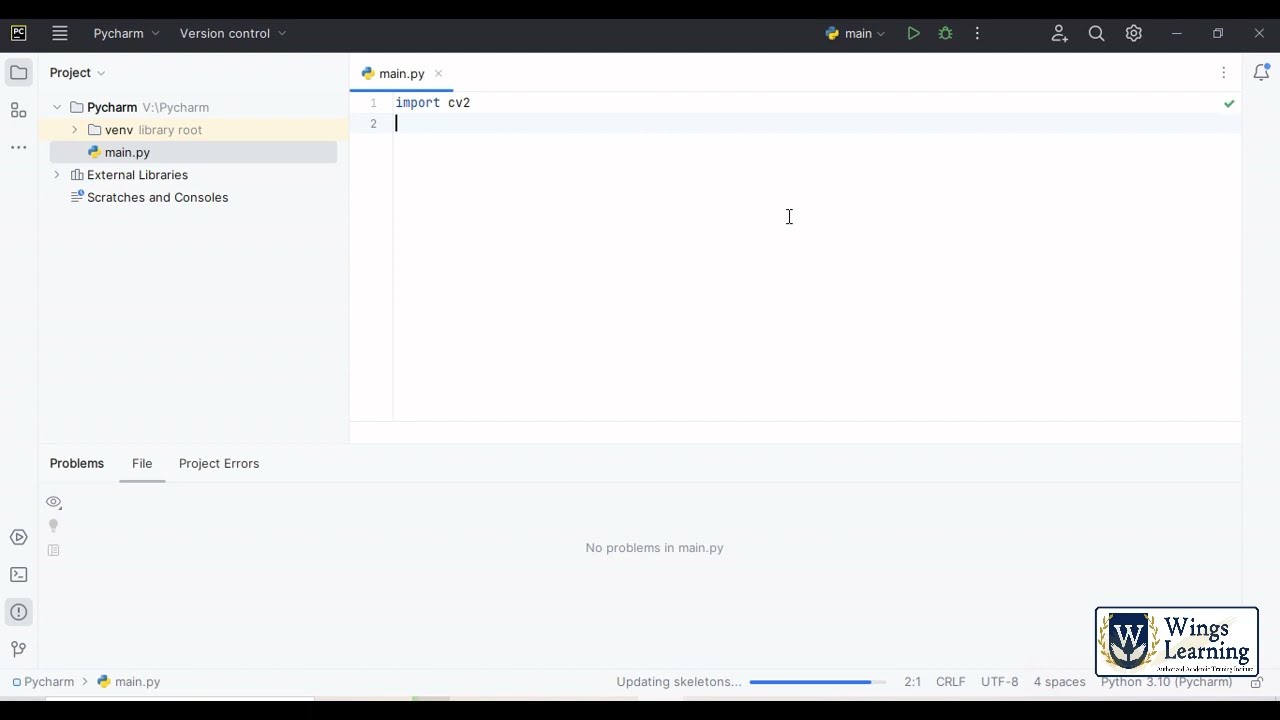
PyCharm Community Edition is JetBrains’ free, open-source Python IDE, released under the Apache 2.0 license. It has been available since PyCharm went open source in October 2013.
It covers the core Python development workflow without requiring any subscription. No trial period, no login, no credit card.
What you get out of the box:
- Smart Python code completion and syntax highlighting
- PEP 8 inspection and quick-fix suggestions
- Built-in debugger and Python test runner
- Git, GitHub, and other VCS integration
- Virtual environment management and PyPI package support
- Python refactoring tools: rename, extract method, introduce variable
The IDE runs on Windows, macOS, and Linux. It handles standard Python scripts, packages, CLI tools, and open-source projects without friction.
Python now ranks among the top three most-used languages globally, with 51% of developers using it in the past year, according to the 2024 Stack Overflow Developer Survey. That popularity has made Community Edition the default starting point for a large share of Python learners and hobbyists.
Worth noting: In April 2025, JetBrains merged Community and Professional into a single unified product. Community Edition as a standalone build is still available through version 2025.2, with a migration path to the unified release from 2025.3 onward. The feature distinctions discussed in this article still apply to that free core tier.
What Is PyCharm Professional Edition
PyCharm Professional is the paid tier of JetBrains’ Python IDE. It adds web development, database, scientific, and remote development tooling on top of everything in the free core.
It targets professional developers, data scientists, and backend engineers who need more than pure Python scripting support.
| Feature Category | Community (Free) | Professional (Pro) |
|---|---|---|
| Core Python editing | Yes | Yes |
| Debugger and test runner | Yes | Yes |
| Django / Flask / FastAPI support | No | Yes |
| Jupyter Notebook integration | Basic (free tier, 2025+) | Full (remote, SQL cells, tables) |
| Database tools | No | Yes (DataGrip-level) |
| SSH / Docker / WSL remote dev | No | Yes |
The Professional tier is available as a standalone subscription or as part of the JetBrains All Products Pack, which covers PyCharm, IntelliJ IDEA, WebStorm, DataGrip, and more under one license.
Among PyCharm users specifically, the JetBrains Python Developer Survey 2023 found that 68% of PyCharm users choose the Professional Edition as their primary editor. That’s a significant majority, even before counting developers who use the free tier alongside other tools.
New users get a 30-day free Pro trial with full access to all features before needing to commit to a subscription.
Core Feature Differences
Both editions share the same Python editing engine. The gap shows up the moment you move beyond pure Python work into web frameworks, databases, or remote environments.
Web Development Support
Professional-only features for web development:
- Django template language support with syntax highlighting and navigation
- Django ORM-aware code completion and manage.py integration
- Flask and FastAPI route detection with endpoint navigation
- JavaScript, TypeScript, HTML, and CSS support inside mixed projects
FastAPI jumped from 29% to 38% adoption among Python web developers in the 2024 JetBrains Python Developer Survey, a nearly 30% increase year over year. If you’re building FastAPI services, PyCharm Pro’s endpoint tooling is genuinely useful, not just a checkbox feature.
Community Edition can technically run a Django project. You just won’t get template autocompletion, ORM navigation, or the web development IDE features that make these frameworks faster to work with.
Database and SQL Tools
According to the 2024 JetBrains Python Developer Survey, PostgreSQL remains the most-used database among Python developers for the third consecutive year. PyCharm Pro handles it directly.
Database features in Professional:
- Built-in DataGrip-level tools: schema navigation, query execution, ER diagrams
- SQL code completion inside Python files and query editors
- Supports PostgreSQL, MySQL, SQLite, MongoDB, and more
Community Edition has zero built-in database tools. Developers either work entirely in a separate tool or install third-party plugins, neither of which matches the native integration in Pro.
Remote Development and SSH
SSH interpreter, Docker Compose support, and WSL integration are all locked behind the Pro subscription.
This matters most for developers working on cloud servers, containerized environments, or remote compute for ML training. Using containerization in your workflow and still on Community? You’ll feel that gap quickly.
Remote capabilities in Professional:
- Full SSH interpreter for remote Python execution
- Docker and Docker Compose project integration
- WSL interpreter support on Windows
- Remote Jupyter notebooks (beyond the basic free tier)
Python-Only Development: Does Community Edition Hold Up?
For pure Python work, Community is genuinely solid. Not a stripped-down version of the real thing. It’s a complete Python IDE for the tasks it was built to handle.
According to the JetBrains State of Developer Ecosystem 2024, Python is now used by more than half of all developers worldwide, up from 32% in the first survey seven years ago. A large share of that usage is exactly the kind of work Community handles well: scripting, automation, data pipelines, open-source libraries.
Where Community handles things well:
- Python scripts, modules, and packages
- CLI tools and automation scripts
- Testing with pytest, unittest, or doctest
- Git workflows and GitHub integration
- Virtual environments and pip-based dependency management
Where it starts to break down is mixed-stack projects. The moment your Python code touches a Django template, a PostgreSQL schema, or a remote server, you’re outside what Community was designed for.
I’ve seen developers stick with Community for months on a Flask project, managing templates manually and running SQL queries in a separate client. It works. But it’s slow, and it adds friction that Pro removes in about five minutes of setup.
Bottom line: If your Python work is self-contained, Community is not a compromise. If your project has moving parts outside pure Python, you’ll notice the gaps.
Data Science and Jupyter Notebook Support
This is one of the most searched-for differences between the two editions. And as of 2025, the answer has changed.
JetBrains moved basic Jupyter Notebook support to the free tier starting with the unified PyCharm release. Running, debugging, and intelligent code assistance in notebooks is now free. But the more advanced capabilities stay behind the Pro subscription.
| Jupyter Feature | Free Tier | Pro |
|---|---|---|
| Run and debug notebooks | Yes | Yes |
| Intelligent code completion in cells | Yes | Yes |
| Remote notebooks (SSH, cloud) | No | Yes |
| Dynamic tables | No | Yes |
| SQL cells | No | Yes |
| Variable explorer with DataFrame stats | Limited | Full |
Scientific Mode and Data Science Tools
The 2024 Python Developer Survey showed that data analysis and machine learning together represent the top use cases for Python, with data analysis at 47% and machine learning at 42%. PyCharm Pro’s scientific mode was built for exactly this audience.
Pro-specific data science features:
- Scientific mode with inline output rendering
- Variable explorer showing DataFrame shapes and types
- Histogram integration in DataFrame headers
- R language support with statistical computing tools
- Enhanced pandas, NumPy, and matplotlib code completion
Developers doing local notebook work for learning or solo projects can get surprisingly far with the free tier. Those working on remote compute, running collaborative notebooks, or regularly querying databases from within notebooks will want Pro.
Web Framework Support (Django, Flask, FastAPI)
PyCharm Professional’s web framework support is one of its strongest arguments for the paid tier. This isn’t just syntax highlighting. It’s tooling that understands how Django, Flask, and FastAPI actually work.
Django-Specific Tooling
Django is maintained by the Django Software Foundation. JetBrains built dedicated support for it in PyCharm Pro independently, and it shows in the depth of the integration.
What Professional adds for Django:
- Template language support: variable autocompletion, tag navigation, syntax errors
- URL routing navigation: jump from
urls.pydirectly to view functions - ORM-aware code completion for model fields and querysets
- manage.py command runner integrated into the IDE run configurations
Community can run a Django app. But without template support, working in .html files is essentially unsupported, and navigating between views, templates, and URL configs is entirely manual.
Flask and FastAPI Support
FastAPI adoption jumped 30% year over year among Python web developers in 2024, according to the JetBrains Python Developer Survey. Clearly, the framework has momentum, and Pro’s route detection keeps pace with that.
Route detection, endpoint navigation, and request/response type inference work in both Flask and FastAPI projects under Pro. These aren’t flashy features, but they save real time in larger web app codebases where routes multiply quickly.
There are also good reasons to look at how your back-end development workflow fits together before choosing an edition. If Django or FastAPI is central to your stack, the tooling difference between Community and Pro is not marginal.
What Community Can Do for Web Work
Honest answer: not much beyond running the server and editing plain Python files.
- No template language support (Django or Jinja2)
- No framework-aware code completion
- No HTTP client for testing endpoints
VS Code with the Python and Django extensions can fill some of these gaps at no cost. If budget is the constraint and web development is the main use case, that’s worth considering. The comparison between VS Code vs PyCharm comes down largely to whether you prefer an opinionated, integrated IDE or a more configurable, extension-based setup.
Database Tools and SQL Integration
No built-in database tools in Community. That’s the short version.
Professional ships with DataGrip-level database support built directly into the IDE. You get schema navigation, query execution, data editors, and SQL code completion without installing anything extra or opening a separate client.
| Database Tool | Community | Professional |
|---|---|---|
| Schema browser | No | Yes |
| SQL code completion | No | Yes (in .py and .sql files) |
| Query execution | No | Yes |
| Supported databases | None | PostgreSQL, MySQL, SQLite, MongoDB, and more |
PostgreSQL is the most-used database among Python developers for the third consecutive year, according to the JetBrains Python Developer Survey 2023. That makes this gap directly relevant to a large portion of Python backend work.
Practical difference: In Professional, you write a Django ORM query, switch to the built-in database console, run the SQL directly, inspect the results, and iterate. In Community, that workflow requires at least one separate tool running alongside the IDE.
Third-party plugins like Database Navigator exist for Community but require separate setup and don’t match the depth of the native Pro integration. Teams at companies like Instagram, which runs a large PostgreSQL-backed Django stack, rely on this kind of tight database-to-code workflow at scale.
Remote Development and Docker Support
SSH interpreters, Docker integration, and WSL support are all Professional-only. Full stop.
If any part of your Python work runs on a remote server, a container, or a Windows Subsystem for Linux environment, Community Edition can’t follow you there.
SSH and Remote Interpreters
What Pro enables for remote work:
- Connect to a remote Python interpreter over SSH and run/debug code as if it were local
- Edit files directly on remote servers without manual sync
- Configure multiple remote interpreters for different environments
This matters most for ML engineers training models on cloud compute, or developers deploying to Linux servers from macOS or Windows. The alternative in Community is running everything through a terminal, which works but breaks the integrated debugging experience entirely.
Docker and Containerization
PyCharm Pro + Docker: run configurations that spin up containers, Docker Compose support, and container-aware debugging.
Proper containerization in a Python project generally requires the kind of tooling that Community simply doesn’t offer. That includes volume mapping, environment variable injection, and service dependency configuration inside the IDE run configs.
The deployment pipeline for most production Python services runs through Docker at some stage. If your workflow gets there regularly, this feature alone is a strong argument for Pro.
WSL on Windows
Windows developers running Python through WSL get full interpreter support in Professional. Community users have to work around this with manual terminal setups.
Worth noting: JetBrains confirmed in 2025 that remote interpreter support via SSH, Docker, and WSL remains the primary Pro-exclusive capability after the free tier expansion. If your Python work is entirely local, this distinction doesn’t matter. If it isn’t, it matters a lot.
Pricing and Licensing
Community Edition is permanently free, no conditions. Professional is a subscription with several tiers and a few ways to get it at no cost.
Professional Subscription Costs
Individual pricing (annual):
- Year 1: approximately $99/year (around $8.25/month)
- Year 2: 20% continuity discount
- Year 3+: 40% discount, dropping to roughly $59/year ($4.92/month)
Commercial pricing runs higher at around $249/year per seat, and as of January 2, 2025, new commercial subscriptions no longer qualify for continuity discounts, according to JetBrains pricing documentation. Existing subscriptions purchased before that date retain their accumulated discounts.
JetBrains raised IDE prices in October 2025, so current rates may differ slightly from figures published mid-year. Always check the official JetBrains store for current pricing.
Free Access Options

Several paths to Professional at no cost:
- Students and teachers: Full Pro access free through the JetBrains Educational License, requires an accredited institutional email or GitHub Student Developer Pack
- Open-source contributors: Free one-year license for active project leads or core developers on qualifying open-source projects, renewable annually
- 30-day trial: Full Pro access on first install, no credit card required
- JetBrains startup program: Discounted access for early-stage companies
The student license is strictly for non-commercial use. Using it on freelance or employer-paid work violates the license terms. A separate personal subscription is required for commercial projects.
Perpetual Fallback License
After 12 consecutive months of paid subscription, you receive a perpetual fallback license for the version available at the start of your subscription. If you cancel after that point, you keep permanent access to that specific version, with no further updates.
This applies to individual subscriptions. Commercial licenses purchased after January 2, 2025 do not include perpetual fallback rights under the updated terms. Worth clarifying with JetBrains directly if this matters for your team’s procurement planning.
All Products Pack
If your team uses more than one JetBrains IDE, the All Products Pack covers PyCharm, IntelliJ IDEA, WebStorm, DataGrip, and all other JetBrains tools under a single license. Individual pricing runs approximately $24.90/month, commercial at $779/year per seat.
For polyglot teams doing Python back-end, Java services, and JavaScript front-end, the pack is often cheaper than separate subscriptions. Pure Python teams generally don’t need it.
Which Edition to Choose
The answer depends entirely on what you’re building. There’s no single right answer, but the decision criteria are fairly clear.
Choose Community (Free Tier) When
PyCharm’s free tier holds up well for a specific type of Python work. It doesn’t hold up for everything.
Community is the right call if:
- You write Python scripts, CLI tools, or automation without web framework work
- You’re learning Python and don’t need database or remote tooling
- You contribute to open-source Python libraries
- Your entire stack is local with no Docker or SSH dependencies
PyCharm holds roughly 15% overall IDE market share according to the 2025 Stack Overflow Developer Survey, but adoption is concentrated in the Python developer community where it runs significantly higher. A lot of that usage is on the free tier, particularly among students and solo developers.
Choose Professional When
The 30-day trial strategy works well here. Use the full feature set for a month on a real project, then decide.
Professional is worth the cost if:
- Django, Flask, or FastAPI is central to your work
- You regularly query PostgreSQL, MySQL, or other databases from inside the IDE
- You deploy to remote servers or work inside Docker containers
- You do data science work that goes beyond basic local notebook execution
The JetBrains Python Developers Survey 2023 found that 68% of PyCharm users actively choose Professional as their primary editor. That’s a majority, not a niche. And it reflects how many Python developers eventually hit the ceiling of what the free tier covers.
When to Consider VS Code Instead
VS Code held 75.9% developer market share in 2025 according to the Stack Overflow Developer Survey, far ahead of any other IDE. The comparison between PyCharm and VS Code comes down to whether you prefer an opinionated Python-first IDE or a lightweight, extension-driven setup.
VS Code with the Python and Django extensions fills some of the Community gap at zero cost. For developers doing front-end development alongside Python work, VS Code handles both in a single tool without switching IDEs.
The best PyCharm plugins can extend both editions significantly. But if you find yourself installing too many plugins to fill Community’s gaps, that’s usually the signal to either upgrade to Pro or switch to a tool that handles your stack natively.
Summary Decision Table
| Use Case | Recommended Edition |
|---|---|
| Learning Python / scripting | Community (Free) |
| Django / Flask / FastAPI projects | Professional |
| Data science with remote notebooks | Professional |
| Local Jupyter notebooks only | Community (Free, 2025+) |
| Docker / SSH / remote interpreter | Professional |
| Open-source Python library work | Community or Pro (free OS license) |
| Students at accredited institutions | Pro (free educational license) |
FAQ on PyCharm Community vs Professional
Is PyCharm Community Edition completely free?
Yes. PyCharm Community is free under the Apache 2.0 license with no trial period, no login required, and no feature expiration. It covers core Python development including debugging, refactoring, Git integration, and virtual environment management.
What does PyCharm Professional have that Community doesn’t?
Professional adds Django, Flask, and FastAPI support, built-in database tools, SSH remote interpreters, Docker integration, and advanced Jupyter notebook features. Community handles pure Python work. Pro handles everything beyond that.
Is PyCharm Professional worth the cost?
For web developers and data scientists, yes. If your stack involves Django, PostgreSQL, or remote servers, the productivity gain justifies the subscription. For scripting and open-source Python work, Community is enough.
Can I use PyCharm Community for Django development?
Technically yes, but without template support, ORM-aware completion, or URL navigation. You lose the tooling that makes Django development faster. Most Django developers using PyCharm eventually upgrade to Professional Edition.
Does PyCharm Community support Jupyter Notebooks?
Since the 2025 unified release, basic Jupyter support is free. Running, debugging, and code assistance in notebooks no longer require Pro. Remote notebooks, SQL cells, and dynamic tables remain Professional-only features.
How much does PyCharm Professional cost?
Individual pricing starts at approximately $99/year in year one, dropping to around $59/year by year three with loyalty discounts. Commercial licenses run roughly $249/year per seat. JetBrains raised prices in October 2025, so check the official store for current rates.
Can students get PyCharm Professional for free?
Yes. JetBrains offers free Professional licenses to students and teachers at accredited educational institutions. Apply with an institutional email or GitHub Student Developer Pack. The license is valid for one year and renewable while enrolled.
What is the perpetual fallback license in PyCharm?
After 12 consecutive months of paid subscription, you receive a permanent license for the version available when your subscription started. Cancel after that point and you keep that version indefinitely, with no further updates included.
Is VS Code better than PyCharm Community for Python?
VS Code is lighter and more flexible. PyCharm Community offers deeper Python-specific tooling out of the box. The VS Code vs PyCharm choice depends on whether you prefer a configured IDE or an extension-based setup.
Did JetBrains merge Community and Professional editions?
Yes. Starting with PyCharm 2025.1, JetBrains merged both into a single unified product. The free core tier replaced Community Edition. A Pro subscription unlocks web framework support, database tools, and remote development on top of the free base.
Conclusion
This conclusion is for an article presenting the real differences between PyCharm Community and Professional, and the answer is simpler than most comparisons make it sound.
Pure Python work, scripting, open-source projects? The free tier is enough.
Django, Flask, FastAPI, PostgreSQL, SSH interpreters, Docker? Professional Edition pays for itself quickly.
The 2025 unified release narrowed the gap, especially for data science workflows where basic Jupyter support moved to the free core.
Start with the 30-day Pro trial on a real project. That’s the honest way to evaluate it.
If the JetBrains subscription cost is a concern, the student license, open-source program, and loyalty discounts all make Professional accessible well below the standard rate.

- Build or Buy an AI Chatbot for E-commerce: The Costs Nobody Budgets For - October 24, 2026
- How to Run a React App in VS Code Step by Step - October 23, 2026
- Transactional or marketing email: which messages your app should send itself - October 23, 2026


