Ingo Money built its reputation on one promise: cash a check from your phone in minutes. But surprise rejections, a 10-day hold on free deposits, and fees as high as 5% have pushed a lot of people to look for something better.
There are good alternatives. Whether you need instant check cashing without the wait, a prepaid debit card that works without a bank account, or a full mobile banking app that handles deposits for free, the options have expanded significantly.
This guide covers the best apps like Ingo, with real details on fees, deposit speed, supported check types, and who each app actually suits.
Apps Like Ingo
Ingo Money used to be the default for mobile check cashing. Snap a photo, get paid in minutes. But the fees are steep, approvals are inconsistent, and the 10-day hold on free deposits frustrates a lot of people.
The good news: there are solid alternatives. Some are faster, some are cheaper, and a few work better if you don’t have a traditional bank account.
Here’s a breakdown of the best check cashing apps similar to Ingo, with concrete details on fees, speed, and who each one actually suits.
| App | Instant Fee | Free Deposit Time | No Bank Account |
| PayPal | 1.75% (Min $0.25, Max $25) | 1–3 business days | Yes |
| Cash App | 0.5%–1.75% (Min $0.25) | 1–3 business days | Yes |
| Chime | None | 1–5 days | No |
| Venmo | 1.75% (Min $0.25, Max $25) | 1–3 business days | Yes |
| GO2bank | Varies (up to 4.95%) | 10 days (via Ingo Money) | Yes |
| Netspend | Up to 4% | 10 days | Yes |
PayPal

PayPal is a digital payments app that lets you cash checks directly from your phone and load funds into your PayPal balance. It supports over 400 million active accounts globally and works on both iOS and Android.
What Does PayPal Do?
PayPal lets users send and receive money, shop online, and deposit paper checks using the “Cash a Check” feature inside the mobile app. Approved funds go into your PayPal balance, where you can spend, transfer, or send them immediately.
How Is PayPal Similar to Ingo?
Both offer instant check deposit for a fee and free access if you’re willing to wait around 10 days. Both accept payroll, government, and tax refund checks. Both work without a traditional bank account.
How Is PayPal Different from Ingo?
- PayPal is a full financial platform with P2P payments, shopping tools, and crypto support
- Ingo is a standalone check cashing service with no broader financial features
- PayPal’s backend still routes through Ingo on the check processing side, which means approval issues can carry over
Who Is PayPal Best For?
People who already use PayPal for payments or online shopping and want check cashing built into the same app without opening a second account.
Key Features of PayPal
- Instant deposit: 1% for payroll/government checks, 5% for all others (min $5)
- Free deposit: 10 business days
- Check limit: Up to $2,500 per check, $5,000 daily, $15,000 monthly
- Accepted checks: Payroll, government, tax refund, insurance settlement
Pricing
- Free plan: Yes, with 10-day hold
- Instant access fee: 1%-5% of check value (min $5)
- Free trial: No
Cash App

Cash App is a financial services platform from Block (formerly Square) that handles peer-to-peer payments, check deposits, investing, and Bitcoin. It’s available on iOS and Android in the US and UK.
What Does Cash App Do?
Cash App lets users send money, deposit checks, buy stocks with as little as $1, and earn up to 3.25% APY on savings. The mobile check deposit feature (called Mobile Check Capture) is available to verified users.
How Is Cash App Similar to Ingo?
Both let you photograph a check and deposit funds without visiting a bank. Both offer a free (slower) deposit option and a paid instant option. Both work without a traditional bank account.
How Is Cash App Different from Ingo?
Cash App charges significantly less for instant deposits (0.5-1.75% vs Ingo’s up to 5%). It also adds investing, savings, and a Visa debit card, none of which Ingo offers. The tradeoff: check deposit limits start low and only increase with account history.
Who Is Cash App Best For?
Users who want a combined check cashing and everyday banking experience without monthly fees, especially those already using similar platforms to Cash App for peer-to-peer transfers.
Key Features of Cash App
- Mobile Check Capture: Photo-based deposit for eligible users
- Instant deposit fee: 0.5%-1.75% (min $0.25)
- Standard deposit: Free, 1-3 business days
- Savings APY: Up to 3.25% with Cash App Card
- Cash Card: Free Visa debit card with Boost rewards
Pricing
- Free plan: Yes, no monthly fee
- Instant deposit fee: 0.5%-1.75% (min $0.25)
- Free trial: No
Chime
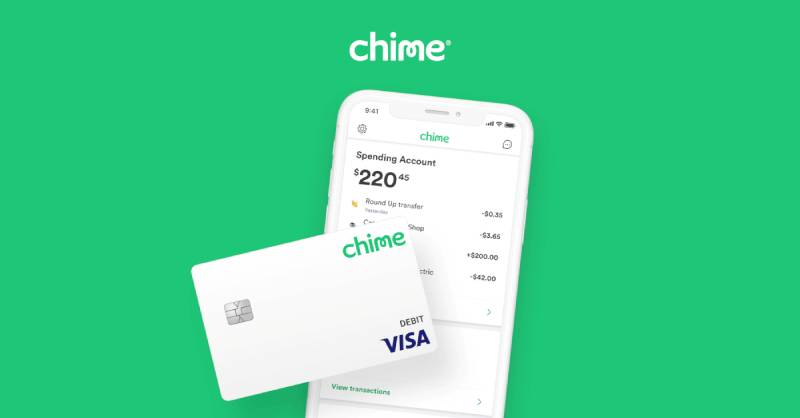
Chime is a fintech app (not a bank) backed by The Bancorp Bank and Stride Bank, both FDIC-insured. It offers a checking account, savings, and mobile check deposit with no monthly fees.
What Does Chime Do?
Chime gives users a fee-free checking account with a Visa debit card, SpotMe overdraft protection up to $200, and a mobile check deposit feature that works for most standard check types.
How Is Chime Similar to Ingo?
Both support remote check deposit by photographing the front and back of the check. Both accept payroll and government checks. Both are fully app-based with no branch visits required.
How Is Chime Different from Ingo?
| Feature | Chime | Ingo |
| Instant deposit | Not available | Available (for a fee) |
| Monthly fee | None | None |
| Deposit fee | Free | 1%–5% for instant |
| Deposit time | 1–5 business days | Minutes (paid) / 10 days (free) |
Who Is Chime Best For?
Unbanked or underbanked users who want a real checking account with zero fees and don’t need same-day check access. Also good for gig workers receiving regular payroll checks who can wait a few days.
Key Features of Chime
- Mobile check deposit: Free, no instant option
- SpotMe: Overdraft coverage up to $200 with no fee
- Early payday: Direct deposits up to 2 days early
- ATM network: 50,000+ fee-free ATMs
- Chime+: 3.75% APY savings with direct deposit
Pricing
- Free plan: Yes, no monthly fee
- Check deposit fee: Free
- Free trial: No
Venmo

Venmo is a social payments app owned by PayPal with over 90 million users. It added a “Cash a Check” feature for verified users, making it a practical option for people who already use it for splitting bills and transferring money.
What Does Venmo Do?
Venmo handles peer-to-peer payments, debit card purchases, crypto, and now check deposits. Users photograph both sides of a check and choose between instant or free 10-day deposit.
How Is Venmo Similar to Ingo?
Same fee structure (1% for payroll/government, 5% for others, min $5). Same 10-day free option. Both require identity verification before check cashing is enabled.
How Is Venmo Different from Ingo?
Venmo adds a social payments layer, P2P transfers, and a Venmo debit card. The check feature isn’t available in New York state. At least in my experience, the social feed aspect catches people off guard; most turn it off quickly for privacy.
Who Is Venmo Best For?
People who already use Venmo for splitting expenses and want to handle check cashing in the same app without downloading something new.
Key Features of Venmo
- Instant deposit: 1%-5% (min $5)
- Free deposit: 10 business days
- Venmo Debit Card: Visa card with cashback offers
- P2P transfers: Instant and free between Venmo users
Pricing
- Free plan: Yes
- Instant deposit fee: 1%-5% (min $5)
- Free trial: No
GO2bank

GO2bank launched in 2020 as a mobile banking app from Green Dot Bank. It targets people who want app-based banking without the complexity of traditional banks. FDIC-insured, Visa debit card included.
What Does GO2bank Do?
GO2bank provides a mobile checking account with instant check deposit, overdraft protection, a high-yield savings feature (4.50% APY on up to $5,000), and early wage access via direct deposit up to 2 days early.
How Is GO2bank Similar to Ingo?
Both offer instant mobile check deposit. Both work for users without traditional bank accounts. Both support payroll, government, and tax refund checks.
How Is GO2bank Different from Ingo?
- GO2bank is a full banking account; Ingo is a check processing service only
- $5 monthly fee (waived with qualifying direct deposits)
- Includes savings, overdraft, and debit card features Ingo doesn’t offer
- TrustPilot score sits at 1.2, with frequent complaints about fraud handling
Who Is GO2bank Best For?
People who want one app for banking, check cashing, and savings, especially those transitioning away from traditional banks or looking for fintech app alternatives to brick-and-mortar accounts.
Key Features of GO2bank
- Instant check deposit: Available via app camera
- Savings APY: 4.50% on up to $5,000
- Overdraft protection: Up to $200 with qualifying direct deposit
- Early direct deposit: Up to 2 days early
Pricing
- Free plan: No; $5/month (waived with direct deposit)
- Check deposit fee: Varies by check type and speed
- Free trial: No
Netspend
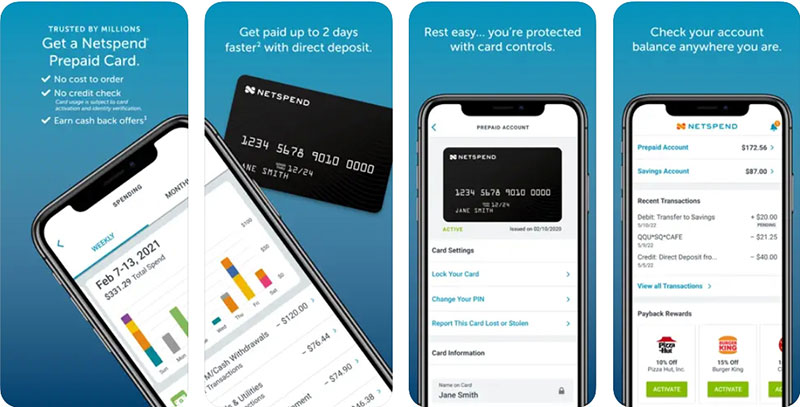
Netspend has been around since 1999 and is one of the oldest prepaid debit card providers in the US. Now part of Ouro Global, it works with Pathward and Republic Bank as banking partners.
What Does Netspend Do?
Netspend offers a prepaid Visa or Mastercard with mobile check deposit, direct deposit (up to 2 days early), and over 130,000 reload locations nationwide. No credit check required to open an account.
How Is Netspend Similar to Ingo?
Both deposit funds to a prepaid card. Both process checks via photo submission. Both work for unbanked users who need check cashing without a traditional bank account.
How Is Netspend Different from Ingo?
Netspend charges up to 4% for expedited check access, and often waives fees for government or payroll checks. Unlike Ingo, it adds budgeting tools, Anytime Alerts, and an optional high-yield savings account. It also has 130,000+ in-person reload locations, giving it a physical footprint Ingo doesn’t have.
Who Is Netspend Best For?
Unbanked users who want a prepaid card with both digital and in-person reload options, no credit check, and built-in check cashing without needing a bank account.
Key Features of Netspend
- Mobile check load: Photo deposit to prepaid card
- In-person reloads: 130,000+ locations
- Anytime Alerts: Real-time SMS transaction alerts
- Early direct deposit: Up to 2 days faster than standard
- No credit check: No banking history required
Pricing
- Free plan: Pay-as-you-go ($1-$2 per transaction) or monthly plan ($5.95-$9.95/month)
- Expedited check deposit fee: Up to 4%
- Free trial: No
Green Dot
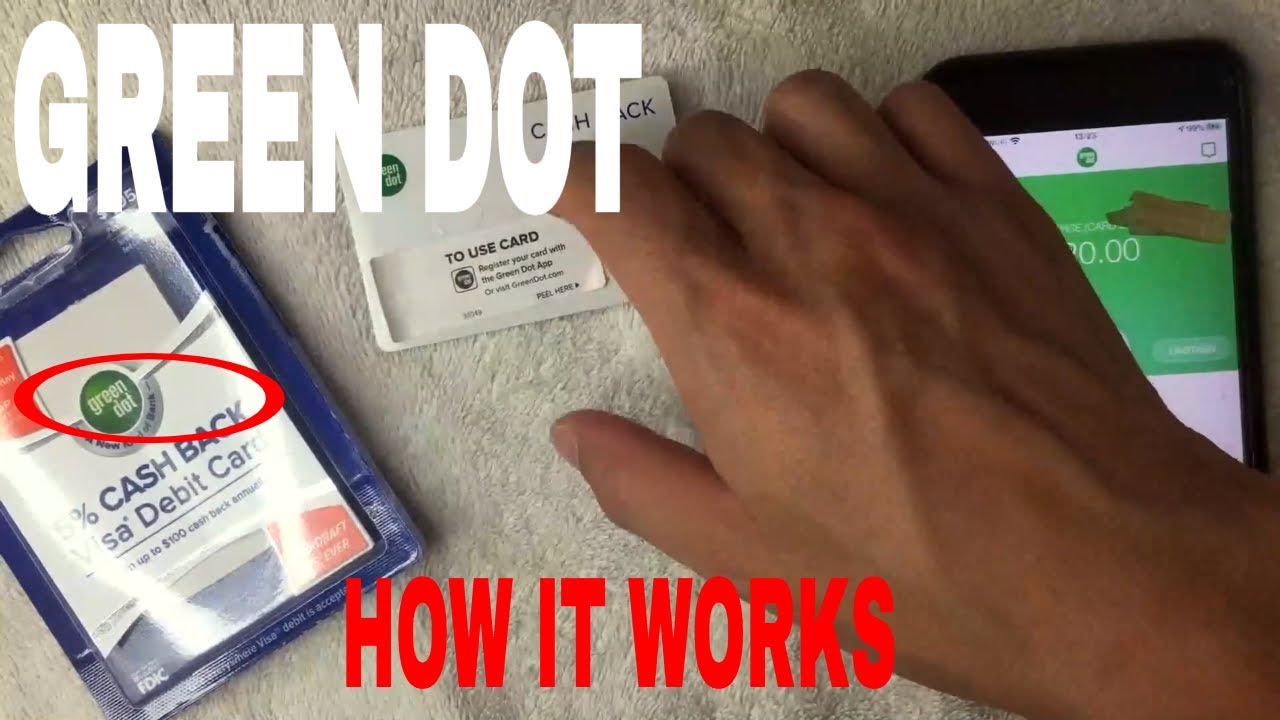
Green Dot is a prepaid banking brand and the parent company behind GO2bank and GoBank. It offers multiple prepaid Visa cards with mobile check deposit, in-store cash loading, and direct deposit.
What Does Green Dot Do?
Green Dot provides prepaid debit cards with app-based check deposits, ATM access, and in-store cash loading at 90,000+ retail locations including Walmart, CVS, and Walgreens.
How Is Green Dot Similar to Ingo?
Both support photo-based check deposit to a prepaid card. Both serve unbanked users without traditional checking accounts. Both process payroll and government checks.
How Is Green Dot Different from Ingo?
- Green Dot offers physical reload locations; Ingo is app-only
- Green Dot check processing routes through Ingo on the backend for mobile deposits
- Green Dot cards include cashback rewards and a high-yield savings option
Who Is Green Dot Best For?
Users who want a prepaid card with both app-based and in-store reload flexibility, especially those in areas with limited digital banking access.
Key Features of Green Dot
- In-store loading: 90,000+ retail reload locations
- Mobile check deposit: Via app camera
- Savings APY: Up to 2.00% annually
- Cashback rewards: Available through partner merchants
Pricing
- Free plan: No; monthly fees vary by card type
- Check deposit fee: Varies (Ingo-powered for mobile)
- Free trial: No
Varo Bank
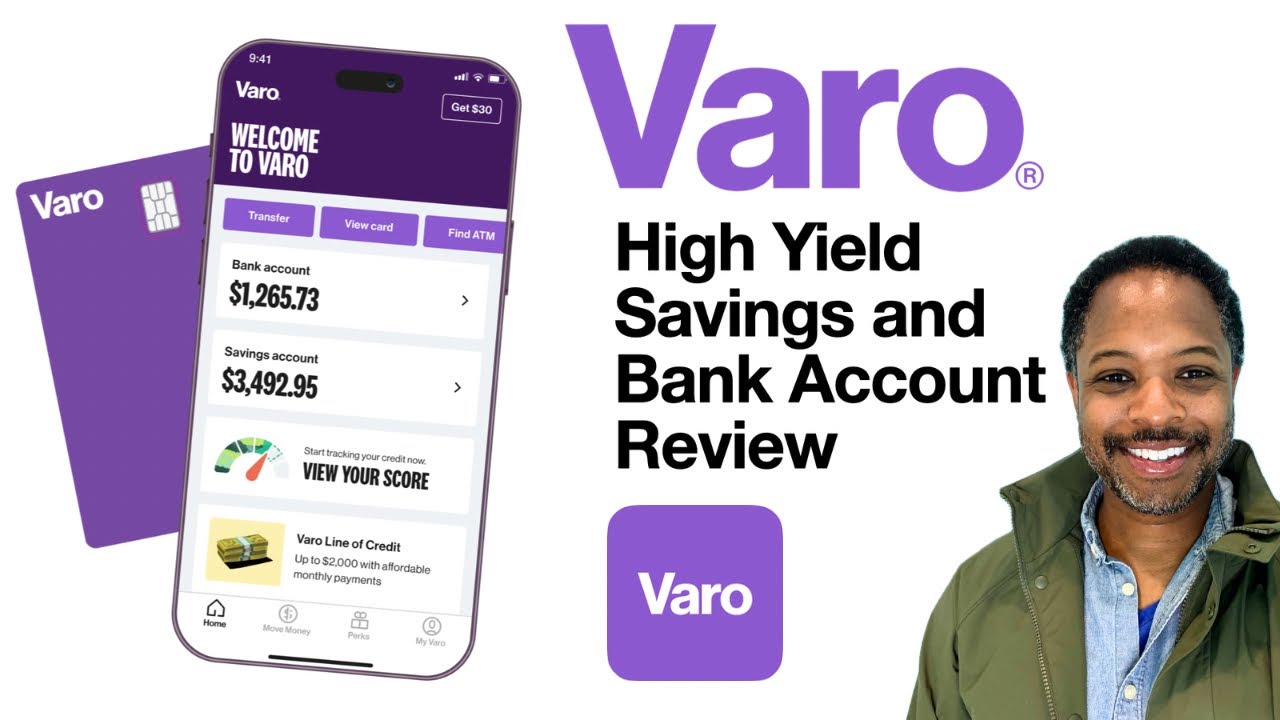
Varo is a fully digital bank (not a fintech with a banking partner; an actual FDIC-chartered bank) offering fee-free checking, high-yield savings, and mobile check deposit with no monthly fees.
What Does Varo Do?
Varo gives users a FDIC-insured checking account, savings up to 5.00% APY, cash advances of $20-$500, and mobile check deposits that are free once direct deposit is set up.
How Is Varo Similar to Ingo?
Both let you cash checks from your phone without visiting a bank. Both accept payroll and government checks. Both serve people looking for digital-first financial access.
How Is Varo Different from Ingo?
Varo is a fully chartered bank, which gives it more regulatory standing and reliability than Ingo’s third-party processing model. Varo charges no check deposit fee with direct deposit set up, and it adds savings, cash advances, and early payday features.
Who Is Varo Best For?
People who want to consolidate banking, savings, and check cashing into a single no-fee app without dealing with third-party check processors.
Key Features of Varo
- Mobile check deposit: Free with direct deposit
- Savings APY: Up to 5.00%
- Cash advances: $20-$500, flat fee ($1.60-$40), no credit check
- Early payday: Up to 2 days early with direct deposit
Pricing
- Free plan: Yes, no monthly fee
- Check deposit fee: Free (with direct deposit)
- Free trial: No
MoneyLion
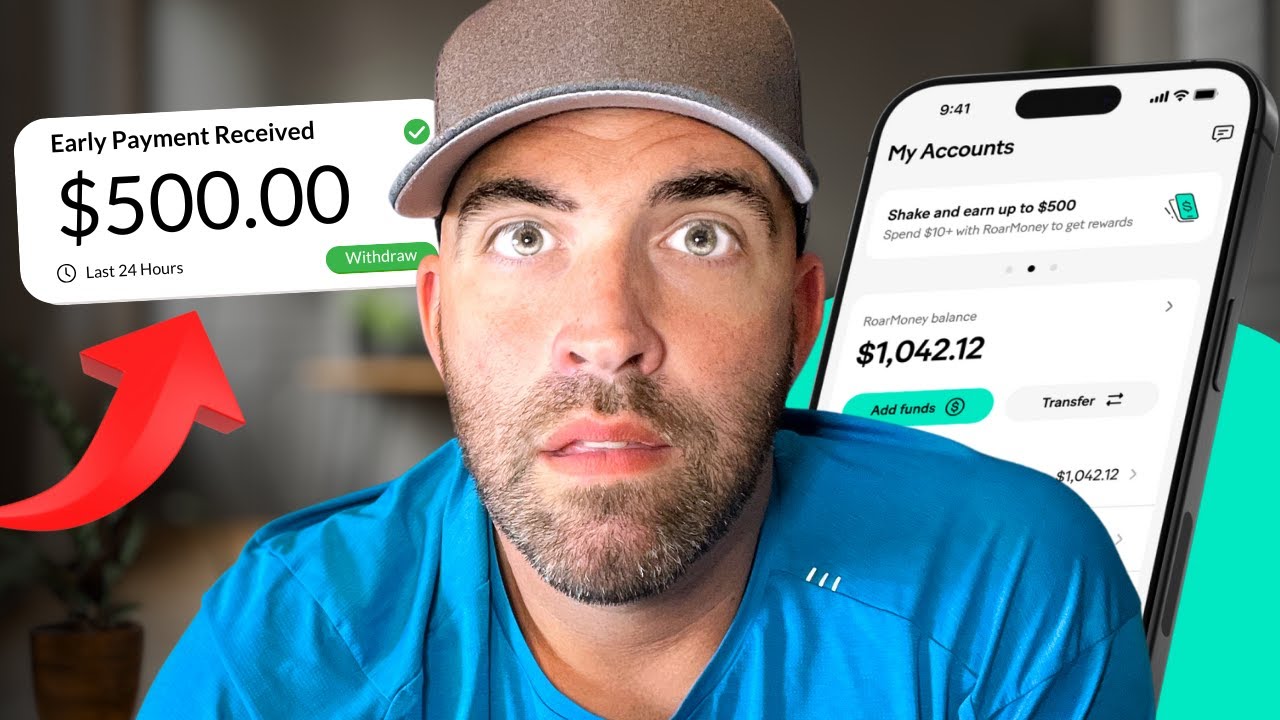
MoneyLion is a financial super-app that combines banking, investing, credit-building, and cash advances. It’s available on iOS and Android and targets users looking for a complete money management platform.
What Does MoneyLion Do?
MoneyLion’s RoarMoney account includes mobile check deposit, instant cash advances (Instacash) up to $500, auto-investing, and a credit builder loan. The app also offers financial education tools and a marketplace for financial products.
How Is MoneyLion Similar to Ingo?
Both support check deposits by phone. Both work for users without traditional bank accounts. Both offer fast access to funds with a fee option.
How Is MoneyLion Different from Ingo?
| Feature | MoneyLion | Ingo |
| Cash advances | Up to $500 (Instacash) | None |
| Investing | Yes, auto-invest | No |
| Credit building | Yes | No |
| Monthly fee | $1 (RoarMoney) | None |
Who Is MoneyLion Best For?
Users who want check cashing bundled with investing and credit-building tools, especially gig workers or freelancers looking to build financial stability over time.
Key Features of MoneyLion
- Instacash: 0% APR cash advances up to $500
- RoarMoney account: Mobile banking with check deposit
- Auto-invest: Managed portfolio from $1
- Credit Builder loan: Up to $1,000
Pricing
- Free plan: Yes (Instacash basic tier)
- RoarMoney fee: $1/month
- Free trial: No
Dave

Dave is a banking app built for people who live paycheck to paycheck. It offers a spending account, mobile check deposits, and cash advances up to $500 with no credit check and no interest.
What Does Dave Do?
Dave combines a mobile checking account with its ExtraCash feature, which lets eligible users access up to $500 before payday. It also has budgeting tools, side hustle job listings, and a Visa debit card.
How Is Dave Similar to Ingo?
Both offer mobile check deposit by photo. Both are designed for users who need fast access to money outside of traditional banking timelines. Both work on iOS and Android.
How Is Dave Different from Ingo?
Dave’s biggest differentiator is its ExtraCash advance (up to $500 with no interest or credit check). Ingo has nothing like this. Dave also adds budgeting and job-finding features. The monthly membership fee is up to $5, which Ingo doesn’t charge for basic use.
Who Is Dave Best For?
Users who need occasional cash advances between paychecks and want check cashing built into the same app, without interest or credit checks getting in the way. Those exploring apps similar to Albert for financial assistance will find Dave covers similar ground.
Key Features of Dave
- ExtraCash: Up to $500, no interest, no credit check
- Express funding: Advance in under 8 hours for a small fee
- Dave Spending account: No minimum balance, Visa debit card
- Budgeting tools: Overdraft alerts and spending breakdowns
Pricing
- Free plan: Limited; membership up to $5/month
- Express fee: Small flat fee for same-day advance
- Free trial: No
If you need same-day access and don’t mind a fee, PayPal and GO2bank are the fastest options. If you’re happy waiting 1-5 days and want to avoid fees entirely, Chime, Cash App, and Varo are the better picks. For unbanked users who need a prepaid card with both app and in-store access, Netspend and Green Dot cover that ground well.
Also worth checking: check cashing apps that don’t use Ingo at all, and cash advance apps that work with Chime if you already have a Chime account and need short-term liquidity.
What Is Ingo Money and How Does It Work?
Ingo Money is a mobile check cashing service operated by Ingo Money, Inc. and First Century Bank, N.A. It processes paper checks entirely through a smartphone camera, with no branch visit required.
The standalone Ingo app exists, but most users encounter it embedded inside other platforms. PayPal, Brink’s Money, and Green Dot all route their check cashing features through Ingo’s backend processing infrastructure.
| Check Type | Instant Fee | Free Option |
| Payroll (pre-printed signature) | 1% (min $5) | 10 business days |
| Government checks | 1% (min $5) | 10 business days |
| All other check types | 5% (min $5) | 10 business days |
Once approved, funds can go to a bank account, PayPal balance, prepaid card, or Amazon gift card. Approval typically takes 3 to 5 minutes, though it can stretch to an hour depending on the check type and risk score.
Ingo does not offer savings, cash advances, peer-to-peer transfers, or any other banking features. It is strictly a check processing service. That narrow scope is exactly what pushes users toward broader alternatives.
Why Do People Look for Alternatives to Ingo Money?
The Federal Reserve’s 2024 report on U.S. household finances found that 33% of unbanked adults relied on nonbank check cashing services, a group that includes Ingo users seeking faster or cheaper digital access.
The frustrations that drive people away from Ingo are specific and consistent.
- Check rejections with no clear explanation given to the user
- A 10-day hold on free deposits, which is unusable when you need money today
- The 5% fee on personal and non-payroll checks, which eats $25 off a $500 check
- Identity verification friction that disproportionately affects underbanked users
- No fallback features like overdraft protection, savings, or cash advances
The FDIC’s 2023 National Survey found 14.2% of U.S. households (19 million) are underbanked, meaning they have bank accounts but still rely on nonbank services. These users are the core Ingo audience, and they have the most to gain from switching to a full-featured alternative.
Gig workers are particularly affected. Upwork’s 2023 Freelance Forward report counted 64 million Americans doing freelance work, many of whom receive client payments by paper check and need reliable, low-cost same day check cashing.
How Do Check Cashing Apps Process Deposits Without a Bank Account?
Every mobile check deposit runs on Remote Deposit Capture (RDC) technology, a standardized system that converts a check photograph into an electronic item and routes it through the ACH or check clearing network.
The process looks the same from the user’s side across almost every app. The difference is in who handles the verification layer behind the scenes.
| Processing Model | How It Works | Examples |
| Third-party processor | App sends check images to Ingo or similar service for review | PayPal, Brink’s Money, Green Dot |
| Proprietary bank processing | App’s own bank partner handles verification in-house | Chime, Varo, Cash App |
| Prepaid card load | Funds deposited directly onto a linked prepaid debit card | Netspend, ACE Flare |
In 2024, 65% of financial institutions reported check fraud through RDC (ValidAdvantage research), which explains why all apps run a fraud risk score before releasing funds. That score factors in your account history, identity verification status, and the check type.
Users without a traditional bank account can still receive funds via a prepaid debit card. Apps like Netspend and Green Dot load approved check amounts directly onto the card, no linked checking account needed.
How Instant vs. Standard Deposits Work
Instant deposit means the app fronts you the money before the check fully clears, taking on the float risk in exchange for a fee.
Standard deposit means you wait for the check to clear through normal banking channels, typically 1 to 10 business days, with no fee charged.
- Instant always costs between 1% and 5% of the check value
- Standard is free but ranges from 1 day (Chime, Varo) to 10 days (Ingo, PayPal, Venmo)
- Some apps like GO2bank offer instant access with variable fees based on check type
The right choice depends entirely on urgency. If a bill is due today, the fee is often worth it. If you can wait 2 to 3 days, Cash App and Chime process standard deposits for free.
What Happens When a Check Gets Rejected
Rejection rates are higher on mobile RDC than on any other deposit channel, because no human physically reviews the check before processing decisions are made.
The most common rejection reasons across all check cashing apps:
- Name mismatch between the check payee and your account identity
- Poor image quality (blurry, dark, or cropped photos)
- Check type not supported by that specific app
- Endorsement missing or written incorrectly on the back
- Check already deposited elsewhere (duplicate detection flagged it)
A 2025 AFP survey found 63% of companies experienced check fraud in 2024, largely through RDC channels. That pressure pushes apps to set conservative rejection thresholds, which is why valid checks sometimes get declined with no clear reason given.
What Types of Checks Do Mobile Check Cashing Apps Accept?
Not all check types carry the same risk profile, and apps price and restrict access accordingly. Payroll checks with pre-printed signatures are the lowest risk. Personal handwritten checks are the highest.
Payroll checks fall into two categories. Pre-printed signature checks (issued by payroll processors like ADP or Paychex) clear faster and cost less to cash. Hand-signed payroll checks face higher fees or outright rejection on some platforms because they are harder to verify.
Government-issued checks, including Social Security, tax refunds, and unemployment payments, are broadly accepted across every major platform. They carry strong verification trails and low fraud rates.
Personal checks are the problem category. Most apps either reject them entirely or charge the maximum fee tier. Cash App rarely approves them. PayPal and Venmo technically accept some personal checks but flag them for extended review.
| Check Type | Broadly Accepted | Fee Tier |
| Payroll (pre-printed) | Yes, all major apps | Lowest (1%) |
| Government / tax refund | Yes, all major apps | Lowest (1%) |
| Cashier’s check | Varies by app | Mid-range |
| Personal check | Limited | Highest (5%+) |
| Business check | Some apps only | Mid to high |
Per-transaction limits also vary significantly. Cash App starts new users at low limits that increase with account history. GO2bank supports deposits for eligible check types with same-day or next-day availability. Netspend’s limits depend on verification status and can go higher for users with long account histories.
The practical rule: if you receive regular payroll or government checks, nearly every app on this list works well. If you frequently receive personal checks, your options narrow to a small handful and you will pay higher fees regardless of which platform you choose.
How to Choose the Right Check Cashing App for Your Situation
The FDIC found that 48.3% of banked households used mobile banking as their primary account access method in 2023, a near-ninefold increase over the prior decade. The shift to app-based finance is no longer a trend; it is the default.
But that shift doesn’t mean every app fits every user. The right pick comes down to four variables: speed, cost, bank account status, and the types of checks you receive most often.
For Users Without a Bank Account
Prepaid card-based apps are the only viable path for unbanked users. They load funds directly onto a Visa or Mastercard without requiring a linked checking account.
The strongest options in this category:
- Netspend: No credit check, 130,000+ in-person reload locations, mobile check load via app
- Green Dot: 90,000+ retail reload locations, in-store cash access at Walmart and CVS
- GO2bank: Full mobile banking with Visa debit card, $5 monthly fee waived with direct deposit
The FDIC’s 2023 survey found 33.8% of unbanked households already use prepaid cards or nonbank payment apps like PayPal and Cash App. These users are not new to digital finance. They just need a platform that does not require a traditional bank account as a starting point.
For Users Who Need Same-Day Access
Speed and cost are directly correlated. No app offers same-day check access for free.
PayPal and Venmo both deliver funds in minutes for a 1% to 5% fee. GO2bank can provide same-day access for eligible check types. Brink’s Money works similarly, though it routes through Ingo’s backend, so approval behavior mirrors the standalone Ingo experience.
If same day check cashing is a regular need, the total cost adds up fast. A freelancer depositing a $1,000 personal check via PayPal pays $50 in fees at the 5% rate. Over a year of monthly deposits, that is $600 in fees for access to money that is already yours.
The smarter long-term move for regular check cashers: set up direct deposit with Chime or Varo. Both offer early wage access up to 2 days faster than standard direct deposit, with zero check cashing fees.
What Are the Fees for Mobile Check Cashing Apps Compared to Ingo?
Fees vary more across this category than most users realize. The headline instant rate matters less than the total annual cost based on how often you cash checks and what type they are.
| App | Instant Fee | Free Wait Time | Monthly Fee |
| Ingo Money | 2% – 5% (Min. $5) | 10 days | None |
| PayPal | 1% – 5% (Min. $5) | 10 days | None |
| Cash App | No instant option | 1 – 5 days | None |
| Chime | No instant option | Up to 5 days | None |
| Venmo | 1% – 5% (Min. $5) | 10 days | None |
| GO2bank | Varies by check type | 10 days | $5 (Waived with direct deposit) |
| Netspend | Up to 4% | 10 days | $5.95 – $9.95 |
| Varo | 1% – 5% (Min. $5) | 10 days | None |
Cash App charges the least for instant deposits among all check cashing apps, at 0.5% to 1.75% versus Ingo’s 1% to 5%. On a $500 payroll check, that is a maximum of $8.75 on Cash App versus $25 on Ingo for the same instant access.
Fee waivers change the calculation entirely. Chime and Varo both eliminate check deposit fees entirely once you set up qualifying direct deposits. For users with steady payroll income, those two apps cost nothing to use for check deposits.
Hidden costs to factor in beyond the check deposit fee itself:
- GO2bank’s $5 monthly account fee (avoidable with direct deposit)
- Netspend’s monthly plan fees ranging from $5.95 to $9.95
- ATM withdrawal fees on prepaid cards, typically $2.50 to $3.50 per withdrawal
- Cash reload fees at retail locations for prepaid card top-ups
The CFPB has consistently flagged mobile check cashing fees as a financial inclusion concern, particularly for low-income users who rely on these services for routine payroll access. If you are cashing checks regularly, switching to a fee-free fintech banking app with built-in check deposit is the most cost-effective long-term decision.
For a broader look at options that skip the Ingo processing layer entirely, see the full list of check cashing apps that don’t use Ingo at all, or explore cash advance apps that work with Chime if you already have a Chime account and occasionally need funds before your next deposit clears.
FAQ on Apps Like Ingo
What are the best apps like Ingo for mobile check cashing?
The strongest alternatives are PayPal, Cash App, Chime, Venmo, GO2bank, Netspend, Green Dot, Varo, MoneyLion, and Dave. Each handles mobile check deposit differently in terms of fees, speed, and whether a bank account is required.
Can I cash a check instantly without using Ingo Money?
Yes. PayPal and Venmo both offer instant check cashing for a 1% to 5% fee. GO2bank also provides fast access for eligible check types. Cash App charges as little as 0.5% for instant deposits, making it one of the cheaper options.
Which check cashing apps work without a bank account?
Netspend, Green Dot, GO2bank, and ACE Flare all load funds onto a prepaid debit card without requiring a linked bank account. These are the most practical options for unbanked users who need smartphone check cashing.
What check cashing app has no fees?
Chime and Varo offer free check deposit with no processing fee once direct deposit is active. Cash App’s standard deposit is also free but takes 1 to 3 business days. There is no instant, fee-free option on any major platform.
How long does it take to cash a check with apps like Ingo?
Instant deposits arrive in minutes but carry a fee. Standard free deposits take 1 to 5 business days on Chime and Varo, and up to 10 business days on PayPal, Venmo, and Ingo itself. Same day check cashing always costs extra.
Do apps like Ingo accept personal checks?
Most platforms apply the highest fee tier to personal checks, and some reject them entirely. PayPal and Venmo technically accept certain personal checks but may hold them longer. Cash App rarely approves them for new users with limited account history.
What is the difference between Ingo Money and Cash App for check deposits?
Cash App charges significantly less for instant deposits (0.5% to 1.75%) versus Ingo’s up to 5%. Cash App also adds savings, investing, and a Visa debit card. Ingo is a standalone check processing service with no additional banking features.
Are check cashing apps safe to use?
Apps backed by FDIC-insured bank partners, including Chime, Varo, and GO2bank, offer deposit protection up to $250,000. Prepaid card apps like Netspend also carry FDIC pass-through coverage. Always confirm the app’s banking partner before depositing large check amounts.
Which app is best for cashing payroll checks from your phone?
For regular payroll check cashing, Chime and Varo are the best long-term options: both are free with direct deposit and process checks in 1 to 5 business days. For same-day access, PayPal charges just 1% on pre-printed payroll checks.
Do any check cashing apps work for gig workers or freelancers?
Yes. MoneyLion, Dave, and Varo are well-suited for gig workers and freelancers. They combine mobile check deposit with cash advances, early wage access, and budgeting tools, making them more useful than Ingo for people with variable income streams.
Conclusion
This article on apps like Ingo covers the full range of mobile check cashing alternatives available today, from prepaid card solutions like Netspend and Green Dot to full neobank accounts like Varo and Chime.
The right pick depends on your situation. Unbanked users need a platform that loads funds without a linked checking account. Gig workers and freelancers benefit most from apps that combine same day check cashing with cash advances and early wage access.
If fees are your main concern, Chime and Varo eliminate deposit costs entirely with direct deposit. For maximum speed, PayPal and GO2bank deliver funds in minutes.
No single app wins across every category. But one of them fits your needs better than Ingo, and now you know which one.

- Build or Buy an AI Chatbot for E-commerce: The Costs Nobody Budgets For - October 24, 2026
- How to Run a React App in VS Code Step by Step - October 23, 2026
- Transactional or marketing email: which messages your app should send itself - October 23, 2026