Nearly 37% of Americans can’t cover a $400 emergency without borrowing. That’s not a budgeting failure. That’s a timing problem.
The best cash advance apps solve exactly that. They give you early access to money you’ve already earned, without credit checks, interest charges, or the predatory fees that come with traditional payday loans.
But not all of them work the same way. Some charge monthly subscriptions. Others rely on tips or per-transfer fees that quietly add up. A few require you to open an entirely new bank account before you can borrow a dime.
We tested and compared the top paycheck advance apps available right now, looking at advance limits, funding speed, fee transparency, and bank account compatibility. Below, you’ll find a breakdown of each one so you can pick the right fit for your situation.
Best Cash Advance Apps
EarnIn
What It Does
EarnIn gives you early access to money you’ve already earned before payday hits. It connects to your bank account, verifies your employment, and lets you pull out a portion of your paycheck ahead of schedule.
No loans here. This is earned wage access, which means you’re only borrowing against hours you’ve already worked.
Advance Limits and Fees
You can access up to $150 per day and up to $750 per pay period (some users report up to $1,000). No mandatory fees, no interest, no credit check. EarnIn used to push optional tips pretty hard, but they’ve pulled back on that.
Standard transfers are free. Lightning Speed (instant) costs $3.99 to $5.99 depending on the amount.
Speed of Funding
Standard delivery takes one to two business days. Lightning Speed gets funds into your account within minutes.
First-time users sometimes get their first instant transfer free.
Who It Works Best For
Full-time employees with consistent direct deposit schedules. You need a fixed work location or an employer-provided email to verify employment. Gig workers and freelancers won’t qualify.
Subscription Cost
None. EarnIn doesn’t charge a monthly subscription fee, which is rare in this space.
Credit Check Requirements
No credit check at all. Not even a soft pull. Your FICO score won’t be affected.
Bank Account Compatibility
Works with most major banks and credit unions. You need a U.S. checking account with direct deposit. Compatibility with neobanks like Chime is still being tested in limited rollouts.
If you’re looking for cash advance apps that work with Chime, EarnIn may or may not work for you depending on whether you’re in their test group.
Standout Feature
Balance Shield. It monitors your bank account and automatically transfers up to $100 from your earned wages when your balance dips too low. Basically, free overdraft protection without the overdraft fees.
What to Watch Out For
The daily limit of $150 can feel restrictive if you need a larger sum fast. Also, EarnIn will auto-withdraw repayment on payday. If your paycheck hits later in the day, that deduction might temporarily overdraft your account.
Took me a while to realize that timing issue matters more than people think.
Dave
What It Does
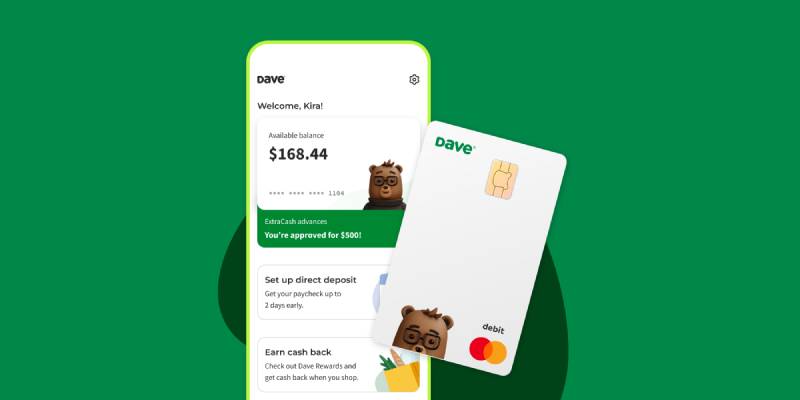
Dave started as a simple overdraft prediction tool and grew into a full-blown cash advance app with banking services. Its ExtraCash feature lets you borrow against your next paycheck with no interest or late fees.
Advance Limits and Fees
Advances range from $25 to $500, though the average user gets around $180. Few people actually qualify for the full $500 right away. You need at least three recurring deposits totaling $1,000 or more to get there.
Here’s where it gets tricky. Dave charges a monthly membership fee (up to $5) plus a mandatory overdraft service fee capped at $15 per advance. That’s two automatic fees, which is unusual among payday loan alternatives.
Express funding to an external debit card costs 1.5% of the advance amount. Transfers to a Dave checking account are free and instant.
Speed of Funding
Instant to a Dave checking account. One to three business days for standard delivery to an external bank. Express delivery to a debit card takes about an hour.
Who It Works Best For
People who don’t mind opening a Dave checking account and want access to larger single advances. If you only need cash once or twice a month, the fee structure stays manageable.
Subscription Cost
Up to $5 per month. You can’t use ExtraCash without it.
Credit Check Requirements
No credit check. Dave evaluates your income patterns and bank activity instead.
Bank Account Compatibility
Dave requires you to open both a Dave checking account and a Dave overdraft deposit account. You can link an external bank too, but you’ll pay extra fees for transfers to it. This setup feels more complicated than most competitors.
Standout Feature
The advance amount. $500 in a single lump sum is hard to beat. Most cash advance apps cap individual disbursements at $250 or less.
What to Watch Out For
The FTC sued Dave in November 2024 for allegedly misleading consumers about advance amounts and charging undisclosed fees. Dave responded by sunsetting its optional tipping feature in February 2025 and reworking parts of its business model.
Also, you can’t push your repayment date back. Dave will automatically withdraw what you owe once it sees funds in your account, starting at $5 increments. That’s less flexible than what apps like Possible Finance offer.
Brigit
What It Does
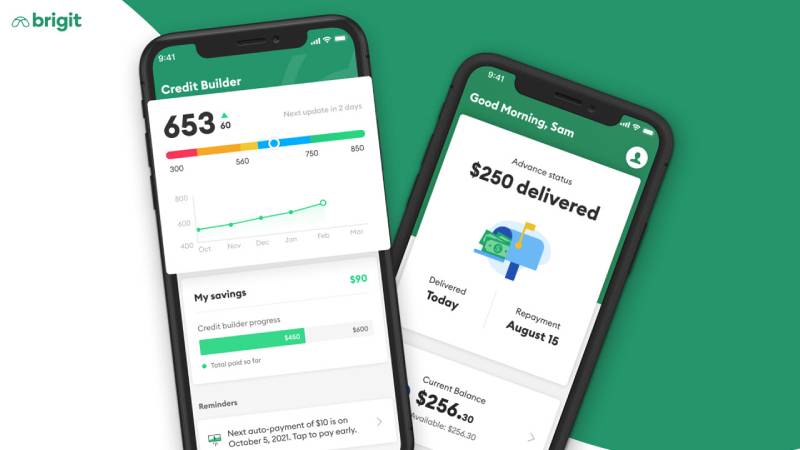
Brigit combines instant cash advances with budgeting tools, credit building features, and automatic overdraft protection. It monitors your bank account and can send you money before you even ask for it.
That proactive approach is what sets Brigit apart from most earned wage access apps.
Advance Limits and Fees
Up to $250 per advance (some sources now report up to $500 for Premium members). No interest, no credit check, no late fees, and no tipping.
Standard delivery is free and takes two to three business days. Express delivery costs $0.99 to $3.99, though Premium subscribers ($14.99/month) get that waived.
Speed of Funding
Express delivery gets your money in about 20 minutes. Standard takes two to three business days.
Who It Works Best For
People who want more than just a quick cash advance. If you care about financial wellness tools, spending insights, and credit monitoring alongside short-term borrowing, Brigit is a solid pick.
Subscription Cost
Three tiers: free (no advances), $8.99/month (Plus), and $14.99/month (Premium). You need at least the Plus plan to access instant cash.
Credit Check Requirements
None. Brigit checks your bank account history and deposit activity instead.
Bank Account Compatibility
Works with most banks through Plaid. Compatible with Chime, though some users have reported occasional connection hiccups.
Standout Feature
Automatic advances. Brigit can detect when your balance is about to drop too low and automatically send you money to prevent overdraft fees. You don’t even have to open the app.
What to Watch Out For
The subscription fee adds up. At $8.99 to $14.99 per month, you’re paying $108 to $180 annually for a service that maxes out at $250 per advance. That math only makes sense if you use the budgeting and credit tools regularly. If you just need quick cash once in a while, there are cheaper options.
Brigit does let you request a payment extension, which is a nice touch most competitors don’t offer.
Chime MyPay

What It Does
Chime MyPay gives you early access to your paycheck, up to $500, with no interest and no mandatory fees. It’s built directly into the Chime banking app, so there’s nothing extra to download.
This isn’t technically a cash advance in the traditional sense. It’s more like getting your direct deposit early.
Advance Limits and Fees
Up to $500 per pay period. Standard delivery (within 24 hours) is completely free. Instant delivery costs $2 to $5 per advance. No subscription fee. No tipping.
That fee structure is about as clean as it gets in the fintech lending space.
Speed of Funding
Standard delivery within 24 hours. Instant delivery in minutes for a small fee.
Who It Works Best For
Existing Chime customers who already have their direct deposit set up. If you’re not already banking with Chime, the onboarding process takes a few steps since you need to open a Chime Checking Account and set up qualifying direct deposits first.
Subscription Cost
Zero. No monthly fee, no membership charges.
Credit Check Requirements
No credit check to enroll in MyPay.
Bank Account Compatibility
Only works with a Chime Checking Account. You can’t use MyPay with an external bank account. If you already bank elsewhere and don’t want to switch, this one isn’t for you.
Chime also offers SpotMe, a separate overdraft protection feature that covers up to $200 in overdraft with no fees.
Standout Feature
No subscription fee combined with high limits. Getting up to $500 with zero monthly costs is something most competitors can’t match. The free 24-hour standard delivery is also better than the two to five business day waits you’ll see elsewhere.
What to Watch Out For
You need at least $200 per qualifying direct deposit to unlock MyPay. New users won’t get access right away. It takes a few deposit cycles before Chime trusts your account enough to offer advances. And since it only works with Chime accounts, you’re locked into their banking ecosystem.
MoneyLion Instacash
What It Does
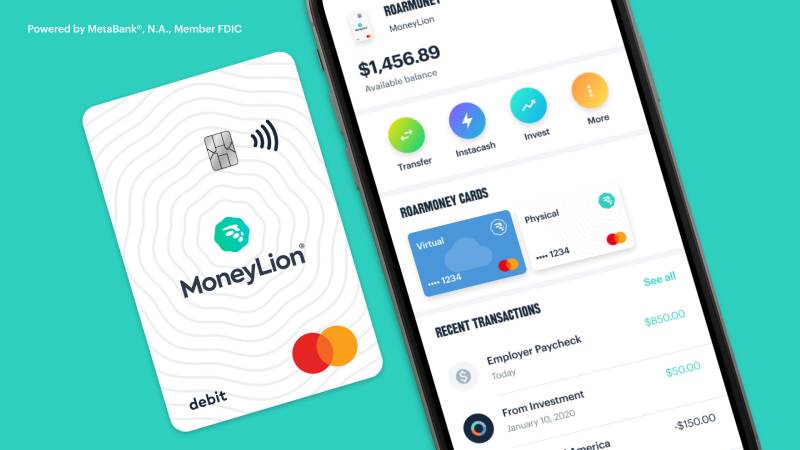
MoneyLion’s Instacash feature provides small cash advances with no monthly fees and no interest. It’s part of a larger financial platform that includes banking, investing, credit building, and personal loans.
Advance Limits and Fees
Up to $500 for most users. If you open a RoarMoney checking account and route your direct deposits there, you can access up to $1,000. But individual disbursements are capped at $100 each, which means you need multiple transactions to reach those maximums.
Standard delivery (one to five business days) is free. Instant delivery fees range from $0.49 to $8.99 depending on the amount and transfer method.
Speed of Funding
Standard takes one to five business days. Turbo (instant) delivery gets funds to you within minutes for a fee. The wide range on standard delivery is a downside. Five business days is a long wait when you need money now.
Who It Works Best For
People who want a full-service personal finance app, not just a cash advance tool. MoneyLion bundles credit monitoring, investment accounts, and fintech app features that go well beyond simple borrowing.
Subscription Cost
The basic Instacash feature has no monthly fee. The broader MoneyLion Plus membership costs $19.99/month but isn’t required for advances.
Credit Check Requirements
No credit check for Instacash advances.
Bank Account Compatibility
Works with external bank accounts through Plaid. For higher limits ($1,000), you need a RoarMoney account with active direct deposit.
Standout Feature
The $100 per disbursement cap forces smaller, more manageable borrowing. This is either a pro or con depending on your perspective. But it does help prevent people from over-borrowing in one shot.
What to Watch Out For
Those instant delivery fees add up fast when you’re making multiple small advances to reach your total limit. A $500 advance could cost over $40 in express fees alone. Some users also report that automatic repayment timing has caused unexpected overdraft fees with their primary bank.
Albert
What It Does
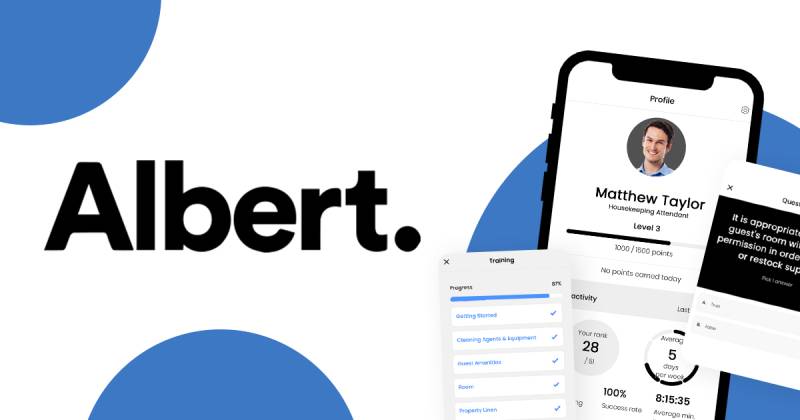
Albert is a financial wellness app that bundles banking, budgeting, automated savings, investing, and cash advances into one platform. Its Instant Advance feature lets you borrow money with no interest, no credit check, and no late fees.
Advance Limits and Fees
Advances range from $25 to $1,000. Sounds great on paper. But Albert discloses that few users qualify for the maximum. First-time users typically get $25 to $50 according to third-party reviews.
Transfers to your Albert Cash account are free. Transfers to an external bank account cost a processing fee that varies based on amount. Some reports put it between $5.99 and $19.99.
Speed of Funding
Instant to an Albert Cash account. External transfers typically take a few minutes once processed, though some users report delays of two to three days.
Who It Works Best For
People who want an all-in-one money management tool and are willing to pay a subscription for the full experience. If you just want a quick paycheck advance with no strings attached, alternatives similar to Albert might serve you better.
Subscription Cost
Albert’s plans range from $14.99 to $39.99 per month. The Genius plan (which includes financial expert guidance) is the most expensive. A monthly fee isn’t technically required just for Instant Advance, but you need an Albert Cash account and Smart Money transfers enabled.
Credit Check Requirements
No credit check. Not even a soft inquiry.
Bank Account Compatibility
You need an Albert Cash checking account. You can also link an external bank account for transfers, but that comes with additional fees. Works with Chime and Cash App too.
Standout Feature
Automated savings. Albert scans your spending habits and automatically moves small amounts into savings when it detects you can afford it. It’s surprisingly effective for people who struggle to save on their own.
What to Watch Out For
The subscription cost is the highest on this list. At $14.99 to $39.99 per month, you’re paying $180 to $480 a year. Some users have complained about difficulty closing their accounts and unexpected charges after canceling. Always read the terms carefully before linking your bank.
Cleo
What It Does
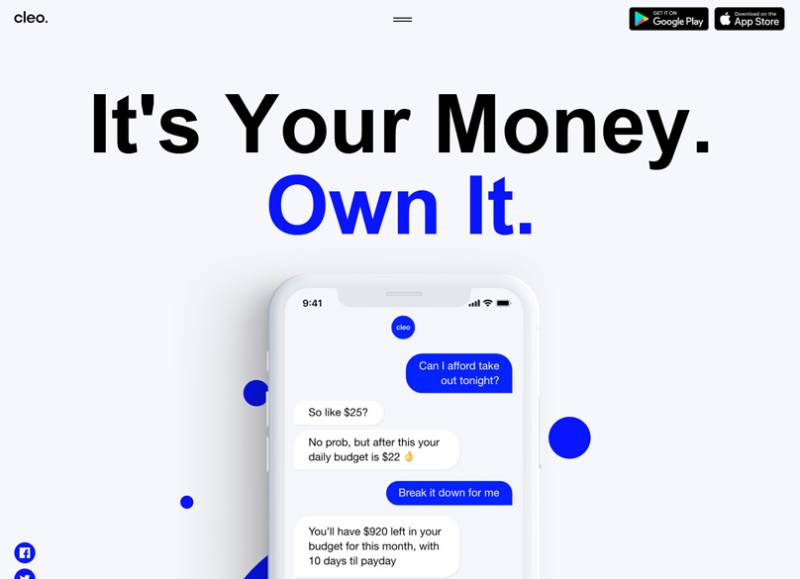
Cleo is an AI-powered personal finance app that tracks your spending, helps you budget, and offers small cash advances through its Cleo Cash feature. The AI assistant uses a conversational chat interface, which makes it feel less like a banking app and more like texting a financially savvy friend.
Advance Limits and Fees
Up to $250. But first-time users usually qualify for just $50 to $70. The AI determines your limit based on your income, spending patterns, and account history.
Standard transfers are free (two to three business days). Instant delivery charges a small fee. No interest and no late fees.
Speed of Funding
Standard takes a few business days. Instant delivery arrives within minutes but costs extra.
Who It Works Best For
Younger users who prefer a casual, chat-based interface for managing money. If the sterile look of traditional banking apps puts you off, Cleo’s personality might click.
Subscription Cost
Cash advances require a subscription. Plans start at $5.99/month (Plus), $8.99/month (Pro), and $14.99/month (Builder, which includes a secured credit card).
Credit Check Requirements
No credit check for cash advances.
Bank Account Compatibility
You need to bank through Cleo’s platform. External bank account linking for advances isn’t supported in all cases. This is a common limitation with apps that bundle banking and borrowing.
Standout Feature
The AI chat assistant. It roasts your spending habits (literally, there’s a “roast mode”), creates budgets, and gives you actionable money advice in plain language. It’s genuinely fun to use.
What to Watch Out For
Some users report trouble canceling their subscriptions. The $5.99 to $14.99 monthly cost might not feel worth it if you only use the advance feature occasionally. And like several apps on this list, Cleo works best when you’re fully committed to its ecosystem.
Varo Advance
What It Does
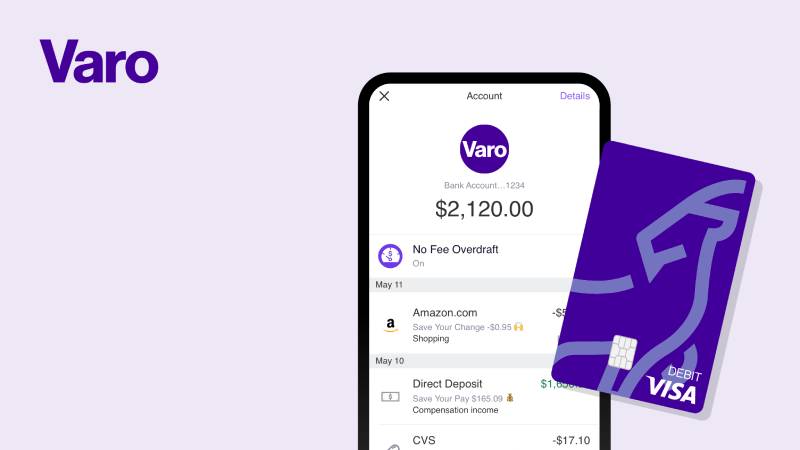
Varo Advance is a cash advance feature built into Varo Bank’s mobile banking app. It provides short-term advances to existing Varo customers who meet deposit requirements.
Advance Limits and Fees
Borrow between $20 and $500. First-time users max out at $250. The limit grows over time based on your account activity.
Varo charges a flat mandatory fee on every advance, ranging from $1.60 to $40 depending on the amount borrowed. The less you borrow, the lower the fee. No interest, no monthly subscription, no late fees.
Speed of Funding
Instant. Funds hit your Varo account immediately after approval, with no additional charge for speed. That’s a big plus since most competitors charge extra for same-day delivery.
Who It Works Best For
Varo Bank customers who want instant access to cash without paying extra for speed. If you already bank with Varo and have steady direct deposits, this is one of the most straightforward options available. Varo also works well for people who prefer flexible repayment, since you get 15 to 30 days to pay back.
Subscription Cost
None. No monthly membership fee for the bank account or the advance feature.
Credit Check Requirements
No credit check.
Bank Account Compatibility
Only works with a Varo Bank account. You need at least $800 in qualifying direct deposits in the current or previous month to be eligible. Your Varo account balance must be $0 or higher.
Standout Feature
Free instant delivery. Most cash advance apps charge $2 to $8 for same-day funding. Varo doesn’t charge anything extra for speed.
What to Watch Out For
The mandatory flat fee is the trade-off. Borrowing $500 costs $40 in fees, which translates to a high effective APR on short-term borrowing. For smaller advances ($20 to $75), the fee is reasonable. But at the top end, it gets expensive fast.
Also, if you don’t repay within 30 days, Varo will keep deducting from your account until you’re caught up. No new advances until the balance is cleared.
Empower (Now Tilt)
What It Does
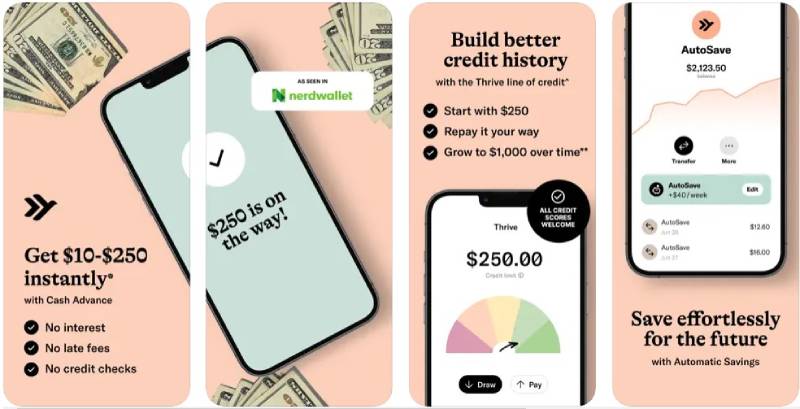
Tilt (formerly Empower, rebranded in August 2025) offers interest-free cash advances alongside budgeting tools, spending insights, and automatic savings features. It connects to your existing bank account through Plaid, so you don’t need to switch banks.
Advance Limits and Fees
Advances range from $10 to $400. But don’t expect to hit that ceiling right away. The average first-time offer is around $95. Returning users average about $187.
Monthly subscription costs $8 after a 14-day free trial. Instant delivery fees run between $1 and $8 depending on the advance amount.
Speed of Funding
Standard delivery takes about one business day. Instant delivery gets funds to you in roughly 15 minutes.
Who It Works Best For
People who want a no-hassle cash advance without opening a new bank account. Tilt’s 75% eligibility rate is one of the highest in the industry, meaning most applicants actually qualify.
Subscription Cost
$8/month after the trial period. Cancel anytime.
Credit Check Requirements
No credit check. Tilt evaluates your bank account activity, income, spending patterns, and recurring bills.
Bank Account Compatibility
Works with your existing checking account through Plaid. No need to open a new bank account. This is a big advantage over Dave, Chime, and Varo, which all require their own accounts.
Standout Feature
Overdraft fee reimbursement. If Tilt’s automatic repayment process causes an overdraft at your bank, they’ll reimburse the overdraft fee. That’s a consumer protection most apps similar to Solo Funds and other lending platforms don’t offer.
What to Watch Out For
The $400 max is on the lower side compared to apps offering $500 or more. And at $8/month, the subscription adds $96 per year, which only makes sense if you use the advance regularly. Some users have also noted that customer service response times could be better, especially during account issues.
Klover
What It Does
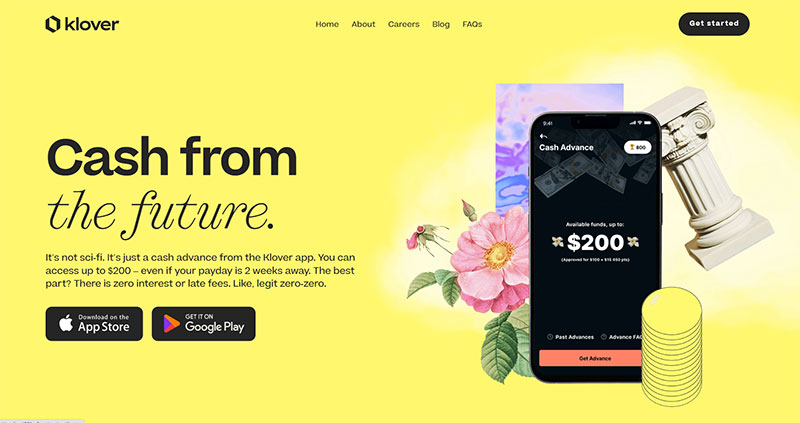
Klover provides fee-free cash advances by using a unique model. Instead of charging subscriptions or interest, the app uses your anonymized spending data for market research. You can also boost your advance limit by earning points through surveys, watching ads, and scanning receipts.
It’s a different approach to money borrowing that trades your data for cash access.
Advance Limits and Fees
Up to $200 (some sources report up to $400). The starting limit is usually around $25 to $50. You increase it by earning Klover Points through in-app activities.
No subscription fee is required for basic advances. No interest. Standard delivery (two to three business days) is free. Express delivery costs vary, reportedly up to $12.49 for larger amounts.
Speed of Funding
Standard takes two to three business days. Express delivery arrives within hours for a fee. If you can wait, you pay nothing.
Who It Works Best For
People who don’t mind earning points through ads and surveys to unlock higher advance amounts. Also works well for users who just need small amounts between paychecks and want to avoid monthly subscription fees entirely.
Subscription Cost
Free for basic use. Klover+ (financial management tools) costs $3.99/month but isn’t required for advances.
Credit Check Requirements
No credit check. Klover verifies your employment and income through your linked bank account.
Bank Account Compatibility
Works with most major banks through Plaid, including Varo. You need a U.S. checking account with regular direct deposits.
For people exploring different options for quick cash access, comparing alternatives to Klover can help find the right fit for your situation.
Standout Feature
No mandatory fees at all. If you’re patient enough to wait for standard delivery and willing to earn points, you can use Klover without spending a dime. That’s genuinely rare among cash advance apps.
What to Watch Out For
The points system feels gimmicky. Watching ads and taking surveys to unlock more borrowing power isn’t everyone’s idea of a good time. The express delivery fees are also higher than most competitors. And since Klover monetizes your financial data (even though it’s anonymized), privacy-conscious users might want to think twice.
The app interface is functional but not as polished as some of the bigger names on this list.
FAQ on The Best Cash Advance Apps
What are cash advance apps?
They’re mobile apps that let you borrow a small amount against your next paycheck before payday. Most don’t charge interest or run a credit check. You repay automatically when your direct deposit hits.
Do cash advance apps affect your credit score?
No. Most paycheck advance apps don’t report to credit bureaus, so borrowing won’t help or hurt your FICO score. There’s no hard pull during signup either. Apps like EarnIn, Dave, and Brigit all skip credit checks entirely.
What’s the most you can borrow from a cash advance app?
It depends on the app. EarnIn offers up to $750 per pay period. Dave caps at $500. Albert goes up to $1,000, though few users actually qualify for that maximum. Most people start with much lower limits.
Are cash advance apps better than payday loans?
Almost always. Payday loan alternatives like Brigit and Chime MyPay charge far less than traditional lenders, which can hit 400% APR. Cash advance apps typically charge small flat fees or optional subscriptions instead of compounding interest.
Do you need a bank account to use these apps?
Yes. Every cash advance app requires a linked U.S. checking account. Some, like Varo and Chime, require you to bank with them directly. Others, like Tilt, connect to your existing account through Plaid.
How fast can you get money from a cash advance app?
Instant transfers take minutes but cost a small fee. Free standard delivery usually takes one to three business days. Varo is an exception, offering instant funding to Varo accounts at no extra charge.
Can gig workers use cash advance apps?
Some apps work for gig workers, but many require traditional employment with consistent direct deposits. MoneyLion and Cleo tend to be more flexible with income verification. EarnIn requires a fixed work location, which rules out most freelancers.
What fees should you watch out for?
Monthly subscriptions ($5 to $15), instant transfer fees ($1 to $8), and mandatory per-advance charges. Dave charges both a membership fee and an overdraft service fee per advance. Always check the total cost before borrowing.
Can you use multiple cash advance apps at once?
Technically, yes. Nothing stops you from signing up for several apps. But stacking advances across EarnIn, Dave, and others creates overlapping repayment dates. That’s a fast track to overdraft fees and a debt cycle you don’t want.
What happens if you can’t repay a cash advance on time?
Most apps don’t charge late fees. But they will keep attempting to withdraw from your bank account, which can trigger overdraft fees from your bank. Brigit lets you extend your repayment date. Dave and Varo do not.
Conclusion
Picking from the best cash advance apps comes down to what you actually need. A one-time emergency fix looks different from a recurring cash flow gap.
EarnIn and Chime MyPay keep costs lowest with no subscription fees. Dave and Albert offer higher borrowing limits but charge more. Tilt works without forcing you into a new bank account, which matters if you’re happy with your current setup.
Check the total cost, not just the advertised fee. Subscriptions, express transfer charges, and automatic repayment timing all eat into your paycheck.
These apps are tools for short-term relief. They’re not a long-term financial strategy. If you’re reaching for one every pay period, that’s a sign your budget needs a deeper look.
Borrow the smallest amount that solves the problem. Pay it back on time. Move on.

- Build or Buy an AI Chatbot for E-commerce: The Costs Nobody Budgets For - October 24, 2026
- How to Run a React App in VS Code Step by Step - October 23, 2026
- Transactional or marketing email: which messages your app should send itself - October 23, 2026