Most people know they should be better with money. Few know where to actually start.
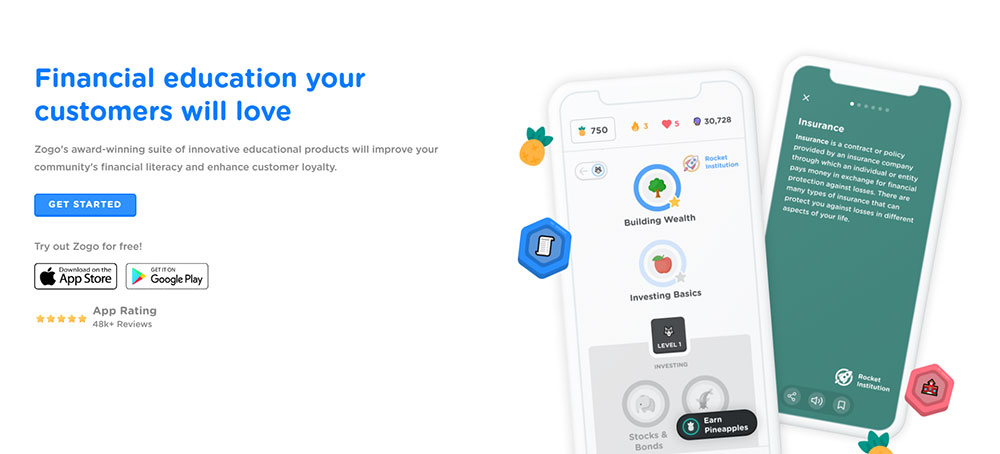
Zogo makes personal finance approachable through bite-sized modules, quiz-based learning, and a reward system that pays you in gift cards for completing lessons. It works. But it is not the only option.
Whether Zogo does not fit your learning style, you want something with more depth, or you are looking for an app that combines financial literacy with real money management, there are strong alternatives worth knowing about.
This guide covers the best apps like Zogo across every use case, from free financial education platforms to gamified budgeting tools and beginner investing apps that teach as they go.
Apps Like Zogo
Khan Academy

Khan Academy is a free educational platform that teaches personal finance through structured, self-paced courses for students, young adults, and lifelong learners. It covers budgeting, credit, debt, taxes, and investing with no paywalls, and runs on web, iOS, and Android.
What Does Khan Academy Do?
Khan Academy gives users access to a full personal finance curriculum broken into units, videos, and interactive exercises across web and mobile.
How Is Khan Academy Similar to Zogo?
- Both offer free financial literacy education
- Both use bite-sized lessons to teach money management basics
- Both are accessible to teens and young adults with no experience
How Is Khan Academy Different from Zogo?
Khan Academy does not offer gift card rewards for completing lessons. Zogo gamifies learning with pineapple points and a rewards system. Khan Academy is more structured and academic, covering taxes, insurance, and housing in full course format, not just quiz-based modules.
Who Is Khan Academy Best For?
Students and self-learners who want a free, curriculum-style personal finance education without needing reward incentives to stay motivated.
Key Features of Khan Academy
- Structured units: Covers budgeting, credit, debt, investing, taxes, and insurance
- Self-paced learning: No deadlines, no subscriptions
- Teacher tools: Educators can assign content directly to students
- Khanmigo AI tutor: Available free for teachers, $4/month for learners
Pricing
- Free plan: Yes, full access to all financial literacy content
- Paid plans: Khanmigo AI tutor at $4/month or $44/year
- Free trial: No trial needed; core content is fully free
YNAB (You Need A Budget)

YNAB is a zero-based budgeting app that teaches proactive money management for adults dealing with debt, overspending, or living paycheck to paycheck. It does not offer rewards for completing lessons but runs deep on financial education through daily workshops, guides, and methodology. Available on iOS, Android, web, Apple Watch, and Alexa.
What Does YNAB Do?
YNAB assigns every dollar a job using a zero-based budgeting system, combining hands-on budget tracking with free daily Zoom workshops and educational resources.
How Is YNAB Similar to Zogo?
| Attribute | YNAB | Zogo |
| Financial education | Yes, workshops and guides | Yes, quiz-based modules |
| Target audience | Adults building money habits | Teens and young adults |
| Debt and savings content | Covered in depth | Covered in modules |
How Is YNAB Different from Zogo?
YNAB costs $14.99/month or $109/year with no free plan beyond a 34-day trial. Zogo is free with optional gift card rewards. YNAB focuses on live budget tracking with real account syncing. Zogo is purely educational with no actual account management.
Who Is YNAB Best For?
Adults serious about breaking a paycheck-to-paycheck cycle who want a hands-on, methodology-driven budgeting system with real financial behavior change.
Key Features of YNAB
- Zero-based budgeting: Every dollar assigned before spending
- Free daily workshops: Zoom sessions on budgeting, debt, and savings
- Family sharing: Up to 6 people on one subscription
- Loan calculator: Built-in debt management tool
Pricing
- Free plan: No
- Paid plans: $14.99/month or $109/year
- Free trial: Yes, 34 days (no credit card required)
Acorns
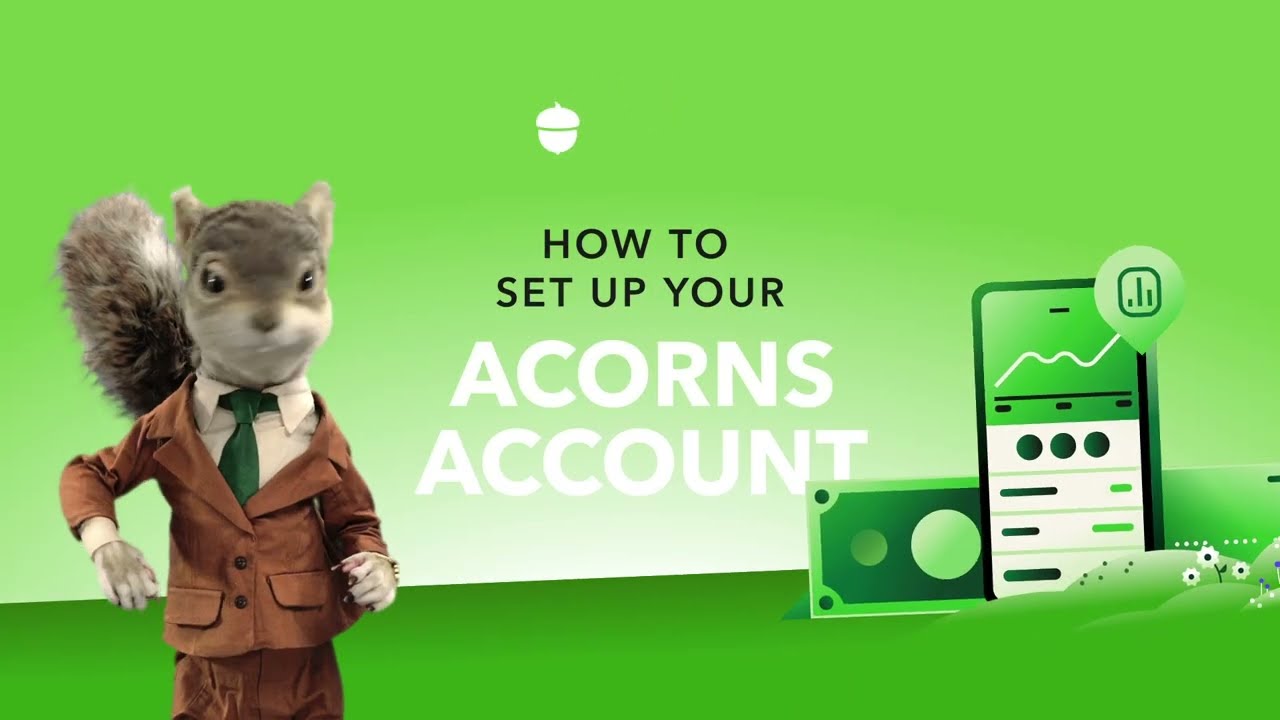
Acorns is a micro-investing app that automates savings and investing for beginners by rounding up spare change from everyday purchases and investing the difference into diversified ETF portfolios. Available on iOS and Android, with over 10 million users and $15 billion in assets under management.
What Does Acorns Do?
Acorns links to debit or credit cards, rounds up purchases to the nearest dollar, and invests the spare change automatically into expert-built ETF portfolios.
How Is Acorns Similar to Zogo?
Shared attributes:
- Both are aimed at beginners with little financial experience
- Both include educational content on money management basics
- Both are free to download and accessible on iOS and Android
How Is Acorns Different from Zogo?
Acorns actually invests your money. Zogo only teaches financial concepts. Acorns charges $3 to $9/month depending on the plan, while Zogo is free. Acorns includes retirement accounts, custodial investing for kids, and a checking account. Zogo has none of these.
Who Is Acorns Best For?
Beginners who want a hands-off way to start investing and building savings habits automatically, without having to pick stocks or manage portfolios manually.
Key Features of Acorns
- Round-Ups: Invests spare change from every purchase
- ETF portfolios: 5 pre-built portfolios from conservative to aggressive
- Acorns Later: IRA accounts for retirement savings
- Acorns Early: Custodial accounts for kids (Gold plan)
- Educational content: Money Basics blog, videos, and tutorials
Pricing
- Free plan: No
- Paid plans: Starting at $3/month (Personal), $5/month (Personal Plus), $9/month (Gold)
- Free trial: No
Greenlight

Greenlight is a family banking and financial literacy app that gives kids ages 6-18 a real debit card paired with parent controls, chore management, savings goals, and gamified money lessons. Plans start at $5.99/month for the whole family, covering up to 5 kids. Available on iOS and Android.
What Does Greenlight Do?
Greenlight lets parents manage allowances, set spending controls, and teach kids to save and invest, all through a shared app with separate parent and child experiences.
How Is Greenlight Similar to Zogo?
Both apps target young users learning personal finance skills. Both use gamification to make money concepts more engaging. Both cover savings, budgeting, and investing basics.
How Is Greenlight Different from Zogo?
Greenlight includes a real physical debit card. Zogo is purely educational with no banking features. Greenlight is designed for families with a parent-child structure. Zogo is a standalone app for individual learners. Greenlight costs $5.99 to $14.98/month. Zogo is free.
Who Is Greenlight Best For?
Parents with children ages 6-18 who want a combined banking tool and financial education platform with spending controls and real money experience.
Key Features of Greenlight
- Level Up game: In-app financial literacy game for kids and teens
- Debit card: Real Mastercard for each child, with parent controls
- Investing: Kids can invest in stocks and ETFs with parent approval
- Chore automation: Parents set chores and automate allowance payments
- Safety features: Location sharing, SOS alerts, and crash detection (higher tiers)
Pricing
- Free plan: No
- Paid plans: $5.99/month (Core), $9.98/month (Max), $14.98/month (Infinity)
- Free trial: No (first month free via some partner offers)
Stash

Stash is a robo-advisor and brokerage hybrid that helps beginners build investment portfolios in stocks and ETFs while providing personal finance education and banking features. It has around 1.5 million active monthly users and roughly $4 billion in managed assets. Available on iOS and Android.
What Does Stash Do?
Stash lets users invest in fractional shares, access automated Smart Portfolios, and open IRAs, all through a subscription app with built-in financial guidance content.
How Is Stash Similar to Zogo?
NerdWallet describes Stash as built for beginners who want guidance while learning to invest. Like Zogo, it delivers financial education in an accessible format. Both apps cover investing basics, savings habits, and personal finance skills for users who are just starting out.
How Is Stash Different from Zogo?
Key differences:
- Stash manages real money. Zogo does not.
- Stash charges $3/month (Growth) or $9/month (Stash+). Zogo is free.
- Stash offers brokerage accounts, IRAs, and a rewards debit card. Zogo offers gift cards earned through quiz modules.
Who Is Stash Best For?
Beginner investors who want a guided path into stock and ETF investing with financial education built in, and who are comfortable with a flat monthly fee.
Key Features of Stash
- Fractional shares: Start investing with as little as $5
- Smart Portfolio: Automated robo-advisor available on Growth and Stash+ plans
- Stock-Back debit card: Earns fractional stock instead of cash back
- Retirement accounts: Roth and traditional IRA access on Growth plan
Pricing
- Free plan: No
- Paid plans: $3/month (Growth), $9/month (Stash+)
- Free trial: No standard trial
Investmate

Investmate is a free financial education app built by Capital.com that teaches CFD trading, stock market basics, and investing fundamentals through short card-based lessons and quizzes. Available on iOS and Android.
What Does Investmate Do?
Investmate delivers 30+ bite-sized courses on trading, market analysis, and investing concepts, with each lesson completable in about 3 minutes.
How Is Investmate Similar to Zogo?
Both apps use short, quiz-based lessons to teach financial concepts. Both are free to download. Both target beginners with no prior investing knowledge.
How Is Investmate Different from Zogo?
Investmate focuses specifically on CFD trading and financial market analysis. Zogo covers broader personal finance topics like budgeting, credit, and savings. Investmate does not offer gift card rewards. Zogo’s reward system is one of its main draws.
Who Is Investmate Best For?
Beginners who want to learn about trading products, CFDs, and market strategy in structured short-form lessons, without committing to a paid platform.
Key Features of Investmate
- 30+ courses: Expert-built content from fundamentals to strategy
- 6 learning paths: Tailored by goal and experience level
- Financial glossary: Jargon-free definitions built into the app
- Pin feature: Save cards to revisit key concepts
Pricing
- Free plan: Yes, full access
- Paid plans: None
- Free trial: Not applicable
PocketGuard
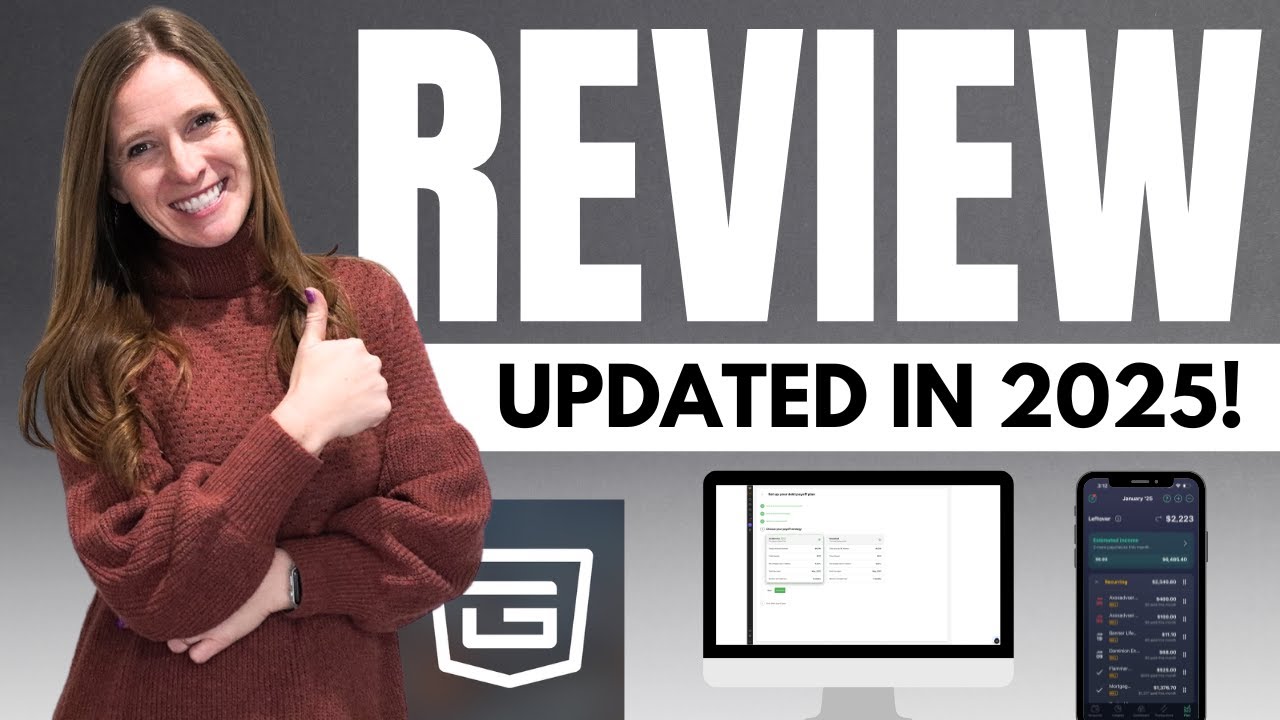
PocketGuard is a budgeting app that shows users exactly how much money they can spend after accounting for bills, savings goals, and recurring expenses. It has over 1 million members and is available on iOS and Android.
What Does PocketGuard Do?
PocketGuard syncs bank accounts and credit cards through Plaid and Finicity, then calculates a real-time “Leftover” number showing safe spending capacity after all obligations.
How Is PocketGuard Similar to Zogo?
Both apps help users build better money management habits. Both are available free at a basic level. Both are aimed at users who want simple, low-friction tools to understand their financial situation.
How Is PocketGuard Different from Zogo?
PocketGuard tracks real spending and account balances. Zogo is strictly educational. PocketGuard Plus costs $74.99/year or $12.99/month for full features. Zogo is free. PocketGuard does not offer rewards for engagement.
Who Is PocketGuard Best For?
People who overspend and need a real-time spending limit tool that syncs with their actual bank accounts to prevent financial mistakes.
Key Features of PocketGuard
- “Leftover” calculator: Real-time safe-to-spend amount after all expenses
- Account syncing: Connects via Plaid and Finicity
- Debt payoff planning: Available on PocketGuard Plus
- Subscription tracking: Identifies recurring charges automatically
Pricing
- Free plan: Yes, limited to 2 bank connections and basic features
- Paid plans: $12.99/month or $74.99/year (PocketGuard Plus)
- Free trial: Yes, 7 days
Stock Market Game (SIFMA Foundation)

The Stock Market Game is a free investment simulation program by the SIFMA Foundation that teaches students in grades 4-12 how to invest using a virtual $100,000 portfolio with real market data. It has reached nearly 20 million participants since 1977. Available on iOS and Android as a companion app.
What Does the Stock Market Game Do?
Students form teams, manage virtual portfolios of stocks, bonds, and mutual funds, and make real investment decisions using live market data, news alerts, and teacher-guided curriculum.
How Is It Similar to Zogo?
| Attribute | Stock Market Game | Zogo |
| Target audience | Students grades 4–12 | Teens and young adults |
| Format | Interactive, competitive | Quiz-based modules |
| Cost | Free | Free |
| Financial literacy focus | Yes, investing and markets | Yes, broad personal finance |
How Is It Different from Zogo?
The Stock Market Game is classroom-focused and requires registration through an active session. Zogo is a self-guided, individual app. The SMG focuses specifically on investing and stock market literacy. Zogo covers a wider range of personal finance topics including budgeting, credit, and debt.
Who Is It Best For?
Teachers and students in grades 4-12 who want a team-based, curriculum-aligned investing simulation with real market data and competition elements.
Key Features
- Virtual portfolio: $100,000 starting balance using real market data
- Team competition: Leaderboards and national essay competitions (INVESTwrite)
- Teacher support center: Lesson plans, assessments, and curriculum resources
- Cross-subject learning: Connects to math, economics, and social studies standards
Pricing
- Free plan: Yes, fully free for registered participants
- Paid plans: None
- Free trial: Not applicable
RoosterMoney

RoosterMoney is a family finance app that helps parents teach kids money management through chore tracking, allowance automation, savings goals, and a virtual bank account. Available on iOS and Android, it focuses on building financial habits in children aged 4-18.
What Does RoosterMoney Do?
RoosterMoney lets parents set up chores, automate allowance payments, and track children’s saving, spending, and giving goals through a parent-supervised virtual wallet.
How Is RoosterMoney Similar to Zogo?
Both apps focus on financial education for young users. Both build money habits through goal setting and task completion. Both are accessible on iOS and Android.
How Is RoosterMoney Different from Zogo?
RoosterMoney is designed for younger children and works through a parent-child model. Zogo is a standalone app for teens and young adults. RoosterMoney does not offer gift card rewards. It focuses on chore-linked allowance rather than quiz-based learning.
Who Is RoosterMoney Best For?
Parents of children ages 4-18 who want a structured chore-and-allowance system that teaches saving, giving, and spending in a supervised, age-appropriate format.
Key Features of RoosterMoney
- Chore tracker: Parents assign tasks and approve completions
- Automated allowance: Set recurring payments linked to chores or schedule
- Savings goals: Kids set targets and track progress visually
- Spend, save, give split: Teaches the three-bucket approach to money
Pricing
- Free plan: Yes, basic features available free
- Paid plans: RoosterMoney Plus at approximately $2.99/month or $23.99/year
- Free trial: Yes, available on Plus plan
Fortune City

Fortune City is a gamified expense tracking app that lets users manage their personal finances while building a virtual city. Every expense logged adds a building to your city. Available on iOS and Android.
What Does Fortune City Do?
Fortune City records income and expenses manually. Each transaction unlocks new buildings and citizens in a city simulation, making budgeting feel like playing a game.
How Is Fortune City Similar to Zogo?
Both apps use gamification to encourage financial habits in younger users. Both make money management more engaging through rewards and visual progress. Both are free to download.
How Is Fortune City Different from Zogo?
Fortune City tracks actual spending and income. Zogo teaches finance concepts through quizzes. Fortune City does not include educational modules or financial literacy courses. Zogo does not track real expenses.
Who Is Fortune City Best For?
People who struggle to stick with traditional budgeting apps and respond better to game-style motivation to log their daily income and expenses consistently.
Key Features of Fortune City
- City simulation: Grows with every logged transaction
- Expense categories: Customizable income and spending types
- Reports: Visual breakdowns of spending patterns over time
- Cloud sync: Available across devices on the premium plan
Pricing
- Free plan: Yes, core features available free
- Paid plans: Fortune City Premium at approximately $2.99/month
- Free trial: Available on the premium plan
What Makes an App a Zogo Alternative?
Zogo is a gamified financial literacy app that breaks personal finance topics into short quiz-based modules and rewards users with pineapple points redeemable for gift cards from Amazon, Starbucks, and Target.
Not every budgeting or investing app qualifies as an alternative. Three attributes define the category.
| Attribute | What It Means | Why It Matters |
| Financial education focus | Teaches money concepts, not just tracks them | Separates literacy apps from budgeting tools |
| Interactive or gamified format | Quizzes, modules, simulations, or game mechanics | Drives engagement and knowledge retention |
| Free or freemium access | No paywall blocking core content | Matches Zogo’s zero-cost model |
A pure budgeting app like Rocket Money does not qualify. It tracks spending but does not teach financial concepts.
An investing app like Robinhood does not qualify either, unless it includes structured financial education content alongside trading features.
Zogo’s target audience is teens, young adults, and beginners with little or no prior money management experience. Any qualifying alternative must serve a comparable audience or provide an accessible entry point for people starting from zero.
The global financial literacy platform market was valued at $2.8 billion in 2025, growing at 11.7% annually through 2034, according to Market Intelo. That growth is driven entirely by demand for digital, mobile-first education tools, exactly the category Zogo and its alternatives occupy.
Which Apps Teach Financial Literacy Like Zogo Does?
Junior Achievement data from 2025 shows that only 45% of high school students took a personal finance class at school, up from 31% in 2024. The gap is real, and these apps exist to fill it.
The three apps below match Zogo’s core model most closely: free access, structured financial education content, and an interactive learning format.
Khan Academy
Khan Academy’s personal finance curriculum covers budgeting, saving, credit, debt, taxes, insurance, and housing, organized into self-paced units with videos, exercises, and unit tests.
It is completely free, with no ads and no gift card rewards. The absence of a reward system is the main structural difference from Zogo.
- Sponsored by Walmart, Capital One, and Intuit for Education
- Teachers can assign content directly to students
- Khanmigo AI tutor available at $4/month for learners
- Available on web, iOS, and Android
Khan Academy suits self-directed learners who want depth and curriculum structure over gamified rewards. It has over 140 million registered users globally, according to Market Intelo’s 2025 report.
Investmate
A 2025 randomized controlled trial across four countries showed that game-based online financial education significantly improved students’ financial literacy scores among 2,220 participants, according to 11FS research.
Investmate by Capital.com delivers exactly this format. It offers 30+ bite-sized courses on CFD trading, investing fundamentals, stock market basics, and chart reading, with each lesson completable in around 3 minutes.
Format: Card-based lessons, interactive quizzes, 6 learning paths by goal and experience level.
Key difference from Zogo: Investmate focuses specifically on trading and market literacy. Zogo covers broader personal finance topics including budgeting, credit, and savings habits.
Fully free on iOS and Android. No reward system, but a pin feature lets users save and revisit key content.
Stock Market Game
Built for grades 4-12 by the SIFMA Foundation, which has served nearly 20 million participants since 1977.
Students manage a virtual $100,000 portfolio using real market data, making live investment decisions across stocks, bonds, and mutual funds.
This is the most structurally different from Zogo. It is team-based, classroom-registered, and competition-driven rather than a self-guided mobile app.
- Requires active session registration through a teacher
- Connects to math, economics, and social studies standards
- INVESTwrite national essay competition as a culminating activity
Free to registered participants. Best for students in a supervised learning environment rather than independent self-study.
Which Budgeting Apps Offer Financial Education Alongside Tracking?
According to the 2024 National Foundation for Credit Counseling survey, 47% of US adults give their personal finance knowledge a grade of C or worse. These apps serve that gap by combining real account tracking with built-in financial education content.
The distinction from pure literacy apps: these tools connect to real bank accounts and require users to apply concepts immediately, not just learn them.
YNAB
Zero-based budgeting methodology: every dollar is assigned a job before it is spent.
YNAB users report saving an average of $6,000 in their first year, according to YNAB’s internal data. That figure reflects behavioral change, not just app features.
Financial education is built into the platform through free daily Zoom workshops on budgeting, debt elimination, and savings strategy.
- Available on iOS, Android, web, Apple Watch, and Alexa
- Family sharing for up to 6 people on one subscription
- 34-day free trial, no credit card required
- $14.99/month or $109/year after trial
YNAB is not free. That alone separates it from Zogo. But for adults dealing with debt or paycheck-to-paycheck living, the education-plus-action combination justifies the cost.
PocketGuard
One direct statement covers it: PocketGuard shows you exactly how much you can spend today without breaking your budget.
The “Leftover” calculation pulls in all bank accounts via Plaid and Finicity, subtracts upcoming bills and savings commitments, and surfaces a single number in real time.
Free plan: 2 bank connections, basic spending categories.
PocketGuard Plus: $12.99/month or $74.99/year, adds debt payoff planning, financial goal setting, and unlimited connections.
No quizzes or structured financial courses. The education here comes from visibility, watching where money actually goes each month.
Fortune City
Gamified financial literacy shows real behavioral results. A longitudinal study spanning 2015-2021 found gamification triggered a 30% rise in savings among younger users and a fourfold increase in investment activity, according to 11FS research.
Fortune City makes expense tracking feel like a city-builder game. Every transaction logged adds a building or citizen to a growing virtual city.
No bank account syncing. Users log income and expenses manually, which builds awareness of spending patterns rather than automating them away. Closer to Zogo in spirit than YNAB, but focused on tracking instead of education.
Free to download, with Fortune City Premium at approximately $2.99/month for cloud sync and additional features.
Which Apps Combine Financial Education with Real Investing for Beginners?
The financial literacy app market is growing at a CAGR of 13.9% from 2025 to 2033, according to HTF Market Intelligence. The fastest-growing segment is apps that embed education directly inside real investment and banking tools.
These three apps go beyond teaching. They move users from learning personal finance skills to actually managing money.
Acorns
Acorns rounds up everyday purchases to the nearest dollar and invests the spare change into a diversified ETF portfolio automatically. Over $4 billion in spare change has been invested through Round-Ups alone, according to Acorns.
Educational layer: the Acorns Learn hub offers videos, articles, and tutorials on investing basics, compound interest, and retirement planning.
| Plan | Price | Key Feature |
| Personal | $3/month | Invest + IRA + checking |
| Personal Plus | $5/month | Adds priority support |
| Gold | $9/month | Adds Acorns Early for kids |
Acorns is not free. At a $3/month fee on a $100 account balance, the effective annual cost is 36%, as NerdWallet points out. Users need to invest consistently for the fee structure to make sense.
Stash
Stash blends DIY investing with guided financial education. Users pick individual stocks and ETFs in fractional shares while receiving personalized guidance based on their risk tolerance and savings goals.
Stock-Back debit card: earns fractional shares of brands users shop at instead of cash back. Interesting mechanic, though the reward amounts are small.
NerdWallet describes Stash as suited for beginners who want to “dip their toes into picking investments” without making all the decisions alone.
- $3/month (Growth): includes Smart Portfolio robo-advisor and IRA
- $9/month (Stash+): adds custodial accounts for two children
- Minimum $5 to begin investing
- Available on iOS and Android
Greenlight
Greenlight is the only app in this group built for families rather than individual learners. It gives kids ages 6-18 a real Mastercard debit card while parents maintain spending controls, chore tracking, and allowance automation.
The Level Up financial literacy game inside the app covers budgeting, saving, and investing basics through interactive challenges with a curriculum that exceeds national personal finance education standards, according to Greenlight.
Research shows only 23% of kids regularly talk to parents about money, according to Wall Street Survivor. Greenlight’s parent-child structure is built specifically to close that gap.
Plans: $5.99/month (Core), $9.98/month (Max with investing), $14.98/month (Infinity with identity protection).
Which Apps Teach Kids and Teens Money Skills Before Zogo?
68% of teens want financial education, but a 2024 Junior Achievement survey found many still cannot access it through school. Apps designed for younger children fill the gap before teens are ready for self-directed platforms like Zogo.
These tools are parent-mediated rather than self-guided. That structural difference is intentional.
RoosterMoney
Core model: parents assign chores, automate allowance payments, and supervise as children split money across spend, save, and give buckets.
The three-bucket framework gives children a concrete mental model for money management that transfers directly to adult personal finance habits.
- Designed for ages 4-18
- Available on iOS and Android
- Free plan covers basic chore and allowance tracking
- RoosterMoney Plus at approximately $2.99/month adds savings goals and parent insights
No investing features and no gift card rewards. RoosterMoney is a foundation-builder, not a financial literacy course. It works best as a stepping stone toward apps like Zogo or Greenlight for older kids.
Greenlight for Younger Kids
Gamified financial wellness programs see 45% higher participation rates and a 25% improvement in financial literacy scores among younger users, according to StriveCloud industry research.
Greenlight applies this directly. The Level Up game structures financial learning as a series of challenges children complete to unlock progress, with parents monitoring from a separate in-app view.
Where RoosterMoney is primarily an allowance management tool, Greenlight adds a physical debit card, real investing capability (with parental approval), and structured financial literacy content in one platform.
For families with children under 10, RoosterMoney is simpler and cheaper. For families with kids 10 and up who are ready for a real spending card and investment exposure, Greenlight is the stronger choice.
How Do Apps Like Zogo Compare Across Price, Platform, and Learning Format?
Only 27% of US adults correctly answered 5 or more out of 7 financial literacy questions in FINRA’s survey of 25,500 respondents. The variety of apps below reflects the range of ways people learn financial skills, from pure quizzes to real-money practice.
| App | Free? | Learning Format | Reward System | Best For |
| Khan Academy | Yes | Structured courses | No | Self-directed learners |
| Investmate | Yes | Card-based modules | No | Trading beginners |
| Stock Market Game | Yes (registered) | Portfolio simulation | Competition prizes | Grades 4-12 in school |
| YNAB | No ($109/yr) | Live workshops + tracking | No | Adults with debt |
| Acorns | No ($3+/mo) | Articles + videos | Cashback to portfolio | Passive beginner investors |
| Stash | No ($3+/mo) | Guided investing tips | Stock-Back card | Hands-on beginner investors |
| Greenlight | No ($5.99+/mo) | Game + real card | Savings rewards | Families, ages 6-18 |
| RoosterMoney | Partial | Chore + allowance | No | Young children, ages 4-10 |
| PocketGuard | Partial | Spending visibility | No | Adults who overspend |
| Fortune City | Partial | Gamified tracking | City-building progress | Visual, game-motivated learners |
For users who want the closest Zogo experience, Khan Academy and Investmate are the strongest free alternatives. Both deliver structured financial education in a mobile-first format with no cost barrier.
For users ready to apply what they learn with real money, Acorns and Stash are the natural next step. Both include educational content but require a paid subscription and an actual financial commitment.
The apps like Habitica show how habit-building through game mechanics extends well beyond finance, which is worth exploring if the gamification element of Zogo is what keeps you engaged rather than the finance content specifically.
Similarly, if your interest in fintech apps goes beyond education into payments, lending, and digital banking tools, the broader fintech category has options at every level of financial experience.
FAQ on Apps Like Zogo
What are the best free apps like Zogo for financial literacy?
Khan Academy and Investmate are the strongest free alternatives. Both offer structured financial education with no cost barrier. Khan Academy covers budgeting, credit, and investing. Investmate focuses on trading fundamentals through bite-sized, card-based lessons.
Do any apps pay you to learn about personal finance like Zogo does?
Zogo is one of the few apps that directly rewards users with gift cards for completing financial literacy modules. Some platforms like Acorns offer indirect rewards through cashback invested into your portfolio, but none replicate Zogo’s exact learn-and-earn model.
Which apps like Zogo are best for teenagers?
Greenlight and RoosterMoney are built for teens and younger kids. Greenlight includes a real debit card, a financial literacy game, and parent controls. The Stock Market Game by the SIFMA Foundation is also strong for high school students.
Are there apps like Zogo that also track your budget?
YNAB and PocketGuard combine money management education with real account tracking. YNAB teaches zero-based budgeting through daily workshops. PocketGuard shows a live safe-to-spend number after accounting for all bills and savings commitments.
What apps teach investing basics like Zogo teaches personal finance?
Investmate covers CFD trading and stock market fundamentals through short quizzes. Stash and Acorns go further by letting beginners invest real money while providing educational content on compound interest, ETFs, and retirement savings alongside the investing tools.
Is there a gamified financial education app for kids similar to Zogo?
Greenlight’s Level Up game uses challenges and rewards to teach budgeting, saving, and investing to kids ages 6-18. Fortune City gamifies expense tracking through a city-building mechanic. Both use game-based learning to build financial habits in younger users.
Can adults use apps like Zogo to improve their financial literacy?
Yes. Khan Academy’s personal finance curriculum suits adults at any level. YNAB offers free daily workshops on debt management and budgeting. According to FINRA, only 27% of US adults passed a basic financial literacy test, so the need is real.
What is the difference between Zogo and a budgeting app?
Zogo teaches financial concepts through quiz-based modules. It does not connect to bank accounts or track spending. Budgeting apps like PocketGuard and YNAB work with real account data. They apply financial skills in practice rather than teaching them through structured lessons.
Are there apps like Zogo that also help with investing for beginners?
Acorns and Stash both combine beginner investing education with real money tools. Acorns automates micro-investing through Round-Ups. Stash lets users pick fractional shares while receiving guided personal finance tips based on their goals and risk tolerance.
Which app is most similar to Zogo overall?
Investmate is the closest match in format: free, mobile-first, bite-sized lessons, and quiz-based progression. For users who want Zogo’s reward system, no app replicates it exactly. Khan Academy offers the broadest personal finance education coverage without a paywall.
Conclusion
This article on apps like Zogo covered the full range of options available for building financial skills, from free quiz-based platforms to family banking tools and beginner investing apps.
The right choice depends on what you actually need. Pure education with no cost? Khan Academy or Investmate. Real money management with a learning layer? YNAB or Acorns. A tool for your kids? Greenlight or RoosterMoney.
No single app covers everything. Most people benefit from combining a financial education platform with a budgeting or investing tool as their money habits develop.
Start with one app. Build the habit. Then expand from there as your credit score awareness, savings goals, and investing confidence grow over time.

- How to Run a React App in VS Code Step by Step - October 23, 2026
- Transactional or marketing email: which messages your app should send itself - October 23, 2026
- How Software Teams Write SOPs for Releases and Deployments - October 22, 2026