FaceTime is great, until the person you want to call is on Android.
Apple’s video calling app works beautifully inside its own ecosystem, but it locks out roughly half the world’s smartphone users by default. If you have ever needed a cross-platform video call that just works on any device, you already know the problem.
The good news: there are several free video calling apps that match or beat FaceTime on features, group call capacity, and privacy, all without requiring an Apple ID.
This guide covers the best apps like FaceTime available right now, including options for large group calls, end-to-end encrypted communication, and international calling to regular phone numbers.
Apps Like FaceTime
FaceTime works great if everyone you call uses Apple. The second someone picks up an Android phone or a Windows PC, you’re stuck. That’s where these alternatives come in.
WhatsApp has 3 billion monthly active users (Statista, 2025). Zoom holds a 55% share of the video conferencing market. The options below cover everything from private one-on-one calls to group video sessions with hundreds of people.

WhatsApp is a free messaging and video calling app that lets users make HD voice and video calls over the internet for any device type. It works across iOS, Android, and desktop, and syncs directly with your phone contacts.
What Does WhatsApp Do?
WhatsApp lets users send messages, make voice calls, and start video calls over Wi-Fi or mobile data using just a phone number as their login.
How Is WhatsApp Similar to FaceTime?
- Both offer free one-on-one and group video calls
- Both use end-to-end encryption by default
- Both support HD video and require no paid subscription for personal use
How Is WhatsApp Different from FaceTime?
Cross-platform support is the main one. WhatsApp runs on Android, iOS, and desktop. FaceTime is Apple-only.
WhatsApp also supports screen sharing during video calls and allows group calls with up to 32 participants. FaceTime caps at 32 as well, but only for Apple users.
Who Is WhatsApp Best For?
WhatsApp suits anyone who needs free international video calling across mixed device types, especially families and small teams spread across different platforms.
Key Features of WhatsApp
- Group video calls: Up to 32 participants
- Screen sharing: Available during active video calls
- Encryption: End-to-end by default on all calls and messages
- Platforms: iOS, Android, Windows, macOS, web
Pricing
- Free plan: Yes, fully featured for personal use
- Paid plans: WhatsApp Plus (cosmetic subscription) from EUR 2.49/month in Europe
- Free trial: No trial needed, core features are free
Google Meet

Google Meet is a cross-platform video calling app built by Google, designed for both personal and professional real-time video communication. It runs entirely in the browser and supports iOS, Android, and desktop without any required download.
What Does Google Meet Do?
Google Meet lets users start or join HD video calls from any browser or mobile device, with live captions, screen sharing, and AI-powered meeting summaries on paid tiers.
How Is Google Meet Similar to FaceTime?
| Feature | Google Meet | FaceTime |
| Free Video Calls | Yes (60-minute limit for group calls) | Yes (No strict time limit) |
| Group Video Calls | Up to 100 (Free) / Up to 1,000 (Enterprise) | Up to 32 participants |
| Encryption | Encrypted in transit; E2EE for 1:1 calls | End-to-End Encrypted (E2EE) by default |
| Cross-Platform | Native on iOS, Android, and Web | Native on Apple; Android/Windows join via Web Link |
| Call Initiation | Anyone with a Google account | Apple users only (Non-Apple can only join via link) |
| Key Advantage | Professional tools (Live captions, scheduling) | Deep iOS integration (Spatial audio, Memoji) |
How Is Google Meet Different from FaceTime?
Google Meet supports up to 100 participants on the free plan, vs. FaceTime’s 32. It also runs in any web browser with no app installation needed.
Google Meet ties into Google Calendar and Gmail, making it a natural pick for anyone inside the Google ecosystem already.
Who Is Google Meet Best For?
Google Meet suits individuals and teams already using Google Workspace who want browser-based video calls without installing extra software.
Key Features of Google Meet
- Participants: Up to 100 on free plan, 500 on paid
- Meeting length: 60 minutes for group calls on free tier
- Live captions: Available in multiple languages
- AI summaries: Included on paid Workspace tiers
Pricing
- Free plan: Yes, 100 participants, 60-minute group calls
- Paid plans: From $7/user/month (Google Workspace Business Starter)
- Free trial: Yes, 14 days for Workspace plans
Zoom
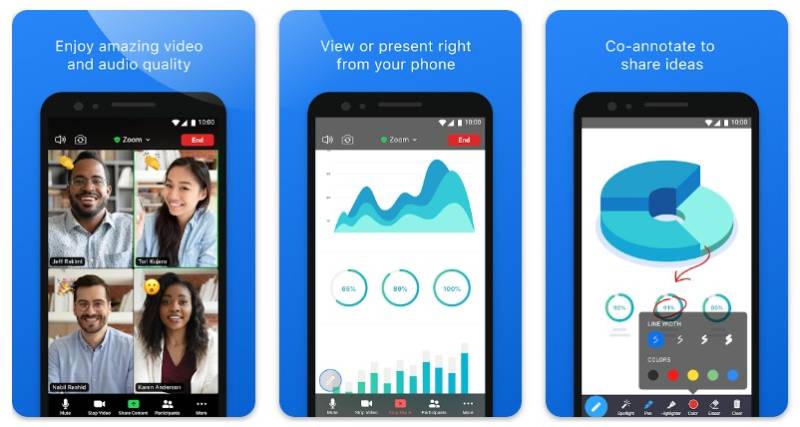
Zoom is a video conferencing app designed for both personal calls and professional meetings, used by individuals, businesses, and educational institutions globally. It supports iOS, Android, Windows, and macOS.
What Does Zoom Do?
Zoom lets users host or join video meetings with HD audio and video, screen sharing, breakout rooms, and AI-powered meeting summaries across all major platforms.
How Is Zoom Similar to FaceTime?
Both offer free HD video calls, group calling features, and screen sharing. Both work on iOS and macOS.
Zoom also supports one-on-one calls with no time limit on any plan, similar to FaceTime’s always-free personal calling.
How Is Zoom Different from FaceTime?
Zoom supports up to 1,000 participants on paid plans. FaceTime caps at 32.
The free Zoom plan limits group calls to 40 minutes. FaceTime has no time limits. Zoom also includes breakout rooms, webinar hosting, and enterprise admin controls that FaceTime simply doesn’t have.
Who Is Zoom Best For?
Zoom suits professionals and teams who need structured video meetings with large participant counts, recording, and productivity tools beyond basic calling.
Key Features of Zoom
- Free group calls: Up to 100 participants, 40-minute limit
- Breakout rooms: Split into up to 50 sub-groups
- AI Companion: Meeting summaries at no extra cost on paid plans
- Webinar support: Up to 50,000 attendees with add-on
Pricing
- Free plan: Yes, 100 participants, 40-minute group calls
- Paid plans: From $13.33/user/month (Zoom Pro, annual billing)
- Free trial: No formal trial, but free plan available
Microsoft Teams

Microsoft Teams is a collaboration and video calling platform that replaced Skype after Microsoft shut it down in May 2025. It supports iOS, Android, Windows, and macOS, with deep integration across Microsoft 365 tools.
What Does Microsoft Teams Do?
Microsoft Teams lets users chat, make video calls, share files, and collaborate on Word, Excel, and PowerPoint documents inside a single app.
How Is Microsoft Teams Similar to FaceTime?
Both offer free HD video calling and group calls. Teams’ free plan allows up to 100 participants in a 60-minute group call, comparable to FaceTime’s group call experience.
Both support screen sharing and work across mobile and desktop devices.
How Is Microsoft Teams Different from FaceTime?
Document collaboration is where Teams pulls away. Users can co-edit Word or Excel files live during a call. FaceTime has no equivalent.
Teams also supports up to 300 participants on the Essentials plan and up to 20,000 in Teams Town Halls. FaceTime maxes out at 32.
Who Is Microsoft Teams Best For?
Teams suits businesses and teams already on Microsoft 365 who want video calling, chat, and file collaboration in one place without paying for extra tools.
Key Features of Microsoft Teams
- Free plan: 100 participants, 60-minute group calls, 5 GB storage
- Together Mode: Shared virtual space to reduce call fatigue
- Microsoft 365 integration: Word, Excel, PowerPoint, OneDrive
- Town Halls: Up to 20,000 attendees on enterprise plans
Pricing
- Free plan: Yes, 100 participants, 60-minute meetings, 5 GB cloud storage
- Paid plans: From $4/user/month (Teams Essentials)
- Free trial: Yes, included with Microsoft 365 trials
Signal
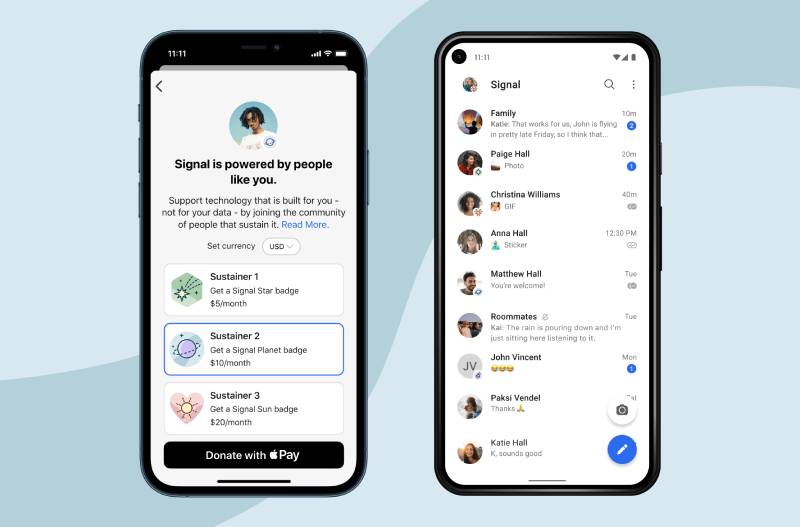
Signal is a privacy-focused messaging and video calling app built by the non-profit Signal Technology Foundation. It is open-source, independently audited, and available on iOS, Android, and desktop.
What Does Signal Do?
Signal lets users make encrypted voice calls, video calls, and send messages with zero data collection, using end-to-end encryption for every interaction by default.
How Is Signal Similar to FaceTime?
Both use end-to-end encryption, both are free, and both support one-on-one and group video calls. Signal supports up to 40 participants in a group call, which is more than FaceTime’s 32.
How Is Signal Different from FaceTime?
Privacy architecture is the core difference. Signal collects no metadata, stores no call logs, and operates on a non-profit model with no advertising. FaceTime, while encrypted, is tied to Apple’s ecosystem and an Apple ID.
Signal also works on Android, which FaceTime does not.
Who Is Signal Best For?
Signal suits privacy-conscious users, journalists, activists, and anyone who wants encrypted video calls without tying communication to a commercial platform.
Key Features of Signal
- Encryption: End-to-end on all calls, messages, and files by default
- Group calls: Up to 40 participants
- Data collection: None, no ads, no trackers
- Platforms: iOS, Android, Windows, macOS, Linux
Pricing
- Free plan: Yes, fully featured with no limits
- Paid plans: No paid tiers
- Free trial: Not applicable
Telegram
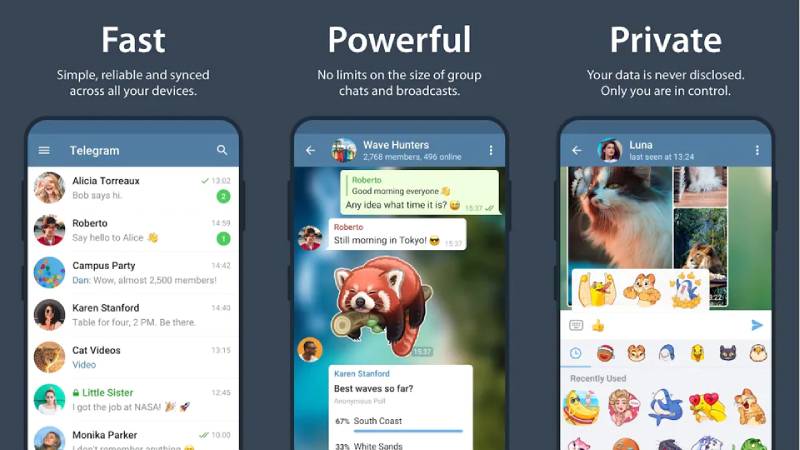
Telegram is a cloud-based messaging and video calling app with over 900 million monthly active users (FaceCall, 2025). It supports iOS, Android, and desktop, and is known for its large group capacity and fast file sharing.
What Does Telegram Do?
Telegram lets users send messages, share files up to 4 GB, and host group video calls with up to 30 live participants and 1,000 viewers simultaneously.
How Is Telegram Similar to FaceTime?
- Free video and voice calling
- Works on iOS and Android
- Supports screen sharing during calls
How Is Telegram Different from FaceTime?
Telegram’s group video calls support 1,000 viewers at once. FaceTime caps at 32. Telegram also stores messages in the cloud across all devices, while FaceTime doesn’t persist call history in the same way.
One tradeoff: end-to-end encryption is not on by default in regular Telegram chats. You need to start a “Secret Chat” manually. FaceTime encrypts everything end-to-end automatically.
Who Is Telegram Best For?
Telegram suits large communities, content creators, and tech-savvy users who need big group calls, fast file sharing, and flexible messaging tools.
Key Features of Telegram
- Group video: 30 active cameras, 1,000 viewers
- File sharing: Up to 4 GB per file on Premium
- Voice chats 2.0: Podcast-quality group audio recording
- Bots and channels: Built-in automation and broadcast tools
Pricing
- Free plan: Yes, full video calling and messaging
- Paid plans: Telegram Premium at $4.99/month
- Free trial: No
Facebook Messenger

Facebook Messenger is a standalone messaging and video calling app owned by Meta, with over 1 billion monthly active users. It works on iOS, Android, and desktop, and connects to your Facebook contact network automatically.
What Does Facebook Messenger Do?
Messenger lets users send messages, make video or voice calls, and host group video chats with up to 50 participants, with end-to-end encryption enabled by default since late 2023.
How Is Facebook Messenger Similar to FaceTime?
Both offer free video calls with no time limits, support group calling, and require no per-call payment. Both run on iOS and include screen sharing.
How Is Facebook Messenger Different from FaceTime?
Reach is the main factor. Most people already have Messenger installed through Facebook. That makes it easier to call contacts who may not use Apple devices at all.
Messenger also supports chatbot integrations and business messaging tools, which FaceTime doesn’t offer. The tradeoff is that Messenger’s privacy model is tied to Meta’s ad ecosystem.
Who Is Facebook Messenger Best For?
Messenger suits casual users who want to video call friends and family already on Facebook, without asking them to download a separate app.
Key Features of Facebook Messenger
- Group video calls: Up to 50 participants
- Encryption: End-to-end by default since late 2023
- Platforms: iOS, Android, web, desktop
- Payment transfers: Supported in select regions
Pricing
- Free plan: Yes, fully featured
- Paid plans: No paid tiers for personal use
- Free trial: Not applicable
Discord

Discord is a voice, video, and text communication platform with around 200 million monthly active users (FaceCall, 2025). It started as a tool for gamers but has expanded into a general-purpose community platform used by friend groups, creators, and remote teams.
What Does Discord Do?
Discord lets users join persistent voice and video channels, host group video calls with screen sharing, and build community servers with organized chat channels.
How Is Discord Similar to FaceTime?
Both support free video calls and screen sharing. Discord’s video calls support up to 25 participants on the free plan (50 with Nitro), and like FaceTime, there’s no per-call fee.
How Is Discord Different from FaceTime?
| Feature | Discord | FaceTime |
| Always-on voice channels | Yes (Drop-in/drop-out) | No (Requires active call) |
| Screen sharing | Yes (Nitro: 4K 60fps; Free: 720p 30fps) | Yes (via SharePlay) |
| Community servers | Yes (Roles, channels, bots) | No (Group calls only) |
| Device availability | Universal (Windows, Mac, iOS, Android, Linux) | Apple ecosystem (Web for non-Apple joiners) |
Who Is Discord Best For?
Discord suits friend groups, gaming communities, and online communities who want a persistent space for voice and video without scheduling formal calls.
Key Features of Discord
- Video participants: 25 free, 50 with Nitro
- Go Live: Stream games or apps at 1080p 60fps (Nitro)
- Noise suppression: Krisp-powered background noise removal
- Community servers: Unlimited members per server
Pricing
- Free plan: Yes, full voice and video calling
- Paid plans: Discord Nitro at $9.99/month
- Free trial: No
Viber

Viber is a messaging and VoIP calling app with around 260 million monthly active users (FaceCall, 2025). It is popular in Eastern Europe, the Middle East, and Southeast Asia, and supports iOS, Android, Windows, and macOS.
What Does Viber Do?
Viber lets users make free app-to-app voice and video calls, send messages, and call mobile or landline numbers internationally at low per-minute rates through Viber Out.
How Is Viber Similar to FaceTime?
Both offer free video calls, both encrypt communications end-to-end, and both sync with your existing phone contacts automatically. Viber’s group video calls support up to 20 participants.
How Is Viber Different from FaceTime?
Viber Out is a feature FaceTime doesn’t have at all. It lets you call regular phone numbers (landlines and mobiles) at rates as low as $0.01-$0.05 per minute, which is useful for international calling outside the app.
Viber also works on Android 5.0 and above, older than WhatsApp’s requirement of Android 4.1, making it more accessible on budget devices.
Who Is Viber Best For?
Viber suits users who need free in-app video calls plus affordable international calls to regular phone numbers, especially in regions where Viber has high adoption.
Key Features of Viber
- Group video calls: Up to 20 participants
- Viber Out: Calls to landlines and mobiles at low per-minute rates
- Encryption: End-to-end on personal chats by default
- Platforms: iOS, Android (5.0+), Windows, macOS
Pricing
- Free plan: Yes, all in-app calls and messages are free
- Paid plans: Viber Out credits from $0.01/minute depending on region
- Free trial: No, but free plan covers most use cases
Skype (Discontinued)

Skype was one of the original cross-platform video calling apps, first launched in 2003. Microsoft officially shut it down in May 2025 and migrated users to Microsoft Teams. It’s worth mentioning here because many people still search for it as a FaceTime alternative.
What Did Skype Do?
Skype offered free video calls, group calls for up to 100 participants, and paid calls to landlines and mobile numbers through Skype Credit.
How Was Skype Similar to FaceTime?
Both offered free one-on-one video calling, worked on iOS and macOS, and required no per-call fee for app-to-app calls.
How Was Skype Different from FaceTime?
Skype worked across all platforms, including Android and Windows, long before FaceTime expanded beyond Apple. It also supported paid calls to regular phone numbers, which FaceTime never offered.
That said, Skype’s interface aged poorly and call quality fell behind competitors like Zoom and WhatsApp. By the time Microsoft closed it, most users had already moved on.
Who Should Use Skype Now?
Skype is no longer available. Former users should switch to Microsoft Teams (which received automatic account migration) or one of the other options listed here.
Key Features (Historical)
- Group video calls: Up to 100 participants
- Paid landline calls via Skype Credit
- Cross-platform: iOS, Android, Windows, macOS, web
- End-to-end encryption on voice and video
Pricing (Historical)
- Free plan: Yes, for app-to-app calls
- Paid plans: Skype Credit and subscriptions for landline calls
- Status: Discontinued May 2025
What Makes a Good FaceTime Alternative?
FaceTime is a strong app inside Apple’s walls. Outside them, it collapses fast.
Android users can only join FaceTime calls via a browser link. They cannot initiate one. That single limitation is the reason most people look elsewhere for free video calling in the first place.
The video conferencing market reached $14.2 billion in revenue in 2024, according to Zebracat, with 54% of first-time users joining a video call for personal rather than professional reasons. The demand for casual, cross-platform calling has never been higher.
So what separates a solid FaceTime alternative from a mediocre one? Five attributes matter most.
- Cross-platform support: Works on iOS, Android, Windows, macOS, and ideally a web browser
- Default encryption: End-to-end encryption on by default, not buried in settings
- Group call capacity: At least 30 participants free, with no hidden time caps
- Contact sync method: Phone number or email login, no friction for new users
- Data performance: Usable on slower connections, not just fiber-speed Wi-Fi
Screen sharing is table stakes now. 44% of users say it is the most valuable collaboration feature in video calls, according to Zebracat.
One more thing worth flagging: only 32% of organizations use end-to-end encryption by default (Zebracat, 2025). That gap matters, especially if you are calling across apps you do not fully control.
Which App Is Closest to FaceTime on Android?
Two apps come closest: Google Meet for structure, WhatsApp for behavior.
Google Meet comes pre-installed on most Android devices. It syncs with your Google account and needs no download friction. WhatsApp uses your phone number as the login and mirrors your existing contact list automatically, which is exactly how FaceTime works on iPhone.
| Attribute | Google Meet | FaceTime | |
| Login Method | Google account | Phone number | Apple ID |
| Android Initiation | Yes, full | Yes, full | No |
| Free Group Cap | 100 participants | 32 participants | 32 participants |
| Screen Sharing | Yes | Yes | Limited |
| SharePlay Equivalent | No | No | Yes (Apple only) |
Neither app replicates FaceTime’s SharePlay or Continuity Camera features. Those are deeply tied to Apple’s hardware stack and are unlikely to appear anywhere else.
The practical split: use WhatsApp for casual family calls where everyone already has it. Use Google Meet when you need more than 32 people or want a browser-accessible link you can send to anyone.
Google Meet’s adoption among educational and enterprise sectors grew by 35% following its deeper integration into Google Workspace, according to a 2023 Gartner-cited analysis. That adoption pattern has carried into consumer use.
Worth noting: when an Android user gets a FaceTime link, they join via facetime.apple.com in Chrome or Edge. They get basic controls only: mute, video toggle, and leave. No Memoji, no filters, no reactions. It works, but barely.
How Do Free Video Calling Apps Compare on Privacy and Encryption?
Most apps claim to be “secure.” The actual differences come down to three things: what gets encrypted, what metadata gets collected, and who owns the company.
End-to-end encryption adoption in major apps rose to 67% in 2024, up from 39% in 2021 (TechKV). But encryption coverage and data collection are separate questions.
| App | E2EE Default | Metadata Collection | Owner |
| Signal | Yes, all calls and messages | Virtually none | Non-profit foundation |
| Yes, all calls and messages | Extensive (Meta ad ecosystem) | Meta | |
| Telegram | No (Secret Chats only) | Cloud messages stored in plain text | Telegram FZ-LLC |
| Facebook Messenger | Yes (since late 2023) | Tied to Meta ad infrastructure | Meta |
| FaceTime | Yes, all calls | Apple ID-linked, minimal | Apple |
Signal’s data exposure record is notable. When served with a court order, Signal could only produce two data points about a user: the account creation date and the last connection time. That is the entire data profile.
WhatsApp uses the same Signal Protocol for encryption. The content of your calls is encrypted. But Meta builds a detailed behavioral profile from metadata: who you call, when, how often, from which IP address.
Telegram is the most commonly misunderstood. Regular group chats on Telegram are stored unencrypted on Telegram’s servers. Secret Chats offer E2EE, but only between two people. No group Secret Chats. Its encryption protocol (MTProto) is also proprietary and less independently reviewed than the Signal Protocol used by Signal and WhatsApp.
34% of enterprises listed data privacy as their top concern when selecting a video platform in 2024 (TechKV). For personal calls involving sensitive conversations, that concern applies equally to individuals.
Which Apps Support the Largest Group Video Calls for Free?
Participant limits vary more than most people expect. The difference between 25 and 1,000 is not marketing noise. It is a real constraint that determines whether an app works for your family reunion or your online community.
Key distinction: “viewers” and “active video participants” are not the same. Telegram allows 1,000 people to watch a group call, but only 30 can broadcast their cameras simultaneously. Discord and Zoom allow all active participants to show video.
| App | Free Participants | Time Limit (Free) | Best For |
| Telegram | 1,000 viewers, 30 active | None | Large-scale broadcasts |
| Google Meet | 100 | 60 minutes | Simple, browser-based calls |
| Microsoft Teams | 100 | 60 minutes | Professional collaboration |
| Zoom | 100 | 40 minutes | Feature-rich structured meetings |
| Discord | 25 (Video) / Unlimited (Voice) | None | Gaming and persistent communities |
| 32 | None | Personal and mobile group calls | |
| FaceTime | 32 | None | Apple ecosystem users |
Zoom’s 40-minute cap trips up more people than its participant limit. It is a real friction point for anything longer than a quick check-in. WhatsApp, Signal, Telegram, and Discord have no call time limits at all on free plans.
Mobile now accounts for 42% of all video conferencing sessions, up from significantly lower figures pre-2020 (Zebracat, 2025). Group calls on mobile favor apps with lightweight interfaces. Telegram and WhatsApp both perform better on older Android hardware than Zoom or Teams.
What Are the Key Differences Between FaceTime and Its Main Alternatives?
Platform availability is the most fundamental divide. Every app in this list runs on Android. FaceTime does not.
The second divide is account requirements. Some apps need nothing but a phone number. Others require email registration and account creation. Jitsi Meet needs nothing at all.
Apps That Work Without Creating an Account
Jitsi Meet is the only mainstream option that requires zero registration.
- No account, no phone number, no email
- Open a browser, create a room name, share the link
- Supports up to 75-100 participants with E2EE
This matters for one-off calls with people you do not want to exchange personal contact details with. No other major app in this comparison offers that.
Signal, WhatsApp, and Viber all require a phone number for registration, similar to FaceTime’s Apple ID requirement. Zoom and Google Meet use email accounts.
Apps That Replace FaceTime for Business Use
Three clear options, each suited to a different context.
Microsoft Teams is the natural replacement for anyone on Microsoft 365. It replaced Skype after Microsoft shut it down in May 2025, and most former Skype users were automatically migrated. Paid plans start at $4/user/month.
Google Meet suits Google Workspace users who want video calling bundled into their existing Gmail and Calendar setup. Free tier covers most personal use cases at 100 participants and 60-minute sessions.
Zoom holds roughly 55% of the global video conferencing software market (Statista, 2024). It remains the default for structured professional calls, especially webinars and large team meetings, with paid plans starting at $13.33/user/month.
For teams that split between Apple and non-Apple devices, a company like a small creative studio or a distributed family business, Google Meet tends to win on pure friction reduction. No install required, no ecosystem dependency, works in any modern browser.
How Do You Choose the Right FaceTime Alternative for Your Situation?
The right app depends on who you call, how many people are involved, and whether privacy matters more than convenience.
Start here.
Who are you calling?
- All Apple users: FaceTime already works. You do not need an alternative.
- Mixed Apple and Android: WhatsApp or Google Meet. Both sides initiate calls freely.
- Large group (30+ people): Google Meet, Zoom, or Telegram depending on structure needed.
Does privacy come first?
Use Signal. No metadata collection, no corporate owner, no ad ecosystem. It runs on Android, iOS, and desktop. The free video calling works well on slower connections.
If privacy matters but you need the network reach of a popular app, WhatsApp is the compromise. Its message content is encrypted, but Meta builds a behavioral profile from your usage patterns.
Do you need to call regular phone numbers?
Viber Out is the only app in this list that lets you call landlines and mobile numbers outside the app at low per-minute rates (from $0.01/min depending on region). None of the others offer this at competitive rates for general use.
Business context?
- Microsoft 365 shop: Teams, already included in most plans
- Google Workspace: Meet, bundled at no extra cost
- Standalone meeting tool: Zoom, best feature depth for structured calls
The average user now attends 5.4 video calls per week, up from 3.8 two years ago (Zebracat, 2025). Picking the wrong app for your situation adds friction every single time. Most people end up with two or three apps installed for different contexts. That is normal. WhatsApp for personal, Google Meet or Zoom for work, and Signal if privacy is a real concern.
Also worth checking out: if you are exploring apps like Monkey for spontaneous video calls with new people, or apps like Periscope for live video streaming to an audience, those are distinct use cases that the apps above do not cover well.
FAQ on Apps Like FaceTime
What is the best app like FaceTime for Android?
WhatsApp is the closest match. It uses your phone number as login, syncs with existing contacts, and supports free HD video calls with end-to-end encryption by default. Google Meet is a strong second option, especially if you need browser access.
Can Android users join a FaceTime call?
Yes, but only as guests. An iPhone user must generate a FaceTime link and share it. Android users join via Chrome or Edge browser. They cannot initiate calls. Features like Memoji and SharePlay are unavailable on the Android side.
Which free video calling app supports the most participants?
Telegram supports up to 1,000 viewers with 30 active cameras simultaneously. Google Meet and Microsoft Teams allow 100 participants on free plans. Zoom caps free group calls at 100 participants but limits sessions to 40 minutes.
Is WhatsApp video calling as secure as FaceTime?
Message content is equally encrypted. Both use end-to-end encryption by default. The difference is metadata. WhatsApp is owned by Meta, which collects behavioral data for advertising. FaceTime collects significantly less and ties data only to your Apple ID.
What app replaced Skype after it shut down?
Microsoft shut down Skype in May 2025 and migrated users to Microsoft Teams. Teams offers the same core video calling features plus deeper Microsoft 365 integration, better group call capacity, and improved security compared to Skype.
Which video calling app uses the least mobile data?
WhatsApp and Signal both perform well on low-bandwidth connections. Signal includes a “Use Less Data” option in settings. Both apps run on older Android devices without significant performance issues, making them practical for users on limited data plans.
Is there a video calling app that needs no account?
Jitsi Meet requires no registration. Open a browser, create a room name, and share the link. It supports up to 75-100 participants with end-to-end encryption and works on any device. No phone number or email needed.
Which app is best for private, encrypted video calls?
Signal is the top choice. It applies end-to-end encryption to all calls, messages, and files by default. When served a court order, Signal could only produce two data points: account creation date and last connection time. No metadata is stored.
Can I use FaceTime alternatives for international calls?
Yes. WhatsApp, Signal, Telegram, and Google Meet all support free international video calls to other app users. Viber goes further with Viber Out, which lets you call landlines and mobile numbers internationally at low per-minute rates.
What is the best FaceTime alternative for group calls with family?
WhatsApp works well for most families since nearly everyone already has it. It supports 32 participants, needs no new accounts, and is fully cross-platform. For larger gatherings over 32 people, Google Meet handles up to 100 for free.
Conclusion
This conclusion is for an article presenting apps like FaceTime, and the core takeaway is simple: no single app wins for every situation.
WhatsApp covers most personal use cases. Signal is the right call when privacy matters. Google Meet and Microsoft Teams handle professional video conferencing without requiring a paid subscription to get started.
For large group video calls, Telegram and Zoom push well beyond FaceTime’s 32-participant cap. Discord suits communities that want persistent voice channels rather than scheduled calls.
Viber is the only option here with affordable VoIP calling to landlines and regular mobile numbers internationally.
Pick based on who you call, not which app has the longest feature list. Install two or three. That is what most people actually do.

- Build or Buy an AI Chatbot for E-commerce: The Costs Nobody Budgets For - October 24, 2026
- How to Run a React App in VS Code Step by Step - October 23, 2026
- Transactional or marketing email: which messages your app should send itself - October 23, 2026