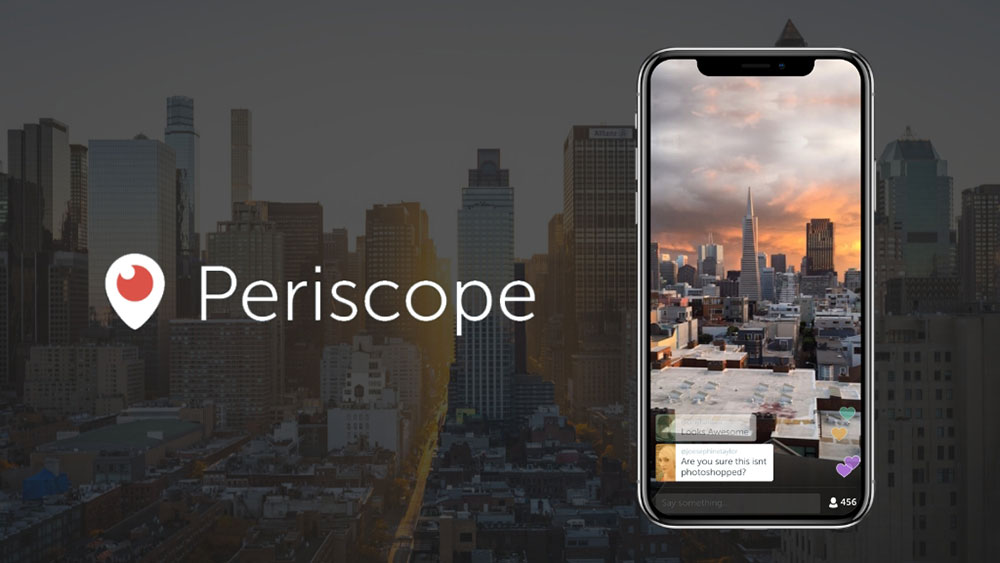
Periscope changed how people thought about live video. One tap, and you were broadcasting to the world in real time.
Then it shut down in 2021. Twitter absorbed its features, the standalone app disappeared, and millions of users were left looking for a real replacement.
The good news: the live streaming market has grown massively since then. Platforms like TikTok Live, Twitch, Bigo Live, and YouTube Live now offer real-time broadcasting with features Periscope never had, including monetization, multi-platform streaming, and open public discovery.
This guide covers the best apps like Periscope available right now, what each one does well, how they compare, and which fits your specific use case as a mobile broadcaster or content creator.
Apps Like Periscope
Periscope shut down in March 2021. The live streaming space didn’t slow down though. If anything, it split into a dozen directions. The global live streaming market hit roughly $99 billion in 2024 (Teleprompter), and platforms like TikTok Live, Twitch, and YouTube Live now dominate where Periscope once had a head start.
Below are the 10 best live video apps worth considering as real-time broadcasting alternatives.
Twitch
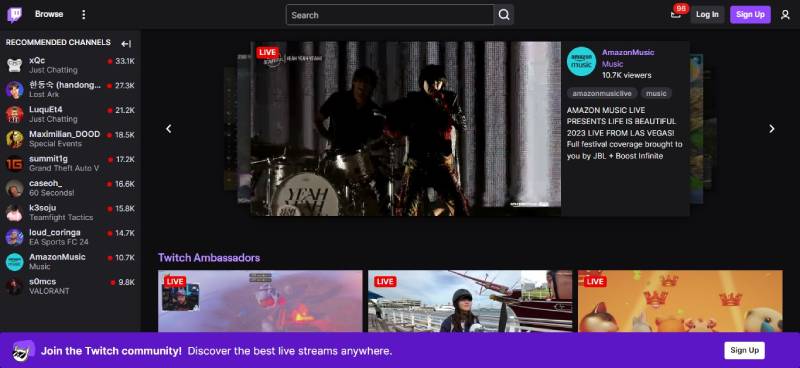
Twitch is a live streaming platform built around real-time video broadcasting for gamers, creators, and entertainers. It offers deeper monetization tools than Periscope ever did and supports iOS, Android, web, Windows, macOS, Xbox, and PlayStation.
What Does Twitch Do?
Twitch lets users broadcast live video to a global audience with real-time chat, subscriptions, and on-demand replays across all major platforms.
How Is Twitch Similar to Periscope?
Both platforms support instant mobile broadcasting, real-time audience interaction through comments, and public live streams discoverable by anyone. Twitch pulls in 31 million daily active users, a scale Periscope never reached (DemandSage).
How Is Twitch Different from Periscope?
Twitch is focused on gaming and structured content categories. Periscope was built for spontaneous, unfiltered mobile broadcasts with no monetization layer. Twitch also has a formal Partner and Affiliate program for revenue, plus VOD storage for past streams.
Who Is Twitch Best For?
Twitch suits content creators who want a dedicated live streaming community, real-time audience engagement, and the ability to earn through subscriptions and donations.
Key Features of Twitch
- Real-time chat: Live comments, emotes, and channel point rewards
- Monetization: Subscriptions ($4.99/$9.99/$24.99/mo), Bits, and ad revenue
- VOD storage: Past broadcasts saved for 14 days (60 days for Partners)
- Multi-platform support: iOS, Android, web, consoles, and desktop apps
Pricing
- Free plan: Yes, full access to streaming and viewing
- Paid plans: Channel subscriptions from $4.99/month (viewer-side)
- Free trial: N/A
YouTube Live

YouTube Live is a real-time video broadcasting feature built into YouTube, letting creators stream live to their subscriber base. It supports iOS, Android, and web, and accounts for over 50% of total livestreaming watch hours globally (Stream Charts Q1 2025).
What Does YouTube Live Do?
YouTube Live lets creators go live from mobile or desktop, interact with viewers through real-time comments, and monetize through Super Chat, memberships, and ad revenue.
How Is YouTube Live Similar to Periscope?
Both support mobile live broadcasting with real-time viewer interaction. YouTube Live also notifies subscribers when a channel goes live, similar to Periscope’s follower alert system.
How Is YouTube Live Different from Periscope?
YouTube Live integrates into a full video platform with permanent VOD storage, advanced live stream analytics, and live shopping features. Periscope had no VOD permanence and no monetization. YouTube also requires account verification for mobile streaming (1,000 subscribers).
Who Is YouTube Live Best For?
YouTube Live suits established creators who want to combine live content with long-form video strategy and monetize through multiple revenue streams.
Key Features of YouTube Live
- Live shopping: Tag products directly in the live stream
- Super Chat: Paid viewer messages highlighted in chat
- Go Live Together: Co-streaming with invited guests
- Stream analytics: Real-time and post-stream performance data
Pricing
- Free plan: Yes, free to stream
- Paid plans: N/A (revenue share model for monetized channels)
- Free trial: N/A
Facebook Live

Facebook Live is a social live streaming tool integrated into Facebook, allowing users and brands to broadcast to followers, groups, or public audiences. It runs on iOS, Android, and desktop via Live Producer.
What Does Facebook Live Do?
Facebook Live lets users broadcast real-time video to any Facebook audience, collect reactions, display live comments, and share streams directly to Stories or the feed.
How Is Facebook Live Similar to Periscope?
Both are mobile-first platforms with instant go-live capabilities, real-time comment streams, and public discovery. Facebook is the second most-used live streaming platform globally with 42.6% audience reach, according to eMarketer.
How Is Facebook Live Different from Periscope?
Facebook Live is tied to an existing social graph, meaning reach depends heavily on your existing follower base. Periscope had open public discovery. Facebook also supports e-commerce live shopping and Stars (paid viewer reactions), which Periscope never had.
Who Is Facebook Live Best For?
Facebook Live suits brands, community managers, and creators who already have an established Facebook following and want to use live video for product launches or Q&A sessions.
Key Features of Facebook Live
- Live shopping: Tag and sell products directly in the stream
- Live Producer: Desktop broadcasting with encoder support
- Facebook Stars: Viewer-to-creator paid reactions
- Group and event streaming: Broadcast to specific audiences, not just public
Pricing
- Free plan: Yes, free to use
- Paid plans: N/A
- Free trial: N/A
Instagram Live

Instagram Live is a mobile live broadcasting feature built into the Instagram app, letting creators stream directly to their followers with interactive tools like polls and Q&As. Available on iOS and Android.
What Does Instagram Live Do?
Instagram Live lets users start a real-time broadcast in two taps, interact with viewers via comments and reactions, co-host with another account, and save the replay to Stories for 24 hours.
How Is Instagram Live Similar to Periscope?
Both platforms are mobile-first, support spontaneous live broadcasts, and notify followers the moment you go live. The floating emoji reactions are a direct parallel to Periscope’s hearts.
How Is Instagram Live Different from Periscope?
- Discovery is limited to existing followers unless featured by Instagram
- Periscope had open public map-based discovery for any broadcast
- Instagram Live supports Badges (viewer donations) and product tagging for business accounts
Who Is Instagram Live Best For?
Instagram Live suits influencers and brands with an existing Instagram audience who want quick, casual live interactions rather than full production streams.
Key Features of Instagram Live
- Q&A boxes and polls: Built-in interactive engagement tools
- Co-hosting: Invite a second account into the live stream
- Badges: Viewer donations during the broadcast
- Story replay: Live saved to Stories for 24 hours post-stream
Pricing
- Free plan: Yes
- Paid plans: N/A
- Free trial: N/A
TikTok Live

TikTok Live is a real-time video broadcasting feature inside TikTok, letting creators stream to their followers with virtual gifts, filters, and algorithmic discovery. Available on iOS and Android.
In Q1 2025, TikTok Live generated over 8 billion watch hours, making it the second-most-watched streaming platform globally (Stream Charts).
What Does TikTok Live Do?
TikTok Live lets eligible creators (1,000+ followers) broadcast in real time, collect virtual gifts from viewers, and get pushed to new audiences through TikTok’s recommendation algorithm.
How Is TikTok Live Similar to Periscope?
Like Periscope, TikTok Live is mobile-first, highly spontaneous, and encourages discovery from users who don’t already follow you. Real-time comments and reactions scroll continuously, which feels familiar to Periscope users.
How Is TikTok Live Different from Periscope?
TikTok Live has a much stronger algorithmic push for new audience discovery, direct monetization through virtual gifts, and live commerce features. The content tends to be more performance-driven than Periscope’s raw, observational style.
Who Is TikTok Live Best For?
TikTok Live suits younger creators and entertainers who want fast audience growth, viral potential, and direct monetization through viewer gifts.
Key Features of TikTok Live
- Virtual gifts: Viewers send gifts convertible to real money
- Algorithm discovery: Live streams pushed to non-followers based on engagement
- Filters and effects: Real-time creative tools during broadcast
- Live commerce: Product tagging and in-stream shopping
Pricing
- Free plan: Yes
- Paid plans: N/A
- Free trial: N/A
Bigo Live

Bigo Live is a social live streaming app focused on community interaction, entertainment, and real-time video broadcasting. It has over 500 million registered users across 150+ countries and runs on iOS, Android, and PC.
What Does Bigo Live Do?
Bigo Live lets users broadcast live video, join multi-guest rooms with up to 12 participants, send virtual gifts, and discover streams from creators worldwide.
How Is Bigo Live Similar to Periscope?
| Feature | Bigo Live | Periscope |
| Mobile live broadcasting | Yes | Yes |
| Real-time comments | Yes | Yes |
| Public stream discovery | Yes | Yes |
| Follower notifications | Yes | Yes |
How Is Bigo Live Different from Periscope?
Bigo Live has a gamified monetization system (Diamonds, Beans, PK battles) that Periscope never had. It also skews heavily toward entertainment content like singing and dance rather than the news and travel focus of Periscope. Among US gamers, only 7% use Bigo Live vs. Twitch’s 47% (BitTopup).
Who Is Bigo Live Best For?
Bigo Live suits creators who want to build a global live streaming community, earn through virtual gifting, and access an audience outside Western platforms.
Key Features of Bigo Live
- Multi-guest rooms: Up to 12 on-screen participants at once
- PK battles: Competitive live battles between streamers
- Virtual gifts: Viewers buy Diamonds and gift creators (converted to Beans for cash)
- Global reach: 150+ countries, 23+ supported languages
Pricing
- Free plan: Yes
- Paid plans: In-app Diamond purchases from $0.99
- Free trial: N/A
YouNow
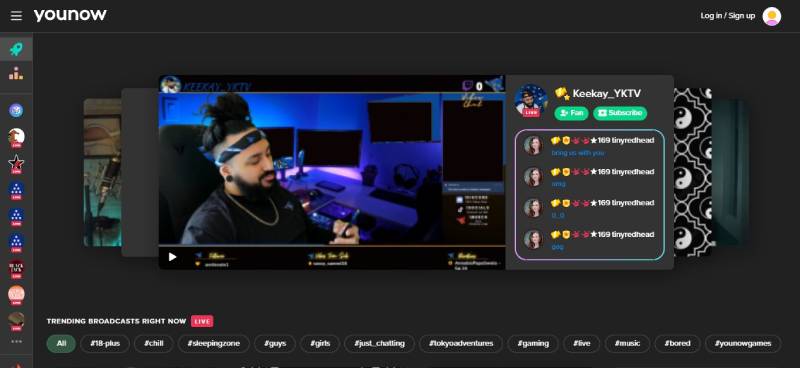
YouNow is a community-focused live streaming platform built around direct broadcaster-viewer interaction and hobby-based content discovery. Available on iOS, Android, and web.
What Does YouNow Do?
YouNow lets users broadcast live video, get discovered through content tags, and earn through a virtual currency called Bars that viewers purchase and send during streams.
How Is YouNow Similar to Periscope?
Both platforms prioritize spontaneous live broadcasting with real-time audience interaction and open public discovery. YouNow keeps the “anyone can find your stream” dynamic that made Periscope appealing to new broadcasters.
How Is YouNow Different from Periscope?
Key difference: YouNow has a structured Partner Program for creators, virtual currency monetization (Bars), and a niche-community tagging system Periscope never built. Subscription costs start at $4.99/month for viewers who want premium access to favorite creators.
Who Is YouNow Best For?
YouNow suits indie creators and musicians who want a tight-knit live streaming community without the scale and noise of platforms like TikTok or Twitch.
Key Features of YouNow
- Bars currency: Viewers buy Bars to support creators financially
- Partner Program: Monetization unlock for qualifying streamers
- Tag-based discovery: Find streams by hobby or interest category
- Co-hosting: Collaborative streaming with fans or other creators
Pricing
- Free plan: Yes
- Paid plans: Fan subscriptions from $4.99/month
- Free trial: N/A
StreamYard

StreamYard is a browser-based live streaming studio for creators and businesses who want professional multi-platform broadcasts without downloading software. It runs entirely in a web browser on any device.
What Does StreamYard Do?
StreamYard lets users broadcast live to up to 8 destinations simultaneously (YouTube, Facebook, LinkedIn, Twitch, and more), invite on-screen guests, add branded overlays, and record in HD, all from a browser tab.
How Is StreamYard Similar to Periscope?
StreamYard supports real-time audience interaction through synced comments from all platforms, displayed on-screen. Like Periscope, it allows instant broadcasting to a live audience with no technical setup required.
How Is StreamYard Different from Periscope?
StreamYard is built for multi-platform streaming and professional production, not casual mobile broadcasting. Periscope was phone-first and unpolished by design. StreamYard also costs significantly more, with paid plans starting at $44.99/month after its 2024 pricing restructure following acquisition by Bending Spoons.
Who Is StreamYard Best For?
StreamYard suits podcasters, educators, and marketers who need polished multi-destination live streams with guest management and branded visuals, without a complex technical setup.
Key Features of StreamYard
- Multi-platform streaming: Up to 8 simultaneous destinations
- Guest management: Up to 10 on-screen participants via invite link
- Custom branding: Logos, overlays, banners, and background images
- AI clip generation: Clips from live recordings for repurposing
Pricing
- Free plan: Yes (1 destination, watermark, SD quality, 2 hrs recording/month)
- Paid plans: Core from $44.99/month ($35.99/month billed annually)
- Free trial: Yes, 7-day trial on paid plans
LinkedIn Live

LinkedIn Live is a professional live video broadcasting feature built into LinkedIn, designed for companies, executives, and creators targeting a B2B audience. Available via LinkedIn’s mobile app or through approved third-party tools like StreamYard.
What Does LinkedIn Live Do?
LinkedIn Live lets verified creators and company pages broadcast live events, product launches, and professional Q&As to their professional network with real-time comments and reactions.
How Is LinkedIn Live Similar to Periscope?
Both support follower notifications when a broadcast starts, real-time viewer interaction through comments, and live replay access after the stream ends.
How Is LinkedIn Live Different from Periscope?
LinkedIn Live is invitation-only and requires application approval. Periscope was open to anyone. LinkedIn Live gets 24 times more comments than native video posts on the platform (Embryo), but its audience is entirely professional, not general public.
Who Is LinkedIn Live Best For?
LinkedIn Live suits B2B brands, executives, and thought leaders who want to broadcast industry events, product launches, or expert interviews to a professional audience.
Key Features of LinkedIn Live
- Professional reach: Access to LinkedIn’s 1 billion+ member network
- Third-party tools: Integrates natively with StreamYard for production quality
- Event streaming: Link live streams to LinkedIn Events for promotion
- Post-stream replay: Automatically saved to the profile or page feed
Pricing
- Free plan: Yes (access is free, approval required)
- Paid plans: N/A (costs depend on streaming tool used, e.g. StreamYard)
- Free trial: N/A
Owncast

Owncast is an open-source, self-hosted live streaming server for creators who want full control over their broadcast without relying on a corporate platform. It runs on any personal server and supports web-based viewing.
What Does Owncast Do?
Owncast lets users run their own live video server, stream from any broadcasting software (OBS, Streamlabs), and build a custom URL for their broadcast, with built-in web chat and a public directory of live channels.
How Is Owncast Similar to Periscope?
Both support public live streams with real-time text interaction and open discovery. Owncast has a public directory at its main site where anyone can find active channels, similar to Periscope’s global stream map.
How Is Owncast Different from Periscope?
Owncast requires a personal server and some technical setup. Periscope was one-tap mobile broadcasting with zero infrastructure needed. Owncast has no native mobile app for broadcasting, though streams are viewable on mobile browsers. The upside: no platform can take it down, and there are no ads.
Who Is Owncast Best For?
Owncast suits technically capable creators who want a fully independent, ad-free live streaming setup with no platform risk or content policy restrictions.
Key Features of Owncast
- Self-hosted: Runs on your own server, full data ownership
- Open-source: 9,600+ GitHub stars, free to use and modify
- Built-in web chat: Real-time viewer interaction without third-party tools
- Custom domain: Stream at your own URL (e.g., live.yoursite.com)
Pricing
- Free plan: Yes, completely free and open-source
- Paid plans: None (server hosting costs apply)
- Free trial: N/A
Comparing Apps Like Periscope
| App | Best For | Mobile Broadcasting | Free Plan | Monetization |
| Twitch | Gamers, streamers | Yes | Yes | Subs, Bits, ads |
| YouTube Live | Established creators | Yes (1k subs) | Yes | Super Chat, memberships |
| Facebook Live | Brands, communities | Yes | Yes | Stars, live shopping |
| Instagram Live | Influencers | Yes | Yes | Badges |
| TikTok Live | Young creators | Yes (1k followers) | Yes | Virtual gifts |
| Bigo Live | Global entertainment | Yes | Yes | Diamonds/Beans |
| YouNow | Indie/niche creators | Yes | Yes | Bars currency |
| StreamYard | Professional multi-stream | Browser-based | Yes (limited) | N/A (tool) |
| LinkedIn Live | B2B professionals | Via 3rd-party | Yes (approval) | N/A |
| Owncast | Independent creators | No native app | Yes (self-host) | Custom |
If you’re looking at other platforms worth exploring, there are also good lists covering apps similar to Clapper and tools like Rave for social video watching with others. For community-based platforms, apps like Amino are worth a look too.
What Was Periscope and Why Did It Shut Down?
Periscope launched on March 26, 2015, as a mobile-first live video streaming app for iOS and Android. Twitter acquired it before its public release for an estimated $86 million, positioning it against rival Meerkat which had just made waves at SXSW.
The concept was simple and genuinely new at the time. Anyone could go live from their phone with no follower requirement, no setup, and no production gear needed.
Within four months of launch, Periscope surpassed 10 million accounts. Users were collectively watching 40 years’ worth of video per day. Apple named it iPhone App of the Year in December 2015 (Wikipedia).
The decline started almost immediately after Twitter embedded live streaming directly into its own app in December 2016. Once users could go live on Twitter itself, the standalone Periscope app offered nothing extra.
Sensor Tower noted that Periscope had around 101 million total installs over its lifetime, but year-to-date installs in 2020 were already down 7% year-over-year (TechCrunch).
Twitter officially pulled Periscope from app stores on March 31, 2021, citing declining usage and maintenance costs that outweighed any remaining value.
| Year | Milestone |
| March 2015 | Public launch; Twitter acquisition for ~$86M |
| August 2015 | 10 million accounts; 40 years of video watched daily |
| December 2015 | Apple iPhone App of the Year |
| December 2016 | Twitter integrates live streaming natively, cannibalizing Periscope |
| March 2021 | Official shutdown; removed from all app stores |
The shutdown also ended Periscope’s Super Broadcaster program, which had let qualifying streamers earn cash from viewer gifts. That was the only monetization Periscope ever had, and it arrived late (2017).
What Features Made Periscope Worth Replacing?
Not every platform that does live video is a real Periscope replacement. The app had a specific combination of features that most live streaming tools still don’t replicate completely.
The five features that defined Periscope:
- Zero follower requirement: Anyone could go live immediately, with no minimum subscriber count
- Open map-based discovery: An interactive global map let any viewer find public broadcasts by location in real time
- Floating heart reactions: Viewers tapped the screen to send hearts, which floated up the broadcast visually
- Follower push notifications: Followers received alerts the moment a broadcaster went live
- 24-hour replay access: Streams saved automatically and stayed available for a day after broadcast
The map discovery feature is the hardest to find anywhere today. Most modern live streaming platforms limit discovery to existing followers or algorithmic feeds.
Periscope also had no production requirement. No overlays, no graphics, no camera setup. Just a phone and a live broadcast. That casual, raw quality was intentional and it attracted users who wanted unfiltered real-time content rather than polished broadcasts.
Platforms like Facebook Live, Instagram Live, and TikTok Live have all replicated the notification and heart mechanics. None of them replicated the anonymous public map.
How Do the Top Live Streaming Apps Compare for Mobile Broadcasting?
The live streaming market was valued at $99.82 billion in 2024 and is projected to reach $345.13 billion by 2030 at a 23% CAGR (Gyre.pro). That growth matters when choosing a platform: the bigger the market, the more competition for creator attention.
YouTube Live accounts for over 47% of total live streaming hours watched globally, followed by TikTok Live at roughly 27% as of Q1 2025 (Stream Charts).
| Platform | Follower Requirement to Go Live | Open Public Discovery | Mobile-First |
| TikTok Live | 1,000 followers | Algorithmic (non-followers) | Yes |
| Instagram Live | 1,000 followers | Followers only (Limited Explore) | Yes |
| YouTube Live | 50 subscribers (mobile) | Search and notifications | Yes |
| Bigo Live | None | Yes, open global browse | Yes |
| Twitch | None | Category/tag browse | Secondary |
| Periscope | (Defunct) | N/A | N/A |
Which apps let anyone go live without a follower requirement?
Twitch, Instagram Live, Bigo Live, and YouNow all allow broadcasting with zero followers.
TikTok Live and YouTube Live mobile both require 1,000 followers or subscribers before you can go live from a phone. That’s a real barrier for new broadcasters, and it’s a direct contrast to Periscope’s open access model.
Facebook Live has no follower minimum either, though its audience is overwhelmingly made up of people aged 35-54 in the US (eMarketer). That demographic skew matters if you’re trying to reach a younger real-time audience.
Which apps offer open public stream discovery to new viewers?
This is where most platforms fall short.
- Bigo Live: Has a global public browse feed; any user can find any active stream
- Twitch: Category and tag-based browse system, visible to anyone
- YouNow: Tag-based discovery, open to non-followers
- TikTok Live: Algorithm-driven push to non-followers based on engagement signals
Instagram Live and Facebook Live largely restrict organic reach to existing followers. StreamYard and LinkedIn Live don’t have public discovery at all. They are production tools and professional networks, not browsable live content directories.
Which App Is the Closest to Periscope for Casual Broadcasters?
28.5% of internet users watch live streams weekly, and the average viewer spends over 25 minutes per live session (Astute Analytica). That’s a large, engaged audience. The question is which platform puts a new broadcaster in front of them fastest.
TikTok Live is the closest match for Periscope’s spontaneous discovery model. Its recommendation algorithm pushes streams to users who don’t follow you, replicating the strangers-finding-your-stream dynamic that Periscope had via its map. The barrier is the 1,000 follower requirement.
Bigo Live is the closest in overall spirit. No follower minimum, open global browse, real-time gifting, and a focus on casual personal content rather than gaming or professional production. Bigo has over 500 million registered users across 150+ countries (BitTopup).
Instagram Live suits anyone who already has a following on Instagram. Two taps and you’re live. The follower notification system works exactly like Periscope’s. The downside: no open public discovery, so you’re broadcasting only to people who already follow you.
YouNow is worth knowing about for niche and hobby content. Tag-based discovery means strangers can find your stream by interest category, similar to how Periscope’s map let geography-curious viewers stumble onto broadcasts.
Honestly, no single app replicates the full Periscope experience. The closest combination is TikTok Live for discovery reach plus Bigo Live for open-access broadcasting.
Which Apps Like Periscope Support Monetization for Creators?
Periscope had no monetization for most of its life. The Super Hearts gifting system arrived in June 2017, two years after launch, and it shut down with the app in 2021. Every major platform that replaced it built monetization in from the start.
YouTube’s Super Chat program alone has paid out over $1 billion in fan funding, with top creators earning over $200,000 monthly through live viewer contributions (Gyre.pro / AIR Media-Tech).
About 48% of live video audiences say they would pay for exclusive live content from their favorite creators, sports teams, or events (Omdia Consumer Live Video Survey 2024). That audience willingness makes the monetization model a real factor when choosing a platform.
Platform monetization comparison:
- Virtual gift systems: TikTok Live (gifts converted to coins), Bigo Live (Diamonds to Beans), YouNow (Bars currency)
- Subscription models: Twitch ($4.99/$9.99/$24.99/month tiers), YouTube Live (channel memberships)
- Ad revenue share: YouTube Live (Partner Program), Twitch (ads for Partners and Affiliates)
- Super payments: YouTube Super Chat and Super Stickers, Facebook Stars
Bigo Live generated approximately $82 million in consumer spending in 2022, ranking it as the top-grossing mobile live streaming app that year, ahead of Twitch’s $72.6 million (data.ai via industry reports).
StreamYard and LinkedIn Live have no direct creator monetization. They are tools for professional broadcasting, not platforms for building a gift-supported audience.
Kick currently offers creators a 95% revenue share on subscriptions, the highest of any major platform (Statista). For serious streamers unhappy with Twitch’s 50% default split, that number is hard to ignore.
What Should You Consider Before Choosing a Periscope Alternative?
Periscope’s shutdown is a real data point, not just historical context. The same pattern that killed it (platform absorbed by parent app, standalone becomes redundant) applies to several options on this list.
Live streaming viewership reached 36.4 billion hours in 2025, nearly matching the 2021 pandemic peak, confirming this is a permanent behavior shift rather than a temporary trend (Streams Charts Q4 2025).
Content type determines platform fit:
- Gaming: Twitch, YouTube Live Gaming
- Social entertainment and talent: Bigo Live, TikTok Live, YouNow
- B2B and professional: LinkedIn Live, StreamYard
- Community and lifestyle: Instagram Live, Facebook Live
- Full ownership and independence: Owncast (self-hosted)
Technical tolerance matters. TikTok Live and Instagram Live are one-tap experiences from a phone. StreamYard runs in a browser and requires some setup. Owncast requires a personal server and is not suited to casual users.
Platform risk is real. Periscope had 101 million installs and still got shut down. Anyone building an audience on a platform they don’t control is exposed to the same risk. Owncast eliminates that entirely. For most creators, the trade-off (platform risk vs. built-in audience) still favors established platforms, but it’s worth acknowledging.
If you’re also looking at platforms for social discovery beyond live video, there are good comparisons covering apps like Nextdoor for community-based interaction, or apps similar to BeReal for authentic real-time social sharing. For live audio and social broadcasting in niche communities, apps like Whisper are also worth exploring.
FAQ on Apps Like Periscope
Is Periscope still available in 2025?
No. Periscope shut down on March 31, 2021. Twitter removed it from all app stores after absorbing its core live broadcasting features directly into the main Twitter (now X) app. The standalone platform no longer exists.
What is the best replacement for Periscope?
TikTok Live and Bigo Live are the closest matches for casual mobile broadcasting with public discovery. YouTube Live and Twitch suit creators who want larger audiences and real monetization built into the platform from day one.
Which live streaming apps work without a follower requirement?
Bigo Live, Twitch, Instagram Live, and YouNow all let you go live with zero followers. TikTok Live and YouTube Live mobile both require 1,000 followers before enabling the broadcast feature on phones.
What made Periscope different from other live streaming apps?
Its map-based public discovery was unique. Any viewer could find any active broadcast by location, with no follow needed. That open real-time discovery is something most current mobile live streaming platforms still don’t replicate directly.
Can you still go live on Twitter after Periscope closed?
Yes. X (formerly Twitter) lets users broadcast live video directly through the app. However, X Premium is now required to host live streams. Viewing remains free. Discoverability is limited compared to what Periscope offered through its dedicated map feature.
Which app is best for live streaming on mobile without equipment?
Instagram Live and TikTok Live are both one-tap mobile broadcast tools needing no setup. Bigo Live is also fully mobile-first. All three support real-time audience interaction through comments and virtual reactions during the stream.
Do any Periscope alternatives support monetization?
Most do. TikTok Live uses virtual gifts, Bigo Live has its Diamonds and Beans system, and YouNow uses Bars currency. Twitch and YouTube Live offer subscriptions, ad revenue, and paid viewer interactions like Super Chat and Bits.
What is the closest app to Periscope for discovering random live streams?
Bigo Live has the most open global browse feed among current platforms. Twitch uses category and tag browsing visible to anyone. YouNow also supports tag-based discovery. None use a real-time geographic map like Periscope did.
Is there a self-hosted alternative to Periscope?
Yes. Owncast is an open-source, self-hosted live streaming server. It runs on your own server, supports real-time chat, and has a public directory of active channels. It requires technical setup but gives full ownership with no platform risk.
Which live streaming platform has the largest audience in 2025?
YouTube Live leads with over 47% of total global live streaming hours watched. TikTok Live holds roughly 27%, making it the second-largest platform. Together with Twitch, these three account for over 93% of all viewership globally (Stream Charts Q1 2025).
Conclusion
This conclusion is for an article presenting the strongest apps like Periscope across every broadcaster type, from casual mobile streamers to professional multi-platform creators.
No single platform replicates everything Periscope did. But between Bigo Live’s open public discovery, TikTok Live’s algorithmic reach, and Twitch’s structured creator economy, the gap it left is well covered.
Monetization is now built in from the start. Virtual gifting, subscriptions, and real-time audience engagement tools exist across nearly every option on this list.
Your content type, audience size, and tolerance for platform risk are the real deciding factors. Match those to the right platform and you’ll find a live video broadcasting home that outlasts any single app.

- Build or Buy an AI Chatbot for E-commerce: The Costs Nobody Budgets For - October 24, 2026
- How to Run a React App in VS Code Step by Step - October 23, 2026
- Transactional or marketing email: which messages your app should send itself - October 23, 2026